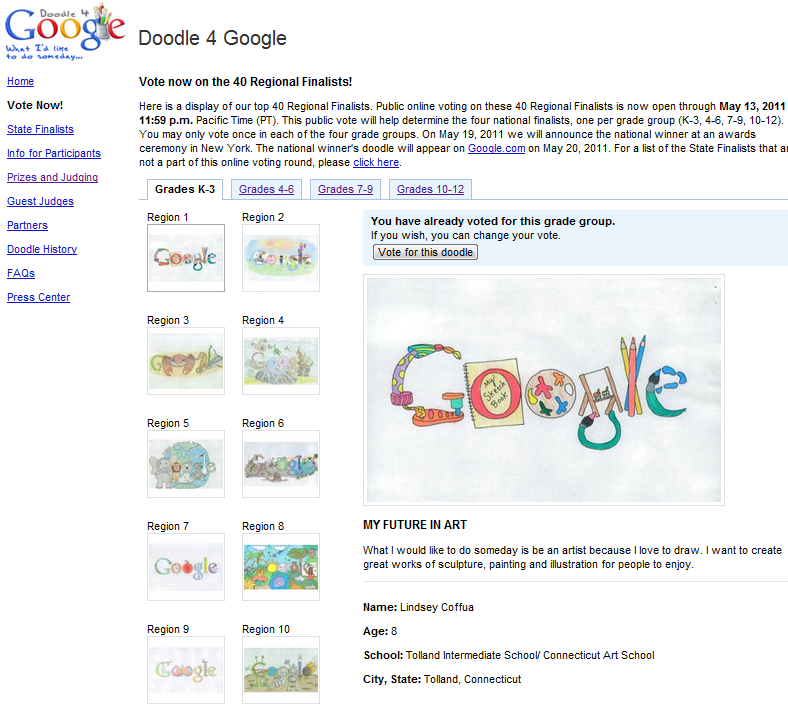
Here is a wonderful example of a geeky nerdy corporate player encouraging education in the liberal arts ( the designers of the GUIs and the phones) of the future.
Google sponsored Doodle 4 Google. (also quite a challenge to traditional brand managers who want to so control the image of the brand- I once waited 12 days for an official Logo to appear on this blog)
To help unify and uniform, collobrative work and data management and business models across the enterprise in secure SSL cloud environments- Google Storage has been rolling out some changes (read below)-this also gives you more options on the day Amazon goes ahem down (cough cough) because they didn’t think someone in their data environment could be sympathetic to free data.
We’re making some changes to Google Storage for Developers to make team-based development easier. As part of this work, we are introducing the concept of a project. In preparation for this feature, we will be creating projects for every user and migrating their buckets to it.
What does this mean for you?
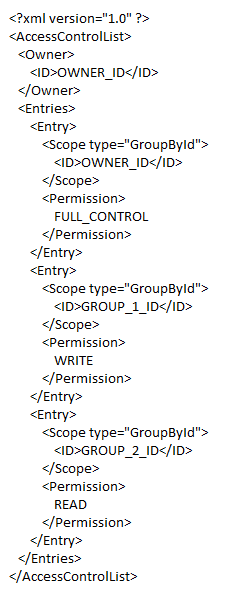
Everything will continue to work as it always has. However, you will notice that if you perform a get-acl operation on any of your buckets, you will see extra ACL entries. These entries correspond to project groups. Each group has only one member – the person who owned the buckets before the bucket migration; no additional rights have been granted to any of your buckets or objects. You should preserve these new ACL grants if you modify bucket ACLs.
An example entry for a modified ACL would look like this:
We’ll be rolling out these changes over the next few days,
Google Storage for Developers is a RESTful service for storing and accessing your data on Google’s infrastructure. The service combines the performance and scalability of Google’s cloud with advanced security and sharing capabilities. Highlights include:
Fast, scalable, highly available object store
All data replicated to multiple U.S. data centers
Read-your-writes data consistency
Objects of hundreds of gigabytes in size per request with range-get support
Domain-scoped bucket namespace
Easy, flexible authentication and sharing
Key-based authentication
Authenticated downloads from a web browser
Individual- and group-level access controls
In addition, Google Storage for Developers offers a web-based interface for managing your storage and GSUtil, an open source command line tool and library. The service is also compatible with many existing cloud storage tools and libraries. With pay-as-you-go pricing, it’s easy to get started and scale as your needs grow.
Google Storage for Developers is currently only available to a limited number of developers. Please sign up to join the waiting list.
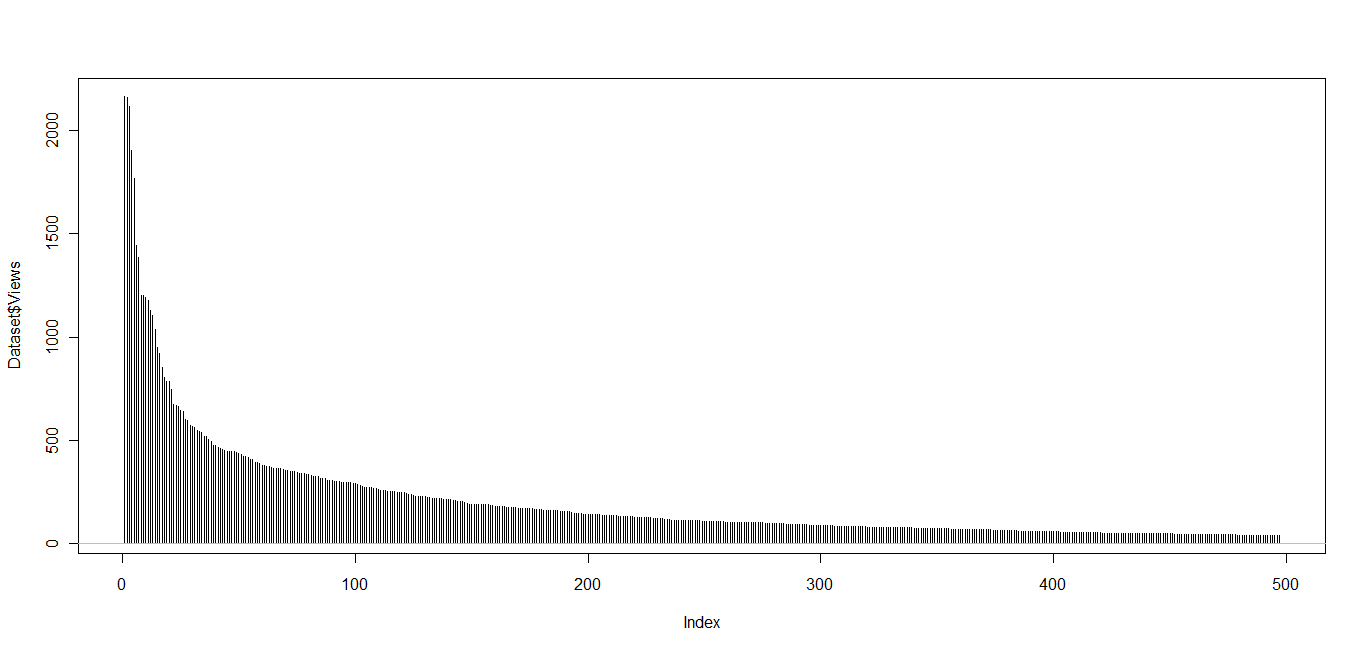
On a whim, I took the all time stats of my blog posts (more than 1000 posts) , and tried to plot their distribution.
Basically I copied and pasted all the data in a Google docs spreadsheet. and I created dummy codes (like URL1, URL2…. URL 500)
Next I downloaded the….
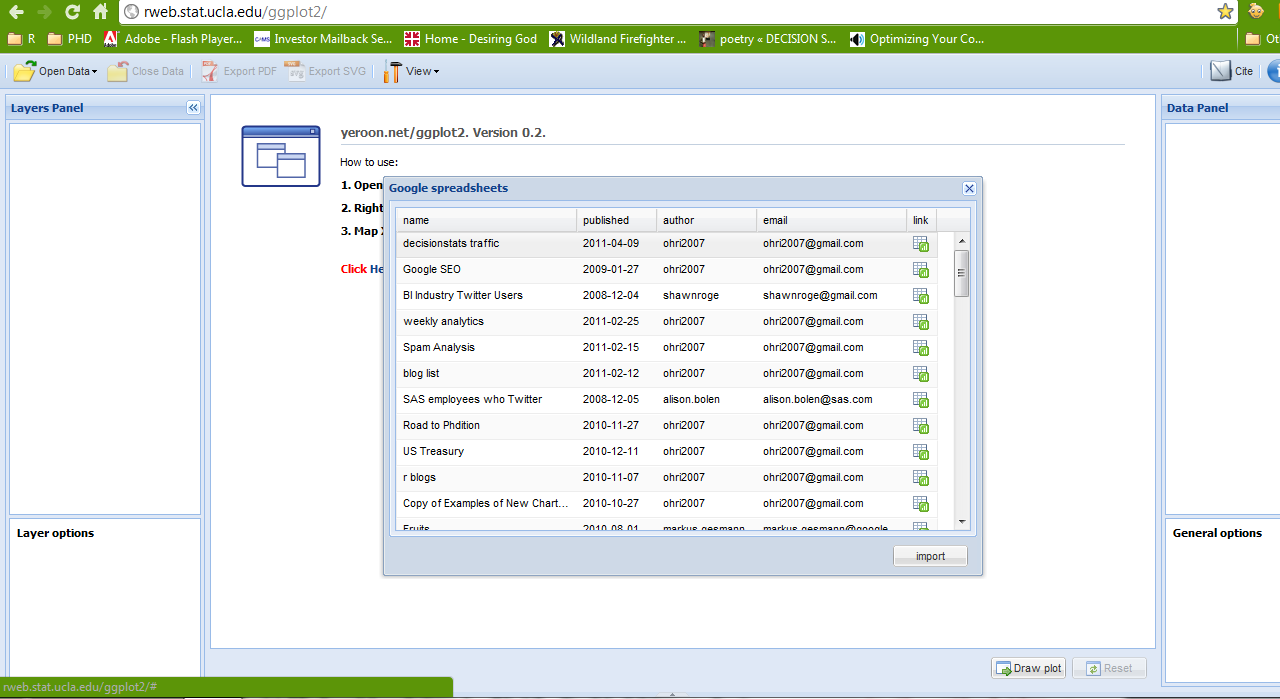
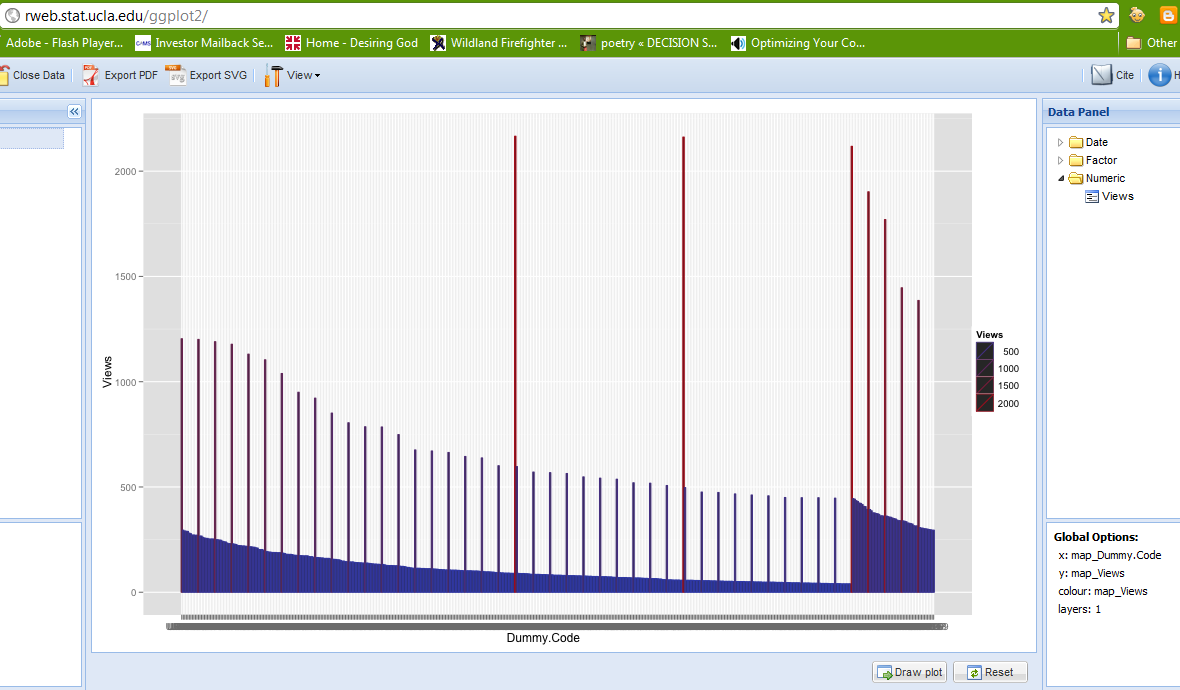
I wasnt in the mood for downloading and uploading stuff so I decided to use GGPLOT using Jeroen’s Application at http://www.stat.ucla.edu/~jeroen/
I used the mirror server that Dataspora provides as I have had latency issues with Jeroen’s website.
I got this error while trying to connect the Dataspora App to my Google spreadsheet
The page you have requested cannot be displayed. Another site was requesting access to your Google Account, but sent a malformed request. Please contact the site that you were trying to use when you received this message to inform them of the error. A detailed error message follows:
This website has not registered with Google to establish a secure connection for authorization requests. We recommend that you continue the process only if you trust the following destination:
wow it works! thats cloud computing now so I wonder why Google and Amazon continue to ignore the rApache, and Jeroen’s cloud app . Surely their Google Fusion Tables can be always improved or tweaked. Not to mention the next gen version of R which will have its own server
Pretty cool screenshot (but click to see more)
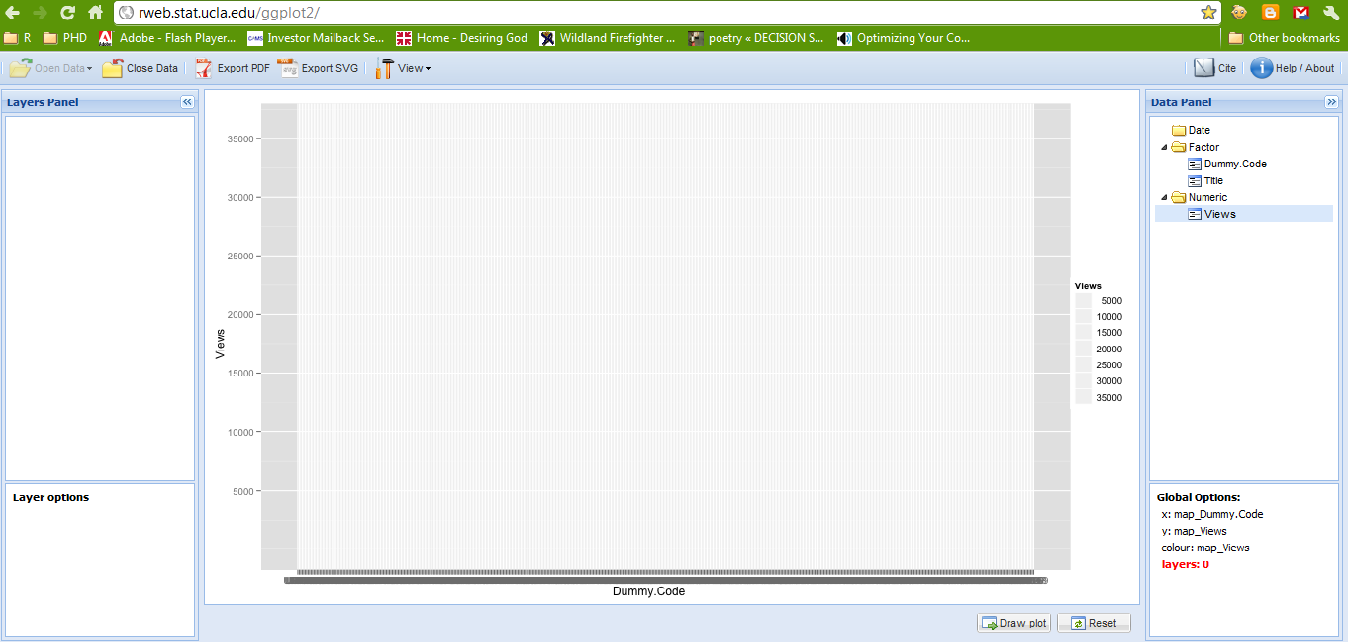
I get the following pretty graph. Hadley Wickham would be ashamed of me by now.
What went wrong- well one page has 36000 views . Scale is the key to graphical coherence . So I redo- delete home page in Google spreadsheet ,reimport replot. ( I didnt know how to modify data in the cloud app, maybe we need a cloud PlyR) I redo it again as I have a big outlier-The top 10 Statistical GUI article which ironically has only 5 GUIs in that article but hush dont tell to high quality search engine)
So again Belatedly I discover something called layer in ggplot.
Base Graphics engine has really spoilt me to write short functions for plots.
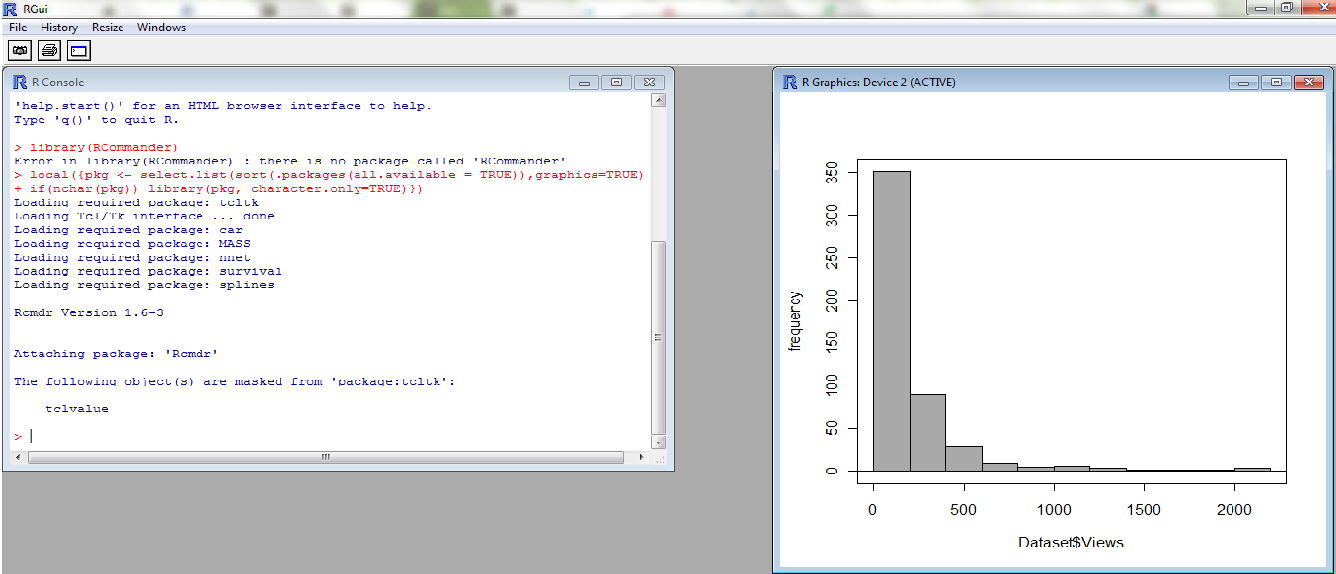
I give up. I rather prefer hist() I go to my favorite GUI Rattle, but it has some dating issues with the dll of GTK+
So I go to John Fox’s simple GUI. R Commander- is the best GUI if you use Occam’s Razor, and I am using Occam’s Chainsaw now.
I get the analysis I want in 12 secs
Summary- GGPLot is more complicated than base graphics engine.
Deducer GUI is not as simple too
R Commander is the best GUI because it retains simplicity
Ignore long tail of internet only at your peril
Almost 2/3 rds of my daily traffic of 400+ comes from old archived content That is why Search Engine Optimization and Alerts for Keywords are CRITICAL for any poor soul trying to write on a blog (which has no journal like prestige nor rewards)
If you make life easier for the search engine, it being a fair chap, rewards you well
Existing web traffic estimates like Comscore and Google Trends ignore this long tail
Comments are welcome (Data is pasted below of 500 rows X 2 columns if you can come up with a better analysis)
Since SAS has ignored web analytics and Google Analytics is hmm hmm, this could be an area of opportunity for R developers as well to create a web analytics package.
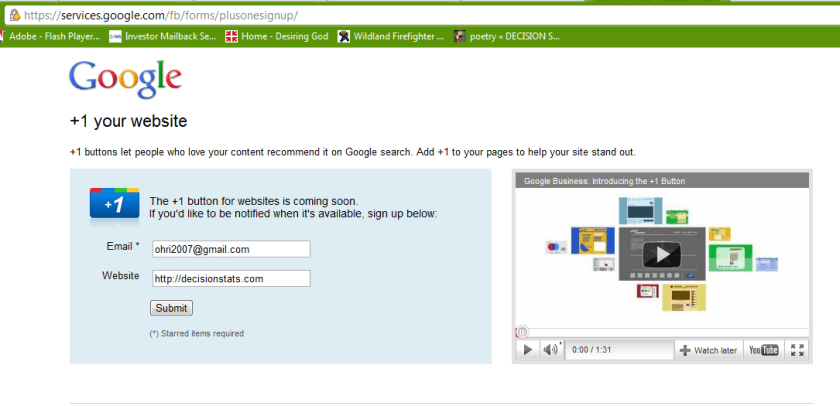
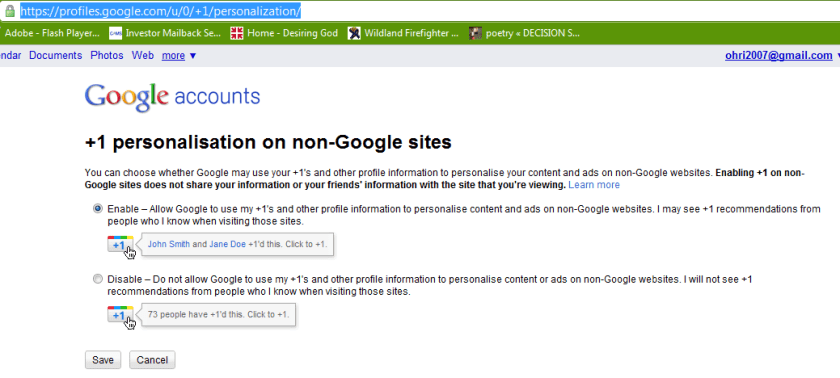
The buttons does exists because there is personalisation option available refering to non-Google sites.
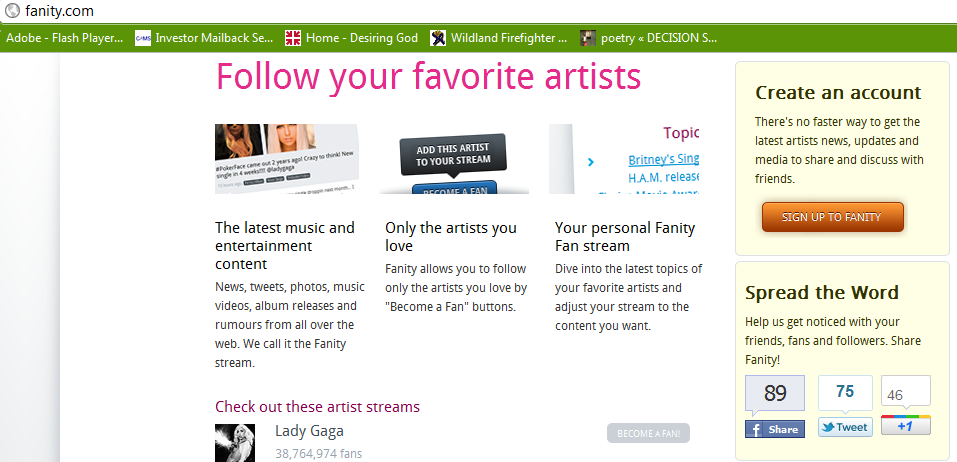
Google claims the button is “coming soon” but I couldn’t wait, so I looked around the code, and looked some more, untill I found the button endpoint hiding from me, obfuscated, in a stray piece of javascript.
Google is always experimenting with new features aimed at improving the search experience. Take one for a spin and let us know what you think.
Your selected experiment: You have joined the +1 button experiment. Note that you can only join ONE experiment at a time.
+1 button
This is your selected experiment.
Use +1 to give something your public stamp of approval, so friends, contacts, and others can find the best stuff when they search. Get recommendations for the things that interest you, right when you want them, in your search results.
To participate in this experiment:
Make sure you’re signed into your Google Account (required)
Click the new +1 button, and make your mark on the web
Your +1’s are public. They can appear in Google search results, on ads, and sites across the web. You’ll always be able to see your own +1’s in a new tab on your Google Profile, and if you want, you can share this tab with the world.
Please note, it may take a while before you see the button in search results, and it may occasionally disappear as we make improvements. Your feedback will help us make it better!
Navigate search results quickly and easily, with just your keyboard. As you navigate, items are magnified for easier viewing. If you use a screen reader or talking browser, the relevant information is spoken automatically as you navigate.
Current keyboard shortcuts include:
Key
Action
j or DOWN
Selects the next item.
k or UP
Selects the previous item.
l or RIGHT
Moves to the next category (results, sponsored links, refinements).
h or LEFT
Moves to the previous category (results, sponsored links, refinements).
<Enter>
Opens the selected result.
/
Puts the cursor in the search box.
n
Moves to the next result, and fetches more results if necessary.
p
Moves to the previous result, reloading earlier results if necessary.
For now, you need to use the Firefox 3 web browser with this experiment. This note will be updated as other browsers are added. Magnification already works with Google Chrome andApple’s Safari.
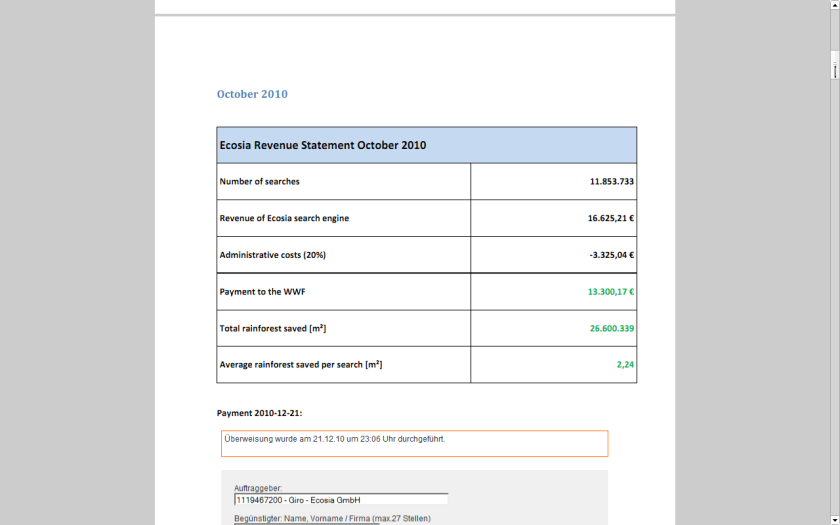
I recently found an interesting example of a website that both makes a lot of money and yet is much more efficient than any free or non profit. It is called ECOSIA
If you see a website that wants to balance administrative costs plus have a transparent way to make the world better- this is a great example.
World’s largest tropical forest reserve (38,867 square kilometers, or about the size of Switzerland)
Home to about 14% of all amphibian species and roughly 54% of all bird species in the Amazon – not to mention large populations of at least eight threatened species, including the jaguar
Includes part of the Guiana Shield containing 25% of world’s remaining tropical rainforests – 80 to 90% of which are still pristine
Holds the last major unpolluted water reserves in the Neotropics, containing approximately 20% of all of the Earth’s water
One of the last tropical regions on Earth vastly unaltered by humans
Significant contributor to climatic regulation via heat absorption and carbon storage
Click per milli (or CPM) gives you a very low low conversion compared to contacting ad sponsor directly.
But its a great data experiment-
as you can monitor which companies are likely to be advertised on your site (assume google knows more about their algols than you will)
which formats -banner or text or flash have what kind of conversion rates
what are the expected pay off rates from various keywords or companies (like business intelligence software, predictive analytics software and statistical computing software are similar but have different expected returns (if you remember your eco class)
NOW- Based on above data, you know whats your minimum baseline to expect from a private advertiser than a public, crowd sourced search engine one (like Google or Bing)
Lets say if you have 100000 views monthly. and assume one out of 1000 page views will lead to a click. Say the advertiser will pay you 1 $ for every 1 click (=1000 impressions)
Then your expected revenue is $100.But if your clicks are priced at 2.5$ for every click , and your click through rate is now 3 out of 1000 impressions- (both very moderate increases that can done by basic placement optimization of ad type, graphics etc)-your new revenue is 750$.
Be a good Samaritan- you decide to share some of this with your audience -like 4 Amazon books per month ( or I free Amazon book per week)- That gives you a cost of 200$, and leaves you with some 550$.
Wait! it doesnt end there- Adam Smith‘s invisible hand moves on .
You say hmm let me put 100 $ for an annual paper writing contest of $1000, donate $200 to one laptop per child ( or to Amazon rain forests or to Haiti etc etc etc), pay $100 to your upgraded server hosting, and put 350$ in online advertising. say $200 for search engines and $150 for Facebook.
Woah!
Month 1 would should see more people visiting you for the first time. If you have a good return rate (returning visitors as a %, and low bounce rate (visits less than 5 secs)- your traffic should see atleast a 20% jump in new arrivals and 5-10 % in long term arrivals. Ignoring bounces- within three months you will have one of the following
1) An interesting case study on statistics on online and social media advertising, tangible motivations for increasing community response , and some good data for study
2) hopefully better cost management of your server expenses
3)very hopefully a positive cash flow
you could even set a percentage and share the monthly (or annually is better actions) to your readers and advertisers.
go ahead- change the world!
the key paradigms here are sharing your traffic and revenue openly to everyone
donating to a suitable cause
helping increase awareness of the suitable cause
basing fixed percentages rather than absolute numbers to ensure your site and cause are sustained for years.
My annual traffic to this blog was almost 99,000 . Add in additional views on networking sites plus the 400 plus RSS readers- so I can say traffic was 1,20,000 for 2010. Nice. Thanks for reading and hope it was worth your time. (this is a long post and will take almost 440 secs to read but the summary is just given)
My intent is either to inform you, give something useful or atleast something interesting.
see below-
Jan
Feb
Mar
Apr
May
Jun
2010
6,311
4,701
4,922
5,463
6,493
4,271
Jul
Aug
Sep
Oct
Nov
Dec
Total
5,041
5,403
17,913
16,430
11,723
10,096
98,767
Sandro Saita from http://www.dataminingblog.com/ just named me for an award on his blog (but my surname is ohRi , Sandro left me without an R- What would I be without R :)) ).
Aw! I am touched. Google for “Data Mining Blog” and Sandro is the best that it is in data mining writing.
”
DMR People Award 2010
There are a lot of active people in the field of data mining. You can discuss with them on forums. You can read their blogs. You can also meet them in events such as PAW or KDD. Among the people I follow on a regular basis, I have elected:
Ajay Ori
He has been very active in 2010, especially on his blog . Good work Ajay and continue sharing your experience with us!”
What did I write in 2010- stuff.
What did you read on this blog- well thats the top posts list.
well I guess I owe Tal G for almost 9000 views ( incidentally I withdrew posting my blog from R- Bloggers and Analyticbridge blogs – due to SEO keyword reasons and some spam I was getting see (below))
Still reading this post- gosh let me sell you some advertising. It is only $100 a month (yes its a recession)
Advertisers are treated on First in -Last out (FILO)
I have been told I am obsessed with SEO , but I dont care much for search engines apart from Google, and yes SEO is an interesting science (they should really re name it GEO or Google Engine Optimization)
Apparently Hadley Wickham and Donald Farmer are big keywords for me so I should be more respectful I guess.
Search Terms for 365 days ending 2010-12-31 (Summarized)
2009-12-31 to Today
Search
Views
libre office
925
facebook analytics
798
test drive a chrome notebook
467
test drive a chrome notebook.
215
r gui
203
data mining
163
wps sas lawsuit
158
wordle.net
133
wps sas
123
google maps jet ski
123
test drive chrome notebook
96
sas wps
89
sas wps lawsuit
85
chrome notebook test drive
83
decision stats
83
best statistics software
74
hadley wickham
72
google maps jetski
72
libreoffice
70
doug savage
65
hive tutorial
58
funny india
56
spss certification
52
donald farmer microsoft
51
best statistical software
49
What about outgoing links? Apparently I need to find a way to ask Google to pay me for the free advertising I gave their chrome notebook launch. But since their search engine and browser is free to me, guess we are even steven.
Clicks for 365 days ending 2010-12-31 (Summarized)






 r-bloggers.com
 Reddit
 Twitter
 Google
 en.wordpress.com
 xianblog.wordpress.com
 DECISION STATS