Lasso Regression Explained: Feature Selection with L1 Regularization in Machine Learning

Lasso Regression (Least Absolute Shrinkage and Selection Operator) is a powerful regularized regression algorithm that improves the performance of linear regression by reducing overfitting while simultaneously performing automatic feature selection. By applying an L1 regularization penalty, Lasso shrinks the coefficients of less important features to exactly zero, creating a simpler, more interpretable, and efficient predictive model.

Unlike Ordinary Least Squares (OLS) regression, which focuses solely on minimizing prediction error, Lasso introduces a penalty on the absolute magnitude of model coefficients. This encourages the model to retain only the most informative features while eliminating those that contribute little to prediction accuracy. As a result, Lasso is particularly valuable when working with high-dimensional datasets containing many irrelevant or redundant variables.

One of Lasso Regression’s key strengths is its ability to combat overfitting. By limiting model complexity through regularization, it achieves better generalization on unseen data while maintaining competitive predictive performance. The degree of regularization is controlled by the alpha (α) hyperparameter, where smaller values behave similarly to standard linear regression and larger values produce increasingly sparse models.

Since Lasso penalizes coefficients directly, feature scaling is an essential preprocessing step. Standardizing features ensures that all variables are penalized fairly regardless of their original units. In practice, this is commonly implemented using StandardScaler within a scikit-learn Pipeline, creating a robust and reproducible machine learning workflow.

Selecting the optimal alpha value is critical for model performance. Rather than manually choosing a regularization strength, practitioners typically use LassoCV, which performs k-fold cross-validation across multiple alpha values to automatically identify the best-performing model. Visualizing the regularization path further illustrates how coefficients shrink and eventually become zero as regularization increases.

Lasso Regression is widely applied in genomics, healthcare, finance, marketing analytics, credit risk assessment, and predictive modeling, particularly when datasets contain hundreds or thousands of features. Its ability to identify the most influential variables makes it valuable for both predictive accuracy and model interpretability.

Model performance is commonly evaluated using metrics such as R² Score, Root Mean Squared Error (RMSE), and Mean Absolute Error (MAE). In addition to improving prediction quality, examining the non-zero coefficients provides direct insight into which features have the greatest influence on the target variable.

Although Lasso offers powerful feature selection capabilities, it may arbitrarily retain one feature while eliminating another when highly correlated variables are present. In such situations, Elastic Net often provides a better balance by combining both L1 and L2 regularization. Nevertheless, Lasso Regression remains one of the most effective techniques for building sparse, interpretable, and generalizable regression models.

Is Python going to be better than R for Big Data Analytics and Data Science? #rstats #python

Uptil now the R ecosystem of package developers has mostly shrugged away the Big Data question. In   a fascinating insight Hadley Wickham said this in a recent interview- shockingly it mimicks the FUD you know who has been accused of ( source

https://peadarcoyle.wordpress.com/2015/08/02/interview-with-a-data-scientist-hadley-wickham/

5. How do you respond when you hear the phrase ‘big data’? Big data is extremely overhyped and not terribly well defined. Many people think they have big data, when they actually don’t.

I think there are two particularly important transition points:

* From in-memory to disk. If your data fits in memory, it’s small data. And these days you can get 1 TB of ram, so even small data is big!

* From one computer to many computers.

R is a fantastic environment for the rapid exploration of in-memory data, but there’s no elegant way to scale it to much larger datasets. Hadoop works well when you have thousands of computers, but is incredible slow on just one machine. Fortunately, I don’t think one system needs to solve all big data problems.

To me there are three main classes of problem:

1. Big data problems that are actually small data problems, once you have the right subset/sample/summary.

2. Big data problems that are actually lots and lots of small data problems

3. Finally, there are irretrievably big problems where you do need all the data, perhaps because you fitting a complex model. An example of this type of problem is recommender systems

Ajay- One of the reasons of non development of R Big Data packages is- it takes money. The private sector in R ecosystem is a duopoly ( Revolution Analytics ( acquired by Microsoft) and RStudio (created by Microsoft Alum JJ Allaire). Since RStudio actively tries as a company to NOT step into areas Revolution Analytics works in- it has not ventured into Big Data in my opinion for strategic reasons.

Revolution Analytics project on RHadoop is actually just one consultant working on it here https://github.com/RevolutionAnalytics/RHadoop and it has not been updated since six months

We interviewed the creator of R Hadoop here https://decisionstats.com/2014/07/10/interview-antonio-piccolboni-big-data-analytics-rhadoop-rstats/

However Python developers have been trying to actually develop systems for Big Data actively. The Hadoop ecosystem and the Python ecosystem are much more FOSS friendly even in enterprise solutions.

This is where Python is innovating over R in Big Data-

http://blaze.pydata.org/en/latest/

  • Blaze: Translates NumPy/Pandas-like syntax to systems like databases.

    Blaze presents a pleasant and familiar interface to us regardless of what computational solution or database we use. It mediates our interaction with files, data structures, and databases, optimizing and translating our query as appropriate to provide a smooth and interactive session.

  • Odo: Migrates data between formats.

    Odo moves data between formats (CSV, JSON, databases) and locations (local, remote, HDFS) efficiently and robustly with a dead-simple interface by leveraging a sophisticated and extensible network of conversions. http://odo.pydata.org/en/latest/perf.html

    odo takes two arguments, a target and a source for a data transfer.

    >>> from odo import odo
    >>> odo(source, target)  # load source into target 
  • Dask.array: Multi-core / on-disk NumPy arrays

    Dask.arrays provide blocked algorithms on top of NumPy to handle larger-than-memory arrays and to leverage multiple cores. They are a drop-in replacement for a commonly used subset of NumPy algorithms.

  • DyND: In-memory dynamic arrays

    DyND is a dynamic ND-array library like NumPy. It supports variable length strings, ragged arrays, and GPUs. It is a standalone C++ codebase with Python bindings. Generally it is more extensible than NumPy but also less mature.  https://github.com/libdynd/libdynd

    The core DyND developer team consists of Mark Wiebe and Irwin Zaid. Much of the funding that made this project possible came through Continuum Analytics and DARPA-BAA-12-38, part of XDATA.

    LibDyND, a component of the Blaze project, is a C++ library for dynamic, multidimensional arrays. It is inspired by NumPy, the Python array programming library at the core of the scientific Python stack, but tries to address a number of obstacles encountered by some of its users. Examples of this are support for variable-sized string and ragged array types. The library is in a preview development state, and can be thought of as a sandbox where features are being tried and tweaked to gain experience with them.

    C++ is a first-class target of the library, the intent is that all its features should be easily usable in the language. This has many benefits, such as that development within LibDyND using its own components is more natural than in a library designed primarily for embedding in another language.

    This library is being actively developed together with its Python bindings,

http://dask.pydata.org/en/latest/

On a single machine dask increases the scale of comfortable data from fits-in-memory to fits-on-diskby intelligently streaming data from disk and by leveraging all the cores of a modern CPU.

Users interact with dask either by making graphs directly or through the dask collections which provide larger-than-memory counterparts to existing popular libraries:

  • dask.array = numpy + threading
  • dask.bag = map, filter, toolz + multiprocessing
  • dask.dataframe = pandas + threading

Dask primarily targets parallel computations that run on a single machine. It integrates nicely with the existing PyData ecosystem and is trivial to setup and use:

conda install dask
or
pip install dask

https://github.com/cloudera/ibis

When open source fights- closed source wins. When the Jedi fight the Sith Lords will win

So will R people rise to the Big Data challenge or will they bury their heads in sands like an ostrich or a kiwi. Will Python people learn from R design philosophies and try and incorporate more of it without redesigning the wheel

Converting code from one language to another automatically?

How I wish there was some kind of automated conversion tool – that would convert a CRAN R package into a standard Python package which is pip installable

Machine learning for more machine learning anyone?

The Amazing Watson makes Data Science so elementary

I got the email from IBM saying try out Watson, yada yada yada. I was not so sure what to expect. So i uploaded the diamonds dataset from the flagbearer ggplot2 package in R.

Simple benchmark- can IBM Watson data viz beat the best data viz package (ggplot2) in the best statistical language (R)

To my chagrin and humility- here are the results

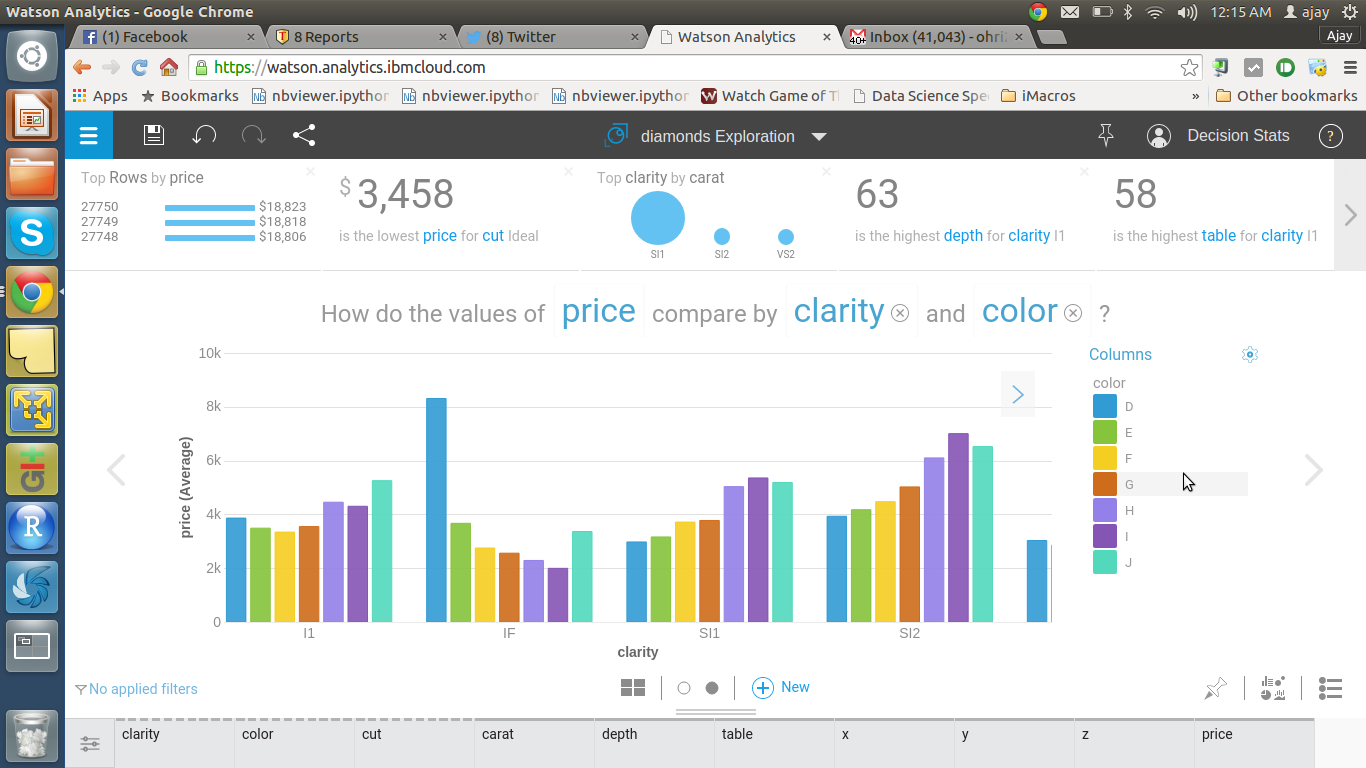
Interface is awesome

Watson actually asks questions which an experienced Data Scientist would ask

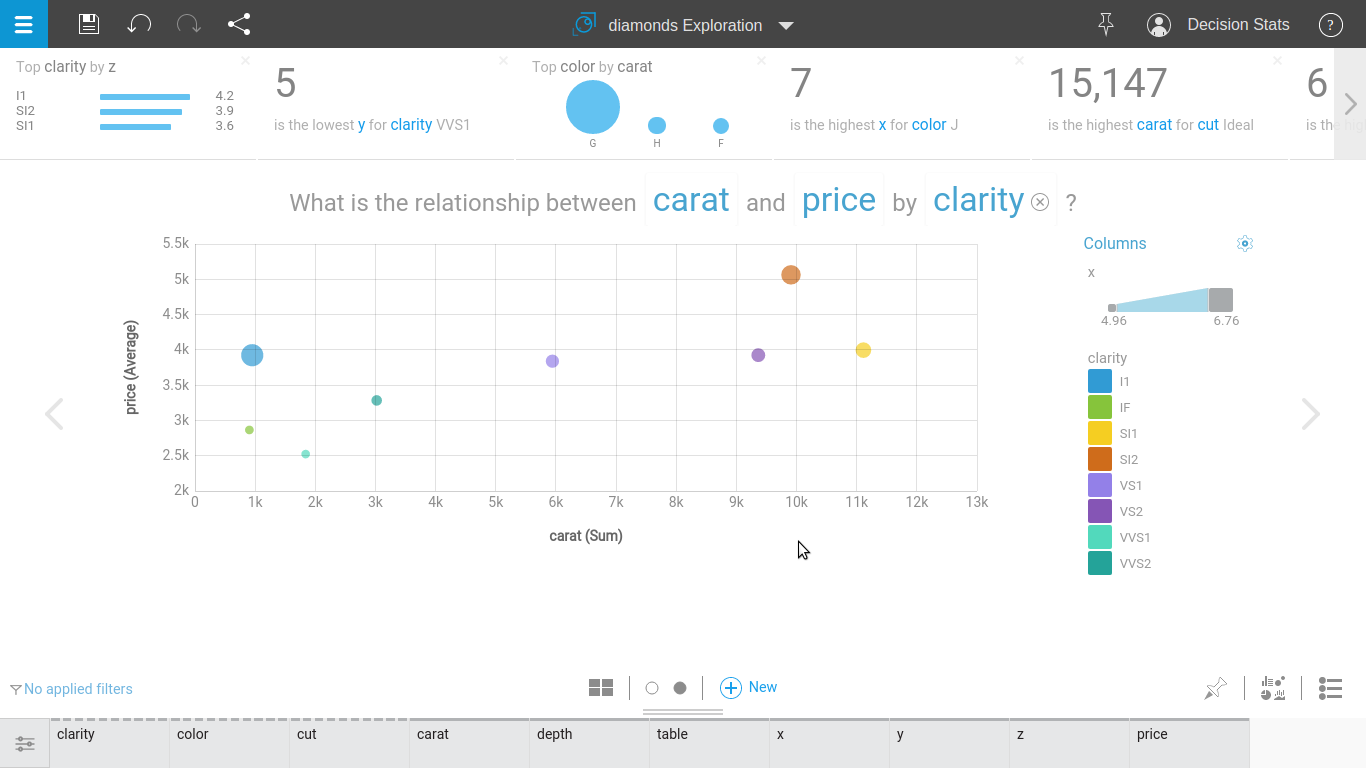
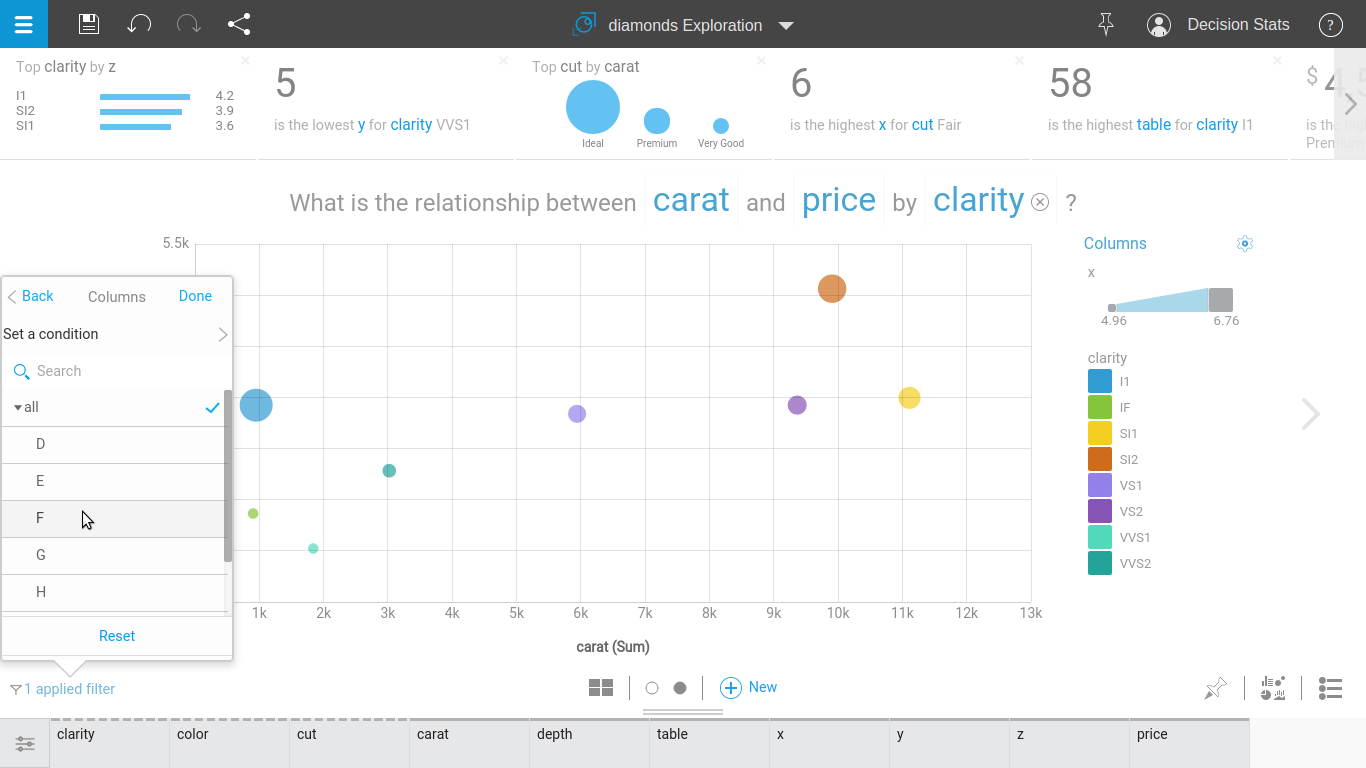
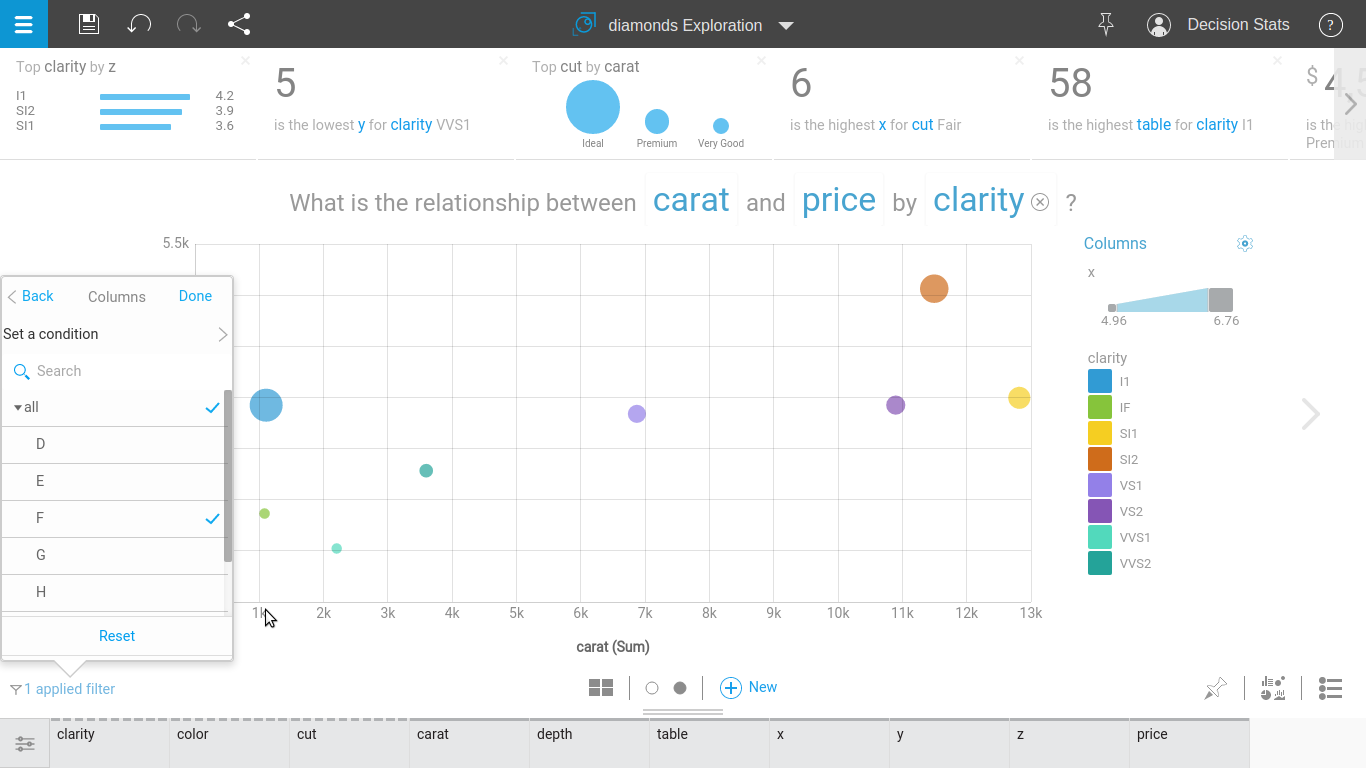
The default data visualization is actually superior but the tabs for customizing appearance needs some work.

STEP 1

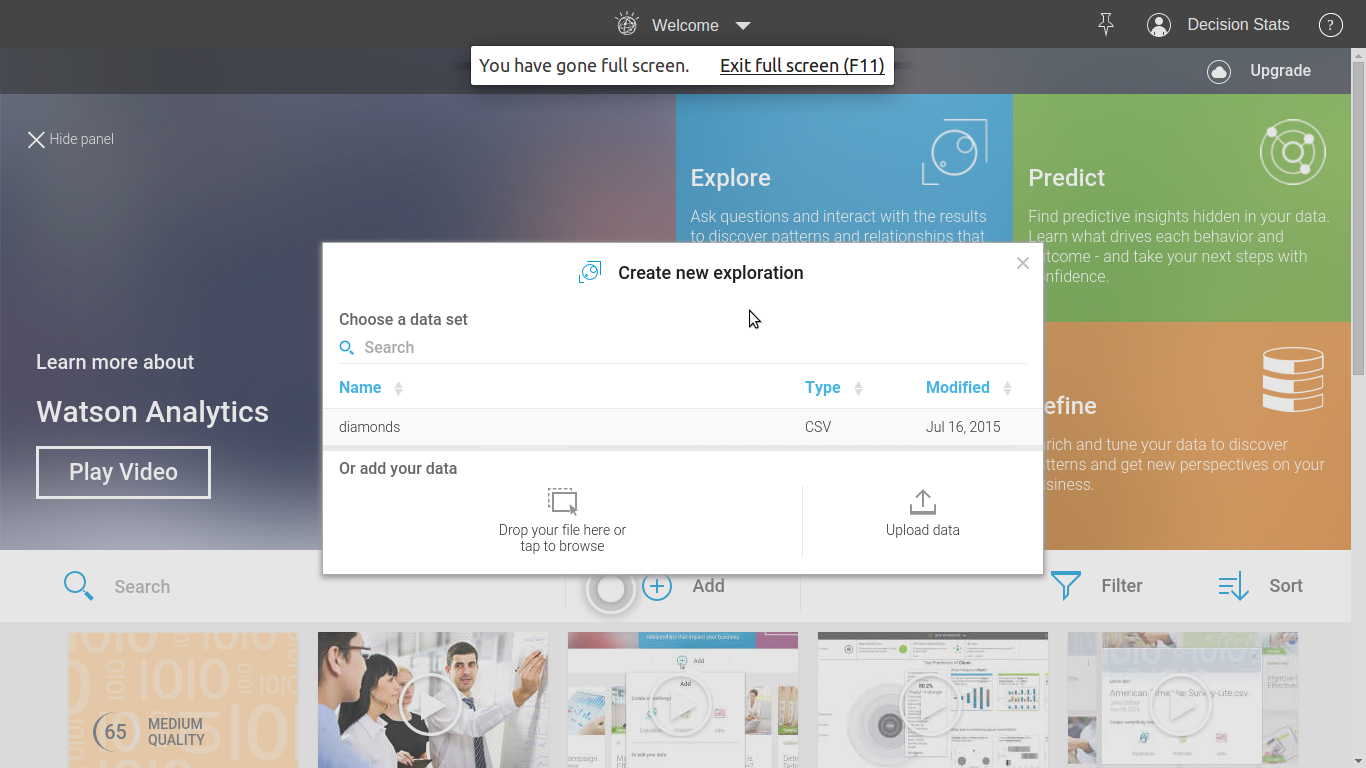
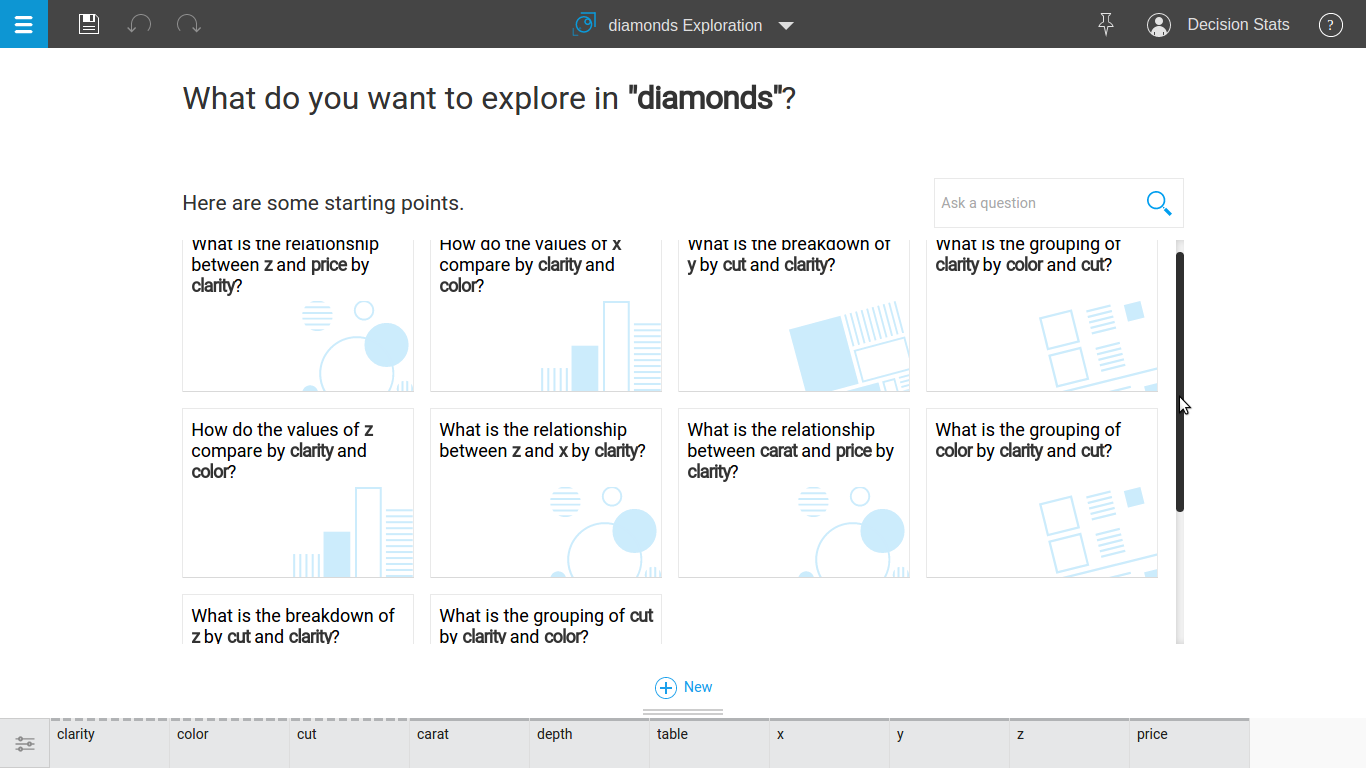
Just uploaded the dataset and these were some of the questions asked by Watson to me.

Screenshot from 2015-07-16 00:25:30


Screenshot from 2015-07-16 00:25:07Step 2

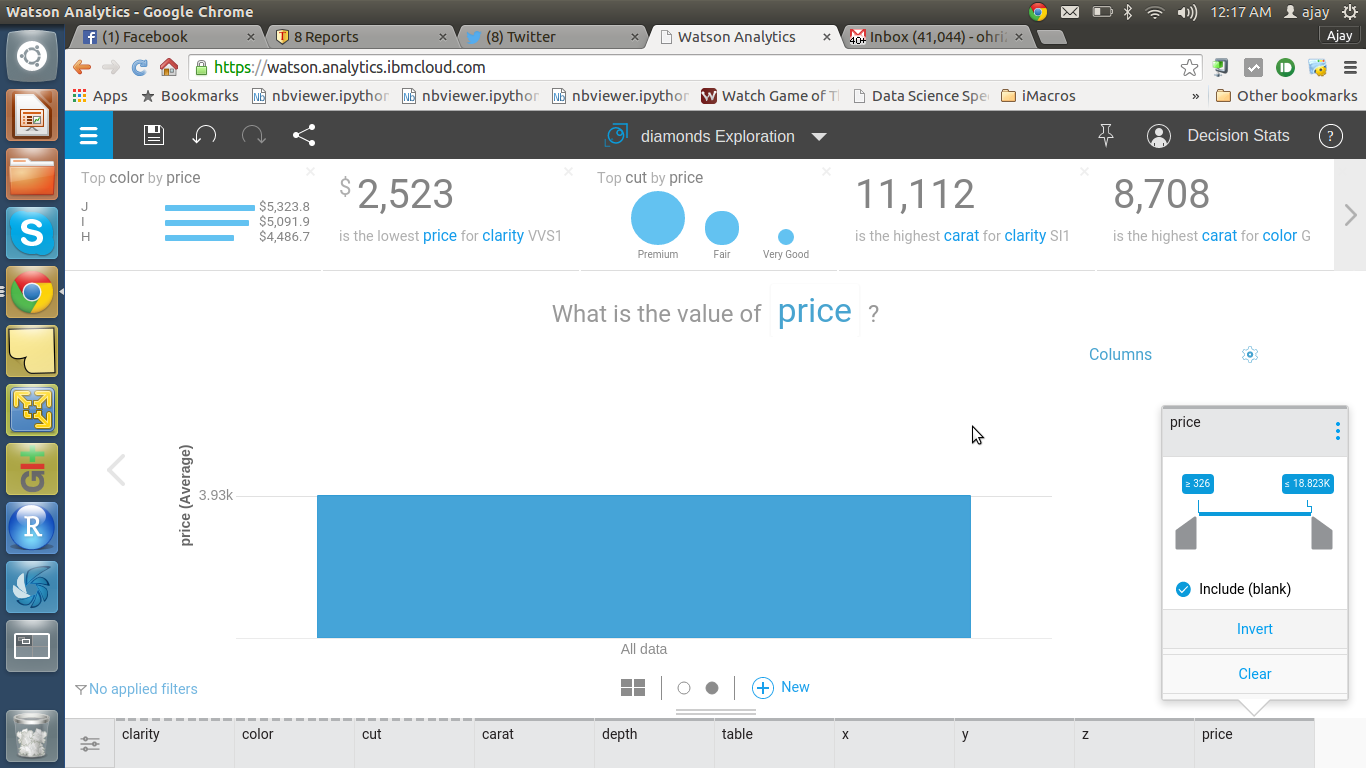
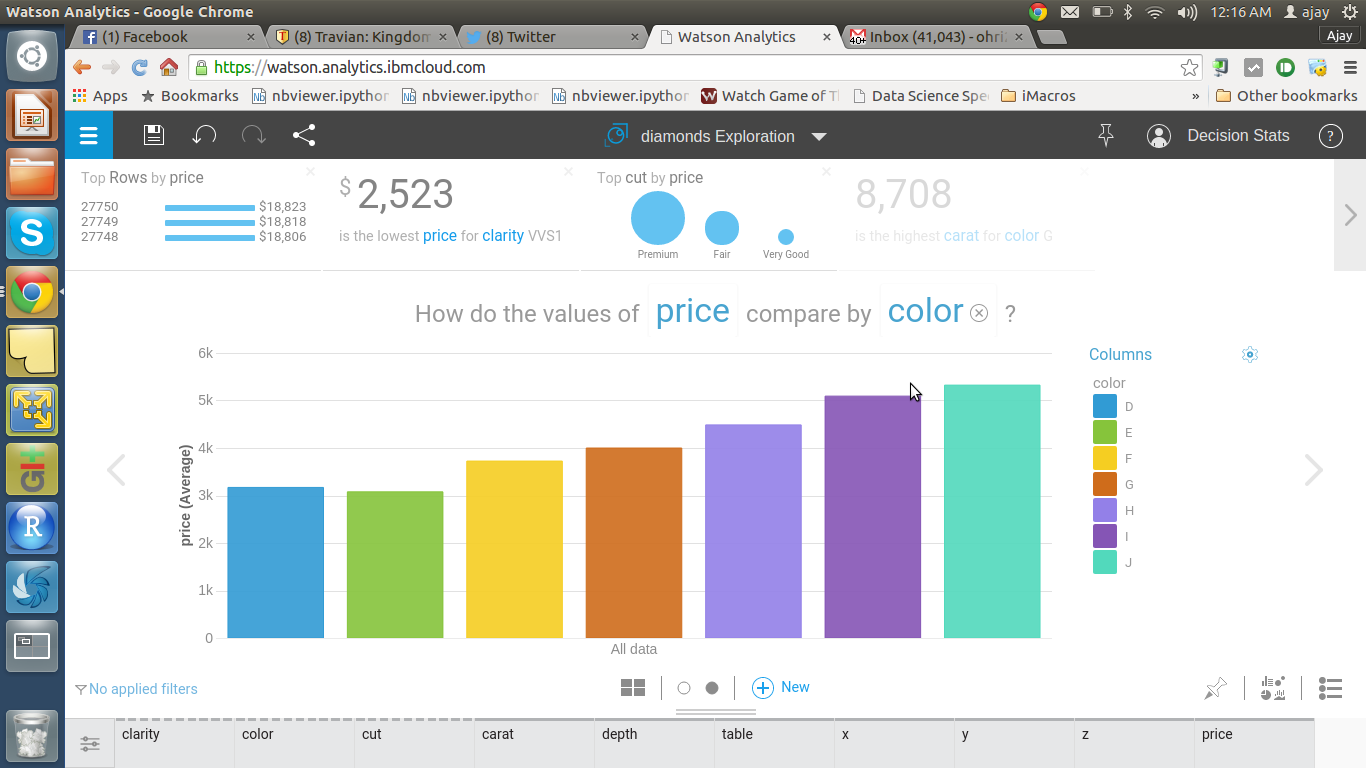
Look at how Watson answers one of these questions

Screenshot from 2015-07-16 00:17:40

Screenshot from 2015-07-16 00:16:29

Screenshot from 2015-07-16 00:15:43


Screenshot from 2015-07-16 00:32:49Step 3

I added human input(me) to try and customize it

Screenshot from 2015-07-16 00:33:12


Screenshot from 2015-07-16 00:33:25

SAS for R Users

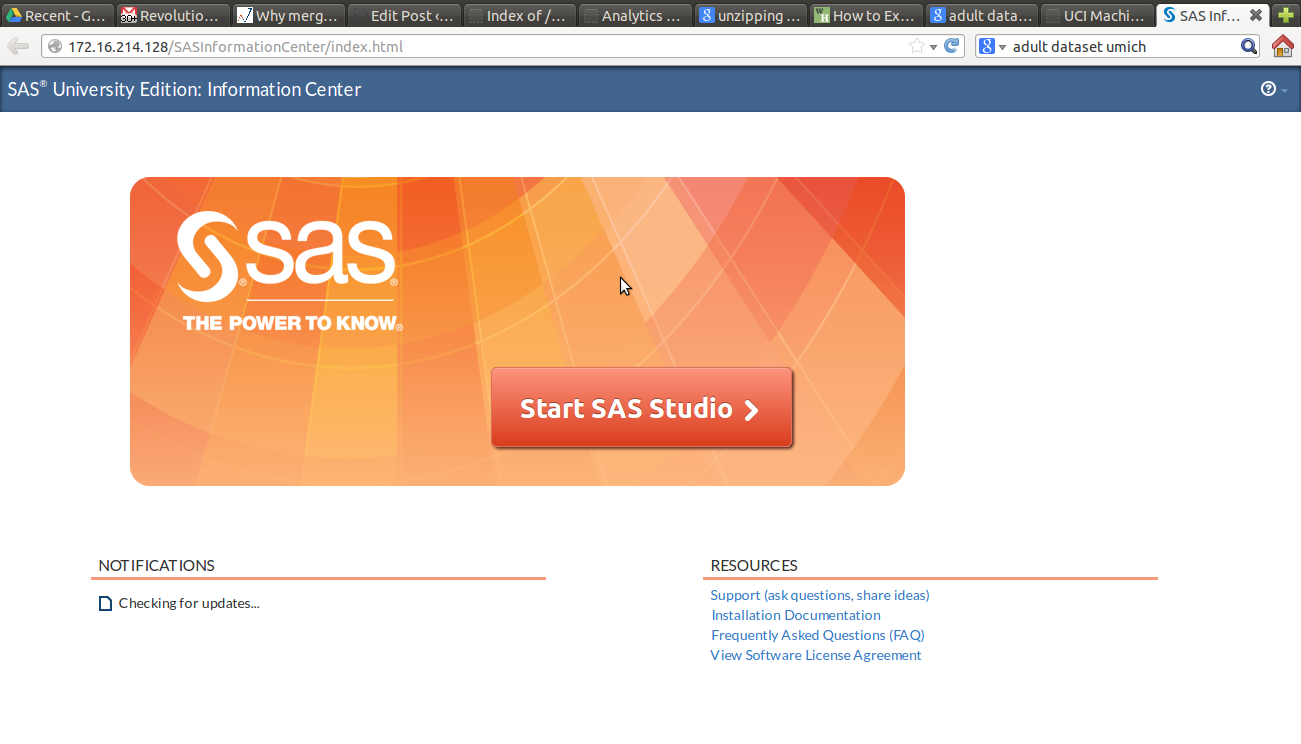
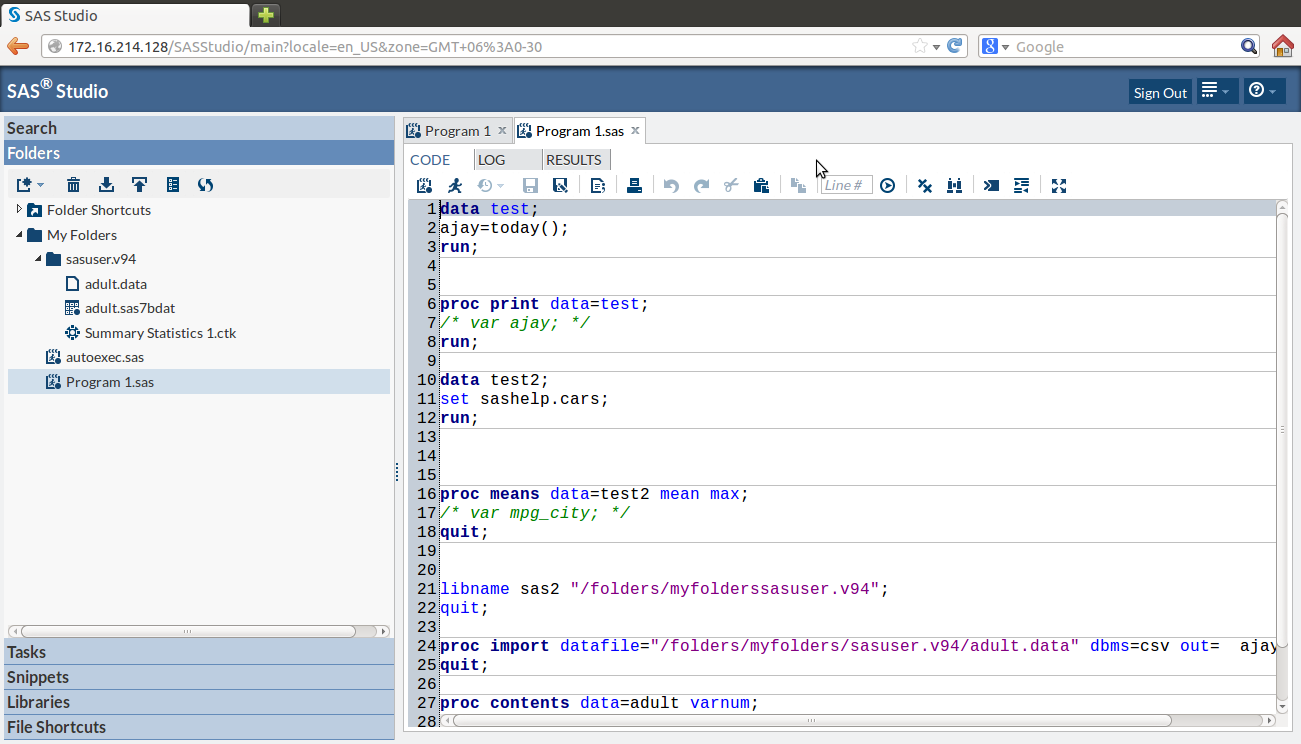
I recently managed to get a copy of SAS University Edition.  Screenshot from 2015-03-04 19:54:34

1) Here were some problems I had to resolve- The download size is 1.5 gb of a zipped file ( a virtual machine image). Since I have a internet broadband based in India it led to many failed attempts before I could get it. The unzipped file is almost 3.5 gb. You can get the download file here http://www.sas.com/en_us/software/university-edition/download-software.html.

Secondly the hardware needed is 64 bit, so I basically upgraded my Dell Computer. This was a useful upgrade for me anyway.

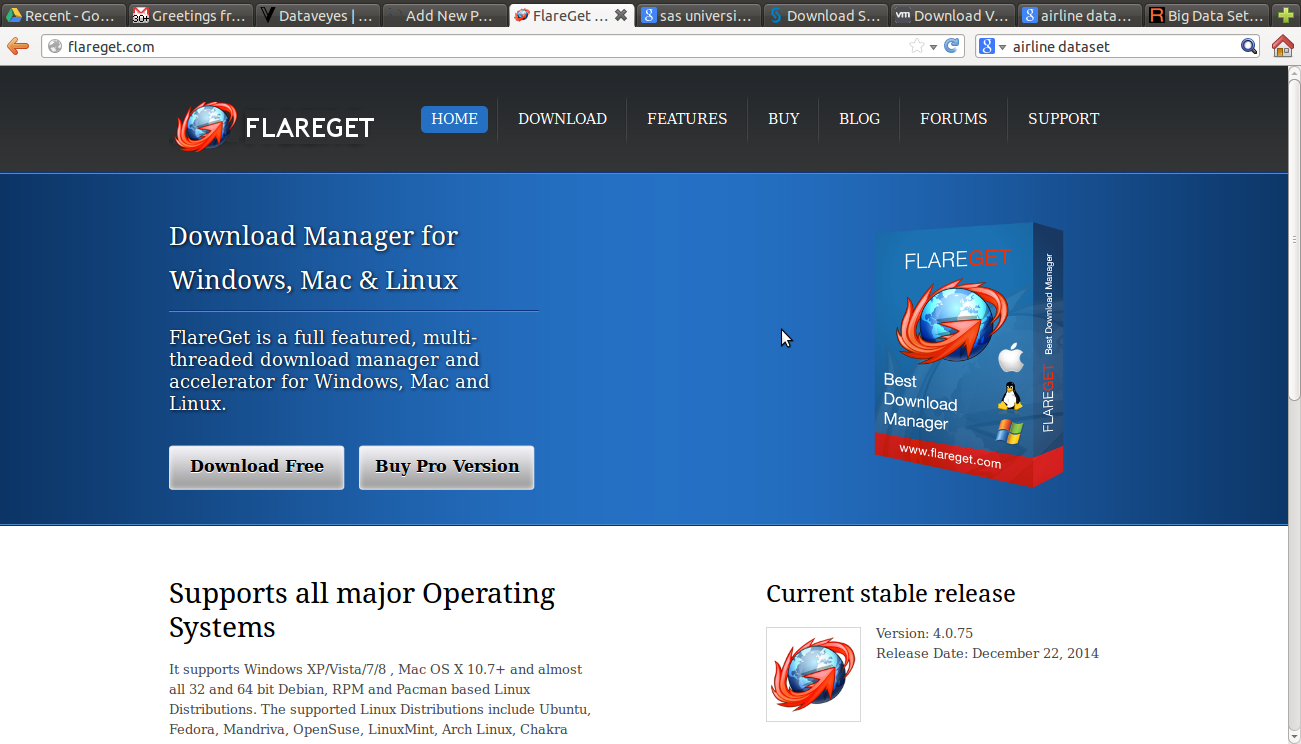
2) You can get an Internet Download Manager to resume downloading in case your Internet connection has issues downloading a 1.5 gb file in one go. For Linux you can see http://flareget.com/download/

and for Windows http://www.internetdownloadmanager.com/download.html


3) I chose VM Player for Linux because I am much more comfortable with VM Player ( Desktop free version). I got that from here ~200 MB https://my.vmware.com/web/vmware/free#desktop_end_user_computing/vmware_player/6_0

Screenshot from 2015-03-04 19:39:17

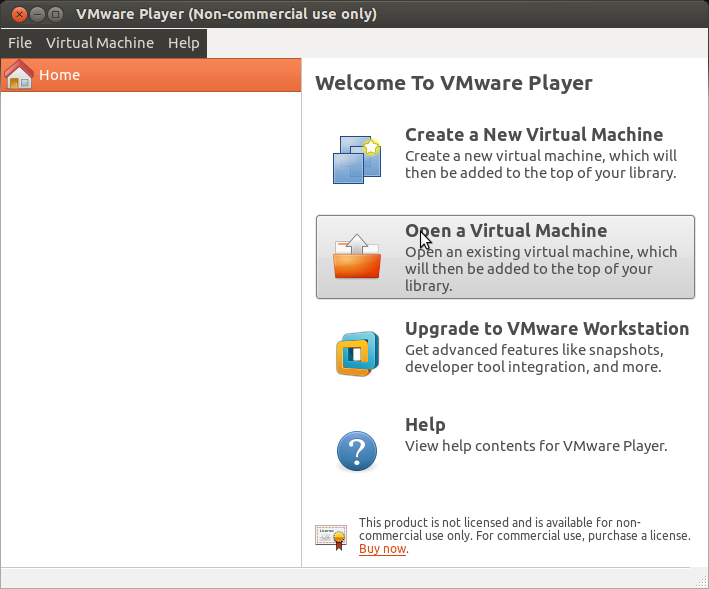
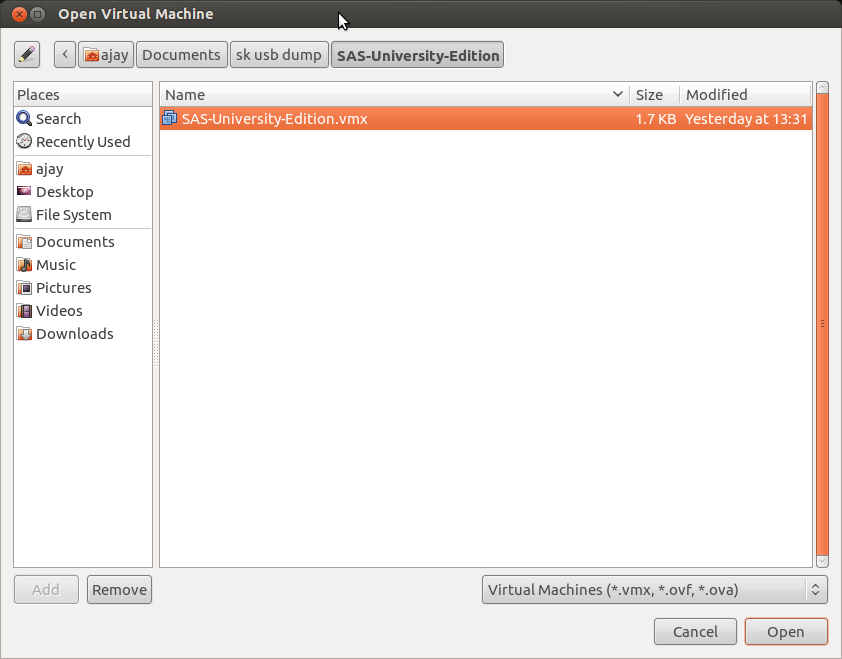
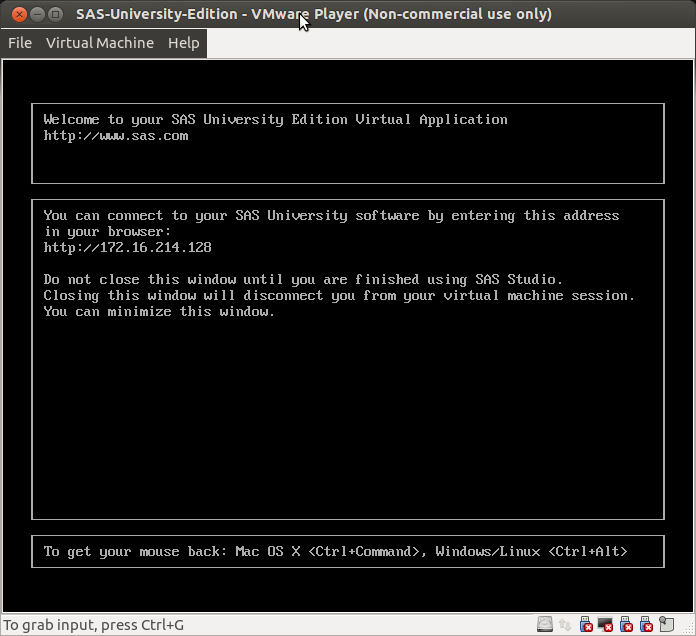
4) Finally I installed VM Player and Open an Existing Virtual Machine to boot up SAS University Edition  Screenshot from 2015-03-04 19:43:08


I was able to open the SAS Studio at the IP Address provided.

Screenshot from 2015-03-04 21:52:32

5)


I downloaded a   Dataset from this collection here

https://archive.ics.uci.edu/ml/datasets/Adult


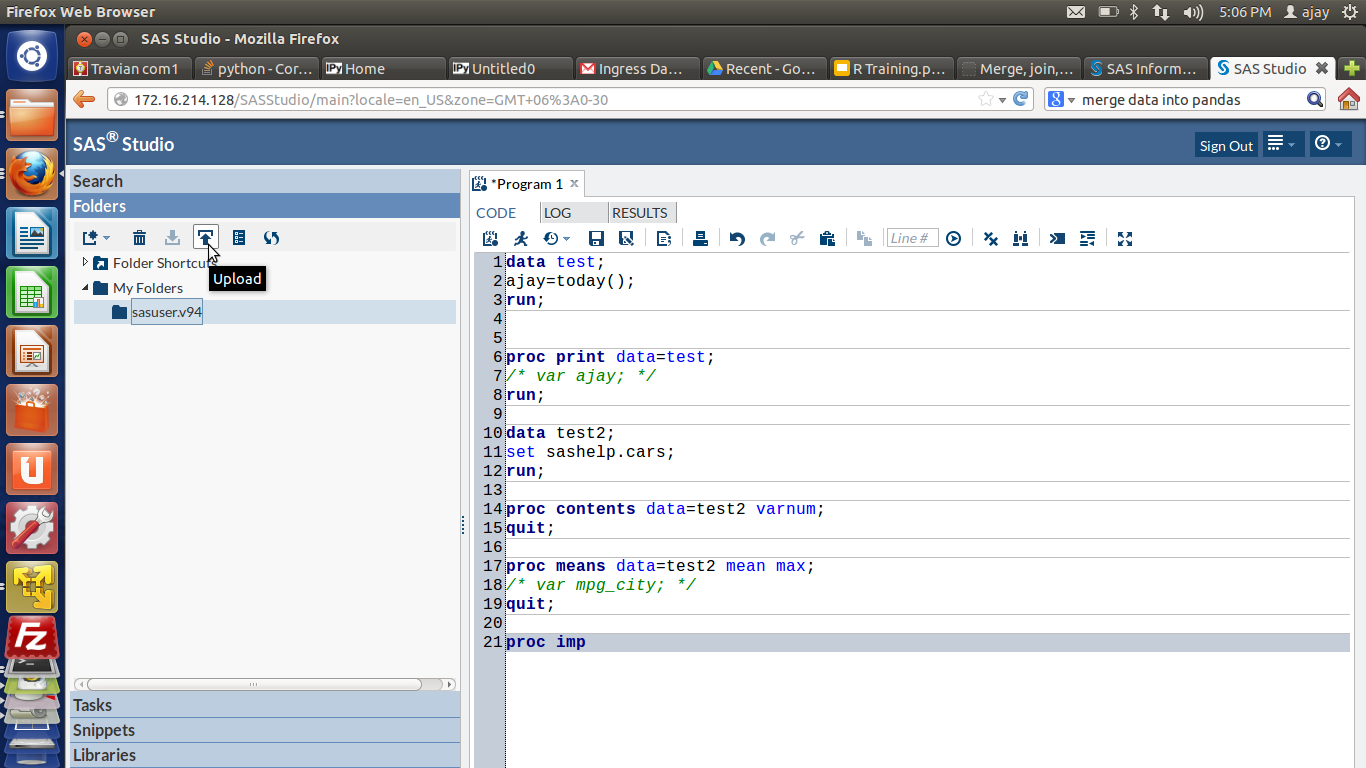
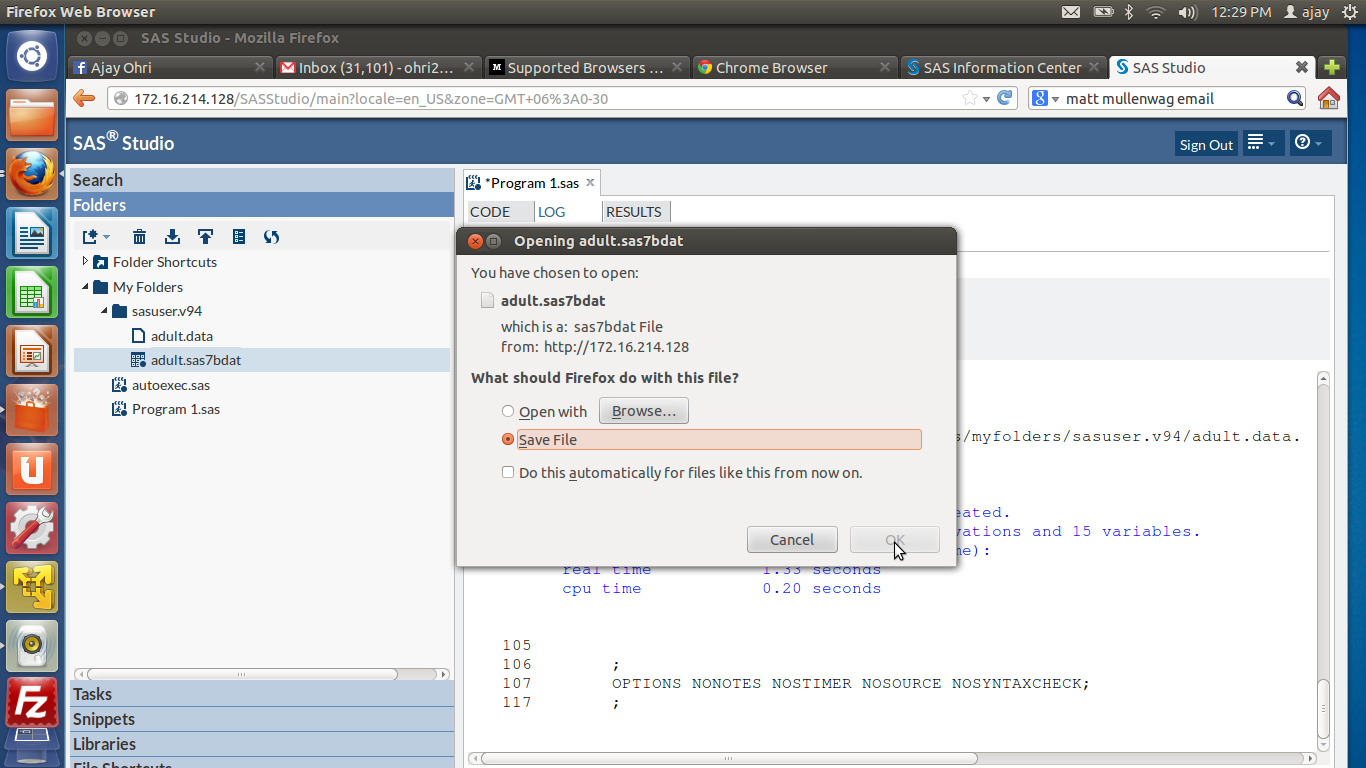
6) Then I uploaded it to within the SAS Studio System

Screenshot from 2015-02-28 17:06:34Screenshot from 2015-03-03 12:29:07

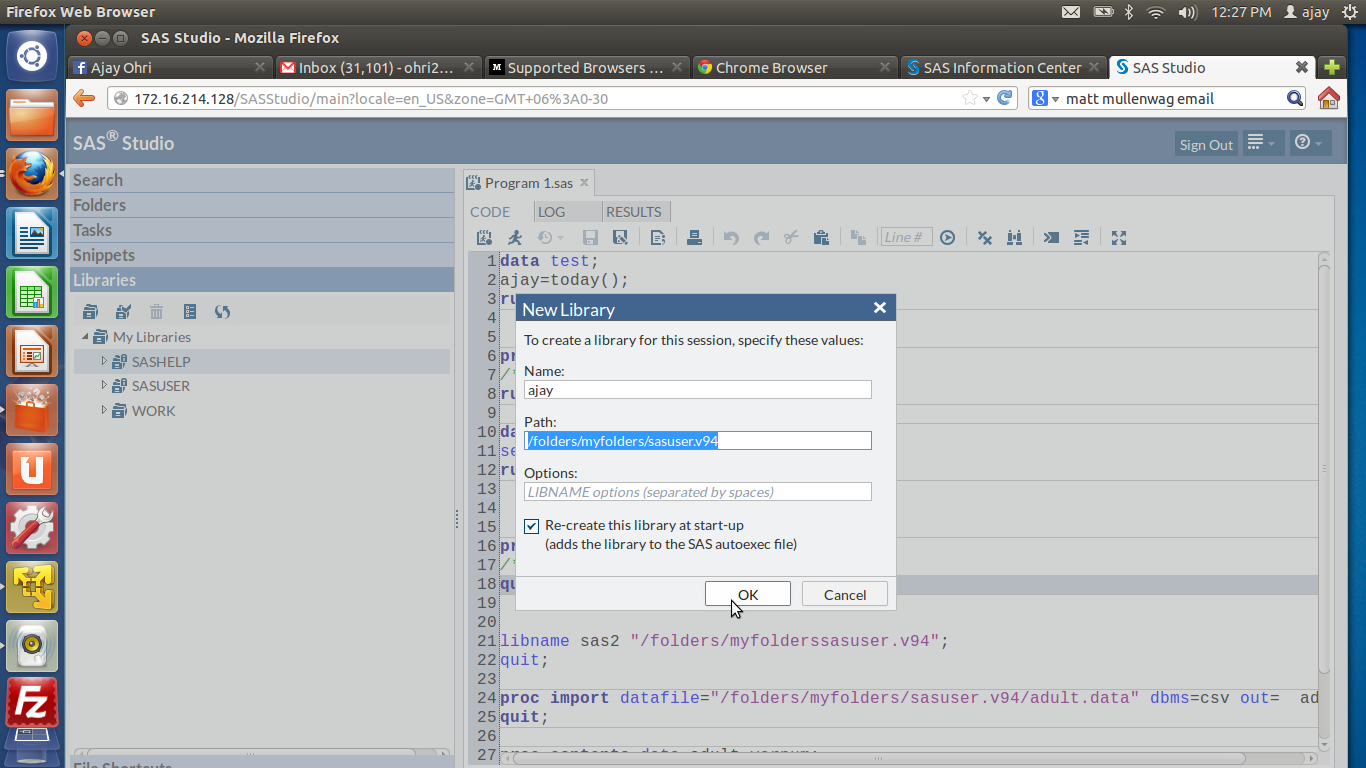
7) Lastly I was able to run some basic commandsScreenshot from 2015-03-03 12:27:48

Screenshot from 2015-03-04 21:54:06

I was really impressed by the enhancements made to the interface, the ability to search command help through a drop down, the color coded editor and of course the case insensitive SAS language (though I am not a fan of the semi colon I loved using Ctrl + / for easy commenting and uncommenting)

  1. For a SAS turned R turned SAS coder- here are some views
  2. SAS has different windows for coding, log and output. R generally has one
  3. SAS is case insensitive while R is case sensitive. This is a blessing especially for variable and dataset names.
  4. SAS deals with Datasets than can be considered the same as Rs Data Frame.
  5. R’s flexibility in data types is not really comparable to SAS as it is quite fast enough.
  6. SAS has a Macro Language for repeatable tasks
  7. SQL is embedded within SAS as Proc SQL and in R through sqldf package
  8. You have to pay for each upgrade in SAS ecosystem. I am not clear on the transparent pricing, which components does what and whether they have a cloud option for renting by the hour. How about one web page that lists product description and price.
  9. SAS University Edition is a OS agnostic tool, for that itself it is quite impressive compared to say Academic Edition of Revolution Analytics.
  10. R is object oriented and uses [] and $ notation for sub objects. SAS is divided into two main parts- data and proc steps, and uses the . notation and var system
  11. SAS language has a few basic procs but many many options.
  12. How good a SAS coder you are often depends on what you can do in data manipulation in SAS Data Step
  13. Graphics is still better in R ggplot. But the SAS speed is thrilling.
  14. RAM is limited in the University Edition to 1 GB but I found that still quite fast. However I can upload only a 10 mb file to the SAS Studio for University Edition which I found reasonable for teaching purposes.


Training in R on the WeekendR in February

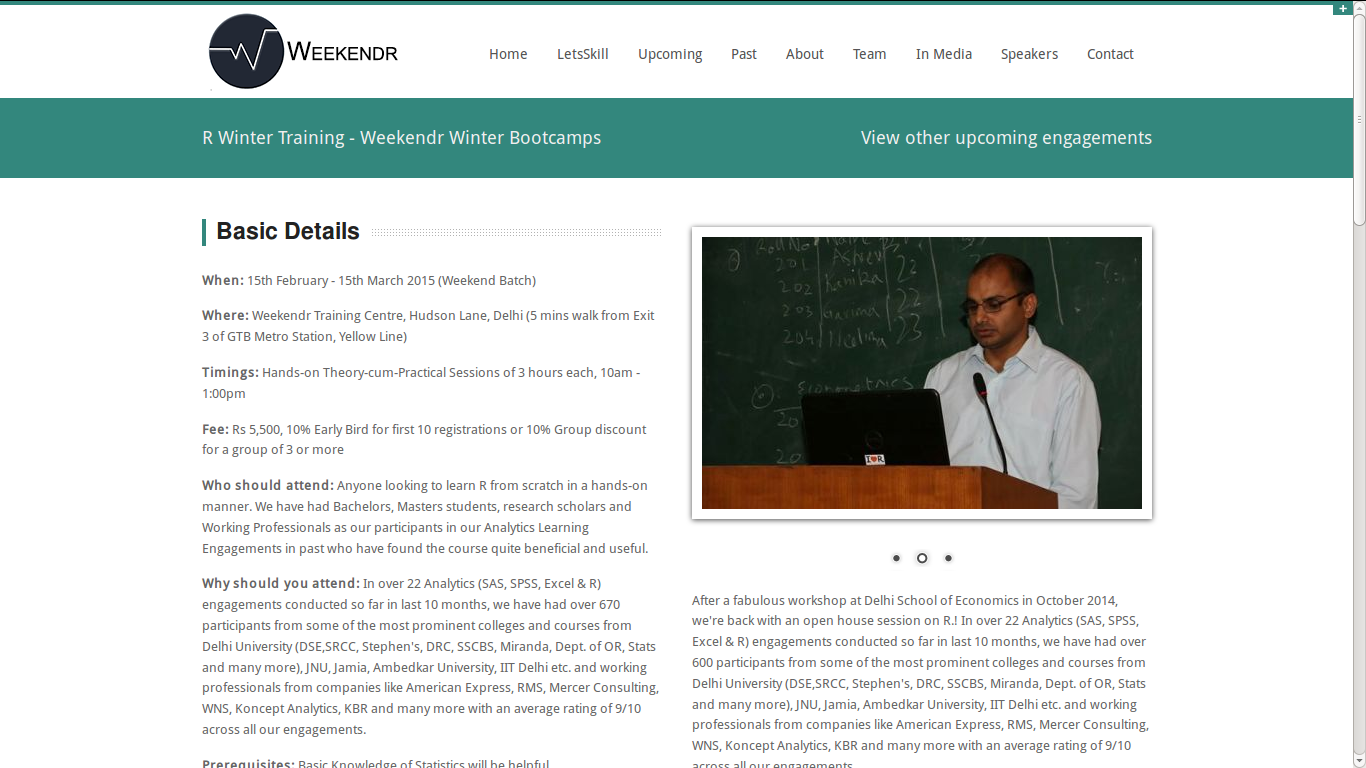
I have agreed to teach R on the Weekend. As a change from my usual online trainings these will be in the class. I am collaborating with http://weekendr.in/r-training.html

For an initial price the cost is Rs 5500 (~100 USD) for 8 sessions of 3 hours each in the classroom. This is only for New Delhi, India as of now.

You can review the course here http://weekendr.in/r-training.html

Screenshot from 2015-01-23 13:40:41

Interview Tobias Verbeke Open Analytics #rstats #startups

Here is an interview with Tobias Verbeke, Managing Director of Open Analytics (http://www.openanalytics.eu/). Open Analytics is doing cutting edge work with R in the enterprise software space.
Ajay- Describe your career journey including your involvement with Open Source and R. What things enticed you to try R?

Tobias- I discovered the free software foundation while still at university and spent wonderful evenings configuring my GNU/Linux system and reading RMS essays. For the statistics classes proprietary software was proposed and that was obviously not an option, so I started tackling all problems using R which was at the time (around 2000) still an underdog together with pspp (a command-line SPSS clone) and xlispstat. From that moment on, I decided that R was the hammer and all problems to be solved were nails 😉 In my early career I worked as a statistician / data miner for a general consulting company which gave me the opportunity to bring R into Fortune 500 companies and learn what was needed to support its use in an enterprise context. In 2008 I founded Open Analytics to turn these lessons into practice and we started building tools to support the data analysis process using R. The first big project was Architect, which started as an eclipse-based R IDE, but more and more evolves into an IDE for data science more generally. In parallel we started working on infrastructure to automate R-based analyses and to plug R (and therefore statistical logic) into larger business processes and soon we had a tool suite to cover the needs of industry.

Ajay- What is RSB all about- what needs does it satisfy- who can use it ?

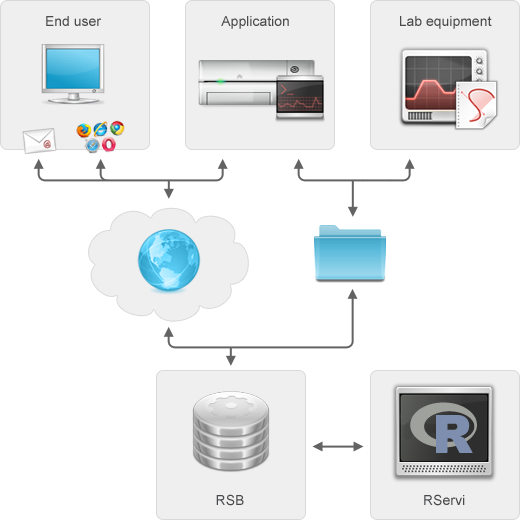
Tobias– RSB stands for the R Service Bus and is communication middleware and a work manager for R jobs. It allows to trigger and receive results from R jobs using a plethora of protocols such as RESTful web services, e-mail protocols, sftp, folder polling etc. The idea is to enable people to push a button (or software to make a request) and have them receive automated R based analysis results or reports for their data.

Ajay- What is your vision and what have been the challenges and learning so far in the project

Tobias– RSB started when automating toxicological analyses in pharmaceutical industry in collaboration with Philippe Lamote. Together with David Dossot, an exceptional software architect in Vancouver, we decided to cleanly separate concerns, namely to separate the integration layer (RSB) from the statistical layer (R) and, likewise, from the application layer. As a result any arbitrary R code can be run via RSB and any client application can interact with RSB as long as it can talk one of the many supported protocols. This fundamental design principle makes us different from alternative solutions where statistical logic and integration logic are always somehow interwoven, which results in maintenance and integration headaches. One of the challenges has been to keep focus on the core task of automating statistical analyses and not deviating into features that would turn RSB into a tool for interaction with an R session, which deserves an entirely different approach. Rservice-diagram
Ajay- Computing seems to be moving to an heterogeneous cloud , server and desktop model. What do you think about the R and Cloud Computing- current and future

Tobias– From a freedom perspective, cloud computing and the SaaS model is often a step backwards, but in our own practice we obviously follow our customers’ needs and offer RSB hosting from our data centers as well. Also, our other products e.g. the R IDE Architect are ready for the cloud and use on servers via Architect Server. As far as R itself concerns in relation to cloud computing, I foresee its use to increase. At Open Analytics we see an increasing demand for R-based statistical engines that power web applications living in the cloud.

Ajay- You recently released RSB version 6. What are all the new features. What is the planned roadmap going forward

Tobias– RSB 6.0 is all about large-scale production environments and strong security. It kicked off on a project where RSB was responsible for spitting 8500 predictions per second. Such large-scale production deployments of RSB motivated the development of a series of features. First of all RSB was made lightning fast: we achieved a full round trip from REST call to prediction in 7 ms on the mentioned use case. In order to allow for high throughput, RSB also gained a synchronous API (RSB 5.0 had an asynchronous API only). Another new feature is the availability of client-side connection pooling to the pool manager of R processes that are read to serve RSB. Besides speed, this type of production environments also need monitoring and resilience in case of issues. For the monitoring, we made sure that everything is in place for monitoring and remotely querying not only the RSB application itself, but also the pool of R processes managed by RServi.


(Note from Ajay- RJ is an open source library providing tools and interfaces to integrate R in Java applications. RJ project also provides a pool for R engines, easy to setup and manage by a web-interface or JMX. One or multiple client can borrow the R engines (called RServi)  see http://www.walware.de/it/rj/ and https://github.com/walware/rj-servi)
Also, we now allow to define node validation strategies to be able to check that R nodes are still functioning properly. If not, the nodes are killed and new nodes are started and added to the pool. In terms of security, we are now able to cover a very wide spectrum of authentication and authorization. We have machines up and running using openid, basic http authentication, LDAP, SSL client certificates etc. to serve everyone from the individual user who is happy with openid authentication for his RSB app to large investment banks who have very strong security requirements. The next step is to provide tighter integration with Architect, such that people can release new RSB applications without leaving the IDE.

Ajay- How does the startup ecosystem in Europe compare with say the SF Bay Area, What are some of the good things and not so great things

Tobias– I do not feel qualified to answer such a question, since I founded a single company in Antwerp, Belgium. That being said, Belgium is great! 🙂

Ajay- How can we popularize STEM education using MooCs , training etc

Tobias– Free software. Free as in beer and as in free speech!

Ajay- Describe the open source ecosystem in general and R ecosystem in  particular for Europe. How does it compare with other locations in your opinion

Tobias– Open source is probably a global ecosystem and crosses oceans very easily. Dries Buytaert started off Drupal in Belgium and now operates from the US interacting with a global community. From a business perspective, there are as many open source models as there are open source companies. I noticed that the major US R companies (Revolution Analytics and RStudio) cherished the open source philosophy initially, but drifted both into models combining open source and proprietary components. At Open Analytics, there are only open source products and enterprise customers have access to exactly the same functionality as a student may have in a developing country. That being said, I don’t believe this is a matter of geography, but has to do more with the origins and different strategies of the companies.

Ajay- What do you do for work life balance and de stressing when not shipping  code.

Tobias- In a previous life the athletics track helped keeping hands off the keyboard. Currently, my children find very effective ways to achieve similar goals

About-

OpenAnalytics is a consulting company specialized in statistical computing using open technologies. You can read more on it at http://www.openanalytics.eu

Using Windows Azure Machine Learning as a service with R #rstats

A Brief Tutorial I wrote by playing with the software at manage.windowsazure.com