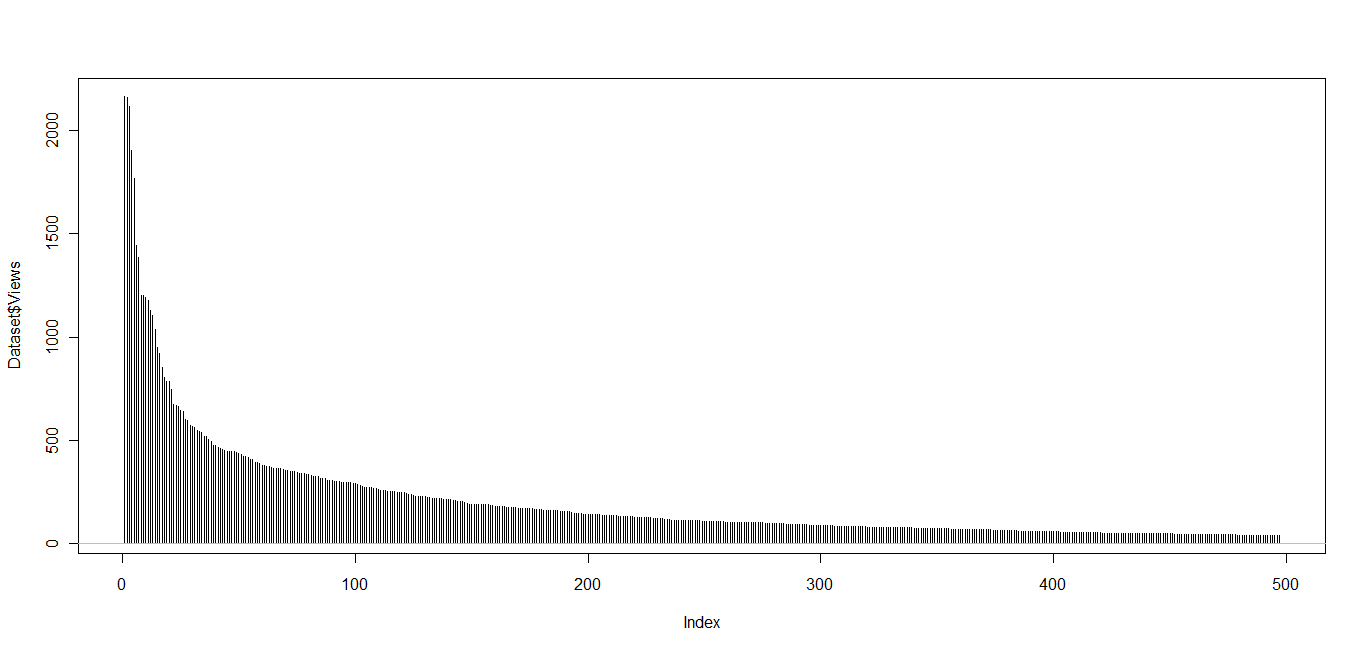
On a whim, I took the all time stats of my blog posts (more than 1000 posts) , and tried to plot their distribution.
Basically I copied and pasted all the data in a Google docs spreadsheet. and I created dummy codes (like URL1, URL2…. URL 500)
Next I downloaded the….
I wasnt in the mood for downloading and uploading stuff so I decided to use GGPLOT using Jeroen’s Application at http://www.stat.ucla.edu/~jeroen/
I used the mirror server that Dataspora provides as I have had latency issues with Jeroen’s website.
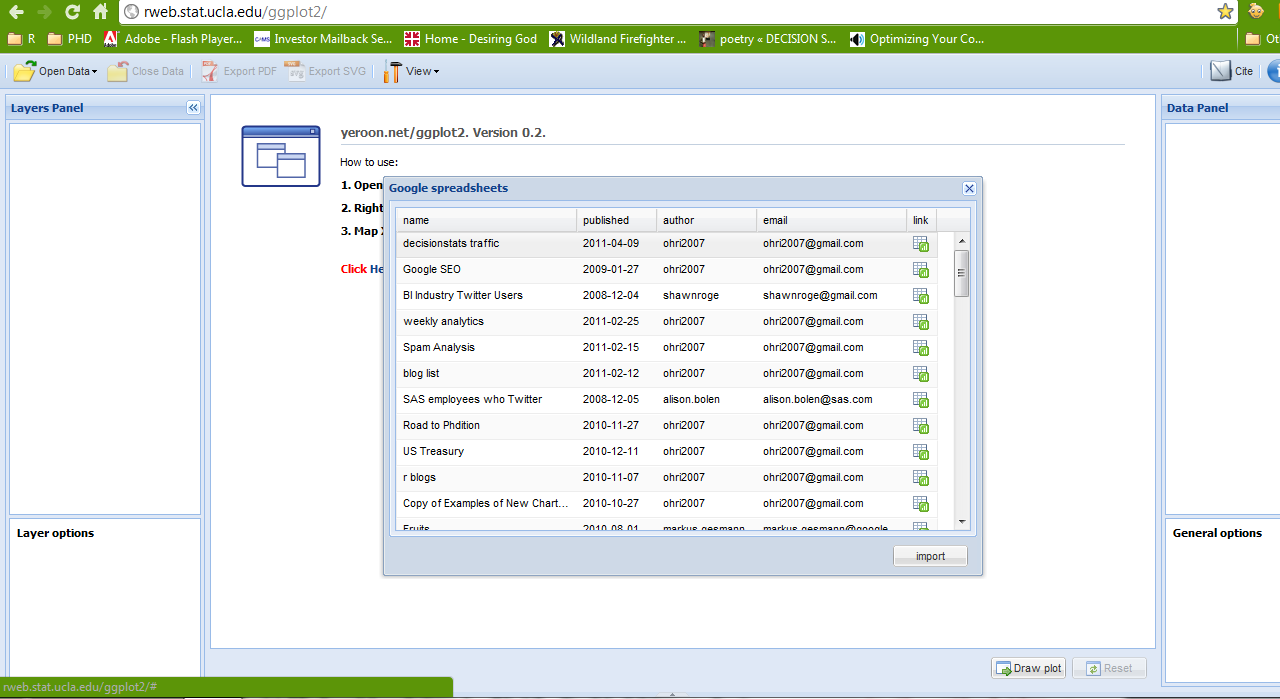
I got this error while trying to connect the Dataspora App to my Google spreadsheet
The page you have requested cannot be displayed. Another site was requesting access to your Google Account, but sent a malformed request. Please contact the site that you were trying to use when you received this message to inform them of the error. A detailed error message follows:
This website has not registered with Google to establish a secure connection for authorization requests. We recommend that you continue the process only if you trust the following destination:
wow it works! thats cloud computing now so I wonder why Google and Amazon continue to ignore the rApache, and Jeroen’s cloud app . Surely their Google Fusion Tables can be always improved or tweaked. Not to mention the next gen version of R which will have its own server
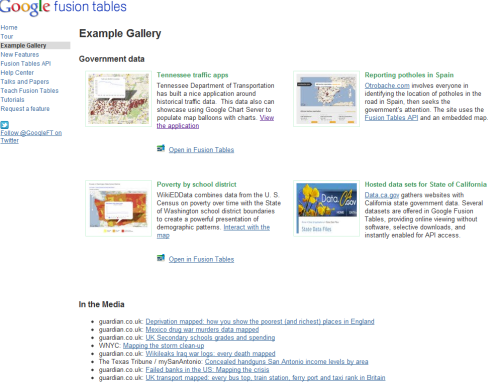
Pretty cool screenshot (but click to see more)
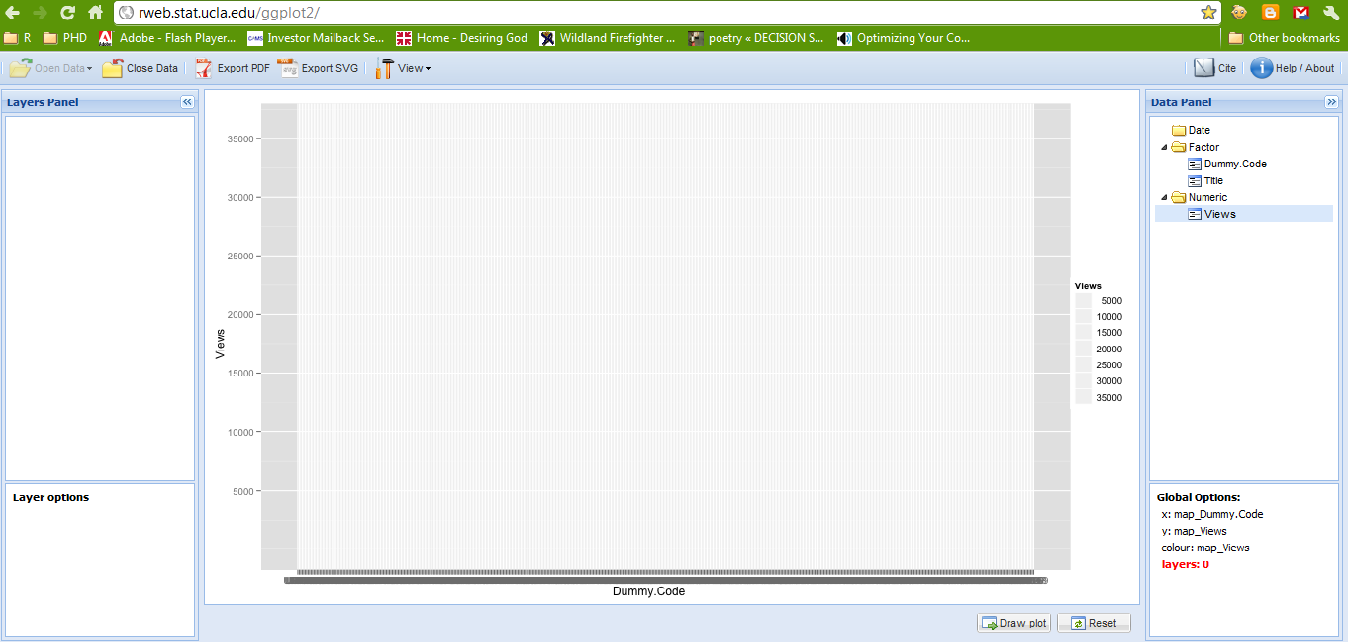
I get the following pretty graph. Hadley Wickham would be ashamed of me by now.
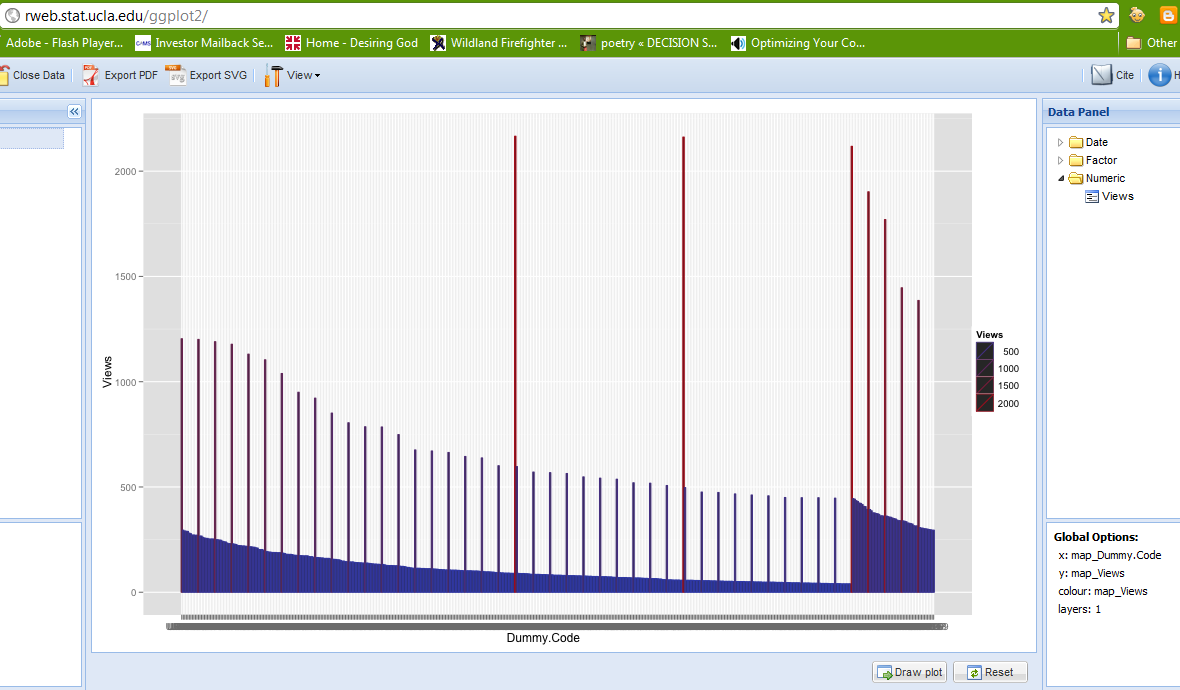
What went wrong- well one page has 36000 views . Scale is the key to graphical coherence . So I redo- delete home page in Google spreadsheet ,reimport replot. ( I didnt know how to modify data in the cloud app, maybe we need a cloud PlyR) I redo it again as I have a big outlier-The top 10 Statistical GUI article which ironically has only 5 GUIs in that article but hush dont tell to high quality search engine)
So again Belatedly I discover something called layer in ggplot.
Base Graphics engine has really spoilt me to write short functions for plots.
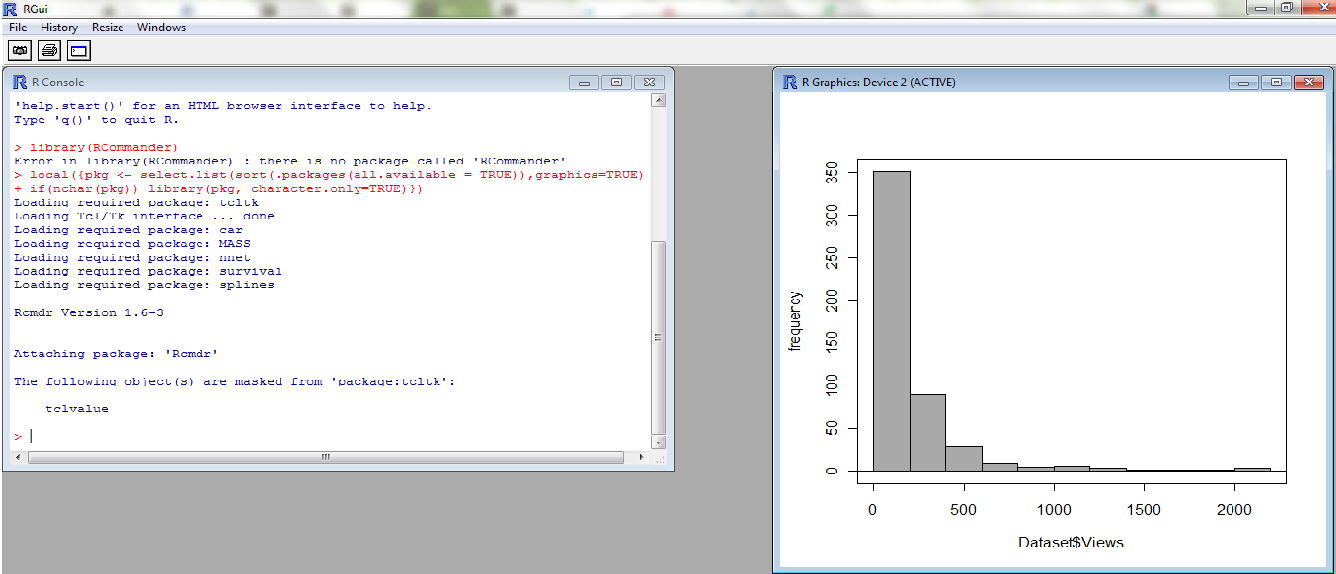
I give up. I rather prefer hist() I go to my favorite GUI Rattle, but it has some dating issues with the dll of GTK+
So I go to John Fox’s simple GUI. R Commander- is the best GUI if you use Occam’s Razor, and I am using Occam’s Chainsaw now.
I get the analysis I want in 12 secs
Summary- GGPLot is more complicated than base graphics engine.
Deducer GUI is not as simple too
R Commander is the best GUI because it retains simplicity
Ignore long tail of internet only at your peril
Almost 2/3 rds of my daily traffic of 400+ comes from old archived content That is why Search Engine Optimization and Alerts for Keywords are CRITICAL for any poor soul trying to write on a blog (which has no journal like prestige nor rewards)
If you make life easier for the search engine, it being a fair chap, rewards you well
Existing web traffic estimates like Comscore and Google Trends ignore this long tail
Comments are welcome (Data is pasted below of 500 rows X 2 columns if you can come up with a better analysis)
Since SAS has ignored web analytics and Google Analytics is hmm hmm, this could be an area of opportunity for R developers as well to create a web analytics package.
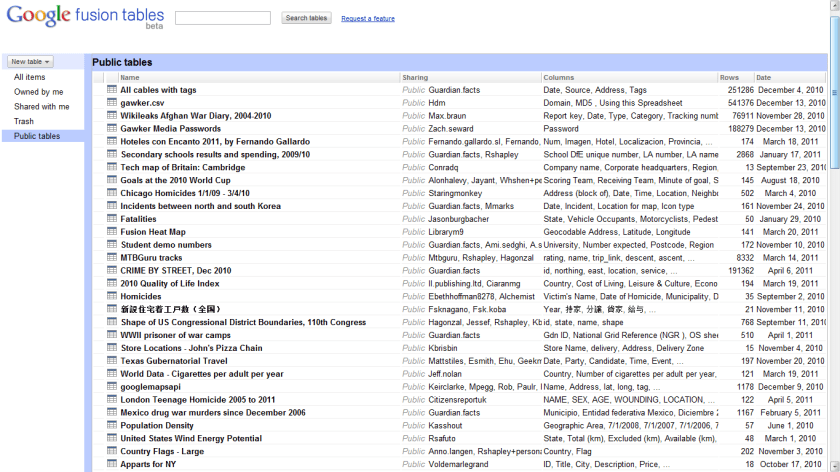
Visualize and publish your data as maps, timelines and charts
Host your data tables online
Combine data from multiple people
Google Fusion Tables is a modern data management and publishing web application that makes it easy
to host, manage, collaborate on, visualize, and publish data tables online.
Import your own data
Upload data tables from spreadsheets or CSV files, even KML. Developers can use the Fusion Tables API to insert, update, delete and query data programmatically. You can export your data as CSV or KML too.
Visualize it instantly
See the data on a map or as a chart immediately. Use filters for more selective visualizations.
Publish your visualization on other web properties
Now that you’ve got that nice map or chart of your data, you can embed it in a web page or blog post. Or send a link by email or IM. It will always display the latest data values from your table and helps you communicate your story more easily.
Some of the most important technology programs that keep Washington accountable are in danger of being eliminated. Data.gov, USASpending.gov, the IT Dashboard and other federal data transparency and government accountability programs are facing a massive budget cut, despite only being a tiny fraction of the national budget. Help save the data and make sure that Congress doesn’t leave the American people in the dark.
I wonder why the federal government/ non profit agencies can help create a SPARQL database, and in days of cloud computing, why a tech major cannot donate storage space to it, after all despite US corporate tax rate being high, US technological companies do end up paying a lower rate thanks to tax breaks/routing overseas revenue.
In the new age data is power, and the US has led in its mission to use technology to further its own values even especially in Middle East. The datasets should be made public and transitioned to the private sector/academia for research and re designing for data augmentation with out straining the massive deficit /borrowing/ fighting 3 wars. Of particular interest would be datasets of campaign finances and donors especially given large number of retail/small donors/internet marketing in elections as it will also help serve as an example of democracy and change. Even countries like China can create a corruption/expense efficiency tracking internal dashboard with restricted rights to help with rural and urban governance.
Summary- Thats cloud computing scoring of models on EC2 (Zementis) partnering with the actual modeling software in R (Revolution Analytics RevoDeployR)
strategic partnership with Revolution Analytics, the leading commercial provider of software and support for the popular open source R statistics language. With this partnership, predictive models developed on Revolution R Enterprise are now accessible for real-time scoring through the ADAPA Decisioning Engine by Zementis.
ADAPA is an extremely fast and scalable predictive platform. Models deployed in ADAPA are automatically available for execution in real-time and batch-mode as Web Services. ADAPA allows Revolution R Enterprise to leverage the Predictive Model Markup Language (PMML) for better decision management. With PMML, models built in R can be used in a wide variety of real-world scenarios without requiring laborious or expensive proprietary processes to convert them into applications capable of running on an execution system.
“By partnering with Zementis, Revolution Analytics is building an end-to-end solution for moving enterprise-level predictive R models into the execution environment,” said Jeff Erhardt, Revolution Analytics Chief Operation Officer. “With Zementis, we are eliminating the need to take R applications apart and recode, retest and redeploy them in order to obtain desirable results.”
Got demo?
Yes, we do! Revolution Analytics and Zementis have put together a demo which combines the building of models in R with automatic deployment and execution in ADAPA. It uses Revolution Analytics’ RevoDeployR, a new Web Services framework that allows for data analysts working in R to publish R scripts to a server-based installation of Revolution R Enterprise.
RevoDeployR & ADAPA allow for real-time analysis and predictions from R to be effectively used by existing Excel spreadsheets, BI dashboards and Web-based applications, all in real-time.
Predictive analytics with RevoDeployR from Revolution Analytics and ADAPA from Zementis put model building and real-time scoring into a league of their own. Seriously!
Please use the following code to get a 15% discount on the 2 Day Conference Pass: AJAY11.
Predictive Analytics World announces new full-day workshops coming to San Francisco March 13-19, amounting to seven consecutive days of content.
These workshops deliver top-notch analytical and business expertise across the hottest topics.
Register now for one or more workshops, offered just before and after the full two-day Predictive Analytics World conference program (March 14-15). Early Bird registration ends on January 31st – take advantage of reduced pricing before then.
Make savings now with the early bird rate. Receive $200 off your registration rate for Predictive Analytics World – San Francisco (March 14-15), plus $100 off each workshop for which you register.
Additional features in R over other analytical packages-
1) Source Code is given to ensure complete custom solution and embedding for a particular application. Open source code has an advantage that is extensively peer- reviewed in Journals and Scientific Literature. This means bugs will found, shared and corrected transparently.
2) Wide literature of training material in the form of books is available for the R analytical platform.
3) Extensively the best data visualization tools in analytical software (apart from Tableau Software ‘s latest version). The extensive data visualization available in R is of the form a variety of customizable graphs, as well as animation. The principal reason third-party software initially started creating interfaces to R is because the graphical library of packages in R is more advanced as well as rapidly getting more features by the day.
4) Free in upfront license cost for academics and thus budget friendly for small and large analytical teams.
5) Flexible programming for your data environment. This includes having packages that ensure compatibility with Java, Python and C++.
6) Easy migration from other analytical platforms to R Platform. It is relatively easy for a non R platform user to migrate to R platform and there is no danger of vendor lock-in due to the GPL nature of source code and open community.
Statistics are numbers that tell (descriptive), advise ( prescriptive) or forecast (predictive). Analytics is a decision-making help tool. Analytics on which no decision is to be made or is being considered can be classified as purely statistical and non analytical. Thus ease of making a correct decision separates a good analytical platform from a not so good analytical platform. The distinction is likely to be disputed by people of either background- and business analysis requires more emphasis on how practical or actionable the results are and less emphasis on the statistical metrics in a particular data analysis task. I believe one clear reason between business analytics is different from statistical analysis is the cost of perfect information (data costs in real world) and the opportunity cost of delayed and distorted decision-making.
Specific to the following domains R has the following costs and benefits
Business Analytics
R is free per license and for download
It is one of the few analytical platforms that work on Mac OS
It’s results are credibly established in both journals like Journal of Statistical Software and in the work at LinkedIn, Google and Facebook’s analytical teams.
It has open source code for customization as per GPL
It also has a flexible option for commercial vendors like Revolution Analytics (who support 64 bit windows) as well as bigger datasets
It has interfaces from almost all other analytical software including SAS,SPSS, JMP, Oracle Data Mining, Rapid Miner. Existing license holders can thus invoke and use R from within these software
Huge library of packages for regression, time series, finance and modeling
High quality data visualization packages
Data Mining
R as a computing platform is better suited to the needs of data mining as it has a vast array of packages covering standard regression, decision trees, association rules, cluster analysis, machine learning, neural networks as well as exotic specialized algorithms like those based on chaos models.
Flexibility in tweaking a standard algorithm by seeing the source code
The RATTLE GUI remains the standard GUI for Data Miners using R. It was created and developed in Australia.
Business Dashboards and Reporting
Business Dashboards and Reporting are an essential piece of Business Intelligence and Decision making systems in organizations. R offers data visualization through GGPLOT, and GUI like Deducer and Red-R can help even non R users create a metrics dashboard
For online Dashboards- R has packages like RWeb, RServe and R Apache- which in combination with data visualization packages offer powerful dashboard capabilities.
R can be combined with MS Excel using the R Excel package – to enable R capabilities to be imported within Excel. Thus a MS Excel user with no knowledge of R can use the GUI within the R Excel plug-in to use powerful graphical and statistical capabilities.
Additional factors to consider in your R installation-
There are some more choices awaiting you now-
1) Licensing Choices-Academic Version or Free Version or Enterprise Version of R
2) Operating System Choices-Which Operating System to choose from? Unix, Windows or Mac OS.
3) Operating system sub choice- 32- bit or 64 bit.
4) Hardware choices-Cost -benefit trade-offs for additional hardware for R. Choices between local ,cluster and cloud computing.
5) Interface choices-Command Line versus GUI? Which GUI to choose as the default start-up option?
6) Software component choice- Which packages to install? There are almost 3000 packages, some of them are complimentary, some are dependent on each other, and almost all are free.
7) Additional Software choices- Which additional software do you need to achieve maximum accuracy, robustness and speed of computing- and how to use existing legacy software and hardware for best complementary results with R.
1) Licensing Choices-
You can choose between two kinds of R installations – one is free and open source from http://r-project.org The other R installation is commercial and is offered by many vendors including Revolution Analytics. However there are other commercial vendors too.
Windows remains the most widely used operating system on this planet. If you are experienced in Windows based computing and are active on analytical projects- it would not make sense for you to move to other operating systems. This is also based on the fact that compatibility problems are minimum for Microsoft Windows and the help is extensively documented. However there may be some R packages that would not function well under Windows- if that happens a multiple operating system is your next option.
Enterprise R from Revolution Analytics- Enterprise R from Revolution Analytics has a complete R Development environment for Windows including the use of code snippets to make programming faster. Revolution is also expected to make a GUI available by 2011. Revolution Analytics claims several enhancements for it’s version of R including the use of optimized libraries for faster performance.
MacOS
Reasons for choosing MacOS remains its considerable appeal in aesthetically designed software- but MacOS is not a standard Operating system for enterprise systems as well as statistical computing. However open source R claims to be quite optimized and it can be used for existing Mac users. However there seem to be no commercially available versions of R available as of now for this operating system.
Linux
Ubuntu
Red Hat Enterprise Linux
Other versions of Linux
Linux is considered a preferred operating system by R users due to it having the same open source credentials-much better fit for all R packages and it’s customizability for big data analytics.
Ubuntu Linux is recommended for people making the transition to Linux for the first time. Ubuntu Linux had an marketing agreement with revolution Analytics for an earlier version of Ubuntu- and many R packages can installed in a straightforward way as Ubuntu/Debian packages are available. Red Hat Enterprise Linux is officially supported by Revolution Analytics for it’s enterprise module. Other versions of Linux popular are Open SUSE.
Multiple operating systems-
Virtualization vs Dual Boot-
You can also choose between having a VMware VM Player for a virtual partition on your computers that is dedicated to R based computing or having operating system choice at the startup or booting of your computer. A software program called wubi helps with the dual installation of Linux and Windows.
64 bit vs 32 bit – Given a choice between 32 bit versus 64 bit versions of the same operating system like Linux Ubuntu, the 64 bit version would speed up processing by an approximate factor of 2. However you need to check whether your current hardware can support 64 bit operating systems and if so- you may want to ask your Information Technology manager to upgrade atleast some operating systems in your analytics work environment to 64 bit operating systems.
Hardware choices- At the time of writing this book, the dominant computing paradigm is workstation computing followed by server-client computing. However with the introduction of cloud computing, netbooks, tablet PCs, hardware choices are much more flexible in 2011 than just a couple of years back.
Hardware costs are a significant cost to an analytics environment and are also remarkably depreciated over a short period of time. You may thus examine your legacy hardware, and your future analytical computing needs- and accordingly decide between the various hardware options available for R.
Unlike other analytical software which can charge by number of processors, or server pricing being higher than workstation pricing and grid computing pricing extremely high if available- R is well suited for all kinds of hardware environment with flexible costs. Given the fact that R is memory intensive (it limits the size of data analyzed to the RAM size of the machine unless special formats and /or chunking is used)- it depends on size of datasets used and number of concurrent users analyzing the dataset. Thus the defining issue is not R but size of the data being analyzed.
Local Computing- This is meant to denote when the software is installed locally. For big data the data to be analyzed would be stored in the form of databases.
Server version- Revolution Analytics has differential pricing for server -client versions but for the open source version it is free and the same for Server or Workstation versions.
Workstation
Cloud Computing- Cloud computing is defined as the delivery of data, processing, systems via remote computers. It is similar to server-client computing but the remote server (also called cloud) has flexible computing in terms of number of processors, memory, and data storage. Cloud computing in the form of public cloud enables people to do analytical tasks on massive datasets without investing in permanent hardware or software as most public clouds are priced on pay per usage. The biggest cloud computing provider is Amazon and many other vendors provide services on top of it. Google is also coming for data storage in the form of clouds (Google Storage), as well as using machine learning in the form of API (Google Prediction API)
Amazon
Google
Cluster-Grid Computing/Parallel processing- In order to build a cluster, you would need the RMpi and the SNOW packages, among other packages that help with parallel processing.
How much resources
RAM-Hard Disk-Processors- for workstation computing
Instances or API calls for cloud computing
Interface Choices
Command Line
GUI
Web Interfaces
Software Component Choices
R dependencies
Packages to install
Recommended Packages
Additional software choices
Additional legacy software
Optimizing your R based computing
Code Editors
Code Analyzers
Libraries to speed up R
citation- R Development Core Team (2010). R: A language and environment for statistical computing. R Foundation for Statistical Computing,Vienna, Austria. ISBN 3-900051-07-0, URL http://www.R-project.org.












 DECISION STATS