Top 25 Most Dangerous Software Errors

If you cannot measure it, you cannot manage it- Peter Drucker

Here is a RSS feed/website  for all security incidents

http://www.us-cert.gov/current/ and http://www.us-cert.gov/cas/techalerts/

You can also see http://www.onguardonline.gov/tools/overview.aspx for tools to be secure online.

But the new measuring system is http://cwe.mitre.org/cwss/ to help being secure. It basically creates a score or an anlytical approach for measuring vulnerabilities.

Common Weakness Scoring System (CWSS)

The Common Weakness Scoring System (CWSS) provides a mechanism for scoring weaknesses in a consistent, flexible, open manner while accommodating context for the various business domains. It is a collaborative, community-based effort that is addressing the needs of itsstakeholders across government, academia, and industry. CWSS is a part of the Common Weakness Enumeration (CWE) project, co-sponsored by the Software Assurance program in the National Cyber Security Division (NCSD) of the US Department of Homeland Security (DHS).

CWSS:

  • provides a common framework for prioritizing security errors (“weaknesses”) that are discovered in software applications
  • provides a quantitative measurement of the unfixed weaknesses that are present within a software application
  • can be used by developers to prioritize unfixed weaknesses within their own software
  • in conjunction with the Common Weakness Risk Analysis Framework (CWRAF), can be used by consumers to identify the most important weaknesses for their business domains, in order to inform their acquisition and protection activities as one part of the larger process of achieving software assurance.

and the top 25 errors in software are

http://cwe.mitre.org/top25/index.html


Rank Score ID Name
[1] 93.8 CWE-89 Improper Neutralization of Special Elements used in an SQL Command (‘SQL Injection’)
[2] 83.3 CWE-78 Improper Neutralization of Special Elements used in an OS Command (‘OS Command Injection’)
[3] 79.0 CWE-120 Buffer Copy without Checking Size of Input (‘Classic Buffer Overflow’)
[4] 77.7 CWE-79 Improper Neutralization of Input During Web Page Generation (‘Cross-site Scripting’)
[5] 76.9 CWE-306 Missing Authentication for Critical Function
[6] 76.8 CWE-862 Missing Authorization
[7] 75.0 CWE-798 Use of Hard-coded Credentials
[8] 75.0 CWE-311 Missing Encryption of Sensitive Data
[9] 74.0 CWE-434 Unrestricted Upload of File with Dangerous Type
[10] 73.8 CWE-807 Reliance on Untrusted Inputs in a Security Decision
[11] 73.1 CWE-250 Execution with Unnecessary Privileges
[12] 70.1 CWE-352 Cross-Site Request Forgery (CSRF)
[13] 69.3 CWE-22 Improper Limitation of a Pathname to a Restricted Directory (‘Path Traversal’)
[14] 68.5 CWE-494 Download of Code Without Integrity Check
[15] 67.8 CWE-863 Incorrect Authorization
[16] 66.0 CWE-829 Inclusion of Functionality from Untrusted Control Sphere
[17] 65.5 CWE-732 Incorrect Permission Assignment for Critical Resource
[18] 64.6 CWE-676 Use of Potentially Dangerous Function
[19] 64.1 CWE-327 Use of a Broken or Risky Cryptographic Algorithm
[20] 62.4 CWE-131 Incorrect Calculation of Buffer Size
[21] 61.5 CWE-307 Improper Restriction of Excessive Authentication Attempts
[22] 61.1 CWE-601 URL Redirection to Untrusted Site (‘Open Redirect’)
[23] 61.0 CWE-134 Uncontrolled Format String
[24] 60.3 CWE-190 Integer Overflow or Wraparound
[25] 59.9 CWE-759 Use of a One-Way Hash without a Salt


You can use the list at http://cwe.mitre.org/top25/index.html and check your own corporate vulnerabilities. It is better to sweat in cyber peace than bleed in cyber war, huh.


Updated Interview Elissa Fink -VP Tableau Software

Here is an interview with Elissa Fink, VP Marketing of that new wonderful software called Tableau that makes data visualization so nice and easy to learn and work with.

Elissa Fink, VP, Marketing

Ajay-  Describe your career journey from high school to over 20 plus years in marketing. What are the various trends that you have seen come and go in marketing.

Elissa- I studied literature and linguistics in college and didn’t discover analytics until my first job selling advertising for the Wall Street Journal. Oddly enough, the study of linguistics is not that far from decision analytics: they both are about taking a structured view of information and trying to see and understand common patterns. At the Journal, I was completely captivated analyzing and comparing readership data. At the same time, the idea of using computers in marketing was becoming more common. I knew that the intersection of technology and marketing was going to radically change things – how we understand consumers, how we market and sell products, and how we engage with customers. So from that point on, I’ve always been focused on technology and marketing, whether it’s working as a marketer at technology companies or applying technology to marketing problems for other types of companies.  There have been so many interesting trends. Taking a long view, a key trend I’ve noticed is how marketers work to understand, influence and motivate consumer behavior. We’ve moved marketing from where it was primarily unpredictable, qualitative and aimed at talking to mass audiences, where the advertising agency was king. Now it’s a discipline that is more data-driven, quantitative and aimed at conversations with individuals, where the best analytics wins. As with any trend, the pendulum swings far too much to either side causing backlashes but overall, I think we are in a great place now. We are using data-driven analytics to understand consumer behavior. But pure analytics is not the be-all, end-all; good marketing has to rely on understanding human emotions, intuition and gut feel – consumers are far from rational so taking only a rational or analytical view of them will never explain everything we need to know.

Ajay- Do you think technology companies are still predominantly dominated by men . How have you seen diversity evolve over the years. What initiatives has Tableau taken for both hiring and retaining great talent.

Elissa- The thing I love about the technology industry is that its key success metrics – inventing new products that rapidly gain mass adoption in pursuit of making profit – are fairly objective. There’s little subjective nature to the counting of dollars collected selling a product and dollars spent building a product. So if a female can deliver a better product and bigger profits faster and better, then that female is going to get the resources, jobs, power and authority to do exactly that. That’s not to say that the technology industry is gender-blind, race-blind, etc. It isn’t – technology is far from perfect. For example, the industry doesn’t have enough diversity in positions of power. But I think overall, in comparison to a lot of other industries, it’s pretty darn good at giving people with great ideas the opportunities to realize their visions regardless of their backgrounds or characteristics.

At Tableau, we are very serious about bringing in and developing talented people – they are the key to our growth and success. Hiring is our #1 initiative so we’ve spent a lot of time and energy both on finding great candidates and on making Tableau a place that they want to work. This includes things like special recruiting events, employee referral programs, a flexible work environment, fun social events, and the rewards of working for a start-up. Probably our biggest advantage is the company itself – working with people you respect on amazing, cutting-edge products that delight customers and are changing the world is all too rare in the industry but a reality at Tableau. One of our senior software developers put it best when he wrote “The emphasis is on working smarter rather than longer: family and friends are why we work, not the other way around. Tableau is all about happy, energized employees executing at the highest level and delivering a highly usable, high quality, useful product to our customers.” People who want to be at a place like that should check out our openings at http://www.tableausoftware.com/jobs.

Ajay- What are most notable features in tableau’s latest edition. What are the principal software that competes with Tableau Software products and how would you say Tableau compares with them.

Elissa- Tableau 6.1 will be out in July and we are really excited about it for 3 reasons.

First, we’re introducing our mobile business intelligence capabilities. Our customers can have Tableau anywhere they need it. When someone creates an interactive dashboard or analytical application with Tableau and it’s viewed on a mobile device, an iPad in particular, the viewer will have a native, touch-optimized experience. No trying to get your fingertips to act like a mouse. And the author didn’t have to create anything special for the iPad; she just creates her analytics the usual way in Tableau. Tableau knows the dashboard is being viewed on an iPad and presents an optimized experience.

Second, we’ve take our in-memory analytics engine up yet another level. Speed and performance are faster and now people can update data incrementally rapidly. Introduced in 6.0, our data engine makes any data fast in just a few clicks. We don’t run out of memory like other applications. So if I build an incredible dashboard on my 8-gig RAM PC and you try to use it on your 2-gig RAM laptop, no problem.

And, third, we’re introducing more features for the international markets – including French and German versions of Tableau Desktop along with more international mapping options.  It’s because we are constantly innovating particularly around user experience that we can compete so well in the market despite our relatively small size. Gartner’s seminal research study about the Business Intelligence market reported a massive market shift earlier this year: for the first time, the ease-of-use of a business intelligence platform was more important than depth of functionality. In other words, functionality that lots of people can actually use is more important than having sophisticated functionality that only specialists can use. Since we focus so heavily on making easy-to-use products that help people rapidly see and understand their data, this is good news for our customers and for us.

Ajay-  Cloud computing is the next big thing with everyone having a cloud version of their software. So how would you run Cloud versions of Tableau Server (say deploying it on an Amazon Ec2  or a private cloud)

Elissa- In addition to the usual benefits espoused about Cloud computing, the thing I love best is that it makes data and information more easily accessible to more people. Easy accessibility and scalability are completely aligned with Tableau’s mission. Our free product Tableau Public and our product for commercial websites Tableau Digital are two Cloud-based products that deliver data and interactive analytics anywhere. People often talk about large business intelligence deployments as having thousands of users. With Tableau Public and Tableau Digital, we literally have millions of users. We’re serving up tens of thousands of visualizations simultaneously – talk about accessibility and scalability!  We have lots of customers connecting to databases in the Cloud and running Tableau Server in the Cloud. It’s actually not complex to set up. In fact, we focus a lot of resources on making installation and deployment easy and fast, whether it’s in the cloud, on premise or what have you. We don’t want people to have spend weeks or months on massive roll-out projects. We want it to be minutes, hours, maybe a day or 2. With the Cloud, we see that people can get started and get results faster and easier than ever before. And that’s what we’re about.

Ajay- Describe some of the latest awards that Tableau has been wining. Also how is Tableau helping universities help address the shortage of Business Intelligence and Big Data professionals.

Elissa-Tableau has been very fortunate. Lately, we’ve been acknowledged by both Gartner and IDC as the fastest growing business intelligence software vendor in the world. In addition, our customers and Tableau have won multiple distinctions including InfoWorld Technology Leadership awards, Inc 500, Deloitte Fast 500, SQL Server Magazine Editors’ Choice and Community Choice awards, Data Hero awards, CODiEs, American Business Awards among others. One area we’re very passionate about is academia, participating with professors, students and universities to help build a new generation of professionals who understand how to use data. Data analysis should not be exclusively for specialists. Everyone should be able to see and understand data, whatever their background. We come from academic roots, having been spun out of a Stanford research project. Consequently, we strongly believe in supporting universities worldwide and offer 2 academic programs. The first is Tableau For Teaching, where any professor can request free term-length licenses of Tableau for academic instruction during his or her courses. And, we offer a low-cost Student Edition of Tableau so that students can choose to use Tableau in any of their courses at any time.

Elissa Fink, VP Marketing,Tableau Software


Elissa Fink is Tableau Software’s Vice President of Marketing. With 20+ years helping companies improve their marketing operations through applied data analysis, Elissa has held executive positions in marketing, business strategy, product management, and product development. Prior to Tableau, Elissa was EVP Marketing at IXI Corporation, now owned by Equifax. She has also served in executive positions at Tele Atlas (acquired by TomTom), TopTier Software (acquired by SAP), and Nielsen/Claritas. Elissa also sold national advertising for the Wall Street Journal. She’s a frequent speaker and has spoken at conferences including the DMA, the NCDM, Location Intelligence, the AIR National Forum and others. Elissa is a graduate of Santa Clara University and holds an MBA in Marketing and Decision Systems from the University of Southern California.

Elissa first discovered Tableau late one afternoon at her previous company. Three hours later, she was still “at play” with her data. “After just a few minutes using the product, I was getting answers to questions that were taking my company’s programmers weeks to create. It was instantly obvious that Tableau was on a special mission with something unique to offer the world. I just had to be a part of it.”

To know more – read at http://www.tableausoftware.com/

and existing data viz at http://www.tableausoftware.com/learn/gallery

Storm seasons: measuring and tracking key indicators
What’s happening with local real estate prices?
How are sales opportunities shaping up?
Identify your best performing products
Applying user-defined parameters to provide context
Not all tech companies are rocket ships
What’s really driving the economy?
Considering factors and industry influencers
The complete orbit along the inside, or around a fixed circle
How early do you have to be at the airport?
What happens if sales grow but so does customer churn?
What are the trends for new retail locations?
How have student choices changed?
Do patients who disclose their HIV status recover better?
Closer look at where gas prices swing in areas of the U.S.
U.S. Census data shows more women of greater age
Where do students come from and how does it affect their grades?
Tracking customer service effectiveness
Comparing national and local test scores
What factors correlate with high overall satisfaction ratings?
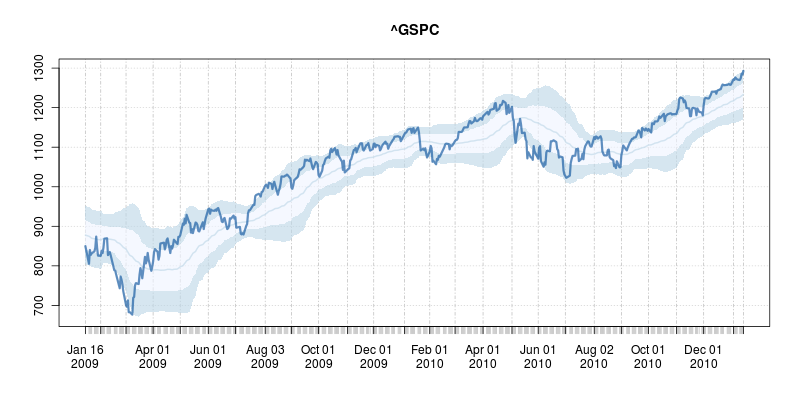
Fund inflows largely outweighed outflows well after the bubble
Which programs are competing for federal stimulus dollars?
Oil prices and volatility
A classic candlestick chart
How do oil, gold and CPI relate to the GDP growth rate?


#Rstats for Business Intelligence

This is a short list of several known as well as lesser known R ( #rstats) language codes, packages and tricks to build a business intelligence application. It will be slightly Messy (and not Messi) but I hope to refine it someday when the cows come home.

It assumes that BI is basically-

a Database, a Document Database, a Report creation/Dashboard pulling software as well unique R packages for business intelligence.

What is business intelligence?

Seamless dissemination of data in the organization. In short let it flow- from raw transactional data to aggregate dashboards, to control and test experiments, to new and legacy data mining models- a business intelligence enabled organization allows information to flow easily AND capture insights and feedback for further action.

BI software has lately meant to be just reporting software- and Business Analytics has meant to be primarily predictive analytics. the terms are interchangeable in my opinion -as BI reports can also be called descriptive aggregated statistics or descriptive analytics, and predictive analytics is useless and incomplete unless you measure the effect in dashboards and summary reports.

Data Mining- is a bit more than predictive analytics- it includes pattern recognizability as well as black box machine learning algorithms. To further aggravate these divides, students mostly learn data mining in computer science, predictive analytics (if at all) in business departments and statistics, and no one teaches metrics , dashboards, reporting  in mainstream academia even though a large number of graduates will end up fiddling with spreadsheets or dashboards in real careers.

Using R with

1) Databases-

I created a short list of database connectivity with R here at https://rforanalytics.wordpress.com/odbc-databases-for-r/ but R has released 3 new versions since then.

The RODBC package remains the package of choice for connecting to SQL Databases.

http://cran.r-project.org/web/packages/RODBC/RODBC.pdf

Details on creating DSN and connecting to Databases are given at  https://rforanalytics.wordpress.com/odbc-databases-for-r/

For document databases like MongoDB and CouchDB

( what is the difference between traditional RDBMS and NoSQL if you ever need to explain it in a cocktail conversation http://dba.stackexchange.com/questions/5/what-are-the-differences-between-nosql-and-a-traditional-rdbms

Basically dispensing with the relational setup, with primary and foreign keys, and with the additional overhead involved in keeping transactional safety, often gives you extreme increases in performance

NoSQL is a kind of database that doesn’t have a fixed schema like a traditional RDBMS does. With the NoSQL databases the schema is defined by the developer at run time. They don’t write normal SQL statements against the database, but instead use an API to get the data that they need.

instead relating data in one table to another you store things as key value pairs and there is no database schema, it is handled instead in code.)

I believe any corporation with data driven decision making would need to both have atleast one RDBMS and one NoSQL for unstructured data-Ajay. This is a sweeping generic statement 😉 , and is an opinion on future technologies.

  • Use RMongo

From- http://tommy.chheng.com/2010/11/03/rmongo-accessing-mongodb-in-r/

http://plindenbaum.blogspot.com/2010/09/connecting-to-mongodb-database-from-r.html

Connecting to a MongoDB database from R using Java

http://nsaunders.wordpress.com/2010/09/24/connecting-to-a-mongodb-database-from-r-using-java/

Also see a nice basic analysis using R Mongo from

http://pseudofish.com/blog/2011/05/25/analysis-of-data-with-mongodb-and-r/

For CouchDB

please see https://github.com/wactbprot/R4CouchDB and

http://digitheadslabnotebook.blogspot.com/2010/10/couchdb-and-r.html

  • First install RCurl and RJSONIO. You’ll have to download the tar.gz’s if you’re on a Mac. For the second part, we’ll need to installR4CouchDB,

2) External Report Creating Software-

Jaspersoft- It has good integration with R and is a certified Revolution Analytics partner (who seem to be the only ones with a coherent #Rstats go to market strategy- which begs the question – why is the freest and finest stats software having only ONE vendor- if it was so great lots of companies would make exclusive products for it – (and some do -see https://rforanalytics.wordpress.com/r-business-solutions/ and https://rforanalytics.wordpress.com/using-r-from-other-software/)

From

http://www.jaspersoft.com/sites/default/files/downloads/events/Analytics%20-Jaspersoft-SEP2010.pdf

we see

http://jasperforge.org/projects/rrevodeployrbyrevolutionanalytics

RevoConnectR for JasperReports Server

RevoConnectR for JasperReports Server RevoConnectR for JasperReports Server is a Java library interface between JasperReports Server and Revolution R Enterprise’s RevoDeployR, a standardized collection of web services that integrates security, APIs, scripts and libraries for R into a single server. JasperReports Server dashboards can retrieve R charts and result sets from RevoDeployR.

http://jasperforge.org/plugins/esp_frs/optional_download.php?group_id=409


Using R and Pentaho
Extending Pentaho with R analytics”R” is a popular open source statistical and analytical language that academics and commercial organizations alike have used for years to get maximum insight out of information using advanced analytic techniques. In this twelve-minute video, David Reinke from Pentaho Certified Partner OpenBI provides an overview of R, as well as a demonstration of integration between R and Pentaho.
and from
R and BI – Integrating R with Open Source Business
Intelligence Platforms Pentaho and Jaspersoft
David Reinke, Steve Miller
Keywords: business intelligence
Increasingly, R is becoming the tool of choice for statistical analysis, optimization, machine learning and
visualization in the business world. This trend will only escalate as more R analysts transition to business
from academia. But whereas in academia R is often the central tool for analytics, in business R must coexist
with and enhance mainstream business intelligence (BI) technologies. A modern BI portfolio already includes
relational databeses, data integration (extract, transform, load – ETL), query and reporting, online analytical
processing (OLAP), dashboards, and advanced visualization. The opportunity to extend traditional BI with
R analytics revolves on the introduction of advanced statistical modeling and visualizations native to R. The
challenge is to seamlessly integrate R capabilities within the existing BI space. This presentation will explain
and demo an initial approach to integrating R with two comprehensive open source BI (OSBI) platforms –
Pentaho and Jaspersoft. Our efforts will be successful if we stimulate additional progress, transparency and
innovation by combining the R and BI worlds.
The demonstration will show how we integrated the OSBI platforms with R through use of RServe and
its Java API. The BI platforms provide an end user web application which include application security,
data provisioning and BI functionality. Our integration will demonstrate a process by which BI components
can be created that prompt the user for parameters, acquire data from a relational database and pass into
RServer, invoke R commands for processing, and display the resulting R generated statistics and/or graphs
within the BI platform. Discussion will include concepts related to creating a reusable java class library of
commonly used processes to speed additional development.

If you know Java- try http://ramanareddyg.blog.com/2010/07/03/integrating-r-and-pentaho-data-integration/


and I like this list by two venerable powerhouses of the BI Open Source Movement

http://www.openbi.com/demosarticles.html

Open Source BI as disruptive technology

http://www.openbi.biz/articles/osbi_disruption_openbi.pdf

Open Source Punditry

TITLE AUTHOR COMMENTS
Commercial Open Source BI Redux Dave Reinke & Steve Miller An review and update on the predictions made in our 2007 article focused on the current state of the commercial open source BI market. Also included is a brief analysis of potential options for commercial open source business models and our take on their applicability.
Open Source BI as Disruptive Technology Dave Reinke & Steve Miller Reprint of May 2007 DM Review article explaining how and why Commercial Open Source BI (COSBI) will disrupt the traditional proprietary market.

Spotlight on R

TITLE AUTHOR COMMENTS
R You Ready for Open Source Statistics? Steve Miller R has become the “lingua franca” for academic statistical analysis and modeling, and is now rapidly gaining exposure in the commercial world. Steve examines the R technology and community and its relevancy to mainstream BI.
R and BI (Part 1): Data Analysis with R Steve Miller An introduction to R and its myriad statistical graphing techniques.
R and BI (Part 2): A Statistical Look at Detail Data Steve Miller The usage of R’s graphical building blocks – dotplots, stripplots and xyplots – to create dashboards which require little ink yet tell a big story.
R and BI (Part 3): The Grooming of Box and Whiskers Steve Miller Boxplots and variants (e.g. Violin Plot) are explored as an essential graphical technique to summarize data distributions by categories and dimensions of other attributes.
R and BI (Part 4): Embellishing Graphs Steve Miller Lattices and logarithmic data transformations are used to illuminate data density and distribution and find patterns otherwise missed using classic charting techniques.
R and BI (Part 5): Predictive Modelling Steve Miller An introduction to basic predictive modelling terminology and techniques with graphical examples created using R.
R and BI (Part 6) :
Re-expressing Data
Steve Miller How do you deal with highly skewed data distributions? Standard charting techniques on this “deviant” data often fail to illuminate relationships. This article explains techniques to re-express skewed data so that it is more understandable.
The Stock Market, 2007 Steve Miller R-based dashboards are presented to demonstrate the return performance of various asset classes during 2007.
Bootstrapping for Portfolio Returns: The Practice of Statistical Analysis Steve Miller Steve uses the R open source stats package and Monte Carlo simulations to examine alternative investment portfolio returns…a good example of applied statistics using R.
Statistical Graphs for Portfolio Returns Steve Miller Steve uses the R open source stats package to analyze market returns by asset class with some very provocative embedded trellis charts.
Frank Harrell, Iowa State and useR!2007 Steve Miller In August, Steve attended the 2007 Internation R User conference (useR!2007). This article details his experiences, including his meeting with long-time R community expert, Frank Harrell.
An Open Source Statistical “Dashboard” for Investment Performance Steve Miller The newly launched Dashboard Insight web site is focused on the most useful of BI tools: dashboards. With this article discussing the use of R and trellis graphics, OpenBI brings the realm of open source to this forum.
Unsexy Graphics for Business Intelligence Steve Miller Utilizing Tufte’s philosophy of maximizing the data to ink ratio of graphics, Steve demonstrates the value in dot plot diagramming. The R open source statistical/analytics software is showcased.
I think that the report generation package Brew would also qualify as a BI package, but large scale implementation remains to be seen in
a commercial business environment
  • brew: Creating Repetitive Reports
 brew: Templating Framework for Report Generation

brew implements a templating framework for mixing text and R code for report generation. brew template syntax is similar to PHP, Ruby's erb module, Java Server Pages, and Python's psp module. http://bit.ly/jINmaI
  • Yarr- creating reports in R
to be continued ( when I have more time and the temperature goes down from 110F in Delhi, India)

AsterData still alive;/launches SQL-MapReduce Developer Portal

so apparantly ole client AsterData continues to thrive under gentle touch of Terrific Data

———————————————————————————————————————————————————

Aster Data today launched the SQL-MapReduce Developer Portal, a new online community for data scientists and analytic developers. For your convenience, I copied the release below and it can also be found here. Please let me know if you have any questions or if there is anything else I can help you with.

Sara Korolevich

Point Communications Group for Aster Data

sarak@pointcgroup.com

Office: 602.279.1137

Mobile: 623.326.0881

Teradata Accelerates Big Data Analytics with First Collaborative Community for SQL-MapReduce®

New online community for data scientists and analytic developers enables development and sharing of powerful MapReduce analytics


San Carlos, California – Teradata Corporation (NYSE:TDC) today announced the launch of the Aster Data SQL-MapReduce® Developer Portal. This portal is the first collaborative online developer community for SQL-MapReduce analytics, an emerging framework for processing non-relational data and ultra-fast analytics.

“Aster Data continues to deliver on its unique vision for powerful analytics with a rich set of tools to make development of those analytics quick and easy,” said Tasso Argyros, vice president of Aster Data Marketing and Product Management, Teradata Corporation. “This new developer portal builds on Aster Data’s continuing SQL-MapReduce innovation, leveraging the flexibility and power of SQL-MapReduce for analytics that were previously impossible or impractical.”

The developer portal showcases the power and flexibility of Aster Data’s SQL-MapReduce – which uniquely combines standard SQL with the popular MapReduce distributed computing technology for processing big data – by providing a collaborative community for sharing SQL-MapReduce expert insights in addition to sharing SQL-MapReduce analytic functions and sample code. Data scientists, quantitative analysts, and developers can now leverage the experience, knowledge, and best practices of a community of experts to easily harness the power of SQL-MapReduce for big data analytics.

A recent report from IDC Research, “Taking Care of Your Quants: Focusing Data Warehousing Resources on Quantitative Analysts Matters,” has shown that by enabling data scientists with the tools to harness emerging types and sources of data, companies create significant competitive advantage and become leaders in their respective industry.

“The biggest positive differences among leaders and the rest come from the introduction of new types of data,” says Dan Vesset, program vice president, Business Analytics Solutions, IDC Research. “This may include either new transactional data sources or new external data feeds of transactional or multi-structured interactional data — the latter may include click stream or other data that is a by-product of social networking.”

Vesset goes on to say, “Aster Data provides a comprehensive platform for analytics and their SQL-MapReduce Developer Portal provides a community for sharing best practices and functions which can have an even greater impact to an organization’s business.”

With this announcement Aster Data extends its industry leadership in delivering the most comprehensive analytic platform for big data analytics — not only capable of processing massive volumes of multi-structured data, but also providing an extensive set of tools and capabilities that make it simple to leverage the power of MapReduce analytics. The Aster Data

SQL-MapReduce Developer Portal brings the power of SQL-MapReduce accessible to data scientists, quantitative analysis, and analytic developers by making it easy to share and collaborate with experts in developing SQL-MapReduce analytics. This portal builds on Aster Data’s history of SQL-MapReduce innovations, including:

  • The first deep integration of SQL with MapReduce
  • The first MapReduce support for .NET
  • The first integrated development environment, Aster Data
    Developer Express
  • A comprehensive suite of analytic functions, Aster Data
    Analytic Foundation

Aster Data’s patent-pending SQL-MapReduce enables analytic applications and functions that can deliver faster, deeper insights on terabytes to petabytes of data. These applications are implemented using MapReduce but delivered through standard SQL and business intelligence (BI) tools.

SQL-MapReduce makes it possible for data scientists and developers to empower business analysts with the ability to make informed decisions, incorporating vast amounts of data, regardless of query complexity or data type. Aster Data customers are using SQL-MapReduce for rich analytics including analytic applications for social network analysis, digital marketing optimization, and on-the-fly fraud detection and prevention.

“Collaboration is at the core of our success as one of the leading providers, and pioneers of social software,” said Navdeep Alam, director of Data Architecture at Mzinga. “We are pleased to be one of the early members of The Aster Data SQL-MapReduce Developer Portal, which will allow us the ability to share and leverage insights with others in using big data analytics to attain a deeper understanding of customers’ behavior and create competitive advantage for our business.”

SQL-MapReduce is one of the core capabilities within Aster Data’s flagship product. Aster DatanCluster™ 4.6, the industry’s first massively parallel processing (MPP) analytic platform has an integrated analytics engine that stores and processes both relational and non-relational data at scale. With Aster Data’s unique analytics framework that supports both SQL and
SQL-MapReduce™, customers benefit from rich, new analytics on large data volumes with complex data types. Aster Data analytic functions are embedded within the analytic platform and processed locally with data, which allows for faster data exploration. The SQL-MapReduce framework provides scalable fault-tolerance for new analytics, providing users with superior reliability, regardless of number of users, query size, or data types.


About Aster Data
Aster Data is a market leader in big data analytics, enabling the powerful combination of cost-effective storage and ultra-fast analysis of new sources and types of data. The Aster Data nCluster analytic platform is a massively parallel software solution that embeds MapReduce analytic processing with data stores for deeper insights on new data sources and types to deliver new analytic capabilities with breakthrough performance and scalability. Aster Data’s solution utilizes Aster Data’s patent-pending SQL-MapReduce to parallelize processing of data and applications and deliver rich analytic insights at scale. Companies including Barnes & Noble, Intuit, LinkedIn, Akamai, and MySpace use Aster Data to deliver applications such as digital marketing optimization, social network and relationship analysis, and fraud detection and prevention.


About Teradata
Teradata is the world’s leader in data warehousing and integrated marketing management through itsdatabase softwaredata warehouse appliances, and enterprise analytics. For more information, visitteradata.com.

# # #

Teradata is a trademark or registered trademark of Teradata Corporation in the United States and other countries.

Google Refine

An interesting data cleaning software from Google at

https://code.google.com/p/google-refine/

From the page at

https://code.google.com/p/google-refine/wiki/UserGuide

The Basics

First, although Google Refine might start out looking like a spreadsheet program (Microsoft Excel, Google Spreadsheets, etc.), don’t expect it to work like a spreadsheet program. That’s almost like expecting a database to work like a text editor.

Google Refine is NOT for entering new data one cell at a time. It is NOT for doing accounting.

Google Refine is for applying transformations over many existing cells in bulk, for the purpose of cleaning up the data, extending it with more data from other sources, and getting it to some form that other tools can consume.

To use Google Refine, think in big patterns. For example, to spot errors, think

  • Show me every row where the string length of the customer’s name is longer than 50 characters (because I suspect that the customer’s address is mistakenly included in the name field)
  • Show me every row where the contract fee is less than 1 (because I suspect the fee was entered in unit of thousand dollars rather than dollars)
  • Show me every row where the description field (scraped from some web site) contains “&” (because I suspect it wasn’t decoded properly)

To edit data, think

  • For every row where the contract fee is less than 1, multiply the fee by 1000.
  • For every row where the customer name contains a comma (it has been entered as “last_name, first_name”), split the name by the comma, reverse the array, and join it back with a space (producing “first_name last_name”)

To specify patterns, use filters and facets. Typically, you create a filter or facet on a particular column. For example, you can create a numeric facet on the “contract fee” column and adjust its range selector to select values less than 1. If the default facet doesn’t do what you want, you can configure it (by clicking “change” on the facet’s header). For example, you can create a text facet with on the same “contract fee” column with this expression:

  value < 1

It will show 2 choices: true and false. Just select true. Then, invoke the Transform command on that same column and enter the expression

  value * 1000

That Transform command affects only rows where the “contract fee” cell contains a value less than 1.

You can use several filters and facets together. Only rows that are selected by all facets and filters will be shown in the data table. For example, say you have two text facets, one on the “contract fee” column with the expression

  value < 1

and another on the “state” column (with the default expression). If you select “true” in the first facet and “Nevada” in the second, then you will only see rows for contracts in Nevada with fees less than 1.

Analogies

Databases

If you have programmed databases before (performing SQL queries), then what Google Refine works should be quite familiar to you. Creating filters and facets and selecting something in them is like performing this SELECT statement:

  SELECT *
  WHERE ... constraints determined by selection in facets and filters ...

And invoking the Transform command on a column while having some filters and facets selected is like performing this UPDATE statement

  UPDATE whole_table SET column_X = ... expression ...
  WHERE ... constraints determined by selection in facets and filters ...

The difference between Google Refine and databases is that the facets show you choices that you can select, whereas databases assume that you already know what’s in the data.


WPS Version 2.5.1 Released – can still run SAS language/data and R

However this is what Phil Rack the reseller is quoting on http://www.minequest.com/Pricing.html

Windows Desktop Price: $884 on 32-bit Windows and $1,149 on 64-bit Windows.

The Bridge to R is available on the Windows platforms and is available for free to customers who
license WPS through MineQuest,LLC. Companies and organizations outside of North America
may purchase a license for the Bridge to R which starts at $199 per desktop or $599 per server

Windows Server Price: $1,903 per logical CPU for 32-bit and $2,474 for 64-bit.

Note that Linux server versions are available but do not yet support the Eclipse IDE and are
command line only

WPS sure seems going well-but their pricing is no longer fixed and on the home website, you gotta fill a form. Ditt0 for the 30 day free evaluation

http://www.teamwpc.co.uk/products/wps/modules/core

Data File Formats

The table below provides a summary of data formats presently supported by the WPS Core module.

Data File Format Un-Compressed
Data
Compressed
Data
Read Write Read Write
SD2 (SAS version 6 data set)
SAS7BDAT (SAS version 7 data set)
SAS7BDAT (SAS version 8 data set)
SAS7BDAT (SAS version 9 data set)
SASSEQ (SAS version 8/9 sequential file)
V8SEQ (SAS version 8 sequential file)
V9SEQ (SAS version 9 sequential file)
WPD (WPS native data set)
WPDSEQ (WPS native sequential file)
XPORT (transport format)

Additional access to EXCEL, SPSS and dBASE files is supported by utilising the WPS Engine for DB Filesmodule.

and they have a new product release on Valentine Day 2011 (oh these Europeans!)

From the press release at http://www.teamwpc.co.uk/press/wps2_5_1_released

WPS Version 2.5.1 Released 

New language support, new data engines, larger datasets, improved scalability

LONDON, UK – 14 February 2011 – World Programming today released version 2.5.1 of their WPS software for workstations, servers and mainframes.

WPS is a competitively priced, high performance, highly scalable data processing and analytics software product that allows users to execute programs written in the language of SAS. WPS is supported on a wide variety of hardware and operating system platforms and can connect to and work with many types of data with ease. The WPS user interface (Workbench) is frequently praised for its ease of use and flexibility, with the option to include numerous third-party extensions.

This latest version of the software has the ability to manipulate even greater volumes of data, removing the previous 2^31 (2 billion) limit on number of observations.

Complimenting extended data processing capabilities, World Programming has worked hard to boost the performance, scalability and reliability of the WPS software to give users the confidence they need to run heavy workloads whilst delivering maximum value from available computer power.

WPS version 2.5.1 offers additional flexibility with the release of two new data engines for accessing Greenplum and SAND databases. WPS now comes with eleven data engines and can access a huge range of commonly used and industry-standard file-formats and databases.

Support in WPS for the language of SAS continues to expand with more statistical procedures, data step functions, graphing controls and many other language items and options.

WPS version 2.5.1 is available as a free upgrade to all licensed users of WPS.

Summary of Main New Features:

  • Supporting Even Larger Datasets
    WPS is now able to process very large data sets by lifting completely the previous size limit of 2^31 observations.
  • Performance and Scalability Boosted
    Performance and scalability improvements across the board combine to ensure even the most demanding large and concurrent workloads are processed efficiently and reliably.
  • More Language Support
    WPS 2.5.1 continues the expansion of it’s language support with over 70 new language items, including new Procedures, Data Step functions and many other language items and options.
  • Statistical Analysis
    The procedure support in WPS Statistics has been expanded to include PROC CLUSTER and PROC TREE.
  • Graphical Output
    The graphical output from WPS Graphing has been expanded to accommodate more configurable graphics.
  • Hash Tables
    Support is now provided for hash tables.
  • Greenplum®
    A new WPS Engine for Greenplum provides dedicated support for accessing the Greenplum database.
  • SAND®
    A new WPS Engine for SAND provides dedicated support for accessing the SAND database.
  • Oracle®
    Bulk loading support now available in the WPS Engine for Oracle.
  • SQL Server®
    To enhance existing SQL Server database access, a new SQLSERVR (please note spelling) facility in the ODBC engine.

More Information:

Existing Users should visit www.teamwpc.co.uk/support/wps/release where you can download a readme file containing more information about all the new features and fixes in WPS 2.5.1.

New Users should visit www.teamwpc.co.uk/products/wps where you can explore in more detail all the features available in WPS or request a free evaluation.

and from http://www.teamwpc.co.uk/products/wps/data it seems they are going on the BIG DATA submarine as well-

Data Support 

Extremely Large Data Size Handling

WPS is now able to handle extremely large data sets now that the previous limit of 2^31 observations has been lifted.

Access Standard Databases

Use I/O Features in WPS Core

  • CLIPBOARD (Windows only)
  • DDE (Windows only)
  • EMAIL (via SMTP or MAPI)
  • FTP
  • HTTP
  • PIPE (Windows and UNIX only)
  • SOCKET
  • STDIO
  • URL

Use Standard Data File Formats

Viva Libre Office

WordPerfect 5.1 for DOS.
Image via Wikipedia

The Document Foundation is happy to announce the release candidate of
LibreOffice 3.3.1. This release candidate is the first in a series of
frequent bugfix releases on top of our LibreOffice 3.3 product. Please
be aware that LibreOffice 3.3.1 RC1 is not yet ready for production
use, you should continue to use LibreOffice for that.

http://listarchives.documentfoundation.org/www/announce/msg00028.html

Following is the list of changes against LibreOffice 3.3:

Key changes at a glance:

* Numerous translation updates
* new mimetype icons for LibreOffice – explained here:
http://luxate.blogspot.com/2011/01/not-even-included-but-already-improved.html
* quite a few crasher fixes

Detailed change log:

* translation updates
* Removed old/unmaintained icon themes
* Fix for https://bugzilla.novell.com/show_bug.cgi?id=664516: Don’t
use a reference or the default formula string will be changed
* Install bash completion for oo* wrappers when enabled
(https://bugzilla.novell.com/show_bug.cgi?id=665402)
* Build fix: get the stlport compat workaround working for gcc 4.6.0
* Build fix: no ddraw.h or ddraw.lib in the June 2010 DirectX SDK,
removed usage
* Windows installer: padded nologobanner.bmp, new size is 102×58
* removed gd – Gaelic, ky – Kirghiz, pap – Papiamento, ti – Tigrinya,
ms – Malay, ps – Pashto, ur – Urdu. UI localization does not exist
in these languages. So it makes no sense to ship packages.
* Build fix: pass thru PYTHON, found by configure. Will be used by
filter/source/config/fragments/makefile.mk.
* Upgraded libwpd (WordPerfect filter) to 0.9.1
* Fixed BrOffice Windows start menu branding
* Removed language code ‘kid’. kid is not Koshin, but key id pseudo
language which is good for debugging UI but should no be included
in the product
* Added ca_XV and ast language/local name and description
* Fixed incorrect page number in page preview mode
(https://bugs.freedesktop.org/show_bug.cgi?id=33155). When the
window is large enough to show several ‘Page X’ strings,
the page number was not properly incremented.
* Fixed incorrect import of cell attributes from Excel
documents. When a cell with non-default formatting attribute starts
with non-first row in a column, the filter would incorrectly apply
the same format to all the cells above it if they didn’t have any
formats.
* Ubuntu: fix for lp#696527 – enable human icon theme in LibreOffice
* Fix for https://bugzilla.redhat.com/show_bug.cgi?id=673819 crash on
changing position of drawing object in header.
* Changed OpenOffice.org to LibreOffice in nsplugin
* Added Occitan dictionary
* Added Ukrainian dictionaries
* Fix window focus for langpack installation on Mac –
https://bugs.freedesktop.org/show_bug.cgi?id=33056
* Added/modified NLPsolver translations from Pootle
* Fix for https://bugzilla.novell.com/show_bug.cgi?id=655763
* Fix for RTF export crasher
(https://bugzilla.novell.com/show_bug.cgi?id=656503)
* Use LibreOffice as product name for EPS Creator header
* Parse svg ‘color’ property (fixes
https://bugs.freedesktop.org/show_bug.cgi?id=33551)
* Use double instead of float in writerfilter import
* Build fix: use PYTHON as passed through by set_soenv.in.
* Fix for https://bugs.freedesktop.org/show_bug.cgi?id=33237 remove
debug line
* Fix for https://bugs.freedesktop.org/show_bug.cgi?id=33237 – fixes
ole object import for writer (docx)
* Fix for https://bugs.freedesktop.org/show_bug.cgi?id=33249
rename OOo -> LibO on Getting Support Page
* Fix ooxml import: handle css::table::BorderLine in addition to
css::table::BorderLine2 That means that table cell properties are
correctly set on import again.
* Fix for https://bugs.freedesktop.org/show_bug.cgi?id=33258
wikihelp: Improve the check for existence of the localized help.
* Fix for https://bugs.freedesktop.org/show_bug.cgi?id=33994 – fixes
several crashes around config UNO API
* Fix for https://bugs.freedesktop.org/show_bug.cgi?id=30879
* Fix for https://bugs.freedesktop.org/show_bug.cgi?id=32872
Implementation names weren’t matching with xcu.
* Fix: don’t pushback and process a corrupt extension
* Fix: wikihelp – do not check for existence of the localized
help. In case we do not have the help installed, it is up to the
online service to decide the fallback in case a language version is
not available.
* Fix README: change su urpmi to sudo urpmi for Mandriva section
* Fix README formatting –
https://bugs.freedesktop.org/show_bug.cgi?id=32741 – using CRLF
instead of LF on WIN platform
* Fix README: word wrap at column 75 for better readability
* Build fix: KDE3 library search order
(https://bugs.freedesktop.org/show_bug.cgi?id=32797). Use LINKFLAGS
instead of STDLIBS.
* Start using technical.dic instead of oracle.dic
(https://bugs.freedesktop.org/show_bug.cgi?id=31798)
* Build fix: add explicit QRegion* for clipRegion to fix compile of
kde backend
* Cleanup: removed obsolete m_bSingleAltPress
* Remove the menu when Left Alt Key was pressed for GTK
* Fix for https://bugs.freedesktop.org/show_bug.cgi?id=33459: use
year of era in long format for zh_TW by default
* Fix wrong collation for Catalan language
* Fix for https://bugs.freedesktop.org/show_bug.cgi?id=31271 wrong
line break with “(”
* Fix for https://bugs.freedesktop.org/show_bug.cgi?id=32561 – crash
when iterating over the database types.
* Default currency for Estonia should be Euro – fixes
https://bugs.freedesktop.org/show_bug.cgi?id=33160
* Avoid a pointless GetHelpText() call in the toolbox. Fixes
https://bugs.freedesktop.org/show_bug.cgi?id=33315. GetHelpText()
can be quite heavy, see
https://bugs.freedesktop.org/show_bug.cgi?id=33088.
* Paint toolbar handle positioned properly
(https://bugs.freedesktop.org/show_bug.cgi?id=32558)
* Build fix: move cxxabi.h after stl headers to workaround gcc 4.6.0
and stlport
* Fix for https://bugs.freedesktop.org/show_bug.cgi?id=33355
manipulate also the C runtime’s environment
* Fix for CTL/Other Default Font #i25247#, #i25561#, #i48064#,
#i92341#
* RTF export crasher
(https://bugzilla.novell.com/show_bug.cgi?id=656503)
* Fixed an infinite loop in RTF exporter
* UI: translations need more space on word count dialog, made space
for it.
* Fix for https://bugzilla.novell.com/show_bug.cgi?id=660816 improve
formfield checkbox binary export (and import)

Again a BIG Thank You!

Again whats Libre Office

What does LibreOffice give you?

Writer is the word processor inside LibreOffice. Use it for everything, from dashing off a quick letter to producing an entire book with tables of contents, embedded illustrations, bibliographies and diagrams. The while-you-type auto-completion, auto-formatting and automatic spelling checking make difficult tasks easy (but are easy to disable if you prefer). Writer is powerful enough to tackle desktop publishing tasks such as creating multi-column newsletters and brochures. The only limit is your imagination.

Calc tames your numbers and helps with difficult decisions when you’re weighing the alternatives. Analyze your data with Calc and then use it to present your final output. Charts and analysis tools help bring transparency to your conclusions. A fully-integrated help system makes easier work of entering complex formulas. Add data from external databases such as SQL or Oracle, then sort and filter them to produce statistical analyses. Use the graphing functions to display large number of 2D and 3D graphics from 13 categories, including line, area, bar, pie, X-Y, and net – with the dozens of variations available, you’re sure to find one that suits your project.

Impress is the fastest and easiest way to create effective multimedia presentations. Stunning animation and sensational special effects help you convince your audience. Create presentations that look even more professional than the standard presentations you commonly see at work. Get your collegues’ and bosses’ attention by creating something a little bit different.

Draw lets you build diagrams and sketches from scratch. A picture is worth a thousand words, so why not try something simple with box and line diagrams? Or else go further and easily build dynamic 3D illustrations and special effects. It’s as simple or as powerful as you want it to be.

Base is the database front-end of the LibreOffice suite. With Base, you can seamlessly integrate your existing database structures into the other components of LibreOffice, or create an interface to use and administer your data as a stand-alone application. You can use imported and linked tables and queries from MySQL, PostgreSQL or Microsoft Access and many other data sources, or design your own with Base, to build powerful front-ends with sophisticated forms, reports and views. Support is built-in or easily addable for a very wide range of database products, notably the standardly-provided HSQL, MySQL, Adabas D, Microsoft Access and PostgreSQL.

Math is a simple equation editor that lets you lay-out and display your mathematical, chemical, electrical or scientific equations quickly in standard written notation. Even the most-complex calculations can be understandable when displayed correctly. E=mc2.

LibreOffice also comes configured with a PDF file creator, meaning you can distribute documents that you’re sure can be opened and read by users of almost any computing device or operating system.

Download LibreOffice now and try it out today.

http://www.libreoffice.org/features/