The only issue is Rattle can be quite difficult to install due to dependencies on GTK+
After fiddling for a couple of years- this is what I did
1) Created dual boot OS- Basically downloaded the netbook remix from http://ubuntu.com I created a dual boot OS so you can choose at the beginning whether to use Windows or Ubuntu Linux in that session. Alternatively you can download VM Player www.vmware.com/products/player/ if you want to do both
2) Download R packages using Ubuntu packages and Install GTK+ dependencies before that.
GTK + Requires
Libglade
Glib
Cairo
Pango
ATK
If you are a Linux newbie like me who doesnt get the sudo apt get, tar, cd, make , install rigmarole – scoot over to synaptic software packages or just the main ubuntu software centre and download these packages one by one.
For R Dependencies, you need
PMML
XML
RGTK2
Again use r-cran as the prefix to these package names and simply install (almost the same way Windows does it easily -double click)
Save theses to your hard disk (e.g., to your Desktop) but don’t extract them. Then, on GNU/Linux run the install command shown below. This command is entered into a terminal window:
R CMD INSTALL rattle_2.6.0.tar.gz
After installation-
5) Type library(rattle) and rattle.info to get messages on what R packages to update for a proper functioning
</code>

> library(rattle)
Rattle: Graphical interface for data mining using R.
Version 2.6.0 Copyright (c) 2006-2010 Togaware Pty Ltd.
Type 'rattle()' to shake, rattle, and roll your data.
> rattle.info()
Rattle: version 2.6.0
R: version 2.11.1 (2010-05-31) (Revision 52157)

Sysname: Linux
Release: 2.6.35-23-generic
Version: #41-Ubuntu SMP Wed Nov 24 10:18:49 UTC 2010
Nodename: k1-M725R
Machine: i686
Login: k1ng
User: k1ng

Installed Dependencies
RGtk2: version 2.20.3
pmml: version 1.2.26
colorspace: version 1.0-1
cairoDevice: version 2.14
doBy: version 4.1.2
e1071: version 1.5-24
ellipse: version 0.3-5
foreign: version 0.8-41
gdata: version 2.8.1
gtools: version 2.6.2
gplots: version 2.8.0
gWidgetsRGtk2: version 0.0-69
Hmisc: version 3.8-3
kernlab: version 0.9-12
latticist: version 0.9-43
Matrix: version 0.999375-46
mice: version 2.4
network: version 1.5-1
nnet: version 7.3-1
party: version 0.9-99991
playwith: version 0.9-53
randomForest: version 4.5-36 upgrade available 4.6-2
rggobi: version 2.1.16
survival: version 2.36-2
XML: version 3.2-0
bitops: version 1.0-4.1

Upgrade the packages with:

 > install.packages(c("randomForest"))

<code>
Now upgrade whatever package rattle.info tells to upgrade.
This is much simpler and less frustrating than some of the other ways to install Rattle.
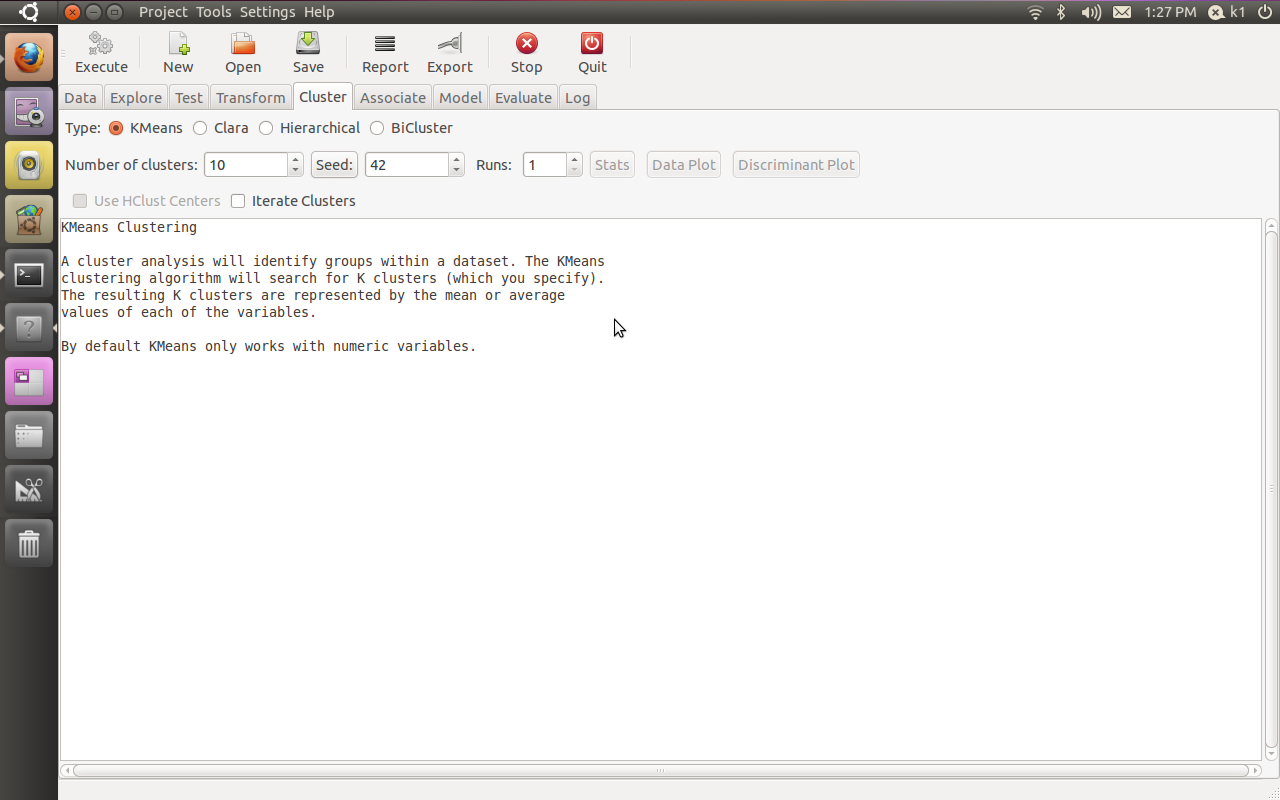
If all goes well, you will see this familiar screen popup when you type
Additional features in R over other analytical packages-
1) Source Code is given to ensure complete custom solution and embedding for a particular application. Open source code has an advantage that is extensively peer- reviewed in Journals and Scientific Literature. This means bugs will found, shared and corrected transparently.
2) Wide literature of training material in the form of books is available for the R analytical platform.
3) Extensively the best data visualization tools in analytical software (apart from Tableau Software ‘s latest version). The extensive data visualization available in R is of the form a variety of customizable graphs, as well as animation. The principal reason third-party software initially started creating interfaces to R is because the graphical library of packages in R is more advanced as well as rapidly getting more features by the day.
4) Free in upfront license cost for academics and thus budget friendly for small and large analytical teams.
5) Flexible programming for your data environment. This includes having packages that ensure compatibility with Java, Python and C++.
6) Easy migration from other analytical platforms to R Platform. It is relatively easy for a non R platform user to migrate to R platform and there is no danger of vendor lock-in due to the GPL nature of source code and open community.
Statistics are numbers that tell (descriptive), advise ( prescriptive) or forecast (predictive). Analytics is a decision-making help tool. Analytics on which no decision is to be made or is being considered can be classified as purely statistical and non analytical. Thus ease of making a correct decision separates a good analytical platform from a not so good analytical platform. The distinction is likely to be disputed by people of either background- and business analysis requires more emphasis on how practical or actionable the results are and less emphasis on the statistical metrics in a particular data analysis task. I believe one clear reason between business analytics is different from statistical analysis is the cost of perfect information (data costs in real world) and the opportunity cost of delayed and distorted decision-making.
Specific to the following domains R has the following costs and benefits
Business Analytics
R is free per license and for download
It is one of the few analytical platforms that work on Mac OS
It’s results are credibly established in both journals like Journal of Statistical Software and in the work at LinkedIn, Google and Facebook’s analytical teams.
It has open source code for customization as per GPL
It also has a flexible option for commercial vendors like Revolution Analytics (who support 64 bit windows) as well as bigger datasets
It has interfaces from almost all other analytical software including SAS,SPSS, JMP, Oracle Data Mining, Rapid Miner. Existing license holders can thus invoke and use R from within these software
Huge library of packages for regression, time series, finance and modeling
High quality data visualization packages
Data Mining
R as a computing platform is better suited to the needs of data mining as it has a vast array of packages covering standard regression, decision trees, association rules, cluster analysis, machine learning, neural networks as well as exotic specialized algorithms like those based on chaos models.
Flexibility in tweaking a standard algorithm by seeing the source code
The RATTLE GUI remains the standard GUI for Data Miners using R. It was created and developed in Australia.
Business Dashboards and Reporting
Business Dashboards and Reporting are an essential piece of Business Intelligence and Decision making systems in organizations. R offers data visualization through GGPLOT, and GUI like Deducer and Red-R can help even non R users create a metrics dashboard
For online Dashboards- R has packages like RWeb, RServe and R Apache- which in combination with data visualization packages offer powerful dashboard capabilities.
R can be combined with MS Excel using the R Excel package – to enable R capabilities to be imported within Excel. Thus a MS Excel user with no knowledge of R can use the GUI within the R Excel plug-in to use powerful graphical and statistical capabilities.
Additional factors to consider in your R installation-
There are some more choices awaiting you now-
1) Licensing Choices-Academic Version or Free Version or Enterprise Version of R
2) Operating System Choices-Which Operating System to choose from? Unix, Windows or Mac OS.
3) Operating system sub choice- 32- bit or 64 bit.
4) Hardware choices-Cost -benefit trade-offs for additional hardware for R. Choices between local ,cluster and cloud computing.
5) Interface choices-Command Line versus GUI? Which GUI to choose as the default start-up option?
6) Software component choice- Which packages to install? There are almost 3000 packages, some of them are complimentary, some are dependent on each other, and almost all are free.
7) Additional Software choices- Which additional software do you need to achieve maximum accuracy, robustness and speed of computing- and how to use existing legacy software and hardware for best complementary results with R.
1) Licensing Choices-
You can choose between two kinds of R installations – one is free and open source from http://r-project.org The other R installation is commercial and is offered by many vendors including Revolution Analytics. However there are other commercial vendors too.
Windows remains the most widely used operating system on this planet. If you are experienced in Windows based computing and are active on analytical projects- it would not make sense for you to move to other operating systems. This is also based on the fact that compatibility problems are minimum for Microsoft Windows and the help is extensively documented. However there may be some R packages that would not function well under Windows- if that happens a multiple operating system is your next option.
Enterprise R from Revolution Analytics- Enterprise R from Revolution Analytics has a complete R Development environment for Windows including the use of code snippets to make programming faster. Revolution is also expected to make a GUI available by 2011. Revolution Analytics claims several enhancements for it’s version of R including the use of optimized libraries for faster performance.
MacOS
Reasons for choosing MacOS remains its considerable appeal in aesthetically designed software- but MacOS is not a standard Operating system for enterprise systems as well as statistical computing. However open source R claims to be quite optimized and it can be used for existing Mac users. However there seem to be no commercially available versions of R available as of now for this operating system.
Linux
Ubuntu
Red Hat Enterprise Linux
Other versions of Linux
Linux is considered a preferred operating system by R users due to it having the same open source credentials-much better fit for all R packages and it’s customizability for big data analytics.
Ubuntu Linux is recommended for people making the transition to Linux for the first time. Ubuntu Linux had an marketing agreement with revolution Analytics for an earlier version of Ubuntu- and many R packages can installed in a straightforward way as Ubuntu/Debian packages are available. Red Hat Enterprise Linux is officially supported by Revolution Analytics for it’s enterprise module. Other versions of Linux popular are Open SUSE.
Multiple operating systems-
Virtualization vs Dual Boot-
You can also choose between having a VMware VM Player for a virtual partition on your computers that is dedicated to R based computing or having operating system choice at the startup or booting of your computer. A software program called wubi helps with the dual installation of Linux and Windows.
64 bit vs 32 bit – Given a choice between 32 bit versus 64 bit versions of the same operating system like Linux Ubuntu, the 64 bit version would speed up processing by an approximate factor of 2. However you need to check whether your current hardware can support 64 bit operating systems and if so- you may want to ask your Information Technology manager to upgrade atleast some operating systems in your analytics work environment to 64 bit operating systems.
Hardware choices- At the time of writing this book, the dominant computing paradigm is workstation computing followed by server-client computing. However with the introduction of cloud computing, netbooks, tablet PCs, hardware choices are much more flexible in 2011 than just a couple of years back.
Hardware costs are a significant cost to an analytics environment and are also remarkably depreciated over a short period of time. You may thus examine your legacy hardware, and your future analytical computing needs- and accordingly decide between the various hardware options available for R.
Unlike other analytical software which can charge by number of processors, or server pricing being higher than workstation pricing and grid computing pricing extremely high if available- R is well suited for all kinds of hardware environment with flexible costs. Given the fact that R is memory intensive (it limits the size of data analyzed to the RAM size of the machine unless special formats and /or chunking is used)- it depends on size of datasets used and number of concurrent users analyzing the dataset. Thus the defining issue is not R but size of the data being analyzed.
Local Computing- This is meant to denote when the software is installed locally. For big data the data to be analyzed would be stored in the form of databases.
Server version- Revolution Analytics has differential pricing for server -client versions but for the open source version it is free and the same for Server or Workstation versions.
Workstation
Cloud Computing- Cloud computing is defined as the delivery of data, processing, systems via remote computers. It is similar to server-client computing but the remote server (also called cloud) has flexible computing in terms of number of processors, memory, and data storage. Cloud computing in the form of public cloud enables people to do analytical tasks on massive datasets without investing in permanent hardware or software as most public clouds are priced on pay per usage. The biggest cloud computing provider is Amazon and many other vendors provide services on top of it. Google is also coming for data storage in the form of clouds (Google Storage), as well as using machine learning in the form of API (Google Prediction API)
Amazon
Google
Cluster-Grid Computing/Parallel processing- In order to build a cluster, you would need the RMpi and the SNOW packages, among other packages that help with parallel processing.
How much resources
RAM-Hard Disk-Processors- for workstation computing
Instances or API calls for cloud computing
Interface Choices
Command Line
GUI
Web Interfaces
Software Component Choices
R dependencies
Packages to install
Recommended Packages
Additional software choices
Additional legacy software
Optimizing your R based computing
Code Editors
Code Analyzers
Libraries to speed up R
citation- R Development Core Team (2010). R: A language and environment for statistical computing. R Foundation for Statistical Computing,Vienna, Austria. ISBN 3-900051-07-0, URL http://www.R-project.org.
The web application Rwui is used to create web interfaces for running R scripts. All the code is generated automatically so that a fully functional web interface for an R script can be downloaded and up and running in a matter of minutes.
Rwui is aimed at R script writers who have scripts that they want people unversed in R to use. The script writer uses Rwui to create a web application that will run their R script. Rwui allows the script writer to do this without them having to do any web application programming, because Rwui generates all the code for them.
The script writer designs the web application to run their R script by entering information on a sequence of web pages. The script writer then downloads the application they have created and installs it on their own server.
Complex Event Processing (CEP- not to be confused by Circular Probability Error) is defined processing many events happening across all the layers of an organization, identifying the most meaningful events within the event cloud, analyzing their impact, and taking subsequent action in real time.
Oracle CEP is a Java application server for the development and deployment of high-performance event driven applications. It can detect patterns in the flow of events and message payloads, often based on filtering, correlation, and aggregation across event sources, and includes industry leading temporal and ordering capabilities. It supports ultra-high throughput (1 million/sec++) and microsecond latency.
Tibco is also trying to get into this market (it claims to have a 40 % market share in the public CEP market 😉 though probably they have not measured the DoE and DoD as worthy of market share yet
What it is: Methods 1 through 3 look at historical data and traditional architectures with information stored in the warehouse. In this environment, it often takes months of data cleansing and preparation to get the data ready to analyze. Now, what if you want to make a decision or determine the effect of an action in real time, as a sale is made, for instance, or at a specific step in the manufacturing process. With streaming data architectures, you can look at data in the present and make immediate decisions. The larger flood of data coming from smart phones, online transactions and smart-grid houses will continue to increase the amount of data that you might want to analyze but not keep. Real-time streaming, complex event processing (CEP) and analytics will all come together here to let you decide on the fly which data is worth keeping and which data to analyze in real time and then discard.
When you use it: Radio-frequency identification (RFID) offers a good user case for this type of architecture. RFID tags provide a lot of information, but unless the state of the item changes, you don’t need to keep warehousing the data about that object every day. You only keep data when it moves through the door and out of the warehouse.
The same concept applies to a customer who does the same thing over and over. You don’t need to keep storing data for analysis on a regular pattern, but if they change that pattern, you might want to start paying attention.
Figure 4: Traditional architecture vs. streaming architecture
In academia here is something called SASE Language
The query below retrieves the total trading volume of Google stocks in the 4 hour period after some bad news occurred.
PATTERN SEQ(News a, Stock+ b[ ])WHERE [symbol] AND a.type = 'bad' AND b[i].symbol = 'GOOG' WITHIN 4 hoursHAVING b[b.LEN].volume < 80%*b[1].volumeRETURN sum(b[ ].volume)
The next query reports a one-hour period in which the price of a stock increased from 10 to 20 and its trading volume stayed relatively stable.
PATTERN SEQ(Stock+ a[])WHERE [symbol] AND a[1].price = 10 AND a[i].price > a[i-1].price AND a[a.LEN].price = 20 WITHIN 1 hourHAVING avg(a[].volume) ≥ a[1].volumeRETURN a[1].symbol, a[].price
The third query detects a more complex trend: in an hour, the volume of a stock started high, but after a period of price increasing or staying relatively stable, the volume plummeted.
PATTERN SEQ(Stock+ a[], Stock b)WHERE [symbol] AND a[1].volume > 1000 AND a[i].price > avg(a[…i-1].price)) AND b.volume < 80% * a[a.LEN].volume WITHIN 1 hourRETURN a[1].symbol, a[].(price,volume), b.(price,volume)
(note from Ajay-
I was not really happy about the depth of resources on CEP available online- there seem to be missing bits and pieces in both open source, academic and corporate information- one reason for this is the obvious military dual use of this technology- like feeds from Satellite, Audio Scans, etc)
DDE reconnect – the old DDE implementation was very quirky in that, opening and closing a DDE server document a few times would totally disconnect the link with the client document. Plus it also causes several other side-effects because of the way it accessed the server documents. The new implementation removes those quirkiness plus enables re-connection of DDE server client pair when the server document is loaded into LO when the client document is already open.
External reference rework – External reference handling has been re-worked to make it work within OFFSET function. In addition, this change allows Calc to read data directly from documents already loaded when possible. The old implementation would always load from disk even when the document was already loaded.
Autocorrect accidental caps locks – automatically corrects what appears to be a mis-cap such as tHIS or tHAT, as a result of the user not realizing the CAPS lock key was on. When correcting the mis-cap, it also automatically turns off CAPS lock (note: not working on Mac OS X yet). (translation)(look for accidental-caps-lock in the commit log)
Swapped default key bindings of Delete and Backspace keys in Calc – this was a major annoyance for former Excel users when migrating to Calc.
(look for delete-backspace-key in the commit log)
In Calc, hitting TAB during auto-complete commits current selection and moves to the next cell. Shift-TAB cycles through auto-complete selections.
and lots of bugs squashed….
_Announcement_
The Document Foundation is happy to announce the third beta of LibreOffice 3.3. This beta comes with lots of improvements and bugfixes. As usual, be warned that this is beta quality software – nevertheless, we ask you to play with it – we very much welcome your feedback and testing!
Yes Opera is a browser but you may as well call it an OS. With an uncluttered design, some mind bending Opera UnitePeer to Peer features (in a browser!) withhttp://unite.opera.com/applications/, and nifty widgets- try singing some Opera. I really dont know how browsers make money, especially since they are suing each other all the time, but well- heres to more choice – if you don’t want a corporation owned browser lusting to sell your leaked privacy data to Don Draper- Opera is a good choice- much better than Sea Monkey and the Fox .
I really liked the option to make my own web server in 2 clicks,and share stuff. The bit trorrent support is really nice but I wonder if there was any Scandinavian brotherly ports in bit torrent sharing 😉 , me hearties
Amazon just did a cluster Christmas present for us tech geek lizards- before Google could out doogle them with end of the Betas (cough- its on NDA)
Clusters used by Academic Departments now have a great chance to reduce cost without downsizing- but only if the CIO gets the email.
While Professor Goodnight of SAS / North Carolina University is still playing time sharing versus mind sharing games with analytical birdies – his 70 mill server farm set in Feb last is about to get ready
( I heard they got public subsidies for environment- but thats historic for SAS– taking public things private -right Prof as SAS itself began as a publicly funded project. and that was in the 1960s and they didnt even have no lobbyists as well. )
In realted R news, Dirk E has been thinking of a R HPC book without paying attention to Amazon but would now have to include Amazon
(he has been thinking of writing that book for 5 years, but hey he’s got a day job, consulting gigs with revo, photo ops at Google, a blog, packages to maintain without binaries, Dirk E we await thy book with bated holes.
Whos Dirk E – well http://dirk.eddelbuettel.com/ is like the Terminator of R project (in terms of unpronounceable surnames)
Unique to Cluster Compute and Cluster GPU instances is the ability to group them into clusters of instances for use with HPC
applications. This is particularly valuable for those applications that rely on protocols like Message Passing Interface (MPI) for tightly coupled inter-node communication.
Cluster Compute and Cluster GPU instances function just like other Amazon EC2 instances but also offer the following features for optimal performance with HPC applications:
When run as a cluster of instances, they provide low latency, full bisection 10 Gbps bandwidth between instances. Cluster sizes up through and above 128 instances are supported.
Cluster Compute and Cluster GPU instances include the specific processor architecture in their definition to allow developers to tune their applications by compiling applications for that specific processor architecture in order to achieve optimal performance.
The Cluster Compute instance family currently contains a single instance type, the Cluster Compute Quadruple Extra Large with the following specifications:
23 GB of memory 33.5 EC2 Compute Units (2 x Intel XeonX5570, quad-core “Nehalem” architecture) 1690 GB of instance storage 64-bit platform I/O Performance: Very High (10 Gigabit Ethernet) API name: cc1.4xlarge
The Cluster GPU instance family currently contains a single instance type, the Cluster GPU Quadruple Extra Large with the following specifications:
22 GB of memory 33.5 EC2 Compute Units (2 x Intel Xeon X5570, quad-core “Nehalem” architecture) 2 x NVIDIA Tesla “Fermi” M2050GPUs 1690 GB of instance storage 64-bit platform I/O Performance: Very High (10 Gigabit Ethernet) API name: cg1.4xlarge



 Features of web applications created by Rwui


 DECISION STATS