Project Titan — a web-based email client that we hear is unofficially referred to internally as its “Gmail killer”. Now we’ve heard from sources that this is indeed what’s coming on Monday during Facebook’s special event, alongside personal @facebook.com email addresses for users.
Now Techcrunch always tells the Truth and the Gospel as per Mike is always right, especially when he is talking of gates of heaven and Angels.
Again as per the newly rich Mike Arringotn (who qualifies to be an Angel Investor himself except AOL has locked in his err wings)
Our understanding is that this is more than just a UI refresh for Facebook’s existing messaging service with POP access tacked on. Rather, Facebook is building a full-fledged webmail client, and while it may only be in early stages come its launch Monday, there’s a huge amount of potential here.
Facebook has the world’s most popular photos product, the most popular events product, and soon will have a very popular local deals product as well. It can tweak the design of its webmail client to display content from each of these in a seamless fashion (and don’t forget messages from games, or payments via Facebook Credits). And there’s also the social element: Facebook knows who your friends are and how closely you’re connected to them; it can probably do a pretty good job figuring out which personal emails you want to read most and prioritize them accordingly.
Oh, and assuming our sources prove accurate, this explains the timing of the Google/Facebook slap fight over contact information.
In an exclusive chat with Decisionstats, Senior VP Eduard Patel Bumberg said- This is it. I am going to kill Gmail. This movie I just had a small part in the mens room while they had the groupies. If we finally kill Gmail, I hope to get a much bigger part in Social Network 3.
New The new Facebook email gives you lesses spam (primarily) as it leans on its contacts in the Cosa Nostra of Spam- and tell them no spam to .fb books.
Yes Anyone is someone in spam has had a connection in the spam pie in Facebook, like creating duplicate 50 million accounts just before the movie got launched, inflating the number of daily Farmville players, invites, links .
Arringutan even covered some of it in an earlier FB game called scamville.
Saint Mark and Mike would have approved Senior VP Eduard Patel Bumberg decision to either kill Gmail or commit hara kari live on U Stream. It is good for the sequel.
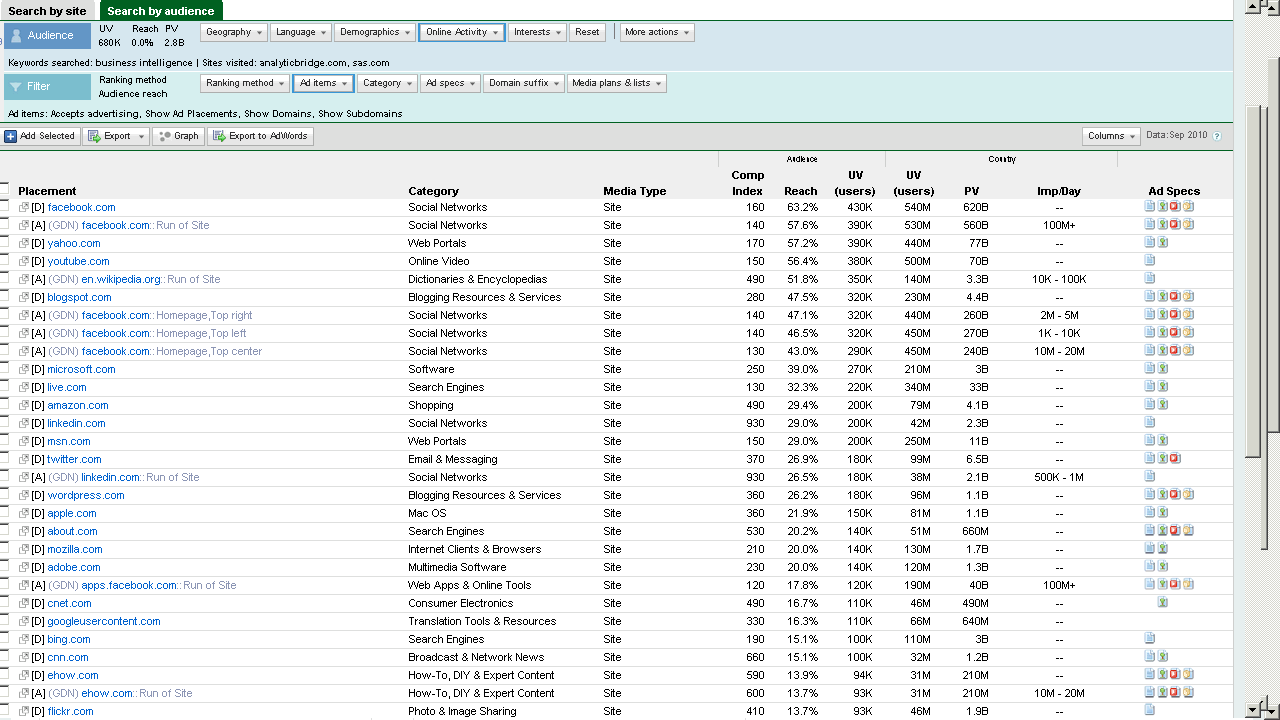
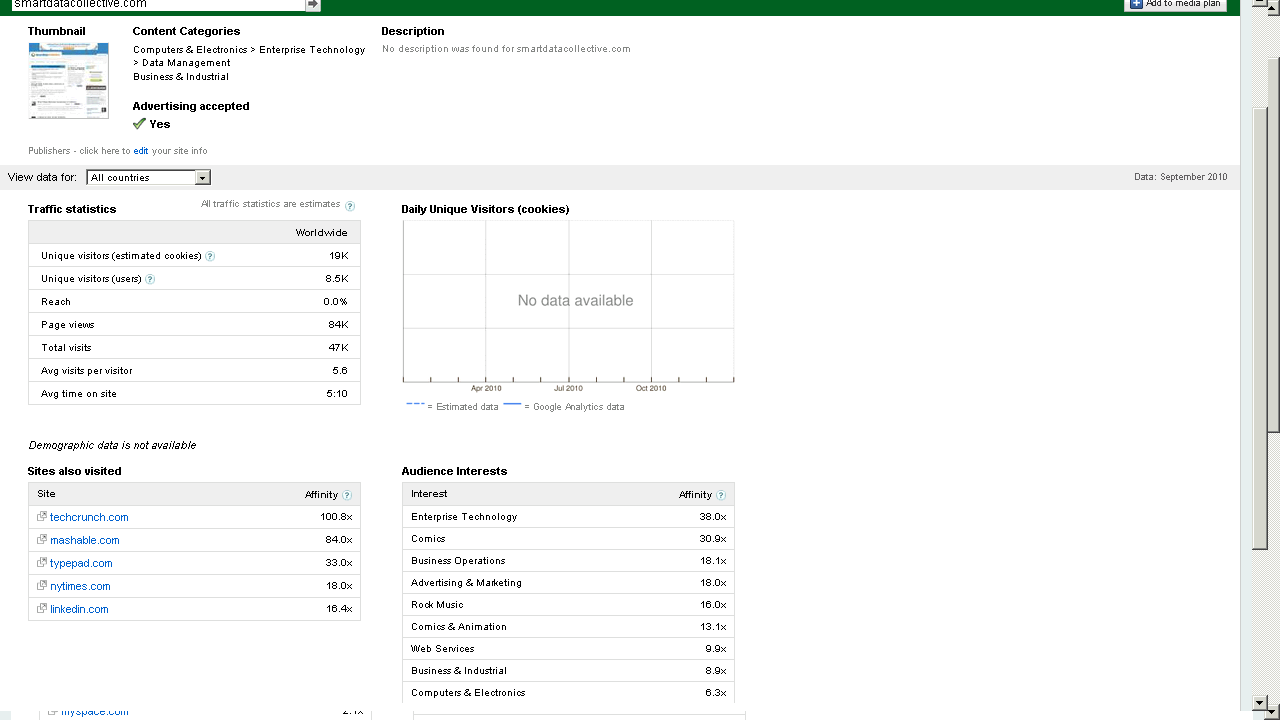
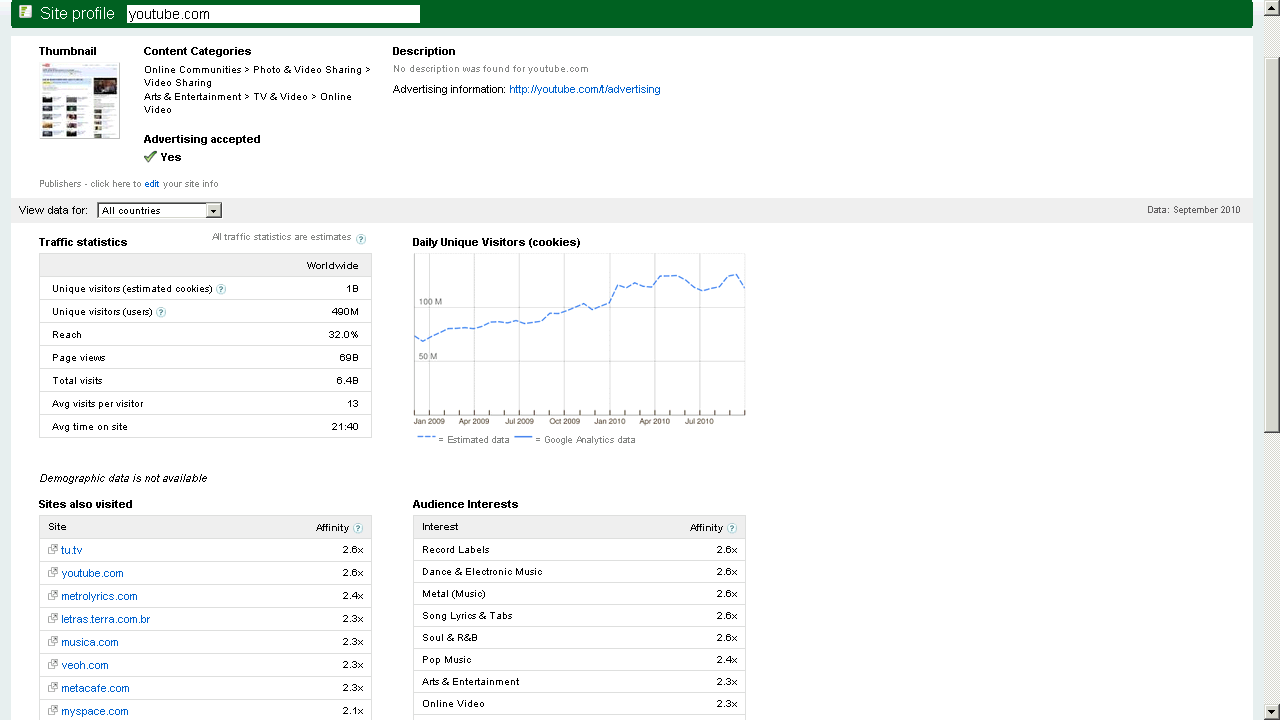
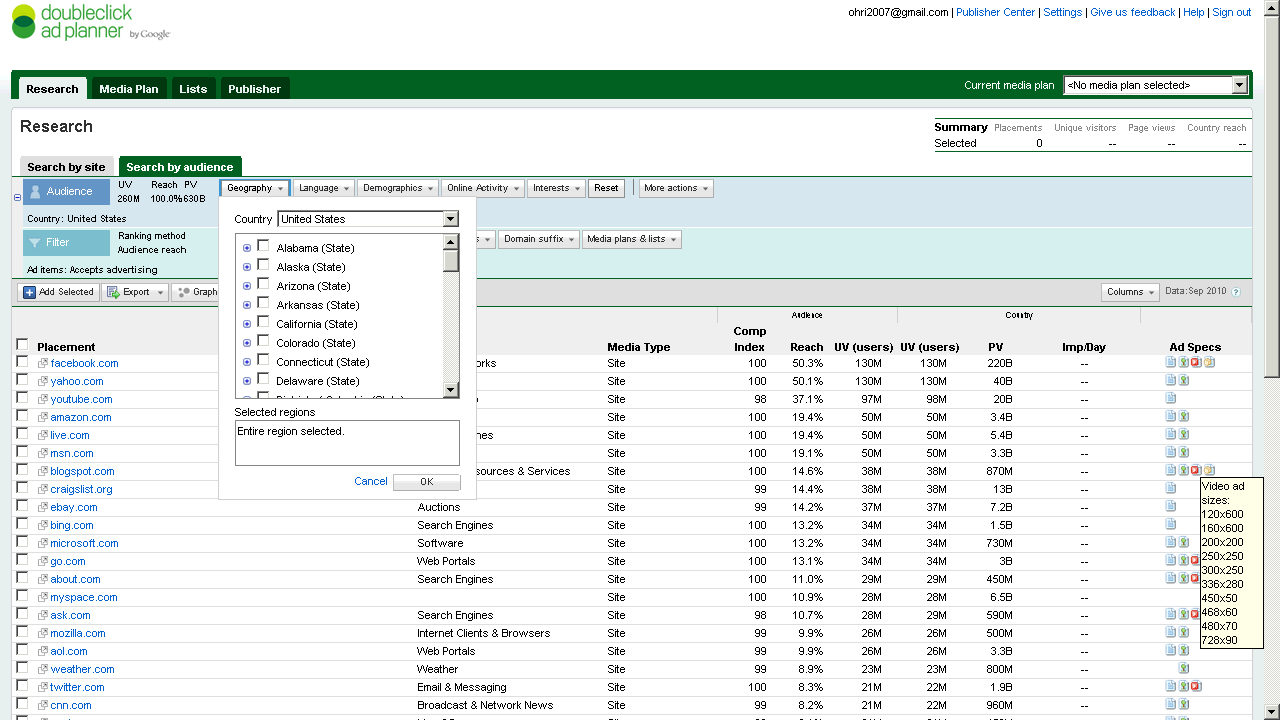
The new Google Ad Planner is really nice-seems better than old Adwords interface, though needs a UI redesign before it can complete with the clean cut slice and dice of Facebook Ad Planner.
It’s the interface, stupid that makes an Iphone sell more than the Symbian even with 90% functionality. Same reasons why Google Storage is okay but Google Prediction API gets slower liftoff than Amazon Console (now with FREE instances) – though the R interface to Prediction API sure helps.
Prediction API is a terrific tool dying for oxygen out there (and will end up like Wave- I hope not)
Sometimes you need artists as well as engineers to design query tools, G Men- and guess the Double Click anti trust rumours have quietened down enough because why the heck did double click interface integration take so loooong.
( and btw why cant Google just get into the multi billion dashboard business if they can manage ALL the data IN THE INTERNET ——they sure can do it for specific companies- – but wait-
they are probably waiting for AsterData to stop sucking thumbs ,chanting on MapReduceSQL, MapReduce SQL nursery rhymes and start inventing NEW STUFF again (or atleast creating two product brands from nCluster (when you and I were in school together giggle)
Btw the time Google make up their mind to enter BI or wait for Aster to finish- IBM would have gulped and burped all there it is- and thats the way that market rolls.
Back to Ad s and Mad Men.
Here are some screenshots-of the new Google Ad Planner-
I found it useful to review traffic for third party websites (even better than Google Trends) and thats a definite plus over Facebooks closed dormitory world of ads.
DoubleClick Ad Planner is a media planning tool where advertisers find sites for their media buys. As a site owner, you can access the DoubleClick Ad Planner Publisher Center and
Market your site
Write a site description to present your audience and unique value to advertisers.
Help advertisers search for you
Choose categories for your site and ad formats you support.
Improve the data that advertisers see
Share your Google Analytics data to reflect the most accurate traffic numbers for your site.
Here is an interview with James Dixon the founder of Pentaho, self confessed Chief Geek and CTO. Pentaho has been growing very rapidly and it makes open source Business Intelligence solutions- basically the biggest chunk of enterprise software market currently.
Ajay- How would you describe Pentaho as a BI product for someone who is completely used to traditional BI vendors (read non open source). Do the Oracle lawsuits over Java bother you from a business perspective?
The Oracle/Java issue does not bother me much. There are a lot of software companies dependent on Java. If Oracle abandons Java a lot resources will suddenly focus on OpenJDK. It would be good for OpenJDK and might be the best thing for Java in the long term.
Ajay- What parts of Pentaho’s technology do you personally like the best as having an advantage over other similar proprietary packages.
Describe the latest Pentaho for Hadoop offering and Hadoop/HIVE ‘s advantage over say Map Reduce and SQL.
James- The coolest thing is that everything is pluggable:
* ETL: New data transformation steps can be added. New orchestration controls (job entries) can be added. New perspectives can be added to the design UI. New data sources and destinations can be added.
* Reporting: New content types and report objects can be added. New data sources can be added.
* BI Server: Every factory, engine, and layer can be extended or swapped out via configuration. BI components can be added. New visualizations can be added.
This means it is very easy for Pentaho, partners, customers, and community member to extend our software to do new things.
In addition every engine and component can be fully embedded into a desktop or web-based application. I made a youtube video about our philosophy: http://www.youtube.com/watch?v=uMyR-In5nKE
Our Hadoop offerings allow ETL developers to work in a familiar graphical design environment, instead of having to code MapReduce jobs in Java or Python.
90% of the Hadoop use cases we hear about are transformation/reporting/analysis of structured/semi-structured data, so an ETL tool is perfect for these situations.
Using Pentaho Data Integration reduces implementation and maintenance costs significantly. The fact that our ETL engine is Java and is embeddable means that we can deploy the engine to the Hadoop data nodes and transform the data within the nodes.
Ajay- Do you think the combination of recession, outsourcing,cost cutting, and unemployment are a suitable environment for companies to cut technology costs by going out of their usual vendor lists and try open source for a change /test projects.
Jamie- Absolutely. Pentaho grew (downloads, installations, revenue) throughout the recession. We are on target to do 250% of what we did last year, while the established vendors are flat in terms of new license revenue.
Ajay- How would you compare the user interface of reports using Pentaho versus other reporting software. Please feel free to be as specific.
James- We have all of the everyday, standard reporting features covered.
Over the years the old tools, like Crystal Reports, have become bloated and complicated.
We don’t aim to have 100% of their features, because we’d end us just as complicated.
The 80:20 rule applies here. 80% of the time people only use 20% of their features.
We aim for 80% feature parity, which should cover 95-99% of typical use cases.
Ajay- Could you describe the Pentaho integration with R as well as your relationship with Weka. Jaspersoft already has a partnership with Revolution Analytics for RevoDeployR (R on a web server)-
Any R plans for Pentaho as well?
James- The feature set of R and Weka overlap to a small extent – both of them include basic statistical functions. Weka is focused on predictive models and machine learning, whereas R is focused on a full suite of statistical models. The creator and main Weka developer is a Pentaho employee. We have integrated R into our ETL tool. (makes me happy 🙂 )
(probably not a good time to ask if SAS integration is done as well for a big chunk of legacy base SAS/ WPS users)
About-
As “Chief Geek” (CTO) at Pentaho, James Dixon is responsible for Pentaho’s architecture and technology roadmap. James has over 15 years of professional experience in software architecture, development and systems consulting. Prior to Pentaho, James held key technical roles at AppSource Corporation (acquired by Arbor Software which later merged into Hyperion Solutions) and Keyola (acquired by Lawson Software). Earlier in his career, James was a technology consultant working with large and small firms to deliver the benefits of innovative technology in real-world environments.
Thats the world’s most widely read marketing textbook in slideshare format slides. You think you are a marketing guru expert at selling or promoting software- well spend 10 minutes flipping for a fun reading
and a presentation trying to be the worlds best presentation by putting social causes, geeky languages, hot looks in the same slides – Hi It is BO (not Barack Obama)
and if you are like me and suck at presentations , but unlike me would like to get better at presentations
if you are still reading this you probably have too much time on a Friday, so here is one YouTube poetry video I created while in a graphics design course in Vol State- it’s a mashuo of 12 poems, some Prezi, some music by that big proft making Google machine called You Tub
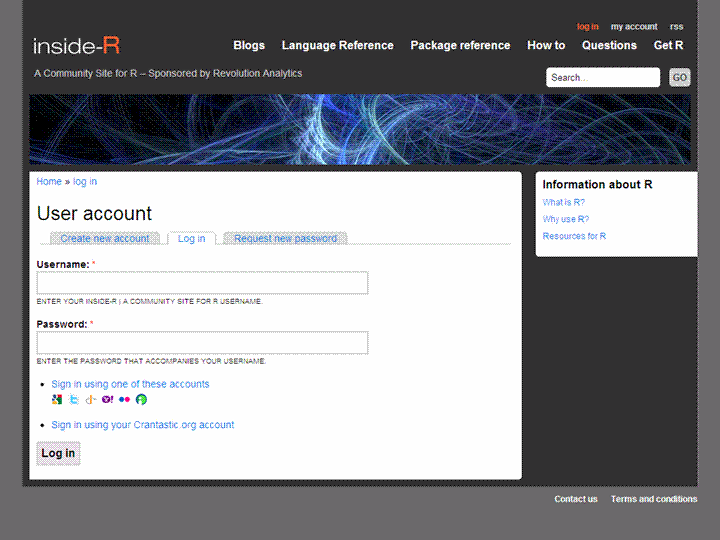
More than just a blog aggregator- includes sections on other stuff- thus more like a community than a big feed
Abbreviated feeds- just gives you two-three lines of summary per post than the whole big schmakaround -thats a time saver for me —(D Smith is the only -lonely blogger atm there)
The more the merrier- One more place to read and write R.
btw is the name insider (as in guy who knows inside stuff) or Inside- R (as in get inside the R box)- just kidding. With PlyR, ManipulatR, ApplyR and now Inside R- the pun gets MerrieR
If my blog app gets rejected- these views may change ,grr
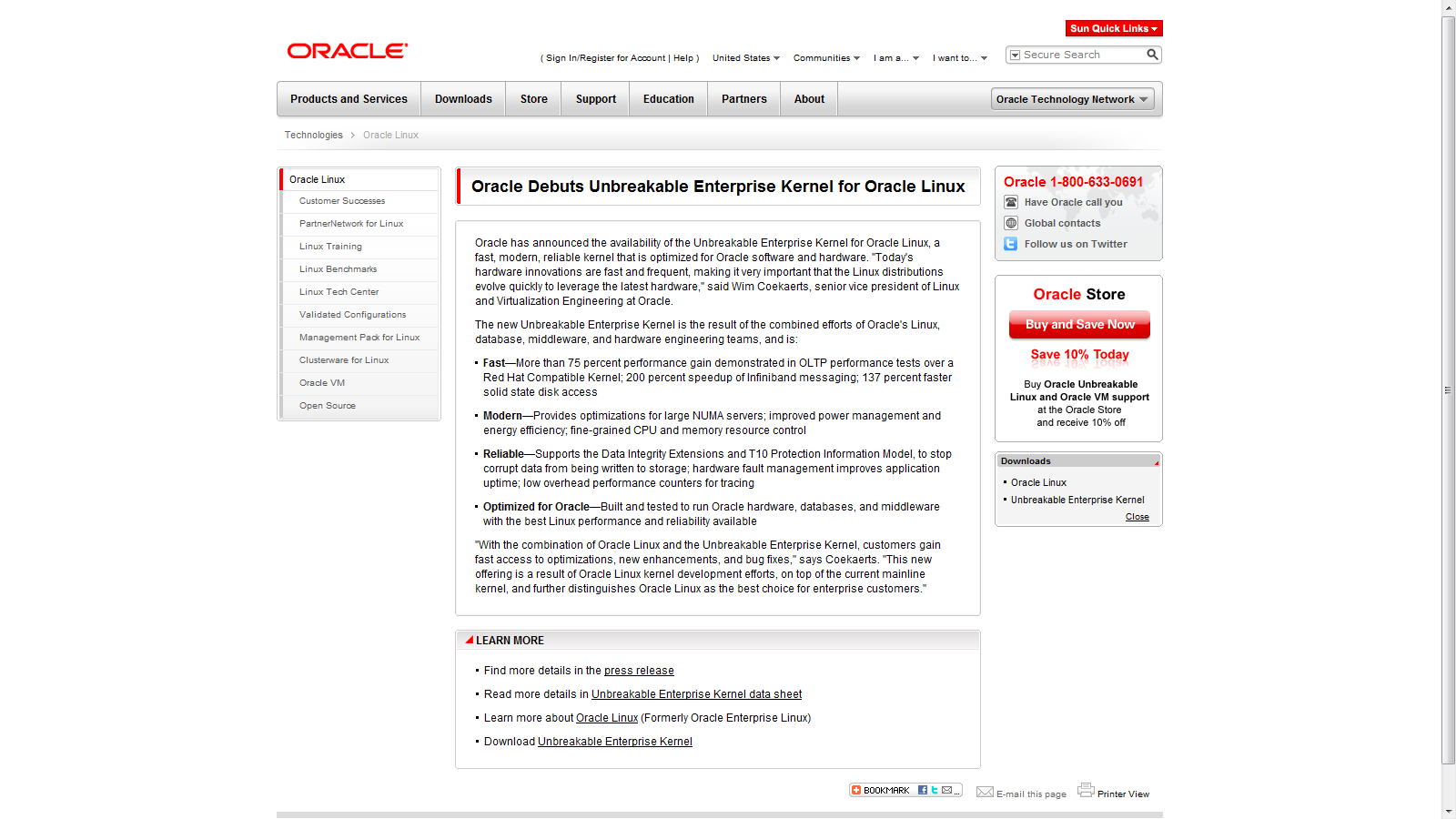
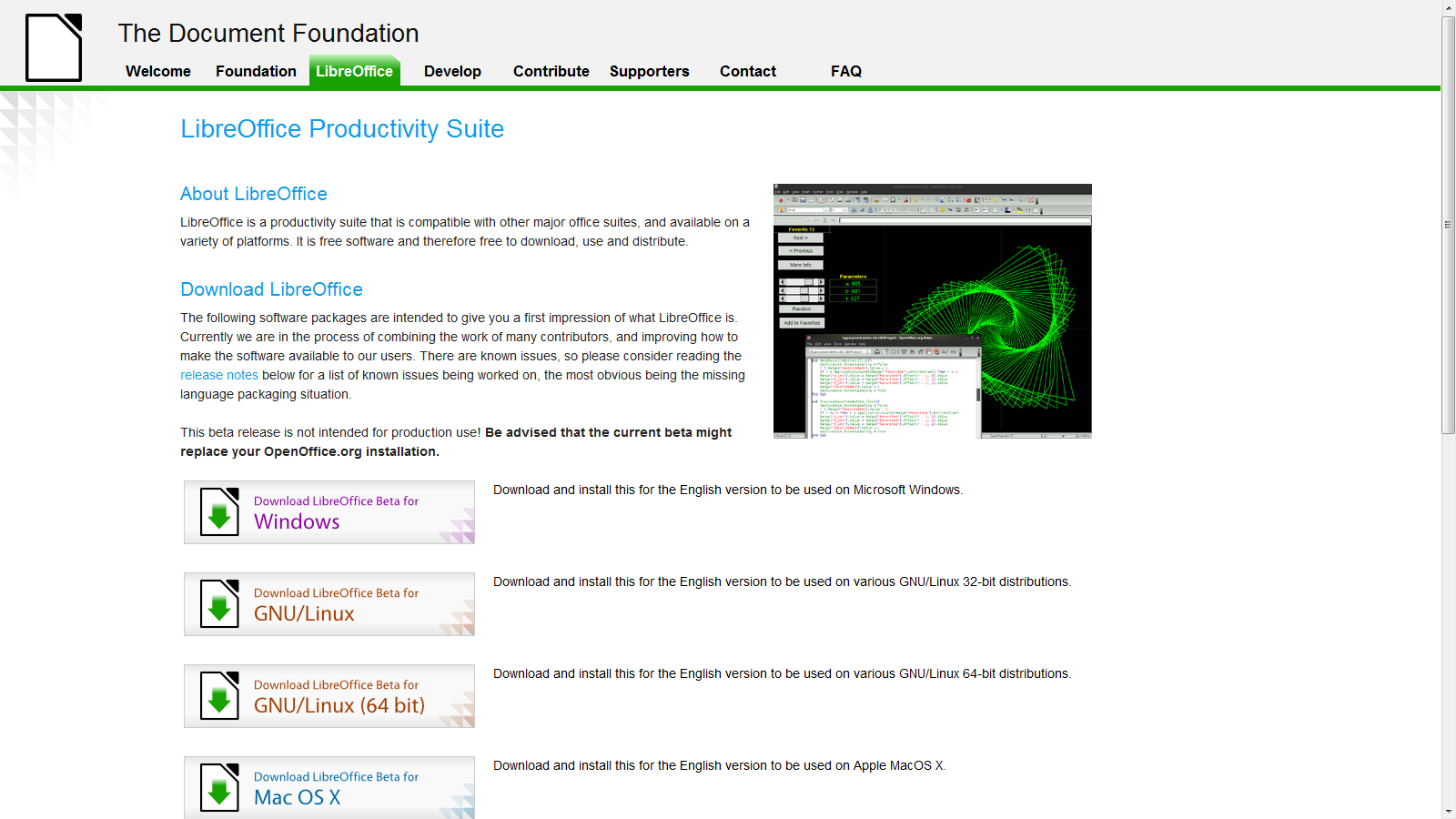
LibreOffice is a new fork from OpenOffice– Basically people who want to ensure OpenOffice remains free. It basically consists of efforts from everybody except Apple, Microsoft and Oracle (http://www.documentfoundation.org/supporters/) and it’s a new kind of workable office productivity suite-determined to remain free. I have used it- a bit shaky- but I really liked the new design and willingly will test it (and auto submit bugs) . It would be interesting to see the reaction of enterprise vendors like SAS, IBM,Dell, HP (and Lenovo) and etc -as their support would be critical to both Unbreakable Oracle Linux and Unshakable LibreOffice.
This is a fairly long post and is a basic collection of material for a book/paper. It is on interfaces to use R. If you feel I need to add more on a particular R interface, or if there is an error in this- please feel to contact me on twitter @decisionstats or mail ohri2007 on google mail.
● R Interfaces There are multiple ways to use the R statistical language. Command Line- The default method is using the command prompt by the installed software on download fromhttp://r-project.org For windows users there is a simple GUI which has an option for Packages (loading package, installing package, setting CRAN mirror for downloading packages) , Misc (useful for listing all objects loaded in workspace as well as clearing objects to free up memory), and Help Menu. Using Click and Point- Besides the command prompt, there are many Graphical User Interfaces which enable the analyst to use click and point methods to analyze data without getting into the details of learning complex and at times overwhelming R syntax. R GUIs are very popular both as mode of instruction in academia as well as in actual usage as it cuts down considerably on time taken to adapt to the language. As with all command line and GUI software, for advanced tweaks and techniques, command prompt will come in handy as well. Advantages and Limitations of using Visual Programming Interfaces to R as compared to Command Line.
Advantages
Limitations
Faster learning for new programmers
Can create junk analysis by clicking menus in GUI
Easier creation of advanced models or graphics
Cannot create custom functions unless you use command line
Repeatability of analysis is better
Advanced techniques and custom flexibility of data handling R can be done in command line
Syntax is auto-generated
Can limit scope and exposure in learning R syntax
A brief list of the notable Graphical User Interfaces is below- 1) R Commander- Basic statistics 2) Rattle- Data Mining 3) Deducer- Graphics (including GGPlot Integration) and also uses JGR (a Jave based GUI) 4) RKward- Comprehensive R GUI for customizable graphs 5) Red-R – Dataflow programming interface using widgets 1) R Commander- R Commander was primarily created by Professor John Fox of McMaster University to cover the content of a basic statistics course. However it is extensible and many other packages can be added in menu form to it- in the form R Commander Plugins. Quite noticeably it is one of the most widely used R GUI and it also has a script window so you can write R code in combination with the menus. As you point and click a particular menu item, the corresponding R code is automatically generated in the log window and executed. It can be found on CRAN athttp://cran.r-project.org/web/packages/Rcmdr/index.html
Advantages of Using R Commander- 1) Useful for beginner in R language to do basic graphs and analysis and building models. 2) Has script window, output window and log window (called messages) in same screen which helps user as code is auto-generated on clicking on menus, and can be customized easily. For example in changing labels and options in Graphs. Graphical output is shown in seperate window from output window. 3) Extensible for other R packages like qcc (for quality control), Teaching Demos (for training), survival analysis and Design of Experiments (DoE) 4) Easy to understand interface even for first time user. 5) Menu items which are not relevant are automatically greyed out- if there are only two variables, and you try to build a 3D scatterplot graph, that menu would simply not be available and is greyed out. Comparative Disadvantages of using R Commander- 1) It is basically aimed at a statistical audience( originally students in statistics) and thus the terms as well as menus are accordingly labeled. Hence it is more of a statistical GUI rather than an analytics GUI. 2) Has limited ability to evaluate models from a business analysts perspective (ROC curve is not given as an option) even though it has extensive statistical tests for model evaluation in model sub menu. Indeed creating a Model is treated as a subsection of statistics rather than a separate menu item. 3) It is not suited for projects that do not involve advanced statistical testing and for users not proficient in statistics (particularly hypothesis testing), and for data miners. Menu items in the R Commander window: File Menu – For loading script files and saving Script files, Output and Workspace It is also needed for changing the present working directory and for exiting R. Edit Menu – For editing scripts and code in the script window. Data Menu – For creating new dataset, inputting or importing data and manipulating data through variables.Data Import can be from text,comma separated values,clipboard, datasets from SPSS, Stata,Minitab, Excel ,dbase, Access files or from url. Data manipulation included deleting rows of data as well as manipulating variables. Also this menu has the option for merging two datasets by row or columns. Statistics Menu-This menu has options for descriptive statistics, hypothesis tests, factor analysis and clustering and also for creating models. Note there is a separate menu for evaluating the model so created. Graphs Menu-It has options for creating various kinds of graphs including box-plot, histogram, line, pie charts and x-y plots. The first option is color palette- it can be used for customizing the colors. It is recommended you adjust colors based on your need for publication or presentation. A notable option is 3 D graphs for evaluating 3 variables at a time- this is really good and impressive feature and exposes the user to advanced graphs in R all at few clicks. You may want to dazzle a presentation using this graph. Also consider scatterplot matrix graphs for graphical display of variables. Graphical display of R surpasses any other statistical software in appeal as well as ease of creation- using GUI to create graphs can further help the user to get the most of data insights using R at a very minimum effort. Models Menu-This is somewhat of a labeling peculiarity of R Commander as this menu is only for evaluating models which have been created using the statistics menu-model sub menu. It includes options for graphical interpretation of model results,residuals,leverage and confidence intervals and adding back residuals to the data set. Distributions Menu- is for cumulative probabilities, probability density, graphs of distributions, quantiles and features for standard distributions and can be used in lieu of standard statistical tables for the distributions. It has 13 standard statistical continuous distributions and 5 discrete distributions. Tools Menu- allows you to load other packages and also load R Commander plugins (which are then added to the Interface Menu after the R Commander GUI is restarted). It also contains options sub menu for fine tuning (like opting to send output to R Menu) Help Menu- Standard documentation and help menu. Essential reading is the short 25 page manual in it called Getting “Started With the R Commander”.
R Commander Plugins- There are twenty extensions to R Commander that greatly enhance it’s appeal -these include basic time series forecasting, survival analysis, qcc and more.
Note the naming convention for above e plugins is always with a Prefix of “RCmdrPlugin.” followed by the names above
Also on loading a Plugin, it must be already installed locally to be visible in R Commander’s list of load-plugin, and R Commander loads the e-plugin after restarting.Hence it is advisable to load all R Commander plugins in the beginning of the analysis session.
However the notable E Plugins are
1) DoE for Design of Experiments-
Full factorial designs, orthogonal main effects designs, regular and non-regular 2-level fractional
factorial designs, central composite and Box-Behnken designs, latin hypercube samples, and simple D-optimal designs can currently be generated from the GUI. Extensions to cover further latin hypercube designs as well as more advanced D-optimal designs (with blocking) are planned for the future.
2) Survival- This package provides an R Commander plug-in for the survival package, with dialogs for Cox models, parametric survival regression models, estimation of survival curves, and testing for differences in survival curves, along with data-management facilities and a variety of tests, diagnostics and graphs.
3) qcc -GUI for Shewhart quality control charts for continuous, attribute and count data. Cusum and EWMA charts. Operating characteristic curves. Process capability analysis. Pareto chart and cause-and-effect chart. Multivariate control charts
4) epack- an Rcmdr “plug-in” based on the time series functions. Depends also on packages like , tseries, abind,MASS,xts,forecast. It covers Log-Exceptions garch
and following Models -Arima, garch, HoltWinters
5)Export- The package helps users to graphically export Rcmdr output to LaTeX or HTML code,
via xtable() or Hmisc::latex(). The plug-in was originally intended to facilitate exporting Rcmdr
output to formats other than ASCII text and to provide R novices with an easy-to-use,
easy-to-access reference on exporting R objects to formats suited for printed output. The
package documentation contains several pointers on creating reports, either by using
conventional word processors or LaTeX/LyX.
6) MAc- This is an R-Commander plug-in for the MAc package (Meta-Analysis with
Correlations). This package enables the user to conduct a meta-analysis in a menu-driven,
graphical user interface environment (e.g., SPSS), while having the full statistical capabilities of
R and the MAc package. The MAc package itself contains a variety of useful functions for
conducting a research synthesis with correlational data. One of the unique features of the MAc
package is in its integration of user-friendly functions to complete the majority of statistical steps
involved in a meta-analysis with correlations. You can read more on R Commander Plugins at http://wp.me/p9q8Y-1Is —————————————————————————————————————————- Rattle- R Analytical Tool To Learn Easily (download from http://rattle.togaware.com/) Rattle is more advanced user Interface than R Commander though not as popular in academia. It has been designed explicitly for data mining and it also has a commercial version for sale by Togaware. Rattle has a Tab and radio button/check box rather than Menu- drop down approach towards the graphical design. Also the Execute button needs to be clicked after checking certain options, just the same as submit button is clicked after writing code. This is different from clicking on a drop down menu. Advantages of Using Rattle 1) Useful for beginner in R language to do building models,cluster and data mining. 2) Has separate tabs for data entry,summary, visualization,model building,clustering, association and evaluation. The design is intuitive and easy to understand even for non statistical background as the help is conveniently explained as each tab, button is clicked. Also the tabs are placed in a very sequential and logical order. 3) Uses a lot of other R packages to build a complete analytical platform. Very good for correlation graph,clustering as well decision trees. 4) Easy to understand interface even for first time user. 5) Log for R code is auto generated and time stamp is placed. 6) Complete solution for model building from partitioning datasets randomly for testing,validation to building model, evaluating lift and ROC curve, and exporting PMML output of model for scoring. 7) Has a well documented online help as well as in-software documentation. The help helps explain terms even to non statistical users and is highly useful for business users. Example Documentation for Hypothesis Testing in Test Tab in Rattle is ” Distribution of the Data * Kolomogorov-Smirnov Non-parametricAre the distributions the same? * Wilcoxon Signed Rank Non-parametricDo paired samples have the same distribution? Location of the Average * T-test Parametric Are the means the same? * Wilcoxon Rank-Sum Non-parametricAre the medians the same? Variation in the Data * F-testParametricAre the variances the same? Correlation * Correlation PearsonsAre the values from the paired samples correlated?” Comparative Disadvantages of using Rattle- 1) It is basically aimed at a data miner. Hence it is more of a data mining GUI rather than an analytics GUI. 2) Has limited ability to create different types of graphs from a business analysts perspective Numeric variables can be made into Box-Plot, Histogram, Cumulative as well Benford Graphs. While interactivity using GGobi and Lattiticist is involved- the number of graphical options is still lesser than other GUI. 3) It is not suited for projects that involve multiple graphical analysis and which do not have model building or data mining.For example Data Plot is given in clustering tab but not in general Explore tab. 4) Despite the fact that it is meant for data miners, no support to biglm packages, as well as parallel programming is enabled in GUI for bigger datasets, though these can be done by R command line in conjunction with the Rattle GUI. Data m7ining is typically done on bigger datsets. 5) May have some problems installing it as it is dependent on GTK and has a lot of packages as dependencies. Top Row- This has the Execute Button (shown as two gears) and which has keyboard shortcut F2. It is used to execute the options in Tabs-and is equivalent of submit code button. Other buttons include new Projects,Save and Load projects which are files with extension to .rattle an which store all related information from Rattle. It also has a button for exporting information in the current Tab as an open office document, and buttons for interrupting current process as well as exiting Rattle. Data Tab- It has the following options. ● Data Type- These are radio buttons between Spreadsheet (and Comma Separated Values), ARFF files (Weka), ODBC (for Database Connections),Library (for Datasets from Packages),R Dataset or R datafile, Corpus (for Text Mining) and Script for generating the data by code. ● The second row-in Data Tab in Rattle is Detail on Data Type- and its apperance shifts as per the radio button selection of data type in previous step. For Spreadsheet, it will show Path of File, Delimiters, Header Row while for ODBC it will show DSN, Tables, Rows and for Library it will show you a dropdown of all datasets in all R packages installed locally. ● The third row is a Partition field for splitting dataset in training,testing,validation and it shows ratio. It also specifies a Random seed which can be customized for random partitions which can be replicated. This is very useful as model building requires model to be built and tested on random sub sets of full dataset. ● The fourth row is used to specify the variable type of inputted data. The variable types are ○ Input: Used for modeling as independent variables ○ Target: Output for modeling or the dependent variable. Target is a categoric variable for classification, numeric for regression and for survival analysis both Time and Status need to be defined ○ Risk: A variable used in the Risk Chart ○ Ident: An identifier for unique observations in the data set like AccountId or Customer Id ○ Ignore: Variables that are to be ignored. ● In addition the weight calculator can be used to perform mathematical operations on certain variables and identify certain variables as more important than others. Explore Tab- Summary Sub-Tab has Summary for brief summary of variables, Describe for detailed summary and Kurtosis and Skewness for comparing them across numeric variables. Distributions Sub-Tab allows plotting of histograms, box plots, and cumulative plots for numeric variables and for categorical variables Bar Plot and Dot Plot. It also has Benford Plot for Benford’s Law on probability of distribution of digits. Correlation Sub-Tab– This displays corelation between variables as a table and also as a very nice plot. Principal Components Sub-Tab– This is for use with Principal Components Analysis including the SVD (singular value decomposition) and Eigen methods. Interactive Sub-Tab- Allows interactive data exploration using GGobi and Lattice software. It is a powerful visual tool. Test Tab-This has options for hypothesis testing of data for two sample tests. Transform Tab-This has options for rescaling data, missing values treatment, and deleting invalid or missing values. Cluster Tab-It gives an option to KMeans, Hierarchical and Bi-Cluster clustering methods with automated graphs,plots (including dendogram, discriminant plot and data plot) and cluster results available. It is highly recommended for clustering projects especially for people who are proficient in clustering but not in R. Associate Tab-It helps in building association rules between categorical variables, which are in the form of “if then”statements. Example. If day is Thursday, and someone buys Milk, there is 80% chance they will buy Diapers. These probabilities are generated from observed frequencies. Model Tab-The Model tab makes Rattle one of the most advanced data mining tools, as it incorporates decision trees(including boosted models and forest method), linear and logistic regression, SVM,neural net,survival models. Evaluate Tab-It as functionality for evaluating models including lift,ROC,confusion matrix,cost curve,risk chart,precision, specificity, sensitivity as well as scoring datasets with built model or models. Example – A ROC curve generated by Rattle for Survived Passengers in Titanic (as function of age,class,sex) This shows comparison of various models built. Log Tab- R Code is automatically generated by Rattle as the respective operation is executed. Also timestamp is done so it helps in reviewing error as well as evaluating speed for code optimization. —————————————————————————————————————————- JGR- Deducer- (see http://www.deducer.org/pmwiki/pmwiki.php?n=Main.DeducerManual JGR is a Java Based GUI. Deducer is recommended for use with JGR. Deducer has basically been made to implement GGPLOT in a GUI- an advanced graphics package based on Grammer of Graphics and was part of Google Summer of Code project. It first asks you to either open existing dataset or load a new dataset with just two icons. It has two initial views in Data Viewer- a Data view and Variable view which is quite similar to Base SPSS. The other Deducer options are loaded within the JGR console. Advantages of Using Deducer 1. It has an option for factor as well as reliability analysis which is missing in other graphical user interfaces like R Commander and Rattle. 2. The plot builder option gives very good graphics -perhaps the best in other GUIs. This includes a color by option which allows you to shade the colors based on variable value. An addition innovation is the form of templates which enables even a user not familiar with data visualization to choose among various graphs and click and drag them to plot builder area. 3. You can set the Java Gui for R (JGR) menu to automatically load some packages by default using an easy checkbox list. 4. Even though Deducer is a very young package, it offers a way for building other R GUIs using Java Widgets. 5. Overall feel is of SPSS (Base GUI) to it’s drop down menu, and selecting variables in the sub menu dialogue by clicking to transfer to other side.SPSS users should be more comfortable at using this. 6. A surprising thing is it rearranges the help documentation of all R in a very presentable and organized manner 7. Very convenient to move between two or more datasets using dropdown. 8. The most convenient GUI for merging two datasets using common variable. Dis Advantages of Using Deducer 1. Not able to save plots as images (only options are .pdf and .eps), you can however copy as image. 2. Basically a data viualization GUI – it does offer support for regression, descriptive statistics in the menu item Extras- however the menu suggests it is a work in progress. 3. Website for help is outdated, and help documentation specific to Deducer lacks detail. Components of Deducer- Data Menu-Gives options for data manipulation including recoding variables,transform variables (binning, mathematical operation), sort dataset, transpose dataset ,merge two datasets. Analysis Menu-Gives options for frequency tables, descriptive statistics,cross tabs, one sample tests (with plots) ,two sample tests (with plots),k sample tests, correlation,linear and logistic models,generalized linear models. Plot Builder Menu- This allows plots of various kinds to be made in an interactive manner. Correlation using Deducer. ————————————————————————————————————————– Red-R – A dataflow user interface for R (see http://red-r.org/ Red R uses dataflow concepts as a user interface rather than menus and tabs. Thus it is more similar to Enterprise Miner or Rapid Miner in design. For repeatable analysis dataflow programming is preferred by some analysts. Red-R is written in Python. Advantages of using Red-R 1) Dataflow style makes it very convenient to use. It is the only dataflow GUI for R. 2) You can save the data as well as analysis in the same file. 3) User Interface makes it easy to read R code generated, and commit code. 4) For repeatable analysis-like reports or creating models it is very useful as you can replace just one widget and other widget/operations remain the same. 5) Very easy to zoom into data points by double clicking on graphs. Also to change colors and other options in graphs. 6) One minor feature- It asks you to set CRAN location just once and stores it even for next session. 7) Automated bug report submission. Disadvantages of using Red-R 1) Current version is 1.8 and it needs a lot of improvement for building more modeling types as well as debugging errors. 2) Limited features presently. ———————————————————————————————————————- RKWard (see http://rkward.sourceforge.net/) It is primarily a KDE GUI for R, so it can be used on Ubuntu Linux. The windows version is available but has some bugs. Advantages of using RKWard 1) It is the only R GUI for time series at present. In addition it seems like the only R GUI explicitly for Item Response Theory (which includes credit response models,logistic models) and plots contains Pareto Charts. 2) It offers a lot of detail in analysis especially in plots(13 types of plots), analysis and distribution analysis ( 8 Tests of normality,14 continuous and 6 discrete distributions). This detail makes it more suitable for advanced statisticians rather than business analytics users. 3) Output can be easily copied to Office documents. Disadvantages of using RKWard 1) It does not have stable Windows GUI. Since a graphical user interface is aimed at making interaction easier for users- this is major disadvantage. 2) It has a lot of dependencies so may have some issues in installing. 3) The design categorization of analysis,plots and distributions seems a bit unbalanced considering other tabs are File, Edit, View, Workspace,Run,Settings, Windows,Help. Some of the other tabs can be collapsed, while the three main tabs of analysis,plots,distributions can be better categorized (especially into modeling and non-modeling analysis). 4) Not many options for data manipulation (like subset or transpose) by the GUI. 5) Lack of detail in documentation as it is still on version 0.5.3 only. Components- Analysis, Plots and Distributions are the main components and they are very very extensive, covering perhaps the biggest range of plots,analysis or distribution analysis that can be done. Thus RKWard is best combined with some other GUI, when doing advanced statistical analysis.
Image via Wikipedia
GrapherR
GrapheR is a Graphical User Interface created for simple graphs.
Depends: R (>= 2.10.0), tcltk, mgcv Description: GrapheR is a multiplatform user interface for drawing highly customizable graphs in R. It aims to be a valuable help to quickly draw publishable graphs without any knowledge of R commands. Six kinds of graphs are available: histogram, box-and-whisker plot, bar plot, pie chart, curve and scatter plot. License: GPL-2 LazyLoad: yes Packaged: 2011-01-24 17:47:17 UTC; Maxime Repository: CRAN Date/Publication: 2011-01-24 18:41:47
It is bi-lingual (English and French) and can import in text and csv files
The intention is for even non users of R, to make the simple types of Graphs.
The user interface is quite cleanly designed. It is thus aimed as a data visualization GUI, but for a more basic level than Deducer.
Easy to rename axis ,graph titles as well use sliders for changing line thickness and color
Disadvantages of using GrapheR
Lack of documentation or help. Especially tips on mouseover of some options should be done.
Some of the terms like absicca or ordinate axis may not be easily understood by a business user.
Default values of color are quite plain (black font on white background).
Can flood terminal with lots of repetitive warnings (although use of warnings() function limits it to top 50)
Some of axis names can be auto suggested based on which variable s being chosen for that axis.
Package name GrapheR refers to a graphical calculator in Mac OS – this can hinder search engine results
Using GrapheR
Data Input -Data Input can be customized for CSV and Text files.
GrapheR gives information on loaded variables (numeric versus Factors)
It asks you to choose the type of Graph
It then asks for usual Graph Inputs (see below). Note colors can be customized (partial window). Also number of graphs per Window can be easily customized
Using R from other software- Please note that interfaces to R exist from other software as well. These include software from SAS Institute, IBM SPSS, Rapid Miner,Knime and Oracle. A brief list is shown below- 1) SAS/IML Interface to R- You can read about the SAS Institute’s SAS/ IML Studio interface to R athttp://www.sas.com/technologies/analytics/statistics/iml/index.html 2) Rapid Miner Extension to R-You can view integration with Rapid Miner’s extension to R here athttp://www.youtube.com/watch?v=utKJzXc1Cow 3) IBM SPSS plugin for R-SPSS software has R integration in the form of a plugin. This was one of the earliest third party software offering interaction with R and you can read more athttp://www.spss.com/software/statistics/developer/ 4) Knime- Konstanz Information Miner also has R integration. You can view this on http://www.knime.org/downloads/extensions 5) Oracle Data Miner- Oracle has a data mining offering to it’s very popular database software which is integrated with the R language. The R Interface to Oracle Data Mining ( R-ODM) allows R users to access the power of Oracle Data Mining’s in-database functions using the familiar R syntax.http://www.oracle.com/technetwork/database/options/odm/odm-r-integration-089013.html 6) JMP- JMP version 9 is the latest to offer interface to R. You can read example scripts here athttp://blogs.sas.com/jmp/index.php?/archives/298-JMP-Into-R!.html R Excel- Using R from Microsoft Excel Microsoft Excel is the most widely used spreadsheet program for data manipulation, entry and graphics. Yet as dataset sizes have increased, Excel’s statistical capabilities have lagged though it’s design has moved ahead in various product versions.
R Excel basically works at adding a .xla plugin to Excel just like other Plugins. It does so by connecting to R through R packages.
Basically it offers the functionality of R functions and capabilities to the most widely distributed spreadsheet program. All data summaries, reports and analysis end up in a spreadsheet- R Excel enables R to be very useful for people not knowing R. In addition it adds (by option) the menus of R Commander as menus in Excel spreadsheet. Advantages- Enables R and Excel to communicate thus tieing an advanced statistical tool to the most widely used business analytics tool. Disadvantages- No major disadvatage at all to a business user. For a data statistical user, Microsoft Excel is limited to 100,000 rows, so R data needs to be summarized or reduced. Graphical capabilities of R are very useful, but to a new user, interactive graphics in Excel may be easier than say using Ggplot ot Ggobi. You can read more on this athttp://rcom.univie.ac.at/ or the complete Springer Bookhttp://www.springer.com/statistics/computanional+statistics/book/978-1-4419-0051-7
The combination of cloud computing and internet offers a new kind of interaction possible for scientists as well analysts.
Here is a way to use R on an Amazon EC2 machine, thus renting by hour hardware and computing resources which are scaleable to massive levels , whereas the software is free.
Here is how you can connect to Amazon EC2 and run R. Running R for Cloud Computing. 1) Logging onto Amazon Console http://aws.amazon.com/ec2/ Note you need your Amazon Id (even the same id which you use for buying books).Note we are into AmazonEC2 as shown by the upper tab. Click upper tab to get into the AmazonEC2 2) Choosing the right AMI-On the left margin, you can click AMI -Images. Now you can search for the image-I chose Ubuntu images (linux images are cheaper) and latest Ubuntu Lucid in the search .You can choose whether you want 32 bit or 64 bit image. 64 bit images will lead to faster processing of data.Click on launch instance in the upper tab ( near the search feature). A pop up comes up, which shows the 5 step process to launch your computing. 3) Choose the right compute instance- – there are various compute instances and they all are at different multiples of prices or compute units. They differ in terms of RAM memory and number of processors.After choosing the compute instance of your choice (extra large is highlighted)- click on continue- 4) Instance Details-Do not choose cloudburst monitoring if you are on a budget as it has a extra charge. For critical production it would be advisable to choose cloudburst monitoring once you have become comfortable with handling cloud computing.. 5) Add Tag Details- If you are running a lot of instances you need to create your own tags to help you manage them. It is advisable if you are going to run many instances. 6) Create a key pair- A key pair is an added layer of encryption. Click on create new pair and name it (note the name will be handy in coming steps) 7) After clicking and downloading the key pair- you come into security groups. Security groups is just a set of instructions to help keep your data transfer secure. You want to enable access to your cloud instance to certain IP addresses (if you are going to connect from fixed IP address and to certain ports in your computer. It is necessary in security group to enable SSH using Port 22. Last step- Review Details and Click Launch 8) On the Left margin click on instances ( you were in Images.>AMI earlier) It will take some 3-5 minutes to launch an instance. You can see status as pending till then. 9) Pending instance as shown by yellow light- 10) Once the instance is running -it is shown by a green light. Click on the check box, and on upper tab go to instance actions. Click on connect- You see a popup with instructions like these- · Open the SSH client of your choice (e.g., PuTTY, terminal). · Locate your private key, nameofkeypair.pem · Use chmod to make sure your key file isn’t publicly viewable, ssh won’t work otherwise: chmod 400 decisionstats.pem · Connect to your instance using instance’s public DNS [ec2-75-101-182-203.compute-1.amazonaws.com]. Example Enter the following command line: ssh -i decisionstats2.pem root@ec2-75-101-182-203.compute-1.amazonaws.com
Note- If you are using Ubuntu Linux on your desktop/laptop you will need to change the above line to ubuntu@… from root@..
(Note X11 package should be installed for Linux users- Windows Users will use Remote Desktop) 12) Install R Commander on the remote machine (which is running Ubuntu Linux) using the command








 DECISION STATS