Choosing R for business – What to consider?

A composite of the GNU logo and the OSI logo, ...
Image via Wikipedia

Additional features in R over other analytical packages-

1) Source Code is given to ensure complete custom solution and embedding for a particular application. Open source code has an advantage that is extensively peer- reviewed in Journals and Scientific Literature.  This means bugs will found, shared and corrected transparently.

2) Wide literature of training material in the form of books is available for the R analytical platform.

3) Extensively the best data visualization tools in analytical software (apart from Tableau Software ‘s latest version). The extensive data visualization available in R is of the form a variety of customizable graphs, as well as animation. The principal reason third-party software initially started creating interfaces to R is because the graphical library of packages in R is more advanced as well as rapidly getting more features by the day.

4) Free in upfront license cost for academics and thus budget friendly for small and large analytical teams.

5) Flexible programming for your data environment. This includes having packages that ensure compatibility with Java, Python and C++.


6) Easy migration from other analytical platforms to R Platform. It is relatively easy for a non R platform user to migrate to R platform and there is no danger of vendor lock-in due to the GPL nature of source code and open community.

Statistics are numbers that tell (descriptive), advise ( prescriptive) or forecast (predictive). Analytics is a decision-making help tool. Analytics on which no decision is to be made or is being considered can be classified as purely statistical and non analytical. Thus ease of making a correct decision separates a good analytical platform from a not so good analytical platform. The distinction is likely to be disputed by people of either background- and business analysis requires more emphasis on how practical or actionable the results are and less emphasis on the statistical metrics in a particular data analysis task. I believe one clear reason between business analytics is different from statistical analysis is the cost of perfect information (data costs in real world) and the opportunity cost of delayed and distorted decision-making.

Specific to the following domains R has the following costs and benefits

  • Business Analytics
    • R is free per license and for download
    • It is one of the few analytical platforms that work on Mac OS
    • It’s results are credibly established in both journals like Journal of Statistical Software and in the work at LinkedIn, Google and Facebook’s analytical teams.
    • It has open source code for customization as per GPL
    • It also has a flexible option for commercial vendors like Revolution Analytics (who support 64 bit windows) as well as bigger datasets
    • It has interfaces from almost all other analytical software including SAS,SPSS, JMP, Oracle Data Mining, Rapid Miner. Existing license holders can thus invoke and use R from within these software
    • Huge library of packages for regression, time series, finance and modeling
    • High quality data visualization packages
    • Data Mining
      • R as a computing platform is better suited to the needs of data mining as it has a vast array of packages covering standard regression, decision trees, association rules, cluster analysis, machine learning, neural networks as well as exotic specialized algorithms like those based on chaos models.
      • Flexibility in tweaking a standard algorithm by seeing the source code
      • The RATTLE GUI remains the standard GUI for Data Miners using R. It was created and developed in Australia.
      • Business Dashboards and Reporting
      • Business Dashboards and Reporting are an essential piece of Business Intelligence and Decision making systems in organizations. R offers data visualization through GGPLOT, and GUI like Deducer and Red-R can help even non R users create a metrics dashboard
        • For online Dashboards- R has packages like RWeb, RServe and R Apache- which in combination with data visualization packages offer powerful dashboard capabilities.
        • R can be combined with MS Excel using the R Excel package – to enable R capabilities to be imported within Excel. Thus a MS Excel user with no knowledge of R can use the GUI within the R Excel plug-in to use powerful graphical and statistical capabilities.

Additional factors to consider in your R installation-

There are some more choices awaiting you now-
1) Licensing Choices-Academic Version or Free Version or Enterprise Version of R

2) Operating System Choices-Which Operating System to choose from? Unix, Windows or Mac OS.

3) Operating system sub choice- 32- bit or 64 bit.

4) Hardware choices-Cost -benefit trade-offs for additional hardware for R. Choices between local ,cluster and cloud computing.

5) Interface choices-Command Line versus GUI? Which GUI to choose as the default start-up option?

6) Software component choice- Which packages to install? There are almost 3000 packages, some of them are complimentary, some are dependent on each other, and almost all are free.

7) Additional Software choices- Which additional software do you need to achieve maximum accuracy, robustness and speed of computing- and how to use existing legacy software and hardware for best complementary results with R.

1) Licensing Choices-
You can choose between two kinds of R installations – one is free and open source from http://r-project.org The other R installation is commercial and is offered by many vendors including Revolution Analytics. However there are other commercial vendors too.

Commercial Vendors of R Language Products-
1) Revolution Analytics http://www.revolutionanalytics.com/
2) XL Solutions- http://www.experience-rplus.com/
3) Information Builder – Webfocus RStat -Rattle GUI http://www.informationbuilders.com/products/webfocus/PredictiveModeling.html
4) Blue Reference- Inference for R http://inferenceforr.com/default.aspx

  1. Choosing Operating System
      1. Windows


Windows remains the most widely used operating system on this planet. If you are experienced in Windows based computing and are active on analytical projects- it would not make sense for you to move to other operating systems. This is also based on the fact that compatibility problems are minimum for Microsoft Windows and the help is extensively documented. However there may be some R packages that would not function well under Windows- if that happens a multiple operating system is your next option.

        1. Enterprise R from Revolution Analytics- Enterprise R from Revolution Analytics has a complete R Development environment for Windows including the use of code snippets to make programming faster. Revolution is also expected to make a GUI available by 2011. Revolution Analytics claims several enhancements for it’s version of R including the use of optimized libraries for faster performance.
      1. MacOS


Reasons for choosing MacOS remains its considerable appeal in aesthetically designed software- but MacOS is not a standard Operating system for enterprise systems as well as statistical computing. However open source R claims to be quite optimized and it can be used for existing Mac users. However there seem to be no commercially available versions of R available as of now for this operating system.

      1. Linux


        1. Ubuntu
        2. Red Hat Enterprise Linux
        3. Other versions of Linux


Linux is considered a preferred operating system by R users due to it having the same open source credentials-much better fit for all R packages and it’s customizability for big data analytics.

Ubuntu Linux is recommended for people making the transition to Linux for the first time. Ubuntu Linux had an marketing agreement with revolution Analytics for an earlier version of Ubuntu- and many R packages can  installed in a straightforward way as Ubuntu/Debian packages are available. Red Hat Enterprise Linux is officially supported by Revolution Analytics for it’s enterprise module. Other versions of Linux popular are Open SUSE.

      1. Multiple operating systems-
        1. Virtualization vs Dual Boot-


You can also choose between having a VMware VM Player for a virtual partition on your computers that is dedicated to R based computing or having operating system choice at the startup or booting of your computer. A software program called wubi helps with the dual installation of Linux and Windows.

  1. 64 bit vs 32 bit – Given a choice between 32 bit versus 64 bit versions of the same operating system like Linux Ubuntu, the 64 bit version would speed up processing by an approximate factor of 2. However you need to check whether your current hardware can support 64 bit operating systems and if so- you may want to ask your Information Technology manager to upgrade atleast some operating systems in your analytics work environment to 64 bit operating systems.


  1. Hardware choices- At the time of writing this book, the dominant computing paradigm is workstation computing followed by server-client computing. However with the introduction of cloud computing, netbooks, tablet PCs, hardware choices are much more flexible in 2011 than just a couple of years back.

Hardware costs are a significant cost to an analytics environment and are also  remarkably depreciated over a short period of time. You may thus examine your legacy hardware, and your future analytical computing needs- and accordingly decide between the various hardware options available for R.
Unlike other analytical software which can charge by number of processors, or server pricing being higher than workstation pricing and grid computing pricing extremely high if available- R is well suited for all kinds of hardware environment with flexible costs. Given the fact that R is memory intensive (it limits the size of data analyzed to the RAM size of the machine unless special formats and /or chunking is used)- it depends on size of datasets used and number of concurrent users analyzing the dataset. Thus the defining issue is not R but size of the data being analyzed.

    1. Local Computing- This is meant to denote when the software is installed locally. For big data the data to be analyzed would be stored in the form of databases.
      1. Server version- Revolution Analytics has differential pricing for server -client versions but for the open source version it is free and the same for Server or Workstation versions.
      2. Workstation
    2. Cloud Computing- Cloud computing is defined as the delivery of data, processing, systems via remote computers. It is similar to server-client computing but the remote server (also called cloud) has flexible computing in terms of number of processors, memory, and data storage. Cloud computing in the form of public cloud enables people to do analytical tasks on massive datasets without investing in permanent hardware or software as most public clouds are priced on pay per usage. The biggest cloud computing provider is Amazon and many other vendors provide services on top of it. Google is also coming for data storage in the form of clouds (Google Storage), as well as using machine learning in the form of API (Google Prediction API)
      1. Amazon
      2. Google
      3. Cluster-Grid Computing/Parallel processing- In order to build a cluster, you would need the RMpi and the SNOW packages, among other packages that help with parallel processing.
    3. How much resources
      1. RAM-Hard Disk-Processors- for workstation computing
      2. Instances or API calls for cloud computing
  1. Interface Choices
    1. Command Line
    2. GUI
    3. Web Interfaces
  2. Software Component Choices
    1. R dependencies
    2. Packages to install
    3. Recommended Packages
  3. Additional software choices
    1. Additional legacy software
    2. Optimizing your R based computing
    3. Code Editors
      1. Code Analyzers
      2. Libraries to speed up R

citation-  R Development Core Team (2010). R: A language and environment for statistical computing. R Foundation for Statistical Computing,Vienna, Austria. ISBN 3-900051-07-0, URL http://www.R-project.org.

(Note- this is a draft in progress)

Message from RATTLE

Microsoft Windows Vista Wallpaper
Image by Brajeshwar via Flickr

A new release of the R GUI Rattle is making its way to CRAN (currently on the Austrian server).

Latest version 2.5.47 (revision 527) released 13 Nov 2010.

Change Log link for details –

http://cran.r-project.org/web/packages/rattle/index.html

Major changes relate to simplifying the installation of Rattle under the recently released R 2.12.0 on Microsoft Windows 32bit and 64bit.

The major advance for R 2.12.0 is the improved support for 64bit Microsoft Windows and thus support for much larger datasets in memory.

See the new installation steps at http://datamining.togaware.com/survivor/Internet_Connected.html

For Microsoft Windows installations, to upgrade your Rattle installation you may need to remove any old installs of the Gtk+ libraries using the Uninstall application from the Microsoft Windows Control Panel). Then install the new Gtk2 library:

http://downloads.sourceforge.net/gtk-win/gtk2-runtime-2.22.0-2010-10-21-ash.exe

You can the update Rattle to version 2.5.47:

> install.packages(“rattle“)

>library(rattle)

rattle.info()

The output from rattle.info() will include an “install.packages” command that will identify Rattle related packages that have updates available. You can cut-and-paste that command to the R prompt to have those packages updated in your installation.

Citation- From rattle-users@googlegroups.com

http://rattle.togaware.com/

Cloud Computing with R

Illusion of Depth and Space (4/22) - Rotating ...
Image by Dominic's pics via Flickr

Here is a short list of resources and material I put together as starting points for R and Cloud Computing It’s a bit messy but overall should serve quite comprehensively.

Cloud computing is a commonly used expression to imply a generational change in computing from desktop-servers to remote and massive computing connections,shared computers, enabled by high bandwidth across the internet.

As per the National Institute of Standards and Technology Definition,
Cloud computing is a model for enabling convenient, on-demand network access to a shared pool of configurable computing resources (e.g., networks, servers, storage, applications, and services) that can be rapidly provisioned and released with minimal management effort or service provider interaction.

(Citation: The NIST Definition of Cloud Computing

Authors: Peter Mell and Tim Grance
Version 15, 10-7-09
National Institute of Standards and Technology, Information Technology Laboratory
http://csrc.nist.gov/groups/SNS/cloud-computing/cloud-def-v15.doc)

R is an integrated suite of software facilities for data manipulation, calculation and graphical display.

From http://cran.r-project.org/doc/FAQ/R-FAQ.html#R-Web-Interfaces

R Web Interfaces

Rweb is developed and maintained by Jeff Banfield. The Rweb Home Page provides access to all three versions of Rweb—a simple text entry form that returns output and graphs, a more sophisticated JavaScript version that provides a multiple window environment, and a set of point and click modules that are useful for introductory statistics courses and require no knowledge of the R language. All of the Rweb versions can analyze Web accessible datasets if a URL is provided.
The paper “Rweb: Web-based Statistical Analysis”, providing a detailed explanation of the different versions of Rweb and an overview of how Rweb works, was published in the Journal of Statistical Software (http://www.jstatsoft.org/v04/i01/).

Ulf Bartel has developed R-Online, a simple on-line programming environment for R which intends to make the first steps in statistical programming with R (especially with time series) as easy as possible. There is no need for a local installation since the only requirement for the user is a JavaScript capable browser. See http://osvisions.com/r-online/ for more information.

Rcgi is a CGI WWW interface to R by MJ Ray. It had the ability to use “embedded code”: you could mix user input and code, allowing the HTMLauthor to do anything from load in data sets to enter most of the commands for users without writing CGI scripts. Graphical output was possible in PostScript or GIF formats and the executed code was presented to the user for revision. However, it is not clear if the project is still active.

Currently, a modified version of Rcgi by Mai Zhou (actually, two versions: one with (bitmap) graphics and one without) as well as the original code are available from http://www.ms.uky.edu/~statweb/.

CGI-based web access to R is also provided at http://hermes.sdu.dk/cgi-bin/go/. There are many additional examples of web interfaces to R which basically allow to submit R code to a remote server, see for example the collection of links available from http://biostat.mc.vanderbilt.edu/twiki/bin/view/Main/StatCompCourse.

David Firth has written CGIwithR, an R add-on package available from CRAN. It provides some simple extensions to R to facilitate running R scripts through the CGI interface to a web server, and allows submission of data using both GET and POST methods. It is easily installed using Apache under Linux and in principle should run on any platform that supports R and a web server provided that the installer has the necessary security permissions. David’s paper “CGIwithR: Facilities for Processing Web Forms Using R” was published in the Journal of Statistical Software (http://www.jstatsoft.org/v08/i10/). The package is now maintained by Duncan Temple Lang and has a web page athttp://www.omegahat.org/CGIwithR/.

Rpad, developed and actively maintained by Tom Short, provides a sophisticated environment which combines some of the features of the previous approaches with quite a bit of JavaScript, allowing for a GUI-like behavior (with sortable tables, clickable graphics, editable output), etc.
Jeff Horner is working on the R/Apache Integration Project which embeds the R interpreter inside Apache 2 (and beyond). A tutorial and presentation are available from the project web page at http://biostat.mc.vanderbilt.edu/twiki/bin/view/Main/RApacheProject.

Rserve is a project actively developed by Simon Urbanek. It implements a TCP/IP server which allows other programs to use facilities of R. Clients are available from the web site for Java and C++ (and could be written for other languages that support TCP/IP sockets).

OpenStatServer is being developed by a team lead by Greg Warnes; it aims “to provide clean access to computational modules defined in a variety of computational environments (R, SAS, Matlab, etc) via a single well-defined client interface” and to turn computational services into web services.

Two projects use PHP to provide a web interface to R. R_PHP_Online by Steve Chen (though it is unclear if this project is still active) is somewhat similar to the above Rcgi and Rweb. R-php is actively developed by Alfredo Pontillo and Angelo Mineo and provides both a web interface to R and a set of pre-specified analyses that need no R code input.

webbioc is “an integrated web interface for doing microarray analysis using several of the Bioconductor packages” and is designed to be installed at local sites as a shared computing resource.

Rwui is a web application to create user-friendly web interfaces for R scripts. All code for the web interface is created automatically. There is no need for the user to do any extra scripting or learn any new scripting techniques. Rwui can also be found at http://rwui.cryst.bbk.ac.uk.

Finally, the R.rsp package by Henrik Bengtsson introduces “R Server Pages”. Analogous to Java Server Pages, an R server page is typically HTMLwith embedded R code that gets evaluated when the page is requested. The package includes an internal cross-platform HTTP server implemented in Tcl, so provides a good framework for including web-based user interfaces in packages. The approach is similar to the use of the brew package withRapache with the advantage of cross-platform support and easy installation.

Also additional R Cloud Computing Use Cases
http://wwwdev.ebi.ac.uk/Tools/rcloud/

ArrayExpress R/Bioconductor Workbench

Remote access to R/Bioconductor on EBI’s 64-bit Linux Cluster

Start the workbench by downloading the package for your operating system (Macintosh or Windows), or via Java Web Start, and you will get access to an instance of R running on one of EBI’s powerful machines. You can install additional packages, upload your own data, work with graphics and collaborate with colleagues, all as if you are running R locally, but unlimited by your machine’s memory, processor or data storage capacity.

  • Most up-to-date R version built for multicore CPUs
  • Access to all Bioconductor packages
  • Access to our computing infrastructure
  • Fast access to data stored in EBI’s repositories (e.g., public microarray data in ArrayExpress)

Using R Google Docs
http://www.omegahat.org/RGoogleDocs/run.pdf
It uses the XML and RCurl packages and illustrates that it is relatively quick and easy
to use their primitives to interact with Web services.

Using R with Amazon
Citation
http://rgrossman.com/2009/05/17/running-r-on-amazons-ec2/

Amazon’s EC2 is a type of cloud that provides on demand computing infrastructures called an Amazon Machine Images or AMIs. In general, these types of cloud provide several benefits:

  • Simple and convenient to use. An AMI contains your applications, libraries, data and all associated configuration settings. You simply access it. You don’t need to configure it. This applies not only to applications like R, but also can include any third-party data that you require.
  • On-demand availability. AMIs are available over the Internet whenever you need them. You can configure the AMIs yourself without involving the service provider. You don’t need to order any hardware and set it up.
  • Elastic access. With elastic access, you can rapidly provision and access the additional resources you need. Again, no human intervention from the service provider is required. This type of elastic capacity can be used to handle surge requirements when you might need many machines for a short time in order to complete a computation.
  • Pay per use. The cost of 1 AMI for 100 hours and 100 AMI for 1 hour is the same. With pay per use pricing, which is sometimes called utility pricing, you simply pay for the resources that you use.

Connecting to R on Amazon EC2- Detailed tutorials
Ubuntu Linux version
https://decisionstats.com/2010/09/25/running-r-on-amazon-ec2/
and Windows R version
https://decisionstats.com/2010/10/02/running-r-on-amazon-ec2-windows/

Connecting R to Data on Google Storage and Computing on Google Prediction API
https://github.com/onertipaday/predictionapirwrapper
R wrapper for working with Google Prediction API

This package consists in a bunch of functions allowing the user to test Google Prediction API from R.
It requires the user to have access to both Google Storage for Developers and Google Prediction API:
see
http://code.google.com/apis/storage/ and http://code.google.com/apis/predict/ for details.

Example usage:

#This example requires you had previously created a bucket named data_language on your Google Storage and you had uploaded a CSV file named language_id.txt (your data) into this bucket – see for details
library(predictionapirwrapper)

and Elastic R for Cloud Computing
http://user2010.org/tutorials/Chine.html

Abstract

Elastic-R is a new portal built using the Biocep-R platform. It enables statisticians, computational scientists, financial analysts, educators and students to use cloud resources seamlessly; to work with R engines and use their full capabilities from within simple browsers; to collaborate, share and reuse functions, algorithms, user interfaces, R sessions, servers; and to perform elastic distributed computing with any number of virtual machines to solve computationally intensive problems.
Also see Karim Chine’s http://biocep-distrib.r-forge.r-project.org/

R for Salesforce.com

At the point of writing this, there seem to be zero R based apps on Salesforce.com This could be a big opportunity for developers as both Apex and R have similar structures Developers could write free code in R and charge for their translated version in Apex on Salesforce.com

Force.com and Salesforce have many (1009) apps at
http://sites.force.com/appexchange/home for cloud computing for
businesses, but very few forecasting and statistical simulation apps.

Example of Monte Carlo based app is here
http://sites.force.com/appexchange/listingDetail?listingId=a0N300000016cT9EAI#

These are like iPhone apps except meant for business purposes (I am
unaware if any university is offering salesforce.com integration
though google apps and amazon related research seems to be on)

Force.com uses a language called Apex  and you can see
http://wiki.developerforce.com/index.php/App_Logic and
http://wiki.developerforce.com/index.php/An_Introduction_to_Formulas
Apex is similar to R in that is OOPs

SAS Institute has an existing product for taking in Salesforce.com data.

A new SAS data surveyor is
available to access data from the Customer Relationship Management
(CRM) software vendor Salesforce.com. at
http://support.sas.com/documentation/cdl/en/whatsnew/62580/HTML/default/viewer.htm#datasurveyorwhatsnew902.htm)

Personal Note-Mentioning SAS in an email to a R list is a big no-no in terms of getting a response and love. Same for being careless about which R help list to email (like R devel or R packages or R help)

For python based cloud see http://pi-cloud.com

Using Reshape2 for transposing datasets in R

Note Problem Statement-This is quite similar to using Proc Transpose using values in SAS. see http://analytics.ncsu.edu/sesug/2005/TU12_05.PDF
Diagram using geneplotter from R Graph Gallery
In R however this can be done as follow.
convert dataframe
Subject     Item      Score
1 Subject 1     Item 1     1
2 Subject 1     Item 2     0
3 Subject 1     Item 3     1
4 Subject 2     Item 1     1
5 Subject 2     Item 2     1
6 Subject 2      Item 3     0
to
Subject     Item 1 Item 2 Item 3 Item 4
1 Subject 1      1              0               1                 1
5 Subject 2      1              1                0                0
Note- I am using http://www.inside-r.org/pretty-r/tool for auto-generating the color coded R Code.
library("reshape2")
tDat.m<- melt(tDat)tDatCast<- acast(tDat.m,Subject~Item)
and that's it!
Another way (this one is  not recommended as it seems to take longer
 and more memory)
df.wide <- reshape(df, idvar="Subject", timevar="Item", direction="wide")

John Sall sets JMP 9 free to tango with R


Diagnostic graphs produced by plot.lm() functi...
Image via Wikipedia


John Sall, founder SAS AND JMP , has released the latest blockbuster edition of flagship of JMP 9 (JMP Stands for John’s Macintosh Program).

To kill all birds with one software, it is integrated with R and SAS, and the brochure frankly lists all the qualities. Why am I excited for JMP 9 integration with R and with SAS- well it integrates bigger datasets manipulation (thanks to SAS) with R’s superb library of statistical packages and a great statistical GUI (JMP). This makes JMP the latest software apart from SAS/IML, Rapid Miner,Knime, Oracle Data Miner to showcase it’s R integration (without getting into the GPL compliance need for showing source code– it does not ship R- and advises you to just freely download R). I am sure Peter Dalgaard, and Frankie Harell are all overjoyed that R Base and Hmisc packages would be used by fellow statisticians  and students for JMP- which after all is made in the neighborhood state of North Carolina.

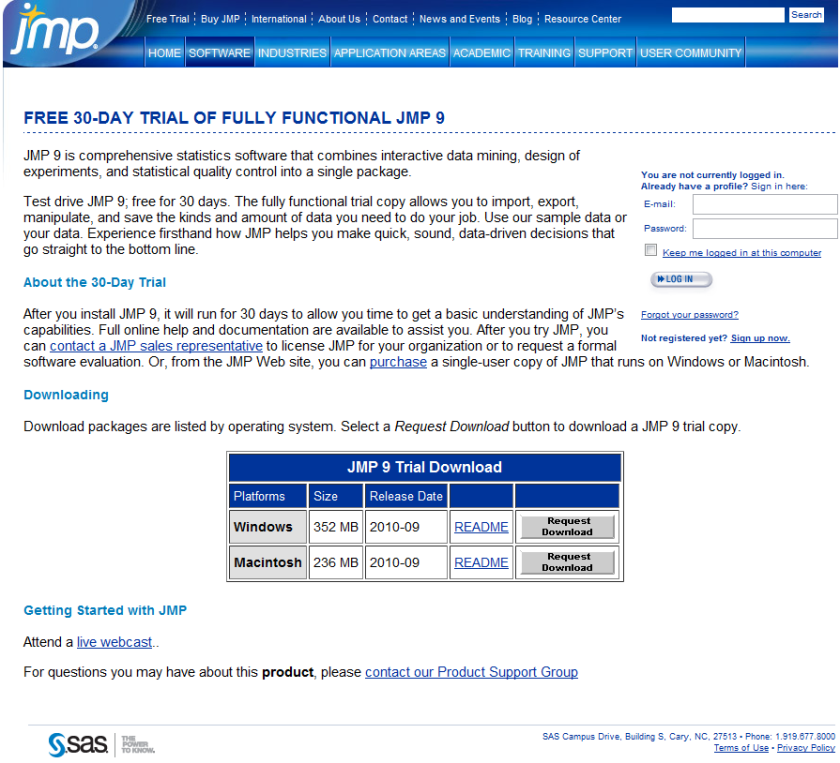
Best of all a JMP 30 day trial is free- so no money lost if you download JMP 9 (and no they dont ask for your credit card number, or do they- but they do have a huuuuuuge form to register before you download. Still JMP 9 the software itself is more thoughtfully designed than the email-prospect-leads-form and the extra functionality in the free 30 day trial is worth it.

Also see “New Features  in JMP 9  http://www.jmp.com/software/jmp9/pdf/new_features.pdf

which has this regarding R.

Working with R

R is a programming language and software environment for statistical computing and graphics. JMP now  supports a set of JSL functions to access R. The JSL functions provide the following options:

• open and close a connection between JMP and R

• exchange data between JMP and R

•submit R code for execution

•display graphics produced by R

JMP and R each have their own sets of computational methods.

R has some methods that JMP does not have. Using JSL functions, you can connect to R and use these R computational methods from within JMP.

Textual output and error messages from R appear in the log window.R must be installed on the same computer as JMP.

JMP is not distributed with a copy of R. You can download R from the Comprehensive R Archive Network Web site:http://cran.r-project.org

Because JMP is supported as both a 32-bit and a 64-bit Windows application, you must install the corresponding 32-bit or 64-bit version of R.

For details, see the Scripting Guide book.

and the download trial page ( search optimized URL) –

http://www.sas.com/apps/demosdownloads/jmptrial9_PROD__sysdep.jsp?packageID=000717&jmpflag=Y

In related news (Richest man in North Carolina also ranks nationally(charlotte.news14.com) , Jim Goodnight is now just as rich as Mark Zuckenberg, creator of Facebook-

though probably they are not creating a movie on Jim yet (imagine a movie titled “The Statistical Software” -not just the same dude feel as “The Social Network”)

See John’s latest interview :

The People Behind the Software: John Sall

http://blogs.sas.com/jmp/index.php?/archives/352-The-People-Behind-the-Software-John-Sall.html

Interview John Sall Founder JMP/SAS Institute

https://decisionstats.com/2009/07/28/interview-john-sall-jmp/

SAS Early Days

https://decisionstats.com/2010/06/02/sas-early-days/

So which software is the best analytical software? Sigh- It depends


Graph of typical Operating System placement on...
Image via Wikipedia


Here is the software matrix that I am trying to develop for analytical software- It should help as a tentative guide for software purchases- it’s independent so unbiased (hopefully)- and it will try and bring as much range or sensitivity as possible. The list (rather than matrix) is of the format-

Type 0f analysis-

  • Data Visualization (Reporting with Pivot Ability to aggregate, disaggregate)
  • Reporting without Pivot Ability
  • Regression -Logistic Regression for Propensity or Risk Models
  • Regression- Linear for Pricing Models
  • Hypothesis Testing
  • A/B Scenario Testing
  • Decision Trees (CART, CHAID)
  • Time Series Forecasting
  • Association Analysis
  • Factor Analysis
  • Survey (Questionnaires)
  • Clustering
  • Segmentation
  • Data Manipulation

Dataset Size-

  • small dataset (upto X mb)
  • big dataset (upto Y gb)
  • enterprise class production BigData datasets (no limit)

Pricing of Software that can be used-

Ease of using Software

  • GUI vs Non GUI
  • Software that require not much extensive training
  • Software that require extensive training

Installation, Customization, Maintainability (or Support) for Software

  • Installation Dependencies- Size- Hardware (costs and  efficiencies)
  • Customization provided for specific use
  • Support Channels (including approximate Turn Around Time)

Software

  • Software I have used personally
  • SAS (Base, Stat,Enterprise,Connect,ETS) WPS KXEN SPSS (Base,Trends),Revolution R,R,Rapid Miner,Knime,JMP,SQL SERVER,Rattle, R Commander,Deducer
  • Software I know by reputation- SAS Enterprise Miner etc etc

Are there any other parameters for judging software?  let me know at http://twitter.com/decisionstats

Top ten RRReasons R is bad for you ?

This is the original symbol of the Perl progra...
Image via Wikipedia

R stands for programming language based out of www.r-project.org

R is bad for you because –

1) It is slower with bigger datasets than SPSS language and SAS language .If you use bigger datasets, then you should either consider more hardware , or try and wait for some of the ODBC connect packages.

2) It needs more time to learn than SAS language .Much more time to learn how to do much more.

3) R programmers are lesser paid than SAS programmers.They prefer it that way.It equates the satisfaction of creating a package in development with a world wide community with the satisfaction of using a package and earning much more money per hour.

4) It forces you to learn the exact details of what you are doing due to its object oriented structure. Thus you either get no answer or get an exact answer. Your customer pays you by the hour not by the correct answers.

5) You can not push a couple of buttons or refer to a list of top ten most commonly used commands to finish the project.

6) It is free. And open for all. It is socialism expressed in code. Some of the packages are built by university professors. It is free.Free is bad. Who pays for the mortgage of the software programmers if all softwares were free ? Who pays for the Friday picnics. Who pays for the Good Night cruises?

7) It is free. Your organization will not commend you for saving them money- they will question why you did not recommend this before. And why did you approve all those packages that expire in 2011.R is fReeeeee. Customers feel good while spending money.The more software budgets you approve the more your salary is. R thReatens all that.

8) It is impossible to install a package you do not need or want. There is no one calling you on the phone to consider one more package or solution. R can make you lonely.

9) R uses mostly Command line. Command line is from the Seventies. Or the Eighties. The GUI’s RCmdr and Rattle are there but still…..

10) R forces you to learn new stuff by the month. You prefer to only earn by the month. Till the day your job got offshored…

Written by a R user in English language

( which fortunately was not copyrighted otherwise we would be paying Britain for each word)

Ajay- The above post was reprinted by personal request. It was written on Jan 2009- and may not be truly valid now. It is meant to be taken in good humor-not so seriously.