Google Refine

An interesting data cleaning software from Google at

https://code.google.com/p/google-refine/

From the page at

https://code.google.com/p/google-refine/wiki/UserGuide

The Basics

First, although Google Refine might start out looking like a spreadsheet program (Microsoft Excel, Google Spreadsheets, etc.), don’t expect it to work like a spreadsheet program. That’s almost like expecting a database to work like a text editor.

Google Refine is NOT for entering new data one cell at a time. It is NOT for doing accounting.

Google Refine is for applying transformations over many existing cells in bulk, for the purpose of cleaning up the data, extending it with more data from other sources, and getting it to some form that other tools can consume.

To use Google Refine, think in big patterns. For example, to spot errors, think

  • Show me every row where the string length of the customer’s name is longer than 50 characters (because I suspect that the customer’s address is mistakenly included in the name field)
  • Show me every row where the contract fee is less than 1 (because I suspect the fee was entered in unit of thousand dollars rather than dollars)
  • Show me every row where the description field (scraped from some web site) contains “&” (because I suspect it wasn’t decoded properly)

To edit data, think

  • For every row where the contract fee is less than 1, multiply the fee by 1000.
  • For every row where the customer name contains a comma (it has been entered as “last_name, first_name”), split the name by the comma, reverse the array, and join it back with a space (producing “first_name last_name”)

To specify patterns, use filters and facets. Typically, you create a filter or facet on a particular column. For example, you can create a numeric facet on the “contract fee” column and adjust its range selector to select values less than 1. If the default facet doesn’t do what you want, you can configure it (by clicking “change” on the facet’s header). For example, you can create a text facet with on the same “contract fee” column with this expression:

  value < 1

It will show 2 choices: true and false. Just select true. Then, invoke the Transform command on that same column and enter the expression

  value * 1000

That Transform command affects only rows where the “contract fee” cell contains a value less than 1.

You can use several filters and facets together. Only rows that are selected by all facets and filters will be shown in the data table. For example, say you have two text facets, one on the “contract fee” column with the expression

  value < 1

and another on the “state” column (with the default expression). If you select “true” in the first facet and “Nevada” in the second, then you will only see rows for contracts in Nevada with fees less than 1.

Analogies

Databases

If you have programmed databases before (performing SQL queries), then what Google Refine works should be quite familiar to you. Creating filters and facets and selecting something in them is like performing this SELECT statement:

  SELECT *
  WHERE ... constraints determined by selection in facets and filters ...

And invoking the Transform command on a column while having some filters and facets selected is like performing this UPDATE statement

  UPDATE whole_table SET column_X = ... expression ...
  WHERE ... constraints determined by selection in facets and filters ...

The difference between Google Refine and databases is that the facets show you choices that you can select, whereas databases assume that you already know what’s in the data.


HIGHLIGHTS from REXER Survey :R gives best satisfaction

Simple graph showing hierarchical clustering. ...
Image via Wikipedia

A Summary report from Rexer Analytics Annual Survey


HIGHLIGHTS from the 4th Annual Data Miner Survey (2010):


•   FIELDS & GOALS: Data miners work in a diverse set of fields.  CRM / Marketing has been the #1 field in each of the past four years.  Fittingly, “improving the understanding of customers”, “retaining customers” and other CRM goals are also the goals identified by the most data miners surveyed.


•   ALGORITHMS: Decision trees, regression, and cluster analysis continue to form a triad of core algorithms for most data miners.  However, a wide variety of algorithms are being used.  This year, for the first time, the survey asked about Ensemble Models, and 22% of data miners report using them.
A third of data miners currently use text mining and another third plan to in the future.


•   MODELS: About one-third of data miners typically build final models with 10 or fewer variables, while about 28% generally construct models with more than 45 variables.


•   TOOLS: After a steady rise across the past few years, the open source data mining software R overtook other tools to become the tool used by more data miners (43%) than any other.  STATISTICA, which has also been climbing in the rankings, is selected as the primary data mining tool by the most data miners (18%).  Data miners report using an average of 4.6 software tools overall.  STATISTICA, IBM SPSS Modeler, and R received the strongest satisfaction ratings in both 2010 and 2009.


•   TECHNOLOGY: Data Mining most often occurs on a desktop or laptop computer, and frequently the data is stored locally.  Model scoring typically happens using the same software used to develop models.  STATISTICA users are more likely than other tool users to deploy models using PMML.


•   CHALLENGES: As in previous years, dirty data, explaining data mining to others, and difficult access to data are the top challenges data miners face.  This year data miners also shared best practices for overcoming these challenges.  The best practices are available online.


•   FUTURE: Data miners are optimistic about continued growth in the number of projects they will be conducting, and growth in data mining adoption is the number one “future trend” identified.  There is room to improve:  only 13% of data miners rate their company’s analytic capabilities as “excellent” and only 8% rate their data quality as “very strong”.


Please contact us if you have any questions about the attached report or this annual research program.  The 5th Annual Data Miner Survey will be launching next month.  We will email you an invitation to participate.


Information about Rexer Analytics is available at www.RexerAnalytics.com. Rexer Analytics continues their impressive journey see http://www.rexeranalytics.com/Clients.html

|My only thought- since most data miners are using multiple tools including free tools as well as paid software, Perhaps a pie chart of market share by revenue and volume would be handy.

Also some ideas on comparing diverse data mining projects by data size, or complexity.


Pentaho and R: working together

open_source_communism
Image by jagelado via Flickr

I interview Pentaho Co-founder here at https://decisionstats.com/2010/11/14/pentaho/

and recently became aware of the R Pentaho integration.

“R” is a popular open source statistical and analytical language that academics and commercial organizations alike have used for years to get maximum insight out of information using advanced analytic techniques. In this twelve-minute video, David Reinke from Pentaho Certified Partner OpenBI provides an overview of R, as well as a demonstration of integration between R and Pentaho.

http://www.pentaho.com/products/demos/r_project_with_pentaho/

or http://www.pentaho.com/products/demos/showNtell.php

Related-

M.S. in Applied Statistics

http://www.information-management.com/blogs/analytics_business_intelligence_BI_statistics-10019474-1.html

R and BI – Integrating R with Open Source BusinessIntelligence Platforms Pentaho and Jaspersoft

http://www.r-project.org/conferences/useR-2010/abstracts/Reinke+Miller.pdf

Web development with R

http://www.r-project.org/conferences/useR-2010/slides/Ooms.pdf

In-database analytics with R

http://www.r-project.org/conferences/useR-2010/slides/Hess+Chambers_1.pdf

R role in Business Intelligence Software Architecture

http://www.r-project.org/conferences/useR-2010/slides/Colombo+Ronzoni+Fontana.pdf

Interview Anne Milley JMP

Here is an interview with Anne Milley, a notable thought leader in the world of analytics. Anne is now Senior Director, Analytical Strategy in Product Marketing for JMP , the leading data visualization software from the SAS Institute.

Ajay-What do you think are the top 5 unique selling points of JMP compared to other statistical software in its category?

Anne-

JMP combines incredible analytic depth and breadth with interactive data visualization, creating a unique environment optimized for discovery and data-driven innovation.

With an extensible framework using JSL (JMP Scripting Language), and integration with SAS, R, and Excel, JMP becomes your analytic hub.

JMP is accessible to all kinds of users. A novice analyst can dig into an interactive report delivered by a custom JMP application. An engineer looking at his own data can use built-in JMP capabilities to discover patterns, and a developer can write code to extend JMP for herself or others.

State-of-the-art DOE capabilities make it easy for anyone to design and analyze efficient experiments to determine which adjustments will yield the greatest gains in quality or process improvement – before costly changes are made.

Not to mention, JMP products are exceptionally well designed and easy to use. See for yourself and check out the free trial at www.jmp.com.

Download a free 30-day trial of JMP.

Ajay- What are the challenges and opportunities of expanding JMP’s market share? Do you see JMP expanding its conferences globally to engage global audiences?

Anne-

We realized solid global growth in 2010. The release of JMP Pro and JMP Clinical last year along with continuing enhancements to the rest of the JMP family of products (JMP and JMP Genomics) should position us well for another good year.

With the growing interest in analytics as a means to sustained value creation, we have the opportunity to help people along their analytic journey – to get started, take the next step, or adopt new paradigms speeding their time to value. The challenge is doing that as fast as we would like.

We are hiring internationally to offer even more events, training and academic programs globally.

Ajay- What are the current and proposed educational and global academic initiatives of JMP? How can we see more JMP in universities across the world (say India- China etc)?

Anne-

We view colleges and universities both as critical incubators of future JMP users and as places where attitudes about data analysis and statistics are formed. We believe that a positive experience in learning statistics makes a person more likely to eventually want and need a product like JMP.

For most students – and particularly for those in applied disciplines of business, engineering and the sciences – the ability to make a statistics course relevant to their primary area of study fosters a positive experience. Fortunately, there is a trend in statistical education toward a more applied, data-driven approach, and JMP provides a very natural environment for both students and researchers.

Its user-friendly navigation, emphasis on data visualization and easy access to the analytics behind the graphics make JMP a compelling alternative to some of our more traditional competitors.

We’ve seen strong growth in the education markets in the last few years, and JMP is now used in nearly half of the top 200 universities in the US.

Internationally, we are at an earlier stage of market development, but we are currently working with both JMP and SAS country offices and their local academic programs to promote JMP. For example, we are working with members of the JMP China office and faculty at several universities in China to support the use of JMP in the development of a master’s curriculum in Applied Statistics there, touched on in this AMSTAT News article.

Ajay- What future trends do you see for 2011 in this market (say top 5)?

Anne-

Growing complexity of data (text, image, audio…) drives the need for more and better visualization and analysis capabilities to make sense of it all.

More “chief analytics officers” are making better use of analytic talent – people are the most important ingredient for success!

JMP has been on the vanguard of 64-bit development, and users are now catching up with us as 64-bit machines become more common.

Users should demand easy-to-use, exploratory and predictive modeling tools as well as robust tools to experiment and learn to help them make the best decisions on an ongoing basis.

All these factors and more fuel the need for the integration of flexible, extensible tools with popular analytic platforms.

Ajay-You enjoy organic gardening as a hobby. How do you think hobbies and unwind time help people be better professionals?

Anne-

I am lucky to work with so many people who view their work as a hobby. They have other interests too, though, some of which are work-related (statistics is relevant everywhere!). Organic gardening helps me put things in perspective and be present in the moment. More than work defines who you are. You can be passionate about your work as well as passionate about other things. I think it’s important to spend some leisure time in ways that bring you joy and contribute to your overall wellbeing and outlook.

Btw, nice interviews over the past several months—I hadn’t kept up, but will check it out more often!

Biography–  Source- http://www.sas.com/knowledge-exchange/business-analytics/biographies.html

  • Anne Milley

    Anne Milley

    Anne Milley is Senior Director of Analytics Strategy at JMP Product Marketing at SAS. Her ties to SAS began with bank failure prediction at Federal Home Loan Bank Dallas and continued at 7-Eleven Inc. She has authored papers and served on committees for F2006, KDD, SIAM, A2010 and several years of SAS’ annual data mining conference. Milley is a contributing faculty member for the International Institute of Analytics. anne.milley@jmp.com

Viva Libre Office

WordPerfect 5.1 for DOS.
Image via Wikipedia

The Document Foundation is happy to announce the release candidate of
LibreOffice 3.3.1. This release candidate is the first in a series of
frequent bugfix releases on top of our LibreOffice 3.3 product. Please
be aware that LibreOffice 3.3.1 RC1 is not yet ready for production
use, you should continue to use LibreOffice for that.

http://listarchives.documentfoundation.org/www/announce/msg00028.html

Following is the list of changes against LibreOffice 3.3:

Key changes at a glance:

* Numerous translation updates
* new mimetype icons for LibreOffice – explained here:
http://luxate.blogspot.com/2011/01/not-even-included-but-already-improved.html
* quite a few crasher fixes

Detailed change log:

* translation updates
* Removed old/unmaintained icon themes
* Fix for https://bugzilla.novell.com/show_bug.cgi?id=664516: Don’t
use a reference or the default formula string will be changed
* Install bash completion for oo* wrappers when enabled
(https://bugzilla.novell.com/show_bug.cgi?id=665402)
* Build fix: get the stlport compat workaround working for gcc 4.6.0
* Build fix: no ddraw.h or ddraw.lib in the June 2010 DirectX SDK,
removed usage
* Windows installer: padded nologobanner.bmp, new size is 102×58
* removed gd – Gaelic, ky – Kirghiz, pap – Papiamento, ti – Tigrinya,
ms – Malay, ps – Pashto, ur – Urdu. UI localization does not exist
in these languages. So it makes no sense to ship packages.
* Build fix: pass thru PYTHON, found by configure. Will be used by
filter/source/config/fragments/makefile.mk.
* Upgraded libwpd (WordPerfect filter) to 0.9.1
* Fixed BrOffice Windows start menu branding
* Removed language code ‘kid’. kid is not Koshin, but key id pseudo
language which is good for debugging UI but should no be included
in the product
* Added ca_XV and ast language/local name and description
* Fixed incorrect page number in page preview mode
(https://bugs.freedesktop.org/show_bug.cgi?id=33155). When the
window is large enough to show several ‘Page X’ strings,
the page number was not properly incremented.
* Fixed incorrect import of cell attributes from Excel
documents. When a cell with non-default formatting attribute starts
with non-first row in a column, the filter would incorrectly apply
the same format to all the cells above it if they didn’t have any
formats.
* Ubuntu: fix for lp#696527 – enable human icon theme in LibreOffice
* Fix for https://bugzilla.redhat.com/show_bug.cgi?id=673819 crash on
changing position of drawing object in header.
* Changed OpenOffice.org to LibreOffice in nsplugin
* Added Occitan dictionary
* Added Ukrainian dictionaries
* Fix window focus for langpack installation on Mac –
https://bugs.freedesktop.org/show_bug.cgi?id=33056
* Added/modified NLPsolver translations from Pootle
* Fix for https://bugzilla.novell.com/show_bug.cgi?id=655763
* Fix for RTF export crasher
(https://bugzilla.novell.com/show_bug.cgi?id=656503)
* Use LibreOffice as product name for EPS Creator header
* Parse svg ‘color’ property (fixes
https://bugs.freedesktop.org/show_bug.cgi?id=33551)
* Use double instead of float in writerfilter import
* Build fix: use PYTHON as passed through by set_soenv.in.
* Fix for https://bugs.freedesktop.org/show_bug.cgi?id=33237 remove
debug line
* Fix for https://bugs.freedesktop.org/show_bug.cgi?id=33237 – fixes
ole object import for writer (docx)
* Fix for https://bugs.freedesktop.org/show_bug.cgi?id=33249
rename OOo -> LibO on Getting Support Page
* Fix ooxml import: handle css::table::BorderLine in addition to
css::table::BorderLine2 That means that table cell properties are
correctly set on import again.
* Fix for https://bugs.freedesktop.org/show_bug.cgi?id=33258
wikihelp: Improve the check for existence of the localized help.
* Fix for https://bugs.freedesktop.org/show_bug.cgi?id=33994 – fixes
several crashes around config UNO API
* Fix for https://bugs.freedesktop.org/show_bug.cgi?id=30879
* Fix for https://bugs.freedesktop.org/show_bug.cgi?id=32872
Implementation names weren’t matching with xcu.
* Fix: don’t pushback and process a corrupt extension
* Fix: wikihelp – do not check for existence of the localized
help. In case we do not have the help installed, it is up to the
online service to decide the fallback in case a language version is
not available.
* Fix README: change su urpmi to sudo urpmi for Mandriva section
* Fix README formatting –
https://bugs.freedesktop.org/show_bug.cgi?id=32741 – using CRLF
instead of LF on WIN platform
* Fix README: word wrap at column 75 for better readability
* Build fix: KDE3 library search order
(https://bugs.freedesktop.org/show_bug.cgi?id=32797). Use LINKFLAGS
instead of STDLIBS.
* Start using technical.dic instead of oracle.dic
(https://bugs.freedesktop.org/show_bug.cgi?id=31798)
* Build fix: add explicit QRegion* for clipRegion to fix compile of
kde backend
* Cleanup: removed obsolete m_bSingleAltPress
* Remove the menu when Left Alt Key was pressed for GTK
* Fix for https://bugs.freedesktop.org/show_bug.cgi?id=33459: use
year of era in long format for zh_TW by default
* Fix wrong collation for Catalan language
* Fix for https://bugs.freedesktop.org/show_bug.cgi?id=31271 wrong
line break with “(”
* Fix for https://bugs.freedesktop.org/show_bug.cgi?id=32561 – crash
when iterating over the database types.
* Default currency for Estonia should be Euro – fixes
https://bugs.freedesktop.org/show_bug.cgi?id=33160
* Avoid a pointless GetHelpText() call in the toolbox. Fixes
https://bugs.freedesktop.org/show_bug.cgi?id=33315. GetHelpText()
can be quite heavy, see
https://bugs.freedesktop.org/show_bug.cgi?id=33088.
* Paint toolbar handle positioned properly
(https://bugs.freedesktop.org/show_bug.cgi?id=32558)
* Build fix: move cxxabi.h after stl headers to workaround gcc 4.6.0
and stlport
* Fix for https://bugs.freedesktop.org/show_bug.cgi?id=33355
manipulate also the C runtime’s environment
* Fix for CTL/Other Default Font #i25247#, #i25561#, #i48064#,
#i92341#
* RTF export crasher
(https://bugzilla.novell.com/show_bug.cgi?id=656503)
* Fixed an infinite loop in RTF exporter
* UI: translations need more space on word count dialog, made space
for it.
* Fix for https://bugzilla.novell.com/show_bug.cgi?id=660816 improve
formfield checkbox binary export (and import)

Again a BIG Thank You!

Again whats Libre Office

What does LibreOffice give you?

Writer is the word processor inside LibreOffice. Use it for everything, from dashing off a quick letter to producing an entire book with tables of contents, embedded illustrations, bibliographies and diagrams. The while-you-type auto-completion, auto-formatting and automatic spelling checking make difficult tasks easy (but are easy to disable if you prefer). Writer is powerful enough to tackle desktop publishing tasks such as creating multi-column newsletters and brochures. The only limit is your imagination.

Calc tames your numbers and helps with difficult decisions when you’re weighing the alternatives. Analyze your data with Calc and then use it to present your final output. Charts and analysis tools help bring transparency to your conclusions. A fully-integrated help system makes easier work of entering complex formulas. Add data from external databases such as SQL or Oracle, then sort and filter them to produce statistical analyses. Use the graphing functions to display large number of 2D and 3D graphics from 13 categories, including line, area, bar, pie, X-Y, and net – with the dozens of variations available, you’re sure to find one that suits your project.

Impress is the fastest and easiest way to create effective multimedia presentations. Stunning animation and sensational special effects help you convince your audience. Create presentations that look even more professional than the standard presentations you commonly see at work. Get your collegues’ and bosses’ attention by creating something a little bit different.

Draw lets you build diagrams and sketches from scratch. A picture is worth a thousand words, so why not try something simple with box and line diagrams? Or else go further and easily build dynamic 3D illustrations and special effects. It’s as simple or as powerful as you want it to be.

Base is the database front-end of the LibreOffice suite. With Base, you can seamlessly integrate your existing database structures into the other components of LibreOffice, or create an interface to use and administer your data as a stand-alone application. You can use imported and linked tables and queries from MySQL, PostgreSQL or Microsoft Access and many other data sources, or design your own with Base, to build powerful front-ends with sophisticated forms, reports and views. Support is built-in or easily addable for a very wide range of database products, notably the standardly-provided HSQL, MySQL, Adabas D, Microsoft Access and PostgreSQL.

Math is a simple equation editor that lets you lay-out and display your mathematical, chemical, electrical or scientific equations quickly in standard written notation. Even the most-complex calculations can be understandable when displayed correctly. E=mc2.

LibreOffice also comes configured with a PDF file creator, meaning you can distribute documents that you’re sure can be opened and read by users of almost any computing device or operating system.

Download LibreOffice now and try it out today.

http://www.libreoffice.org/features/


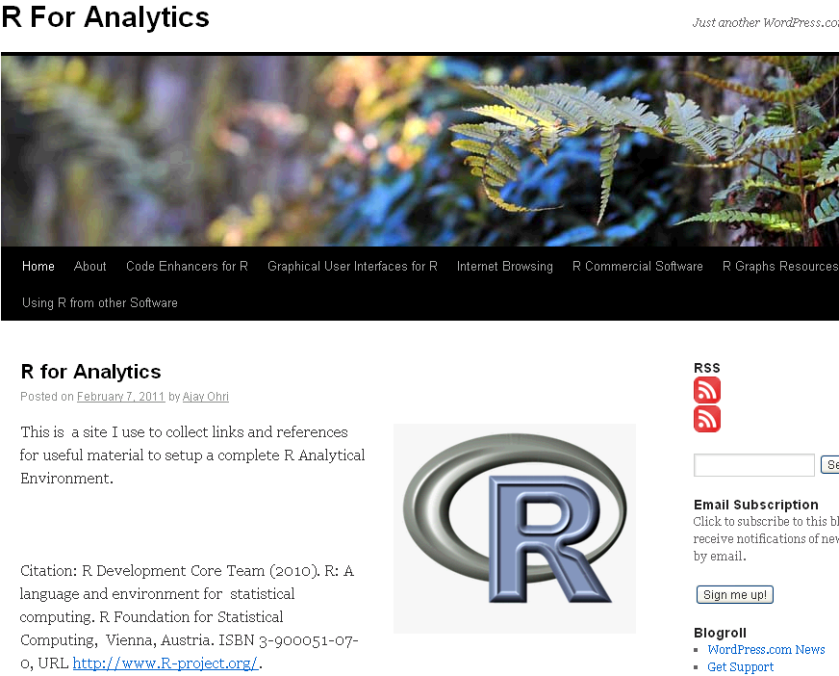
R for Analytics is now live

Okay, through the weekend I created a website for a few of my favourite things.

It’s on at https://rforanalytics.wordpress.com/

Graphical User Interfaces for R


Jerry Rubin said: “Don’t trust anyone over thirty

I dont trust anyone not using atleast one R GUI. Here’s a list of the top 10.


Code Enhancers for R

Here is a list of top 5 code enhancers,editors in R

R Commercial Software

A list of companies and software making (and) selling R software (and) services. Hint- it is almost 5 (unless I missed someone)

R Graphs Resources

R’s famous graphing capabilities and equally famous learning curve can be made a bit more humane- using some of these resources.

Internet Browsing

Because that’s what I do (all I do as per my cat) , and I am pretty good at it.

Using R from other Software

R can be used successfully from a lot of analytical software including some surprising ones praising the great 3000 packages library.

(to be continued- as I find more stuff I will keep it there, some ideas- database access from R, prominent R consultants, prominent R packages, famous R interviewees 😉 )

ps- The quote from Jerry Rubin seems funny for a while. I turn 34 this year.

Computer Education grants from Google

Image representing Google as depicted in Crunc...
Image via CrunchBase

message from the official google blog-

http://googleblog.blogspot.com/2011/01/supporting-computer-science-education.html

With programs like Computer Science for High School (CS4HS), we hope to increase the number of CS majors —and therefore the number of people entering into careers in CS—by promoting computer science curriculum at the high school level.

For the fourth consecutive year, we’re funding CS4HS to invest in the next generation of computer scientists and engineers. CS4HS is a workshop for high school and middle school computer science teachers that introduces new and emerging concepts in computing and provides tips, tools and guidance on how to teach them. The ultimate goals are to “train the trainer,” develop a thriving community of high school CS teachers and spread the word about the awe and beauty of computing.

If you’re a university, community college, or technical School in the U.S., Canada, Europe, Middle East or Africa and are interested in hosting a workshop at your institution, please visit www.cs4hs.com to submit an application for grant funding.Applications will be accepted between January 18, 2011 and February 18, 2011.

In addition to submitting your application, on the CS4HS website you’ll find info on how to organize a workshop, as well as websites and agendas from last year’s participants to give you an idea of how the workshops were structured in the past. There’s also a collection ofCS4HS curriculum modules that previous participating schools have shared for future organizers to use in their own program.