Red Hat worth 7.8 Billion now

I was searching for a Linux install of Revolution’s latest enterprise version, but it seems version 4 will be available on Red Hat Enterprise Linux only by Decemebr 2010. Also even though Revolution once opted for co branding with Canonical’s Karmic Koala, they seem to have ignored Ubuntu from the Enterprise version of Revolution R.

http://www.revolutionanalytics.com/why-revolution-r/which-r-is-right-for-me.php

Base R Revolution R Community Revolution R Enterprise
Buy Now
Target Use Open Source Product Evaluation & Simple Prototyping Business, Research & Academics
Software
100% Compatible with R language X X X
Certified for Stability X X
Command-Line Programming X X X
Getting Started Guide X X
Performance & Scalability
Analyze larger data sets with 64-bit RAM X X
Optimized for Multi-processor workstations X X
Multi-threaded Math libraries X X
Parallel Programming (Single Workstation) X X
Out-of-the-Box Cluster-Ready X
“Big Data” Analysis
Terabyte-Class File Structures X
Specialized “Big Data” Algorithms X
Integrated Web Services
Scalable Web Services Platform X*
User Interface
Visual IDE X
Comprehensive Data Analysis GUI X*
Technical Support
Discussion Forums X X X
Online Support Mailing List Forum X
Email Support X
Phone Support X
Support for Base & Recommended R Packages X X X
Authorized Training & Consulting X
Platforms
Single User X X X
Multi-User Server X X
32-bit Windows X X X
64-bit Windows X X
Mac OS X X X
Ubuntu Linux X X
Red Hat Enterprise Linux X
Cloud-Ready X

and though the page on RED HAT’s Partner page for Revolution seems old/not so updated

https://www.redhat.com/wapps/partnerlocator/web/home.html;#productId=188

, I was still curious to see what the buzz about Red Hat is all about.

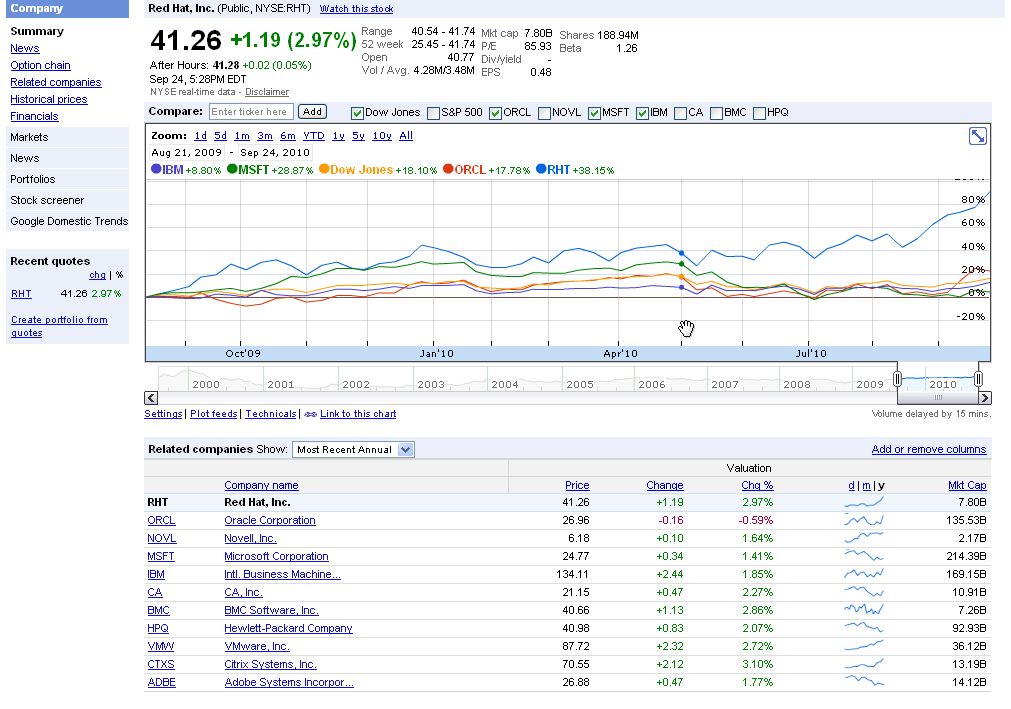
And one of the answers is Red Hat is now a 7.8 Billion Dollar Company.

http://www.redhat.com/about/news/prarchive/2010/Q2_2011.html

Red Hat Reports Second Quarter Results

  • Revenue of $220 million, up 20% from the prior year
  • GAAP operating income up 24%, non-GAAP operating income up 25% from the prior year
  • Deferred revenue of $650 million, up 12% from the prior year

RALEIGH, NC – Sept 22, 2010 – Red Hat, Inc. (NYSE: RHT), the world’s leading provider of open source solutions, today announced financial results for its fiscal year 2011 second quarter ended August 31, 2010.

Total revenue for the quarter was $219.8 million, an increase of 20% from the year ago quarter. Subscription revenue for the quarter was $186.2 million, up 19% year-over-year.

and the stock goes zoom 48 % up for the year

http://www.google.com/finance?chdnp=1&chdd=1&chds=1&chdv=1&chvs=maximized&chdeh=0&chfdeh=0&chdet=1285505944359&chddm=98141&chls=IntervalBasedLine&cmpto=INDEXDJX:.DJI;NASDAQ:ORCL;NASDAQ:MSFT;NYSE:IBM&cmptdms=0;0;0;0&q=NYSE:RHT&ntsp=0

(Note to Google- please put the URL shortener on Google Finance as well)

The software is also reasonably priced starting from 80$ onwards.

https://www.redhat.com/apps/store/desktop/

Basic Subscription

Web support, 2 business day response, unlimited incidents
1 Year
$80
Multi-OS with Basic SubscriptionWeb support, 2 business day response, unlimited incidents
1 Year
$120
Workstation with Basic Subscription
Web support, 2 business day response, unlimited incidents
1 Year
$179
Workstation and Multi-OS with Basic Subscription
Web support, 2 business day response, unlimited incidents
1 Year
$219
Workstation with Standard Subscription
Business Hours phone support, web support, unlimited incidents
1 Year
$299
Workstation and Multi-OS with Standard Subscription
Business Hours phone support, web support, unlimited incidents
1 Year
$339
——————————————————————————————
That should be a good enough case for open source as a business model.


Parallel Programming using R in Windows

Ashamed at my lack of parallel programming, I decided to learn some R Parallel Programming (after all parallel blogging is not really respect worthy in tech-geek-ninja circles).

So I did the usual Google- CRAN- search like a dog thing only to find some obstacles.

Obstacles-

Some Parallel Programming Packages like doMC are not available in Windows

http://cran.r-project.org/web/packages/doMC/index.html

Some Parallel Programming Packages like doSMP depend on Revolution’s Enterprise R (like –

http://blog.revolutionanalytics.com/2009/07/simple-scalable-parallel-computing-in-r.html

and http://www.r-statistics.com/2010/04/parallel-multicore-processing-with-r-on-windows/ (No the latest hack didnt work)

or are in testing like multicore (for Windows) so not available on CRAN

http://cran.r-project.org/web/packages/multicore/index.html

fortunately available on RForge

http://www.rforge.net/multicore/files/

Revolution did make DoSnow AND foreach available on CRAN

see http://blog.revolutionanalytics.com/2009/08/parallel-programming-with-foreach-and-snow.html

but the documentation in SNOW is overwhelming (hint- I use Windows , what does that tell you about my tech acumen)

http://sekhon.berkeley.edu/snow/html/makeCluster.html and

http://www.stat.uiowa.edu/~luke/R/cluster/cluster.html

what is a PVM or MPI? and SOCKS are for wearing or getting lost in washers till I encountered them in SNOW


Finally I did the following-and made the parallel programming work in Windows using R

require(doSNOW)
cl<-makeCluster(2) # I have two cores
registerDoSNOW(cl)
# create a function to run in each itteration of the loop

check <-function(n) {

+ for(i in 1:1000)

+ {

+ sme <- matrix(rnorm(100), 10,10)

+ solve(sme)

+ }

+ }
times <- 100     # times to run the loop
system.time(x <- foreach(j=1:times ) %dopar% check(j))
user  system elapsed
0.16    0.02   19.17
system.time(for(j in 1:times ) x <- check(j))
user  system elapsed</pre>
39.66    0.00   40.46

stopCluster(cl)

And it works!

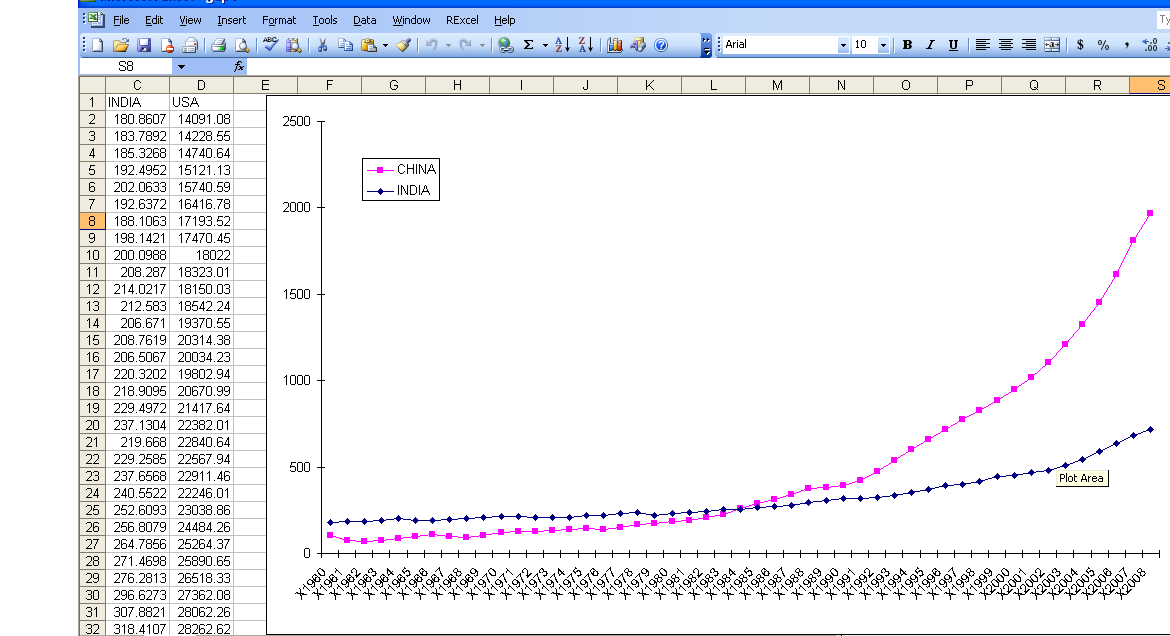
When China overtook India- using DEDUCER

I was just reading about the new release of World Bank Data at http://www.r-chart.com/2010/09/new-world-bank-data-available.html Now World Bank Data is something I worked with in the past, but the RWDI package is a great package. (see http://www.r-chart.com/2010/09/new-world-bank-data-available.html)

The whole dataset is a 29 mb in zipped CSV though and is available for terrific macroeconomic analysis _ I downloaded it and loaded it instead.

http://data.worldbank.org/sites/default/files/data/wdiandgdf_csv.zip

I took a small subset of the data –


WDI_GDF_Data <- read.table("C:/Documents and Settings/abc/My Documents/Downloads/WDI_GDF_Data.csv",header=T,sep=",",quote="\"")
 WDI_GDF_Data.sub<-subset(WDI_GDF_Data,Country.Code == "CHN" | Country.Code == "IND" | Country.Code == "USA")
WDI_GDF_Data.sub.sub<-subset(WDI_GDF_Data.sub,Series.Code == "NY.GDP.PCAP.KD")
WDI_GDF_Data.sub.sub<-as.data.frame(t(WDI_GDF_Data.sub.sub))
write.csv(WDI_GDF_Data.sub.sub,'C:/Documents and Settings/abc/Desktop/gdp3.csv')

Note- WordPress.com now supports source code in R via http://en.support.wordpress.com/code/posting-source-code/

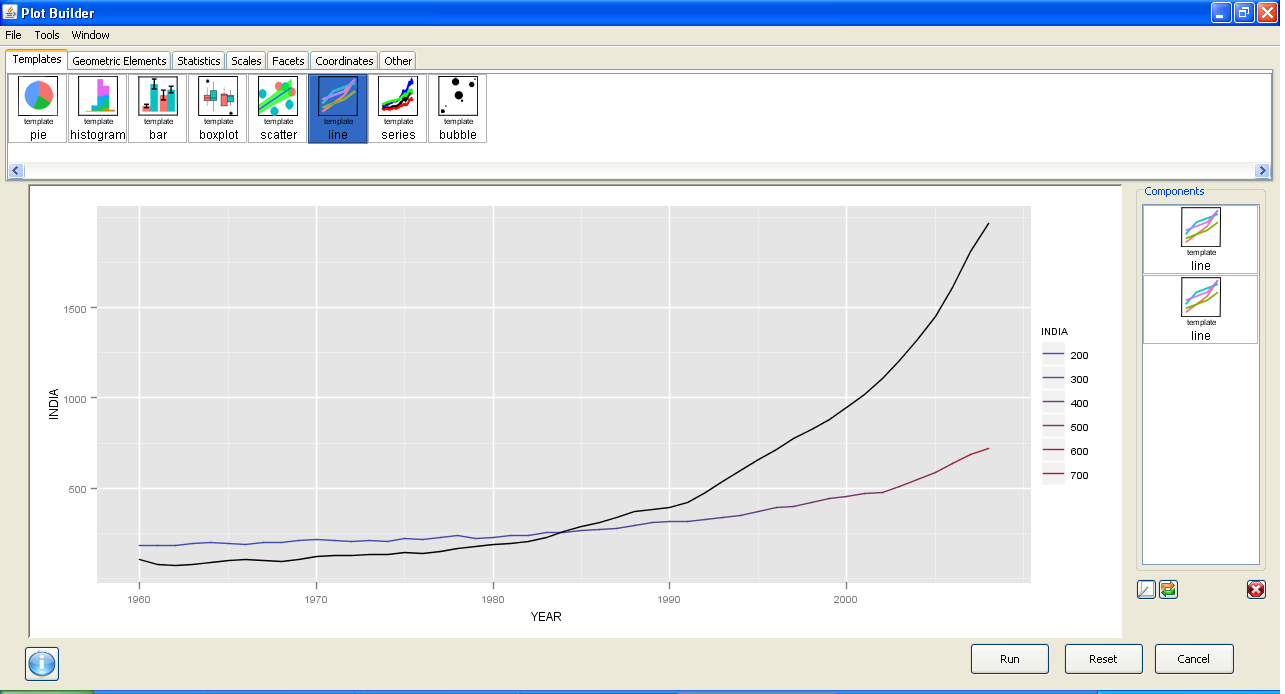
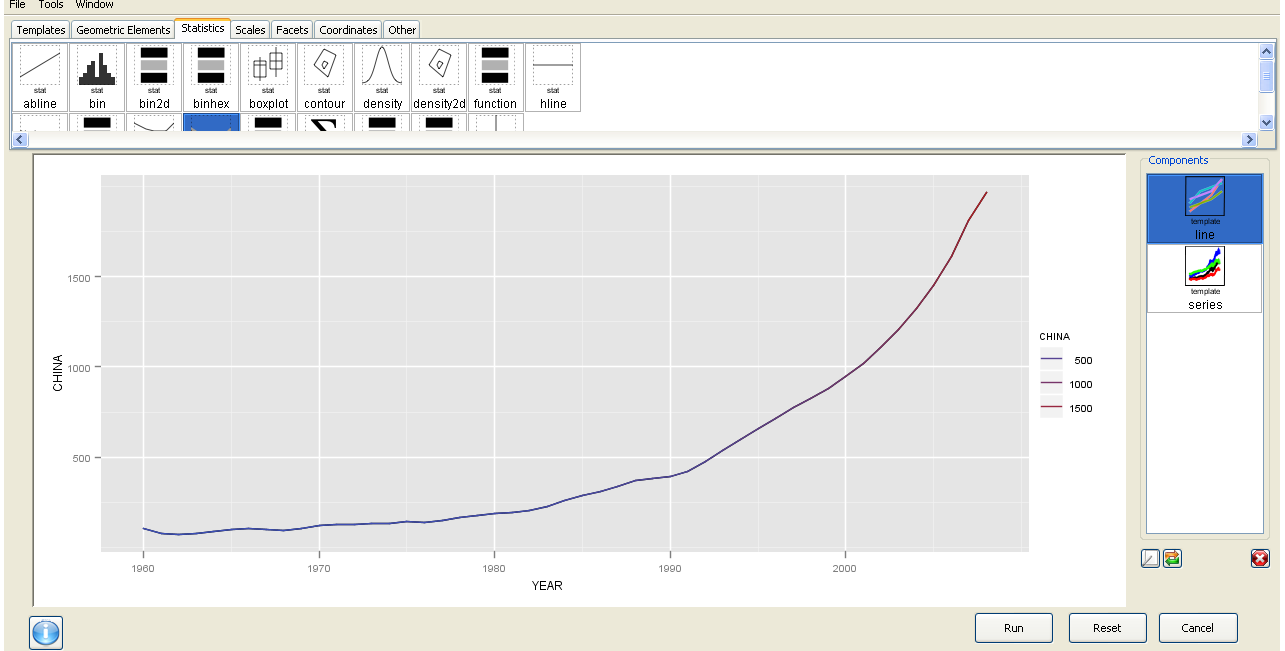
Now this is basic data manipulation- and I used Deducer for it.

The best thing is the ability to use GGPlot using a GUI.
I am now trying to create more complicated plots for example with more than one Y variable but it is still a work in progress. Overall Deducer has made impressive improvements and with the JGR GUI seems very very promising. The look and feel also shows a combination of features (from SPSS ‘s variable and data view)

And yes China overtook India in 1985. In GDP per capita. Sigh

GGPLot though overtook Excel graphics as well.


Here is a video which is much better than my screenshots

R on Windows HPC Server

From HPC Wire, the newsletter/site for all HPC news-

Source- Link

PALO ALTO, Calif., Sept. 20 — Revolution Analytics, the leading commercial provider of software and support for the popular open source R statistics language, today announced it will deliver Revolution R Enterprise for Microsoft Windows HPC Server 2008 R2, released today, enabling users to analyze very large data sets in high-performance computing environments.

R is a powerful open source statistics language and the modern system for predictive analytics. Revolution Analytics recently introduced RevoScaleR, new “Big Data” analysis capabilities, to its R distribution, Revolution R Enterprise. RevoScaleR solves the performance and capacity limitations of the R language by with parallelized algorithms that stream data across multiple cores on a laptop, workstation or server. Users can now process, visualize and model terabyte-class data sets at top speeds — without the need for specialized hardware.

“Revolution Analytics is pleased to support Microsoft’s Technical Computing initiative, whose efforts will benefit scientists, engineers and data analysts,” said David Champagne, CTO at Revolution. “We believe the engineering we have done for Revolution R Enterprise, in particular our work on big-data statistics and multicore computing, along with Microsoft’s HPC platform for technical computing, makes an ideal combination for high-performance large scale statistical computing.”

“Processing and analyzing this ‘big data’ is essential to better prediction and decision making,” said Bill Hamilton, director of technical computing at Microsoft Corp. “Revolution R Enterprise for Windows HPC Server 2008 R2 gives customers an extremely powerful tool that handles analysis of very large data and high workloads.”

To learn more about Revolution R Enterprise and its Big Data capabilities, download thewhite paper. Revolution Analytics also has an on-demand webcast, “High-performance analytics with Revolution R and Windows HPC Server,” available online.

AND from Microsoft’s website

http://www.microsoft.com/hpc/en/us/solutions/hpc-for-life-sciences.aspx

REvolution R Enterprise »

REvolution Computing

REvolution R Enterprise is designed for both novice and experienced R users looking for a production-grade R distribution to perform mission critical predictive analytics tasks right from the desktop and scale across multiprocessor environments. Featuring RPE™ REvolution’s R Productivity Environment for Windows.

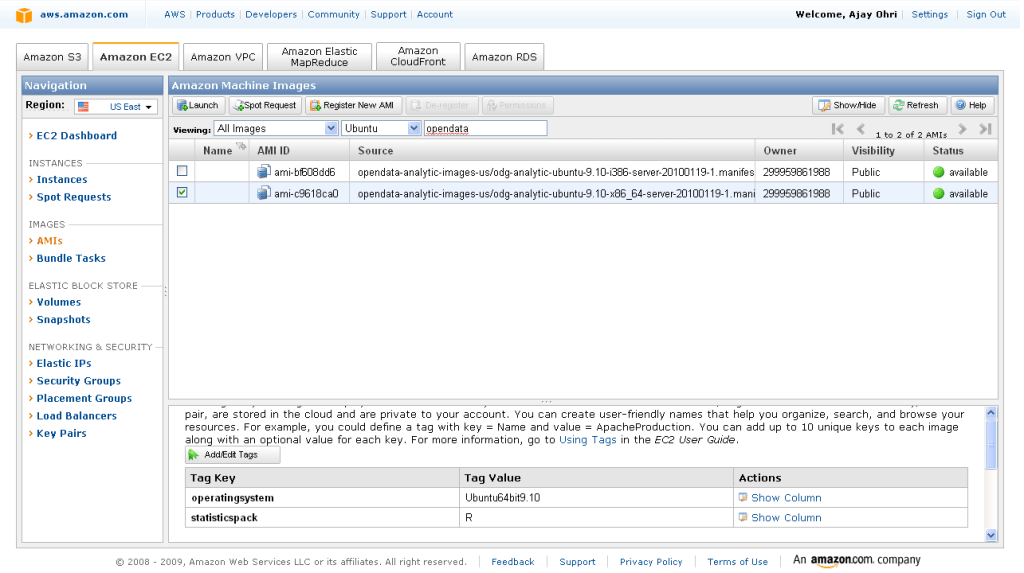
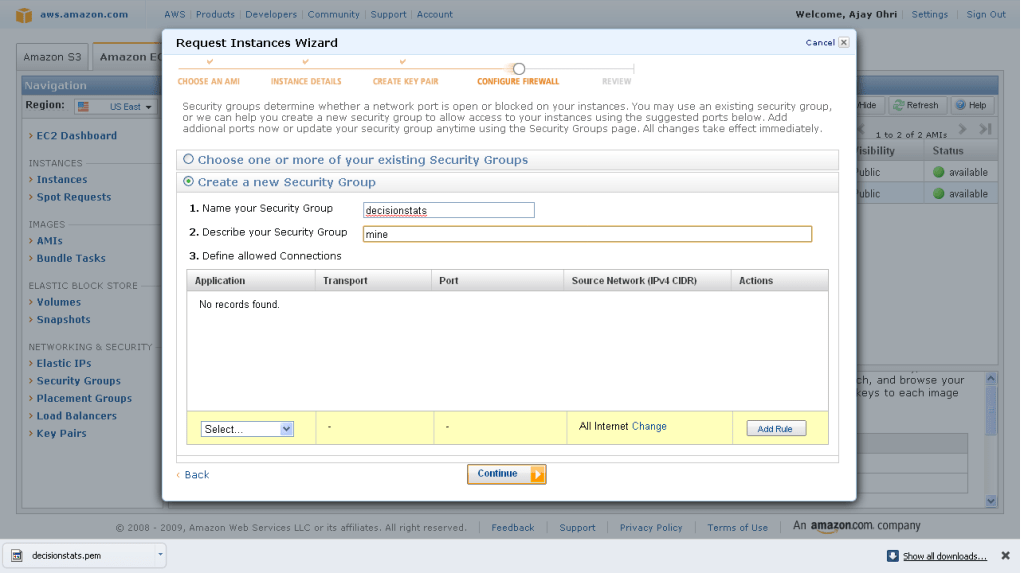
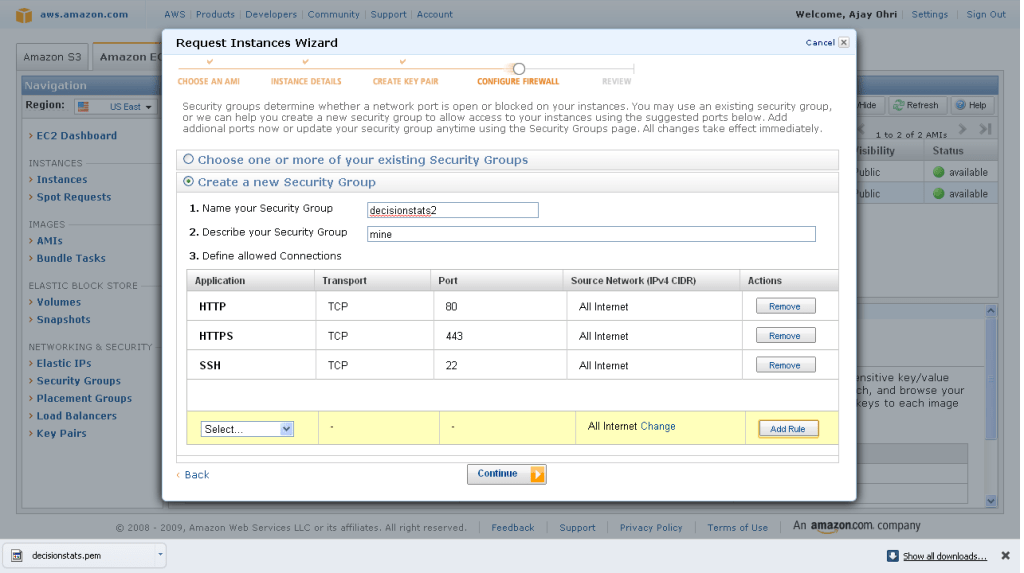
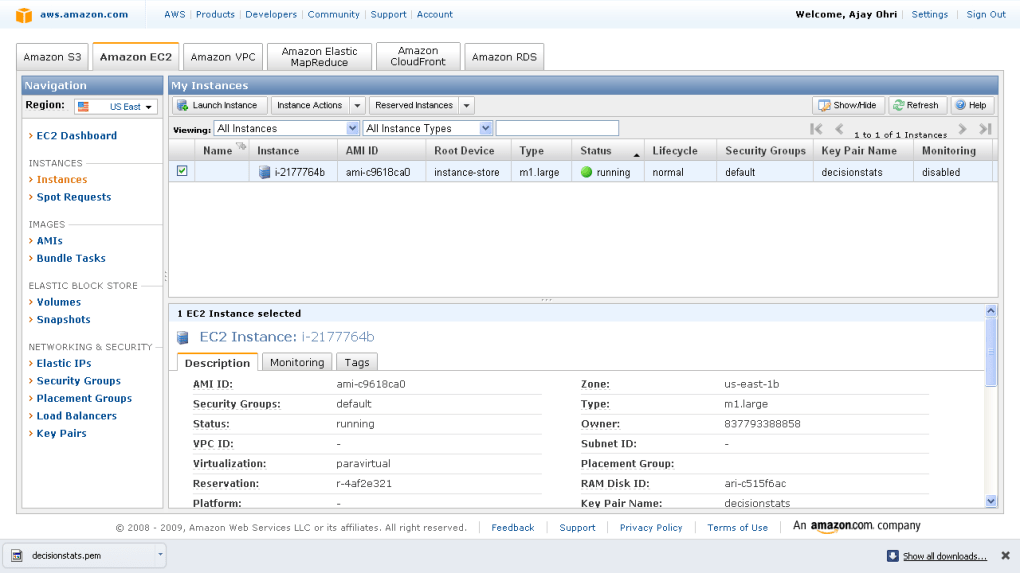
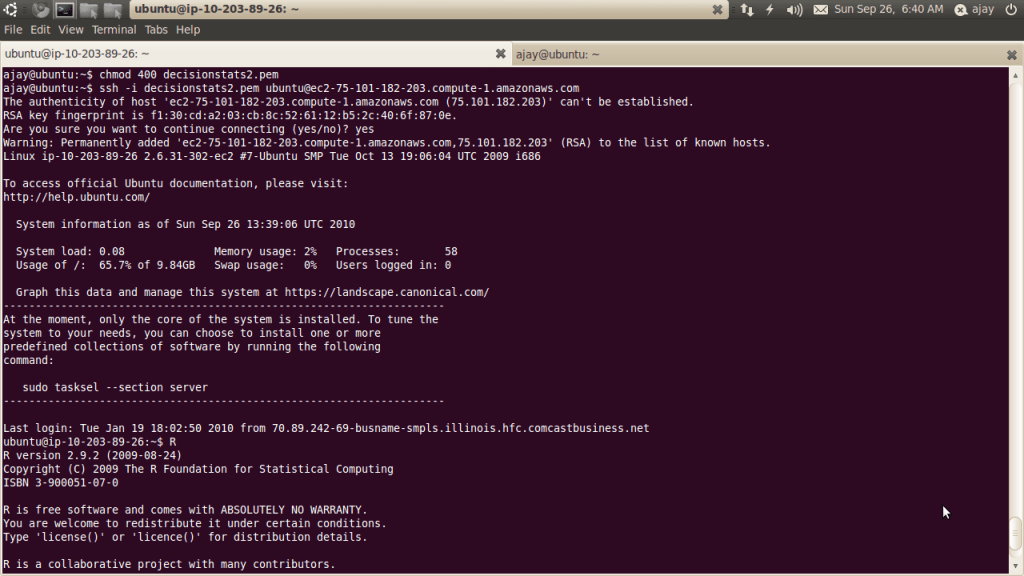
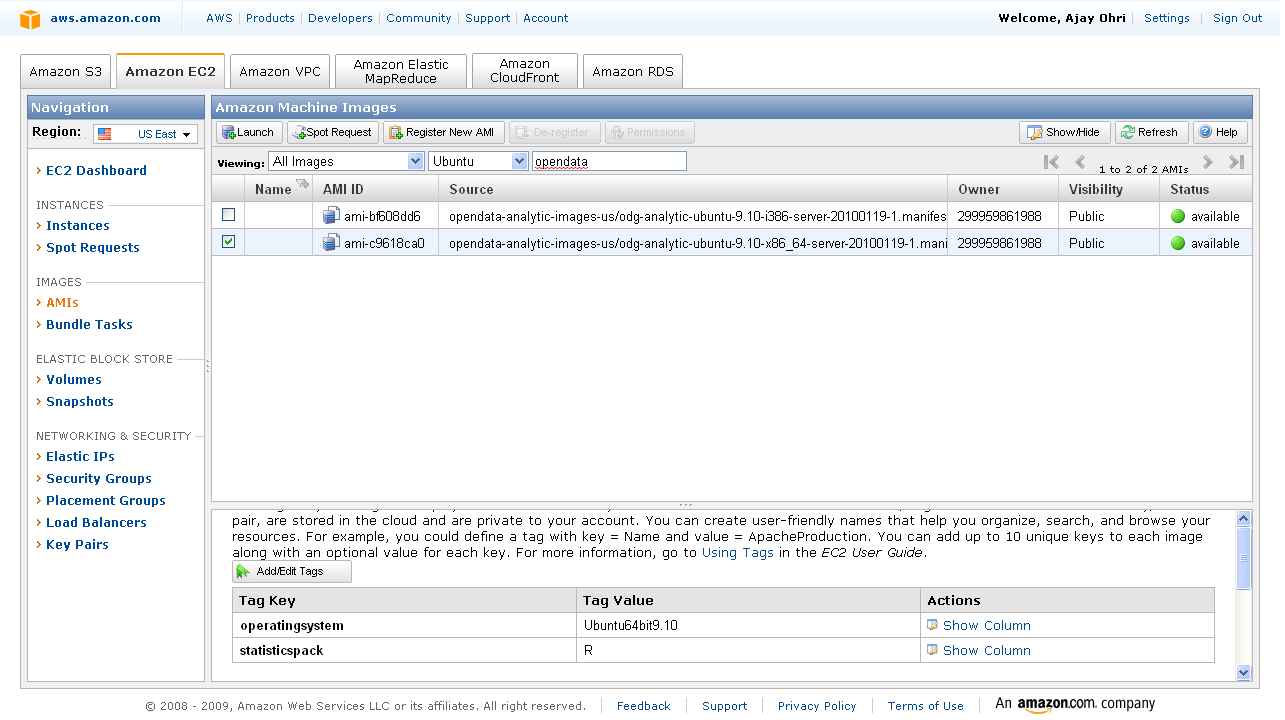
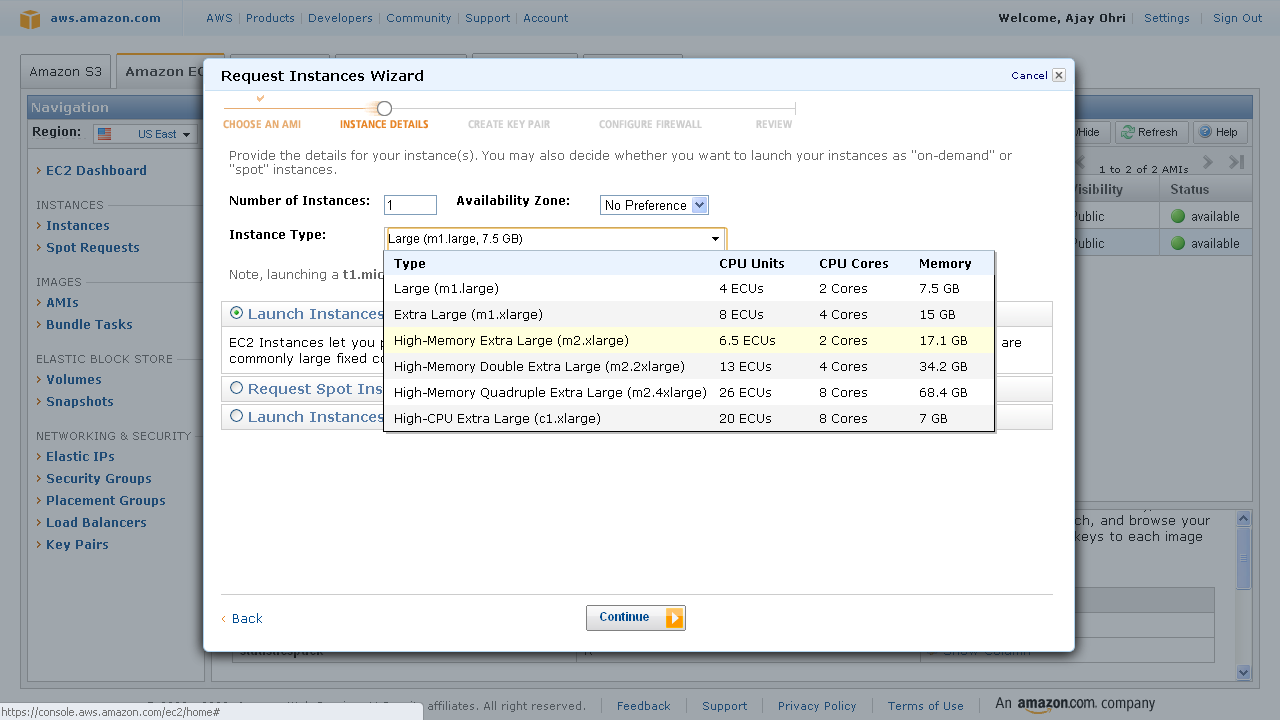
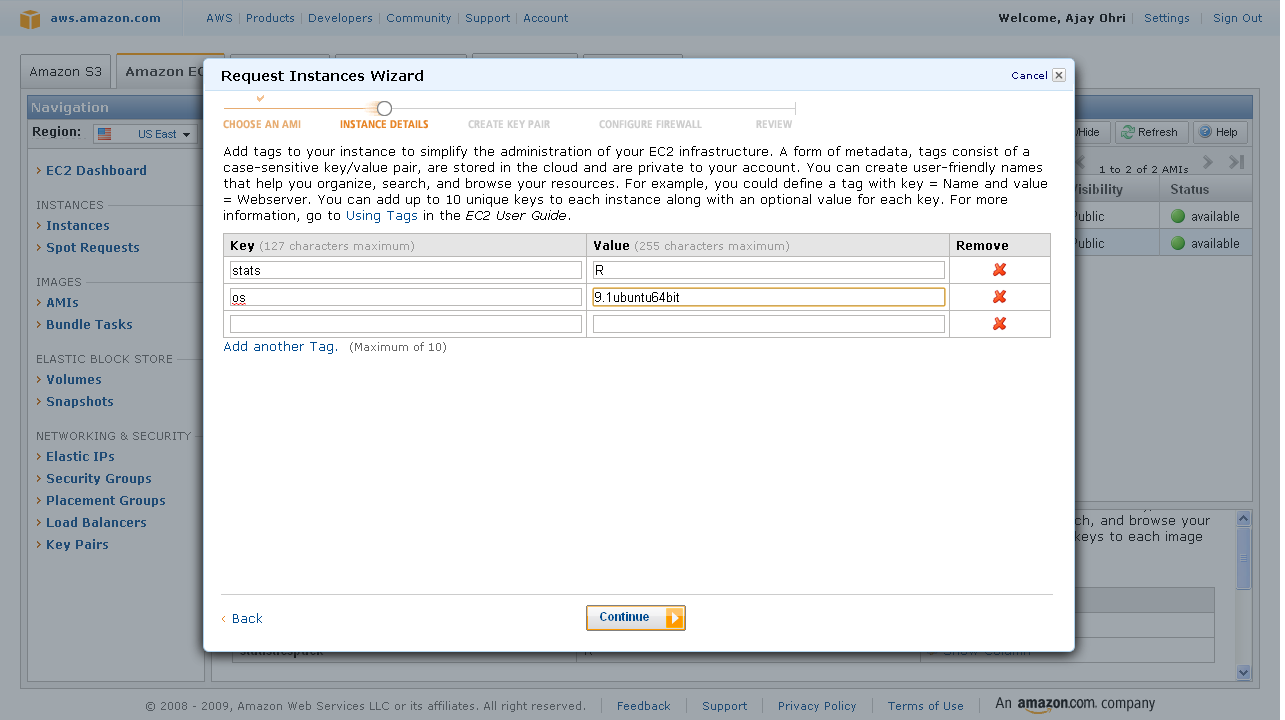
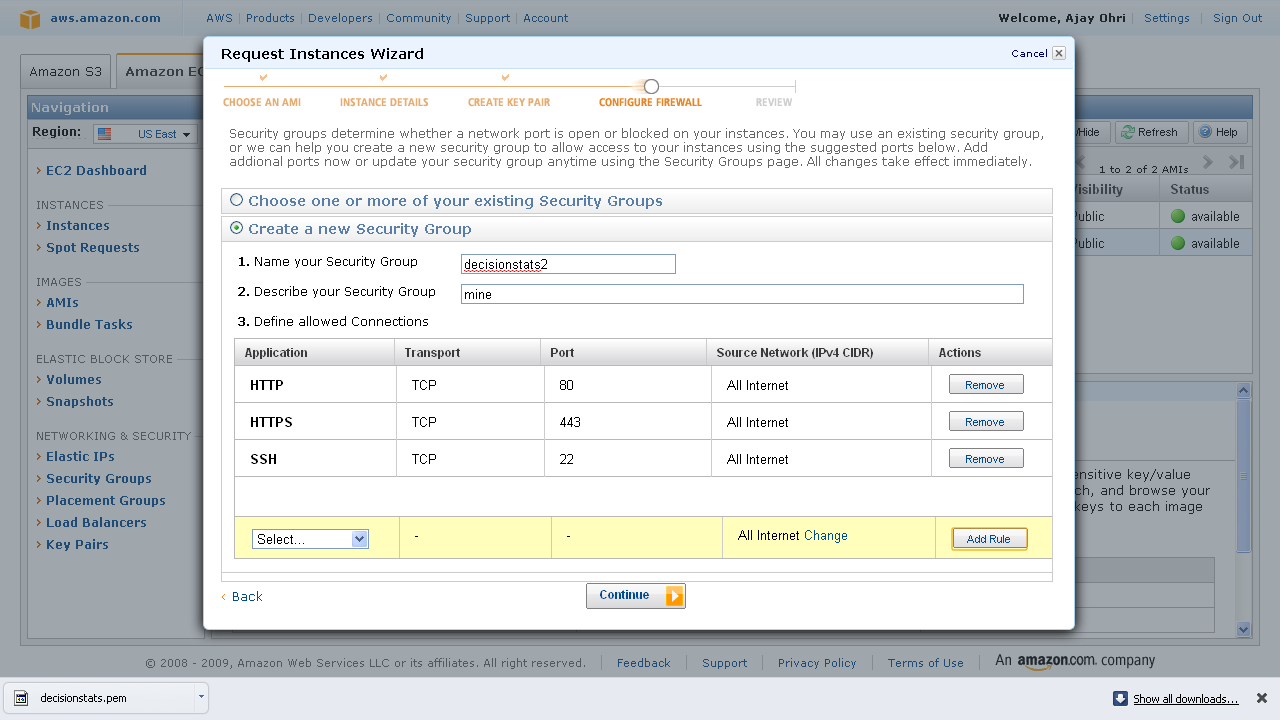
Of course R Enterprise is available on Linux but on Red Hat Enterprise Linux- it would be nice to see Amazom Machine Images as well as Ubuntu versions as well.

An Amazon Machine Image (AMI) is a special type of virtual appliance which is used to instantiate (create) a virtual machine within the Amazon Elastic Compute Cloud. It serves as the basic unit of deployment for services delivered using EC2.[1]

Like all virtual appliances, the main component of an AMI is a read-only filesystem image which includes an operating system (e.g., Linux, UNIX, or Windows) and any additional software required to deliver a service or a portion of it.[2]

The AMI filesystem is compressed, encrypted, signed, split into a series of 10MB chunks and uploaded into Amazon S3 for storage. An XML manifest file stores information about the AMI, including name, version, architecture, default kernel id, decryption key and digests for all of the filesystem chunks.

An AMI does not include a kernel image, only a pointer to the default kernel id, which can be chosen from an approved list of safe kernels maintained by Amazon and its partners (e.g., RedHat, Canonical, Microsoft). Users may choose kernels other than the default when booting an AMI.[3]

[edit]Types of images

  • Public: an AMI image that can be used by any one.
  • Paid: a for-pay AMI image that is registered with Amazon DevPay and can be used by any one who subscribes for it. DevPay allows developers to mark-up Amazon’s usage fees and optionally add monthly subscription fees.

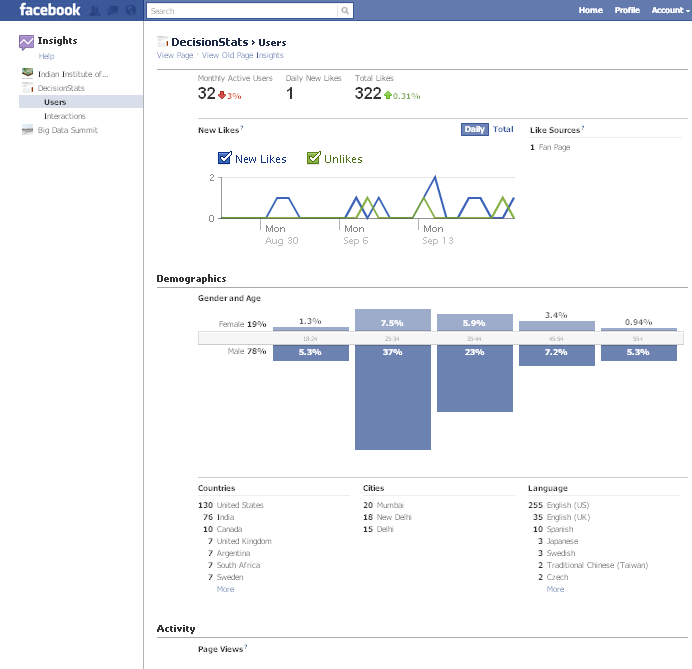
Using Facebook Analytics (Updated)

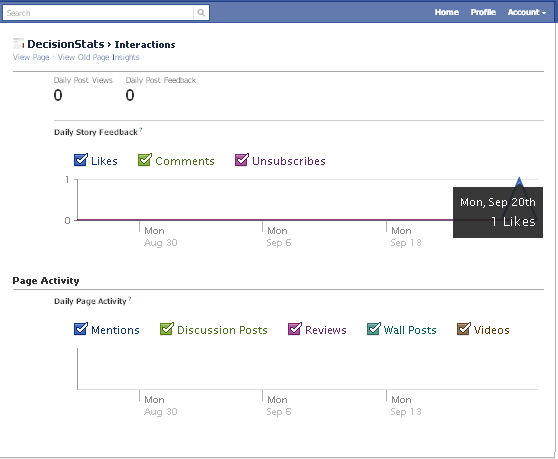
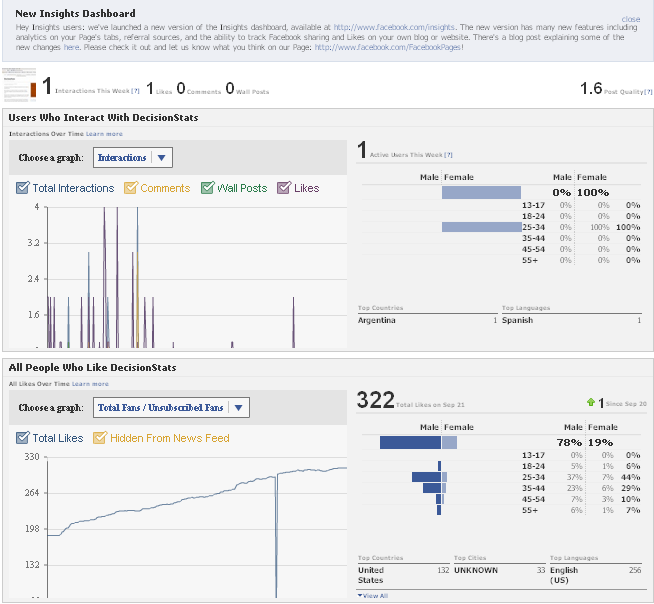
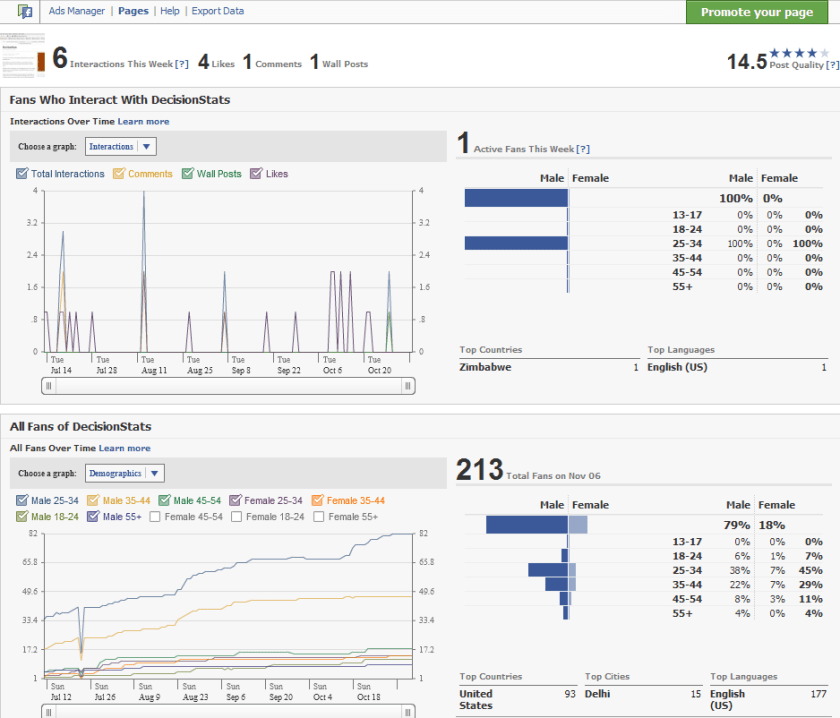
People sceptical of any analytical value of Facebook should see the nice embedded analytics, which is a close rival and even more to Google Analytics for websites. It has recently been updated as well.

It is right there on the button called Insights on left margin of your Facebook Page

Like for the Facebook Page

http://facebook.com/Decisionstats

You can also use Export Data function to run customized analytical and statistical testing on your Corporate Page.

Older View———————————————————————————-

see screenshot of Demographics of 213 Decisionstats fans on Facebook ( FB doesnot allow individual views but only aggregate views for Privacy Reasons)

fb

Windows Azure vs Amazon EC2 (and Google Storage)

Here is a comparison of Windows Azure instances vs Amazon compute instances

Compute Instance Sizes:

Developers have the ability to choose the size of VMs to run their application based on the applications resource requirements. Windows Azure compute instances come in four unique sizes to enable complex applications and workloads.

Compute Instance Size CPU Memory Instance Storage I/O Performance
Small 1.6 GHz 1.75 GB 225 GB Moderate
Medium 2 x 1.6 GHz 3.5 GB 490 GB High
Large 4 x 1.6 GHz 7 GB 1,000 GB High
Extra large 8 x 1.6 GHz 14 GB 2,040 GB High

Standard Rates:

Windows Azure

  • Compute
    • Small instance (default): $0.12 per hour
    • Medium instance: $0.24 per hour
    • Large instance: $0.48 per hour
    • Extra large instance: $0.96 per hour
  • Storage
    • $0.15 per GB stored per month
    • $0.01 per 10,000 storage transactions
  • Content Delivery Network (CDN)
    • $0.15 per GB for data transfers from European and North American locations*
    • $0.20 per GB for data transfers from other locations*
    • $0.01 per 10,000 transactions*

Source –

http://www.microsoft.com/windowsazure/offers/popup/popup.aspx?lang=en&locale=en-US&offer=MS-AZR-0001P

and

http://www.microsoft.com/windowsazure/windowsazure/

Amazon EC2 has more options though——————————-

http://aws.amazon.com/ec2/pricing/

Standard On-Demand Instances Linux/UNIX Usage Windows Usage
Small (Default) $0.085 per hour $0.12 per hour
Large $0.34 per hour $0.48 per hour
Extra Large $0.68 per hour $0.96 per hour
Micro On-Demand Instances Linux/UNIX Usage Windows Usage
Micro $0.02 per hour $0.03 per hour
High-Memory On-Demand Instances
Extra Large $0.50 per hour $0.62 per hour
Double Extra Large $1.00 per hour $1.24 per hour
Quadruple Extra Large $2.00 per hour $2.48 per hour
High-CPU On-Demand Instances
Medium $0.17 per hour $0.29 per hour
Extra Large $0.68 per hour $1.16 per hour
Cluster Compute Instances
Quadruple Extra Large $1.60 per hour N/A*
* Windows is not currently available for Cluster Compute Instances.

http://aws.amazon.com/ec2/instance-types/

Standard Instances

Instances of this family are well suited for most applications.

Small Instance – default*

1.7 GB memory
1 EC2 Compute Unit (1 virtual core with 1 EC2 Compute Unit)
160 GB instance storage (150 GB plus 10 GB root partition)
32-bit platform
I/O Performance: Moderate
API name: m1.small

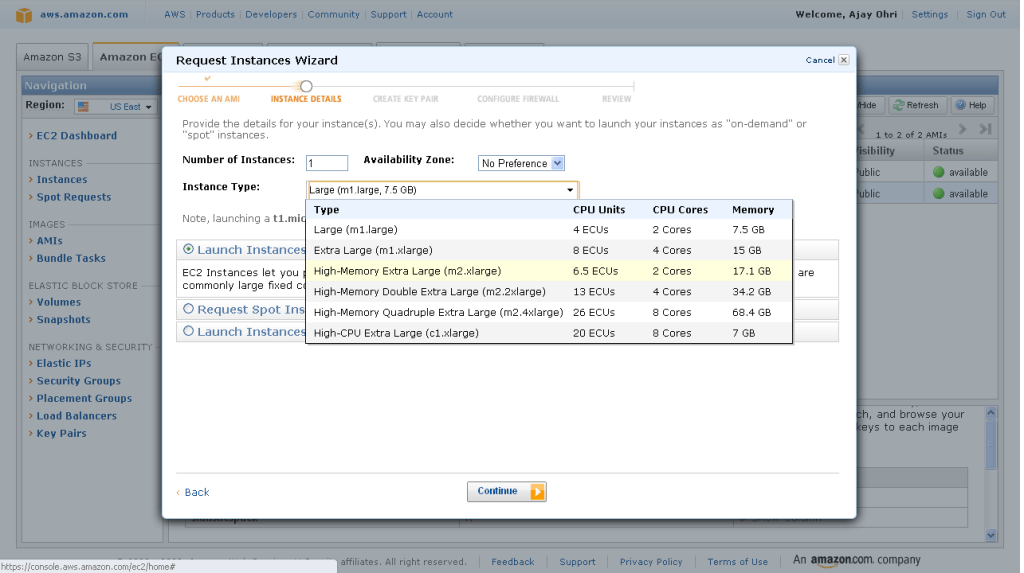
Large Instance

7.5 GB memory
4 EC2 Compute Units (2 virtual cores with 2 EC2 Compute Units each)
850 GB instance storage (2×420 GB plus 10 GB root partition)
64-bit platform
I/O Performance: High
API name: m1.large

Extra Large Instance

15 GB memory
8 EC2 Compute Units (4 virtual cores with 2 EC2 Compute Units each)
1,690 GB instance storage (4×420 GB plus 10 GB root partition)
64-bit platform
I/O Performance: High
API name: m1.xlarge

Micro Instances

Instances of this family provide a small amount of consistent CPU resources and allow you to burst CPUcapacity when additional cycles are available. They are well suited for lower throughput applications and web sites that consume significant compute cycles periodically.

Micro Instance

613 MB memory
Up to 2 EC2 Compute Units (for short periodic bursts)
EBS storage only
32-bit or 64-bit platform
I/O Performance: Low
API name: t1.micro

High-Memory Instances

Instances of this family offer large memory sizes for high throughput applications, including database and memory caching applications.

High-Memory Extra Large Instance

17.1 GB of memory
6.5 EC2 Compute Units (2 virtual cores with 3.25 EC2 Compute Units each)
420 GB of instance storage
64-bit platform
I/O Performance: Moderate
API name: m2.xlarge

High-Memory Double Extra Large Instance

34.2 GB of memory
13 EC2 Compute Units (4 virtual cores with 3.25 EC2 Compute Units each)
850 GB of instance storage
64-bit platform
I/O Performance: High
API name: m2.2xlarge

High-Memory Quadruple Extra Large Instance

68.4 GB of memory
26 EC2 Compute Units (8 virtual cores with 3.25 EC2 Compute Units each)
1690 GB of instance storage
64-bit platform
I/O Performance: High
API name: m2.4xlarge

High-CPU Instances

Instances of this family have proportionally more CPU resources than memory (RAM) and are well suited for compute-intensive applications.

High-CPU Medium Instance

1.7 GB of memory
5 EC2 Compute Units (2 virtual cores with 2.5 EC2 Compute Units each)
350 GB of instance storage
32-bit platform
I/O Performance: Moderate
API name: c1.medium

High-CPU Extra Large Instance

7 GB of memory
20 EC2 Compute Units (8 virtual cores with 2.5 EC2 Compute Units each)
1690 GB of instance storage
64-bit platform
I/O Performance: High
API name: c1.xlarge

Cluster Compute Instances

Instances of this family provide proportionally high CPU resources with increased network performance and are well suited for High Performance Compute (HPC) applications and other demanding network-bound applications. Learn more about use of this instance type for HPC applications.

Cluster Compute Quadruple Extra Large Instance

23 GB of memory
33.5 EC2 Compute Units (2 x Intel Xeon X5570, quad-core “Nehalem” architecture)
1690 GB of instance storage
64-bit platform
I/O Performance: Very High (10 Gigabit Ethernet)
API name: cc1.4xlarge

Also http://www.microsoft.com/en-us/sqlazure/default.aspx

offers SQL Databases as a service with a free trial offer

If you are into .Net /SQL big time or too dependent on MS, Azure is a nice option to EC2 http://www.microsoft.com/windowsazure/offers/popup/popup.aspx?lang=en&locale=en-US&offer=COMPARE_PUBLIC

Updated- I just got approved for Google Storage so am adding their info- though they are in Preview (and its free right now) 🙂

https://code.google.com/apis/storage/docs/overview.html

Functionality

Google Storage for Developers offers a rich set of features and capabilities:

Basic Operations

  • Store and access data from anywhere on the Internet.
  • Range-gets for large objects.
  • Manage metadata.

Security and Sharing

  • User authentication using secret keys or Google account.
  • Authenticated downloads from a web browser for Google account holders.
  • Secure access using SSL.
  • Easy, powerful sharing and collaboration via ACLs for individuals and groups.

Performance and scalability

  • Up to 100 gigabytes per object and 1,000 buckets per account during the preview.
  • Strong data consistency—read-after-write consistency for all upload and delete operations.
  • Namespace for your domain—only you can create bucket URIs containing your domain name.
  • Data replicated in multiple data centers across the U.S. and within the same data center.

Tools

  • Web-based storage manager.
  • GSUtil, an open source command line tool.
  • Compatible with many existing cloud storage tools and libraries.

Read the Getting Started Guide to learn more about the service.

Note: Google Storage for Developers does not support Google Apps accounts that use your company domain name at this time.

Back to top

Pricing

Google Storage for Developers pricing is based on usage.

  • Storage—$0.17/gigabyte/month
  • Network
    • Upload data to Google
      • $0.10/gigabyte
    • Download data from Google
      • $0.15/gigabyte for Americas and EMEA
      • $0.30/gigabyte for Asia-Pacific
  • Requests
    • PUT, POST, LIST—$0.01 per 1,000 requests
    • GET, HEAD—$0.01 per 10,000 requests