PMML Plugin for Greenplum now available

Predictive Model Markup Language
Image via Wikipedia

From a press release from Zementis.


, the Universal PMML Plug-in for in-database scoring. Available now for the EMC Greenplum Database, a high-performance massively parallel processing (MPP) database, the plug-in leverages the Predictive Model Markup Language (PMML) to execute predictive models directly within EMC Greenplum, for highly optimized in-database scoring.

Universal PMML Plug-in

Developed by the Data Mining Group (DMG), PMML is supported by all major data mining vendors, e.g., IBM SPSS, SAS, Teradata, FICO, STASTICA, Microstrategy, TIBCO and Revolution Analytics as well as open source tools like R, KNIME and RapidMiner. With PMML, models built in any of these data mining tools can now instantly be deployed in the EMC Greenplum database. The net result is the ability to leverage the power of standards-based predictive analytics on a massive scale, right where the data resides.

“By partnering with Zementis, a true PMML innovator, we are able to offer a vendor-agnostic solution for moving enterprise-level predictive analytics into the database execution environment,” said Dr. Steven Hillion, Vice President of Analytics at EMC Greenplum. “With Zementis and PMML, the de-facto standard for representing data mining models, we are eliminating the need to recode predictive analytic models in order to deploy them within our database. In turn, this enables an analyst to reduce the time to insight required in most businesses today.”

Want to learn more?
 

To learn more about how the EMC Greenplum Database and the Universal PMML Plug-in work together, feel free to:

  1. Visit the PMML Plug-in product page
  2. Download the white paper

The Universal PMML Plug-in for the EMC Greenplum Database is available now. Contact us today for more information.

Michael Zeller, CEO, Zementis


Protected: Whats behind that pretty SAS Blog?

This content is password-protected. To view it, please enter the password below.

Interview Anne Milley JMP

Here is an interview with Anne Milley, a notable thought leader in the world of analytics. Anne is now Senior Director, Analytical Strategy in Product Marketing for JMP , the leading data visualization software from the SAS Institute.

Ajay-What do you think are the top 5 unique selling points of JMP compared to other statistical software in its category?

Anne-

JMP combines incredible analytic depth and breadth with interactive data visualization, creating a unique environment optimized for discovery and data-driven innovation.

With an extensible framework using JSL (JMP Scripting Language), and integration with SAS, R, and Excel, JMP becomes your analytic hub.

JMP is accessible to all kinds of users. A novice analyst can dig into an interactive report delivered by a custom JMP application. An engineer looking at his own data can use built-in JMP capabilities to discover patterns, and a developer can write code to extend JMP for herself or others.

State-of-the-art DOE capabilities make it easy for anyone to design and analyze efficient experiments to determine which adjustments will yield the greatest gains in quality or process improvement – before costly changes are made.

Not to mention, JMP products are exceptionally well designed and easy to use. See for yourself and check out the free trial at www.jmp.com.

Download a free 30-day trial of JMP.

Ajay- What are the challenges and opportunities of expanding JMP’s market share? Do you see JMP expanding its conferences globally to engage global audiences?

Anne-

We realized solid global growth in 2010. The release of JMP Pro and JMP Clinical last year along with continuing enhancements to the rest of the JMP family of products (JMP and JMP Genomics) should position us well for another good year.

With the growing interest in analytics as a means to sustained value creation, we have the opportunity to help people along their analytic journey – to get started, take the next step, or adopt new paradigms speeding their time to value. The challenge is doing that as fast as we would like.

We are hiring internationally to offer even more events, training and academic programs globally.

Ajay- What are the current and proposed educational and global academic initiatives of JMP? How can we see more JMP in universities across the world (say India- China etc)?

Anne-

We view colleges and universities both as critical incubators of future JMP users and as places where attitudes about data analysis and statistics are formed. We believe that a positive experience in learning statistics makes a person more likely to eventually want and need a product like JMP.

For most students – and particularly for those in applied disciplines of business, engineering and the sciences – the ability to make a statistics course relevant to their primary area of study fosters a positive experience. Fortunately, there is a trend in statistical education toward a more applied, data-driven approach, and JMP provides a very natural environment for both students and researchers.

Its user-friendly navigation, emphasis on data visualization and easy access to the analytics behind the graphics make JMP a compelling alternative to some of our more traditional competitors.

We’ve seen strong growth in the education markets in the last few years, and JMP is now used in nearly half of the top 200 universities in the US.

Internationally, we are at an earlier stage of market development, but we are currently working with both JMP and SAS country offices and their local academic programs to promote JMP. For example, we are working with members of the JMP China office and faculty at several universities in China to support the use of JMP in the development of a master’s curriculum in Applied Statistics there, touched on in this AMSTAT News article.

Ajay- What future trends do you see for 2011 in this market (say top 5)?

Anne-

Growing complexity of data (text, image, audio…) drives the need for more and better visualization and analysis capabilities to make sense of it all.

More “chief analytics officers” are making better use of analytic talent – people are the most important ingredient for success!

JMP has been on the vanguard of 64-bit development, and users are now catching up with us as 64-bit machines become more common.

Users should demand easy-to-use, exploratory and predictive modeling tools as well as robust tools to experiment and learn to help them make the best decisions on an ongoing basis.

All these factors and more fuel the need for the integration of flexible, extensible tools with popular analytic platforms.

Ajay-You enjoy organic gardening as a hobby. How do you think hobbies and unwind time help people be better professionals?

Anne-

I am lucky to work with so many people who view their work as a hobby. They have other interests too, though, some of which are work-related (statistics is relevant everywhere!). Organic gardening helps me put things in perspective and be present in the moment. More than work defines who you are. You can be passionate about your work as well as passionate about other things. I think it’s important to spend some leisure time in ways that bring you joy and contribute to your overall wellbeing and outlook.

Btw, nice interviews over the past several months—I hadn’t kept up, but will check it out more often!

Biography–  Source- http://www.sas.com/knowledge-exchange/business-analytics/biographies.html

  • Anne Milley

    Anne Milley

    Anne Milley is Senior Director of Analytics Strategy at JMP Product Marketing at SAS. Her ties to SAS began with bank failure prediction at Federal Home Loan Bank Dallas and continued at 7-Eleven Inc. She has authored papers and served on committees for F2006, KDD, SIAM, A2010 and several years of SAS’ annual data mining conference. Milley is a contributing faculty member for the International Institute of Analytics. anne.milley@jmp.com

Open Source Compiler for SAS language/ GNU -DAP

A Bold GNU Head
Image via Wikipedia

I am still testing this out.

But if you know bit more about make and .compile in Ubuntu check out

http://www.gnu.org/software/dap/

I loved the humorous introduction

Dap is a small statistics and graphics package based on C. Version 3.0 and later of Dap can read SBS programs (based on the utterly famous, industry standard statistics system with similar initials – you know the one I mean)! The user wishing to perform basic statistical analyses is now freed from learning and using C syntax for straightforward tasks, while retaining access to the C-style graphics and statistics features provided by the original implementation. Dap provides core methods of data management, analysis, and graphics that are commonly used in statistical consulting practice (univariate statistics, correlations and regression, ANOVA, categorical data analysis, logistic regression, and nonparametric analyses).

Anyone familiar with the basic syntax of C programs can learn to use the C-style features of Dap quickly and easily from the manual and the examples contained in it; advanced features of C are not necessary, although they are available. (The manual contains a brief introduction to the C syntax needed for Dap.) Because Dap processes files one line at a time, rather than reading entire files into memory, it can be, and has been, used on data sets that have very many lines and/or very many variables.

I wrote Dap to use in my statistical consulting practice because the aforementioned utterly famous, industry standard statistics system is (or at least was) not available on GNU/Linux and costs a bundle every year under a lease arrangement. And now you can run programs written for that system directly on Dap! I was generally happy with that system, except for the graphics, which are all but impossible to use,  but there were a number of clumsy constructs left over from its ancient origins.

http://www.gnu.org/software/dap/#Sample output

  • Unbalanced ANOVA
  • Crossed, nested ANOVA
  • Random model, unbalanced
  • Mixed model, balanced
  • Mixed model, unbalanced
  • Split plot
  • Latin square
  • Missing treatment combinations
  • Linear regression
  • Linear regression, model building
  • Ordinal cross-classification
  • Stratified 2×2 tables
  • Loglinear models
  • Logit  model for linear-by-linear association
  • Logistic regression
  • Copyright © 2001, 2002, 2003, 2004 Free Software Foundation, Inc., 51 Franklin Street, Fifth Floor, Boston, MA 02110-1301, USA

    sounds too good to be true- GNU /DAP joins WPS workbench and Dulles Open’s Carolina as the third SAS language compiler (besides the now defunct BASS software) see http://en.wikipedia.org/wiki/SAS_language#Controversy


    Also see http://en.wikipedia.org/wiki/DAP_(software)

    Dap was written to be a free replacement for SAS, but users are assumed to have a basic familiarity with the C programming language in order to permit greater flexibility. Unlike R it has been designed to be used on large data sets.

    It has been designed so as to cope with very large data sets; even when the size of the data exceeds the size of the computer’s memory

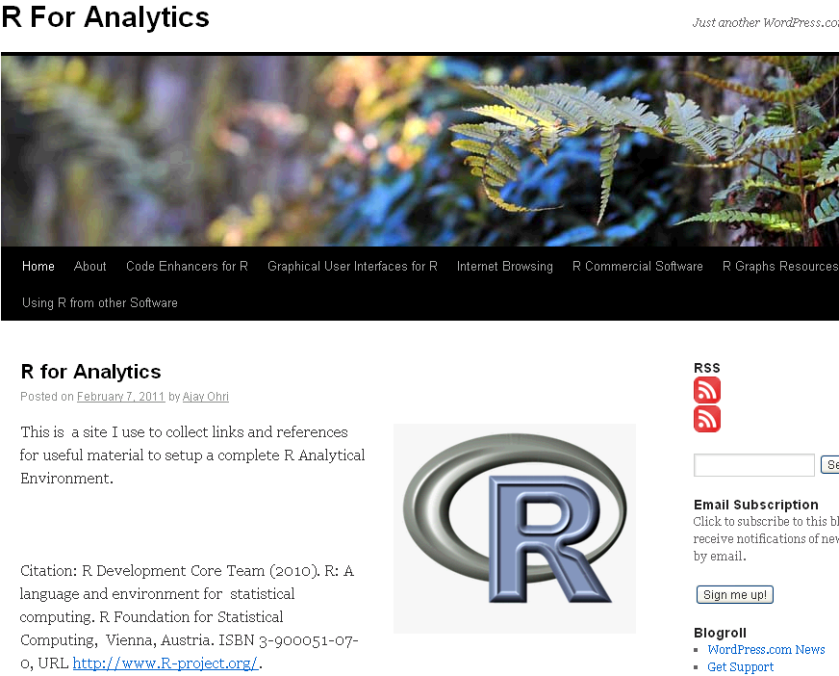
    R for Analytics is now live

    Okay, through the weekend I created a website for a few of my favourite things.

    It’s on at https://rforanalytics.wordpress.com/

    Graphical User Interfaces for R


    Jerry Rubin said: “Don’t trust anyone over thirty

    I dont trust anyone not using atleast one R GUI. Here’s a list of the top 10.


    Code Enhancers for R

    Here is a list of top 5 code enhancers,editors in R

    R Commercial Software

    A list of companies and software making (and) selling R software (and) services. Hint- it is almost 5 (unless I missed someone)

    R Graphs Resources

    R’s famous graphing capabilities and equally famous learning curve can be made a bit more humane- using some of these resources.

    Internet Browsing

    Because that’s what I do (all I do as per my cat) , and I am pretty good at it.

    Using R from other Software

    R can be used successfully from a lot of analytical software including some surprising ones praising the great 3000 packages library.

    (to be continued- as I find more stuff I will keep it there, some ideas- database access from R, prominent R consultants, prominent R packages, famous R interviewees 😉 )

    ps- The quote from Jerry Rubin seems funny for a while. I turn 34 this year.

    Common Analytical Tasks

    WorldWarII-DeathsByCountry-Barchart
    Image via Wikipedia


    Some common analytical tasks from the diary of the glamorous life of a business analyst-

    1) removing duplicates from a dataset based on certain key values/variables
    2) merging two datasets based on a common key/variable/s
    3) creating a subset based on a conditional value of a variable
    4) creating a subset based on a conditional value of a time-date variable
    5) changing format from one date time variable to another
    6) doing a means grouped or classified at a level of aggregation
    7) creating a new variable based on if then condition
    8) creating a macro to run same program with different parameters
    9) creating a logistic regression model, scoring dataset,
    10) transforming variables
    11) checking roc curves of model
    12) splitting a dataset for a random sample (repeatable with random seed)
    13) creating a cross tab of all variables in a dataset with one response variable
    14) creating bins or ranks from a certain variable value
    15) graphically examine cross tabs
    16) histograms
    17) plot(density())
    18)creating a pie chart
    19) creating a line graph, creating a bar graph
    20) creating a bubbles chart
    21) running a goal seek kind of simulation/optimization
    22) creating a tabular report for multiple metrics grouped for one time/variable
    23) creating a basic time series forecast

    and some case studies I could think of-


    As the Director, Analytics you have to examine current marketing efficiency as well as help optimize sales force efficiency across various channels. In addition you have to examine multiple sales channels including inbound telephone, outgoing direct mail, internet email campaigns. The datawarehouse is an RDBMS but it has multiple data quality issues to be checked for. In addition you need to submit your budget estimates for next year’s annual marketing budget to maximize sales return on investment.

    As the Director, Risk you have to examine the overdue mortgages book that your predecessor left you. You need to optimize collections and minimize fraud and write-offs, and your efforts would be measured in maximizing profits from your department.

    As a social media consultant you have been asked to maximize social media analytics and social media exposure to your client. You need to create a mechanism to report particular brand keywords, as well as automated triggers between unusual web activity, and statistical analysis of the website analytics metrics. Above all it needs to be set up in an automated reporting dashboard .

    As a consultant to a telecommunication company you are asked to monitor churn and review the existing churn models. Also you need to maximize advertising spend on various channels. The problem is there are a large number of promotions always going on, some of the data is either incorrectly coded or there are interaction effects between the various promotions.

    As a modeller you need to do the following-
    1) Check ROC and H-L curves for existing model
    2) Divide dataset in random splits of 40:60
    3) Create multiple aggregated variables from the basic variables

    4) run regression again and again
    5) evaluate statistical robustness and fit of model
    6) display results graphically
    All these steps can be broken down in little little pieces of code- something which i am putting down a list of.
    Are there any common data analysis tasks that you think I am missing out- any common case studies ? let me know.


    Challenges of Analyzing a dataset (with R)

    GIF-animation showing a moving echocardiogram;...
    Image via Wikipedia

    Analyzing data can have many challenges associated with it. In the case of business analytics data, these challenges or constraints can have a marked effect on the quality and timeliness of the analysis as well as the expected versus actual payoff from the analytical results.

    Challenges of Analytical Data Processing-

    1) Data Formats- Reading in complete data, without losing any part (or meta data), or adding in superfluous details (that increase the scope). Technical constraints of data formats are relatively easy to navigate thanks to ODBC and well documented and easily search-able syntax and language.

    The costs of additional data augmentation (should we pay for additional credit bureau data to be appended) , time of storing and processing the data (every column needed for analysis can add in as many rows as whole dataset, which can be a time enhancing problem if you are considering an extra 100 variables with a few million rows), but above all that of business relevance and quality guidelines will ensure basic data input and massaging are considerable parts of whole analytical project timeline.

    2) Data Quality-Perfect data exists in a perfect world. The price of perfect information is one business will mostly never budget or wait for. To deliver inferences and results based on summaries of data which has missing, invalid, outlier data embedded within it makes the role of an analyst just as important as which ever tool is chosen to remove outliers, replace missing values, or treat invalid data.

    3) Project Scope-

    How much data? How much Analytical detail versus High Level Summary? Timelines for delivery as well as refresh of data analysis? Checks (statistical as well as business)?

    How easy is it to load and implement the new analysis in existing Information Technology Infrastructure? These are some of the outer parameters that can limit both your analytical project scope, your analytical tool choice, and your processing methodology.
    4) Output Results vis a vis stakeholder expectation management-

    Stakeholders like to see results, not constraints, hypothesis ,assumptions , p-value, or chi -square value. Output results need to be streamlined to a decision management process to justify the investment of human time and effort in an analytical project, choice,training and navigating analytical tool complexities and constraints are subset of it. Optimum use of graphical display is a part of aligning results to a more palatable form to stakeholders, provided graphics are done nicely.

    Eg Marketing wants to get more sales so they need a clear campaign, to target certain customers via specific channels with specified collateral. In order to base their business judgement, business analytics needs to validate , cross validate and sometimes invalidate this business decision making with clear transparent methods and processes.

    Given a dataset- the basic analytical steps that an analyst will do with R are as follows. This is meant as a note for analysts at a beginner level with R.

    Package -specific syntax

    update.packages() #This updates all packages
    install.packages(package1) #This installs a package locally, a one time event
    library(package1) #This loads a specified package in the current R session, which needs to be done every R session

    CRAN________LOCAL HARD DISK_________R SESSION is the top to bottom hierarchy of package storage and invocation.

    ls() #This lists all objects or datasets currently active in the R session

    > names(assetsCorr)  #This gives the names of variables within a dataframe
    [1] “AssetClass”            “LargeStocksUS”         “SmallStocksUS”
    [4] “CorporateBondsUS”      “TreasuryBondsUS”       “RealEstateUS”
    [7] “StocksCanada”          “StocksUK”              “StocksGermany”
    [10] “StocksSwitzerland”     “StocksEmergingMarkets”

    > str(assetsCorr) #gives complete structure of dataset
    ‘data.frame’:    12 obs. of  11 variables:
    $ AssetClass           : Factor w/ 12 levels “CorporateBondsUS”,..: 4 5 2 6 1 12 3 7 11 9 …
    $ LargeStocksUS        : num  15.3 16.4 1 0 0 …
    $ SmallStocksUS        : num  13.49 16.64 0.66 1 0 …
    $ CorporateBondsUS     : num  9.26 6.74 0.38 0.46 1 0 0 0 0 0 …
    $ TreasuryBondsUS      : num  8.44 6.26 0.33 0.27 0.95 1 0 0 0 0 …
    $ RealEstateUS         : num  10.6 17.32 0.08 0.59 0.35 …
    $ StocksCanada         : num  10.25 19.78 0.56 0.53 -0.12 …
    $ StocksUK             : num  10.66 13.63 0.81 0.41 0.24 …
    $ StocksGermany        : num  12.1 20.32 0.76 0.39 0.15 …
    $ StocksSwitzerland    : num  15.01 20.8 0.64 0.43 0.55 …
    $ StocksEmergingMarkets: num  16.5 36.92 0.3 0.6 0.12 …

    > dim(assetsCorr) #gives dimensions observations and variable number
    [1] 12 11

    str(Dataset) – This gives the structure of the dataset (note structure gives both the names of variables within dataset as well as dimensions of the dataset)

    head(dataset,n1) gives the first n1 rows of dataset while
    tail(dataset,n2) gives the last n2 rows of a dataset where n1,n2 are numbers and dataset is the name of the object (here a data frame that is being considered)

    summary(dataset) gives you a brief summary of all variables while

    library(Hmisc)
    describe(dataset) gives a detailed description on the variables

    simple graphics can be given by

    hist(Dataset1)
    and
    plot(Dataset1)

    As you can see in above cases, there are multiple ways to get even basic analysis about data in R- however most of the syntax commands are intutively understood (like hist for histogram, t.test for t test, plot for plot).

    For detailed analysis throughout the scope of analysis, for a business analytics user it is recommended to using multiple GUI, and multiple packages. Even for highly specific and specialized analytical tasks it is recommended to check for a GUI that incorporates the required package.