September Roundup by Revolution

From the monthly newsletter- which I consider quite useful for keeping updated on application of R

——————————————————————————————————————————————————————————————————–

Revolution News
Every month, we’ll bring you the latest news about Revolution’s products and events in this section.
Follow us on Twitter at @RevolutionR for up-to-the-minute news and updates from Revolution Analytics!

Revolution R Enterprise 4.0 for Windows now available. Based on the latest R 2.11.1 and including the RevoScaleR package for big-data analysis in R, Revolution R Enterprise is now available for download for Windows 32-bit and 64-bit systems. Click here to subscribe, or available free to academia.

New! Integrate R with web applications, BI dashboards and more with web services. RevoDeployR is a new Web Services framework that integrates dynamic R-based computations into applications for business users. It will be available September 30 with Revolution R Enterprise Server on RHEL 5. Click here to learn more.

Free Webinar, September 22: In a joint webinar from Revolution Analytics and Jaspersoft, learn how to use RevoDeployR to integrate advanced analytics on-demand in applications, BI dashboards, and on the web. Register here.

Revolution in the News:
SearchBusinessAnalytics.com previews the forthcoming Revolution R GUI; Channel Register introduces RevoDeployR, while IT Business Edge shows off the Web Services architecture; and ReadWriteWeb.com looks at how RevoScaleR tackles the Big Data explosion.

Inside-R: A new site for the R Community. At www.inside-R.org you’ll find the latest information about R from around the Web, searchable R documentation and packages, hints and tips about R, and more. You can even add a “Download R” badge to your own web-page to help spread the word about R.

R News, Tips and Tricks from the Revolutions blog
The Revolutions blog brings you daily news and tips about R, statistics and open source. Here are some highlights from Revolutions from the past month
.

R’s key role in the oil spill response: Read how NIST’s Division Chief of Statistical Engineering used R to provide critical analysis in real time to the Secretaries of Energy and the Interior, and helped coordinate the government’s response.

Animating data with R and Google Earth: Learn how to use R to create animated visualizations of geographical data with Google Earth, such as this video showing how tuna migrations intersect with the location of the Gulf oil spill.

Are baseball games getting longer? Or is it just Red Sox games? Ryan Elmore uses nonparametric regression in R to find out.

Keynote presentations from useR! 2010: the worldwide R user’s conference was a great success, and there’s a wealth of useful tips and information in the presentations. Video of the keynote presentations are available too: check out in particular Frank Harrell’s talk Information Allergy, and Friedrich Leisch’s talk on reproducible statistical research.

Looking for more R tips and tricks? Check out the monthly round-ups at the Revolutions blog.

Upcoming Events
Every month, we’ll highlight some upcoming events from R Community Calendar.

September 23: The San Diego R User Group has a meetup on BioConductor and microarray data analysis.

September 28: The Sydney Users of R Forum has a meetup on building world-class predictive models in R (with dinner to follow).

September 28: The Los Angeles R User Group presents an introduction to statistical finance with R.

September 28: The Seattle R User Group meets to discuss, “What are you doing with R?”

September 29: The Raleigh-Durham-Chapel Hill R Users Group has its first meeting.

October 7: The NYC R User Group features a presentation by Prof. Andrew Gelman.

There are also new R user groups in SingaporeSeoulDenverBrisbane, and New Jersey.  Please let us know if we’re missing your R user group, or if want to get a new one started.

———————————————————————————————-Editor

David Smith, VP Marketing
david@revolutionanalytics.com
Twitter: @revodavid

subscribe here for Revo’s Monthly newsletter-

Oracle Open World/ RODM package

From the press release, here comes Oracle Open World. They really have an excellent rock concert in that as well.

.NET and Windows @ Oracle Develop and Oracle OpenWorld 2010

Oracle Develop will again feature a .NET track for Oracle developers. Oracle Develop is suited for all levels of .NET developers, from beginner to advanced. It covers introductory Oracle .NET material, new features, deep dive application tuning, and includes three hours of hands-on labs apply what you learned from the sessions.

To register, go to Oracle Develop registration site.

Oracle OpenWorld will include several sessions on using the Oracle Database on Windows and .NET.

Session schedules and locations for Windows and .NET sessions at Oracle Develop and OpenWorld are now available.

Download: 32-bit ODAC 11.2.0.1.2 for Visual Studio 2010 and .NET Framework 4

With ODAC 11.2.0.1.2, developers can connect to Oracle Database versions 9.2 and higher from Visual Studio 2010 and .NET Framework 4. ODAC components support the full framework, as well as the new .NET Framework Client Profile.

Statement of Direction: Oracle Database and Microsoft Entity Framework

Learn about Oracle’s beta and production plans to support Microsoft Entity Framework with Oracle Database.

Also see http://www.oracle.com/technetwork/articles/datawarehouse/saternos-r-161569.html

for

Data Mining Using the RDOM Package

By Casimir Saternos

Some excerpts-

Open R and enter the following command.

> library(RODM)

This command loads the RODM library and as well the dependent RODBC package. The next step is to make a database connection.

> DB <- RODM_open_dbms_connection(dsn="orcl", uid="dm", pwd="dm")

Subsequent commands use the DB object (an instance of the RODBC class) to connect to the database. The DNS specified in the command is the name you used earlier for the Data Source Name during the ODBC connection configuration. You can view the actual R code being executed by the command by simply typing the function name (without parentheses).

> RODM_open_dbms_connection

And say making a Model in Oracle and R-

> numrows <- length(orange_data[,1])
> orange_data.rows <- length(orange_data[,1])
> orange_data.id <- matrix(seq(1, orange_data.rows),  nrow=orange_data.rows, ncol=1, dimnames= list(NULL, c(“CASE_ID”)))
> orange_data <- cbind(orange_data.id, orange_data)

This adjustment to the data frame then needs to be propagated to the database. You can confirm the change using the sqlColumns function, as listed earlier.

> RODM_create_dbms_table(DB, "orange_data")
> sqlColumns(DB, 'orange_data')$COLUMN_NAME

> glm <- RODM_create_glm_model(
database = DB,
data_table_name = “orange_data”,
case_id_column_name = “CASE_ID”,
target_column_name = “circumference”,
model_name = “GLM_MODEL”,
mining_function = “regression”)

Information about this model can then be obtained by analyzing value returned from the model and stored in the variable named glm.

> glm$model.model_settings
> glm$glm.globals
> $glm.coefficients

Once you have a model, you can apply the model to a new set of data. To begin, create or retrieve sample data in the same format as the training data.

> query<-('select 999 case_id, 1 tree, 120 age, 
32 circumference from dual')

> orange_test<-sqlQuery(DB, query)
> RODM_create_dbms_table(DB, "orange_test")
and 
Finally, the model can be applied to the new data set and the results analyzed.

results <- RODM_apply_model(database = DB, 
data_table_name = "orange_test",
model_name = "GLM_MODEL",
supplemental_cols = "circumference")

When your session is complete, you can clean up objects that were created (if you like) and you should close the database connection:

> RODM_drop_model(database=DB,'GLM_MODEL')
> RODM_drop_dbms_table(DB, "orange_test")
> RODM_drop_dbms_table(DB, "orange_data")
> RODM_close_dbms_connection(DB)

See the full article at http://www.oracle.com/technetwork/articles/datawarehouse/saternos-r-161569.html

Amazon announces Micro Instances for cloud computing

From Amazon http://aws.amazon.com/ec2

Micro instances provide 613 MB of memory and support 32-bit and 64-bit platforms on both Linux and Windows. Micro instance pricing for On-Demand instances starts at $0.02 per hour for Linux and $0.03 per hour for Windows.

Customers have asked us for a lower priced instance type that could satisfy the needs of their less demanding applications. Micro instances are optimized for applications that require lower throughput, but which still may consume significant compute cycles periodically. Micro instances provide a small amount of consistent CPU resources, and also allow you to burst CPU capacity when additional cycles are available.

Micro instances are available immediately in all regions, and we invite you to go and try one out for yourself today! Learn more about Amazon EC2’s new Micro instances ataws.amazon.com/ec2.

Micro Instances

Instances of this family provide a small amount of consistent CPU resources and allow you to burst CPU capacity when additional cycles are available. They are well suited for lower throughput applications and web sites that consume significant compute cycles periodically.

  • Micro Instance 613 MB of memory, up to 2 ECUs (for short periodic bursts), EBS storage only, 32-bit or 64-bit platform

So dont buy that new CPU yet- use existing hardware in tandem with these micro instances (and internet) to compute- (but  only if your corporate IP administrator wasn’t trained in Windows only certifications 😉

Big Data and R: New Product Release by Revolution Analytics

Press Release by the Guys in Revolution Analytics- this time claiming to enable terabyte level analytics with R. Interesting stuff but techie details are awaited.

Revolution Analytics Brings

Big Data Analysis to R

The world’s most powerful statistics language can now tackle terabyte-class data sets using

Revolution R Enterpriseat a fraction of the cost of legacy analytics products


JSM 2010 – VANCOUVER (August 3, 2010) — Revolution Analytics today introduced ‘Big Data’ analysis to its Revolution R Enterprise software, taking the popular R statistics language to unprecedented new levels of capacity and performance for analyzing very large data sets. For the first time, R users will be able to process, visualize and model terabyte-class data sets in a fraction of the time of legacy products—without employing expensive or specialized hardware.

The new version of Revolution R Enterprise introduces an add-on package called RevoScaleR that provides a new framework for fast and efficient multi-core processing of large data sets. It includes:

  • The XDF file format, a new binary ‘Big Data’ file format with an interface to the R language that provides high-speed access to arbitrary rows, blocks and columns of data.
  • A collection of widely-used statistical algorithms optimized for Big Data, including high-performance implementations of Summary Statistics, Linear Regression, Binomial Logistic Regressionand Crosstabs—with more to be added in the near future.
  • Data Reading & Transformation tools that allow users to interactively explore and prepare large data sets for analysis.
  • Extensibility, expert R users can develop and extend their own statistical algorithms to take advantage of Revolution R Enterprise’s new speed and scalability capabilities.

“The R language’s inherent power and extensibility has driven its explosive adoption as the modern system for predictive analytics,” said Norman H. Nie, president and CEO of Revolution Analytics. “We believe that this new Big Data scalability will help R transition from an amazing research and prototyping tool to a production-ready platform for enterprise applications such as quantitative finance and risk management, social media, bioinformatics and telecommunications data analysis.”

Sage Bionetworks is the nonprofit force behind the open-source collaborative effort, Sage Commons, a place where data and disease models can be shared by scientists to better understand disease biology. David Henderson, Director of Scientific Computing at Sage, commented: “At Sage Bionetworks, we need to analyze genomic databases hundreds of gigabytes in size with R. We’re looking forward to using the high-speed data-analysis features of RevoScaleR to dramatically reduce the times it takes us to process these data sets.”

Take Hadoop and Other Big Data Sources to the Next Level

Revolution R Enterprise fits well within the modern ‘Big Data’ architecture by leveraging popular sources such as Hadoop, NoSQL or key value databases, relational databases and data warehouses. These products can be used to store, regularize and do basic manipulation on very large datasets—while Revolution R Enterprise now provides advanced analytics at unparalleled speed and scale: producing speed on speed.

“Together, Hadoop and R can store and analyze massive, complex data,” said Saptarshi Guha, developer of the popular RHIPE R package that integrates the Hadoop framework with R in an automatically distributed computing environment. “Employing the new capabilities of Revolution R Enterprise, we will be able to go even further and compute Big Data regressions and more.”

Platforms and Availability

The new RevoScaleR package will be delivered as part of Revolution R Enterprise 4.0, which will be available for 32-and 64-bit Microsoft Windows in the next 30 days. Support for Red Hat Enterprise Linux (RHEL 5) is planned for later this year.

On its website (http://www.revolutionanalytics.com/bigdata), Revolution Analytics has published performance and scalability benchmarks for Revolution R Enterprise analyzing a 13.2 gigabyte data set of commercial airline information containing more than 123 million rows, and 29 columns.

Additionally, the company will showcase its new Big Data solution in a free webinar on August 25 at 9:00 a.m. Pacific.

Additional Resources

•      Big Data Benchmark whitepaper

•      The Revolution Analytics Roadmap whitepaper

•      Revolutions Blog

•      Download free academic copy of Revolution R Enterprise

•      Visit Inside-R.org for the most comprehensive set of information on R

•      Spread the word: Add a “Download R!” badge on your website

•      Follow @RevolutionR on Twitter

About Revolution Analytics

Revolution Analytics (http://www.revolutionanalytics.com) is the leading commercial provider of software and support for the popular open source R statistics language. Its Revolution R products help make predictive analytics accessible to every type of user and budget. The company is headquartered in Palo Alto, Calif. and backed by North Bridge Venture Partners and Intel Capital.

Media Contact

Chantal Yang
Page One PR, for Revolution Analytics
Tel: +1 415-875-7494

Email:  revolution@pageonepr.com

Towards better analytical software

Here are some thoughts on using existing statistical software for better analytics and/or business intelligence (reporting)-

1) User Interface Design Matters- Most stats software have a legacy approach to user interface design. While the Graphical User Interfaces need to more business friendly and user friendly- example you can call a button T Test or You can call it Compare > Means of Samples (with a highlight called T Test). You can call a button Chi Square Test or Call it Compare> Counts Data. Also excessive reliance on drop down ignores the next generation advances in OS- namely touchscreen instead of mouse click and point.

Given the fact that base statistical procedures are the same across softwares, a more thoughtfully designed user interface (or revamped interface) can give softwares an edge over legacy designs.

2) Branding of Software Matters- One notable whine against SAS Institite products is a premier price. But really that software is actually inexpensive if you see other reporting software. What separates a Cognos from a Crystal Reports to a SAS BI is often branding (and user interface design). This plays a role in branding events – social media is often the least expensive branding and marketing channel. Same for WPS and Revolution Analytics.

3) Alliances matter- The alliances of parent companies are reflected in the sales of bundled software. For a complete solution , you need a database plus reporting plus analytical software. If you are not making all three of the above, you need to partner and cross sell. Technically this means that software (either DB, or Reporting or Analytics) needs to talk to as many different kinds of other softwares and formats. This is why ODBC in R is important, and alliances for small companies like Revolution Analytics, WPS and Netezza are just as important as bigger companies like IBM SPSS, SAS Institute or SAP. Also tie-ins with Hadoop (like R and Netezza appliance)  or  Teradata and SAS help create better usage.

4) Cloud Computing Interfaces could be the edge- Maybe cloud computing is all hot air. Prudent business planing demands that any software maker in analytics or business intelligence have an extremely easy to load interface ( whether it is a dedicated on demand website) or an Amazon EC2 image. Easier interfaces win and with the cloud still in early stages can help create an early lead. For R software makers this is critical since R is bad in PC usage for larger sets of data in comparison to counterparts. On the cloud that disadvantage vanishes. An easy to understand cloud interface framework is here ( its 2 years old but still should be okay) http://knol.google.com/k/data-mining-through-cloud-computing#

5) Platforms matter- Softwares should either natively embrace all possible platforms or bundle in middle ware themselves.

Here is a case study SAS stopped supporting Apple OS after Base SAS 7. Today Apple OS is strong  ( 3.47 million Macs during the most recent quarter ) and the only way to use SAS on a Mac is to do either

http://goo.gl/QAs2

or do a install of Ubuntu on the Mac ( https://help.ubuntu.com/community/MacBook ) and do this

http://ubuntuforums.org/showthread.php?t=1494027

Why does this matter? Well SAS is free to academics and students  from this year, but Mac is a preferred computer there. Well WPS can be run straight away on the Mac (though they are curiously not been able to provide academics or discounted student copies 😉 ) as per

http://goo.gl/aVKu

Does this give a disadvantage based on platform. Yes. However JMP continues to be supported on Mac. This is also noteworthy given the upcoming Chromium OS by Google, Windows Azure platform for cloud computing.

Protected: Analyzing SAS Institute-WPS Lawsuit

This content is password-protected. To view it, please enter the password below.

Using Ipod and Iphone with your Ubuntu Laptop

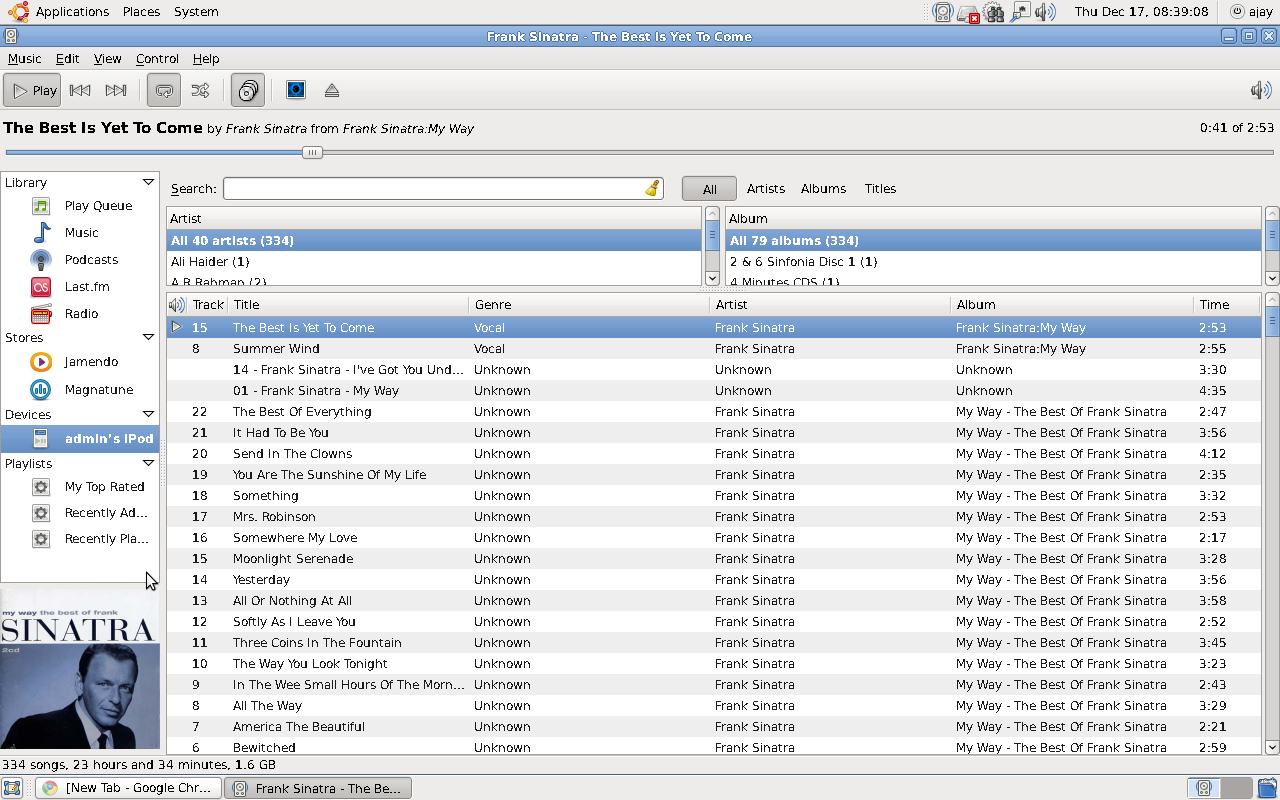
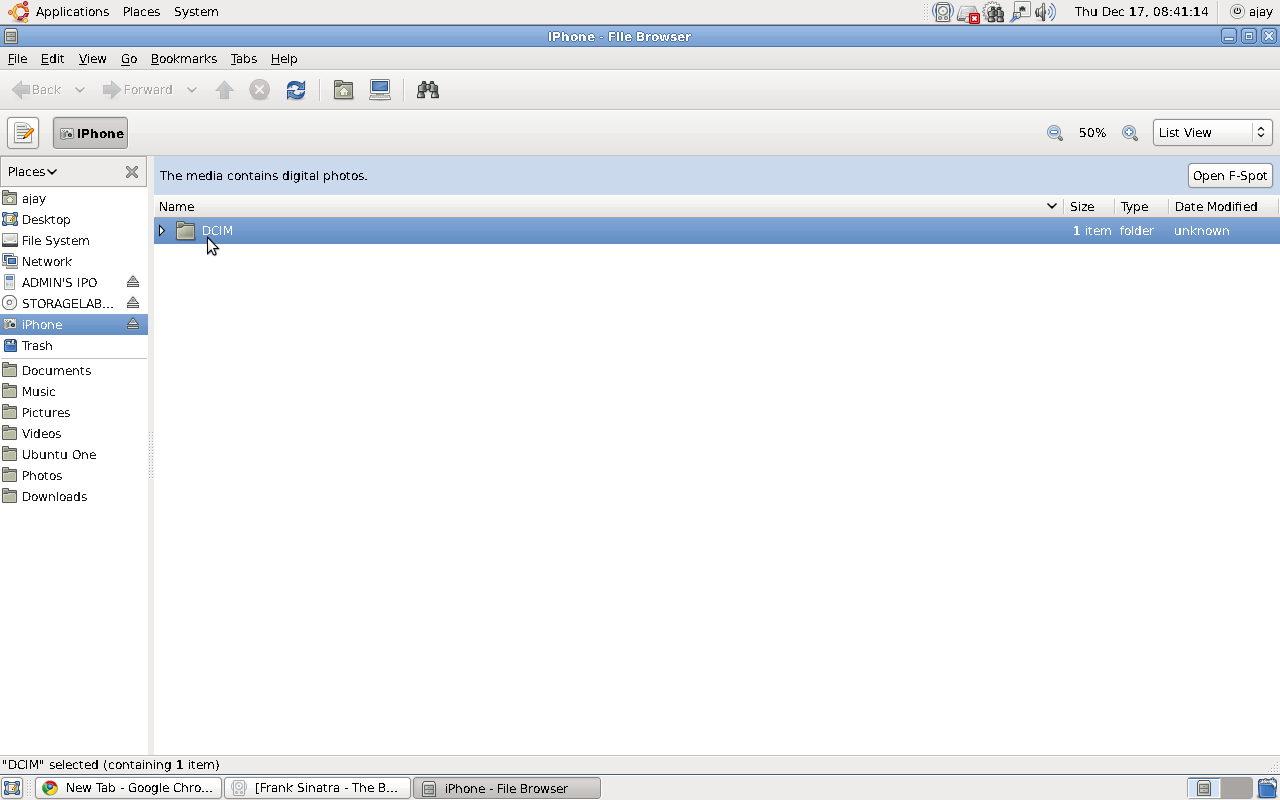
If you love your  Apple iPhone / iPod, the latest release of Ubuntu from Canonical called Karmic Koala ( the counter part to Microsoft’s Windows 7) is totally compatible for USB connection

If you love your  Apple iPhone / iPod, the latest release of Ubuntu from Canonical called Karmic Koala ( the counter part to Microsoft’s Windows 7) is totally compatible for USB connection.

Ubuntu uses Rhythmbox for playing songs and uses FSpot and Gimp for images. The audio quality is excellent ( even if you are using very old hardware like I do) and Gimp is the best image manipulation software -comparable to ones from Adobe- intuitive and easy.