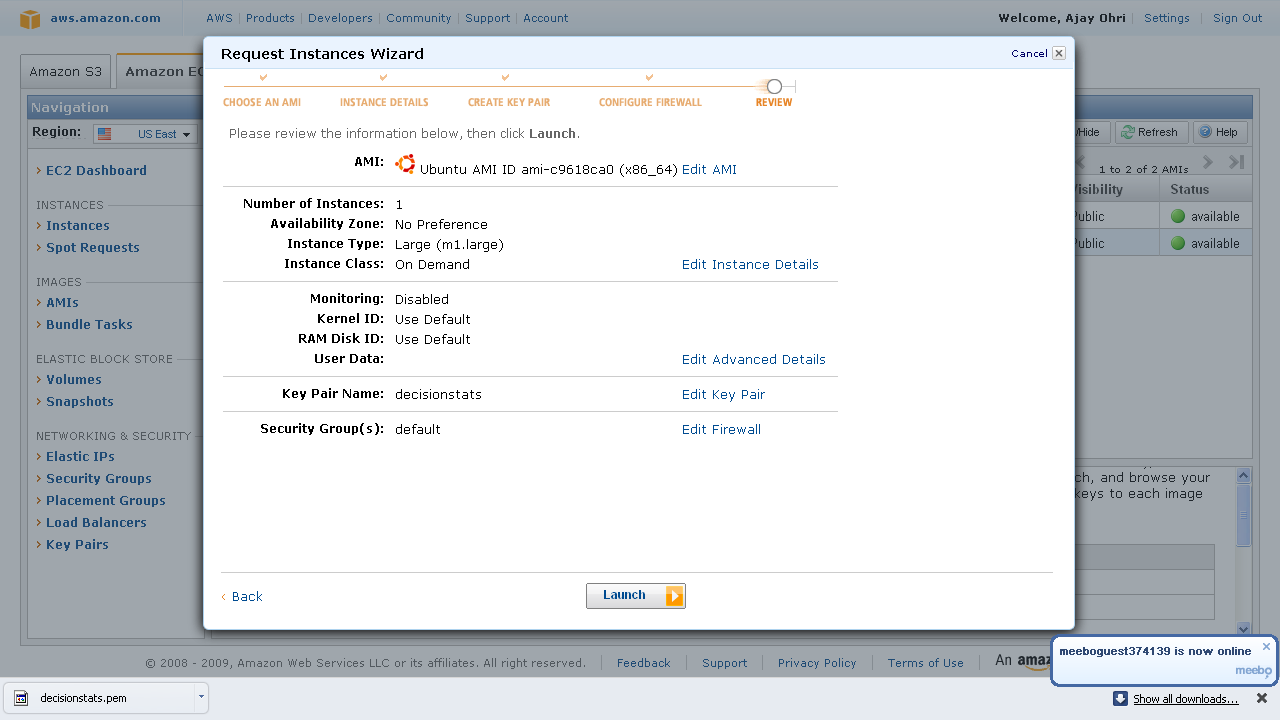
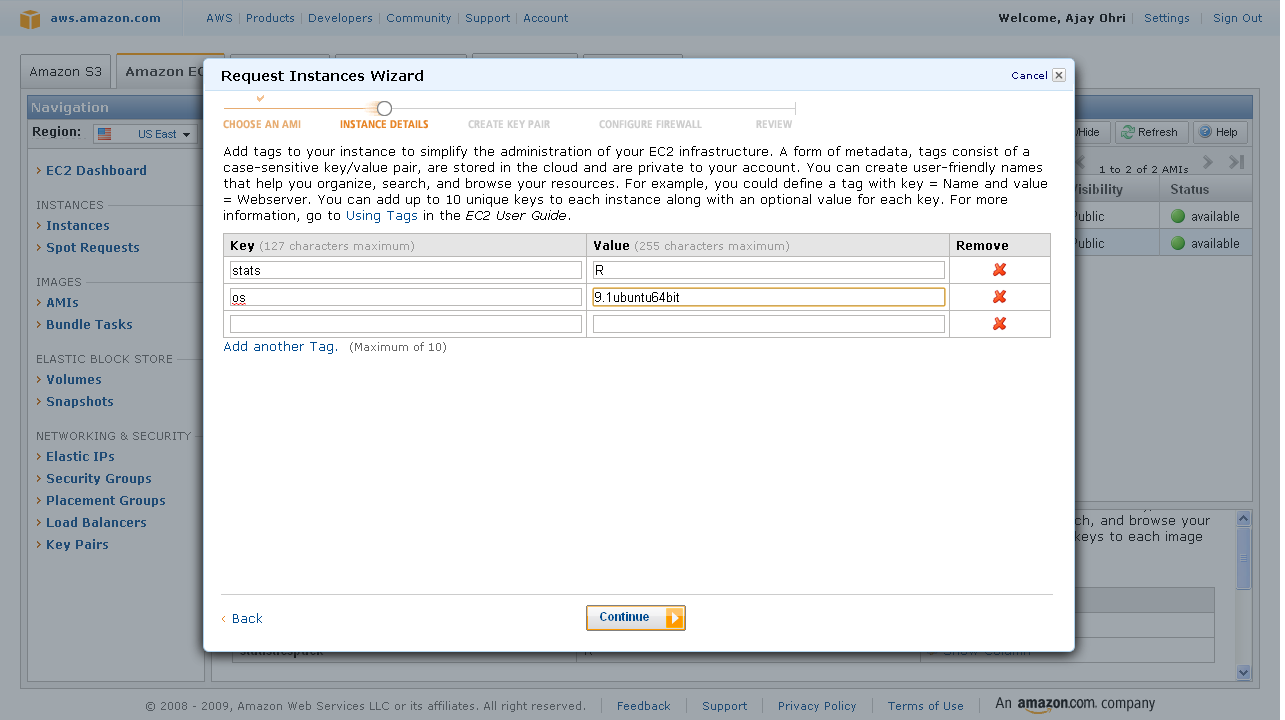
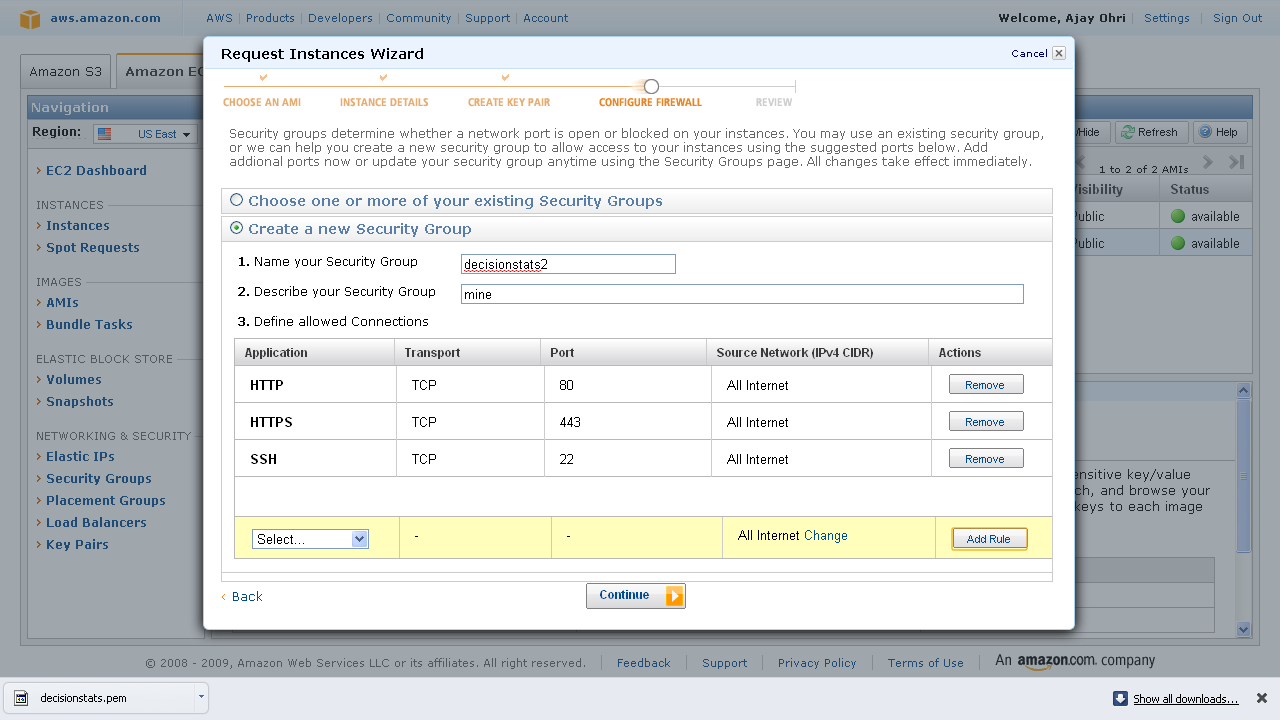
Why Cloud?

Here are some reasons why cloud computing is very helpful to small business owners like me- and can be very helpful to even bigger people.

1) Infrastructure Overhead becomes zero

– I need NOT invest in secure powerbackups (like a big battery for electricity power-outs-true in India), data disaster management (read raid), software licensing compliance.

All this is done for me by infrastructure providers like Google and Amazon.

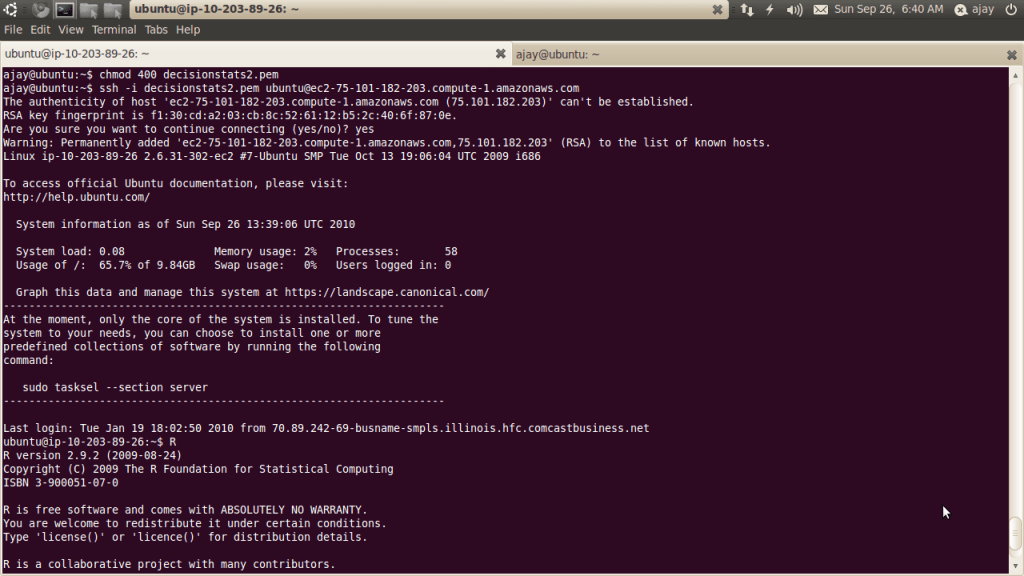
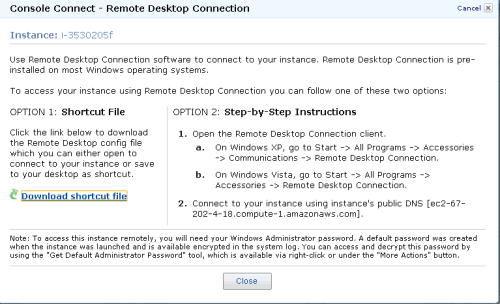
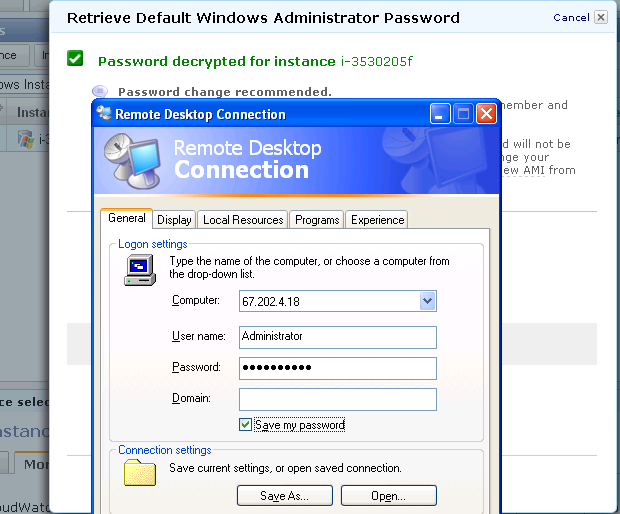
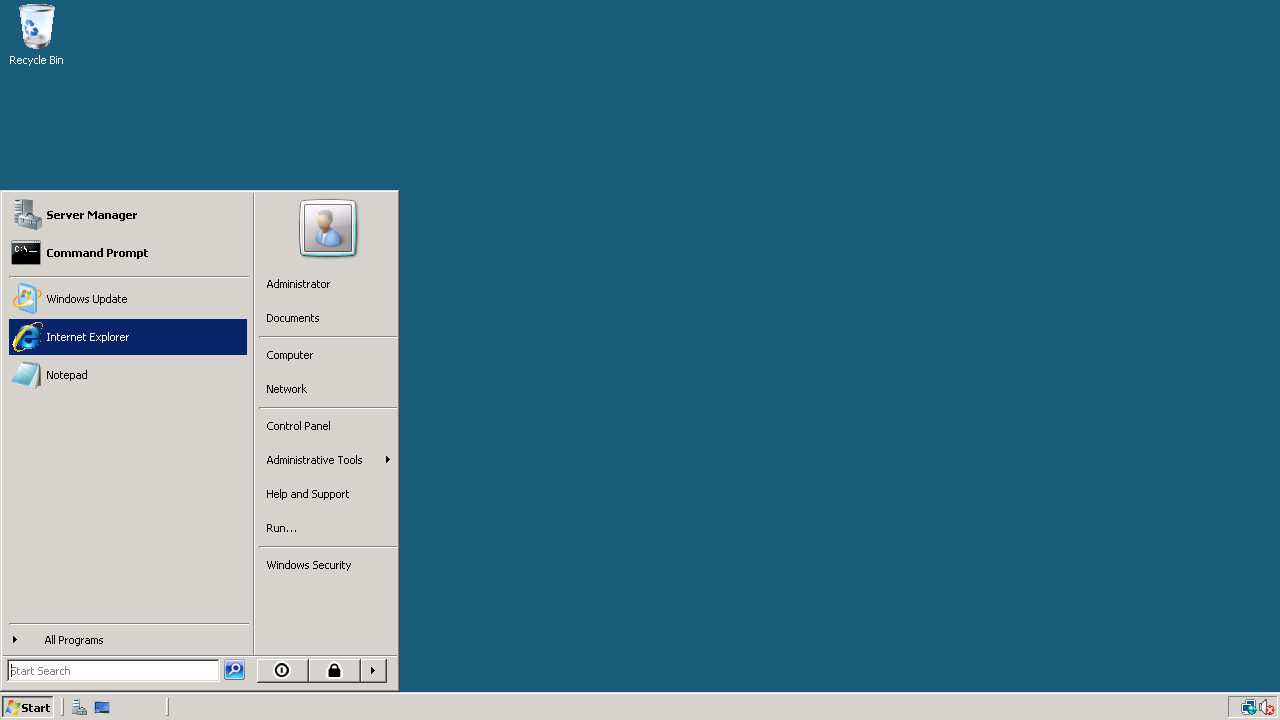
For simple office productivity, I type on Google Docs that auto-saves my data,writing on cloud. I need not backup- Google does it for me.  Ditto for presentations and spreadsheets. Amazon gets me the latest Window software installed whenever I logon- I need not be  bothered by software contracts (read bug fixes and patches) any more.

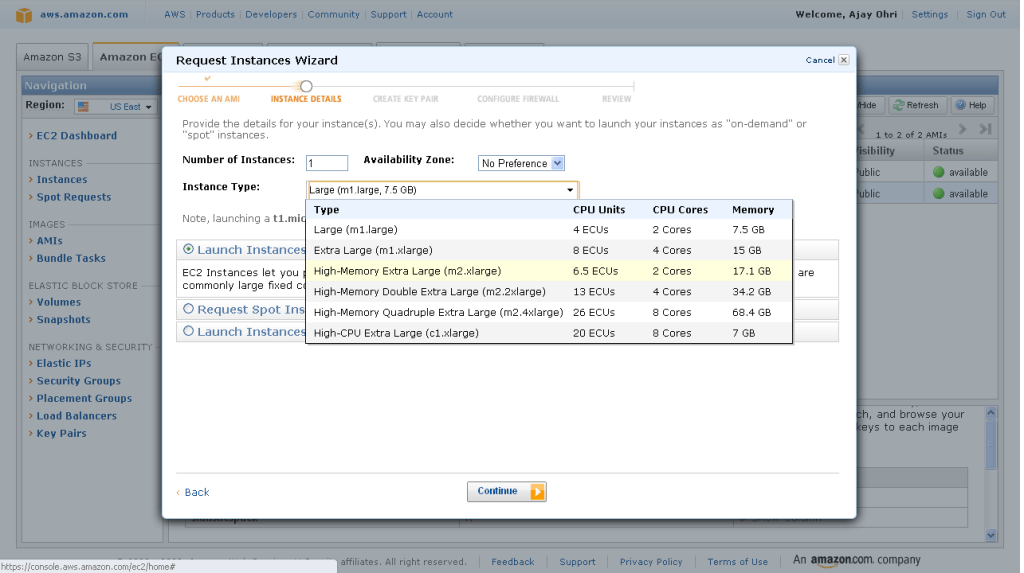
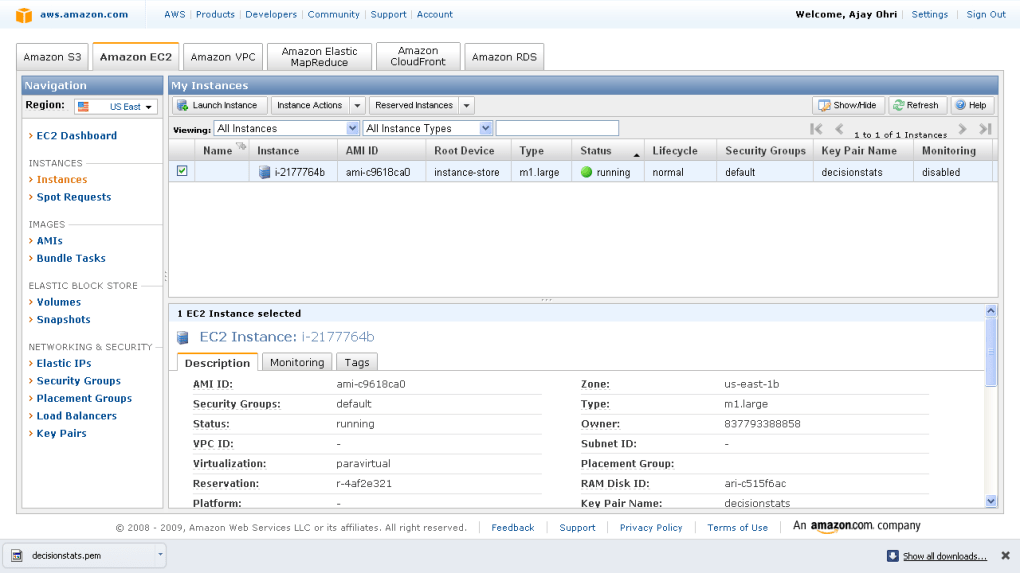
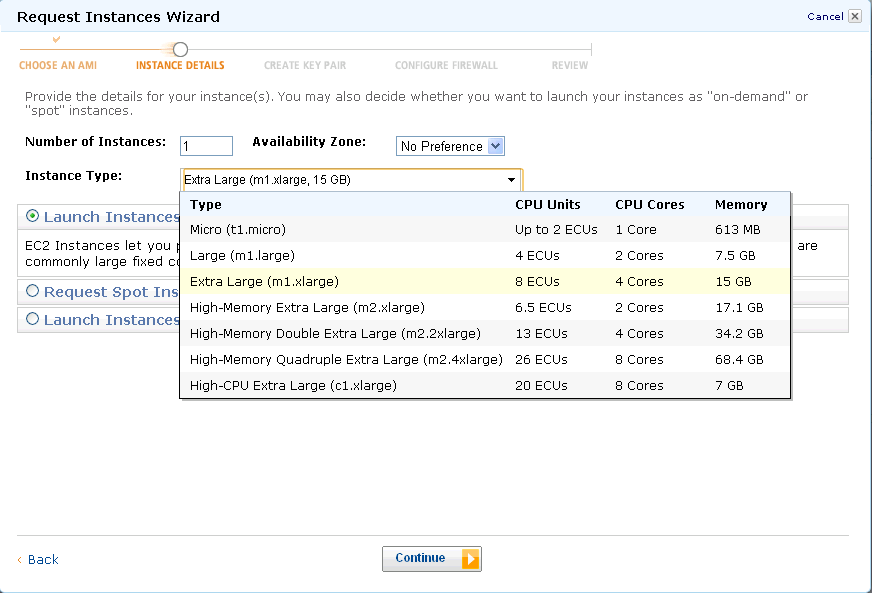
2) Renting Hardware by the hour- A small business owner cannot invest too much in computing hardware (or software). The pay as you use makes sense for them. I could never afford a 8 cores desktop with 25 gb RAM- but I sure can rent and use it to bid for heavier data projects that I would have had to let go in the past.

3) Renting software by the hour- You may have bought your last PC for all time

An example- A windows micro instance costs you 3 cents per hour on Amazon. If you take a mathematical look at upgrading your PC to latest Windows, buying more and more upgraded desktops just to keep up, those costs would exceed 3 cents per hour. For Unix, it is 2 cents per hour, and those softwares (like Red Hat Linux and Ubuntu have increasingly been design friendly even for non techie users)

Some other software companies especially in enterprise software plan to and already offer paid machine images that basically adds their software layer on top of the OS and you can rent software for the hour.

It does not make sense for customers to effectively subsidize golf tournaments, rock concerts, conference networks by their own money- as they can rent software by the hour and switch to pay per use.

People especially SME consultants, academics and students and cost conscious customers – in Analytics would love to see a world where they could say run SAS Enterprise Miner for 10 dollars a hour for two hours to build a data mining model on 25 gb RAM, rather than hurt their pockets and profitability in Annual license models. Ditto for SPSS, JMP, KXEN, Revolution R, Oracle Data Mining (already available on Amazon) , SAP (??), WPS ( on cloud ???? ) . It’s the economy, stupid.

Corporates have realized that cutting down on Hardware and software expenses is more preferable to cutting down people. Would you rather fire people in your own team to buy that big HP or Dell or IBM Server (effectively subsidizing jobs in those companies). IF you had to choose between an annual license renewal for your analytics software TO renting software by the hour and using those savings for better benefits for your employees, what makes business sense for you to invest in.

Goodbye annual license fees.  Welcome brave new world.

Parallel Programming using R in Windows

Ashamed at my lack of parallel programming, I decided to learn some R Parallel Programming (after all parallel blogging is not really respect worthy in tech-geek-ninja circles).

So I did the usual Google- CRAN- search like a dog thing only to find some obstacles.

Obstacles-

Some Parallel Programming Packages like doMC are not available in Windows

http://cran.r-project.org/web/packages/doMC/index.html

Some Parallel Programming Packages like doSMP depend on Revolution’s Enterprise R (like –

http://blog.revolutionanalytics.com/2009/07/simple-scalable-parallel-computing-in-r.html

and http://www.r-statistics.com/2010/04/parallel-multicore-processing-with-r-on-windows/ (No the latest hack didnt work)

or are in testing like multicore (for Windows) so not available on CRAN

http://cran.r-project.org/web/packages/multicore/index.html

fortunately available on RForge

http://www.rforge.net/multicore/files/

Revolution did make DoSnow AND foreach available on CRAN

see http://blog.revolutionanalytics.com/2009/08/parallel-programming-with-foreach-and-snow.html

but the documentation in SNOW is overwhelming (hint- I use Windows , what does that tell you about my tech acumen)

http://sekhon.berkeley.edu/snow/html/makeCluster.html and

http://www.stat.uiowa.edu/~luke/R/cluster/cluster.html

what is a PVM or MPI? and SOCKS are for wearing or getting lost in washers till I encountered them in SNOW


Finally I did the following-and made the parallel programming work in Windows using R

require(doSNOW)
cl<-makeCluster(2) # I have two cores
registerDoSNOW(cl)
# create a function to run in each itteration of the loop

check <-function(n) {

+ for(i in 1:1000)

+ {

+ sme <- matrix(rnorm(100), 10,10)

+ solve(sme)

+ }

+ }
times <- 100     # times to run the loop
system.time(x <- foreach(j=1:times ) %dopar% check(j))
user  system elapsed
0.16    0.02   19.17
system.time(for(j in 1:times ) x <- check(j))
user  system elapsed</pre>
39.66    0.00   40.46

stopCluster(cl)

And it works!

R on Windows HPC Server

From HPC Wire, the newsletter/site for all HPC news-

Source- Link

PALO ALTO, Calif., Sept. 20 — Revolution Analytics, the leading commercial provider of software and support for the popular open source R statistics language, today announced it will deliver Revolution R Enterprise for Microsoft Windows HPC Server 2008 R2, released today, enabling users to analyze very large data sets in high-performance computing environments.

R is a powerful open source statistics language and the modern system for predictive analytics. Revolution Analytics recently introduced RevoScaleR, new “Big Data” analysis capabilities, to its R distribution, Revolution R Enterprise. RevoScaleR solves the performance and capacity limitations of the R language by with parallelized algorithms that stream data across multiple cores on a laptop, workstation or server. Users can now process, visualize and model terabyte-class data sets at top speeds — without the need for specialized hardware.

“Revolution Analytics is pleased to support Microsoft’s Technical Computing initiative, whose efforts will benefit scientists, engineers and data analysts,” said David Champagne, CTO at Revolution. “We believe the engineering we have done for Revolution R Enterprise, in particular our work on big-data statistics and multicore computing, along with Microsoft’s HPC platform for technical computing, makes an ideal combination for high-performance large scale statistical computing.”

“Processing and analyzing this ‘big data’ is essential to better prediction and decision making,” said Bill Hamilton, director of technical computing at Microsoft Corp. “Revolution R Enterprise for Windows HPC Server 2008 R2 gives customers an extremely powerful tool that handles analysis of very large data and high workloads.”

To learn more about Revolution R Enterprise and its Big Data capabilities, download thewhite paper. Revolution Analytics also has an on-demand webcast, “High-performance analytics with Revolution R and Windows HPC Server,” available online.

AND from Microsoft’s website

http://www.microsoft.com/hpc/en/us/solutions/hpc-for-life-sciences.aspx

REvolution R Enterprise »

REvolution Computing

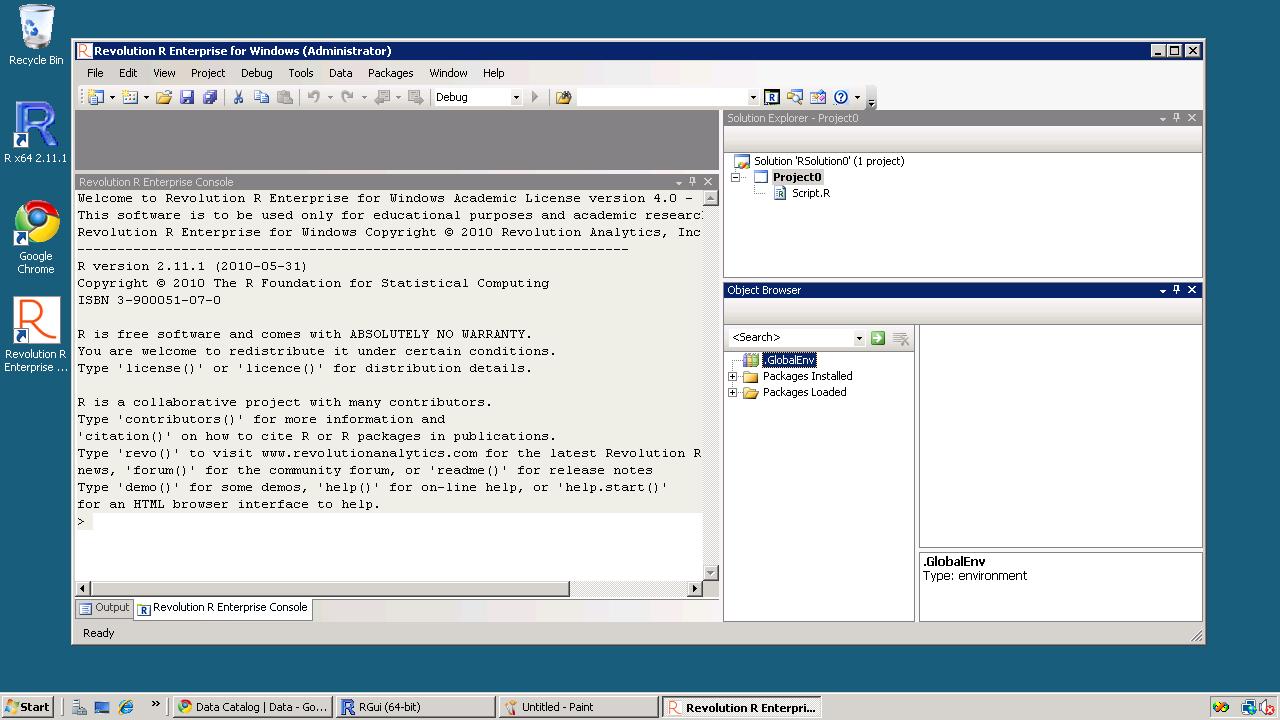
REvolution R Enterprise is designed for both novice and experienced R users looking for a production-grade R distribution to perform mission critical predictive analytics tasks right from the desktop and scale across multiprocessor environments. Featuring RPE™ REvolution’s R Productivity Environment for Windows.

Of course R Enterprise is available on Linux but on Red Hat Enterprise Linux- it would be nice to see Amazom Machine Images as well as Ubuntu versions as well.

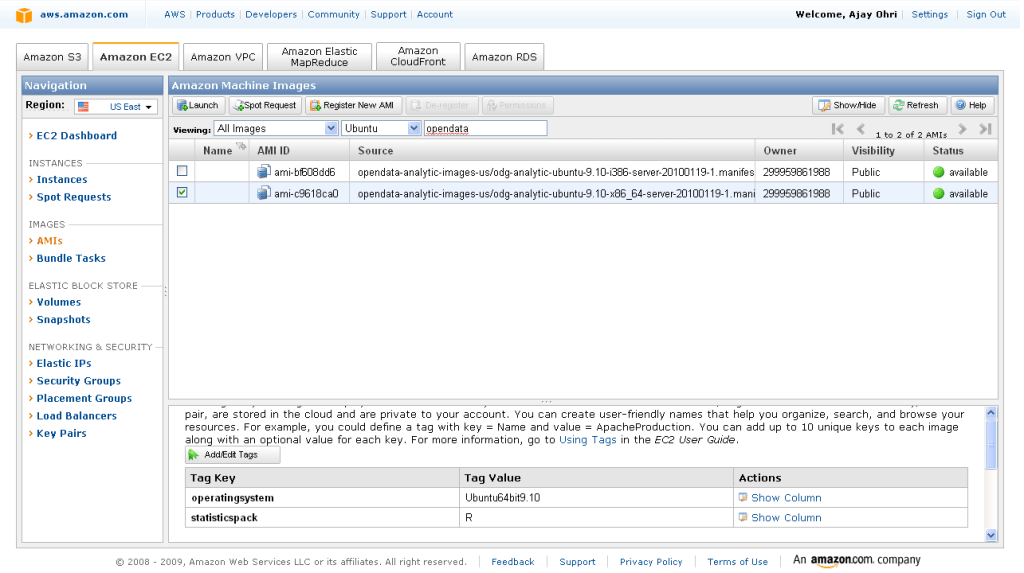
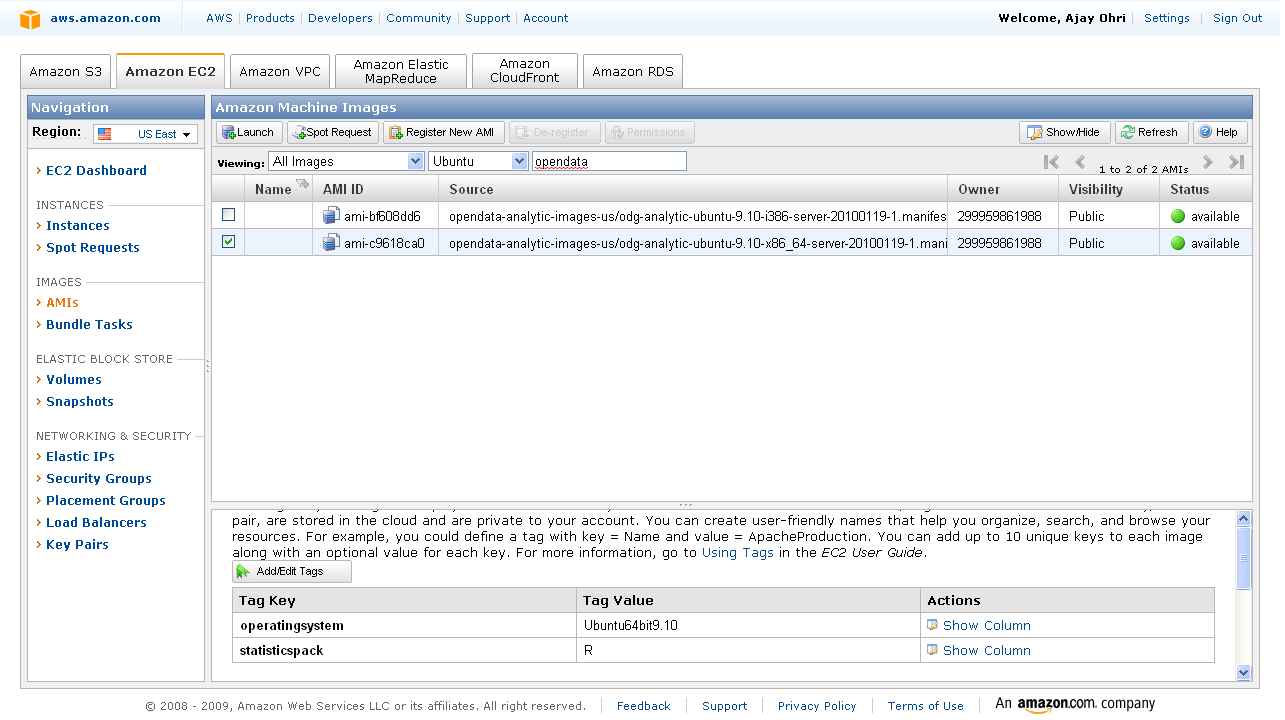
An Amazon Machine Image (AMI) is a special type of virtual appliance which is used to instantiate (create) a virtual machine within the Amazon Elastic Compute Cloud. It serves as the basic unit of deployment for services delivered using EC2.[1]

Like all virtual appliances, the main component of an AMI is a read-only filesystem image which includes an operating system (e.g., Linux, UNIX, or Windows) and any additional software required to deliver a service or a portion of it.[2]

The AMI filesystem is compressed, encrypted, signed, split into a series of 10MB chunks and uploaded into Amazon S3 for storage. An XML manifest file stores information about the AMI, including name, version, architecture, default kernel id, decryption key and digests for all of the filesystem chunks.

An AMI does not include a kernel image, only a pointer to the default kernel id, which can be chosen from an approved list of safe kernels maintained by Amazon and its partners (e.g., RedHat, Canonical, Microsoft). Users may choose kernels other than the default when booting an AMI.[3]

[edit]Types of images

  • Public: an AMI image that can be used by any one.
  • Paid: a for-pay AMI image that is registered with Amazon DevPay and can be used by any one who subscribes for it. DevPay allows developers to mark-up Amazon’s usage fees and optionally add monthly subscription fees.

Windows Azure vs Amazon EC2 (and Google Storage)

Here is a comparison of Windows Azure instances vs Amazon compute instances

Compute Instance Sizes:

Developers have the ability to choose the size of VMs to run their application based on the applications resource requirements. Windows Azure compute instances come in four unique sizes to enable complex applications and workloads.

Compute Instance Size CPU Memory Instance Storage I/O Performance
Small 1.6 GHz 1.75 GB 225 GB Moderate
Medium 2 x 1.6 GHz 3.5 GB 490 GB High
Large 4 x 1.6 GHz 7 GB 1,000 GB High
Extra large 8 x 1.6 GHz 14 GB 2,040 GB High

Standard Rates:

Windows Azure

  • Compute
    • Small instance (default): $0.12 per hour
    • Medium instance: $0.24 per hour
    • Large instance: $0.48 per hour
    • Extra large instance: $0.96 per hour
  • Storage
    • $0.15 per GB stored per month
    • $0.01 per 10,000 storage transactions
  • Content Delivery Network (CDN)
    • $0.15 per GB for data transfers from European and North American locations*
    • $0.20 per GB for data transfers from other locations*
    • $0.01 per 10,000 transactions*

Source –

http://www.microsoft.com/windowsazure/offers/popup/popup.aspx?lang=en&locale=en-US&offer=MS-AZR-0001P

and

http://www.microsoft.com/windowsazure/windowsazure/

Amazon EC2 has more options though——————————-

http://aws.amazon.com/ec2/pricing/

Standard On-Demand Instances Linux/UNIX Usage Windows Usage
Small (Default) $0.085 per hour $0.12 per hour
Large $0.34 per hour $0.48 per hour
Extra Large $0.68 per hour $0.96 per hour
Micro On-Demand Instances Linux/UNIX Usage Windows Usage
Micro $0.02 per hour $0.03 per hour
High-Memory On-Demand Instances
Extra Large $0.50 per hour $0.62 per hour
Double Extra Large $1.00 per hour $1.24 per hour
Quadruple Extra Large $2.00 per hour $2.48 per hour
High-CPU On-Demand Instances
Medium $0.17 per hour $0.29 per hour
Extra Large $0.68 per hour $1.16 per hour
Cluster Compute Instances
Quadruple Extra Large $1.60 per hour N/A*
* Windows is not currently available for Cluster Compute Instances.

http://aws.amazon.com/ec2/instance-types/

Standard Instances

Instances of this family are well suited for most applications.

Small Instance – default*

1.7 GB memory
1 EC2 Compute Unit (1 virtual core with 1 EC2 Compute Unit)
160 GB instance storage (150 GB plus 10 GB root partition)
32-bit platform
I/O Performance: Moderate
API name: m1.small

Large Instance

7.5 GB memory
4 EC2 Compute Units (2 virtual cores with 2 EC2 Compute Units each)
850 GB instance storage (2×420 GB plus 10 GB root partition)
64-bit platform
I/O Performance: High
API name: m1.large

Extra Large Instance

15 GB memory
8 EC2 Compute Units (4 virtual cores with 2 EC2 Compute Units each)
1,690 GB instance storage (4×420 GB plus 10 GB root partition)
64-bit platform
I/O Performance: High
API name: m1.xlarge

Micro Instances

Instances of this family provide a small amount of consistent CPU resources and allow you to burst CPUcapacity when additional cycles are available. They are well suited for lower throughput applications and web sites that consume significant compute cycles periodically.

Micro Instance

613 MB memory
Up to 2 EC2 Compute Units (for short periodic bursts)
EBS storage only
32-bit or 64-bit platform
I/O Performance: Low
API name: t1.micro

High-Memory Instances

Instances of this family offer large memory sizes for high throughput applications, including database and memory caching applications.

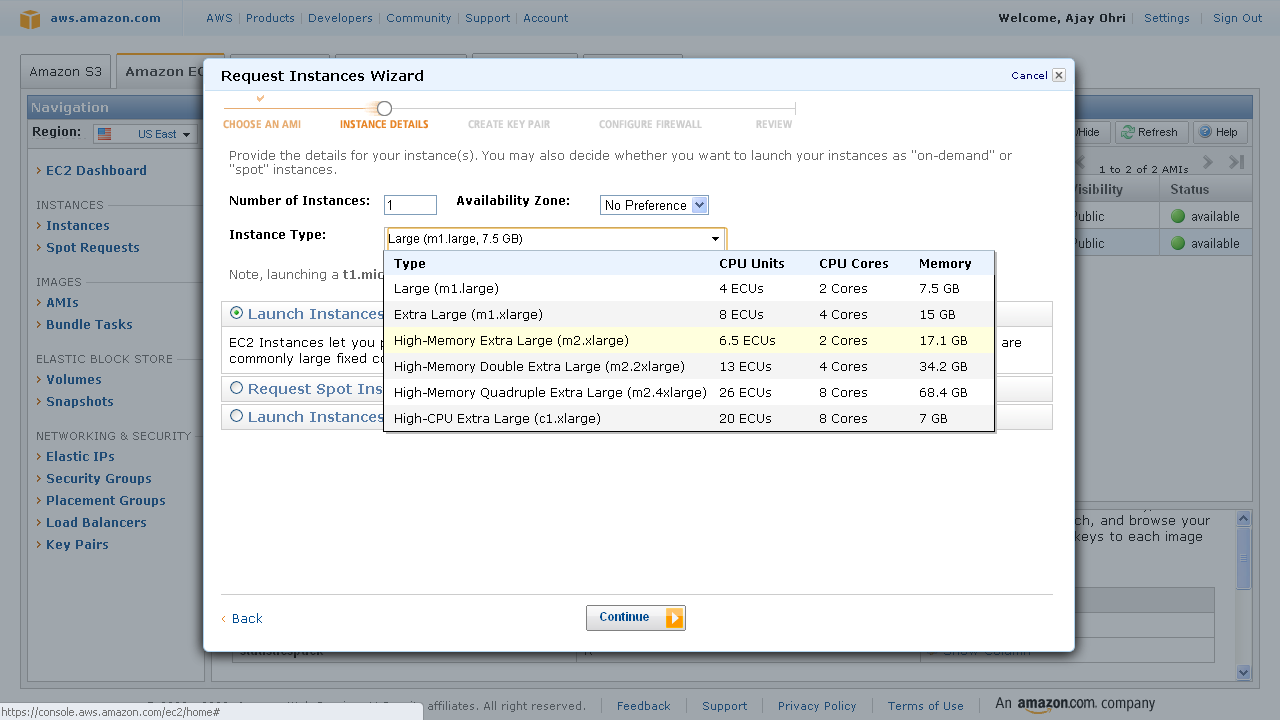
High-Memory Extra Large Instance

17.1 GB of memory
6.5 EC2 Compute Units (2 virtual cores with 3.25 EC2 Compute Units each)
420 GB of instance storage
64-bit platform
I/O Performance: Moderate
API name: m2.xlarge

High-Memory Double Extra Large Instance

34.2 GB of memory
13 EC2 Compute Units (4 virtual cores with 3.25 EC2 Compute Units each)
850 GB of instance storage
64-bit platform
I/O Performance: High
API name: m2.2xlarge

High-Memory Quadruple Extra Large Instance

68.4 GB of memory
26 EC2 Compute Units (8 virtual cores with 3.25 EC2 Compute Units each)
1690 GB of instance storage
64-bit platform
I/O Performance: High
API name: m2.4xlarge

High-CPU Instances

Instances of this family have proportionally more CPU resources than memory (RAM) and are well suited for compute-intensive applications.

High-CPU Medium Instance

1.7 GB of memory
5 EC2 Compute Units (2 virtual cores with 2.5 EC2 Compute Units each)
350 GB of instance storage
32-bit platform
I/O Performance: Moderate
API name: c1.medium

High-CPU Extra Large Instance

7 GB of memory
20 EC2 Compute Units (8 virtual cores with 2.5 EC2 Compute Units each)
1690 GB of instance storage
64-bit platform
I/O Performance: High
API name: c1.xlarge

Cluster Compute Instances

Instances of this family provide proportionally high CPU resources with increased network performance and are well suited for High Performance Compute (HPC) applications and other demanding network-bound applications. Learn more about use of this instance type for HPC applications.

Cluster Compute Quadruple Extra Large Instance

23 GB of memory
33.5 EC2 Compute Units (2 x Intel Xeon X5570, quad-core “Nehalem” architecture)
1690 GB of instance storage
64-bit platform
I/O Performance: Very High (10 Gigabit Ethernet)
API name: cc1.4xlarge

Also http://www.microsoft.com/en-us/sqlazure/default.aspx

offers SQL Databases as a service with a free trial offer

If you are into .Net /SQL big time or too dependent on MS, Azure is a nice option to EC2 http://www.microsoft.com/windowsazure/offers/popup/popup.aspx?lang=en&locale=en-US&offer=COMPARE_PUBLIC

Updated- I just got approved for Google Storage so am adding their info- though they are in Preview (and its free right now) 🙂

https://code.google.com/apis/storage/docs/overview.html

Functionality

Google Storage for Developers offers a rich set of features and capabilities:

Basic Operations

  • Store and access data from anywhere on the Internet.
  • Range-gets for large objects.
  • Manage metadata.

Security and Sharing

  • User authentication using secret keys or Google account.
  • Authenticated downloads from a web browser for Google account holders.
  • Secure access using SSL.
  • Easy, powerful sharing and collaboration via ACLs for individuals and groups.

Performance and scalability

  • Up to 100 gigabytes per object and 1,000 buckets per account during the preview.
  • Strong data consistency—read-after-write consistency for all upload and delete operations.
  • Namespace for your domain—only you can create bucket URIs containing your domain name.
  • Data replicated in multiple data centers across the U.S. and within the same data center.

Tools

  • Web-based storage manager.
  • GSUtil, an open source command line tool.
  • Compatible with many existing cloud storage tools and libraries.

Read the Getting Started Guide to learn more about the service.

Note: Google Storage for Developers does not support Google Apps accounts that use your company domain name at this time.

Back to top

Pricing

Google Storage for Developers pricing is based on usage.

  • Storage—$0.17/gigabyte/month
  • Network
    • Upload data to Google
      • $0.10/gigabyte
    • Download data from Google
      • $0.15/gigabyte for Americas and EMEA
      • $0.30/gigabyte for Asia-Pacific
  • Requests
    • PUT, POST, LIST—$0.01 per 1,000 requests
    • GET, HEAD—$0.01 per 10,000 requests

September Roundup by Revolution

From the monthly newsletter- which I consider quite useful for keeping updated on application of R

——————————————————————————————————————————————————————————————————–

Revolution News
Every month, we’ll bring you the latest news about Revolution’s products and events in this section.
Follow us on Twitter at @RevolutionR for up-to-the-minute news and updates from Revolution Analytics!

Revolution R Enterprise 4.0 for Windows now available. Based on the latest R 2.11.1 and including the RevoScaleR package for big-data analysis in R, Revolution R Enterprise is now available for download for Windows 32-bit and 64-bit systems. Click here to subscribe, or available free to academia.

New! Integrate R with web applications, BI dashboards and more with web services. RevoDeployR is a new Web Services framework that integrates dynamic R-based computations into applications for business users. It will be available September 30 with Revolution R Enterprise Server on RHEL 5. Click here to learn more.

Free Webinar, September 22: In a joint webinar from Revolution Analytics and Jaspersoft, learn how to use RevoDeployR to integrate advanced analytics on-demand in applications, BI dashboards, and on the web. Register here.

Revolution in the News:
SearchBusinessAnalytics.com previews the forthcoming Revolution R GUI; Channel Register introduces RevoDeployR, while IT Business Edge shows off the Web Services architecture; and ReadWriteWeb.com looks at how RevoScaleR tackles the Big Data explosion.

Inside-R: A new site for the R Community. At www.inside-R.org you’ll find the latest information about R from around the Web, searchable R documentation and packages, hints and tips about R, and more. You can even add a “Download R” badge to your own web-page to help spread the word about R.

R News, Tips and Tricks from the Revolutions blog
The Revolutions blog brings you daily news and tips about R, statistics and open source. Here are some highlights from Revolutions from the past month
.

R’s key role in the oil spill response: Read how NIST’s Division Chief of Statistical Engineering used R to provide critical analysis in real time to the Secretaries of Energy and the Interior, and helped coordinate the government’s response.

Animating data with R and Google Earth: Learn how to use R to create animated visualizations of geographical data with Google Earth, such as this video showing how tuna migrations intersect with the location of the Gulf oil spill.

Are baseball games getting longer? Or is it just Red Sox games? Ryan Elmore uses nonparametric regression in R to find out.

Keynote presentations from useR! 2010: the worldwide R user’s conference was a great success, and there’s a wealth of useful tips and information in the presentations. Video of the keynote presentations are available too: check out in particular Frank Harrell’s talk Information Allergy, and Friedrich Leisch’s talk on reproducible statistical research.

Looking for more R tips and tricks? Check out the monthly round-ups at the Revolutions blog.

Upcoming Events
Every month, we’ll highlight some upcoming events from R Community Calendar.

September 23: The San Diego R User Group has a meetup on BioConductor and microarray data analysis.

September 28: The Sydney Users of R Forum has a meetup on building world-class predictive models in R (with dinner to follow).

September 28: The Los Angeles R User Group presents an introduction to statistical finance with R.

September 28: The Seattle R User Group meets to discuss, “What are you doing with R?”

September 29: The Raleigh-Durham-Chapel Hill R Users Group has its first meeting.

October 7: The NYC R User Group features a presentation by Prof. Andrew Gelman.

There are also new R user groups in SingaporeSeoulDenverBrisbane, and New Jersey.  Please let us know if we’re missing your R user group, or if want to get a new one started.

———————————————————————————————-Editor

David Smith, VP Marketing
david@revolutionanalytics.com
Twitter: @revodavid

subscribe here for Revo’s Monthly newsletter-