R on Windows HPC Server

From HPC Wire, the newsletter/site for all HPC news-

Source- Link

PALO ALTO, Calif., Sept. 20 — Revolution Analytics, the leading commercial provider of software and support for the popular open source R statistics language, today announced it will deliver Revolution R Enterprise for Microsoft Windows HPC Server 2008 R2, released today, enabling users to analyze very large data sets in high-performance computing environments.

R is a powerful open source statistics language and the modern system for predictive analytics. Revolution Analytics recently introduced RevoScaleR, new “Big Data” analysis capabilities, to its R distribution, Revolution R Enterprise. RevoScaleR solves the performance and capacity limitations of the R language by with parallelized algorithms that stream data across multiple cores on a laptop, workstation or server. Users can now process, visualize and model terabyte-class data sets at top speeds — without the need for specialized hardware.

“Revolution Analytics is pleased to support Microsoft’s Technical Computing initiative, whose efforts will benefit scientists, engineers and data analysts,” said David Champagne, CTO at Revolution. “We believe the engineering we have done for Revolution R Enterprise, in particular our work on big-data statistics and multicore computing, along with Microsoft’s HPC platform for technical computing, makes an ideal combination for high-performance large scale statistical computing.”

“Processing and analyzing this ‘big data’ is essential to better prediction and decision making,” said Bill Hamilton, director of technical computing at Microsoft Corp. “Revolution R Enterprise for Windows HPC Server 2008 R2 gives customers an extremely powerful tool that handles analysis of very large data and high workloads.”

To learn more about Revolution R Enterprise and its Big Data capabilities, download thewhite paper. Revolution Analytics also has an on-demand webcast, “High-performance analytics with Revolution R and Windows HPC Server,” available online.

AND from Microsoft’s website

http://www.microsoft.com/hpc/en/us/solutions/hpc-for-life-sciences.aspx

REvolution R Enterprise »

REvolution Computing

REvolution R Enterprise is designed for both novice and experienced R users looking for a production-grade R distribution to perform mission critical predictive analytics tasks right from the desktop and scale across multiprocessor environments. Featuring RPE™ REvolution’s R Productivity Environment for Windows.

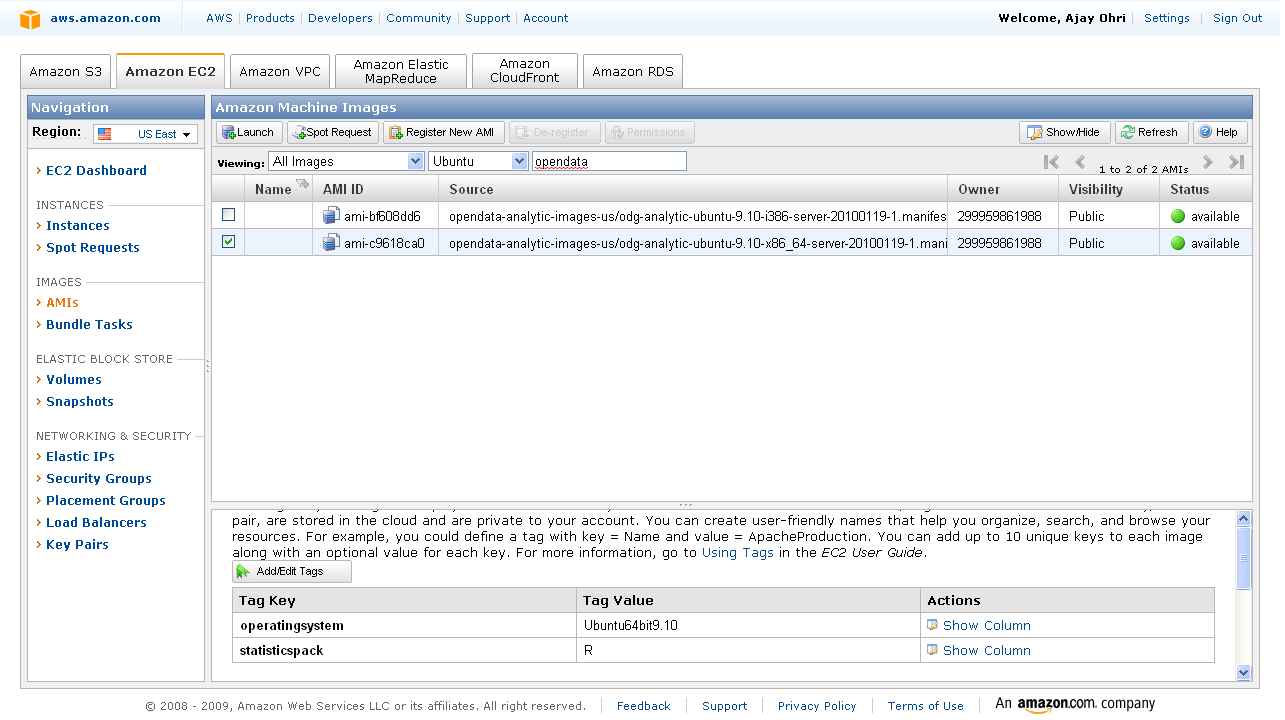
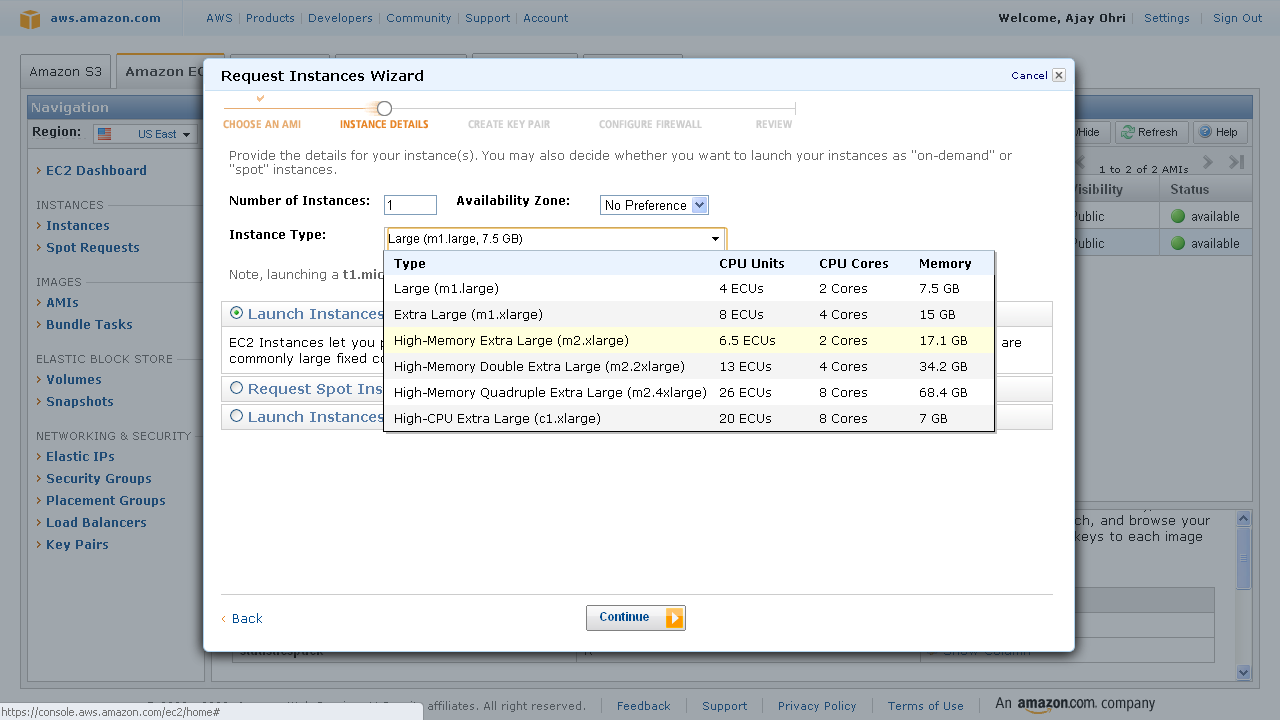
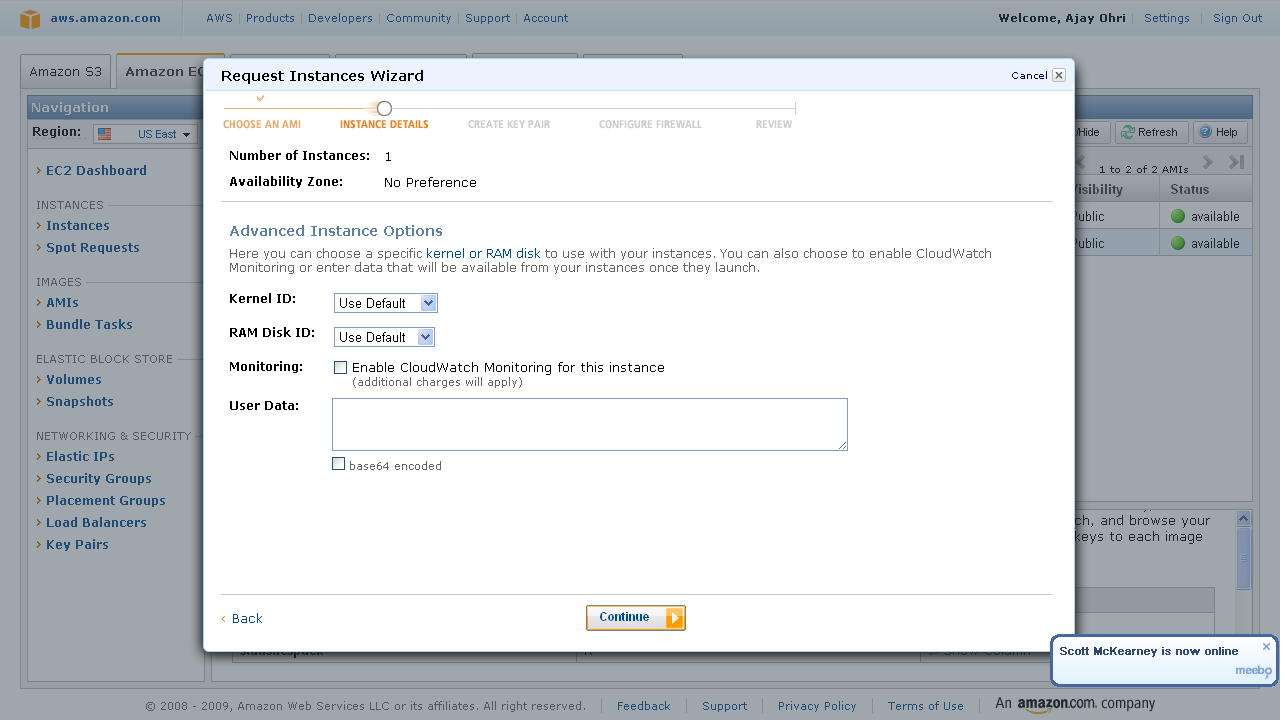
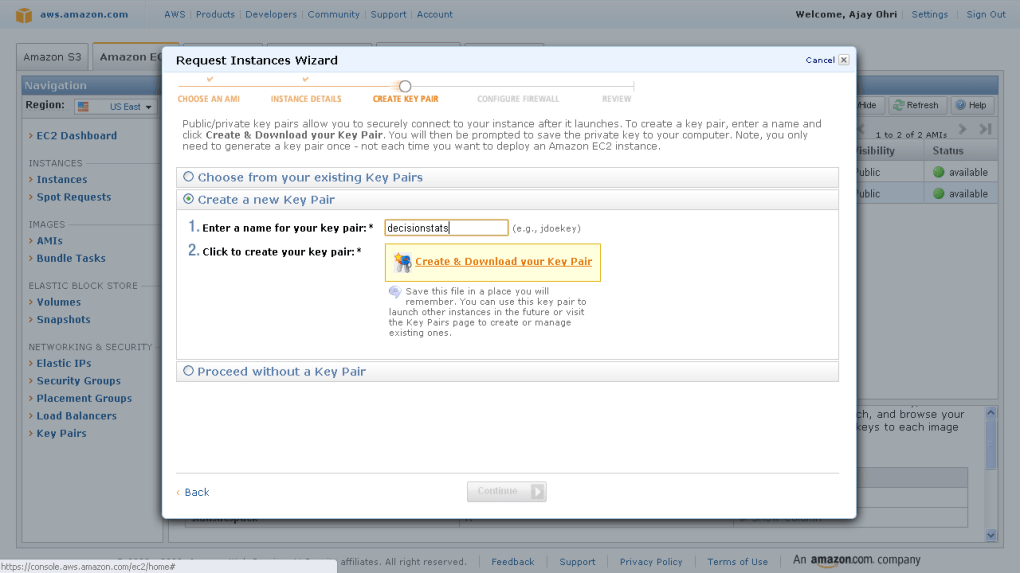
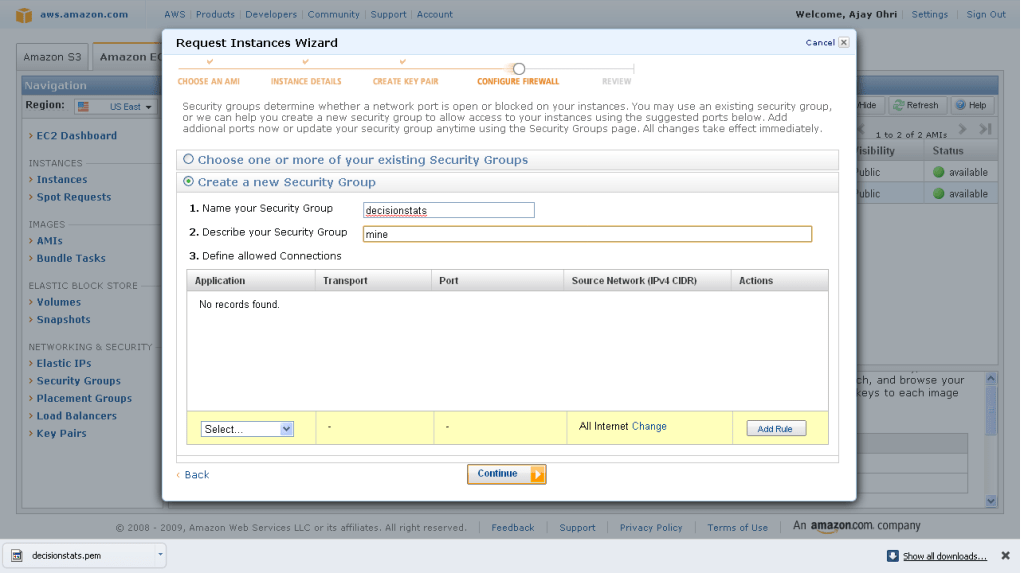
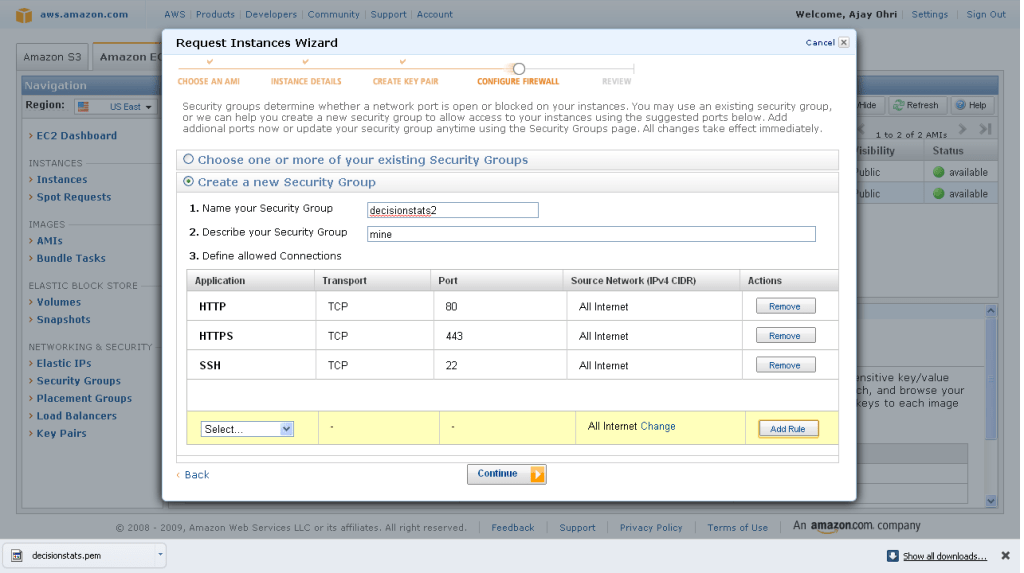
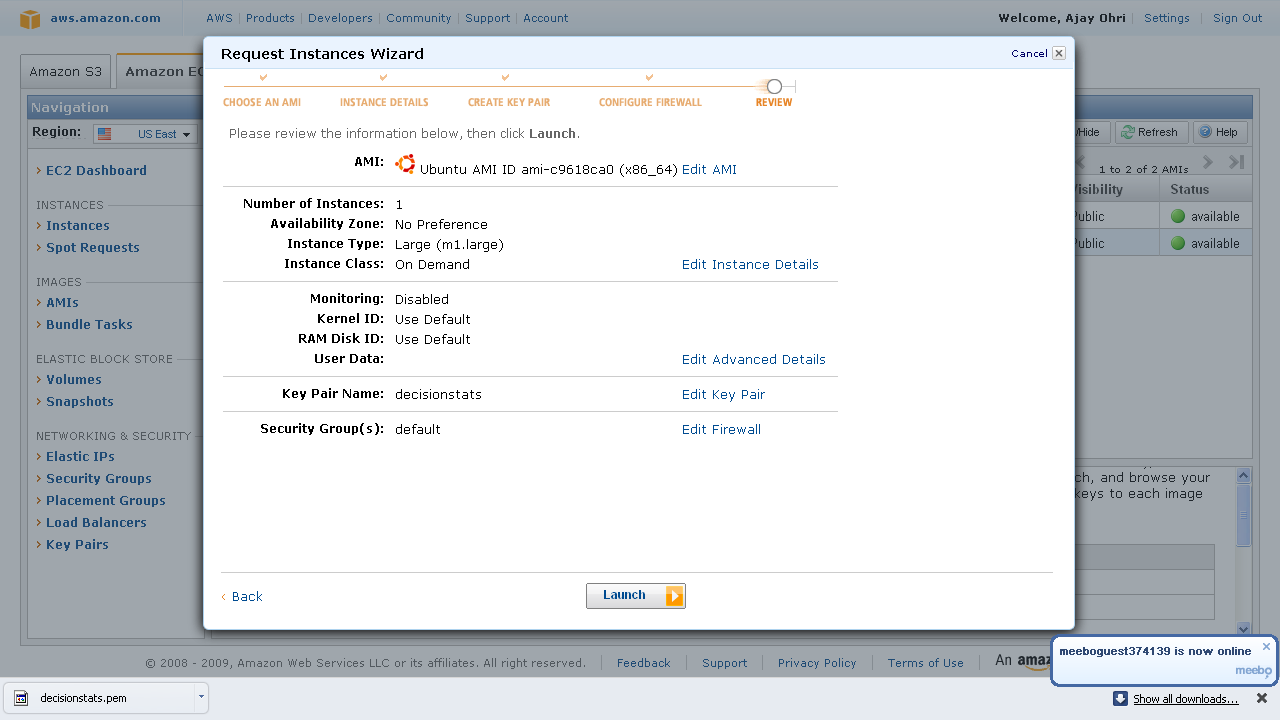
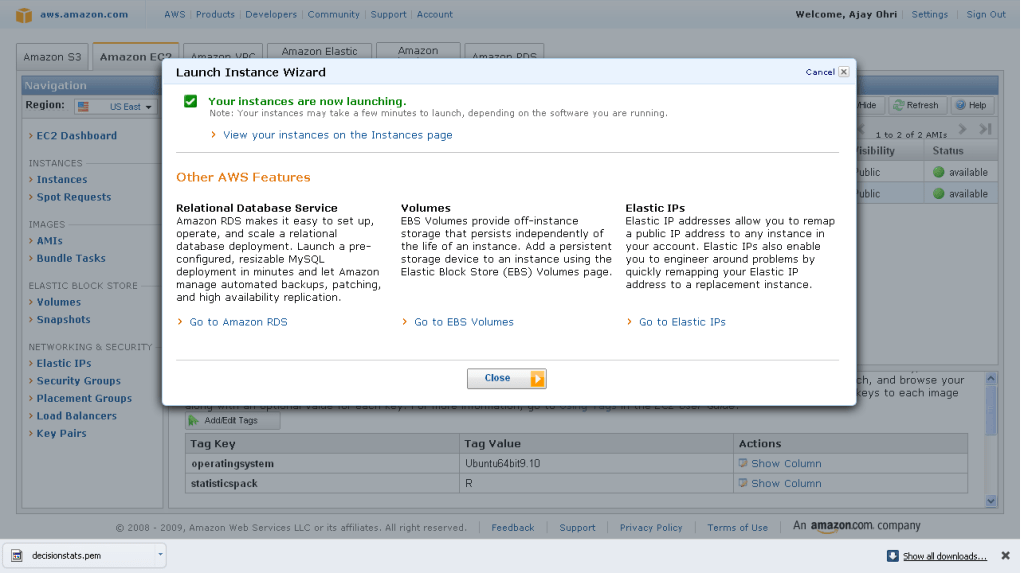
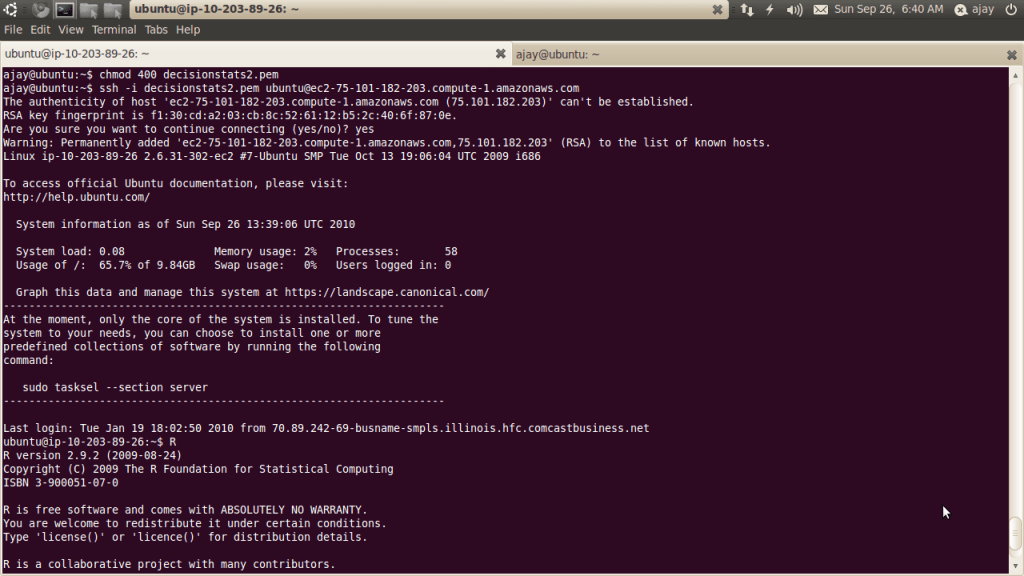
Of course R Enterprise is available on Linux but on Red Hat Enterprise Linux- it would be nice to see Amazom Machine Images as well as Ubuntu versions as well.

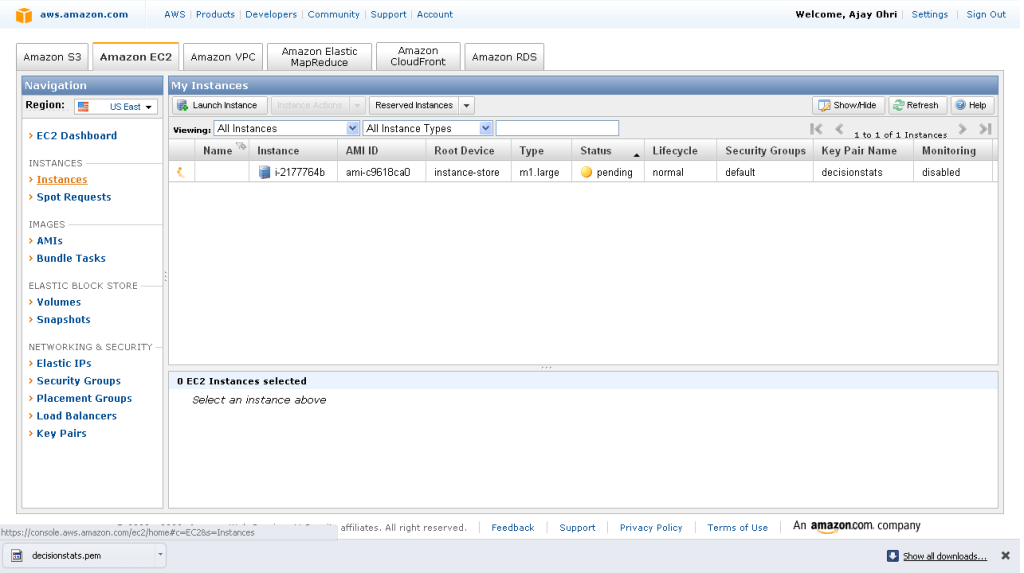
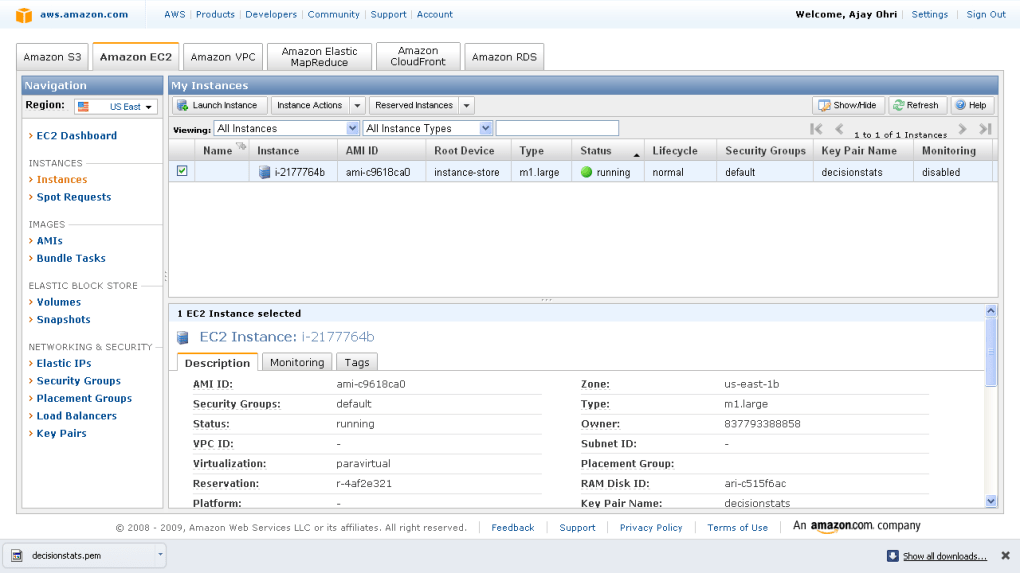
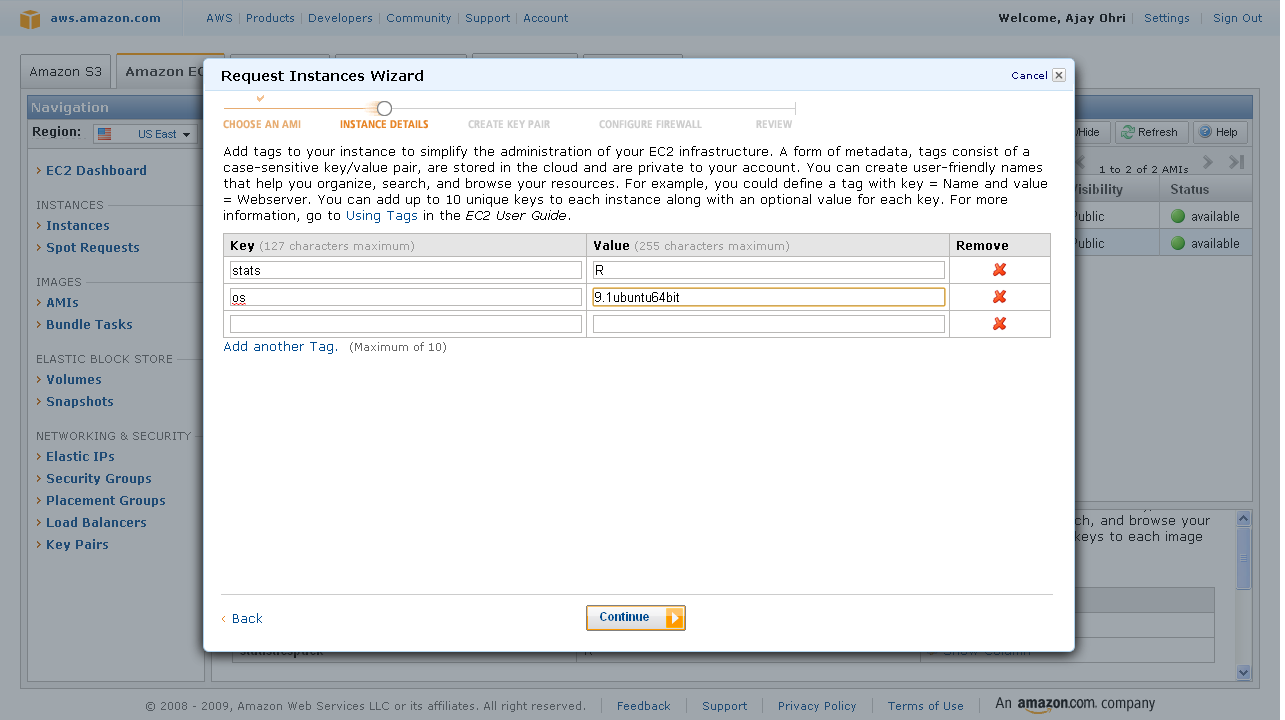
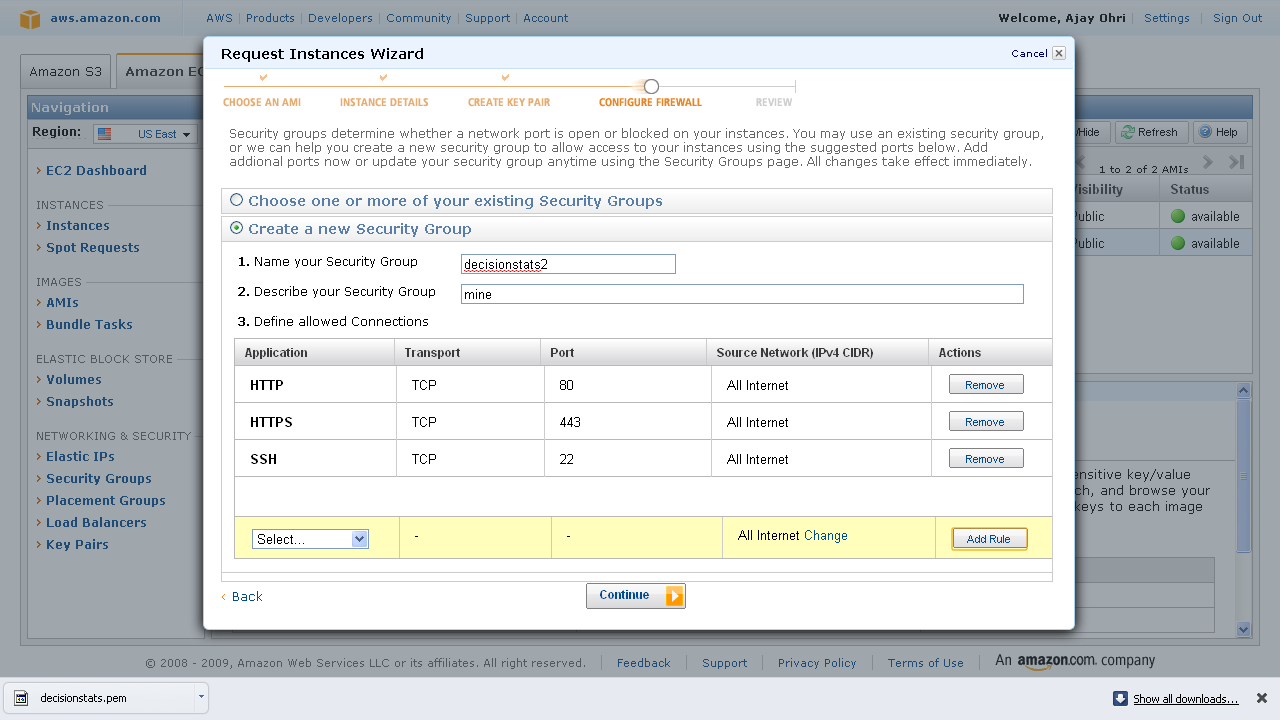
An Amazon Machine Image (AMI) is a special type of virtual appliance which is used to instantiate (create) a virtual machine within the Amazon Elastic Compute Cloud. It serves as the basic unit of deployment for services delivered using EC2.[1]

Like all virtual appliances, the main component of an AMI is a read-only filesystem image which includes an operating system (e.g., Linux, UNIX, or Windows) and any additional software required to deliver a service or a portion of it.[2]

The AMI filesystem is compressed, encrypted, signed, split into a series of 10MB chunks and uploaded into Amazon S3 for storage. An XML manifest file stores information about the AMI, including name, version, architecture, default kernel id, decryption key and digests for all of the filesystem chunks.

An AMI does not include a kernel image, only a pointer to the default kernel id, which can be chosen from an approved list of safe kernels maintained by Amazon and its partners (e.g., RedHat, Canonical, Microsoft). Users may choose kernels other than the default when booting an AMI.[3]

[edit]Types of images

  • Public: an AMI image that can be used by any one.
  • Paid: a for-pay AMI image that is registered with Amazon DevPay and can be used by any one who subscribes for it. DevPay allows developers to mark-up Amazon’s usage fees and optionally add monthly subscription fees.

Linux= Who did what and how much?

A report distributed under Creative Commons 3 and available at

That shows Canonical — the commercial arm of Ubuntu — has contributed only about one percent of the code to the GNOME desktop for Linux. while Red Hat accounts for 17 percent of the code and Novell developers are responsible for about 11 percent. That prompted some heartburn from Mark, creator- founder Cannonical/ Ubuntu at http://www.markshuttleworth.com/archives/517

And it would be a very different story if it weren’t for the Mozilla folks and Netscape before them, and GNOME and KDE, and Google and everyone else who have exercised that stack in so many different ways, making it better along the way. There are tens of thousands of people who are not in any way shape or form associated with Ubuntu, who make this story real. Many of them have been working at it for more than a decade – it takes a long time to make an overnight success :) while Ubuntu has only been on the scene six years. So Ubuntu cannot be credited solely for the delight of its users.
Nevertheless, the Ubuntu Project does bring something unique, special and important to free software: a total commitment to everyday users and use cases, the idea that free software should be “for everyone” both economically and in ease of use, and a willingness to chase down the problems that stand between here and there. I feel that commitment is a gift back to the people who built every one of those packages. If we can bring free software to ten times the audience, we have amplified the value of your generosity by a factor of ten, we have made every hour spent fixing an issue or making something amazing, ten times as valuable. I’m very proud to be spending the time and energy on Ubuntu that I do. Yes, I could do many other things, but I can’t think of another course which would have the same impact on the world.

I recognize that not everybody will feel the same way. Bringing their work to ten times the audience without contributing features might just feel like leeching, or increasing the flow of bug reports 10x. I suppose you could say that no matter how generous we are to downstream users, if upstream is only measuring code, then any generosity other than code won’t be registered. I don’t really know what to do about that – I didn’t found Ubuntu as a vehicle for getting lots of code written, that didn’t seem to me to be what the world needed.

Open source communities work like democracies with all noise whereas R and D within corporates have a stricter hierarchy. Still for all that – Ubuntu and Android have made Linux mainstream just as R has made statistical software available to all.

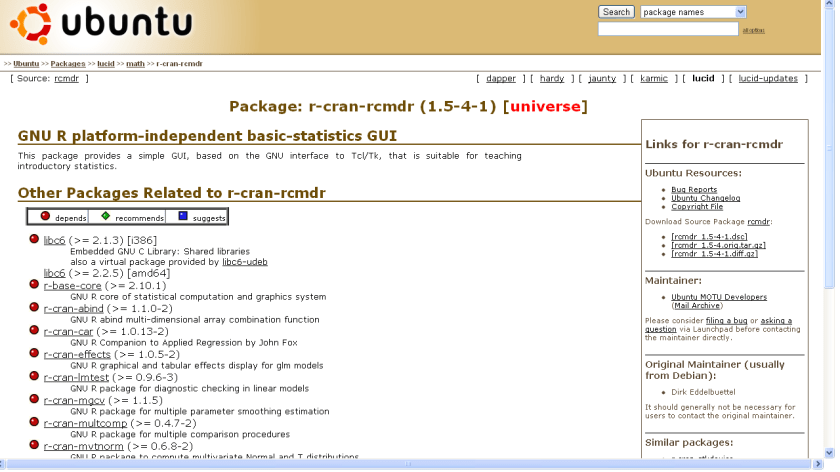
And Ubuntu also has great support for R (particularly the single click R Commander Install and Icon) available at http://packages.ubuntu.com/lucid/math/r-cran-rcmdr

Towards better analytical software

Here are some thoughts on using existing statistical software for better analytics and/or business intelligence (reporting)-

1) User Interface Design Matters- Most stats software have a legacy approach to user interface design. While the Graphical User Interfaces need to more business friendly and user friendly- example you can call a button T Test or You can call it Compare > Means of Samples (with a highlight called T Test). You can call a button Chi Square Test or Call it Compare> Counts Data. Also excessive reliance on drop down ignores the next generation advances in OS- namely touchscreen instead of mouse click and point.

Given the fact that base statistical procedures are the same across softwares, a more thoughtfully designed user interface (or revamped interface) can give softwares an edge over legacy designs.

2) Branding of Software Matters- One notable whine against SAS Institite products is a premier price. But really that software is actually inexpensive if you see other reporting software. What separates a Cognos from a Crystal Reports to a SAS BI is often branding (and user interface design). This plays a role in branding events – social media is often the least expensive branding and marketing channel. Same for WPS and Revolution Analytics.

3) Alliances matter- The alliances of parent companies are reflected in the sales of bundled software. For a complete solution , you need a database plus reporting plus analytical software. If you are not making all three of the above, you need to partner and cross sell. Technically this means that software (either DB, or Reporting or Analytics) needs to talk to as many different kinds of other softwares and formats. This is why ODBC in R is important, and alliances for small companies like Revolution Analytics, WPS and Netezza are just as important as bigger companies like IBM SPSS, SAS Institute or SAP. Also tie-ins with Hadoop (like R and Netezza appliance)  or  Teradata and SAS help create better usage.

4) Cloud Computing Interfaces could be the edge- Maybe cloud computing is all hot air. Prudent business planing demands that any software maker in analytics or business intelligence have an extremely easy to load interface ( whether it is a dedicated on demand website) or an Amazon EC2 image. Easier interfaces win and with the cloud still in early stages can help create an early lead. For R software makers this is critical since R is bad in PC usage for larger sets of data in comparison to counterparts. On the cloud that disadvantage vanishes. An easy to understand cloud interface framework is here ( its 2 years old but still should be okay) http://knol.google.com/k/data-mining-through-cloud-computing#

5) Platforms matter- Softwares should either natively embrace all possible platforms or bundle in middle ware themselves.

Here is a case study SAS stopped supporting Apple OS after Base SAS 7. Today Apple OS is strong  ( 3.47 million Macs during the most recent quarter ) and the only way to use SAS on a Mac is to do either

http://goo.gl/QAs2

or do a install of Ubuntu on the Mac ( https://help.ubuntu.com/community/MacBook ) and do this

http://ubuntuforums.org/showthread.php?t=1494027

Why does this matter? Well SAS is free to academics and students  from this year, but Mac is a preferred computer there. Well WPS can be run straight away on the Mac (though they are curiously not been able to provide academics or discounted student copies 😉 ) as per

http://goo.gl/aVKu

Does this give a disadvantage based on platform. Yes. However JMP continues to be supported on Mac. This is also noteworthy given the upcoming Chromium OS by Google, Windows Azure platform for cloud computing.

Moving Music from Ipod

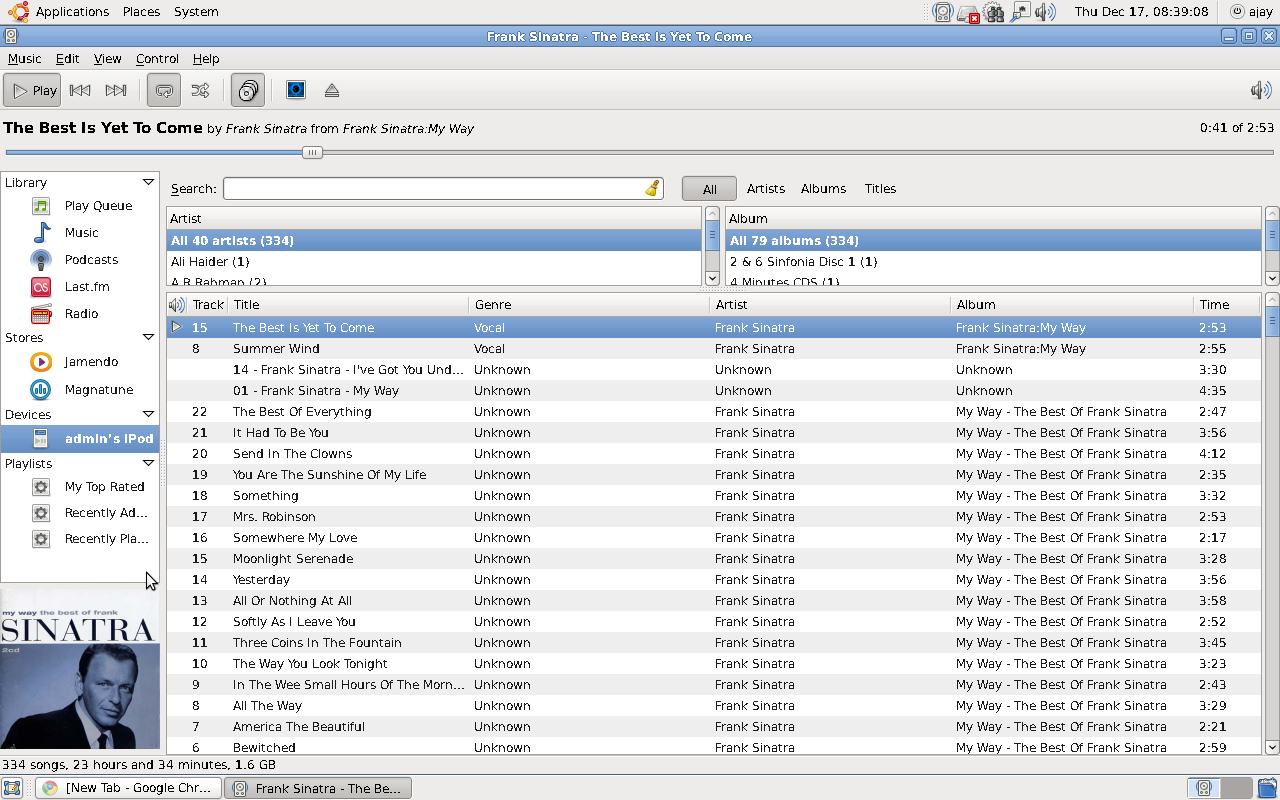
Using the Rhythmbox utility- you can move your music from your Ipod to your computer and also transfer to some other device using USB. The Method is simple-

Use your Linux Operating System ( if you have a Windows PC- you can create a dual booting application using the USB Flash Drive Netbook Remix from http://www.ubuntu.com )

Use Rhythmbox to open your IPod.

Drag and Drop the song from the Rhythmbox playlist to your device/ computer or other device after it is copied.

Note- It is not really advised to illegeally transfer music, as there are better options like streaming music already available. Try http://www.playlist.com and see right margin of the other blog I have for building the playlist using online means- www.dudeofdata.com

New Year Resolution Presentation

Here is a short clip I made using two softwares-

1) Prezi Desktop

This is an innovative single slide way of creating macromedia presentations. Recommended for offbeat new look presentations.

2) Xvidcap screencapture- For capturing and creating a video based on screen capture. This is the Linux Version of Camtasia- there is only one drawback the default rate is a bit fast- so audio and frame capture settings in a multi frame need to be tweaked.

3) I Phone- For Photography- It’s still the handiest camera around.

(Note- The Collage and Presentation are works of fiction)

WHAT I DID IN 2009 THAT I DONT WANT TO DO IN 2010

and here is a more offbeat version

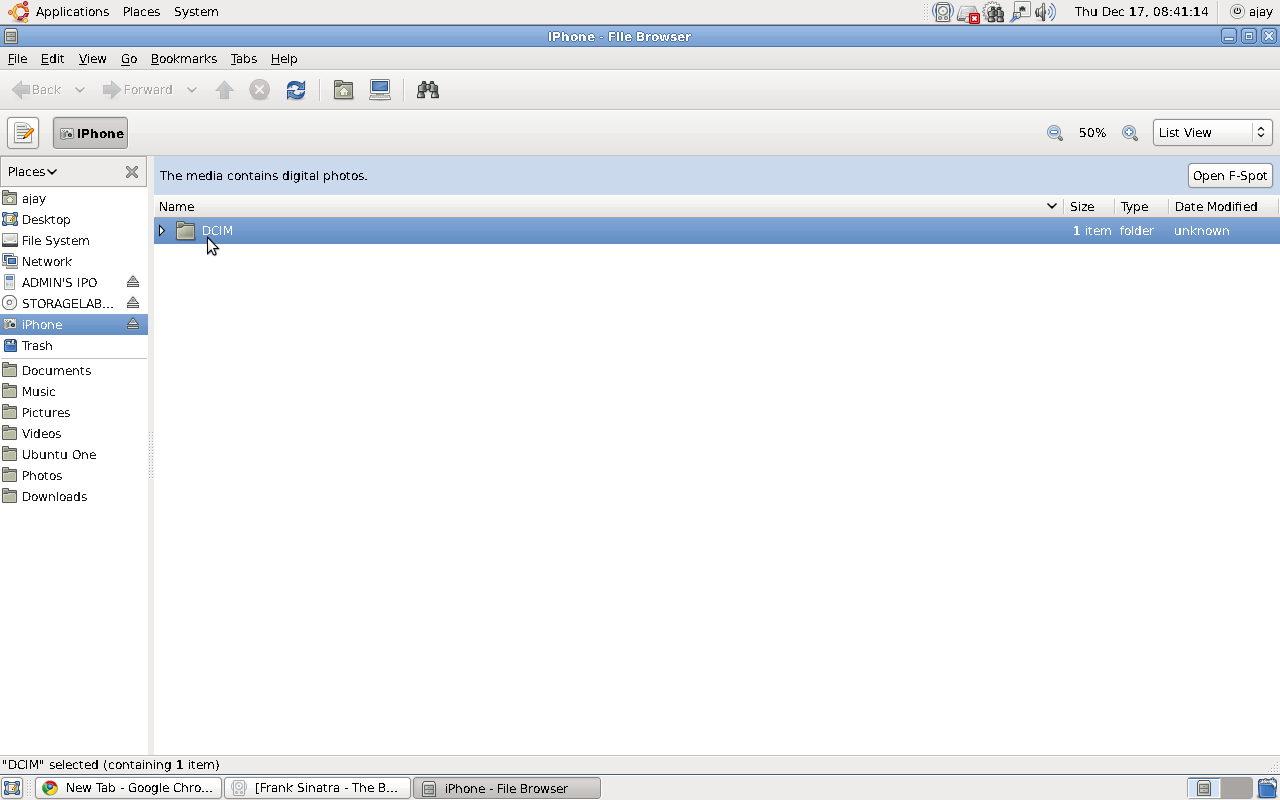
Using Ipod and Iphone with your Ubuntu Laptop

If you love your  Apple iPhone / iPod, the latest release of Ubuntu from Canonical called Karmic Koala ( the counter part to Microsoft’s Windows 7) is totally compatible for USB connection

If you love your  Apple iPhone / iPod, the latest release of Ubuntu from Canonical called Karmic Koala ( the counter part to Microsoft’s Windows 7) is totally compatible for USB connection.

Ubuntu uses Rhythmbox for playing songs and uses FSpot and Gimp for images. The audio quality is excellent ( even if you are using very old hardware like I do) and Gimp is the best image manipulation software -comparable to ones from Adobe- intuitive and easy.