LibreOffice Conference

A bit belatedly I return to my second favorite Office Productivity Software (the first being Cloud- Google Docs).

July 9, 2011

LibreOffice Conference Registration Is Open

Filed under: ConferenceMeetings — Florian Effenberger @ 20:26

The registration for the LibreOffice Conference, taking place in Paris from October 12th to 15th, is now open. Everyone interested in joining the first annual meeting of the LibreOffice community is invited to register online at

http://conference.libreoffice.org/conference-registration/

to help the organizers in planning.

The LibreOffice Conference will be the event for those interested in the development of free office productivity software, open standards, and the OpenDocument format generally, and is an exciting opportunity to meet community members, developers and hackers. It is sponsored by Cap Digital, Région Île de France, IRILL, Canonical, Google, La Mouette, Novell/SUSE, Red Hat, AF 83, Ars Aperta and Lanedo.

The Call for Papers is also open until July 22nd, and paper submissions will be reviewed by a community committee.

We look forward meeting you in the heart of France, celebrating the first year of LibreOffice, and discussing the plans for the next months.

The Steering Committee of The Document Foundation

http://conference.libreoffice.org/conference-registration/


Official LibreOffice Conference

Conference Registration

Please enter your personal data to register for Paris, Oct 12 – 15, 2011.


List of All Libre Office Announcements-

http://listarchives.documentfoundation.org/www/announce/


Review of Google Plus

After resisting for two weeks I have decided to write a Google Plus review. This includes both the changed designed parameters, the invite growth features and all of the main sub-items and activities you can do in the G+  Stream, Share, Hang Out, Pictures, Circles.

Since I have 2500 people in my circles and I am in 91 circles

To keep it simple – I have noted the following 6 main sub-points.

1) Content Dissemination-


  • Sharing Blog Articles
  • Micro-Blogging
  • Sharing Pictures

2) Online Professional Networking  and 3) Online Personal Socializing

4) Spam Control / Malware /Phishing/Porn Protection

5) Time Cost versus Networking Benefit

————————————————————————————————————————————————————–

1) Content Dissemination-

  • Sharing Blog Articles


Sharing is as simple as Facebook but the design makes it simpler.

Note G+ uses lower number of colors, bigger fonts, slightly bigger icons to reduce the appearance of clutter.

Contrast this

with this-


Interesting to see that G+ has four types of media to share- besides writing the status/micro-blog (unfettered by 140 characters). Note these show icons only with hover text to tell you what the icon stands for.

Photo,Video,URL,Location (which seems to be Twitter like in every share)

Facebook has 5 types of Sharing and note the slightly different order as well the fact that both icon and text make it slightly more cluttered- Status (which is redundant clearly ),Photo,Link,Video,Question

G+ thus lacks polls /questions features. It is much easier to share content on Facebook automatically as of now- but for G+ you need to share the URL privately though. There exist G+ meme-s already thanks to re-sharing in G+ plus which seems to be inspired by Tumblr (?).

In addition Google has made your Google Profile the number one SERP for searching your name, so there seem clear tied in benefits of SEO with content disseminated here.

G+ has sharing in circles whereas Facebook has only Everyone, Friends, Friends of Friends ,Customize.  This makes G+ interface slightly better in tweaking the spread of content to targeted audience esp by Bloggers.

  • For sharing Photos– G+ goes in for a whole new separate tab (one out of four) whereas Facebook treats photo sharing less prominently.
  • Google has lesser white space between photos, (The Facebook way used to be just snap photo by iPhone and send by email to auto-post), and the privacy in sharing photos is much better in G+ as the dropdowns in Facebook are not as granular and neither as nifty in icon design.
  •  
  • Also I like the hover and photo grows bigger feature and the auto import from Picassa (but I would like to auto-import into G+ from Flickr just as I can do in Facebook)
  • Google Plus also has a much more detailed version for sharing videos than photos as compared to Facebook  -upload Photo options  versus
  • G+ has much more focus on auto-sharing from mobiles


2) Online Professional Networking  and 3) Online Personal Socializing Organizing Contacts in Google Plus and seperate privacy controls make it easier to customize sharing without getting too complex. You can make as many circles and drag and drop very easily instead of manually clicking a dropdown box. Effectively speaking Facebook has just 4 kinds of circles and it does not distinguish between various types of friends which is great from philosophical point of view but not so goodn enforcing separateness between professional and personal networks. Note Facebook privacy settings are overwhelming despite the groovy data viz

4) Spam Control / Malware /Phishing/Porn Protection 

Spam Control in Facebook versus in Google Plus- note the different options in Google Plus (including the ability to NOT reshare). I am not aware of more enhanced protection than the ones available for Gmail already. Spam is what really killed off a lot many social networks and the ability to control or reduce spam will be a critical design choice

5) Time Cost versus Networking Benefit

Linkedin has the lowest cost in time spent and networking done. If G+ adds a resume section for jobs, recruiters, and adds in Zynga games, the benefit from G+ will expand. As of now G+ is a minimal social network with minimalism as design ethos.

(Zynga would do well to partner with G+)


Chrome

If you are new to using Chrome, there are many delightful features just beneath the surface.

If you are an Internet Explorer or Firefox or Safari or Arora or Opera or Sea Monkey browser user- this is one more reason to test, just test Chrome.

Ok so who Made chrome- (note the link i.e about:credits is what you type in chrome to see features)

about:credits

Credits

David M. Gay’s floating point routines
dynamic annotations
Netscape Portable Runtime (NSPR)
Network Security Services (NSS)
purify headers
google-glog’s symbolization library
valgrind
xdg-mime
xdg-user-dirs
google-jstemplateshow licensehomepage
Launchpad Translationsshow licensehomepage
Mozilla Personal Security Managershow licensehomepage
Google Toolbox for Macshow licensehomepage
ActiveX Scripting SDKshow licensehomepage
Almost Native Graphics Layer Engineshow licensehomepage
Apple sample codeshow licensehomepage
Google Cache Invalidation APIshow licensehomepage
Compact Language Detectionshow licensehomepage
OpenGL ES 2.0 Programming Guideshow licensehomepage
OpenGL ES 2.0 Conformance Testsshow licensehomepage
hunspell dictionariesshow licensehomepage
IAccessible2 COM interfaces for accessibilityshow licensehomepage
Chinese and Japanese Word Listshow licensehomepage
ISimpleDOM COM interfaces for accessibilityshow licensehomepage
modp base64 decodershow licensehomepage
NSBezierPath additions from Sean Patrick O’Brienshow licensehomepage
Cocoa extension code from Caminoshow licensehomepage
OTS (OpenType Sanitizer)show licensehomepage
Google Safe Browsingshow licensehomepage
XUL Runner SDKshow licensehomepage
and of course
so thats who made chrome.
  • Will Google be able to monetize Chrome the way it has monetized Android (Atleast by locking in both search,computing and browsing platforms)? I like the Adblock extension- and I would be happy to see more paid extensions. or even two versions one free and other freer (in choice) browsers for ads /security etc. maybe even a premium paid browser which has tor embedded in it , adblock enabled in it, and encrypted chat (like Waste Again) as an extension…. Hmm Hmm Hmm There is a SOCIAL version of Chromium called Rockmelt used ironically by Google Social Nemesis -Facebook (see http://blogs.ft.com/fttechhub/2011/06/facebook-partners-with-rockmelt-on-building-a-social-web-browser/)
  • Will Google share more revenue with open source contributors and thus create a new path in open source revenue generation just like it did with online advertising as an industry? Hmm Hmm Hmm. or Will Facebook continue to lead the way with extensions and applications (which did predate the mobile app place- so thats one innovation u gotta give to Zuk’s boys 😉
Back to Chrome-
To change settings- chrome://settings/browser
but to check what Autofill Data is stored within chrome (thats your credit card and your web form information)
chrome://settings/autofill and chrome://settings/content has all your content settings
Well Chrome is very very secure, or as secure as a browser can be in 2011.
You can set up Google Sync to keep all your data in the cloud, and it has an application specific password as well.
So hopefully you will have much more fun enjoying hacking Chromium 😉
See these

Interview with Rob La Gesse Chief Disruption Officer Rackspace

Here is an interview with Rob La Gesse ,Chief Disruption Officer ,Rackspace Hosting.
Ajay- Describe your career  journey from not finishing college to writing software to your present projects?
Rob- I joined the Navy right out of High School. I had neither the money for college, or a real desire for it. I had several roles in the Navy, to include a Combat Medic station with the US Marine Corps and eventually becoming a Neonatal Respiratory Therapist.

After the Navy I worked as a Respiratory Therapist, a roofer, and I repaired print shop equipment. Basically whatever it took to make a buck or two.  Eventually I started selling computers.  That led me to running a multi-line dial-up BBS and I taught myself how to program.  Eventually that led to a job with a small engineering company where we developed WiFi.

After the WiFi project I started consulting on my own.  I used Rackspace to host my clients, and eventually they hired me.  I’ve been here almost three years and have held several roles. I currently manage Social Media, building 43 and am involved in several other projects such as the Rackspace Startup Program.

Ajay-  What is building43 all about ?

Rob- Building43 is a web site devoted to telling the stories behind technology startups. Basically, after we hired Robert Scoble and Rocky Barbanica we were figuring out how best we could work with them to both highlight Rackspace and customers.  That idea expanded beyond customers to highlighting anyone doing something incredible in the technology industry – mostly software startups.  We’ve had interviews with people like Mark Zuckerberg, CEO and Founder of FaceBook.  We’ve broken some news on the site, but it isn’t really a news site. It is a story telling site.

Rackspace has met some amazing new customers through the relationships that started with an interview.

Ajay-  How is life as Robert Scoble’s boss. Is he an easy guy to work with? Does he have super powers while he types?

Rob- Robert isn’t much different to manage than the rest of my employees. He is a person – no super powers.  But he does establish a unique perspective on things because he gets to see so much new technology early.  Often earlier than almost anyone else. It helps him to spot trends that others might not be seeing yet.
Ajay – Hosting companies are so so many. What makes Rackspace special for different kinds of customers?
Rob- I think what we do better than anyone is add that human touch – the people really care about your business.  We are a company that is focused on building one of the greatest service companies on the planet.  We sell support.  Hosting is secondary to service. Our motto is Fanatic Support®

and we actually look for people focused on delivering amazing customer experiences during our interviewing and hiring practices. People that find a personal sense of pride and reward by helping others should apply at
Rackspace.  We are hiring like crazy!

Ajay – Where do you see technology and the internet 5 years down the line? (we will visit the answers in 5 years 🙂 )?
Rob- I think the shift to Cloud computing is going to be dramatic.  I think in five years we will be much further down that path.  The scaling, cost-effectiveness, and on-demand nature of the Cloud are just too compelling for companies not to embrace. This changes business in fundamental ways – lower capital expenses, no need for in house IT staff, etc will save companies a lot of money and let them focus more on their core businesses. Computing will become another utility.  I also think mobile use of computing will be much more common than it is today.  And it is VERY common today.  Phones will replace car keys and credit cards (they already are). This too will drive use of Cloud computing  because we all want our data wherever we are – on whatever computing device we happen tobe using.
Ajay- GoDaddy CEO shoots elephants. What do you do in your  spare time, if any.
Rob- Well, I don’t hunt.  We do shoot a lot of video though! I enjoy playing poker, specifically Texas Hold ’em.  It is a very people oriented game, and people are my passion.

Brief Biography- (in his own words from http://www.lagesse.org/about/)

My technical background includes working on the development of WiFi, writing wireless applications for the Apple Newton, mentoring/managing several software-based start-ups, running software quality assurance teams and more. In 2008 I joined Rackspace as an employee – a “Racker”.  I was previously a 7 year customer and the company impressed me. My initial role was as Director of Software Development for the Rackspace Cloud.  It was soon evident that I was better suited to a customer facing role since I LOVE talking to customers. I am currently the Director of Customer Development Chief Disruption Officer.  I manage building43 and enjoy working with Robert Scoble and Rocky Barbanica to make that happen.  The org chart says they work for me.  Reality tells me the opposite :)

Go take a look – I’m proud of what we are building there (pardon the pun!).

I do a lot of other stuff at Rackspace – mostly because they let me!  I love a company that lets me try. Rackspace does that.Going further back, I have been a Mayor (in Hawaii). I have written successful shareware software. I have managed employees all over the world. I have been all over the world. I have also done roofing, repaired high end print-shop equipment, been a Neonatal Respiratory Therapist, done CPR on a boat, in a plane, and in a hardware store (and of course in hospitals).

I have treated jumpers from the Golden Gate Bridge – and helped save a few. I have lived in Illinois (Kankakee), California (San Diego, San Francisco and Novato), Texas (Corpus Christi and San Antonio), Florida (Pensacola and Palm Bay), Hawaii (Honolulu/Fort Shafter) and several other places for shorter durations.

For the last 8+ years I have been a single parent – and have done an amazing job (yes, I am a proud papa) thanks to having great kids.  They are both in College now – something I did NOT manage to accomplish. I love doing anything someone thinks I am not qualified to do.

I can be contacted at rob (at) lagesse (dot) org

you can follow Rob at http://twitter.com/kr8tr

Scholarships for students via #rstatsjobs and R-lings

A vector drawing of the University of York coa...
Image via Wikipedia

Outstandingly attractive scholarships are available for students willing to travel to Yorkshire. Thats where the Battle of Roses was fought by the British Royal Family.

see http://en.wikipedia.org/wiki/Wars_of_the_Roses

Emphasis  and spaces in email above are made by me.

Message from Dr Top i   bell ow-


It is not New York but very old York, in the North of England.

The scholarships carry a tax-free stipend and financial assistance will be
given for travel expenses to and from York. Accommodation for successful
students is available on the University of York Campus.

For information about the tax-free stipend please write to
scholarships@yccsa.org.

Continue reading “Scholarships for students via #rstatsjobs and R-lings”

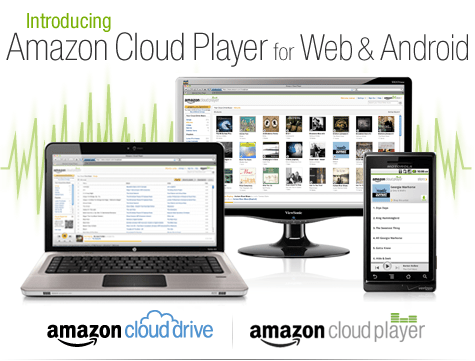
iTunes finally gets some competition ?- Amazon Cloud Player


An interesting development is Amazon’s Cloud Player (though Cannonical may be credited for thinking of the idea first for Ubuntu One). Since Ubuntu One is dependent on the OS (and not the browser) this makes Amazon \s version more of a  mobile Cloud Player (as it seems to be an Android app and not an app that is independent of any platform, os or browser.

Since Android and Ubuntu are both Linux flavors, I am not sure if Cannonical has an exiting mobile app for Ubuntu One. Apple’s cloud plans also seems kind of ambiguous compared to Microsoft (Azure et al)

I guess we will have to wait for a true Cloud player.


http://www.amazon.com/b/ref=tsm_1_tw_s_dm_liujd5?node=2658409011&tag=cloudplayer-20

How to Get Started with Cloud Drive and Cloud Player


Step 1. Add music to Cloud Drive

Purchase a song or album from the Amazon MP3 Store and click the Save to Amazon Cloud Drive button when your purchase is complete. Your purchase will be saved for free.


Step 2. Play your music in Cloud Player for Web

Click the Launch Amazon Cloud Player button to start listening to your purchase. Add more music from your library by clicking theUpload to Cloud Drive button from the Cloud Player screen. Start with 5 GB of free Cloud Drive storage. Upgrade to 20 GB with an MP3 album purchase (see details). Use Cloud Player to browse and search your library, create playlists, and download to your computer.


Step 3. Enjoy your music on the go with Cloud Player for Android

Install the Amazon MP3 for Android app to use Cloud Player on your Android device. Shop the full Amazon MP3 store, save your purchases to Cloud Drive, stream your Cloud Player library, and download to your device right from your Android phone or tablet.

compare this with

https://one.ubuntu.com/music/

A cloud-enabled music store

The Ubuntu One Music Store is integrated with the Ubuntu One service making it a cloud-enabled digital music store. All purchases are transferred to your Ubuntu One personal cloud for safe storage and then conveniently downloaded to your synchronizing computers. And don’t worry aboutgoing over your storage quota with music purchases. You won’t need to pay more for personal cloud storage of music purchased from the Ubuntu One Music Store.

An Ubuntu One subscription is required to purchase music from the Ubuntu One Music Store. Choose from either the free 2 GB option or the 50 GB plan for $10 (USD) per month to synchronize more of your digital life.

5 regional stores and more in the works

  • The Ubuntu One Music requires Ubuntu 10.04 LTS and offers digital music through five regional stores.
  • The US, UK, and Germany stores offer music from all major and independent labels.
  • The EU store serves most of the EU member countries (2) and offers music from fewer major label artists.
  • The World store offers only independent label music and serves the countries not covered by the other regional stores.