#SAS 9.3 and #Rstats 2.13.1 Released

A bit early but the latest editions of both SAS and R were released last week.

SAS 9.3 is clearly a major release with multiple enhancements to make SAS both relevant and pertinent in enterprise software in the age of big data. Also many more R specific, JMP specific and partners like Teradata specific enhancements.

http://support.sas.com/software/93/index.html

Features

Data management

  • Enhanced manageability for improved performance
  • In-database processing (EL-T pushdown)
  • Enhanced performance for loading oracle data
  • New ET-L transforms
  • Data access

Data quality

  • SAS® Data Integration Server includes DataFlux® Data Management Platform for enhanced data quality
  • Master Data Management (DataFlux® qMDM)
    • Provides support for master hub of trusted entity data.

Analytics

  • SAS® Enterprise Miner™
    • New survival analysis predicts when an event will happen, not just if it will happen.
    • New rate making capability for insurance predicts optimal insurance premium for individuals based on attributes known at application time.
    • Time Series Data Mining node (experimental) applies data mining techniques to transactional, time-stamped data.
    • Support Vector Machines node (experimental) provides a supervised machine learning method for prediction and classification.
  • SAS® Forecast Server
    • SAS Forecast Server is integrated with the SAP APO Demand Planning module to provide SAP users with access to a superior forecasting engine and automatic forecasting capabilities.
  • SAS® Model Manager
    • Seamless integration of R models with the ability to register and manage R models in SAS Model Manager.
    • Ability to perform champion/challenger side-by-side comparisons between SAS and R models to see which model performs best for a specific need.
  • SAS/OR® and SAS® Simulation Studio
    • Optimization
    • Simulation
      • Automatic input distribution fitting using JMP with SAS Simulation Studio.

Text analytics

  • SAS® Text Miner
  • SAS® Enterprise Content Categorization
  • SAS® Sentiment Analysis

Scalability and high-performance

  • SAS® Analytics Accelerator for Teradata (new product)
  • SAS® Grid Manager
 and latest from http://www.r-project.org/ I was a bit curious to know why the different licensing for R now (from GPL2 to GPL2- GPL 3)

LICENCE:

No parts of R are now licensed solely under GPL-2. The licences for packages rpart and survival have been changed, which means that the licence terms for R as distributed are GPL-2 | GPL-3.


This is a maintenance release to consolidate various minor fixes to 2.13.0.
CHANGES IN R VERSION 2.13.1:

  NEW FEATURES:

    • iconv() no longer translates NA strings as "NA".

    • persp(box = TRUE) now warns if the surface extends outside the
      box (since occlusion for the box and axes is computed assuming
      the box is a bounding box). (PR#202.)

    • RShowDoc() can now display the licences shipped with R, e.g.
      RShowDoc("GPL-3").

    • New wrapper function showNonASCIIfile() in package tools.

    • nobs() now has a "mle" method in package stats4.

    • trace() now deals correctly with S4 reference classes and
      corresponding reference methods (e.g., $trace()) have been added.

    • xz has been updated to 5.0.3 (very minor bugfix release).

    • tools::compactPDF() gets more compression (usually a little,
      sometimes a lot) by using the compressed object streams of PDF
      1.5.

    • cairo_ps(onefile = TRUE) generates encapsulated EPS on platforms
      with cairo >= 1.6.

    • Binary reads (e.g. by readChar() and readBin()) are now supported
      on clipboard connections.  (Wish of PR#14593.)

    • as.POSIXlt.factor() now passes ... to the character method
      (suggestion of Joshua Ulrich).  [Intended for R 2.13.0 but
      accidentally removed before release.]

    • vector() and its wrappers such as integer() and double() now warn
      if called with a length argument of more than one element.  This
      helps track down user errors such as calling double(x) instead of
      as.double(x).

  INSTALLATION:

    • Building the vignette PDFs in packages grid and utils is now part
      of running make from an SVN checkout on a Unix-alike: a separate
      make vignettes step is no longer required.

      These vignettes are now made with keep.source = TRUE and hence
      will be laid out differently.

    • make install-strip failed under some configuration options.

    • Packages can customize non-standard installation of compiled code
      via a src/install.libs.R script. This allows packages that have
      architecture-specific binaries (beyond the package's shared
      objects/DLLs) to be installed in a multi-architecture setting.

  SWEAVE & VIGNETTES:

    • Sweave() and Stangle() gain an encoding argument to specify the
      encoding of the vignette sources if the latter do not contain a
      \usepackage[]{inputenc} statement specifying a single input
      encoding.

    • There is a new Sweave option figs.only = TRUE to run each figure
      chunk only for each selected graphics device, and not first using
      the default graphics device.  This will become the default in R
      2.14.0.

    • Sweave custom graphics devices can have a custom function
      foo.off() to shut them down.

    • Warnings are issued when non-portable filenames are found for
      graphics files (and chunks if split = TRUE).  Portable names are
      regarded as alphanumeric plus hyphen, underscore, plus and hash
      (periods cause problems with recognizing file extensions).

    • The Rtangle() driver has a new option show.line.nos which is by
      default false; if true it annotates code chunks with a comment
      giving the line number of the first line in the sources (the
      behaviour of R >= 2.12.0).

    • Package installation tangles the vignette sources: this step now
      converts the vignette sources from the vignette/package encoding
      to the current encoding, and records the encoding (if not ASCII)
      in a comment line at the top of the installed .R file.

  DEPRECATED AND DEFUNCT:

    • The internal functions .readRDS() and .saveRDS() are now
      deprecated in favour of the public functions readRDS() and
      saveRDS() introduced in R 2.13.0.

    • Switching off lazy-loading of code _via_ the LazyLoad field of
      the DESCRIPTION file is now deprecated.  In future all packages
      will be lazy-loaded.

    • The off-line help() types "postscript" and "ps" are deprecated.

  UTILITIES:

    • R CMD check on a multi-architecture installation now skips the
      user's .Renviron file for the architecture-specific tests (which
      do read the architecture-specific Renviron.site files).  This is
      consistent with single-architecture checks, which use
      --no-environ.

    • R CMD build now looks for DESCRIPTION fields BuildResaveData and
      BuildKeepEmpty for per-package overrides.  See ‘Writing R
      Extensions’.

  BUG FIXES:

    • plot.lm(which = 5) was intended to order factor levels in
      increasing order of mean standardized residual.  It ordered the
      factor labels correctly, but could plot the wrong group of
      residuals against the label.  (PR#14545)

    • mosaicplot() could clip the factor labels, and could overlap them
      with the cells if a non-default value of cex.axis was used.
      (Related to PR#14550.)

    • dataframe[[row,col]] now dispatches on [[ methods for the
      selected column (spotted by Bill Dunlap).

    • sort.int() would strip the class of an object, but leave its
      object bit set.  (Reported by Bill Dunlap.)

    • pbirthday() and qbirthday() did not implement the algorithm
      exactly as given in their reference and so were unnecessarily
      inaccurate.

      pbirthday() now solves the approximate formula analytically
      rather than using uniroot() on a discontinuous function.

      The description of the problem was inaccurate: the probability is
      a tail probablity (‘2 _or more_ people share a birthday’)

    • Complex arithmetic sometimes warned incorrectly about producing
      NAs when there were NaNs in the input.

    • seek(origin = "current") incorrectly reported it was not
      implemented for a gzfile() connection.

    • c(), unlist(), cbind() and rbind() could silently overflow the
      maximum vector length and cause a segfault.  (PR#14571)

    • The fonts argument to X11(type = "Xlib") was being ignored.

    • Reading (e.g. with readBin()) from a raw connection was not
      advancing the pointer, so successive reads would read the same
      value.  (Spotted by Bill Dunlap.)

    • Parsed text containing embedded newlines was printed incorrectly
      by as.character.srcref().  (Reported by Hadley Wickham.)

    • decompose() used with a series of a non-integer number of periods
      returned a seasonal component shorter than the original series.
      (Reported by Rob Hyndman.)

    • fields = list() failed for setRefClass().  (Reported by Michael
      Lawrence.)

    • Reference classes could not redefine an inherited field which had
      class "ANY". (Reported by Janko Thyson.)

    • Methods that override previously loaded versions will now be
      installed and called.  (Reported by Iago Mosqueira.)

    • addmargins() called numeric(apos) rather than
      numeric(length(apos)).

    • The HTML help search sometimes produced bad links.  (PR#14608)

    • Command completion will no longer be broken if tail.default() is
      redefined by the user. (Problem reported by Henrik Bengtsson.)

    • LaTeX rendering of markup in titles of help pages has been
      improved; in particular, \eqn{} may be used there.

    • isClass() used its own namespace as the default of the where
      argument inadvertently.

    • Rd conversion to latex mis-handled multi-line titles (including
      cases where there was a blank line in the \title section).
Also see this interesting blog
Examples of tasks replicated in SAS and R

Contribution to #Rstats by Revolution

I have been watching for Revolution Analytics product almost since the inception of the company. It has managed to sail over storms, naysayers and critics with simple and effective strategy of launching good software, making good partnerships and keeping up media visibility with white papers, joint webinars, blogs, conferences and events.

However this is a listing of all technical contributions made by Revolution Analytics products to the #rstats project.

1) Useful Packages mostly in parallel processing or more efficient computing like


2) RevoScaler package to beat R’s memory problem (this is probably the best in my opinion as it is yet to be replicated by the open source version and is a clear cut reason for going in for the paid version)

http://www.revolutionanalytics.com/products/enterprise-big-data.php

  • Efficient XDF File Format designed to efficiently handle huge data sets.
  • Data Step Functionality to quickly clean, transform, explore, and visualize huge data sets.
  • Data selection functionality to store huge data sets out of memory, and select subsets of rows and columns for in-memory operation with all R functions.
  • Visualize Large Data sets with line plots and histograms.
  • Built-in Statistical Algorithms for direct analysis of huge data sets:
    • Summary Statistics
    • Linear Regression
    • Logistic Regression
    • Crosstabulation
  • On-the-fly data transformations to include derived variables in models without writing new data files.
  • Extend Existing Analyses by writing user- defined R functions to “chunk” through huge data sets.
  • Direct import of fixed-format text data files and SAS data sets into .xdf format


3) RevoDeploy R for  API based R solution – I somehow think this feature will get more important as time goes on but it seems a lower visibility offering right now.

http://www.revolutionanalytics.com/products/enterprise-deployment.php

  • Collection of Web services implemented as a RESTful API.
  • JavaScript and Java client libraries, allowing users to easily build custom Web applications on top of R.
  • .NET Client library — includes a COM interoperability to call R from VBA
  • Management Console for securely administrating servers, scripts and users through HTTP and HTTPS.
  • XML and JSON format for data exchange.
  • Built-in security model for authenticated or anonymous invocation of R Scripts.
  • Repository for storing R objects and R Script execution artifacts.


4) Revolutions IDE (or Productivity Environment) for a faster coding environment than command line. The GUI by Revolution Analytics is in the works. – Having used this- only the Code Snippets function is a clear differentiator from newer IDE and GUI. The code snippets is awesome though and even someone who doesnt know much R can get analysis set up quite fast and accurately.

http://www.revolutionanalytics.com/products/enterprise-productivity.php

  • Full-featured Visual Debugger for debugging R scripts, with call stack window and step-in, step-over, and step-out capability.
  • Enhanced Script Editor with hover-over help, word completion, find-across-files capability, automatic syntax checking, bookmarks, and navigation buttons.
  • Run Selection, Run to Line and Run to Cursor evaluation
  • R Code Snippets to automatically generate fill-in-the-blank sections of R code with tooltip help.
  • Object Browser showing available data and function objects (including those in packages), with context menus for plotting and editing data.
  • Solution Explorer for organizing, viewing, adding, removing, rearranging, and sourcing R scripts.
  • Customizable Workspace with dockable, floating, and tabbed tool windows.
  • Version Control Plug-in available for the open source Subversion version control software.


Marketing contributions from Revolution Analytics-

1) Sponsoring R sessions and user meets

2) Evangelizing R at conferences  and partnering with corporate partners including JasperSoft, Microsoft , IBM and others at http://www.revolutionanalytics.com/partners/

3) Helping with online initiatives like http://www.inside-r.org/ (which is curiously dormant and now largely superseded by R-Bloggers.com) and the syntax highlighting tool at http://www.inside-r.org/pretty-r. In addition Revolution has been proactive in reaching out to the community

4) Helping pioneer blogging about R and Twitter Hash tag discussions , and contributing to Stack Overflow discussions. Within a short while, #rstats online community has overtaken a lot more established names- partly due to decentralized nature of its working.


Did I miss something out? yes , they share their code by GPL.


Let me know by feedback

Analytics 2011 Conference

From http://www.sas.com/events/analytics/us/

The Analytics 2011 Conference Series combines the power of SAS’s M2010 Data Mining Conference and F2010 Business Forecasting Conference into one conference covering the latest trends and techniques in the field of analytics. Analytics 2011 Conference Series brings the brightest minds in the field of analytics together with hundreds of analytics practitioners. Join us as these leading conferences change names and locations. At Analytics 2011, you’ll learn through a series of case studies, technical presentations and hands-on training. If you are in the field of analytics, this is one conference you can’t afford to miss.

Conference Details

October 24-25, 2011
Grande Lakes Resort
Orlando, FL

Analytics 2011 topic areas include:

Amazon Ec2 goes Red Hat

message from Amazing Amazon’s cloud team- this will also help for #rstats users given that revolution Analytics full versions on RHEL.

—————————————————-

on-demand instances of Amazon EC2 running Red Hat Enterprise Linux (RHEL) for as little as $0.145 per instance hour. The offering combines the cost-effectiveness, scalability and flexibility of running in Amazon EC2 with the proven reliability of Red Hat Enterprise Linux.

Highlights of the offering include:

  • Support is included through subscription to AWS Premium Support with back-line support by Red Hat
  • Ongoing maintenance, including security patches and bug fixes, via update repositories available in all Amazon EC2 regions
  • Amazon EC2 running RHEL currently supports RHEL 5.5, RHEL 5.6, RHEL 6.0 and RHEL 6.1 in both 32 bit and 64 bit formats, and is available in all Regions.
  • Customers who already own Red Hat licenses will continue to be able to use those licenses at no additional charge.
  • Like all services offered by AWS, Amazon EC2 running Red Hat Enterprise Linux offers a low-cost, pay-as-you-go model with no long-term commitments and no minimum fees.

For more information, please visit the Amazon EC2 Red Hat Enterprise Linux page.

which is

Amazon EC2 Running Red Hat Enterprise Linux

Amazon EC2 running Red Hat Enterprise Linux provides a dependable platform to deploy a broad range of applications. By running RHEL on EC2, you can leverage the cost effectiveness, scalability and flexibility of Amazon EC2, the proven reliability of Red Hat Enterprise Linux, and AWS premium support with back-line support from Red Hat.. Red Hat Enterprise Linux on EC2 is available in versions 5.5, 5.6, 6.0, and 6.1, both in 32-bit and 64-bit architectures.

Amazon EC2 running Red Hat Enterprise Linux provides seamless integration with existing Amazon EC2 features including Amazon Elastic Block Store (EBS), Amazon CloudWatch, Elastic-Load Balancing, and Elastic IPs. Red Hat Enterprise Linux instances are available in multiple Availability Zones in all Regions.

Sign Up

Pricing

Pay only for what you use with no long-term commitments and no minimum fee.

On-Demand Instances

On-Demand Instances let you pay for compute capacity by the hour with no long-term commitments.

Region:US – N. VirginiaUS – N. CaliforniaEU – IrelandAPAC – SingaporeAPAC – Tokyo
Standard Instances Red Hat Enterprise Linux
Small (Default) $0.145 per hour
Large $0.40 per hour
Extra Large $0.74 per hour
Micro Instances Red Hat Enterprise Linux
Micro $0.08 per hour
High-Memory Instances Red Hat Enterprise Linux
Extra Large $0.56 per hour
Double Extra Large $1.06 per hour
Quadruple Extra Large $2.10 per hour
High-CPU Instances Red Hat Enterprise Linux
Medium $0.23 per hour
Extra Large $0.78 per hour
Cluster Compute Instances Red Hat Enterprise Linux
Quadruple Extra Large $1.70 per hour
Cluster GPU Instances Red Hat Enterprise Linux
Quadruple Extra Large $2.20 per hour

Pricing is per instance-hour consumed for each instance type. Partial instance-hours consumed are billed as full hours.

↑ Top

and

Available Instance Types

Standard Instances

Instances of this family are well suited for most applications.

Small Instance – default*

1.7 GB memory
1 EC2 Compute Unit (1 virtual core with 1 EC2 Compute Unit)
160 GB instance storage
32-bit platform
I/O Performance: Moderate
API name: m1.small

Large Instance

7.5 GB memory
4 EC2 Compute Units (2 virtual cores with 2 EC2 Compute Units each)
850 GB instance storage
64-bit platform
I/O Performance: High
API name: m1.large

Extra Large Instance

15 GB memory
8 EC2 Compute Units (4 virtual cores with 2 EC2 Compute Units each)
1,690 GB instance storage
64-bit platform
I/O Performance: High
API name: m1.xlarge

Micro Instances

Instances of this family provide a small amount of consistent CPU resources and allow you to burst CPU capacity when additional cycles are available. They are well suited for lower throughput applications and web sites that consume significant compute cycles periodically.

Micro Instance

613 MB memory
Up to 2 EC2 Compute Units (for short periodic bursts)
EBS storage only
32-bit or 64-bit platform
I/O Performance: Low
API name: t1.micro

High-Memory Instances

Instances of this family offer large memory sizes for high throughput applications, including database and memory caching applications.

High-Memory Extra Large Instance

17.1 GB of memory
6.5 EC2 Compute Units (2 virtual cores with 3.25 EC2 Compute Units each)
420 GB of instance storage
64-bit platform
I/O Performance: Moderate
API name: m2.xlarge

High-Memory Double Extra Large Instance

34.2 GB of memory
13 EC2 Compute Units (4 virtual cores with 3.25 EC2 Compute Units each)
850 GB of instance storage
64-bit platform
I/O Performance: High
API name: m2.2xlarge

High-Memory Quadruple Extra Large Instance

68.4 GB of memory
26 EC2 Compute Units (8 virtual cores with 3.25 EC2 Compute Units each)
1690 GB of instance storage
64-bit platform
I/O Performance: High
API name: m2.4xlarge

High-CPU Instances

Instances of this family have proportionally more CPU resources than memory (RAM) and are well suited for compute-intensive applications.

High-CPU Medium Instance

1.7 GB of memory
5 EC2 Compute Units (2 virtual cores with 2.5 EC2 Compute Units each)
350 GB of instance storage
32-bit platform
I/O Performance: Moderate
API name: c1.medium

High-CPU Extra Large Instance

7 GB of memory
20 EC2 Compute Units (8 virtual cores with 2.5 EC2 Compute Units each)
1690 GB of instance storage
64-bit platform
I/O Performance: High
API name: c1.xlarge

Cluster Compute Instances

Instances of this family provide proportionally high CPU resources with increased network performance and are well suited for High Performance Compute (HPC) applications and other demanding network-bound applications. Learn more about use of this instance type for HPC applications.

Cluster Compute Quadruple Extra Large Instance

23 GB of memory
33.5 EC2 Compute Units (2 x Intel Xeon X5570, quad-core “Nehalem” architecture)
1690 GB of instance storage
64-bit platform
I/O Performance: Very High (10 Gigabit Ethernet)
API name: cc1.4xlarge

Cluster GPU Instances

Instances of this family provide general-purpose graphics processing units (GPUs) with proportionally high CPU and increased network performance for applications benefitting from highly parallelized processing, including HPC, rendering and media processing applications. While Cluster Compute Instances provide the ability to create clusters of instances connected by a low latency, high throughput network, Cluster GPU Instances provide an additional option for applications that can benefit from the efficiency gains of the parallel computing power of GPUs over what can be achieved with traditional processors. Learn more about use of this instance type for HPC applications.

Cluster GPU Quadruple Extra Large Instance

22 GB of memory
33.5 EC2 Compute Units (2 x Intel Xeon X5570, quad-core “Nehalem” architecture)
2 x NVIDIA Tesla “Fermi” M2050 GPUs
1690 GB of instance storage
64-bit platform
I/O Performance: Very High (10 Gigabit Ethernet)
API name: cg1.4xlarge


Getting Started

To get started using Red Hat Enterprise Linux on Amazon EC2, perform the following steps:

  • Open and log into the AWS Management Console
  • Click on Launch Instance from the EC2 Dashboard
  • Select the Red Hat Enterprise Linux AMI from the QuickStart tab
  • Specify additional details of your instance and click Launch
  • Additional details can be found on each AMI’s Catalog Entry page

The AWS Management Console is an easy tool to start and manage your instances. If you are looking for more details on launching an instance, a quick video tutorial on how to use Amazon EC2 with the AWS Management Console can be found here .
A full list of Red Hat Enterprise Linux AMIs can be found in the AWS AMI Catalog.

↑ Top


Support

All customers running Red Hat Enterprise Linux on EC2 will receive access to repository updates from Red Hat. Moreover, AWS Premium support customers can contact AWS to get access to a support structure from both Amazon and Red Hat.

↑ Top


Resources

↑ Top


About Red Hat

Red Hat, the world’s leading open source solutions provider, is headquartered in Raleigh, NC with over 50 satellite offices spanning the globe. Red Hat provides high-quality, low-cost technology with its operating system platform, Red Hat Enterprise Linux, together with applications, management and Services Oriented Architecture (SOA) solutions, including the JBoss Enterprise Middleware Suite. Red Hat also offers support, training and consulting services to its customers worldwide.


also from Revolution Analytics- in case you want to #rstats in the cloud and thus kill all that talk of RAM dependency, slow R than other softwares (just increase the RAM above in the instances to keep it simple)

,or Revolution not being open enough

http://www.revolutionanalytics.com/downloads/gpl-sources.php

GPL SOURCES

Revolution Analytics uses an Open-Core Licensing model. We provide open- source R bundled with proprietary modules from Revolution Analytics that provide additional functionality for our users. Open-source R is distributed under the GNU Public License (version 2), and we make our software available under a commercial license.

Revolution Analytics respects the importance of open source licenses and has contributed code to the open source R project and will continue to do so. We have carefully reviewed our compliance with GPLv2 and have worked with Mark Radcliffe of DLA Piper, the outside General Legal Counsel of the Open Source Initiative, to ensure that we fully comply with the obligations of the GPLv2.

For our Revolution R distribution, we may make some minor modifications to the R sources (the ChangeLog file lists all changes made). You can download these modified sources of open-source R under the terms of the GPLv2, using either the links below or those in the email sent to you when you download a specific version of Revolution R.

Download GPL Sources

Product Version Platform Modified R Sources
Revolution R Community 3.2 Windows R 2.10.1
Revolution R Community 3.2 MacOS R 2.10.1
Revolution R Enterprise 3.1.1 RHEL R 2.9.2
Revolution R Enterprise 4.0 Windows R 2.11.1
Revolution R Enterprise 4.0.1 RHEL R 2.11.1
Revolution R Enterprise 4.1.0 Windows R 2.11.1
Revolution R Enterprise 4.2 Windows R 2.11.1
Revolution R Enterprise 4.2 RHEL R 2.11.1
Revolution R Enterprise 4.3 Windows & RHEL R 2.12.2


Chromebooks for enterprise BI

From-

http://googleblog.blogspot.com/

Chromebooks will be available online June 15 in the U.S., U.K., France, Germany, Netherlands, Italy and Spain. More countries will follow in the coming months. In the U.S., Chromebooks will be available from Amazon and Best Buy and internationally from leading retailers.

Even with dedicated IT departments, businesses and schools struggle with the same complex, costly and insecure computers as the rest of us. To address this, we’re also announcing Chromebooks for Business and Education.

and

http://www.google.com/chromebook/business-education.html#

Chromebooks: work better.

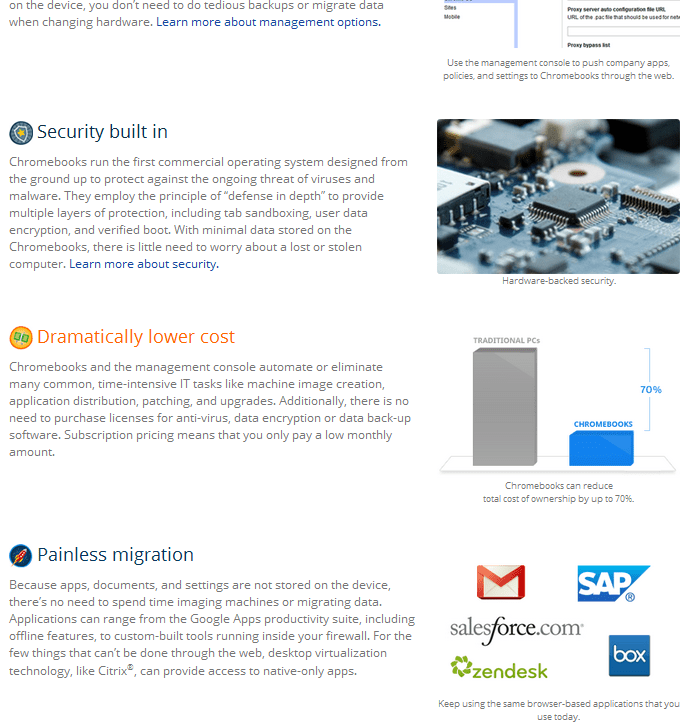
Crashes, long boot times, application conflicts, endless updates, viruses, security issues and obsolete hardware all frustrate IT managers and end users – and most users don’t need or want the complexity and annoyance of their current PCs.

Increasingly the browser is the only tool users need, making a new and better computing model possible. Chromebooks can instantly run your browser-based apps, whether in the cloud or behind your firewall, and apps virtualized through technologies like Citrix®. And an entire fleet of Chromebooks can be managed from one web-based console – making life better for users and IT admins alike.

Contact Sales

Lovely forecasting blog

Eight different random walks.
Image via Wikipedia

I really loved this simple, smart and yet elegant explanation of forecasting. even a high school quarterback could understand it, and maybe get a internship job building and running and re running code for Mars shot.

Despite my plea that you remain svelte in real life, I implore you to be naïve in business forecasting – and use a naïve forecasting model early and often. A naïve forecasting model is the most important model you will ever use in business forecasting.

and now the killer line

Purists may argue that the only true naïve forecast is the “no-change” forecast, meaning either a random walk (forecast = last known actual) or a seasonal random walk (e.g. forecast = actual from corresponding period last year). These are referred to as NF1 and NF2 in the Makridakis text (where NF = Naïve Forecast). In our 2006 SAS webseries Finding Flaws in Forecasting, an attendee asked “What about using a simple time series forecast with no intervention as the naïve forecast?” Is that allowed?

i did write a blog article on forecasting some time back, but back then I was a little blogger, with the website name being http://iwannacrib.com

great work in helping make forecasting easier to understand for people who have flower shops and dont have a bee, to help them with the forecasts, nor an geeky email list, not 4000$.

make it easier for the little guy to forecast his sales, so he cuts down on his supply chain inventory, lowering his carbon footprint.

Blog.sas.com take a bow, on labour day, helping workers with easy to understand models.

http://blogs.sas.com/forecasting/index.php?/archives/68-Which-Naive-Model-to-Use.html

New book on BigData Analytics and Data mining using #Rstats with a GUI

Joseph Marie Jacquard
Image via Wikipedia

I am hoping to put this on my pre-ordered or Amazon Wish list. The book the common people who wanted to do data mining with , but were unable to ask aloud they didnt know much.  It is written by the seminal Australian authority on data mining Dr Graham Williams whom I interviewed here at https://decisionstats.com/2009/01/13/interview-dr-graham-williams/

Data Mining for the masses using an ergonomically designed Graphical User Interface.

Thank you Springer. Thank you Dr Graham Williams

http://www.springer.com/statistics/physical+%26+information+science/book/978-1-4419-9889-7

Data Mining with Rattle and R

Data Mining with Rattle and R

The Art of Excavating Data for Knowledge Discovery

Series: Use R

Williams, Graham

1st Edition., 2011, XX, 409 p. 150 illus. in color.

  • Softcover, ISBN 978-1-4419-9889-7

    Due: August 29, 2011

    54,95 €
  • Encourages the concept of programming with data – more than just pushing data through tools, but learning to live and breathe the data
  • Accessible to many readers and not necessarily just those with strong backgrounds in computer science or statistics
  • Details some of the more popular algorithms for data mining, as well as covering model evaluation and model deployment

Data mining is the art and science of intelligent data analysis. By building knowledge from information, data mining adds considerable value to the ever increasing stores of electronic data that abound today. In performing data mining many decisions need to be made regarding the choice of methodology, the choice of data, the choice of tools, and the choice of algorithms.

Throughout this book the reader is introduced to the basic concepts and some of the more popular algorithms of data mining. With a focus on the hands-on end-to-end process for data mining, Williams guides the reader through various capabilities of the easy to use, free, and open source Rattle Data Mining Software built on the sophisticated R Statistical Software. The focus on doing data mining rather than just reading about data mining is refreshing.

The book covers data understanding, data preparation, data refinement, model building, model evaluation,  and practical deployment. The reader will learn to rapidly deliver a data mining project using software easily installed for free from the Internet. Coupling Rattle with R delivers a very sophisticated data mining environment with all the power, and more, of the many commercial offerings.

Content Level » Research

Keywords » Data mining

Related subjects » Physical & Information Science

Related- https://decisionstats.com/2009/01/13/interview-dr-graham-williams/