Some ways to test and use cloud computing for free for yourself-
- Windows Azure
- Amazon Ec2
- Google Storage
The folks at Microsoft Azure announced a 90 day free trial Continue reading “Cloud Computing by Windows , Amazon and Google for free”

Some ways to test and use cloud computing for free for yourself-
The folks at Microsoft Azure announced a 90 day free trial Continue reading “Cloud Computing by Windows , Amazon and Google for free”
Its been slightly over a month- and I noticed Google Plus stream is now getting to look like my Facebook stream as more of my friends join up. However there is no (share this on Google Plus button still!)
Top Meme’s this week on Google Plus
1) Points of View
Stuff I like from week 2 of Google Plus meme- animated GIFS,jokes,nice photos are just some of them-
Here is week 1 in case you missed it
https://decisionstats.com/best-of-google-plus-week-1-top10/

Now if only they could sell it better to counter MS exchange

Gmail is getting a cleaner, more modern look over the next few months. For a sneak peek at some of these changes, check out the “Preview” and “Preview (Dense)” themes on the Themes tab under Settings.

Now you can point your phone’s browser to gmail.com and get Gmail in 44 languages, complete with label support, an outbox for messages composed while offline, the ability to mute messages, and more. Watch the video or learn more.

Email is great, except when there’s too much of it. Priority Inbox automatically identifies your important messages and separates them out from everything else, so you can focus on what really matters. Learn more
Call any phone in the US and Canada for free and at insanely low rates internationally — right from inside Gmail. Make sure you have the voice and video chat plugin, then click “Call phone” at the top of your chat roster. This feature is only available in the US at this time.

We’ve pruned our pixels and made it easier to get to Contacts and Tasks. Once in Contacts, you can now sort by last name and add custom labels for phone numbers and other fields — two top requested features. Learn more

Share updates, photos, videos and more right inside of Gmail. Start conversations about the things you find interesting. Learn more at buzz.google.com or in the Help Center.

HTTPS encryption keeps your mail secure as it travels between your web browser and Gmail servers, so someone sharing your favorite coffee shop’s public wifi can’t maliciously read it. Banks and credit card companies use this same protocol to keep your online accounts safe. To protect your Gmail account, we’ve turned on the option to “always use HTTPS” for everyone. This added layer of security can make Gmail slower, so if you don’t use unencrypted wireless connections, you can choose to disable this option in your account Settings. Even if you change this setting, Gmail will always encrypt the login page to protect your password. Learn more

If you need more space for your email and photos, you can now buy 20 gigabytes of storage for only $5 a year. Extra storage is shared between Gmail and Picasa Web Albums and acts as an overflow if you use up your free storage. Learn more

Point your phone’s browser to gmail.com and enjoy Gmail complete with full label support, an outbox for messages composed while offline, the ability to mute messages, and more. Learn more

Ever included Bob (your boss) instead of Bob (your friend) on an email by accident? Oops! Turn on “Got the wrong Bob?” and Gmail will check if you meant to include Bob Smith rather than Bob Jones based on the groups of people you email most often.
With “Don’t forget Bob,” you can start composing an email to a group of people, and Gmail will suggest other contacts you might want to include. Check out these experimental features and more on the Labs tab under Settings.

Make Gmail look like a calm patch of grass or an old school video game. Can’t decide? Choose “Random” and cycle through a different theme each day. Check out all available themes from the Themes tab under Settings.

Turn on “Message translation” from the Labs tab under Settings, and whenever you receive an email in a language other than your own, Gmail will automatically translate it into a language you can understand with just one click.

Available in Gmail, Google Calendar, iGoogle and on your mobile phone, Tasks is the simple to-do list that’s with you everywhere you go. Click “Tasks” above your chat list to get started (no need to turn it on from the Labs tab anymore). Learn more

You can now drag labels onto messages and messages into labels, just like folders. The labels you use most often are easier to access right above your chat list. The rest are hidden but still accessible under “more.” Customize which labels you see from the Labels tab under Settings. Learn more

Instead of just links, see previews of photos, videos, and reviews right in your email. Turn on these and other experimental features from the Labs tab under Settings.

Oops, hit “Send” too soon? Give yourself a grace period of a few seconds to cancel sending, then edit your message before sending again. Turn it on from the Labs tab under Settings.

Take your to-do list everywhere you go. Just go to gmail.com/tasks from your mobile browser.

Make Gmail work even when you’re not connected to the internet. Turn on offline access from the Labs tab under Settings.

The buttons and menus at the top of your inbox look a bit different: there’s a new “Labels” button that makes labeling messages even easier. Turn on keyboard shortcuts and hit “L” to bring up your labels, and auto-complete will take it from there. Use the “Move to” button to label and archive in just one step — just like you would with a folder. Learn more

Gmail is usually all about speedy electronic communication, but for a limited time we went old school with snail mail. If you sent in a self-addressed stamped envelope, we’d send you some free Gmail stickers. Free stickers are no longer available, but you can see what they looked like on the Gmail blog.

Now you can preview PDFs right in your browser without waiting for them to download and open in another application. Just click the “View” link next to any .pdf attachments you receive.

Keep track of what you need to do with a lightweight task list right inside of Gmail. Just click and type to add new tasks, convert emails into tasks, and (most satisfyingly) check them off as you’re done. Once you turn on this Labs feature, look for the Tasks link to the left of your inbox under Contacts. Turn on tasks and more from the Labs tab under Settings. Learn more

Send SMS text messages right from Gmail. You chat from your comfy computer and reach your friends on the go; they get your messages as texts and can peck out replies on their little keyboards. Turn on SMS text messaging and more from the Labs tab under Settings. Learn more

From minimalist grays to dynamic mountain landscapes, choose from over 30 options to personalize the look and feel of your Gmail account. To get started, check out the Themes tab under Settings. Learn more

See and hear friends and family right from within Gmail. All you need is a webcam and a small download that takes seconds to install. Learn more

There’s a whole lot more to play with in Gmail Labs, our testing ground for experimental features. Google Calendar and Docs gadgets, a forgotten attachment detector, advanced IMAP controls, and canned responses are just a taste. Turn on these and more from the Labs tab under Settings. Learn more

Gmail is now available on the world’s first Android-powered phone, the T-Mobile G1. All of the features you love about Gmail on your computer, plus real time push email so you never need to refresh your inbox. Learn more

Express yourself with emoticons from  to
to  or even
  . Click the button when composing a message in “Rich formatting” mode, or choose the new emoticons tab in chat, and express yourself to your
  ‘s desire. Learn more

Save multiple mobile drafts, compose and read recent email offline, use new shortcut keys and more. Download Gmail for mobile 2.0 for your BlackBerry or J2ME phone by going to m.google.com/mail in your mobile browser.

Try out features in development and let us know what you think. To get started with Labs, click the Labs tab under Settings.Learn more

Now with auto-complete when composing, automatic refreshing, and faster load times when viewing email. Learn more

Now you can talk to your AIM® friends using an integrated chat list right inside Gmail. Learn more
AOL and AIM are trademarks of AOL LLC

Better organize your email with new colored labels. Just click the color swatch next to each label to assign a color. Learn more

Chat with multiple people without multiple windows. Invite your friends to a group discussion. To start a group chat, click ‘Group chat’ from the ‘Options’ menu when chatting. Learn more

Start sending richer expressions to your friends. Learn more

Sync your inbox across devices instantly and automatically. Whether you read or write your email on your phone or on your desktop, changes you make to Gmail will be seen from anywhere you access your inbox. Another way to use Gmail on your iPhone is through the browser. By going to m.gmail.com you get the full Gmail experience including conversation view, search, and more. Learn how to set up IMAP on other devices.
Set up IMAP on your iPhone. Watch the video
and there is a new tool on that already but you are on your own if your data gets redirected. Does Chrome take legal liability for malware extensions? Dunno-and yes it works on Chrome alone (at the point of speaking)
https://chrome.google.com/webstore/detail/ficlccidpkaiepnnboobcmafnnfoomga



|
Facebook Friend Exporter
Verified author: mohamedmansour.com
Free
|
5,527 users
|
Install |
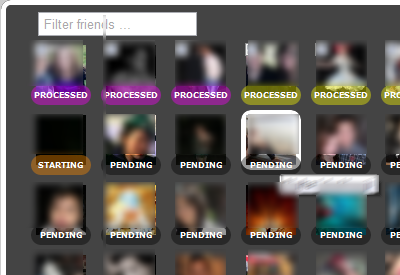
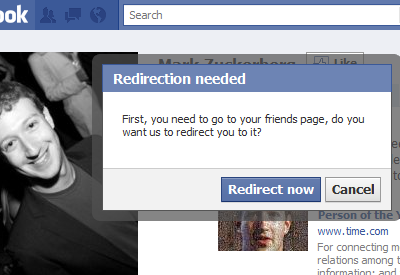
Get *your* data contact out of Facebook, whether they want you to or not. You gave them your friends and allowed them to store that data, and you have right to take it back out! Facebook doesn't own my friends. Only available in English Facebook. Any other language will not work.

SOURCE CODE: http://goo.gl/VtRCl (GitHub) fb-exporter

PRE NOTICE:
 1 - Must have English version of Facebook for this to work (you can switch)
 2 - Do not enable SSL for Facebook use HTTP not HTTPS
 3 - If you need any help running this, contact me. Commenting below will be lost.
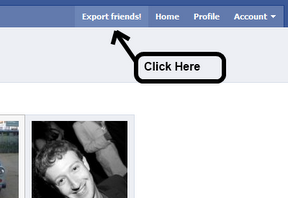
 4 - An "Export" button will appear on Facebooks toolbar after refresh once installed.
 5 - Please disable all Facebook Extensions that you have downloaded, many of them affect the page. For example "Better Facebook" breaks this extension.

This extension will allow you to get your friends information that they shared to you: Continue reading "Facebook to Google Plus Migration"
So dear G launched a whole new set of Products. Some thoughts-
1) Join up the Social Invite List here – it is called Google Plus. We hope it doesnt end up like Buzz http://www.google.com/buzz or Orkut https://groups.google.com/group/opensocial-api/?pli=1 or Plus One http://www.google.com/webmasters/+1/button/ or Wave (email killer) http://googlewave.blogspot.com/
When the biggest cloud computing company in the world announces a phased rollout to a product- we wonder if they are really sure on launching the product rollout or just were in a hurry again.
Machine learning wont work with social , chaps. Well not everything in social. And the Google Social Blog forgot to write about it http://googlesocialweb.blogspot.com/
Well anyways, even Google Finance’s automated announcements feed failed to pick many of their own product launches (or it does in an automated manner depending on which time period you choose – yes still no social buttons up http://www.google.com/finance?q=google
BACK TO GOOGLE PLUS
https://services.google.com/fb/forms/googleplus/

Thanks for stopping by.We’re still ironing out a few kinks in Google+, so it’s not quite ready for everyone to climb aboard. But, if you want, we’ll let you know the minute the doors are open for real. Cool? Cool.
Google+ Privacy Policy
2) Google Web Fonts- Great product, how and hey http://googlewebfonts.blogspot.com/ when do you plan to monetize uhm web fonts. Not that would be awesome. Not even a single ad on those pages- not even for philanthropy. or poor poets. or even Google Book Authors who self publish . Sound of silence….
http://www.google.com/webfonts/v2

3) Google Analytics gets some groove back. I really want to see much better integration of Google Apps and Google Analytics and Google Desktop search. Ditto for the interface. Enterprise software uses different fonts than retail software, dude. More fries, http://analytics.blogspot.com/ ?
Feature 1- Custom Reports for metrics I can slice and dice on my own

Feature 2 Awesome analytics for In-Page Analytics (beta feature) Beta is boring if overused. Try Theta maybe?

Feature 3 Daily Automated Alerts for Unusual Server /Traffic Activity
Feature 4 event Tracking is cool esp for understanding social media impact
It is still too early for mobile (in terms of traffic) as well as tablet analytics (?)
4) Angry Birds is still the best feature in Chrome (but there are lots others at http://chrome.blogspot.com/) and esp http://googlecode.blogspot.com/2011/06/working-with-chromes-file-browser.html
Try http://chrome.angrybirds.com/
There are ways to make software that are not evil. Very very disappointed at total lack of monetization of this chrome app. Not even a T Shirt for me to buy ad . sighs
Funny thing- the product manager forgot to take off Facebook like button or even add the +1 button or even the Tweet this button.
Quo Vadis ?
5) What do you love?

From the nice shiny blog at http://blog.rstudio.org/, a shiny new upgraded software (and I used the Cobalt theme)–this is nice!
awesome coding!!!


 DECISION STATS