C4ISTAR for Hacking and Cyber Conflict

As per http://en.wikipedia.org/wiki/C4ISTAR

C2I stands for command, control, and intelligence.

C3I stands for command, control, communications, and intelligence.

C4I stands for command, control, communications, computers, and (military) intelligence.

C4ISTAR is the British acronym used to represent the group of the military functions designated by C4 (command, control, communications, computers), I (military intelligence), and STAR (surveillance, target acquisition, and reconnaissance) in order to enable the coordination of operations

I increasingly believe that cyber conflict will develop its own terminology and theory and paradigms in due time. In the meantime, it will adopt paradigms from existing military literature and adapt it to the unique sub culture of cyber conflict for both offensive, defensive as well as pre-emptive actions. Here I am theorizing for a case of targeted hacking attacks rather than massive attacks that bring down a website for a few hours and achieve nothing but a few press headlines . I would also theorize on countering such attacks.

So what would be the C4ISTAR for –

1) Media company supporting SOPA/PIPA/Take down Mega Upload-

Command and Control refers to the ability of commanders to direct forces-

This will be the senior executives including the members of board, legal officers, and public relationship/marketing people. Their name is available from corporate websites, and social media scraping can ensure both a list of contact addresses (online) as well as biases for phishing /malware attacks. This could also include phone (flooding or voicemail hacking ) attacks , and attacks against the email server of the company rather than the corporate website.

Communications– This will include all online and social media channels including websites of the media company , but also  those of the press relations firms handling communications , phones,websites- anything which the target is likely to communicate externally (and if possible internal communication)

Timing is everything- coordinating attacks immediately is juevenile, but it might be more mature to attack on vulnerable days like product launches or just before a board of directors meeting

Intelligence

Most corporates have an in-house research team, they can be easily targeted using social media channels, but also offline research and digging deep. Targeting intelligence corps of the target corporate is likely to produce a much better disruption. Eventually they can be persuaded to stop working for that corporate.

Computers– Anything that runs on electricity and can be disabled – should be disabled. This might require much more creativity than just flooding.

 surveillance-  This can be both online as well as offline, and would be of electronic assets, likely responses for the attack, and the key people who are to be disrupted.

target acquisition-  at least ten people within each corporate can and should be ideally disrupted, rather than just the website. this would call for social media scraping, and prior planning. even email in-boxes can be disrupted (if all else fails)

and reconnaissance-

study your target companies, target employees, and their strategies.

Then segment and prioritize in a list of  matrix of 10  to 10, who is more vulnerable and who is more valuable to attack.

the C4ISTAR for -a hacker activist organization is much more complicated but forensics reveal that most hackers tend to leave a signature style (in terms of computers,operating systems,machine ids,communication, tools, or even port numbers used)

the best defense for a media rich company to prevent hacking attacks is to first identify its own C4ISTAR structure for its digital content strategy and then fortify as well as scrub vulnerabilities (including from online information regarding its own employees)

(to be continued)

http://www.catb.org/~esr/faqs/hacker-howto.html

The Hacker Attitude

Using Opera Unite to defeat SOPA?

Lets assume that the big bad world of American electoral politics forces some kind of modified SOPA to be passed, and the big American companies have to abide by that law (just as they do share data  for National Security under Patriot Act but quitely).

I belive Opera Unite is the way forward to sharing content on the Internet.

From-

http://dev.opera.com/articles/view/opera-unite-developer-primer-revisited/

Opera Unite features a Web server running inside the Opera browser, which allows you to do some amazing things. At the touch of a button, you can share images, documents, video, music, games, collaborative applications and all manner of other things with your friends and colleagues

I can share music, and files , and the web server is actually my own laptop. try beating 2 billion new web servers that sprout!! File system sharing is totally secure- you can create private, public, or password protected files, a messaging system that can be used for drop messages (called fridge), a secure messaging system and your own web server is ready to start at a click. the open web may just use opera instead of chromium, and US regulation would be solely to blame. even URL blocking is of limited appeal thanks to software like MafiaWire Extension

Throw in Ad block, embedded bit torrent sharing and some more  Tor level encryption within the browser and sorry Senator, but the internet belongs to the planet not to your lobbyist.

see-http://dev.opera.com/web

Occupy the Internet

BORN IN THE USA

Continue reading “Occupy the Internet”

Secure Browsing from Mobile and PC ( Tor ,PeerNet, WasteAgain)

While Tor remains the tool of choice with pseudo-techie hacker wannabes , there is enough juice and smoke and mirrors on the market to confuse your average Joe.

For a secure browsing experience on Mobile – do NOT use either Apple or Windows OS

Use Android  and this app called Orbot in particular

Installing Tor with a QR code

Orbot is easy to install by simply scanning the following QR code with your Android Barcode scanner.

Android QR code

Installing Tor from the Android Market

Orbot is available in the Android Market.

ENTER PEERNET

If you have a Dell PC, well just use PeerNet to configure and set up your own network around the neighbourhood. This is particularly applicable if you are in country that is both repressive and not so technologically advanced. Wont work in China or USA.

http://support.dell.com/support/edocs/network/p70008/EN/vista_7/peernet.htm

What is a peer network?

A peer network is a network in which one computer can connect directly to another computer. This capability is accomplished by enabling access point (AP) functionality on one of the computers. Other computers can then connect to this computer in the same way that they would connect to a physical AP. If Internet Connection Sharing is enabled on the computer that has the AP functionality, computers that connect to that computer have Internet connectivity as well.

A basic peer network, which requires no networking knowledge or experience to set up, should meet the needs of most home users and small businesses. By default, a basic peer network is configured with the strongest available security (see How do I set up a basic peer network?).

For users who are familiar with wireless networking technology, advanced configuration features are available to do the following:

Change security settings (see How do I configure my peer network?)
Choose which method (push button or PIN) computers with Wi-Fi Protected Setup™ capability can join your peer network (see How do I allow peer devices to join my peer network using Wi-Fi Protected Setup technology?)
Change the DHCP Server IP address (see How do I configure my peer network?).
Change the channel on which to operate your peer network (see How do I configure my peer network?)

 If you are really really in a need for secure browsing (like you are maybe a big hot shot in the tech world), I suggest go over to VMWare

http://www.vmware.com/products/player/

create a seperate Linux (Ubuntu for ease) virtual disc, then download the Tor Browser Bundle from

https://www.torproject.org/projects/torbrowser.html.en for surfing and a Peernet (above) or  a prepaid one time use disposable mobile pre-paid wireless card. It is also quite easy to delete your virtual disc in times of emergencies (but it is best to use encryption even when in Ubuntu https://help.ubuntu.com/community/EncryptedHome)

IRC chat is less secure than you think it is thanks to BOT  Trawlers- so I am hoping someone in the open source community updates Waste Again for encrypted chats http://wasteagain.sourceforge.net/

What is “WASTE again”?

“WASTE again” enables you to create a decentralized and secure private mesh network using an unsecure network, such as the internet. Once the public encryption keys are exchanged, sending messages, creating groupchats and transferring files is easy and secure.

Creating a mesh

To create a mesh you need at least two computers with “WASTE again” installed. During installation, a unique pair of public and private keys for each computer is being generated. Before the first connection can be established, you need to exchange these public keys. These keys enable “WASTE again” to authenticate every connection to other “WASTE again” clients.

After exchanging the keys, you simply type in the computers IP address to connect to. If that computer is located behind a firewall or a NAT-router, you have to create a portmap first to enable incoming connections.

At least one computer in your mesh has to be able to accept incoming connections, making it a “public node”. If no direct connection between two firewalled computers can be made, “WASTE again” automatically routes your traffic through one or more of the available public nodes.

Every new node simply has to exchange keys with one of the connected nodes and then connect to it. All the other nodes will exchange their keys automatically over the mesh.

Anonymous Hacker

Digital salmon swimming alone upstream
Sacrificing sleep for bits of some dream
Patiently stalking impatient trolls
Denying web crawlers omnipotent stroll
Digitally Dividing and conquering
Masquerading charlatans of new age ball
Sheep like server waits for hacking hammer to fall

Amazing nights but boring days
Lord forgive us our digital merry ways
Going back to the day job in the morn
Keeping up appearances to earn bread and daily corn

Masking emotions daily outrage
Waging lonesome wars of rage
we are small but proud
forced sometimes kneel and crawl
hacker cracker phisher phracker
wont you be my friend after it all

by –
Ajay Ohri
Happy Guy Fawkes Day-
V


Google Cloud SQL

Another xing bang API from the boyz in Mountain View. (entry by invite only) But it is free and you can test your stuff on a MySQL db =10 GB

Database as a service ? (Maybe)— while Amazon was building fires (and Fire)

—————————————————————–

https://code.google.com/apis/sql/index.html

What is Google Cloud SQL?

Google Cloud SQL is a web service that provides a highly available, fully-managed, hosted SQL storage solution for your App Engine applications.

What are the benefits of using Google Cloud SQL?

You can access a familiar, highly available SQL database from your App Engine applications, without having to worry about provisioning, management, and integration with other Google services.

How much does Google Cloud SQL cost?

We will not be billing for this service in 2011. We will give you at least 30 days’ advance notice before we begin billing in the future. Other services such as Google App Engine, Google Cloud Storage etc. that you use with Google Cloud SQL may have their own payment terms, and you need to pay for them. Please consult their documentation for details.

Currently you are limited to the three instance sizes. What if I need to store more data or need better performance?

In the Limited Preview period, we only have three sizes available. If you have specific needs, we would like to hear from you on our google-cloud-sqldiscussion board.

When is Google Cloud SQL be out of Limited Preview?

We are working hard to make the service generally available.We don’t have a firm date that we can announce right now.

Do you support all the features of MySQL?

In general, Google Cloud SQL supports all the features of MySQL. The following are lists of all the unsupported features and notable differences that Google Cloud SQL has from MySQL.

Unsupported Features:

  • User defined functions
  • MySql replication

Unsupported MySQL statements:

  • LOAD DATA INFILE
  • SELECT ... INTO OUTFILE
  • SELECT ... INTO DUMPFILE
  • INSTALL PLUGIN .. SONAME ...
  • UNINSTALL PLUGIN
  • CREATE FUNCTION ... SONAME ...

Unsupported SQL Functions:

  • LOAD_FILE()

Notable Differences:

  • If you want to import databases with binary data into your Google Cloud SQL instance, you must use the --hex-blob option with mysqldump.Although this is not a required flag when you are using a local MySQL server instance and the MySQL command line, it is required if you want to import any databases with binary data into your Google Cloud SQL instance. For more information, see Importing Data.
How large a database can I use with Google Cloud SQL?
Currently, in this limited preview period, your database instance must be no larger than 10GB.
How can I be notified when there are any changes to Google Cloud SQL?
You can sign up for the sql-announcements forum where we post announcements and news about the Google Cloud SQL.
How can I cancel my Google Cloud SQL account?
To remove all data from your Google Cloud SQL account and disable the service:

  1. Delete all your data. You can remove your tables, databases, and indexes using the drop command. For more information, see SQL DROP statement.
  2. Deactivate the Google Cloud SQL by visiting the Services pane and clicking the On button next to Google Cloud SQL. The button changes from Onto Off.
How do I report a bug, request a feature, or ask a question?
You can report bugs and request a feature on our project page.You can ask a question in our discussion forum.

Getting Started

Can I use languages other than Java or Python?
Only Java and Python are supported for Google Cloud SQL.
Can I use Google Cloud SQL outside of Google App Engine?
The Limited Preview is primarily focused on giving Google App Engine customers the ability to use a familiar relational database environment. Currently, you cannot access Google Cloud SQL from outside Google App Engine.
What database engine are we using in the Google Cloud SQL?
MySql Version 5.1.59
Do I need to install a local version of MySQL to use the Development Server?
Yes.

Managing Your Instances

Do I need to use the Google APIs Console to use Google Cloud SQL?
Yes. For basic tasks like granting access control to applications, creating instances, and deleting instances, you need to use the Google APIs Console.
Can I import or export specific databases?
No, currently it is not possible to export specific databases. You can only export your entire instance.
Do I need a Google Cloud Storage account to import or export my instances?
Yes, you need to sign up for a Google Cloud Storage account or have access to a Google Cloud Storage account to import or export your instances. For more information, see Importing and Exporting Data.
If I delete my instance, can I reuse the instance name?
Yes, but not right away. The instance name is reserved for up to two months before it can be reused.

Tools & Resources

Can I use Django with Google Cloud SQL?
No, currently Google Cloud SQL is not compatible with Django.
What is the best tool to use for interacting with my instance?
There are a variety of tools available for Google Cloud SQL. For executing simple statements, you can use the SQL prompt. For executing more complicated tasks, you might want to use the command line tool. If you want to use a tool with a graphical interface, the SQuirrel SQL Client provides an interface you can use to interact with your instance.

Common Technical Questions

Should I use InnoDB for my tables?
Yes. InnoDB is the default storage engine in MySQL 5.5 and is also the recommended storage engine for Google Cloud SQL. If you do not need any features that require MyISAM, you should use InnoDB. You can convert your existing tables using the following SQL command, replacing tablename with the name of the table to convert:

ALTER tablename ENGINE = InnoDB;

If you have a mysqldump file where all your tables are in MyISAM format, you can convert them by piping the file through a sed script:

mysqldump --databases database_name [-u username -p  password] --hex-blob database_name | sed 's/ENGINE=MyISAM/ENGINE=InnoDB/g' > database_file.sql

Warning: You should not do this if your mysqldump file contains the mysql schema. Those files must remain in MyISAM.

Are there any size or QPS limits?
Yes, the following limits apply to Google Cloud SQL:

Resource Limits from External Requests Limits from Google App Engine
Queries Per Second (QPS) 5 QPS No limit
Maximum Request Size 16 MB
Maximum Response Size 16 MB

Google App Engine Limits

Google App Engine applications are also subject to additional Google App Engine quotas and limits. Requests from Google App Engine applications to Google Cloud SQL are subject to the following time limits:

  • All database requests must finish within the HTTP request timer, around 60 seconds.
  • Offline requests like cron tasks have a time limit of 10 minutes.
  • Backend requests to Google Cloud SQL have a time limit of 10 minutes.

App Engine-specific quotas and access limits are discussed on the Google App Engine Quotas page.

Should I use Google Cloud SQL with my non-High Replication App Engine application?
We recommend that you use Google Cloud SQL with High Replication App Engine applications. While you can use use Google Cloud SQL with applications that do not use high replication, doing so might impact performance.
Source-
https://code.google.com/apis/sql/faq.html#supportmysqlfeatures

Using R with MySQL #rstats

A brief tutorial to working with R and MySQL. MySQL belongs to Oracle is one of the most widely used databases now.

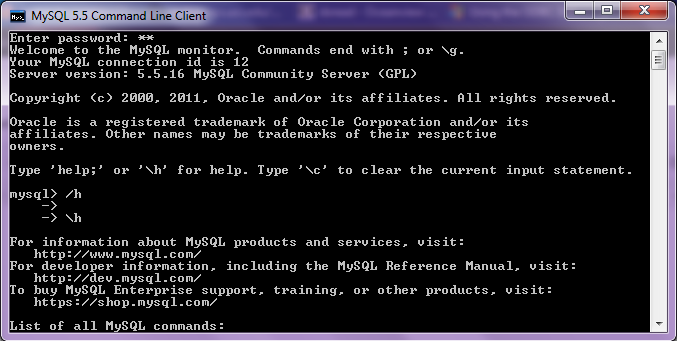
1. Download mySQL from
http://www.mysql.com/downloads/mysql/  or (http://www.mysql.com/downloads/mirror.php?id=403831)
Click Install -use default options, remember to note down the password=XX
2.Download the ODBC connector from http://www.mysql.com/downloads/connector/odbc/5.1.htmlThe Data Sources (ODBC) can be located from the Control Panel in Windows7

Install ODBC Connector by double clicking the .msi file downloaded in Step 2-
Check this screenshot in ODBC Connectors to verify-
Note this is the Drivers tab in ODBC Data Source Administrator
Click the System DSN and Configure MySQL using the add button Use the configuration options shown exactly here. The user is root, the TCP/IP Server is local host, use the same password in Step 1 and the Database is MySQL
Test the connection

Click OK to finish this step.
Click the User DSN tab (and repeating the step  immediately above -Add, and Configure the connection using options The user is root, the TCP/IP Server is local host, use the same password in Step 1 and the Database is MySQL , Test the connection and OK to add the connection
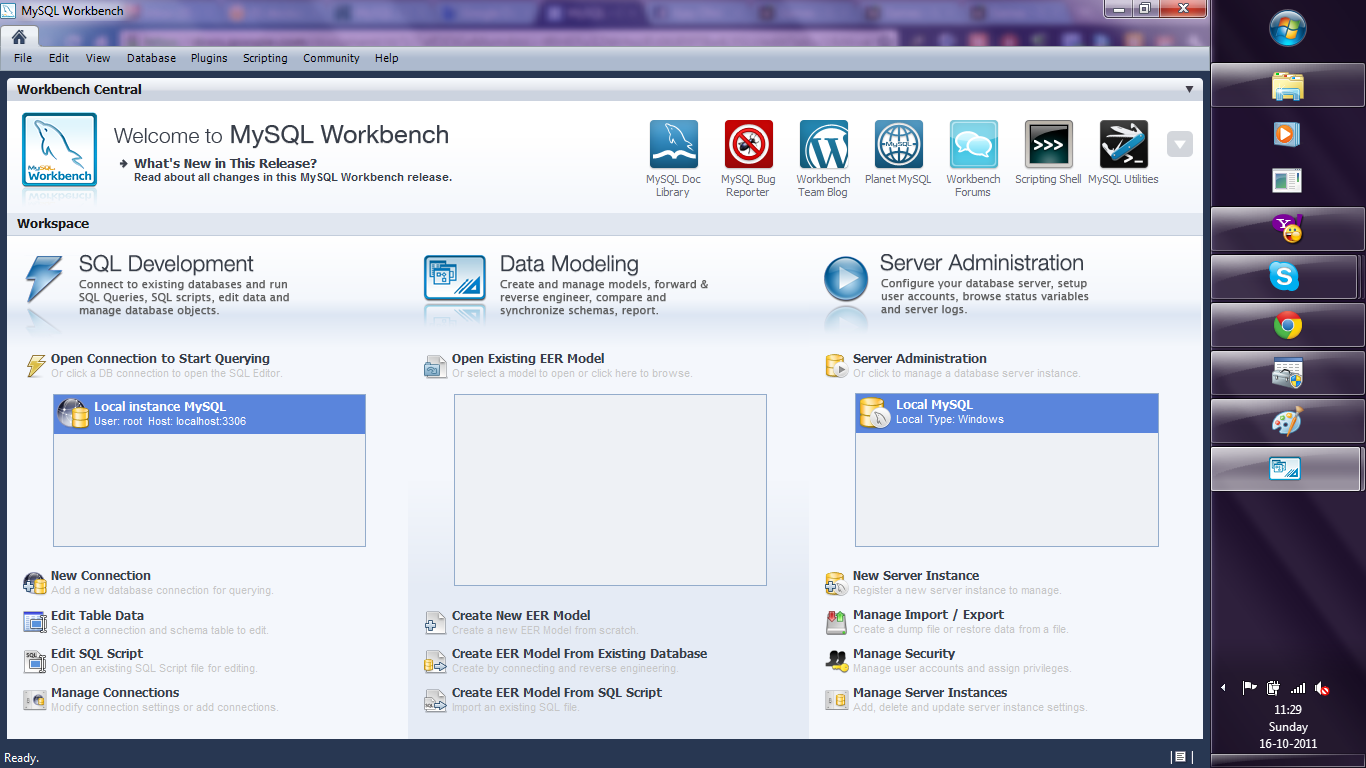
3. Download the MySQL workbench from http://www.mysql.com/downloads/workbench/

This is very helpful to configuring the database
http://www.mysql.com/downloads/mirror.php?id=403983#mirrors

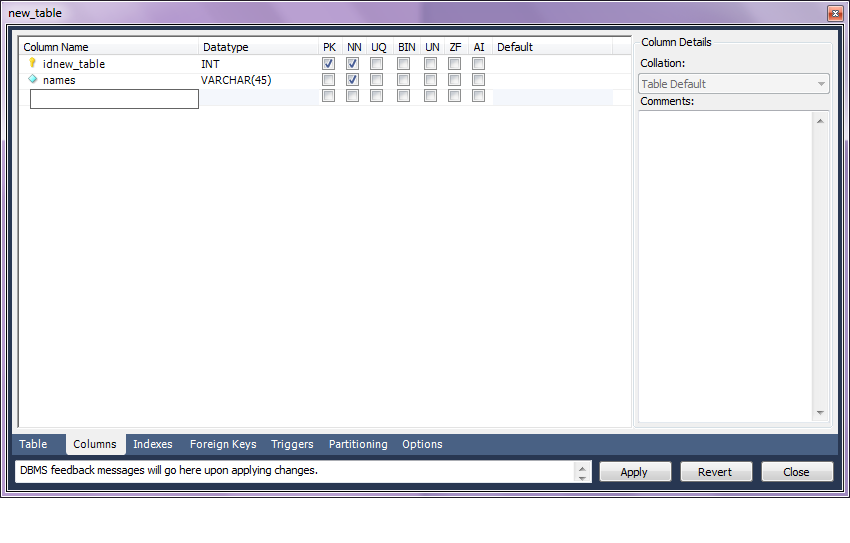
Create a new table using the options in the screenshots below

Open Connection

You can create a new table using the options as below,
Once created you can also add new variables (using the Columns Tab)

MySQL allows you create new columns very easily
The  SQL commands are automatically generated.
Click Apply  to execute the changes to the Database.

Now we start R
Type the commands in the screenshot below to create a connection to the Database in MySQL
> library(RODBC)
> odbcDataSources()
> ajay=odbcConnect(“MySQL”,uid=”root”,pwd=”XX”)
> ajay
> sqlTables(ajay)
>tested=sqlFetch(ajay,”host”)

Note- this is a brief tutorial for beginners without getting into too many complexities of database administration and management, to start using R and MySQL.