Here is an interview with James Dixon the founder of Pentaho, self confessed Chief Geek and CTO. Pentaho has been growing very rapidly and it makes open source Business Intelligence solutions- basically the biggest chunk of enterprise software market currently.
Ajay- How would you describe Pentaho as a BI product for someone who is completely used to traditional BI vendors (read non open source). Do the Oracle lawsuits over Java bother you from a business perspective?
The Oracle/Java issue does not bother me much. There are a lot of software companies dependent on Java. If Oracle abandons Java a lot resources will suddenly focus on OpenJDK. It would be good for OpenJDK and might be the best thing for Java in the long term.
Ajay- What parts of Pentaho’s technology do you personally like the best as having an advantage over other similar proprietary packages.
Describe the latest Pentaho for Hadoop offering and Hadoop/HIVE ‘s advantage over say Map Reduce and SQL.
James- The coolest thing is that everything is pluggable:
* ETL: New data transformation steps can be added. New orchestration controls (job entries) can be added. New perspectives can be added to the design UI. New data sources and destinations can be added.
* Reporting: New content types and report objects can be added. New data sources can be added.
* BI Server: Every factory, engine, and layer can be extended or swapped out via configuration. BI components can be added. New visualizations can be added.
This means it is very easy for Pentaho, partners, customers, and community member to extend our software to do new things.
In addition every engine and component can be fully embedded into a desktop or web-based application. I made a youtube video about our philosophy: http://www.youtube.com/watch?v=uMyR-In5nKE
Our Hadoop offerings allow ETL developers to work in a familiar graphical design environment, instead of having to code MapReduce jobs in Java or Python.
90% of the Hadoop use cases we hear about are transformation/reporting/analysis of structured/semi-structured data, so an ETL tool is perfect for these situations.
Using Pentaho Data Integration reduces implementation and maintenance costs significantly. The fact that our ETL engine is Java and is embeddable means that we can deploy the engine to the Hadoop data nodes and transform the data within the nodes.
Ajay- Do you think the combination of recession, outsourcing,cost cutting, and unemployment are a suitable environment for companies to cut technology costs by going out of their usual vendor lists and try open source for a change /test projects.
Jamie- Absolutely. Pentaho grew (downloads, installations, revenue) throughout the recession. We are on target to do 250% of what we did last year, while the established vendors are flat in terms of new license revenue.
Ajay- How would you compare the user interface of reports using Pentaho versus other reporting software. Please feel free to be as specific.
James- We have all of the everyday, standard reporting features covered.
Over the years the old tools, like Crystal Reports, have become bloated and complicated.
We don’t aim to have 100% of their features, because we’d end us just as complicated.
The 80:20 rule applies here. 80% of the time people only use 20% of their features.
We aim for 80% feature parity, which should cover 95-99% of typical use cases.
Ajay- Could you describe the Pentaho integration with R as well as your relationship with Weka. Jaspersoft already has a partnership with Revolution Analytics for RevoDeployR (R on a web server)-
Any R plans for Pentaho as well?
James- The feature set of R and Weka overlap to a small extent – both of them include basic statistical functions. Weka is focused on predictive models and machine learning, whereas R is focused on a full suite of statistical models. The creator and main Weka developer is a Pentaho employee. We have integrated R into our ETL tool. (makes me happy 🙂 )
(probably not a good time to ask if SAS integration is done as well for a big chunk of legacy base SAS/ WPS users)
About-
As “Chief Geek” (CTO) at Pentaho, James Dixon is responsible for Pentaho’s architecture and technology roadmap. James has over 15 years of professional experience in software architecture, development and systems consulting. Prior to Pentaho, James held key technical roles at AppSource Corporation (acquired by Arbor Software which later merged into Hyperion Solutions) and Keyola (acquired by Lawson Software). Earlier in his career, James was a technology consultant working with large and small firms to deliver the benefits of innovative technology in real-world environments.
Here is a short list of resources and material I put together as starting points for R and Cloud Computing It’s a bit messy but overall should serve quite comprehensively.
Cloud computing is a commonly used expression to imply a generational change in computing from desktop-servers to remote and massive computing connections,shared computers, enabled by high bandwidth across the internet.
As per the National Institute of Standards and Technology Definition,
Cloud computing is a model for enabling convenient, on-demand network access to a shared pool of configurable computing resources (e.g., networks, servers, storage, applications, and services) that can be rapidly provisioned and released with minimal management effort or service provider interaction.
Rweb is developed and maintained by Jeff Banfield. The Rweb Home Page provides access to all three versions of Rweb—a simple text entry form that returns output and graphs, a more sophisticated JavaScript version that provides a multiple window environment, and a set of point and click modules that are useful for introductory statistics courses and require no knowledge of the R language. All of the Rweb versions can analyze Web accessible datasets if a URL is provided.
The paper “Rweb: Web-based Statistical Analysis”, providing a detailed explanation of the different versions of Rweb and an overview of how Rweb works, was published in the Journal of Statistical Software (http://www.jstatsoft.org/v04/i01/).
Ulf Bartel has developed R-Online, a simple on-line programming environment for R which intends to make the first steps in statistical programming with R (especially with time series) as easy as possible. There is no need for a local installation since the only requirement for the user is a JavaScript capable browser. See http://osvisions.com/r-online/ for more information.
Rcgi is a CGI WWW interface to R by MJ Ray. It had the ability to use “embedded code”: you could mix user input and code, allowing the HTMLauthor to do anything from load in data sets to enter most of the commands for users without writing CGI scripts. Graphical output was possible in PostScript or GIF formats and the executed code was presented to the user for revision. However, it is not clear if the project is still active.
Currently, a modified version of Rcgi by Mai Zhou (actually, two versions: one with (bitmap) graphics and one without) as well as the original code are available from http://www.ms.uky.edu/~statweb/.
David Firth has written CGIwithR, an R add-on package available from CRAN. It provides some simple extensions to R to facilitate running R scripts through the CGI interface to a web server, and allows submission of data using both GET and POST methods. It is easily installed using Apache under Linux and in principle should run on any platform that supports R and a web server provided that the installer has the necessary security permissions. David’s paper “CGIwithR: Facilities for Processing Web Forms Using R” was published in the Journal of Statistical Software (http://www.jstatsoft.org/v08/i10/). The package is now maintained by Duncan Temple Lang and has a web page athttp://www.omegahat.org/CGIwithR/.
Rpad, developed and actively maintained by Tom Short, provides a sophisticated environment which combines some of the features of the previous approaches with quite a bit of JavaScript, allowing for a GUI-like behavior (with sortable tables, clickable graphics, editable output), etc.
Jeff Horner is working on the R/Apache Integration Project which embeds the R interpreter inside Apache 2 (and beyond). A tutorial and presentation are available from the project web page at http://biostat.mc.vanderbilt.edu/twiki/bin/view/Main/RApacheProject.
Rserve is a project actively developed by Simon Urbanek. It implements a TCP/IP server which allows other programs to use facilities of R. Clients are available from the web site for Java and C++ (and could be written for other languages that support TCP/IP sockets).
OpenStatServer is being developed by a team lead by Greg Warnes; it aims “to provide clean access to computational modules defined in a variety of computational environments (R, SAS, Matlab, etc) via a single well-defined client interface” and to turn computational services into web services.
Two projects use PHP to provide a web interface to R. R_PHP_Online by Steve Chen (though it is unclear if this project is still active) is somewhat similar to the above Rcgi and Rweb. R-php is actively developed by Alfredo Pontillo and Angelo Mineo and provides both a web interface to R and a set of pre-specified analyses that need no R code input.
webbioc is “an integrated web interface for doing microarray analysis using several of the Bioconductor packages” and is designed to be installed at local sites as a shared computing resource.
Rwui is a web application to create user-friendly web interfaces for R scripts. All code for the web interface is created automatically. There is no need for the user to do any extra scripting or learn any new scripting techniques. Rwui can also be found at http://rwui.cryst.bbk.ac.uk.
Finally, the R.rsp package by Henrik Bengtsson introduces “R Server Pages”. Analogous to Java Server Pages, an R server page is typically HTMLwith embedded R code that gets evaluated when the page is requested. The package includes an internal cross-platform HTTP server implemented in Tcl, so provides a good framework for including web-based user interfaces in packages. The approach is similar to the use of the brew package withRapache with the advantage of cross-platform support and easy installation.
Remote access to R/Bioconductor on EBI’s 64-bit Linux Cluster
Start the workbench by downloading the package for your operating system (Macintosh or Windows), or via Java Web Start, and you will get access to an instance of R running on one of EBI’s powerful machines. You can install additional packages, upload your own data, work with graphics and collaborate with colleagues, all as if you are running R locally, but unlimited by your machine’s memory, processor or data storage capacity.
Most up-to-date R version built for multicore CPUs
Access to all Bioconductor packages
Access to our computing infrastructure
Fast access to data stored in EBI’s repositories (e.g., public microarray data in ArrayExpress)
Using R Google Docs http://www.omegahat.org/RGoogleDocs/run.pdf
It uses the XML and RCurl packages and illustrates that it is relatively quick and easy
to use their primitives to interact with Web services.
Amazon’s EC2 is a type of cloud that provides on demand computing infrastructures called an Amazon Machine Images or AMIs. In general, these types of cloud provide several benefits:
Simple and convenient to use. An AMI contains your applications, libraries, data and all associated configuration settings. You simply access it. You don’t need to configure it. This applies not only to applications like R, but also can include any third-party data that you require.
On-demand availability. AMIs are available over the Internet whenever you need them. You can configure the AMIs yourself without involving the service provider. You don’t need to order any hardware and set it up.
Elastic access. With elastic access, you can rapidly provision and access the additional resources you need. Again, no human intervention from the service provider is required. This type of elastic capacity can be used to handle surge requirements when you might need many machines for a short time in order to complete a computation.
Pay per use. The cost of 1 AMI for 100 hours and 100 AMI for 1 hour is the same. With pay per use pricing, which is sometimes called utility pricing, you simply pay for the resources that you use.
#This example requires you had previously created a bucket named data_language on your Google Storage and you had uploaded a CSV file named language_id.txt (your data) into this bucket – see for details
library(predictionapirwrapper)
Elastic-R is a new portal built using the Biocep-R platform. It enables statisticians, computational scientists, financial analysts, educators and students to use cloud resources seamlessly; to work with R engines and use their full capabilities from within simple browsers; to collaborate, share and reuse functions, algorithms, user interfaces, R sessions, servers; and to perform elastic distributed computing with any number of virtual machines to solve computationally intensive problems.
Also see Karim Chine’s http://biocep-distrib.r-forge.r-project.org/
R for Salesforce.com
At the point of writing this, there seem to be zero R based apps on Salesforce.com This could be a big opportunity for developers as both Apex and R have similar structures Developers could write free code in R and charge for their translated version in Apex on Salesforce.com
Force.com and Salesforce have many (1009) apps at http://sites.force.com/appexchange/home for cloud computing for
businesses, but very few forecasting and statistical simulation apps.
These are like iPhone apps except meant for business purposes (I am
unaware if any university is offering salesforce.com integration
though google apps and amazon related research seems to be on)
Personal Note-Mentioning SAS in an email to a R list is a big no-no in terms of getting a response and love. Same for being careless about which R help list to email (like R devel or R packages or R help)
ALISO VIEJO, Calif., Oct 19, 2010 (BUSINESS WIRE) — Predixion Software today introduced Predixion PMML Connexion(TM), an interface that provides Predixion Insight(TM), the company’s low-cost, self-service in the cloud predictive analytics solution, direct and seamless access to SAS, SPSS (IBM) and other predictive models for use by Predixion Insight customers. Predixion PMML Connexion enables companies to leverage their significant investments in legacy predictive analytics solutions at a fraction of the cost of conventional licensing and maintenance fees.
The announcement was made at the Predictive Analytics World conference in Washington, D.C. where Predixion also announced a strategic partnership with Zementis, Inc., a market leader in PMML-based solutions. Zementis is exhibiting in Booth #P2.
The Predictive Model Markup Language (PMML) standard allows for true interoperability, offering a mature standard for moving predictive models seamlessly between platforms. Predixion has fully integrated this PMML functionality into Predixion Insight, meaning Predixion Insight users can now effortlessly import PMML-based predictive models, enabling information workers to score the models in the cloud from anywhere and publish reports using Microsoft Excel(R) and SharePoint(R). In addition, models can also be written back into SAS, SPSS and other platforms for a truly collaborative, interoperable solution.
“Predixion’s investment in this PMML interface makes perfect business sense as the lion’s share of the models in existence today are created by the SAS and SPSS platforms, creating compelling opportunity to leverage existing investments in predictive and statistical models on a low-cost cloud predictive analytics platform that can be fed with enterprise, line of business and cloud-based data,” said Mike Ferguson, CEO of Intelligent Business Strategies, a leading analyst and consulting firm specializing in the areas of business intelligence and enterprise business integration. “In this economy, Predixion’s low-cost, self-service predictive analytics solutions might be welcome relief to IT organizations chartered with quickly adding additional applications while at the same time cutting costs and staffing.”
“We are pleased to be partnering with Zementis, truly a PMML market leader and innovator,” said Predixion CEO Simon Arkell. “To allow any SAS or SPSS customer to immediately score any of their predictive models in the cloud from within Predixion Insight, compare those models to those created by Predixion Insight, and share the results within Excel and Sharepoint is an exciting step forward for the industry. SAS and SPSS customers are fed up with the high prices they must pay for their business users just to access reports generated by highly skilled PhDs who are burdened by performing routine tasks and thus have become a massive bottleneck. That frustration is now a thing of the past because any information worker can now unlock the power of predictive analytics without relying on experts — for a fraction of the cost and from anywhere they can connect to the cloud,” Arkell said.
Dr. Michael Zeller, Zementis CEO, added, “Our mission is to significantly shorten the time-to-market for predictive models in any industry. We are excited to be contributing to Predixion’s self-service, cloud-based predictive analytics solution set.”
About Predixion Software
Predixion Software develops and markets collaborative predictive analytics solutions in the public and private cloud. Predixion enables self-service predictive analytics, allowing customers to use and analyze large amounts of data to make actionable decisions, all within the familiar environment of Excel and PowerPivot. Predixion customers are achieving immediate results across a multitude of industries including: retail, finance, healthcare, marketing, telecommunications and insurance/risk management.
Predixion Software is headquartered in Aliso Viejo, California with development offices in Redmond, Washington. The company has venture capital backing from established investors including DFJ Frontier, Miramar Venture Partners and Palomar Ventures. For more information please contact us at 949-330-6540, or visit us atwww.predixionsoftware.com.
About Zementis
Zementis, Inc. is a leading software company focused on the operational deployment and integration of predictive analytics and data mining solutions. Its ADAPA(R) decision engine successfully bridges the gap between science and engineering. ADAPA(R) was designed from the ground up to benefit from open standards and to significantly shorten the time-to-market for predictive models in any industry. For more information, please visit www.zementis.com.
and as per http://cran.r-project.org/src/base/NEWS
the answer is plenty is new in the newR.
While you and me, were busy writing and reading blogs, or generally writing code for earning more money, or our own research- Uncle Peter D and his band of merry men have been really busy in a much more upgraded R.
————————————–
CHANGES————————-
NEW FEATURES:
• Reading a packages's CITATION file now defaults to ASCII rather
than Latin-1: a package with a non-ASCII CITATION file should
declare an encoding in its DESCRIPTION file and use that encoding
for the CITATION file.
• difftime() now defaults to the "tzone" attribute of "POSIXlt"
objects rather than to the current timezone as set by the default
for the tz argument. (Wish of PR#14182.)
• pretty() is now generic, with new methods for "Date" and "POSIXt"
classes (based on code contributed by Felix Andrews).
• unique() and match() are now faster on character vectors where
all elements are in the global CHARSXP cache and have unmarked
encoding (ASCII). Thanks to Matthew Dowle for suggesting
improvements to the way the hash code is generated in unique.c.
• The enquote() utility, in use internally, is exported now.
• .C() and .Fortran() now map non-zero return values (other than
NA_LOGICAL) for logical vectors to TRUE: it has been an implicit
assumption that they are treated as true.
• The print() methods for "glm" and "lm" objects now insert
linebreaks in long calls in the same way that the print() methods
for "summary.[g]lm" objects have long done. This does change the
layout of the examples for a number of packages, e.g. MASS.
(PR#14250)
• constrOptim() can now be used with method "SANN". (PR#14245)
It gains an argument hessian to be passed to optim(), which
allows all the ... arguments to be intended for f() and grad().
(PR#14071)
• curve() now allows expr to be an object of mode "expression" as
well as "call" and "function".
• The "POSIX[cl]t" methods for Axis() have been replaced by a
single method for "POSIXt".
There are no longer separate plot() methods for "POSIX[cl]t" and
"Date": the default method has been able to handle those classes
for a long time. This _inter alia_ allows a single date-time
object to be supplied, the wish of PR#14016.
The methods had a different default ("") for xlab.
• Classes "POSIXct", "POSIXlt" and "difftime" have generators
.POSIXct(), .POSIXlt() and .difftime(). Package authors are
advised to make use of them (they are available from R 2.11.0) to
proof against planned future changes to the classes.
The ordering of the classes has been changed, so "POSIXt" is now
the second class. See the document ‘Updating packages for
changes in R 2.12.x’ on for
the consequences for a handful of CRAN packages.
• The "POSIXct" method of as.Date() allows a timezone to be
specified (but still defaults to UTC).
• New list2env() utility function as an inverse of
as.list() and for fast multi-assign() to existing
environment. as.environment() is now generic and uses list2env()
as list method.
• There are several small changes to output which ‘zap’ small
numbers, e.g. in printing quantiles of residuals in summaries
from "lm" and "glm" fits, and in test statisics in print.anova().
• Special names such as "dim", "names", etc, are now allowed as
slot names of S4 classes, with "class" the only remaining
exception.
• File .Renviron can have architecture-specific versions such as
.Renviron.i386 on systems with sub-architectures.
• installed.packages() has a new argument subarch to filter on
sub-architecture.
• The summary() method for packageStatus() now has a separate
print() method.
• The default summary() method returns an object inheriting from
class "summaryDefault" which has a separate print() method that
calls zapsmall() for numeric/complex values.
• The startup message now includes the platform and if used,
sub-architecture: this is useful where different
(sub-)architectures run on the same OS.
• The getGraphicsEvent() mechanism now allows multiple windows to
return graphics events, through the new functions
setGraphicsEventHandlers(), setGraphicsEventEnv(), and
getGraphicsEventEnv(). (Currently implemented in the windows()
and X11() devices.)
• tools::texi2dvi() gains an index argument, mainly for use by R
CMD Rd2pdf.
It avoids the use of texindy by texinfo's texi2dvi >= 1.157,
since that does not emulate 'makeindex' well enough to avoid
problems with special characters (such as (, {, !) in indices.
• The ability of readLines() and scan() to re-encode inputs to
marked UTF-8 strings on Windows since R 2.7.0 is extended to
non-UTF-8 locales on other OSes.
• scan() gains a fileEncoding argument to match read.table().
• points() and lines() gain "table" methods to match plot(). (Wish
of PR#10472.)
• Sys.chmod() allows argument mode to be a vector, recycled along
paths.
• There are |, & and xor() methods for classes "octmode" and
"hexmode", which work bitwise.
• Environment variables R_DVIPSCMD, R_LATEXCMD, R_MAKEINDEXCMD,
R_PDFLATEXCMD are no longer used nor set in an R session. (With
the move to tools::texi2dvi(), the conventional environment
variables LATEX, MAKEINDEX and PDFLATEX will be used.
options("dvipscmd") defaults to the value of DVIPS, then to
"dvips".)
• New function isatty() to see if terminal connections are
redirected.
• summaryRprof() returns the sampling interval in component
sample.interval and only returns in by.self data for functions
with non-zero self times.
• print(x) and str(x) now indicate if an empty list x is named.
• install.packages() and remove.packages() with lib unspecified and
multiple libraries in .libPaths() inform the user of the library
location used with a message rather than a warning.
• There is limited support for multiple compressed streams on a
file: all of [bgx]zfile() allow streams to be appended to an
existing file, but bzfile() reads only the first stream.
• Function person() in package utils now uses a given/family scheme
in preference to first/middle/last, is vectorized to handle an
arbitrary number of persons, and gains a role argument to specify
person roles using a controlled vocabulary (the MARC relator
terms).
• Package utils adds a new "bibentry" class for representing and
manipulating bibliographic information in enhanced BibTeX style,
unifying and enhancing the previously existing mechanisms.
• A bibstyle() function has been added to the tools package with
default JSS style for rendering "bibentry" objects, and a
mechanism for registering other rendering styles.
• Several aspects of the display of text help are now customizable
using the new Rd2txt_options() function.
options("help_text_width") is no longer used.
• Added \href tag to the Rd format, to allow hyperlinks to URLs
without displaying the full URL.
• Added \newcommand and \renewcommand tags to the Rd format, to
allow user-defined macros.
• New toRd() generic in the tools package to convert objects to
fragments of Rd code, and added "fragment" argument to Rd2txt(),
Rd2HTML(), and Rd2latex() to support it.
• Directory R_HOME/share/texmf now follows the TDS conventions, so
can be set as a texmf tree (‘root directory’ in MiKTeX parlance).
• S3 generic functions now use correct S4 inheritance when
dispatching on an S4 object. See ?Methods, section on “Methods
for S3 Generic Functions†for recommendations and details.
• format.pval() gains a ... argument to pass arguments such as
nsmall to format(). (Wish of PR#9574)
• legend() supports title.adj. (Wish of PR#13415)
• Added support for subsetting "raster" objects, plus assigning to
a subset, conversion to a matrix (of colour strings), and
comparisons (== and !=).
• Added a new parseLatex() function (and related functions
deparseLatex() and latexToUtf8()) to support conversion of
bibliographic entries for display in R.
• Text rendering of \itemize in help uses a Unicode bullet in UTF-8
and most single-byte Windows locales.
• Added support for polygons with holes to the graphics engine.
This is implemented for the pdf(), postscript(),
x11(type="cairo"), windows(), and quartz() devices (and
associated raster formats), but not for x11(type="Xlib") or
xfig() or pictex(). The user-level interface is the polypath()
function in graphics and grid.path() in grid.
• File NEWS is now generated at installation with a slightly
different format: it will be in UTF-8 on platforms using UTF-8,
and otherwise in ASCII. There is also a PDF version, NEWS.pdf,
installed at the top-level of the R distribution.
• kmeans(x, 1) now works. Further, kmeans now returns between and
total sum of squares.
• arrayInd() and which() gain an argument useNames. For arrayInd,
the default is now false, for speed reasons.
• As is done for closures, the default print method for the formula
class now displays the associated environment if it is not the
global environment.
• A new facility has been added for inserting code into a package
without re-installing it, to facilitate testing changes which can
be selectively added and backed out. See ?insertSource.
• New function readRenviron to (re-)read files in the format of
~/.Renviron and Renviron.site.
• require() will now return FALSE (and not fail) if loading the
package or one of its dependencies fails.
• aperm() now allows argument perm to be a character vector when
the array has named dimnames (as the results of table() calls
do). Similarly, array() allows MARGIN to be a character vector.
(Based on suggestions of Michael Lachmann.)
• Package utils now exports and documents functions
aspell_package_Rd_files() and aspell_package_vignettes() for
spell checking package Rd files and vignettes using Aspell,
Ispell or Hunspell.
• Package news can now be given in Rd format, and news() prefers
these inst/NEWS.Rd files to old-style plain text NEWS or
inst/NEWS files.
• New simple function packageVersion().
• The PCRE library has been updated to version 8.10.
• The standard Unix-alike terminal interface declares its name to
readline as 'R', so that can be used for conditional sections in
~/.inputrc files.
• ‘Writing R Extensions’ now stresses that the standard sections in
.Rd files (other than \alias, \keyword and \note) are intended to
be unique, and the conversion tools now drop duplicates with a
warning.
The .Rd conversion tools also warn about an unrecognized type in
a \docType section.
• ecdf() objects now have a quantile() method.
• format() methods for date-time objects now attempt to make use of
a "tzone" attribute with "%Z" and "%z" formats, but it is not
always possible. (Wish of PR#14358.)
• tools::texi2dvi(file, clean = TRUE) now works in more cases (e.g.
where emulation is used and when file is not in the current
directory).
• New function droplevels() to remove unused factor levels.
• system(command, intern = TRUE) now gives an error on a Unix-alike
(as well as on Windows) if command cannot be run. It reports a
non-success exit status from running command as a warning.
On a Unix-alike an attempt is made to return the actual exit
status of the command in system(intern = FALSE): previously this
had been system-dependent but on POSIX-compliant systems the
value return was 256 times the status.
• system() has a new argument ignore.stdout which can be used to
(portably) ignore standard output.
• system(intern = TRUE) and pipe() connections are guaranteed to be
avaliable on all builds of R.
• Sys.which() has been altered to return "" if the command is not
found (even on Solaris).
• A facility for defining reference-based S4 classes (in the OOP
style of Java, C++, etc.) has been added experimentally to
package methods; see ?ReferenceClasses.
• The predict method for "loess" fits gains an na.action argument
which defaults to na.pass rather than the previous default of
na.omit.
Predictions from "loess" fits are now named from the row names of
newdata.
• Parsing errors detected during Sweave() processing will now be
reported referencing their original location in the source file.
• New adjustcolor() utility, e.g., for simple translucent color
schemes.
• qr() now has a trivial lm method with a simple (fast) validity
check.
• An experimental new programming model has been added to package
methods for reference (OOP-style) classes and methods. See
?ReferenceClasses.
• bzip2 has been updated to version 1.0.6 (bug-fix release).
--with-system-bzlib now requires at least version 1.0.6.
• R now provides jss.cls and jss.bst (the class and bib style file
for the Journal of Statistical Software) as well as RJournal.bib
and Rnews.bib, and R CMD ensures that the .bst and .bib files are
found by BibTeX.
• Functions using the TAR environment variable no longer quote the
value when making system calls. This allows values such as tar
--force-local, but does require additional quotes in, e.g., TAR =
"'/path with spaces/mytar'".
DEPRECATED & DEFUNCT:
• Supplying the parser with a character string containing both
octal/hex and Unicode escapes is now an error.
• File extension .C for C++ code files in packages is now defunct.
• R CMD check no longer supports configuration files containing
Perl configuration variables: use the environment variables
documented in ‘R Internals’ instead.
• The save argument of require() now defaults to FALSE and save =
TRUE is now deprecated. (This facility is very rarely actually
used, and was superseded by the Depends field of the DESCRIPTION
file long ago.)
• R CMD check --no-latex is deprecated in favour of --no-manual.
• R CMD Sd2Rd is formally deprecated and will be removed in R
2.13.0.
PACKAGE INSTALLATION:
• install.packages() has a new argument libs_only to optionally
pass --libs-only to R CMD INSTALL and works analogously for
Windows binary installs (to add support for 64- or 32-bit
Windows).
• When sub-architectures are in use, the installed architectures
are recorded in the Archs field of the DESCRIPTION file. There
is a new default filter, "subarch", in available.packages() to
make use of this.
Code is compiled in a copy of the src directory when a package is
installed for more than one sub-architecture: this avoid problems
with cleaning the sources between building sub-architectures.
• R CMD INSTALL --libs-only no longer overrides the setting of
locking, so a previous version of the package will be restored
unless --no-lock is specified.
UTILITIES:
• R CMD Rprof|build|check are now based on R rather than Perl
scripts. The only remaining Perl scripts are the deprecated R
CMD Sd2Rd and install-info.pl (used only if install-info is not
found) as well as some maintainer-mode-only scripts.
*NB:* because these have been completely rewritten, users should
not expect undocumented details of previous implementations to
have been duplicated.
R CMD no longer manipulates the environment variables PERL5LIB
and PERLLIB.
• R CMD check has a new argument --extra-arch to confine tests to
those needed to check an additional sub-architecture.
Its check for “Subdirectory 'inst' contains no files†is more
thorough: it looks for files, and warns if there are only empty
directories.
Environment variables such as R_LIBS and those used for
customization can be set for the duration of checking _via_ a
file ~/.R/check.Renviron (in the format used by .Renviron, and
with sub-architecture specific versions such as
~/.R/check.Renviron.i386 taking precedence).
There are new options --multiarch to check the package under all
of the installed sub-architectures and --no-multiarch to confine
checking to the sub-architecture under which check is invoked.
If neither option is supplied, a test is done of installed
sub-architectures and all those which can be run on the current
OS are used.
Unless multiple sub-architectures are selected, the install done
by check for testing purposes is only of the current
sub-architecture (_via_ R CMD INSTALL --no-multiarch).
It will skip the check for non-ascii characters in code or data
if the environment variables _R_CHECK_ASCII_CODE_ or
_R_CHECK_ASCII_DATA_ are respectively set to FALSE. (Suggestion
of Vince Carey.)
• R CMD build no longer creates an INDEX file (R CMD INSTALL does
so), and --force removes (rather than overwrites) an existing
INDEX file.
It supports a file ~/.R/build.Renviron analogously to check.
It now runs build-time \Sexpr expressions in help files.
• R CMD Rd2dvi makes use of tools::texi2dvi() to process the
package manual. It is now implemented entirely in R (rather than
partially as a shell script).
• R CMD Rprof now uses utils::summaryRprof() rather than Perl. It
has new arguments to select one of the tables and to limit the
number of entries printed.
• R CMD Sweave now runs R with --vanilla so the environment setting
of R_LIBS will always be used.
C-LEVEL FACILITIES:
• lang5() and lang6() (in addition to pre-existing lang[1-4]())
convenience functions for easier construction of eval() calls.
If you have your own definition, do wrap it inside #ifndef lang5
.... #endif to keep it working with old and new R.
• Header R.h now includes only the C headers it itself needs, hence
no longer includes errno.h. (This helps avoid problems when it
is included from C++ source files.)
• Headers Rinternals.h and R_ext/Print.h include the C++ versions
of stdio.h and stdarg.h respectively if included from a C++
source file.
INSTALLATION:
• A C99 compiler is now required, and more C99 language features
will be used in the R sources.
• Tcl/Tk >= 8.4 is now required (increased from 8.3).
• System functions access, chdir and getcwd are now essential to
configure R. (In practice they have been required for some
time.)
• make check compares the output of the examples from several of
the base packages to reference output rather than the previous
output (if any). Expect some differences due to differences in
floating-point computations between platforms.
• File NEWS is no longer in the sources, but generated as part of
the installation. The primary source for changes is now
doc/NEWS.Rd.
• The popen system call is now required to build R. This ensures
the availability of system(intern = TRUE), pipe() connections and
printing from postscript().
• The pkg-config file libR.pc now also works when R is installed
using a sub-architecture.
• R has always required a BLAS that conforms to IE60559 arithmetic,
but after discovery of more real-world problems caused by a BLAS
that did not, this is tested more thoroughly in this version.
BUG FIXES:
• Calls to selectMethod() by default no longer cache inherited
methods. This could previously corrupt methods used by as().
• The densities of non-central chi-squared are now more accurate in
some cases in the extreme tails, e.g. dchisq(2000, 2, 1000), as a
series expansion was truncated too early. (PR#14105)
• pt() is more accurate in the left tail for ncp large, e.g.
pt(-1000, 3, 200). (PR#14069)
• The default C function (R_binary) for binary ops now sets the S4
bit in the result if either argument is an S4 object. (PR#13209)
• source(echo=TRUE) failed to echo comments that followed the last
statement in a file.
• S4 classes that contained one of "matrix", "array" or "ts" and
also another class now accept superclass objects in new(). Also
fixes failure to call validObject() for these classes.
• Conditional inheritance defined by argument test in
methods::setIs() will no longer be used in S4 method selection
(caching these methods could give incorrect results). See
?setIs.
• The signature of an implicit generic is now used by setGeneric()
when that does not use a definition nor explicitly set a
signature.
• A bug in callNextMethod() for some examples with "..." in the
arguments has been fixed. See file
src/library/methods/tests/nextWithDots.R in the sources.
• match(x, table) (and hence %in%) now treat "POSIXlt" consistently
with, e.g., "POSIXct".
• Built-in code dealing with environments (get(), assign(),
parent.env(), is.environment() and others) now behave
consistently to recognize S4 subclasses; is.name() also
recognizes subclasses.
• The abs.tol control parameter to nlminb() now defaults to 0.0 to
avoid false declarations of convergence in objective functions
that may go negative.
• The standard Unix-alike termination dialog to ask whether to save
the workspace takes a EOF response as n to avoid problems with a
damaged terminal connection. (PR#14332)
• Added warn.unused argument to hist.default() to allow suppression
of spurious warnings about graphical parameters used with
plot=FALSE. (PR#14341)
• predict.lm(), summary.lm(), and indeed lm() itself had issues
with residual DF in zero-weighted cases (the latter two only in
connection with empty models). (Thanks to Bill Dunlap for
spotting the predict() case.)
• aperm() treated resize = NA as resize = TRUE.
• constrOptim() now has an improved convergence criterion, notably
for cases where the minimum was (very close to) zero; further,
other tweaks inspired from code proposals by Ravi Varadhan.
• Rendering of S3 and S4 methods in man pages has been corrected
and made consistent across output formats.
• Simple markup is now allowed in \title sections in .Rd files.
• The behaviour of as.logical() on factors (to use the levels) was
lost in R 2.6.0 and has been restored.
• prompt() did not backquote some default arguments in the \usage
section. (Reported by Claudia Beleites.)
• writeBin() disallows attempts to write 2GB or more in a single
call. (PR#14362)
• new() and getClass() will now work if Class is a subclass of
"classRepresentation" and should also be faster in typical calls.
• The summary() method for data frames makes a better job of names
containing characters invalid in the current locale.
• [[ sub-assignment for factors could create an invalid factor
(reported by Bill Dunlap).
• Negate(f) would not evaluate argument f until first use of
returned function (reported by Olaf Mersmann).
• quietly=FALSE is now also an optional argument of library(), and
consequently, quietly is now propagated also for loading
dependent packages, e.g., in require(*, quietly=TRUE).
• If the loop variable in a for loop was deleted, it would be
recreated as a global variable. (Reported by Radford Neal; the
fix includes his optimizations as well.)
• Task callbacks could report the wrong expression when the task
involved parsing new code. (PR#14368)
• getNamespaceVersion() failed; this was an accidental change in
2.11.0. (PR#14374)
• identical() returned FALSE for external pointer objects even when
the pointer addresses were the same.
• L$a@x[] <- val did not duplicate in a case it should have.
• tempfile() now always gives a random file name (even if the
directory is specified) when called directly after startup and
before the R RNG had been used. (PR#14381)
• quantile(type=6) behaved inconsistently. (PR#14383)
• backSpline(.) behaved incorrectly when the knot sequence was
decreasing. (PR#14386)
• The reference BLAS included in R was assuming that 0*x and x*0
were always zero (whereas they could be NA or NaN in IEC 60559
arithmetic). This was seen in results from tcrossprod, and for
example that log(0) %*% 0 gave 0.
• The calculation of whether text was completely outside the device
region (in which case, you draw nothing) was wrong for screen
devices (which have [0, 0] at top-left). The symptom was (long)
text disappearing when resizing a screen window (to make it
smaller). (PR#14391)
• model.frame(drop.unused.levels = TRUE) did not take into account
NA values of factors when deciding to drop levels. (PR#14393)
• library.dynam.unload required an absolute path for libpath.
(PR#14385)
Both library() and loadNamespace() now record absolute paths for
use by searchpaths() and getNamespaceInfo(ns, "path").
• The self-starting model NLSstClosestX failed if some deviation
was exactly zero. (PR#14384)
• X11(type = "cairo") (and other devices such as png using
cairographics) and which use Pango font selection now work around
a bug in Pango when very small fonts (those with sizes between 0
and 1 in Pango's internal units) are requested. (PR#14369)
• Added workaround for the font problem with X11(type = "cairo")
and similar on Mac OS X whereby italic and bold styles were
interchanged. (PR#13463 amongst many other reports.)
• source(chdir = TRUE) failed to reset the working directory if it
could not be determined - that is now an error.
• Fix for crash of example(rasterImage) on x11(type="Xlib").
• Force Quartz to bring the on-screen display up-to-date
immediately before the snapshot is taken by grid.cap() in the
Cocoa implementation. (PR#14260)
• model.frame had an unstated 500 byte limit on variable names.
(Example reported by Terry Therneau.)
• The 256-byte limit on names is now documented. • Subassignment by [, [[ or $ on an expression object with value
NULL coerced the object to a list.
John Sall, founder SAS AND JMP , has released the latest blockbuster edition of flagship of JMP 9 (JMP Stands for John’s Macintosh Program).
To kill all birds with one software, it is integrated with R and SAS, and the brochure frankly lists all the qualities. Why am I excited for JMP 9 integration with R and with SAS- well it integrates bigger datasets manipulation (thanks to SAS) with R’s superb library of statistical packages and a great statistical GUI (JMP). This makes JMP the latest software apart from SAS/IML, Rapid Miner,Knime, Oracle Data Miner to showcase it’s R integration (without getting into the GPL compliance need for showing source code– it does not ship R- and advises you to just freely download R). I am sure Peter Dalgaard, and Frankie Harell are all overjoyed that R Base and Hmisc packages would be used by fellow statisticians and students for JMP- which after all is made in the neighborhood state of North Carolina.
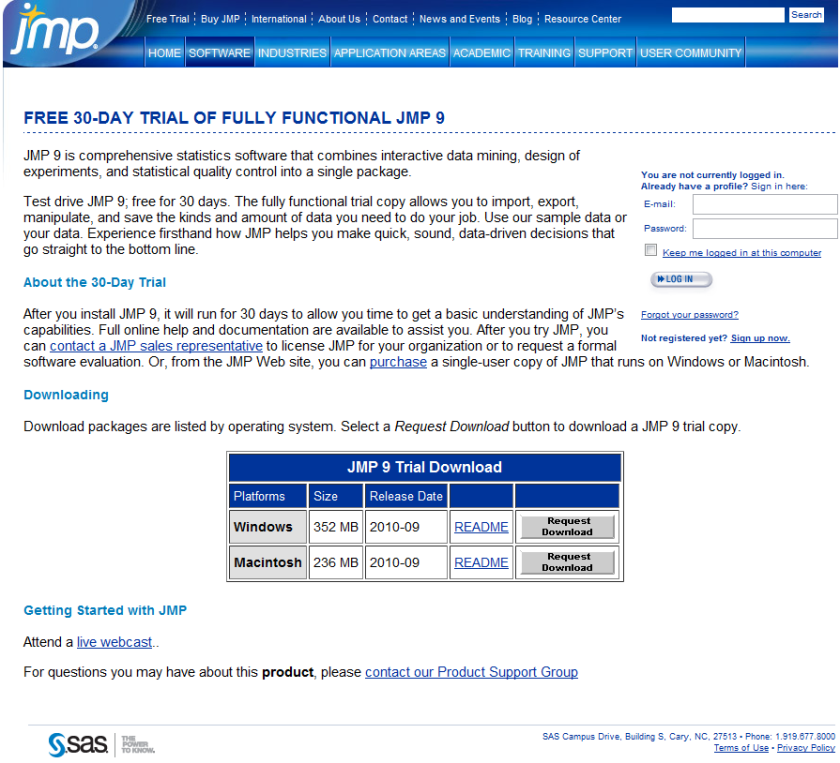
Best of all a JMP 30 day trial is free- so no money lost if you download JMP 9 (and no they dont ask for your credit card number, or do they- but they do have a huuuuuuge form to register before you download. Still JMP 9 the software itself is more thoughtfully designed than the email-prospect-leads-form and the extra functionality in the free 30 day trial is worth it.
R is a programming language and software environment for statistical computing and graphics. JMP now supports a set of JSL functions to access R. The JSL functions provide the following options:
• open and close a connection between JMP and R
• exchange data between JMP and R
•submit R code for execution
•display graphics produced by R
JMP and R each have their own sets of computational methods.
R has some methods that JMP does not have. Using JSL functions, you can connect to R and use these R computational methods from within JMP.
Textual output and error messages from R appear in the log window.R must be installed on the same computer as JMP.
though probably they are not creating a movie on Jim yet (imagine a movie titled “The Statistical Software” -not just the same dude feel as “The Social Network”)
Here is the brand new release from Jaspersoft at a groovy price of 9000$. Somebody stop these guys!
It’s a great company to watch for buyouts as well- given their expertise in REPORTING and clientele- especially for anyone looking to im prove thier standing in both open source world and reporting software branding.
Webinar: Introducing JasperReports Server Professional
Thursday October 14
In this live webinar, learn how a new solution from Jaspersoft combines the world’s favorite reporting server with powerful, mature report server functionality—for about 80% less.
The World’s Most Powerful and Affordable Reporting Server
Limited Time Introductory Offer: Starting from $9,000 (restrictions apply)
JasperReports Server is the recommended product for organizations requiring an affordable reporting solution for interactive, operational, and production-based reporting. Deployed as a standalone reporting server or integrated inside another application, JasperReports Server is a flexible, powerful, interactive reporting environment for small or large enterprises.
Powered by the world’s most popular reporting tools in JasperReports and iReport, developers and users can take advantage of more interactivity, security, and scheduling of their reports.
Key Benefits:
Affordable: Unlimited reports for unlimited users starting at $9,000
Powerful: Report scheduling and distribution to 1,000s of users on a single server
Flexible: Web service architecture simplifies application integration
New software just released from the guys in California (@RevolutionR) so if you are a Linux user and have academic credentials you can download it for free (@Cmastication doesnt), you can test it to see what the big fuss is all about (also see http://www.revolutionanalytics.com/why-revolution-r/benchmarks.php) –
Revolution Analytics has just released Revolution R Enterprise 4.0.1 for Red Hat Enterprise Linux, a significant step forward in enterprise data analytics. Revolution R Enterprise 4.0.1 is built on R 2.11.1, the latest release of the open-source environment for data analysis and graphics. Also available is the initial release of our deployment server solution, RevoDeployR 1.0, designed to help you deliver R analytics via the Web. And coming soon to Linux: RevoScaleR, a new package for fast and efficient multi-core processing of large data sets.
As a registered user of the Academic version of Revolution R Enterprise for Linux, you can take advantage of these improvements by downloading and installing Revolution R Enterprise 4.0.1 today. You can install Revolution R Enterprise 4.0.1 side-by-side with your existing Revolution R Enterprise installations; there is no need to uninstall previous versions.
Download Information
The following information is all you will need to download and install the Academic Edition.
Supported Platforms:
Revolution R Enterprise Academic edition and RevoDeployR are supported on Red Hat® Enterprise Linux® 5.4 or greater (64-bit processors).
Approximately 300MB free disk space is required for a full install of Revolution R Enterprise. We recommend at least 1GB of RAM to use Revolution R Enterprise.
For the full list of system requirements for RevoDeployR, refer to the RevoDeployR™ Installation Guide for Red Hat® Enterprise Linux®.
Download Links:
You will first need to download the Revolution R Enterprise installer.
Installation Instructions for Revolution R Enterprise Academic Edition
After downloading the installer, do the following to install the software:
Log in as root if you have not already.
Change directory to the directory containing the downloaded installer.
Unpack the installer using the following command:
tar -xzf Revo-Ent-4.0.1-RHEL5-desktop.tar.gz
Change directory to the RevolutionR_4.0.1 directory created.
Run the installer by typing ./install.py and following the on-screen prompts.
Getting Started with the Revolution R Enterprise
After you have installed the software, launch Revolution R Enterprise by typing Revo64 at the shell prompt.
Documentation is available in the form of PDF documents installed as part of the Revolution R Enterprise distribution. Type Revo.home(“doc”) at the R prompt to locate the directory containing the manuals Getting Started with Revolution R (RevoMan.pdf) and the ParallelR User’s Guide(parRman.pdf).
Installation Instructions for RevoDeployR (and RServe)
After downloading the RevoDeployR distribution, use the following steps to install the software:
Note: These instructions are for an automatic install. For more details or for manual install instructions, refer to RevoDeployR_Installation_Instructions_for_RedHat.pdf.
Log into the operating system as root.
su –
Change directory to the directory containing the downloaded distribution for RevoDeployR and RServe.
Unzip the contents of the RevoDeployR tar file. At prompt, type:
tar -xzf deployrRedHat.tar.gz
Change directories. At the prompt, type:
cd installFiles
Launch the automated installation script and follow the on-screen prompts. At the prompt, type:
./installRedHat.sh Note:Red Hat installs MySQL without a password.
Getting Started with RevoDeployR
After installing RevoDeployR, you will be directed to the RevoDeployR landing page. The landing page has links to documentation, the RevoDeployR management console, the API Explorer development tool, and sample code.
The simple R-benchmark-25.R test script is a quick-running survey of general R performance. The Community-developed test consists of three sets of small benchmarks, referred to in the script as Matrix Calculation, Matrix Functions, and Program Control.
Revolution Analytics has created its own tests to simulate common real-world computations. Their descriptions are explained below.
Linear Algebra Computation
Base R 2.9.2
Revolution R (1-core)
Revolution R (4-core)
Speedup (4 core)
Matrix Multiply
243 sec
22 sec
5.9 sec
41x
Cholesky Factorization
23 sec
3.8 sec
1.1 sec
21x
Singular Value Decomposition
62 sec
13 sec
4.9 sec
12.6x
Principal Components Analysis
237 sec
41 sec
15.6 sec
15.2x
Linear Discriminant Analysis
142 sec
49 sec
32.0 sec
4.4x
Speedup = Slower time / Faster Time – 1
Matrix Multiply
This routine creates a random uniform 10,000 x 5,000 matrix A, and then times the computation of the matrix product transpose(A) * A.
set.seed (1)
m <- 10000
n <- 5000
A <- matrix (runif (m*n),m,n)
system.time (B <- crossprod(A))
The system will respond with a message in this format:
User system elapsed
37.22 0.40 9.68
The “elapsed” times indicate total wall-clock time to run the timed code.
The table above reflects the elapsed time for this and the other benchmark tests. The test system was an INTEL® Xeon® 8-core CPU (model X55600) at 2.5 GHz with 18 GB system RAM running Windows Server 2008 operating system. For the Revolution R benchmarks, the computations were limited to 1 core and 4 cores by calling setMKLthreads(1) and setMKLthreads(4) respectively. Note that Revolution R performs very well even in single-threaded tests: this is a result of the optimized algorithms in the Intel MKL library linked to Revolution R. The slight greater than linear speedup may be due to the greater total cache available to all CPU cores, or simply better OS CPU scheduling–no attempt was made to pin execution threads to physical cores. Consult Revolution R’s documentation to learn how to run benchmarks that use less cores than your hardware offers.
Cholesky Factorization
The Cholesky matrix factorization may be used to compute the solution of linear systems of equations with a symmetric positive definite coefficient matrix, to compute correlated sets of pseudo-random numbers, and other tasks. We re-use the matrix B computed in the example above:
system.time (C <- chol(B))
Singular Value Decomposition with Applications
The Singular Value Decomposition (SVD) is a numerically-stable and very useful matrix decompisition. The SVD is often used to compute Principal Components and Linear Discriminant Analysis.
# Singular Value Deomposition
m <- 10000
n <- 2000
A <- matrix (runif (m*n),m,n)
system.time (S <- svd (A,nu=0,nv=0))
# Principal Components Analysis
m <- 10000
n <- 2000
A <- matrix (runif (m*n),m,n)
system.time (P <- prcomp(A))
# Linear Discriminant Analysis require (‘MASS’)
g <- 5
k <- round (m/2)
A <- data.frame (A, fac=sample (LETTERS[1:g],m,replace=TRUE))
train <- sample(1:m, k)
system.time (L <- lda(fac ~., data=A, prior=rep(1,g)/g, subset=train))

 Here is an interview with James Dixon the founder of Pentaho, self confessed Chief Geek and CTO. Pentaho has been growing very rapidly and it makes open source Business Intelligence solutions- basically the biggest chunk of enterprise software market currently.




 DECISION STATS