Why Cloud?

Here are some reasons why cloud computing is very helpful to small business owners like me- and can be very helpful to even bigger people.

1) Infrastructure Overhead becomes zero

– I need NOT invest in secure powerbackups (like a big battery for electricity power-outs-true in India), data disaster management (read raid), software licensing compliance.

All this is done for me by infrastructure providers like Google and Amazon.

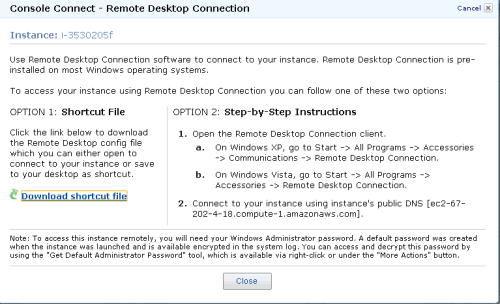
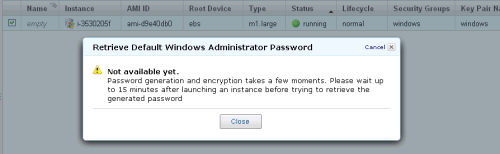
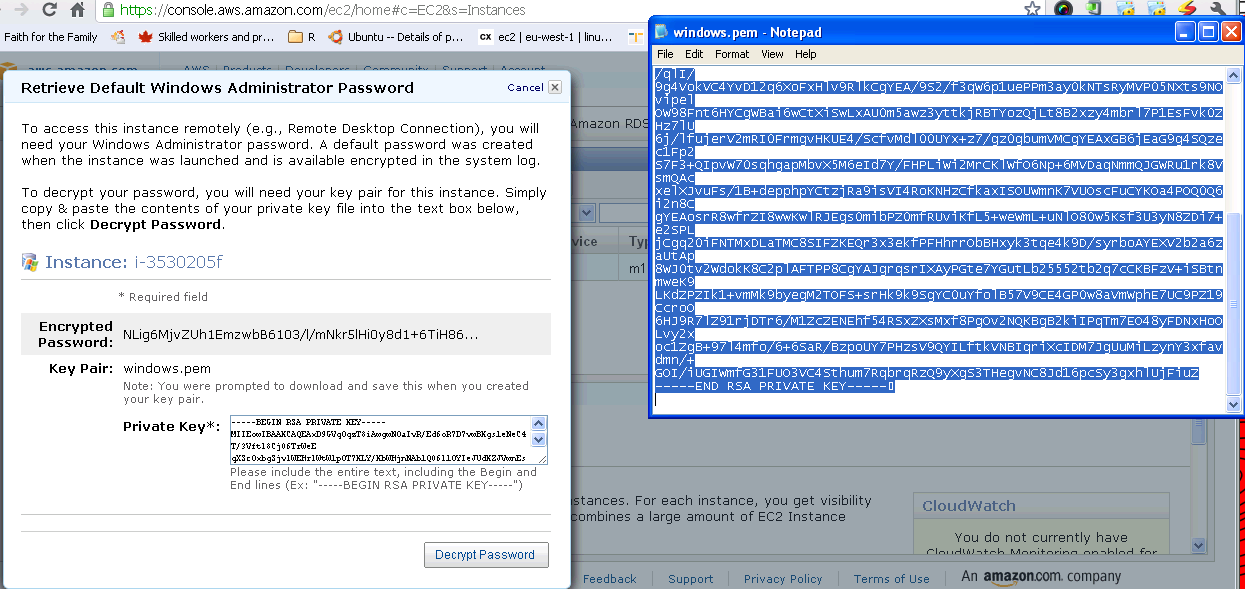
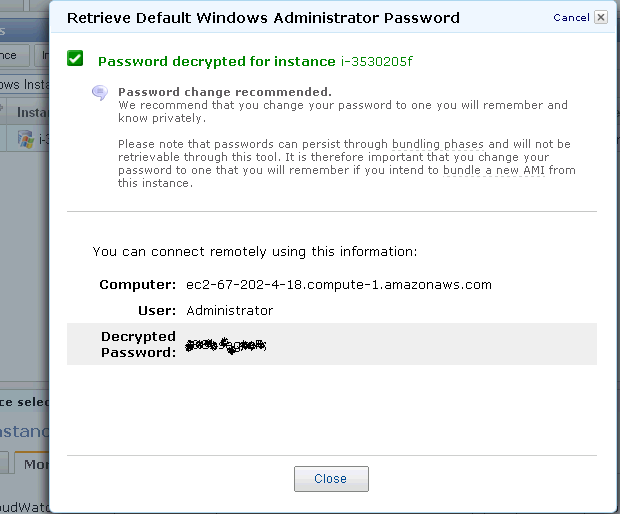
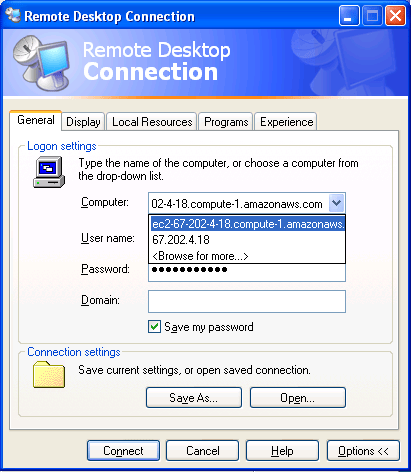
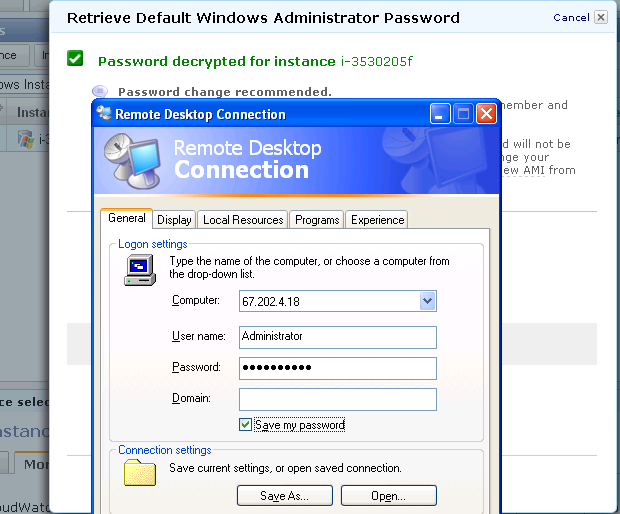
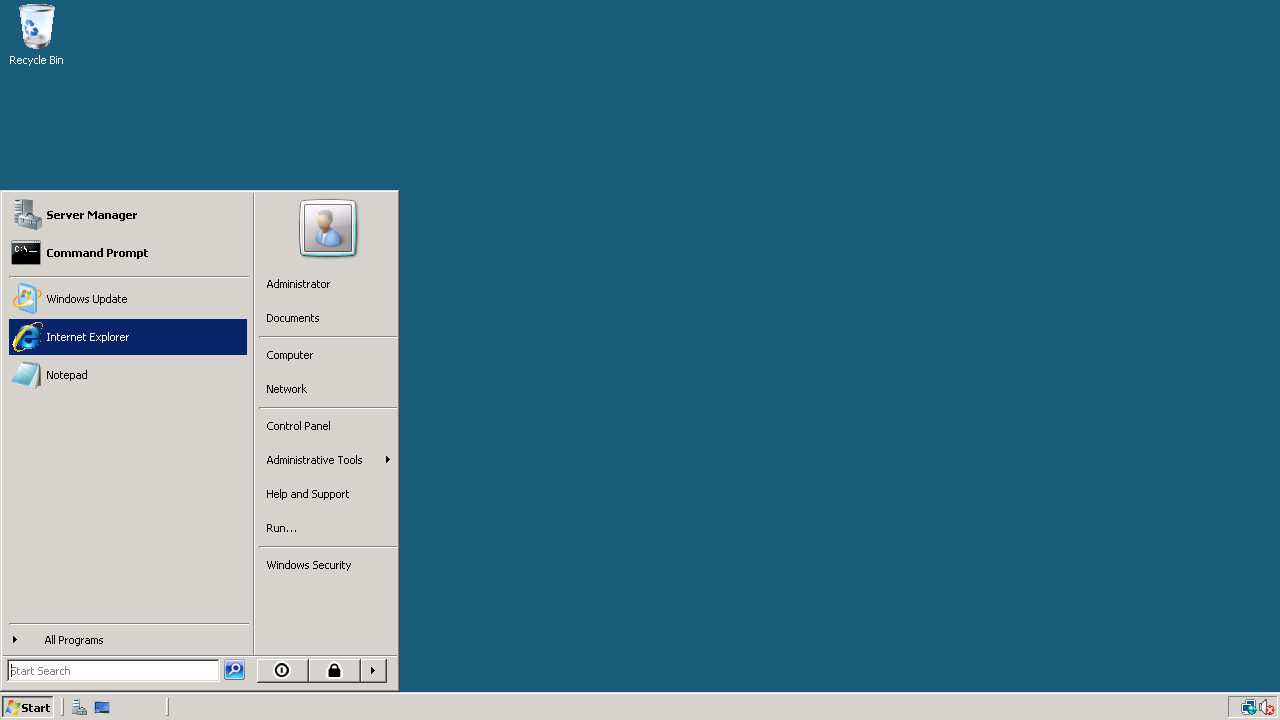
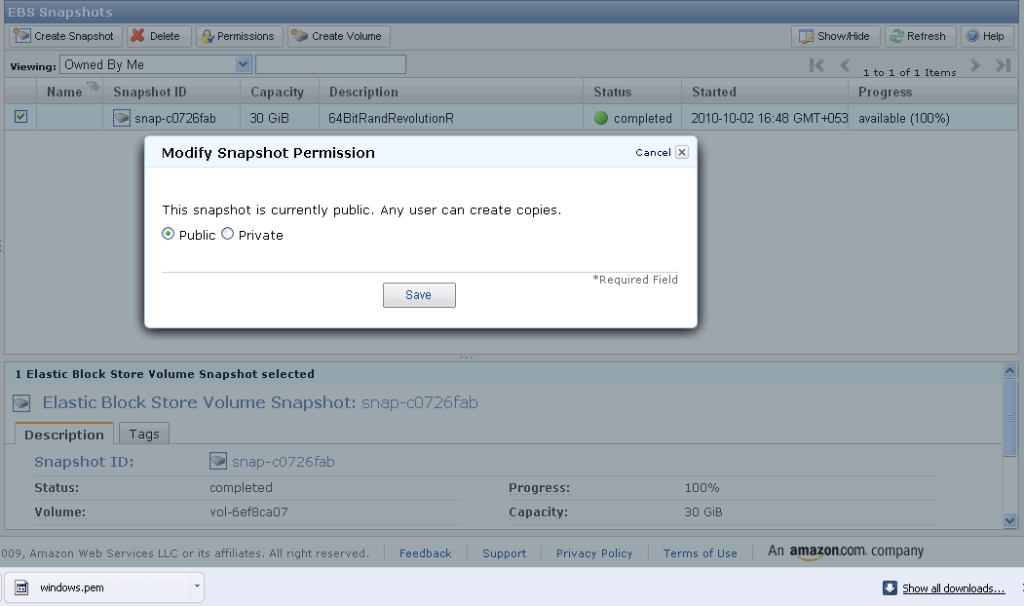
For simple office productivity, I type on Google Docs that auto-saves my data,writing on cloud. I need not backup- Google does it for me.  Ditto for presentations and spreadsheets. Amazon gets me the latest Window software installed whenever I logon- I need not be  bothered by software contracts (read bug fixes and patches) any more.

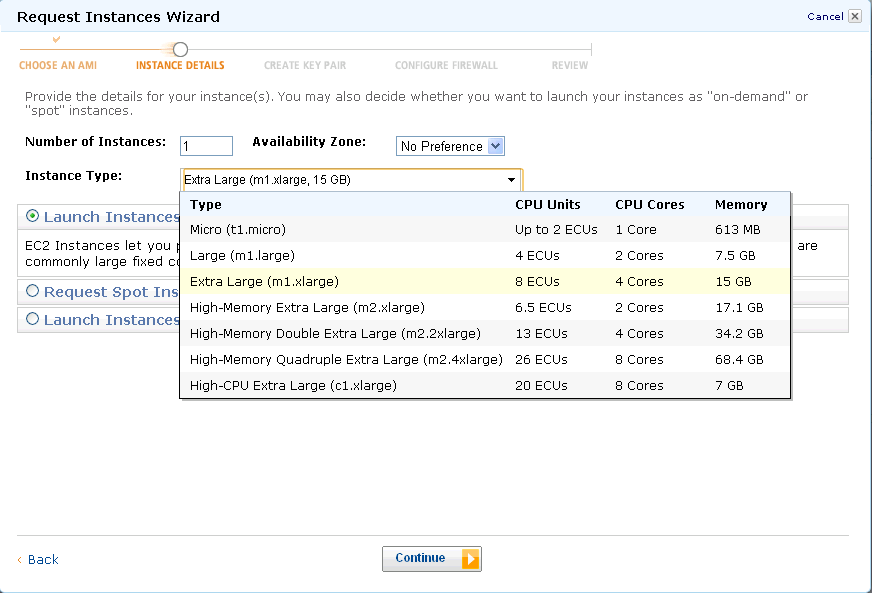
2) Renting Hardware by the hour- A small business owner cannot invest too much in computing hardware (or software). The pay as you use makes sense for them. I could never afford a 8 cores desktop with 25 gb RAM- but I sure can rent and use it to bid for heavier data projects that I would have had to let go in the past.

3) Renting software by the hour- You may have bought your last PC for all time

An example- A windows micro instance costs you 3 cents per hour on Amazon. If you take a mathematical look at upgrading your PC to latest Windows, buying more and more upgraded desktops just to keep up, those costs would exceed 3 cents per hour. For Unix, it is 2 cents per hour, and those softwares (like Red Hat Linux and Ubuntu have increasingly been design friendly even for non techie users)

Some other software companies especially in enterprise software plan to and already offer paid machine images that basically adds their software layer on top of the OS and you can rent software for the hour.

It does not make sense for customers to effectively subsidize golf tournaments, rock concerts, conference networks by their own money- as they can rent software by the hour and switch to pay per use.

People especially SME consultants, academics and students and cost conscious customers – in Analytics would love to see a world where they could say run SAS Enterprise Miner for 10 dollars a hour for two hours to build a data mining model on 25 gb RAM, rather than hurt their pockets and profitability in Annual license models. Ditto for SPSS, JMP, KXEN, Revolution R, Oracle Data Mining (already available on Amazon) , SAP (??), WPS ( on cloud ???? ) . It’s the economy, stupid.

Corporates have realized that cutting down on Hardware and software expenses is more preferable to cutting down people. Would you rather fire people in your own team to buy that big HP or Dell or IBM Server (effectively subsidizing jobs in those companies). IF you had to choose between an annual license renewal for your analytics software TO renting software by the hour and using those savings for better benefits for your employees, what makes business sense for you to invest in.

Goodbye annual license fees.  Welcome brave new world.
Blog Update

Some changes at Decisionstats-

1) We are back at Decisionstats.com and Decisionstats.wordpress.com will point to that as well. The SEO effects would be interesting and so would be the Instant Pagerank or LinkRank or whatever Coffee/Percolator they use in Cali to index the site.

2) AsterData is no longer a sponsor- but Predictive Analytics Conference is. Welcome PAWS! I have been a blog partner to PAWS ever since it began- and it’s a great marketing fit. Expect to see a lot of exclusive content and interviews from great speakers at PAWS.

3) The Feedblitz newsletter (now at 404 subscribers) is now a weekly subscription to send one big big email rather than lots of email through the week- this is because my blogging frequency is moving up as I collect material for a new book on business analytics that I would probably release in 2011 (if all goes well, touchwood). Linkedin group would be getting a weekly update announcement. If you are connected to Decisionstats on Analyticbridge _ I would soon try to find a way to update the whole post automatically using RSS and Ning.com . or not. Depends.

4) R continues to be a bigger focus. So will SPSS and maybe JMP. Newer softwares or older softwares that change more rapidly would get more coverage. Generally a particular software is covered if it has newer features, or an interesting techie conference, or it gets sued.

5) I will occasionally write a poem or post a video once a week randomly to prove geeks and nerds and analysts can have fun (much more fun actually dont we)

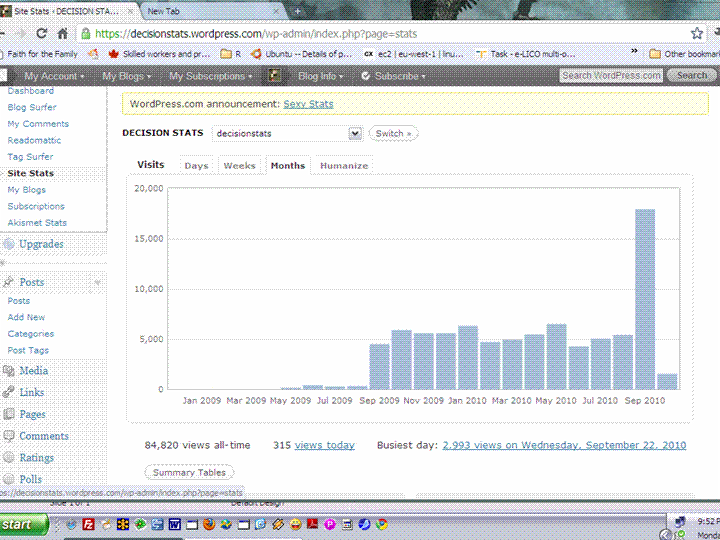
Thanks for reading this. Sept 2010 was the best ever for Decisionstats.com – we crossed 15,000 + visitors and thanks for that again! I promise to bore you less and less as we grow old together on the blog 😉

Using Code Snippets in Revolution R

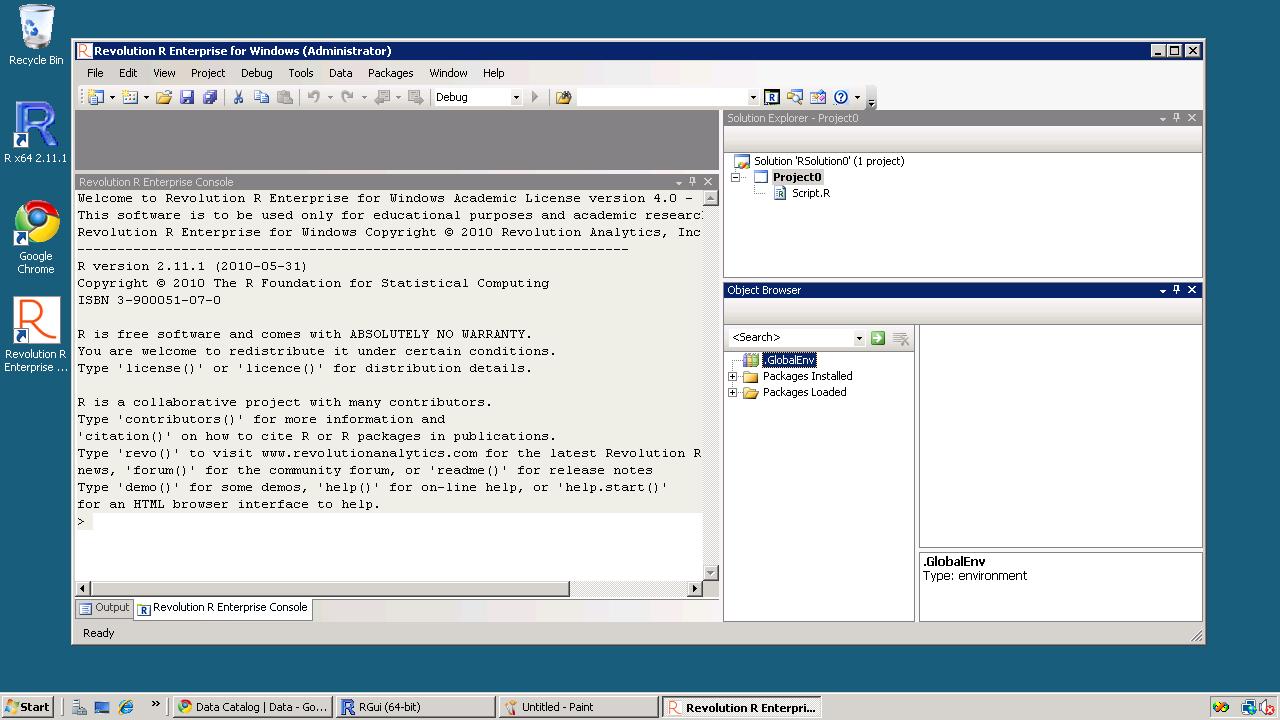
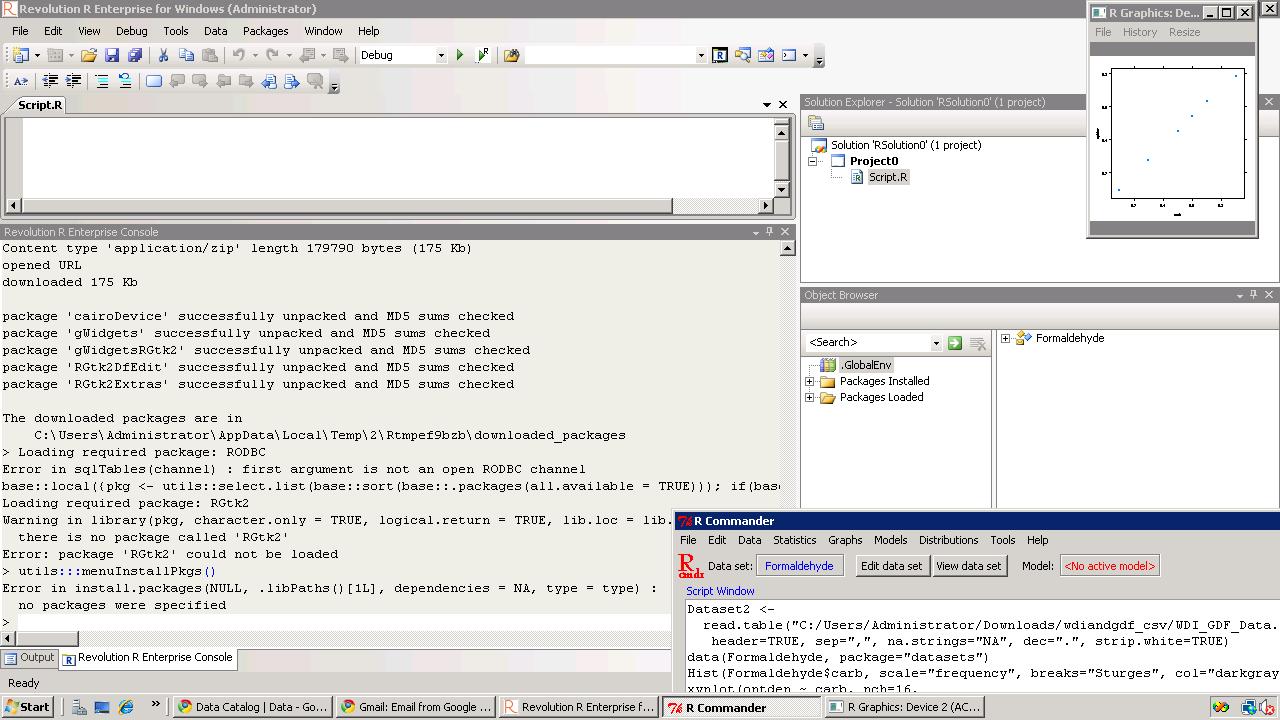
So I am still testing Revo R on the 64 bit AMI i created on the weekend and I really like the code snippets feature in Revolution R.

Code Snippets work in a fairly simply way.

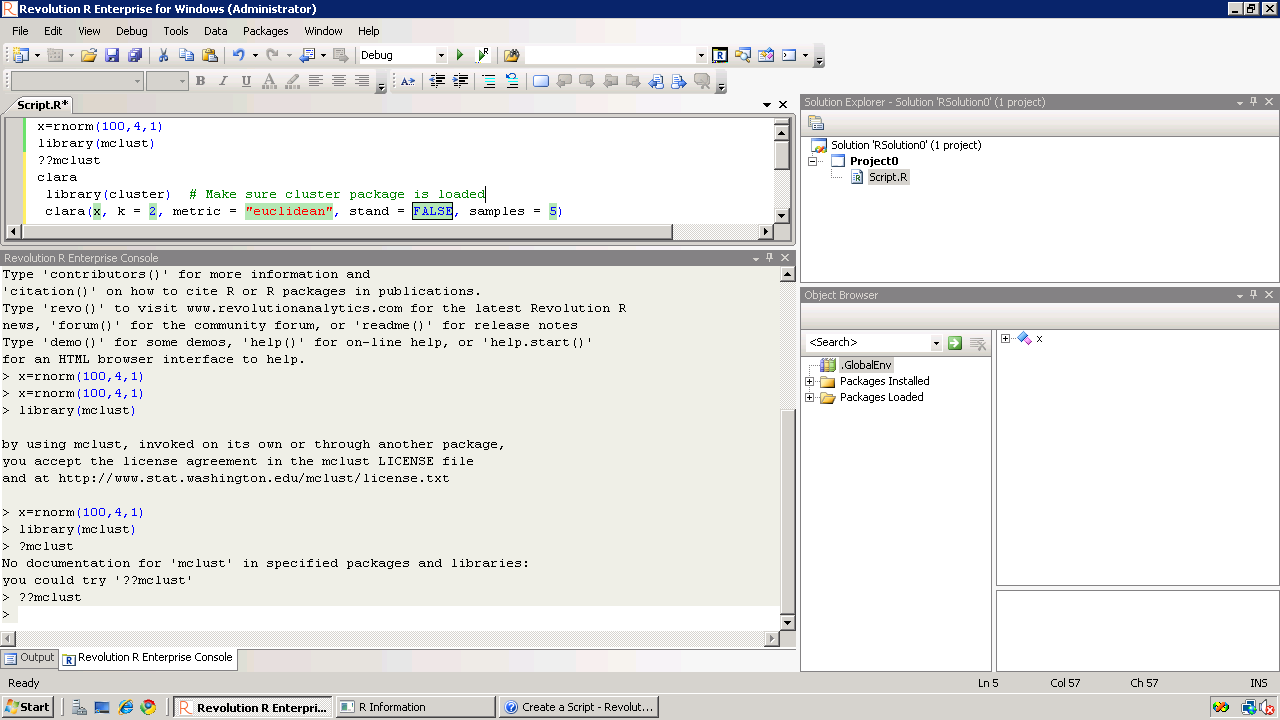
Right click– Click on Insert Code Snippet.

You can get a drop down of tasks to do- (like Analysis) Selecting Analysis we get another list of tasks (like Clustering).

Once you click on Clustering you get various options. Like clicking clara will auto insert the code

Now even if you are averse to using a GUI /or GUI creators don’t have your particular analysis you can basically type in code at an extremely fast pace.

It is useful to people who do not have to type in the entire code, but it is a boon to beginners as the parameters in function inserted by code snippet are automatically selected in multiple colors.

Also separately if are typing code for a function and hover, the various parameters for that particular function are shown.

Quite possibly the fastest way to write R code- and it is un matched by other code editors I am testing including Vim,Notepad++,Eclipse R etc.

The RPE (R Productivity Environment for windows- horrible bureaucratic name is the only flaw here) thus helps as it is quite thoughtfully designed. Interestingly they even have a record macro feature – which I am quite unsure of , but looks like automating some tasks. That’s next 🙂

See screenshot –

It would be quite nice to see the new Revo R GUI if it becomes available if it is equally intuitively designed considering it now has the founders of SPSS and one founder of R* as it’s members-it should be a keenly anticipated product. again Revolution could also try creating a Paid Amazon AMI and try renting the software by the hour at least as technology demonstrator as the big analytics world seems unaware of the work they have been up to.

without getting much noise on how much the other founder of R loves Revo 😉 )

IBM SPSS 19: Marketing Analytics and RFM

What is RFM Analysis?

Recency Frequency Monetization is basically a technique to classify your entire customer list. You may be a retail player with thousands of customers or a enterprise software seller with only two dozen customers.

RFM Analysis can help you cut through and focus on the real customer that drives your profit.

As per Wikipedia

http://en.wikipedia.org/wiki/RFM

RFM is a method used for analyzing customer behavior and defining market segments. It is commonly used in database marketing and direct marketing and has received particular attention in retail.

RFM stands for

  • Recency – How recently a customer has purchased?
  • Frequency – How often he purchases?
  • Monetary Value – How much does he spend?

To create an RFM analysis, one creates categories for each attribute. For instance, the Recency attribute might be broken into three categories: customers with purchases within the last 90 days; between 91 and 365 days; and longer than 365 days. Such categories may be arrived at by applying business rules, or using a data mining technique, such asCHAID, to find meaningful breaks.

—————————————————————————————————-

Even if you dont know what or how to do a RFM, see below for an easy to do way.

I just got myself an evaluation copy of a fully loaded IBM SPSS 19 Module and did some RFM Analysis on some data- the way SPSS recent version is it makes it very very useful even to non statistical tool- but an extremely useful one to a business or marketing user.

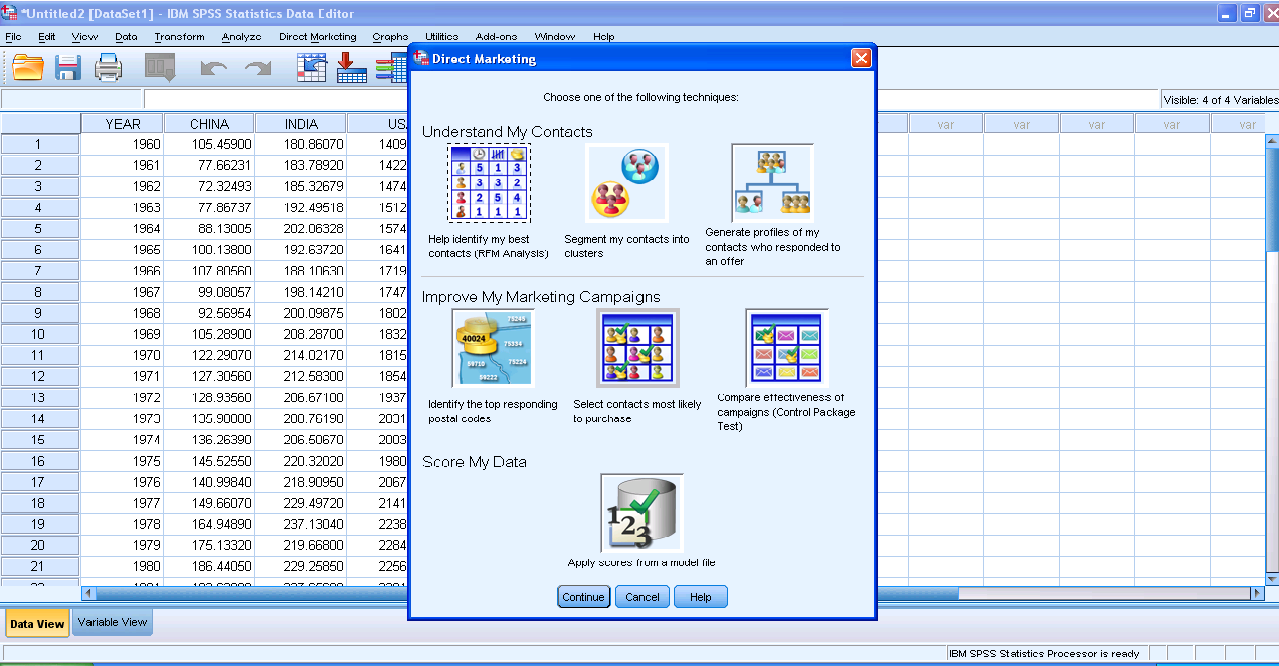
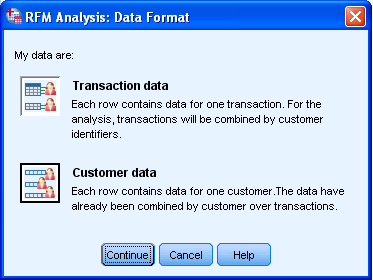
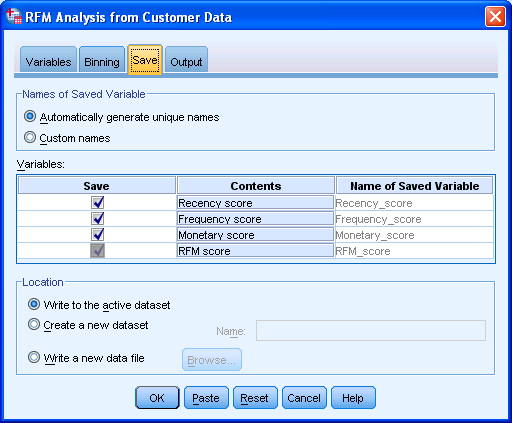
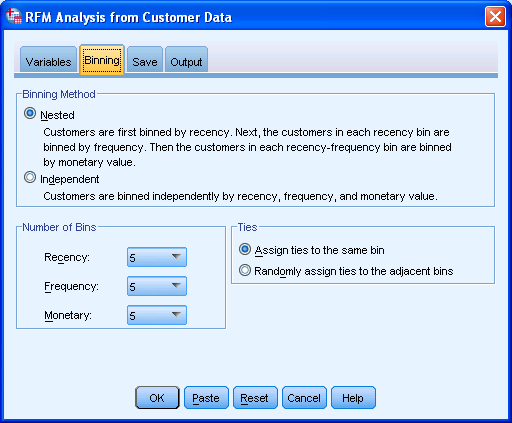
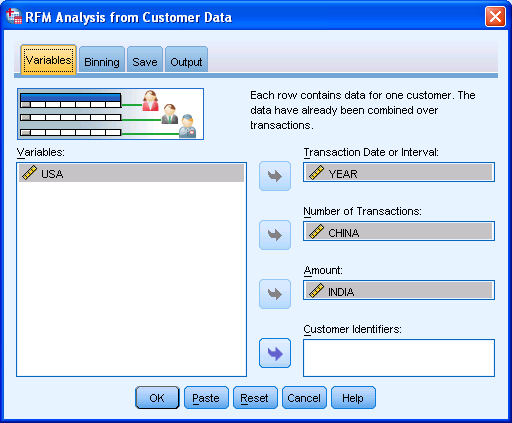
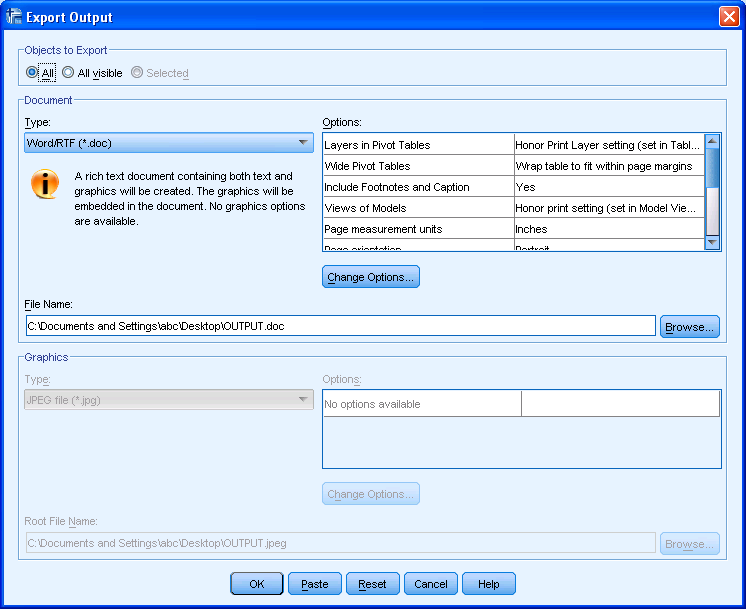
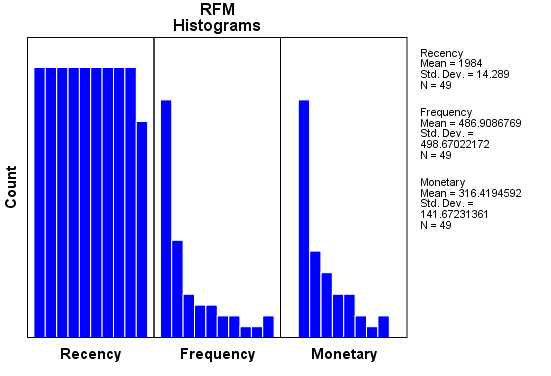
Here are some screenshots to describe the features.

1) A simple dashboard to show functionality (with room for improvement for visual appeal)

2) Simple Intuitive design to inputting data3) Some options in creating marketing scorecards4) Easy to understand features for a business audiences

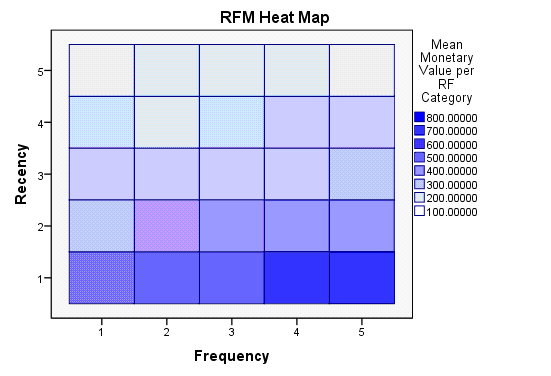
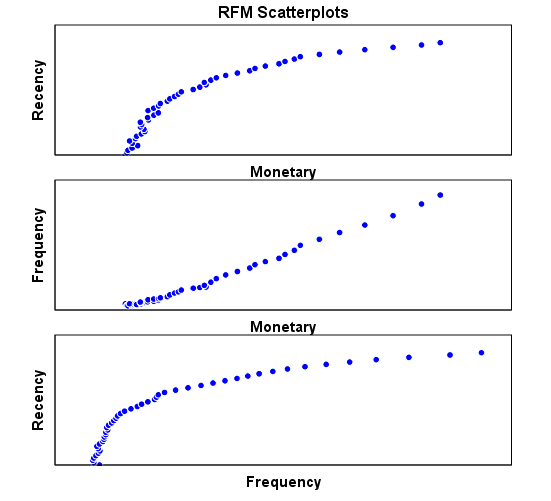
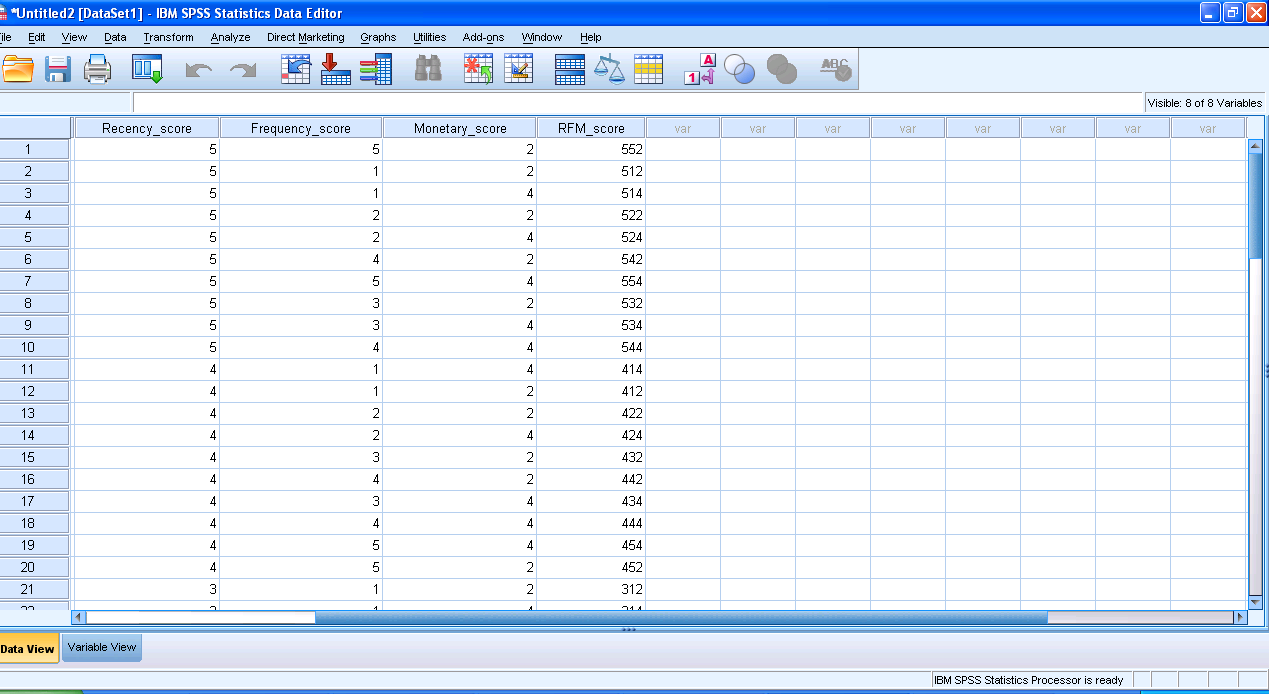
rather than pseudo techie jargon5) Note the clean design of the GUI in specifying data input type6) Again multiple options to export results in a very user friendly manner with options to customize business report7) Graphical output conveniently pasted inside a word document rather than a jumble of images. Auto generated options for customized standard graphs.8) An attractive heatmap to represent monetization for customers. Note the effect that a scale of color shades have in visual representation of data.9) Comparative plots placed side by side with easy to understand explanation (in the output word doc not shown here)10) Auto generated scores attached to data table to enhance usage. 

Note here I am evaluating RFM as a marketing technique (which is well known) but also the GUI of IBM SPSS 19 Marketing Analytics. It is simple, and yet powerful into turning what used to be a purely statistical software for nerds into a beautiful easy to implement tool for business users.

So what else can you do in Marketing Analytics with SPSS 19.

IBM SPSS Direct Marketing

The Direct Marketing add-on option allows organizations to ensure their marketing programs are as effective as possible, through techniques specifically designed for direct marketing, including:

• RFM Analysis. This technique identifies existing customers who are most likely to respond to a new offer.

• Cluster Analysis. This is an exploratory tool designed to reveal natural groupings (or clusters) within your data. For example, it can identify different groups of customers based on various demographic and purchasing characteristics.

• Prospect Profiles. This technique uses results from a previous or test campaign to create descriptive profiles. You can use the profiles to target specific groups of contacts in future campaigns.

• Postal Code Response Rates. This technique uses results from a previous campaign to calculate postal code response rates. Those rates can be used to target specific postal codes in future campaigns.

• Propensity to Purchase. This technique uses results from a test mailing or previous campaign to generate propensity scores. The scores indicate which contacts are most likely to respond.

• Control Package Test. This technique compares marketing campaigns to see if there is a significant difference in effectiveness for different packages or offers.

Click here to find out more about Direct Marketing.

New Deal in Statistical Training

The United States Government is planning a new initiative at providing employable skills to people, to cope with unemployment.
One skill perpetually in shortage is analytics training along with skills in statistics.

It is time that corporates like IBM SPSS, SAS Institute and Revolution Analytics as well as offshore companies in India or Asia can ramp up their on demand trainings, certification as well as academic partnership bundles. Indeed offshroing companies can earn revenue as well as goodwill if they help in with trainers available via video- conferencing. The new Deal initiative would require creative thinking as well as direct top management support to focus their best internal brains at developing this new revenue stream. Again the company that trains the most users (be it Revolution for R, IBM for SPSS-Cognos, SAS Institute for Base SAS-JMP, WPS for SAS language) is going to get a bigger chunk of new users and analysts.

Analytics skills are hot. There is big new demand for hot new skills by millions of unemployed Americans and Asians. How do you think this services market will play out?

If the US government could pump 800 Billion for bailouts, how much is your opinion it should spend on training programs to help citizens compete globally?

From http://www.nytimes.com/2010/10/03/business/economy/03skills.html?hpw

The national program is a response to frustrations from both workers and employers who complain that public retraining programs frequently do not provide students with employable skills. This new initiative is intended to help better align community college curriculums with the demands of local companies.

SAS recognizes the market –

see http://www.sas.com/news/preleases/aba-tech-engage.html

In tough economic times, it is more important than ever that companies be able to make better decisions using analytics. SAS is involved in two programs this summer that offer MBAs and unemployed technology workers the opportunity to learn and enhance analytics skills, and increase their marketability.

SAS is a partner in TechEngage, a week-long program of training classes that offer unemployed technology professionals new skills at a low cost to help them compete effectively in the marketplace.”

So does IBM-

http://www-03.ibm.com/press/us/en/pressrelease/28994.wss

. “Fordham has a long history of collaboration with IBM that has brought innovative new skills to our curriculum to prepare students for future jobs. With this effort, Fordham is preparing students with marketable skills for a coming wave of jobs in healthcare, sustainability, and social services where analytics can be applied to everyday challenges.”

and R

Well TIBCO and Revolution ….hmmm…mmmm

I am not sure there is even a R Analytics Certification program at the least.

Better Data Visualization in WordPress.com Stats

WordPress.com Stats is the analytical software which helps bloggers on WP.com hosted blogs. It recently underwent a revamp in design-

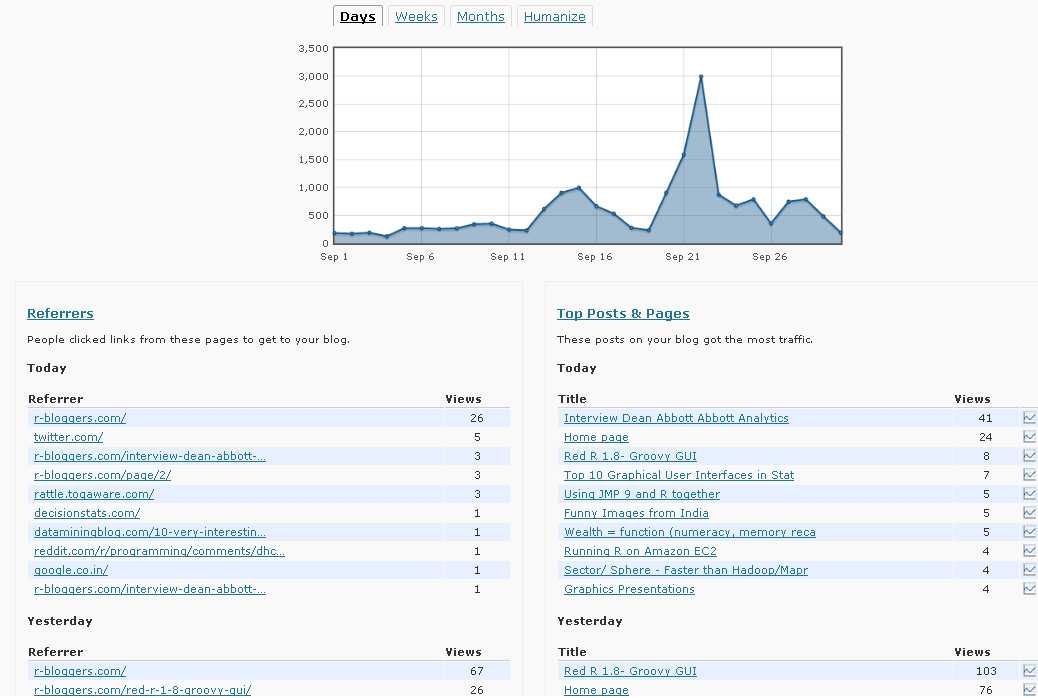
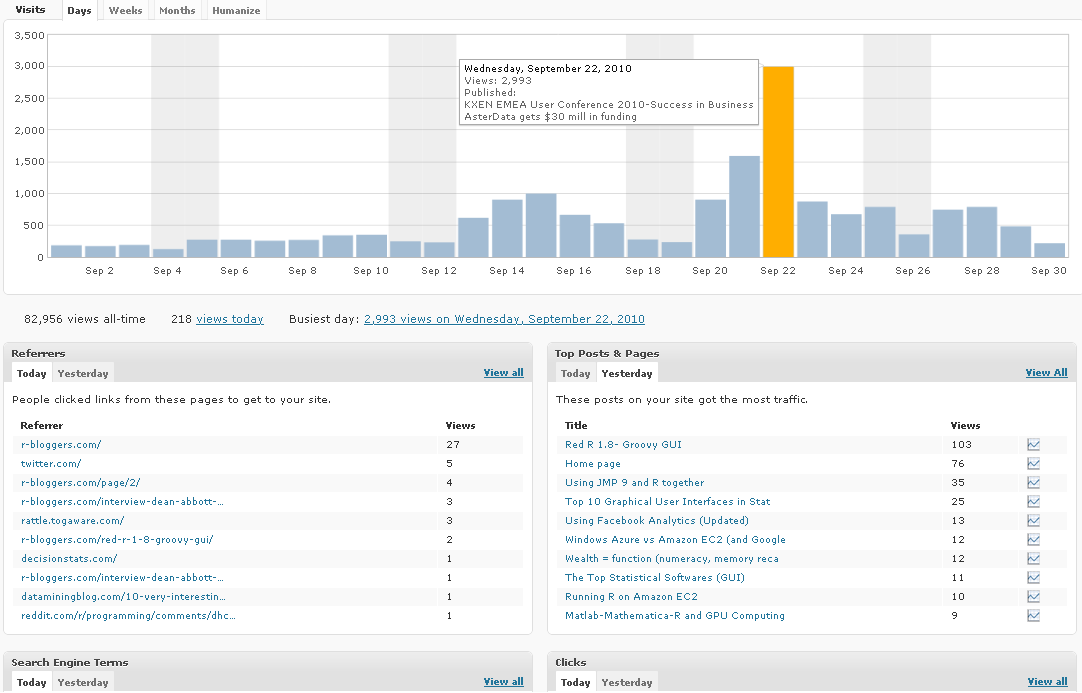
Note a simple change from Line to Histogram charts, and added Tabs can add so much value to data.

However WP.com really needs to addin Geo-Coded Stats (Visitors from where) and Some level of Campaign Tracking (similar to Goals in Google Analytics)

Earlier WP Stats

Now WP Stats