Youtube is coming Home

A continuing series on better design interfaces for my favorite music channel – You Tube

Some things I like.
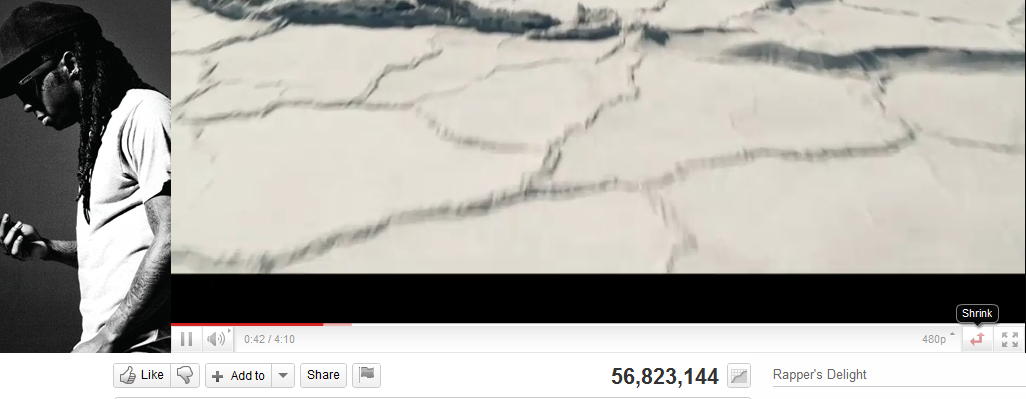
The shrink- expand button.

The wasted space for advertisement – to the left of the video that is hugely static in terms of changes. It should be rotated more often.

The non existing average time of play- does everyone watch the whole video . or is the whole video watched 56 million times.

the inability to scroll and zoom into the video analytics.

the completely outdated comments button- which can be better used to create a SOCIAL community. but all it shows is top ranked comment, and click before dropping down. I liked the NYT approach to segmented comments including Editors Picks, Most Recommended, Highlights.

The video response feature that can be easily gamed to ensure video views /phishes.

The comments page numbers at the bottom instead of being at the top for the casual scanner of comments.

              Next

Facebook is the first button rather than second button in the minimum shared view list. Is that true? Can these buttons be self learning to my preferred social network instead of a default. (hint- use Google prediction API)

There is no provision to replay a video, unless you put into a playlist- which fortunately has been quite changed, even though the urls for playlists should have a separate url shortener than you.tube

A much better recommended playlist of related videos- they should be customized to the eclectic taste of the signed in user than the actual content. Maybe Try something like iTunes Genius feature.

No provision for a paid , premium channel even for countries that are blocked en masse from watching certain videos, hence depend on illegal video responses.

Why does Matt (of WordPress) hate Matt (of Google)

Biz Stone, co-founder of Twitter
Image via Wikipedia

I want to show some bad ads of Google Ad sense. I pay through my nose for video upgrades and extra space to keep people happy.

120,000 views in 2010

Money earned By Matt (of WordPress)= $$$$$ from me

Money earned by Mutt -(thats me)= 000,000,000

Please allow me to run ads on wordpress.com

or create your own fucking ad networks

but do it PHAST.

ESLE blog trsnfer using Blog Export, divide Xml file into 13 files  using Notepad copy and paste

go to Appspot

Convert files to Blogger files\

Thats the company BIZ stone OF tWITTER  made

before these Two matts got into dog fights.

https://wordpress2blogger.appspot.com/

Ever wanted to move your WordPress blogs over to Blogger? This site can aid in the process!

Instructions

  1. Login to your WordPress account and navigate to the Dashboard for the blog that you’d like to transfer to Blogger.
  2. Click on the Manage tab below the Blog name.
  3. Click on the Export link below the Manage tab.
  4. Download the WordPress WXR export file by clicking on Download Export File.
  5. Save this file to your local machine.
  6. Browse to that saved document with the form below and click Convert.
     
  7. Save this file to your local machine. This file will be the contents of your posts/comments from WordPress in a Blogger export file.
  8. Login to your Blogger or create a new user.
  9. Once logged in, click on the Create a Blog link from the user dashboard, and then click on the Import Blog Tool
  10. Follow the instructions and upload your Blogger export file when prompted.
  11. After completing the import wizard, you should have a set of imported posts from WordPress that you can now publish to Blogger. Have fun!

NOTE: This hosted application will only allow downloads smaller than 1MB.

For information on how to run this conversion on your own, visit the open source project hosted at code.google.com

Powered by Google App Engine

Revolution releases R Windows for Academics for free

Logo for R
Image via Wikipedia

Based on the official email from them, God bless the merry coders at Revo-

Revolution Analytics has just released Revolution R Enterprise 4.3 for 32-bit and 64-bit Windows, a significant step forward in enterprise data analytics.  It features an updated RevoScaleR package for scalable, fast (multicore), and extensible data analysis with R. Revolution R Enterprise 4.3 for Windows also provides R 2.12.2, and includes an enhanced R Productivity Environment (RPE), a full-featured integrated development environment with visual debugging capabilities. Also available is an updated Windows release of our deployment server solution, RevoDeployR 1.2, designed to help you deliver R analytics via the Web.

As a registered user of the Academic version of Revolution R Enterprise for Windows, you can take advantage of these improvements by downloading and installing Revolution R Enterprise 4.3 today. You can install Revolution R Enterprise 4.3 side-by-side with your existing Revolution R Enterprise installations; there is no need to uninstall previous versions.


Tips to Play Farmville Really Well

Here are some tips to play Farmville really well-

1) Keep your Farmville friends in a seperate friend list  by creating a list at http://www.facebook.com/friends/edit/

This ensures friendship , work and Farmville dont mess around with each other. You also dont need a lot of friends in Farmville (max 40 actives) unlike Mafia Wars

2) Register at http://rewards.zynga.com/ to get free or double rewards by doing the same work. These rewards can be redeemed in-game

3) Set a time as well as money budget. Like $10 per month and 1 hour on weekends with 15 minutes on weekdays with max 3-4 logins. Continue reading “Tips to Play Farmville Really Well”

Broad Guidelines for Graphs

Here are some broad guidelines for Graphs from EIA.gov , so you can say these are the official graphical guidelines of USA Gov

They can be really useful for sites planning to get into the Tableau Software/NYT /Guardian Infographic mode- or even for communities of blogs that have recurrent needs to display graphical plots- particularly since communication, statistical and design specialists are different areas/expertise/people.

Energy Information Administration Standard

Broad Guidelines for Graphs-I am reproducing an example from EIA ‘s guidelines for graphs-
http://www.eia.gov/about/eia_standards.cfm#Standard25

Energy Information Administration Standard 2009-25

Title: Statistical Graphs
Superseded Version: Standard 2002-25
Purpose: To ensure the utility (usefulness to intended users) and objectivity (accuracy, clarity, completeness, and lack of bias) of energy information presented in statistical graphs.
Applicability: All EIA information products.
Required Actions:

  1. Graphs should be used to show and compare changes, trends and/or relationships, and to assist users in visualizing the conclusions drawn from the data represented.
  2. A graph should contain sufficient Continue reading “Broad Guidelines for Graphs”

Using Color Palettes in R

If you like me, are unable to decide whether blue or brown is a better color for graph- color palettes in R are a big help for aesthetically acceptable alternatives.

Using the same graphs, I choose the 5 main kinds of color palettes, using them is as easy as specifying the col= parameter in graphical display in Base Graphs. And I modified the n parameter for number of colors to be used- you can specify more or less depending how much you want the gradient or difference in colors to be.

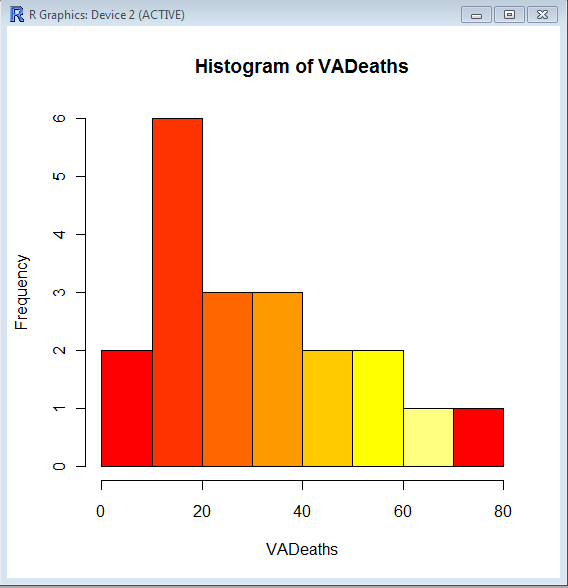
> hist(VADeaths,col=heat.colors(7))

> hist(VADeaths,col=terrain.colors(7))

Continue reading “Using Color Palettes in R”

Top ten business analytics graphs Bar Charts (3/10)

Bar Charts and Histograms-Bar Charts are one of the most widely used types of Business Charts. Even the ever popular histograms are  special cases of bar charts (but showing frequencies). Histograms are the not the same as bar charts, they are simply bar charts of frequencies.

Basically a bar chart shows rectangular bars with length proportional to the quantities being described. It helps to see relative quantities between various category types.

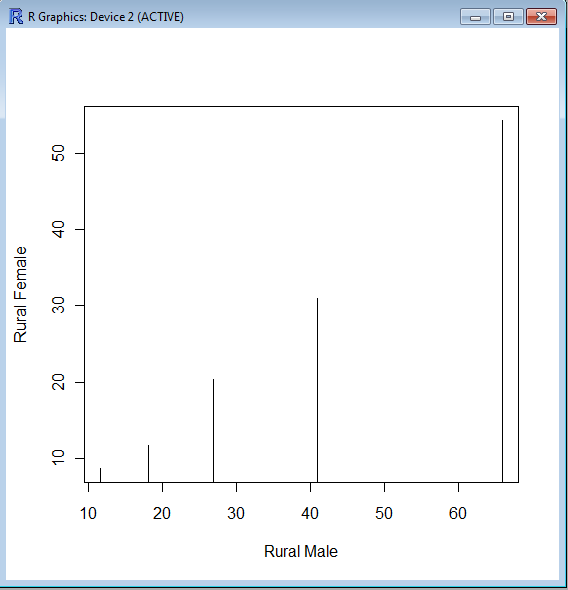
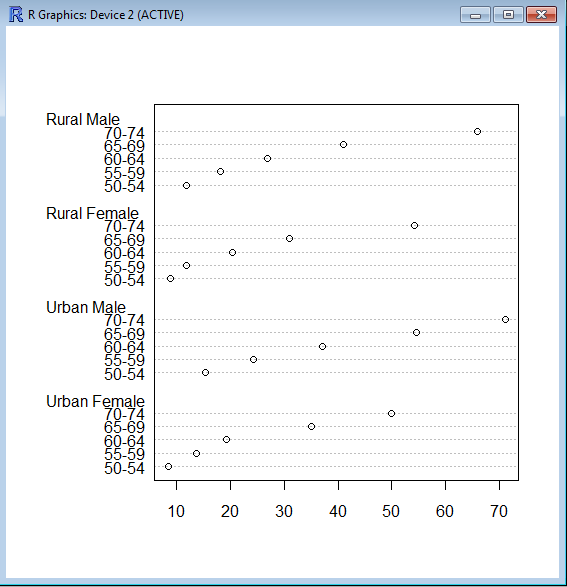
The barplot() command is used for making Bar Plots, while hist() is used for histograms. You can also use the plot() command with type=h to create histograms-The official R manual also suggests that Dot plots using dotchart () are a reasonable substitute for bar plots.
A very simple easy to understand tutorial for basic bar plots is at http://msenux.redwoods.edu/math/R/barplot.php

The difference between the three main functions that can be used for these charts are shown below-

> VADeaths
Rural Male Rural Female Urban Male Urban Female
50-54       11.7          8.7       15.4          8.4
55-59       18.1         11.7       24.3         13.6
60-64       26.9         20.3       37.0         19.3
65-69       41.0         30.9       54.6         35.1
70-74       66.0         54.3       71.1         50.0

> plot(VADeaths,type=”h”)


> dotchart(VADeaths)