Libre Office

Some ambiguity about Libre Office and why it needed to change from Open Office- just when Open Office seemed so threatening on the desktop

FROM- http://www.documentfoundation.org/faq/

Q: So is this a breakaway project?

A: Not at all. The Document Foundation will continue to be focused on developing, supporting, and promoting the same software, and it’s very much business as usual. We are simply moving to a new and more appropriate organisational model for the next decade – a logical development from Sun’s inspirational launch a decade ago.

Q: Why are you calling yourselves “The Document Foundation”?

A: For ten years we have used the same name – “OpenOffice.org” – for both the Community and the software. We’ve decided it removes ambiguity to have a different name for the two, so the Community is now “The Document Foundation”, and the software “LibreOffice”. Note: there are other examples of this usage in the free software community – e.g. the Mozilla Foundation with the Firefox browser.

Q: Does this mean you intend to develop other pieces of software?

A: We would like to have that possibility open to us in the future…

Q: And why are you calling the software “LibreOffice” instead of “OpenOffice.org”?

A: The OpenOffice.org trademark is owned by Oracle Corporation. Our hope is that Oracle will donate this to the Foundation, along with the other assets it holds in trust for the Community, in due course, once legal etc issues are resolved. However, we need to continue work in the meantime – hence “LibreOffice” (“free office”).

Q: Why are you building a new web infrastructure?

A: Since Oracle’s takeover of Sun Microsystems, the Community has been under “notice to quit” from our previous Collabnet infrastructure. With today’s announcement of a Foundation, we now have an entity which can own our emerging new infrastructure.

Q: What does this announcement mean to other derivatives of OpenOffice.org?

A: We want The Document Foundation to be open to code contributions from as many people as possible. We are delighted to announce that the enhancements produced by the Go-OOo team will be merged into LibreOffice, effective immediately. We hope that others will follow suit.

Q: What difference will this make to the commercial products produced by Oracle Corporation, IBM, Novell, Red Flag, etc?

A: The Document Foundation cannot answer for other bodies. However, there is nothing in the licence arrangements to stop companies continuing to release commercial derivatives of LibreOffice. The new Foundation will also mean companies can contribute funds or resources without worries that they may be helping a commercial competitor.

Q: What difference will The Document Foundation make to developers?

A: The Document Foundation sets out deliberately to be as developer friendly as possible. We do not demand that contributors share their copyright with us. People will gain status in our community based on peer evaluation of their contributions – not by who their employer is.

Q: What difference will The Document Foundation make to users of LibreOffice?

A: LibreOffice is The Document Foundation’s reason for existence. We do not have and will not have a commercial product which receives preferential treatment. We only have one focus – delivering the best free office suite for our users – LibreOffice.

—————————————————————————————————-

Non Microsoft and Non Oracle vendors are indeed going to find it useful the possiblities of bundling a free Libre Office that reduces the total cost of ownership for analytics software. Right now, some of the best free advertising for Microsoft OS and Office is done by enterprise software vendors who create Windows Only Products and enable MS Office integration better than  Open Office integration. This is done citing user demand- but it is a chicken egg dilemma- as functionality leads to enhanced demand. Microsoft on the other hand is aware of this dependence and has made SQL Server and SQL Analytics (besides investing in analytics startups like Revolution Analytics) along with it’s own infrastructure -Azure Cloud Platform/EC2 instances.

BI Software

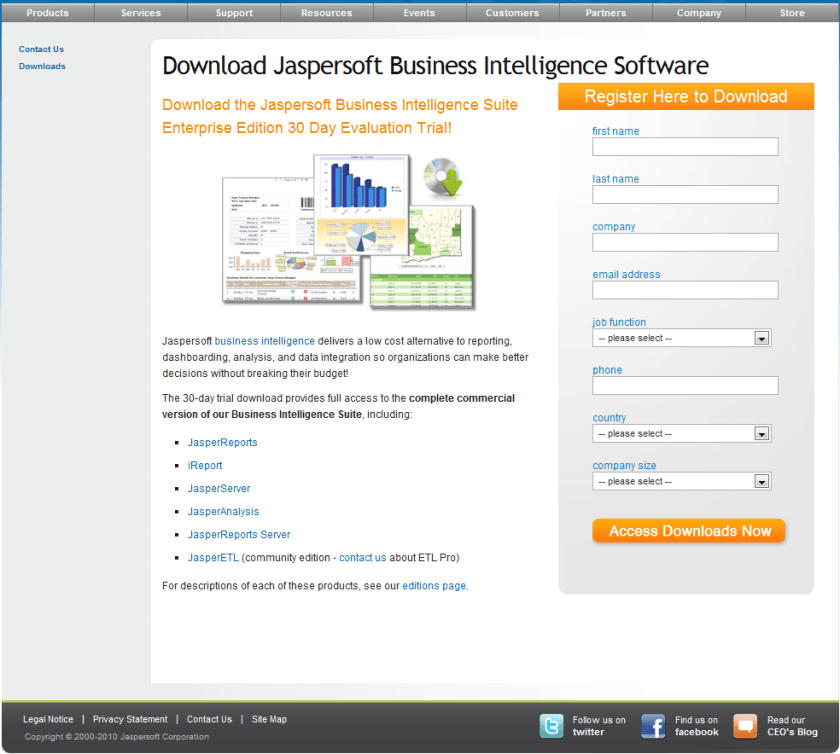
Here is the brand new release from Jaspersoft at a groovy price of 9000$. Somebody stop these guys!

It’s a great company to watch for buyouts as well- given their expertise in REPORTING and clientele- especially for anyone looking to im prove thier standing in both open source world and reporting software branding.

From AOL owned Arrogantion’s site http://www.crunchbase.com/company/jaspersoft


Total $24.5M
Series D, 8/07 1
Scale Venture Partners
SAP Ventures
Doll Capital Management
Partech International
Morgenthaler Ventures
$12M
Unattributed, 12/08 2
Adams Street Partners
Red Hat
Morgenthaler Ventures
Doll Capital Management
Partech International


The news-

Announcing JasperReports Server Professional

More Resources

Webinar: Introducing JasperReports Server Professional

Thursday October 14

In this live webinar, learn how a new solution from Jaspersoft combines the world’s favorite reporting server with powerful, mature report server functionality—for about 80% less.

  • Date: Thu, Oct 14
  • Time: 10:00 AM PDT
  • Duration: 60 minutes

The World’s Most Powerful and Affordable Reporting Server

Limited Time Introductory Offer: Starting from $9,000 (restrictions apply)

JasperReports Server is the recommended product for organizations requiring an affordable reporting solution for interactive, operational, and production-based reporting. Deployed as a standalone reporting server or integrated inside another application, JasperReports Server is a flexible, powerful, interactive reporting environment for small or large enterprises.

Powered by the world’s most popular reporting tools in JasperReports and iReport, developers and users can take advantage of more interactivity, security, and scheduling of their reports.

Key Benefits:

  • Affordable: Unlimited reports for unlimited users starting at $9,000
  • Powerful: Report scheduling and distribution to 1,000s of users on a single server
  • Flexible: Web service architecture simplifies application integration
  • Secure: Centralized repository authenticates report access
  • Interactive: Easy to interact, self-serve parameterized-based reports
  • Visual appeal: Flash-based charts and maps engage users and enhance applications
  • Open: Access to any data source including relational, XML, Hibernate, EJB, POJO, and custom


Speaking of videos -here is a great video on BI from good ol Tennessee-a great 27 min tutorial on BI for newbies


HP goes GPU, Will software people follow

A graphics processing unit on an Nvidia GeForc...
Image via Wikipedia

One more addition to the GPU stack that adds up power when combined with CPU and GPUs. For numeric computing, it may be essential to have GPU- CPU mixed software as almost all hardware people now have offered GPU-CPU products. Maybe software companies can get inspired for new kind of GPU-CPU blade server software again.

Source-

http://www.hpcwire.com/features/HP-Adds-New-HPC-Server-with-GPGPU-Option-104381494.html

But for “true” supercomputing applications, the SL390s G7 is the go-to server. Like its sibling, the SL390s comes with Xeon 5600 processors, but the option to pair the CPUs with up to three on-board NVIDIA “Fermi” 20-series GPUs puts a lot more floating point performance into this design. Customers can choose from either the M2050 or M2070 Tesla GPU modules, the only difference being the amount of graphics memory — 3 GB of GDDR5 for the M2050 versus 6 GB for the M2070. Each GPU module is served by its own PCIe Gen2 x16 channel in order to maximize bandwidth to the graphics chips. At the maximum configuration with all three Fermi GPUs and two Westmere CPUs, a single server delivers on the order of 1 teraflop of double precision performance. “So this is very much a server that has been designed for HPC,” said Turkel.

With GPUs on board, the SL390s fill out a 2U half-width tray, so up to four of these can be packed into a 4U SL6500 chassis. A CPU-only version is also available and takes up just half the space (half-width 1U), enabling twice as many Xeons to occupy the same chassis. This configuration will likely be the server of choice for the majority of HPC setups, given that GPGPU deployment is really just getting started. Pricing on the CPU-only model starts at $2,259.

And

, the ProLiant SL390s G7, provides more raw FLOPS per square inch than any server HP has delivered to date, and is the basis for the 2.4 petaflop TSUBAME 2.0 supercomputer currently being deployed at the Tokyo Institute of Technology.

Revolution R for Linux

Screenshot of the Redhat Enterprise Linux Desktop
Image via Wikipedia

New software just released from the guys in California (@RevolutionR) so if you are a Linux user and have academic credentials you can download it for free  (@Cmastication doesnt), you can test it to see what the big fuss is all about (also see http://www.revolutionanalytics.com/why-revolution-r/benchmarks.php) –

Revolution Analytics has just released Revolution R Enterprise 4.0.1 for Red Hat Enterprise Linux, a significant step forward in enterprise data analytics. Revolution R Enterprise 4.0.1 is built on R 2.11.1, the latest release of the open-source environment for data analysis and graphics. Also available is the initial release of our deployment server solution, RevoDeployR 1.0, designed to help you deliver R analytics via the Web. And coming soon to Linux: RevoScaleR, a new package for fast and efficient multi-core processing of large data sets.

As a registered user of the Academic version of Revolution R Enterprise for Linux, you can take advantage of these improvements by downloading and installing Revolution R Enterprise 4.0.1 today. You can install Revolution R Enterprise 4.0.1 side-by-side with your existing Revolution R Enterprise installations; there is no need to uninstall previous versions.

Download Information

The following information is all you will need to download and install the Academic Edition.

Supported Platforms:

Revolution R Enterprise Academic edition and RevoDeployR are supported on Red Hat® Enterprise Linux® 5.4 or greater (64-bit processors).

Approximately 300MB free disk space is required for a full install of Revolution R Enterprise. We recommend at least 1GB of RAM to use Revolution R Enterprise.

For the full list of system requirements for RevoDeployR, refer to the RevoDeployR™ Installation Guide for Red Hat® Enterprise Linux®.

Download Links:

You will first need to download the Revolution R Enterprise installer.

Installation Instructions for Revolution R Enterprise Academic Edition

After downloading the installer, do the following to install the software:

  • Log in as root if you have not already.
  • Change directory to the directory containing the downloaded installer.
  • Unpack the installer using the following command:
    tar -xzf Revo-Ent-4.0.1-RHEL5-desktop.tar.gz
  • Change directory to the RevolutionR_4.0.1 directory created.
  • Run the installer by typing ./install.py and following the on-screen prompts.

Getting Started with the Revolution R Enterprise

After you have installed the software, launch Revolution R Enterprise by typing Revo64 at the shell prompt.

Documentation is available in the form of PDF documents installed as part of the Revolution R Enterprise distribution. Type Revo.home(“doc”) at the R prompt to locate the directory containing the manuals Getting Started with Revolution R (RevoMan.pdf) and the ParallelR User’s Guide(parRman.pdf).

Installation Instructions for RevoDeployR (and RServe)

After downloading the RevoDeployR distribution, use the following steps to install the software:

Note: These instructions are for an automatic install.  For more details or for manual install instructions, refer to RevoDeployR_Installation_Instructions_for_RedHat.pdf.

  1. Log into the operating system as root.
    su –
  2. Change directory to the directory containing the downloaded distribution for RevoDeployR and RServe.
  3. Unzip the contents of the RevoDeployR tar file. At prompt, type:
    tar -xzf deployrRedHat.tar.gz
  4. Change directories. At the prompt, type:
    cd installFiles
  5. Launch the automated installation script and follow the on-screen prompts. At the prompt, type:
    ./installRedHat.sh
    Note: Red Hat installs MySQL without a password.

Getting Started with RevoDeployR

After installing RevoDeployR, you will be directed to the RevoDeployR landing page. The landing page has links to documentation, the RevoDeployR management console, the API Explorer development tool, and sample code.

Support

For help installing this Academic Edition, please email support@revolutionanalytics.com

Also interestingly some benchmarks on Revolution R vs R.

http://www.revolutionanalytics.com/why-revolution-r/benchmarks.php

R-25 Benchmarks

The simple R-benchmark-25.R test script is a quick-running survey of general R performance. The Community-developed test consists of three sets of small benchmarks, referred to in the script as Matrix Calculation, Matrix Functions, and Program Control.

R-25 Matrix Calculation R-25 Matrix Functions R-Matrix Program Control
R-25 Benchmarks Base R 2.9.2 Revolution R (1-core) Revolution R (4-core) Speedup (4 core)
Matrix Calculation 34 sec 6.6 sec 4.4 sec 7.7x
Matrix Functions 20 sec 4.4 sec 2.1 sec 9.5x
Program Control 4.7 sec 4 sec 4.2 sec Not Appreciable

Speedup = Slower time / Faster Time – 1   Test descriptions available at http://r.research.att.com/benchmarks

Additional Benchmarks

Revolution Analytics has created its own tests to simulate common real-world computations.  Their descriptions are explained below.

Matrix Multiply Cholesky Factorization
Singular Value Decomposition Principal Component Analysis Linear Discriminant Analysis
Linear Algebra Computation Base R 2.9.2 Revolution R (1-core) Revolution R (4-core) Speedup (4 core)
Matrix Multiply 243 sec 22 sec 5.9 sec 41x
Cholesky Factorization 23 sec 3.8 sec 1.1 sec 21x
Singular Value Decomposition 62 sec 13 sec 4.9 sec 12.6x
Principal Components Analysis 237 sec 41 sec 15.6 sec 15.2x
Linear Discriminant Analysis 142 sec 49 sec 32.0 sec 4.4x

Speedup = Slower time / Faster Time – 1

Matrix Multiply

This routine creates a random uniform 10,000 x 5,000 matrix A, and then times the computation of the matrix product transpose(A) * A.

set.seed (1)
m <- 10000
n <-  5000
A <- matrix (runif (m*n),m,n)
system.time (B <- crossprod(A))

The system will respond with a message in this format:

User   system elapsed
37.22    0.40   9.68

The “elapsed” times indicate total wall-clock time to run the timed code.

The table above reflects the elapsed time for this and the other benchmark tests. The test system was an INTEL® Xeon® 8-core CPU (model X55600) at 2.5 GHz with 18 GB system RAM running Windows Server 2008 operating system. For the Revolution R benchmarks, the computations were limited to 1 core and 4 cores by calling setMKLthreads(1) and setMKLthreads(4) respectively. Note that Revolution R performs very well even in single-threaded tests: this is a result of the optimized algorithms in the Intel MKL library linked to Revolution R. The slight greater than linear speedup may be due to the greater total cache available to all CPU cores, or simply better OS CPU scheduling–no attempt was made to pin execution threads to physical cores. Consult Revolution R’s documentation to learn how to run benchmarks that use less cores than your hardware offers.

Cholesky Factorization

The Cholesky matrix factorization may be used to compute the solution of linear systems of equations with a symmetric positive definite coefficient matrix, to compute correlated sets of pseudo-random numbers, and other tasks. We re-use the matrix B computed in the example above:

system.time (C <- chol(B))

Singular Value Decomposition with Applications

The Singular Value Decomposition (SVD) is a numerically-stable and very useful matrix decompisition. The SVD is often used to compute Principal Components and Linear Discriminant Analysis.

# Singular Value Deomposition
m <- 10000
n <- 2000
A <- matrix (runif (m*n),m,n)
system.time (S <- svd (A,nu=0,nv=0))

# Principal Components Analysis
m <- 10000
n <- 2000
A <- matrix (runif (m*n),m,n)
system.time (P <- prcomp(A))

# Linear Discriminant Analysis
require (‘MASS’)
g <- 5
k <- round (m/2)
A <- data.frame (A, fac=sample (LETTERS[1:g],m,replace=TRUE))
train <- sample(1:m, k)
system.time (L <- lda(fac ~., data=A, prior=rep(1,g)/g, subset=train))

Why Cloud?

Here are some reasons why cloud computing is very helpful to small business owners like me- and can be very helpful to even bigger people.

1) Infrastructure Overhead becomes zero

– I need NOT invest in secure powerbackups (like a big battery for electricity power-outs-true in India), data disaster management (read raid), software licensing compliance.

All this is done for me by infrastructure providers like Google and Amazon.

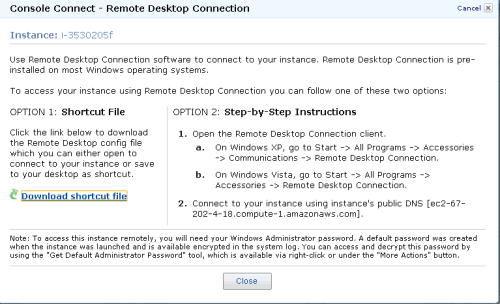
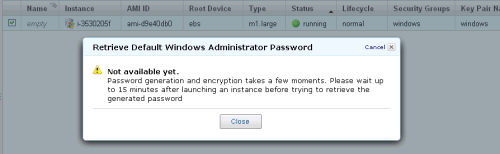
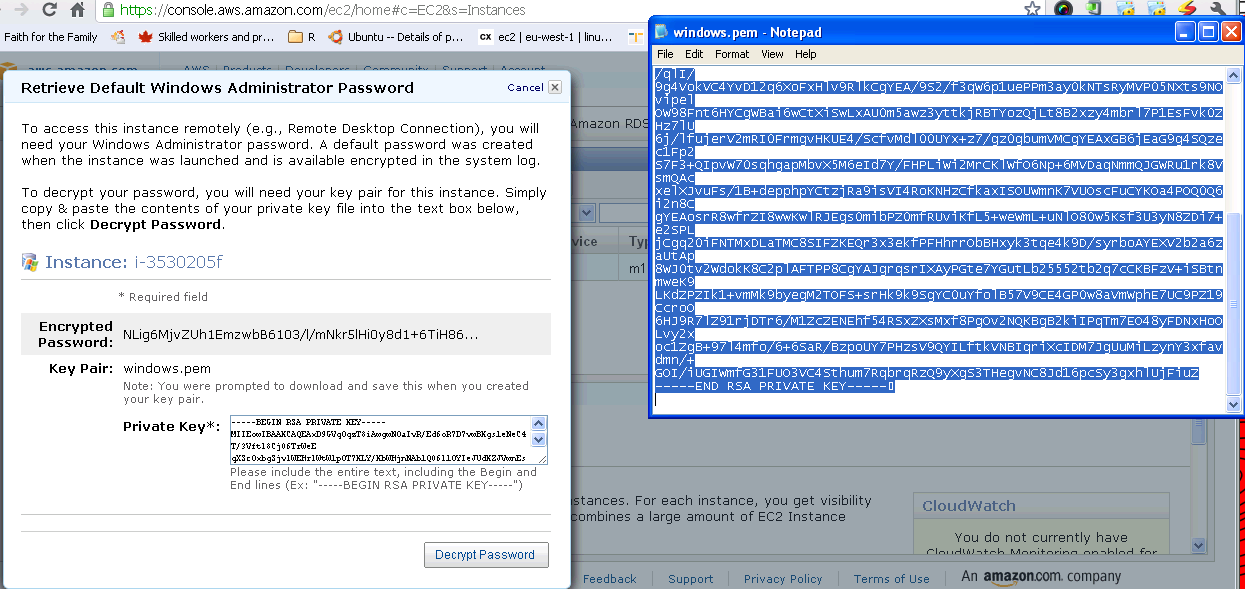
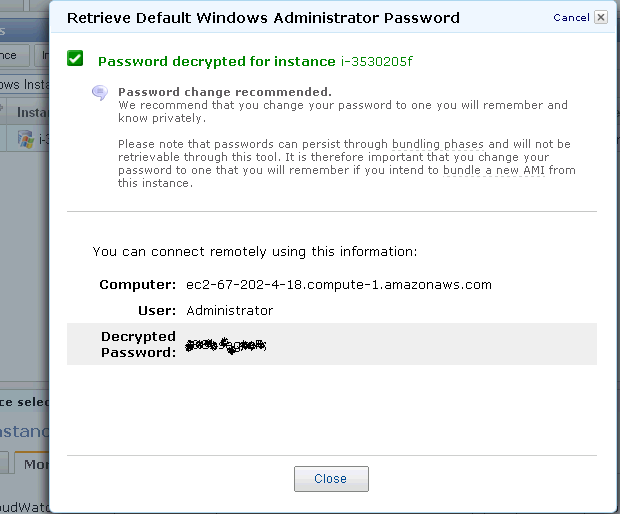
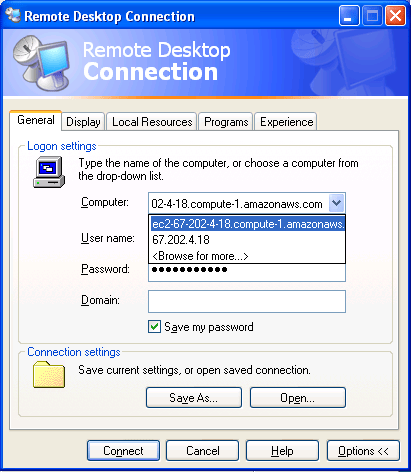
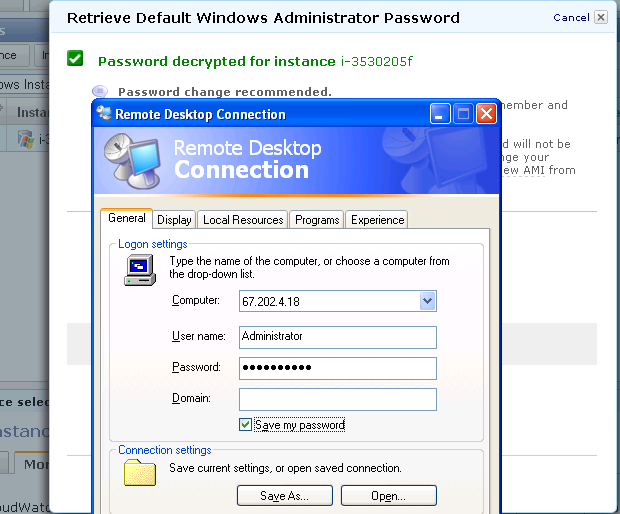
For simple office productivity, I type on Google Docs that auto-saves my data,writing on cloud. I need not backup- Google does it for me.  Ditto for presentations and spreadsheets. Amazon gets me the latest Window software installed whenever I logon- I need not be  bothered by software contracts (read bug fixes and patches) any more.

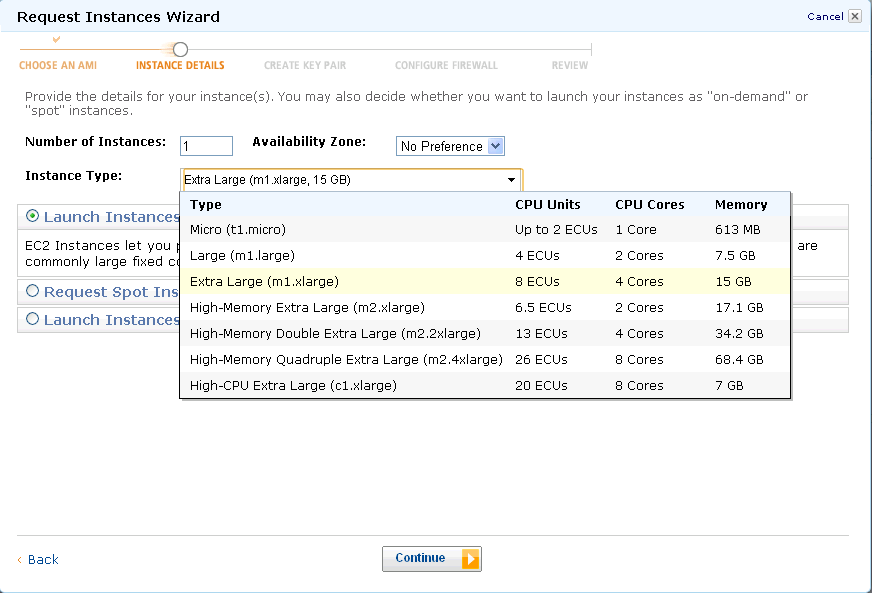
2) Renting Hardware by the hour- A small business owner cannot invest too much in computing hardware (or software). The pay as you use makes sense for them. I could never afford a 8 cores desktop with 25 gb RAM- but I sure can rent and use it to bid for heavier data projects that I would have had to let go in the past.

3) Renting software by the hour- You may have bought your last PC for all time

An example- A windows micro instance costs you 3 cents per hour on Amazon. If you take a mathematical look at upgrading your PC to latest Windows, buying more and more upgraded desktops just to keep up, those costs would exceed 3 cents per hour. For Unix, it is 2 cents per hour, and those softwares (like Red Hat Linux and Ubuntu have increasingly been design friendly even for non techie users)

Some other software companies especially in enterprise software plan to and already offer paid machine images that basically adds their software layer on top of the OS and you can rent software for the hour.

It does not make sense for customers to effectively subsidize golf tournaments, rock concerts, conference networks by their own money- as they can rent software by the hour and switch to pay per use.

People especially SME consultants, academics and students and cost conscious customers – in Analytics would love to see a world where they could say run SAS Enterprise Miner for 10 dollars a hour for two hours to build a data mining model on 25 gb RAM, rather than hurt their pockets and profitability in Annual license models. Ditto for SPSS, JMP, KXEN, Revolution R, Oracle Data Mining (already available on Amazon) , SAP (??), WPS ( on cloud ???? ) . It’s the economy, stupid.

Corporates have realized that cutting down on Hardware and software expenses is more preferable to cutting down people. Would you rather fire people in your own team to buy that big HP or Dell or IBM Server (effectively subsidizing jobs in those companies). IF you had to choose between an annual license renewal for your analytics software TO renting software by the hour and using those savings for better benefits for your employees, what makes business sense for you to invest in.

Goodbye annual license fees.  Welcome brave new world.