Privacy Browsing Extensions in Google Chrome

coat of arms of the Palaiologos dynasty, the l...
Image via Wikipedia

Using two Chrome Extensions, Disconnect and AdBlock you can be sure of having a vary very clean browsing experience-it is recommended especially if you dont like the auto sharing of your personal preferences and cannot be bothered by the Byzantine maze of social media privacy fineprint.

https://chrome.google.com/extensions/detail/jeoacafpbcihiomhlakheieifhpjdfeo

Disconnect by Brian Kennish

(184) – 44,284 users – Weekly installs: 24,086

Stop major third parties and search engines from tracking the webpages you go to and searches you do.

* Search depersonalization is now optional and off by default. Click the “d” button then the “Depersonalize searches” checkbox to turn this feature on (or back off in case you have trouble getting to Google or Yahoo services). For help with anything else, see the known issues below and ask questions at http://j.mp/dnewgroup.

§

If you’re a typical web user, you’re unintentionally sending your browsing and search history with your name and other personal information to third parties and search engines whenever you’re online.

Take control of the data you share with Disconnect!

From the developer of the top-10-rated Facebook Disconnect extension, Disconnect lets you:

• Disable tracking by third parties like Digg, Facebook, Google, Twitter, and Yahoo, without requiring any setup or significantly degrading the usability of the web.

• Truly depersonalize searches on search engines like Google and Yahoo (by blocking identifying cookies not just changing the appearance of results pages), while staying logged into other services — e.g., so you can search anonymously on Google and access iGoogle at once.

• See how many resource and cookie requests are blocked, in real time

and
https://chrome.google.com/extensions/detail/gighmmpiobklfepjocnamgkkbiglidom
ExtensionsAdBlock

AdBlock

(6937) - 1,615,373 users - Weekly installs: 153,032
The most popular Chrome extension, with over 1.5 million users! Blocks ads all over the web.
Verified author: chromeadblock.com
=================

New in version 2.1: Translated into dozens of languages!
New in version 2.0: Ads are blocked from downloading, instead of just being removed after the fact!

=======================

The official AdBlock For Chrome!  Block all advertisements on all web pages.  Your browser is automatically updated with additions to the filter: just click Install, then visit your favorite website and see the ads disappear!

FAQs:1. This is the official AdBlock extension: the original ad blocker written from the ground up to be optimized in Chrome.  There's an unrelated, older Firefox project called Adblock Plus, and they're working on making a Chrome version out of the old AdThwart codebase.  At the moment AdBlock blocks some ads that AdThwart only hides, but they're working to improve it.  It's available at bit.ly/id2Gqx; if you have trouble with AdBlock, they're good guys and a fine alternative!


Test Drive a Google Chrome Notebook: Last Two Days left

Main logo and icon for the open source interne...
Image via Wikipedia

Chrome

Test drive a Chrome notebook.

We have a limited number of Chrome notebooks to distribute, and we need to ensure that they find good homes. That’s where you come in. Everything is still very much a work in progress, and it’s users, like you, that often give us our best ideas about what feels clunky or what’s missing. So if you live in the United States, are at least 18 years old, and would like to be considered for our small Pilot program, please fill this out. It should take about 15 minutes. We’ll review the requests that come in and contact you if you’ve been selected.

This application will be open until 11:59:59 PM PST on December 21, 2010.

What type of user are you?

https://services.google.com/fb/forms/cr48advanced/

Business
Education
Non-Profit
Developer
Individual

Who searches for this Blog?

Statue of Michael Jackson in Eindhoven, the Ne...
Image via Wikipedia

Using WP- Stats I set about answering this question-

What search keywords lead here-

Clearly Michael Jackson is down this year

And R GUI, Data Mining is up.

How does that affect my writing- given I get almost 250 visitors by search engines alone daily- assume I write nothing on this blog from now on.

It doesnt- I still write what ever code or poem that comes to my mind. So it is hurtful people misunderstimate the effort in writing and jump to conclusions (esp if I write about a company- I am not on payroll of that company- just like if  I write about a poem- I am not a full time poet)

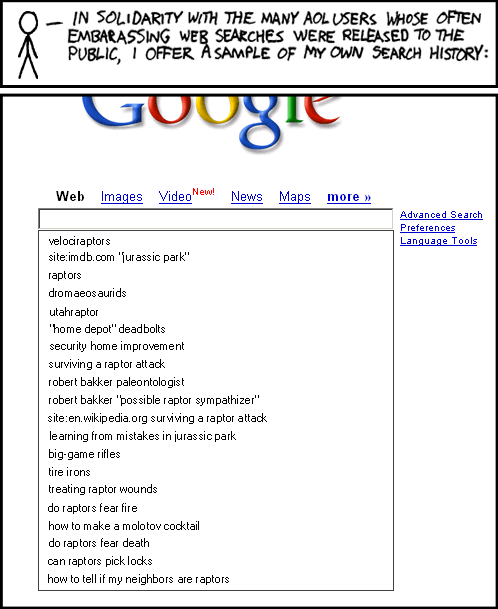
Over to xkcd

All Time (for Decisionstats.Wordpress.com)

Search Views
libre office 818
facebook analytics 806
michael jackson history 240
wps sas lawsuit 180
r gui 168
wps sas 154
wordle.net 118
sas wps 116
decision stats 110
sas wps lawsuit 100
google maps jet ski 94
data mining 88
doug savage 72
hive tutorial 63
spss certification 63
hadley wickham 63
google maps jetski 62
sas sues wps 60
decisionstats 58
donald farmer microsoft 45
libreoffice 44
wps statistics 44
best statistics software 42
r gui ubuntu 41
rstat 37
tamilnadu advanced technical training institute tatti 37

YTD

2009-11-24 to Today

Search Views
libre office 818
facebook analytics 781
wps sas lawsuit 170
r gui 164
wps sas 125
wordle.net 118
sas wps 101
sas wps lawsuit 95
google maps jet ski 94
data mining 86
decision stats 82
doug savage 63
hadley wickham 63
google maps jetski 62
hive tutorial 56
donald farmer microsoft 45

Great App for Online Sketching

Here is a great app for sketching online.

Its on at http://mugtug.com/sketchpad/

and fabulous graphical control on browser – it took me ~ 3 min for this sketch and it’s really much paint than on my desktop


Opera's Minimalistic Peer to peer OS Browser

mijn Opera Unite Fridge
Image by Jaap Stronks via Flickr

Yes Opera is a browser but you may as well call it an OS. With an uncluttered design, some mind bending Opera Unite Peer to Peer features (in a browser!) withhttp://unite.opera.com/applications/, and nifty widgets- try singing some Opera. I really dont know how browsers make money, especially since they are suing each other all the time, but well- heres to more choice – if you don’t want a corporation owned browser lusting to sell your leaked privacy data to Don Draper- Opera is a good choice- much better than Sea Monkey and the Fox .

I really liked the option to make my own web server in 2 clicks,and share stuff. The bit trorrent support is really nice but I wonder if there was any Scandinavian brotherly ports in bit torrent sharing 😉 , me hearties

Customizing your R software startup

Customizing your R software startup helps you do the following.
Thus it helps you to boot up R faster.
It automatically loads packages that you use regularly (like a R GUI -Deducer, Rattle or R Commander), set a CRAN mirror that you mostly use or is nearest for downloading new packages, and set some optional parameters.

Everytime you start R Instead of doing this , loading same R packages, setting a CRAN mirror,setting some new functions- the user needs to do this just once by customizing the R Profile SITE file.

This is done by editing the $R_HOME/etc/Renviron file for globally setting a default or the .Renviron file that is created in your home directory for a shared system.

There are two special functions you can customize in these files.
.First( ) will be run at the start of the R session and
.Last( ) will be run when the R session is shutting down.

When R starts up, it loads the .Rprofile file in your home directory and executes the .First() function.

Where is the R Profile file?
It is located in the \etc folder of your R folder- folder you installed R in.
In Windows the folder will be of the format -”C:\Program Files\R\R-x.ab.c\etc”
where x.ab.c will be the R version number (like 2.11.1)
Example
.First <- function(){
library(rattle)
rattle()
cat(“\nHello World”, date(), “\n”)
}

will automatically start the Rattle GUI for data mining and print Hello World with the date in your session.

You can also modify the Rcmd_environ file in the same \etc folder if you are particular on your settings

## Default browser
R_BROWSER=${R_BROWSER-‘C:\Documents and Settings\abc\Local Settings\Application Data\Google\Chrome\Application\chrome.exe} ## Default editor EDITOR=${EDITOR-${notepad++}}

will change the default Web browser to Chrome and the default editor to Notepad++ which is an enhanced Code Editor.