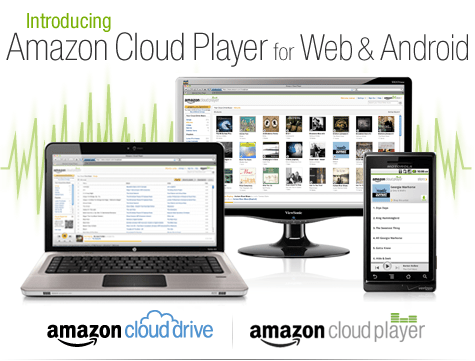
An interesting development is Amazon’s Cloud Player (though Cannonical may be credited for thinking of the idea first for Ubuntu One). Since Ubuntu One is dependent on the OS (and not the browser) this makes Amazon \s version more of a mobile Cloud Player (as it seems to be an Android app and not an app that is independent of any platform, os or browser.
Since Android and Ubuntu are both Linux flavors, I am not sure if Cannonical has an exiting mobile app for Ubuntu One. Apple’s cloud plans also seems kind of ambiguous compared to Microsoft (Azure et al)
I guess we will have to wait for a true Cloud player.
http://www.amazon.com/b/ref=tsm_1_tw_s_dm_liujd5?node=2658409011&tag=cloudplayer-20

How to Get Started with Cloud Drive and Cloud Player
Step 1. Add music to Cloud Drive
Purchase a song or album from the Amazon MP3 Store and click the Save to Amazon Cloud Drive button when your purchase is complete. Your purchase will be saved for free.
Step 2. Play your music in Cloud Player for Web
Click the Launch Amazon Cloud Player button to start listening to your purchase. Add more music from your library by clicking theUpload to Cloud Drive button from the Cloud Player screen. Start with 5 GB of free Cloud Drive storage. Upgrade to 20 GB with an MP3 album purchase (see details). Use Cloud Player to browse and search your library, create playlists, and download to your computer.
Step 3. Enjoy your music on the go with Cloud Player for Android
Install the Amazon MP3 for Android app to use Cloud Player on your Android device. Shop the full Amazon MP3 store, save your purchases to Cloud Drive, stream your Cloud Player library, and download to your device right from your Android phone or tablet.
compare this with
A cloud-enabled music store
The Ubuntu One Music Store is integrated with the Ubuntu One service making it a cloud-enabled digital music store. All purchases are transferred to your Ubuntu One personal cloud for safe storage and then conveniently downloaded to your synchronizing computers. And don’t worry aboutgoing over your storage quota with music purchases. You won’t need to pay more for personal cloud storage of music purchased from the Ubuntu One Music Store.
An Ubuntu One subscription is required to purchase music from the Ubuntu One Music Store. Choose from either the free 2 GB option or the 50 GB plan for $10 (USD) per month to synchronize more of your digital life.
5 regional stores and more in the works
- The Ubuntu One Music requires Ubuntu 10.04 LTS and offers digital music through five regional stores.
- The US, UK, and Germany stores offer music from all major and independent labels.
- The EU store serves most of the EU member countries (2) and offers music from fewer major label artists.
- The World store offers only independent label music and serves the countries not covered by the other regional stores.

I have not been really posting or writing worthwhile on the website for some time, as I am still busy writing ” R for Business Analytics” which I hope to get out before year end. However while doing research for that, I came across many types of graphs and what struck me is the actual usage of some kinds of graphs is very different in business analytics as compared to statistical computing.
The criterion of top ten graphs is as follows-
1) Usage-The order in which they appear is not strictly in terms of desirability but actual frequency of usage. So a frequently used graph like box plot would be recommended above say a violin plot.
2) Adequacy- Data Visualization paradigms change over time- but the need for accurate conveying of maximum information in a minium space without overwhelming reader or misleading data perceptions.
3) Ease of creation- A simpler graph created by a single function is more preferrable to writing 4-5 lines of code to create an elaborate graph.
4) Aesthetics– Aesthetics is relative and in addition studies have shown visual perception varies across cultures and geographies. However , beauty is universally appreciated and a pretty graph is sometimes and often preferred over a not so pretty graph. Here being pretty is in both visual appeal without compromising perceptual inference from graphical analysis.
so When do we use a bar chart versus a line graph versus a pie chart? When is a mosaic plot more handy and when should histograms be used with density plots? The list tries to capture most of these practicalities.
Let me elaborate on some specific graphs-
1) Pie Chart- While Pie Chart is not really used much in stats computing, and indeed it is considered a misleading example of data visualization especially the skewed or two dimensional charts. However when it comes to evaluating market share at a particular instance, a pie chart is simple to understand. At the most two pie charts are needed for comparing two different snapshots, but three or more pie charts on same data at different points of time is definitely a bad case.
In R you can create piechart, by just using pie(dataset$variable)
As per official documentation, pie charts are not recommended at all.
http://stat.ethz.ch/R-manual/R-patched/library/graphics/html/pie.html
Pie charts are a very bad way of displaying information. The eye is good at judging linear measures and bad at judging relative areas. A bar chart or dot chart is a preferable way of displaying this type of data.
Cleveland (1985), page 264: “Data that can be shown by pie charts always can be shown by a dot chart. This means that judgements of position along a common scale can be made instead of the less accurate angle judgements.” This statement is based on the empirical investigations of Cleveland and McGill as well as investigations by perceptual psychologists.
—-
Despite this, pie charts are frequently used as an important metric they inevitably convey is market share. Market share remains an important analytical metric for business.
The pie3D( ) function in the plotrix package provides 3D exploded pie charts.An exploded pie chart remains a very commonly used (or misused) chart.
From http://lilt.ilstu.edu/jpda/charts/chart%20tips/Chartstip%202.htm#Rules
we see some rules for using Pie charts.
|
From the R Graph Gallery (a slightly outdated but still very comprehensive graphical repository)
http://addictedtor.free.fr/graphiques/RGraphGallery.php?graph=4
par(bg="gray") pie(rep(1,24), col=rainbow(24), radius=0.9) title(main="Color Wheel", cex.main=1.4, font.main=3) title(xlab="(test)", cex.lab=0.8, font.lab=3) (Note adding a grey background is quite easy in the basic graphics device as well without using an advanced graphical package)
R has almost 2923 available packages
This makes the task of searching among these packages and comparing functions for the same analytical task across different packages a bit tedious and prone to manual searching (of reading multiple Pdfs of help /vignette of packages) or sending an email to the R help list.
However using R Views is a slightly better way of managing all your analytical requirements for software rather than the large number of packages (see Graphics view below).
CRAN Task Views allow you to browse packages by topic and provide tools to automatically install all packages for special areas of interest. Currently, 28 views are available. http://cran.r-project.org/web/views/
Bayesian Bayesian Inference ChemPhys Chemometrics and Computational Physics ClinicalTrials Clinical Trial Design, Monitoring, and Analysis Cluster Cluster Analysis & Finite Mixture Models Distributions Probability Distributions Econometrics Computational Econometrics Environmetrics Analysis of Ecological and Environmental Data ExperimentalDesign Design of Experiments (DoE) & Analysis of Experimental Data Finance Empirical Finance Genetics Statistical Genetics Graphics Graphic Displays & Dynamic Graphics & Graphic Devices & Visualization gR gRaphical Models in R HighPerformanceComputing High-Performance and Parallel Computing with R MachineLearning Machine Learning & Statistical Learning MedicalImaging Medical Image Analysis Multivariate Multivariate Statistics NaturalLanguageProcessing Natural Language Processing OfficialStatistics Official Statistics & Survey Methodology Optimization Optimization and Mathematical Programming Pharmacokinetics Analysis of Pharmacokinetic Data Phylogenetics Phylogenetics, Especially Comparative Methods Psychometrics Psychometric Models and Methods ReproducibleResearch Reproducible Research Robust Robust Statistical Methods SocialSciences Statistics for the Social Sciences Spatial Analysis of Spatial Data Survival Survival Analysis TimeSeries Time Series Analysis To automatically install these views, the ctv package needs to be installed, e.g., via
install.packages("ctv") library("ctv")Created by Pretty R at inside-R.org
and then the views can be installed via install.views or update.views (which first assesses which of the packages are already installed and up-to-date), e.g.,install.views("Econometrics") update.views("Econometrics") Created by Pretty R at inside-R.org
| Maintainer: | Nicholas Lewin-Koh |
| Contact: | nikko at hailmail.net |
| Version: | 2009-10-28 |
R is rich with facilities for creating and developing interesting graphics. Base R contains functionality for many plot types including coplots, mosaic plots, biplots, and the list goes on. There are devices such as postscript, png, jpeg and pdf for outputting graphics as well as device drivers for all platforms running R. lattice and grid are supplied with R’s recommended packages and are included in every binary distribution. lattice is an R implementation of William Cleveland’s trellis graphics, while grid defines a much more flexible graphics environment than the base R graphics.
R’s base graphics are implemented in the same way as in the S3 system developed by Becker, Chambers, and Wilks. There is a static device, which is treated as a static canvas and objects are drawn on the device through R plotting commands. The device has a set of global parameters such as margins and layouts which can be manipulated by the user using par() commands. The R graphics engine does not maintain a user visible graphics list, and there is no system of double buffering, so objects cannot be easily edited without redrawing a whole plot. This situation may change in R 2.7.x, where developers are working on double buffering for R devices. Even so, the base R graphics can produce many plots with extremely fine graphics in many specialized instances.
One can quickly run into trouble with R’s base graphic system if one wants to design complex layouts where scaling is maintained properly on resizing, nested graphs are desired or more interactivity is needed. grid was designed by Paul Murrell to overcome some of these limitations and as a result packages like lattice, ggplot2, vcd or hexbin (on Bioconductor ) use grid for the underlying primitives. When using plots designed with grid one needs to keep in mind that grid is based on a system of viewports and graphic objects. To add objects one needs to use grid commands, e.g., grid.polygon() rather than polygon(). Also grid maintains a stack of viewports from the device and one needs to make sure the desired viewport is at the top of the stack. There is a great deal of explanatory documentation included with grid as vignettes.
The graphics packages in R can be organized roughly into the following topics, which range from the more user oriented at the top to the more developer oriented at the bottom. The categories are not mutually exclusive but are for the convenience of presentation:
also expecting some #Rstats entries (open source!)
from https://code.google.com/soc/
Visit the Google Summer of Code 2011 site for more details about the program this year.
For a detailed timeline and further information about the program, review our Frequently Asked Questions.
About Google Summer of Code
Google Summer of Code is a global program that offers student developers stipends to write code for various open source software projects. We have worked with several open source, free software, and technology-related groups to identify and fund several projects over a three month period. Since its inception in 2005, the program has brought together over 4500 successful student participants and over 3000 mentors from over 100 countries worldwide, all for the love of code. Through Google Summer of Code, accepted student applicants are paired with a mentor or mentors from the participating projects, thus gaining exposure to real-world software development scenarios and the opportunity for employment in areas related to their academic pursuits. In turn, the participating projects are able to more easily identify and bring in new developers. Best of all, more source code is created and released for the use and benefit of all.
To learn more about the program, peruse our 2011 Frequently Asked Questions page. You can also subscribe to the Google Open Source Blog or the Google Summer of Code Discussion Group to keep abreast of the latest announcements.
Participating in Google Summer of Code
For those of you who would like to participate in the program, there are many resources available for you to learn more. Check out the information pages from the 2005, 2006, 2007, 2008, 2009, and 2010 instances of the program to get a better sense of which projects have participated as mentoring organizations in Google Summer of Code each year. If you are interested in a particular mentoring organization, just click on its name and you’ll find more information about the project, a summary of their students’ work and actual source code produced by student participants. You may also find the program Frequently Asked Questions (FAQs) pages for each year to be useful. Finally, check out all the great content and advice on participation produced by the community, for the community, on our program wiki.
If you don’t find what you need in the documentation, you can always ask questions on our program discussion list or the program IRC channel, #gsoc on Freenode.
also expecting some #Rstats entries (open source!)
from https://code.google.com/soc/
Visit the Google Summer of Code 2011 site for more details about the program this year.
For a detailed timeline and further information about the program, review our Frequently Asked Questions.
About Google Summer of Code
Google Summer of Code is a global program that offers student developers stipends to write code for various open source software projects. We have worked with several open source, free software, and technology-related groups to identify and fund several projects over a three month period. Since its inception in 2005, the program has brought together over 4500 successful student participants and over 3000 mentors from over 100 countries worldwide, all for the love of code. Through Google Summer of Code, accepted student applicants are paired with a mentor or mentors from the participating projects, thus gaining exposure to real-world software development scenarios and the opportunity for employment in areas related to their academic pursuits. In turn, the participating projects are able to more easily identify and bring in new developers. Best of all, more source code is created and released for the use and benefit of all.
To learn more about the program, peruse our 2011 Frequently Asked Questions page. You can also subscribe to the Google Open Source Blog or the Google Summer of Code Discussion Group to keep abreast of the latest announcements.
Participating in Google Summer of Code
For those of you who would like to participate in the program, there are many resources available for you to learn more. Check out the information pages from the 2005, 2006, 2007, 2008, 2009, and 2010 instances of the program to get a better sense of which projects have participated as mentoring organizations in Google Summer of Code each year. If you are interested in a particular mentoring organization, just click on its name and you’ll find more information about the project, a summary of their students’ work and actual source code produced by student participants. You may also find the program Frequently Asked Questions (FAQs) pages for each year to be useful. Finally, check out all the great content and advice on participation produced by the community, for the community, on our program wiki.
If you don’t find what you need in the documentation, you can always ask questions on our program discussion list or the program IRC channel, #gsoc on Freenode.