Using Code Editors in R

Using Enhanced Code Editors


Advantages of using enhanced code editors

1) Readability- Features like syntax coloring helps make the code more readable for documentation as well as debugging and improvement. Example functions may be colored in blue, input parameters in green, and simple default code syntax in black. Especially for lengthy programs or tweaking auto generated code by GUI, this readability comes in handy.

2) Automatic syntax error checking- Enhanced editors can prompt you if certain errors in syntax (like brackets not closed, commas misplaced)- and errors may be highlighted in color (red mostly). This helps a lot in correcting code especially if you are either new to R programming or your main focus is business insights and not just coding. Syntax debugging is thus simplified.

3) Speed of writing code- Most programmers report an increase in writing code speed when using an enhanced editor.

4) Point Breaks- You can insert breaks at certain parts of code to run some lines of code together, or debug a program. This is a big help given that default code editor makes it very cumbersome and you have to copy and paste lines of code again and again to run selectively. On an enhanced editor you can submit lines as well as paragraphs of code.

5) Auto-Completion- Auto completion enables or suggests options you to complete the syntax even when you have typed part of the function name.

Some commonly used code editors are –
Notepad++ -It supports R and also has a plugin called NPP to R.
It can be used  for a wide variety of other languages as well, and has all the features mentioned above.

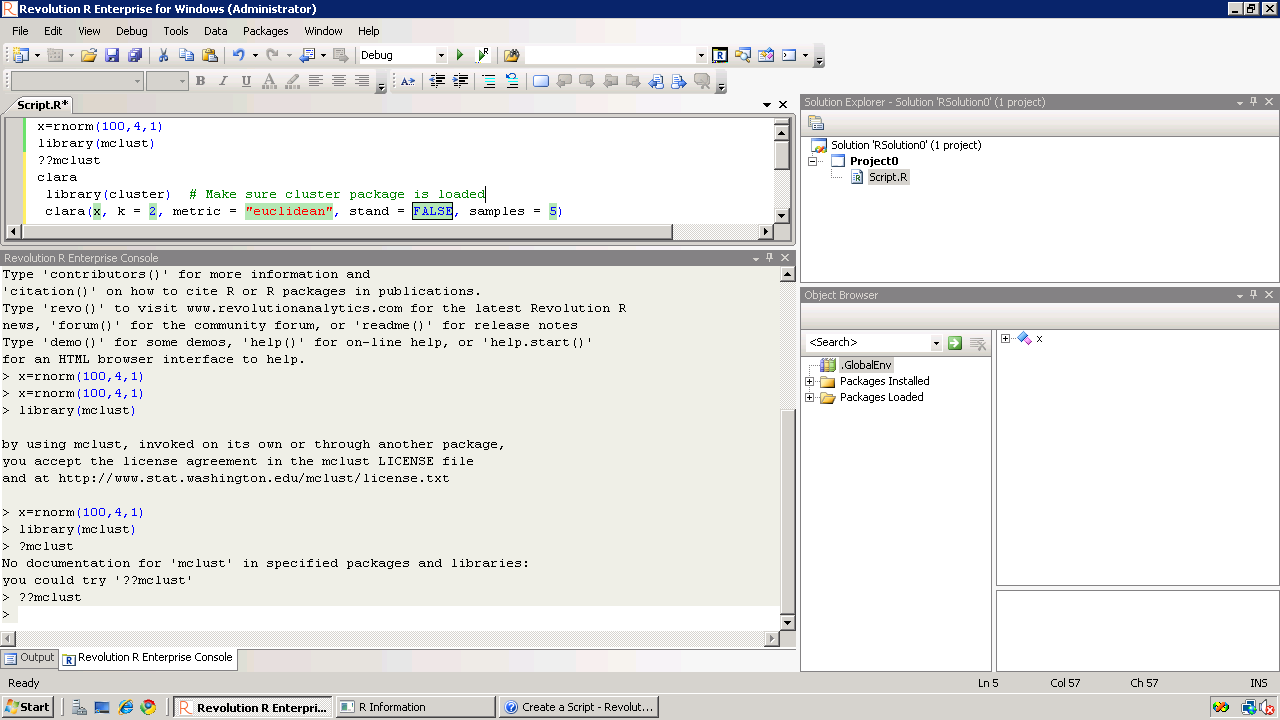
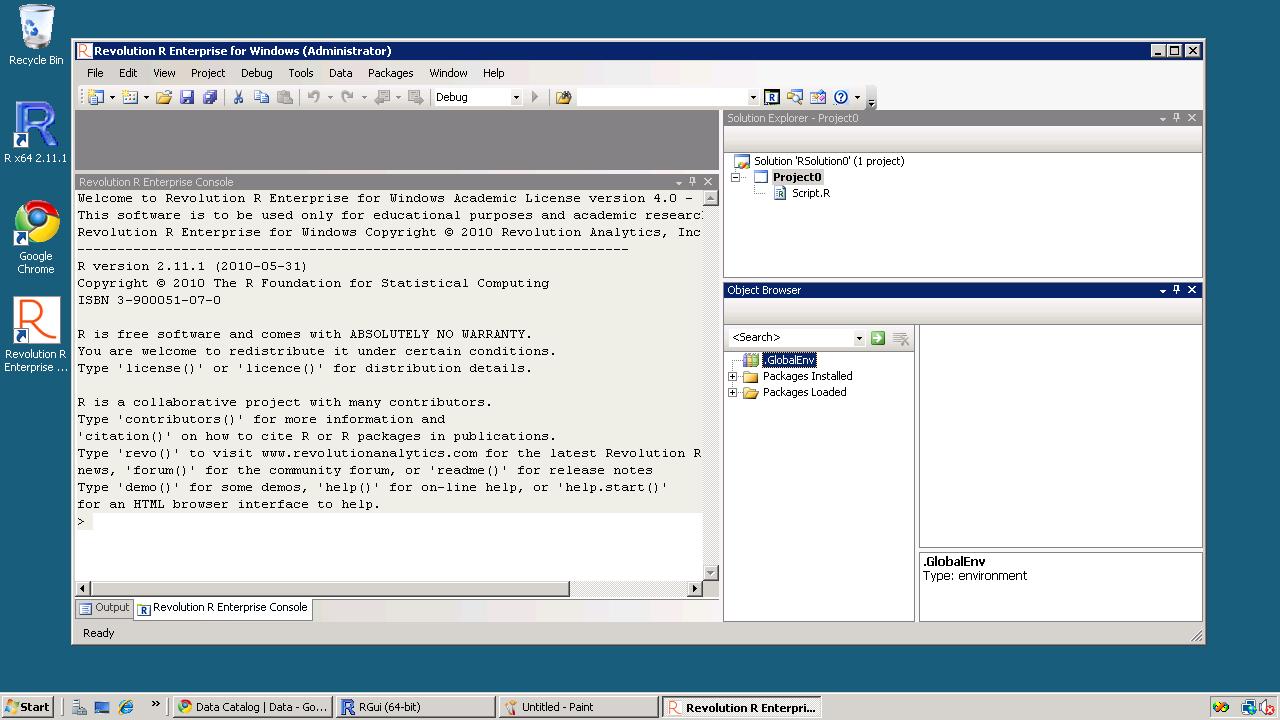
Revolution R Productivity Environment (RPE)-While Revolution R has announced a new GUI to be launched in 2011- the existing enhancements to their software include a code editor called RPE.

Syntax color highlighting is already included. Code Snippets work in a fairly simply way.
Right click-
Click on Insert Code Snippet.

You can get a drop down of tasks to do- (like Analysis)
Selecting Analysis we get another list of sub-tasks (like Clustering).
Once you click on Clustering you get various options.
Like clicking clara will auto insert the code for clara clustering.

Now even if you are averse to using a GUI /or GUI creators don’t have your particular analysis you can basically type in code at an extremely fast pace.
It is useful to even experienced people who do not have to type in the entire code, but it is a boon to beginners as the parameters in function inserted by code snippet are automatically selected in multiple colors. And it can help you modify the auto generated code by your R GUI at a much faster pace.

TinnR -The most popular and a very easy to use code editor. It is available at http://www.sciviews.org/Tinn-R/
It’s disadvantage is it supports Windows operating system only.
Recommended as the beginner’s chose fore code editor.

Eclipse with R plugin http://www.walware.de/goto/statet This is recommended especially to people working with Eclipse and on Unix systems. It enables you to do most of the productivity enhancement featured in other text editors including submitting code the R session.

Gvim (http://www.vim.org/) along Vim-R-plugin2
(http://www.vim.org/scripts/script.php?script_id=2628) should be
cited. The Vim-R-plugin developer recently added windows support to a
lean cross-platform package that works well. It can be suited as a niche text editor to people who like less features in the software. It is not as good as Eclipse or Notepad++ but is probably the simplest to use.

Customizing your R software startup

Customizing your R software startup helps you do the following.
Thus it helps you to boot up R faster.
It automatically loads packages that you use regularly (like a R GUI -Deducer, Rattle or R Commander), set a CRAN mirror that you mostly use or is nearest for downloading new packages, and set some optional parameters.

Everytime you start R Instead of doing this , loading same R packages, setting a CRAN mirror,setting some new functions- the user needs to do this just once by customizing the R Profile SITE file.

This is done by editing the $R_HOME/etc/Renviron file for globally setting a default or the .Renviron file that is created in your home directory for a shared system.

There are two special functions you can customize in these files.
.First( ) will be run at the start of the R session and
.Last( ) will be run when the R session is shutting down.

When R starts up, it loads the .Rprofile file in your home directory and executes the .First() function.

Where is the R Profile file?
It is located in the \etc folder of your R folder- folder you installed R in.
In Windows the folder will be of the format -”C:\Program Files\R\R-x.ab.c\etc”
where x.ab.c will be the R version number (like 2.11.1)
Example
.First <- function(){
library(rattle)
rattle()
cat(“\nHello World”, date(), “\n”)
}

will automatically start the Rattle GUI for data mining and print Hello World with the date in your session.

You can also modify the Rcmd_environ file in the same \etc folder if you are particular on your settings

## Default browser
R_BROWSER=${R_BROWSER-‘C:\Documents and Settings\abc\Local Settings\Application Data\Google\Chrome\Application\chrome.exe} ## Default editor EDITOR=${EDITOR-${notepad++}}

will change the default Web browser to Chrome and the default editor to Notepad++ which is an enhanced Code Editor.

Using Code Snippets in Revolution R

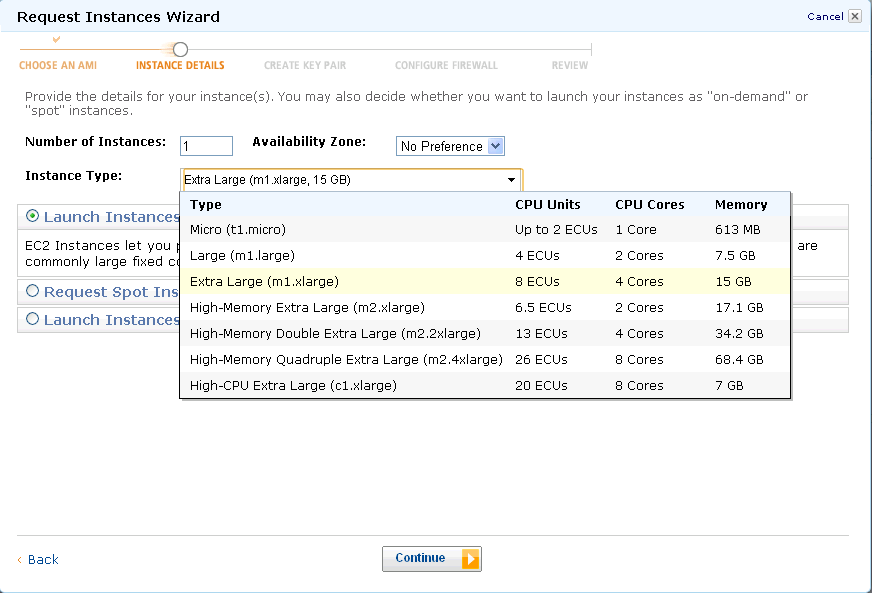
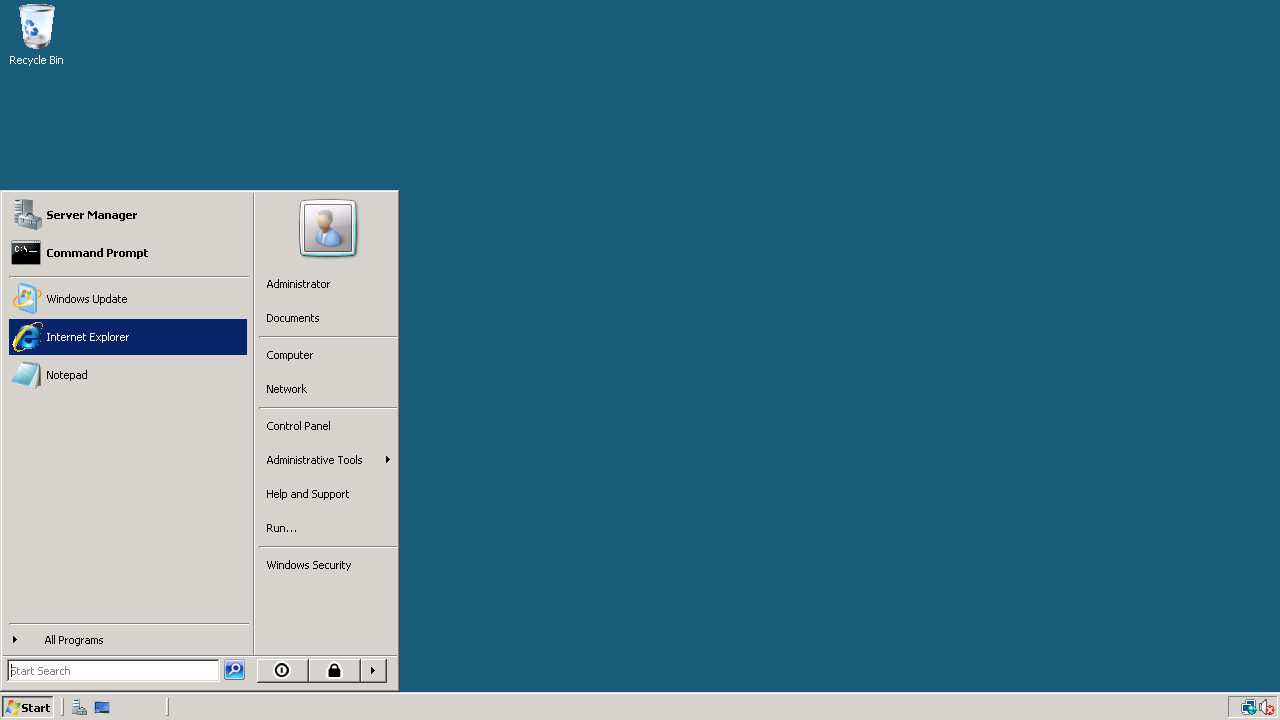
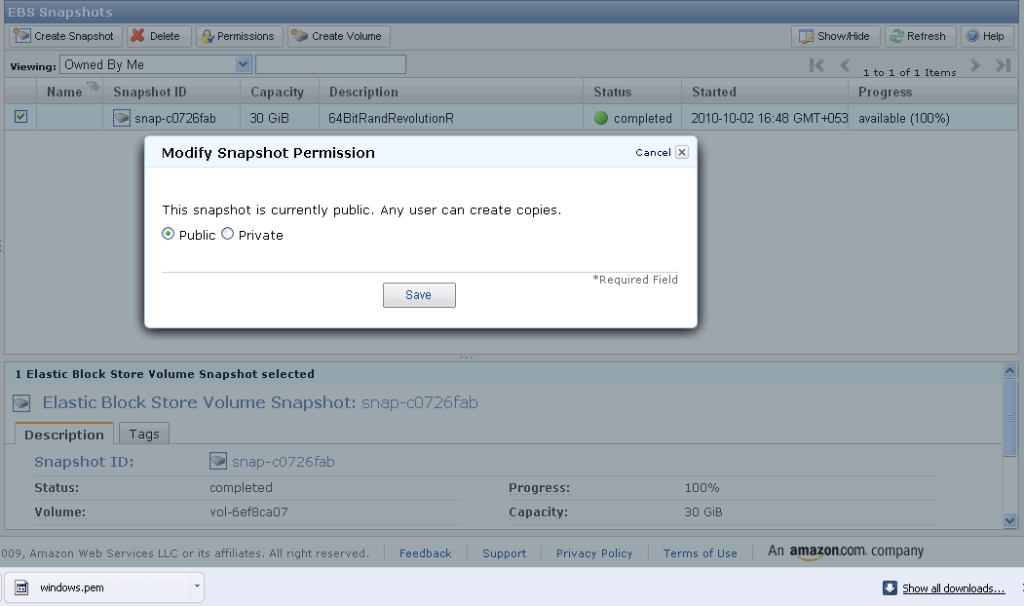
So I am still testing Revo R on the 64 bit AMI i created on the weekend and I really like the code snippets feature in Revolution R.

Code Snippets work in a fairly simply way.

Right click– Click on Insert Code Snippet.

You can get a drop down of tasks to do- (like Analysis) Selecting Analysis we get another list of tasks (like Clustering).

Once you click on Clustering you get various options. Like clicking clara will auto insert the code

Now even if you are averse to using a GUI /or GUI creators don’t have your particular analysis you can basically type in code at an extremely fast pace.

It is useful to people who do not have to type in the entire code, but it is a boon to beginners as the parameters in function inserted by code snippet are automatically selected in multiple colors.

Also separately if are typing code for a function and hover, the various parameters for that particular function are shown.

Quite possibly the fastest way to write R code- and it is un matched by other code editors I am testing including Vim,Notepad++,Eclipse R etc.

The RPE (R Productivity Environment for windows- horrible bureaucratic name is the only flaw here) thus helps as it is quite thoughtfully designed. Interestingly they even have a record macro feature – which I am quite unsure of , but looks like automating some tasks. That’s next 🙂

See screenshot –

It would be quite nice to see the new Revo R GUI if it becomes available if it is equally intuitively designed considering it now has the founders of SPSS and one founder of R* as it’s members-it should be a keenly anticipated product. again Revolution could also try creating a Paid Amazon AMI and try renting the software by the hour at least as technology demonstrator as the big analytics world seems unaware of the work they have been up to.

without getting much noise on how much the other founder of R loves Revo 😉 )

Creating 3D Graphs with Data in R

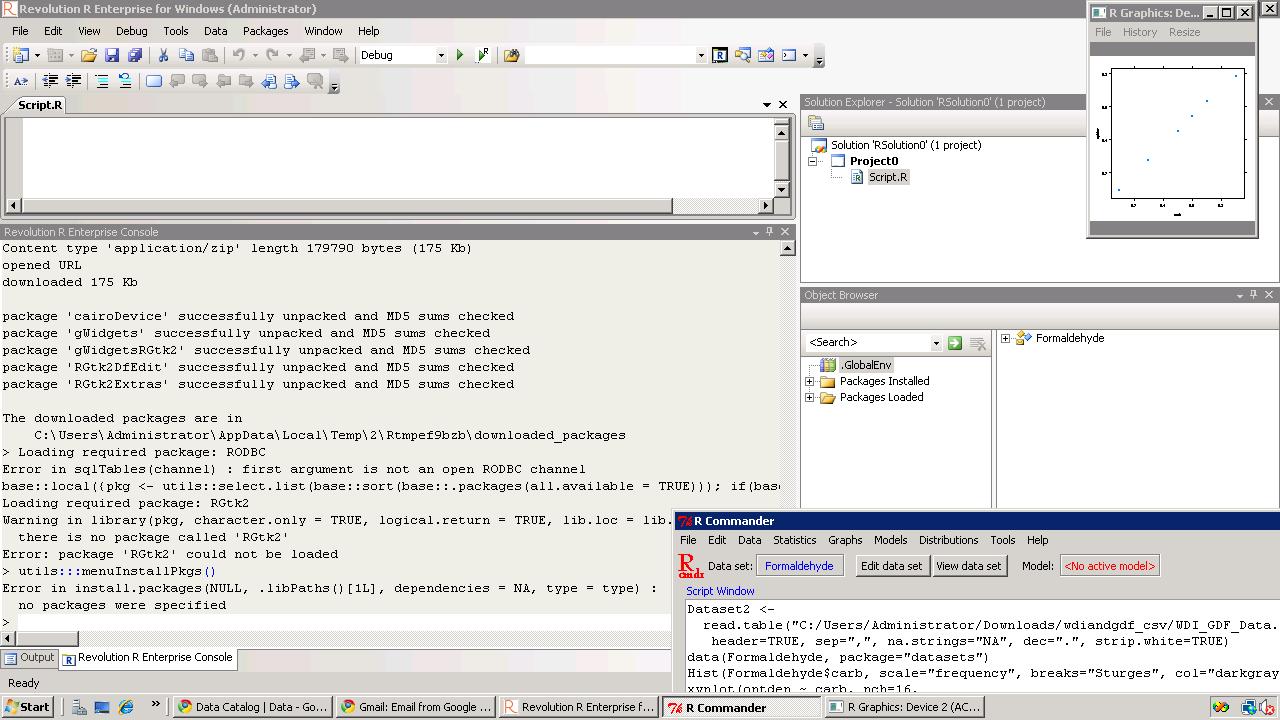
Creating 3D graphs  in a 3d scatterplot is a 2 minute task in R using the woderful R Commander GUI. You can see an example video-

I loaded R,                                                                                                                                               then loaded the GUI,                                                                                                                           inputted data (from an attached package) but you can input data from a csv,           then went to Graphs- 3D ScatterPlot.

Here is the result-

and here is the video.

Not bad for 2 minutes of clicking a GUI.

Here is the auto generated code by R Commander.

> data(iris3, package="datasets")
> iris3 <- as.data.frame(iris3)
> names(iris3) <- make.names(names(iris3))
> library(rgl, pos=4)
> library(mgcv, pos=4)
> scatter3d(iris3$Petal.W..Setosa, iris3$Petal.L..Setosa, +   iris3$Sepal.L..Setosa, fit="linear", residuals=TRUE, bg="black", +   axis.scales=TRUE, grid=TRUE, ellipsoid=FALSE, xlab="Petal.W..Setosa", +   ylab="Petal.L..Setosa", zlab="Sepal.L..Setosa")
> scatter3d(iris3$Petal.L..Versicolor, iris3$Petal.L..Setosa, +   iris3$Petal.L..Virginica, fit="linear", residuals=TRUE, bg="white", +   axis.scales=TRUE, grid=TRUE, ellipsoid=FALSE, xlab="Petal.L..Versicolor", +   ylab="Petal.L..Setosa", zlab="Petal.L..Virginica")
> rgl.snapshot("C:/Documents and Settings/abc/Desktop/RGLGraph.png")

Interview Dean Abbott Abbott Analytics

Here is an interview with noted Analytics Consultant and trainer Dean Abbott. Dean is scheduled to take a workshop on Predictive Analytics at PAW (Predictive Analytics World Conference)  Oct 18 , 2010 in Washington D.C

Ajay-  Describe your upcoming hands on workshop at Predictive Analytics World and how it can help people learn more predictive modeling.

Refer- http://www.predictiveanalyticsworld.com/dc/2010/handson_predictive_analytics.php

Dean- The hands-on workshop is geared toward individuals who know something about predictive analytics but would like to experience the process. It will help people in two regards. First, by going through the data assessment, preparation, modeling and model assessment stages in one day, the attendees will see how predictive analytics works in reality, including some of the pain associated with false starts and mistakes. At the same time, they will experience success with building reasonable models to solve a problem in a single day. I have found that for many, having to actually build the predictive analytics solution if an eye-opener. Seeing demonstrations show the capabilities of a tool, but greater value for an end-user is the development of intuition of what to do at each each stage of the process that makes the theory of predictive analytics real.

Second, they will gain experience using a top-tier predictive analytics software tool, Enterprise Miner (EM). This is especially helpful for those who are considering purchasing EM, but also for those who have used open source tools and have never experienced the additional power and efficiencies that come with a tool that is well thought out from a business solutions standpoint (as opposed to an algorithm workbench).

Ajay-  You are an instructor with software ranging from SPSS, S Plus, SAS Enterprise Miner, Statistica and CART. What features of each software do you like best and are more suited for application in data cases.

Dean- I’ll add Tibco Spotfire Miner, Polyanalyst and Unica’s Predictive Insight to the list of tools I’ve taught “hands-on” courses around, and there are at least a half dozen more I demonstrate in lecture courses (JMP, Matlab, Wizwhy, R, Ggobi, RapidMiner, Orange, Weka, RandomForests and TreeNet to name a few). The development of software is a fascinating undertaking, and each tools has its own strengths and weaknesses.

I personally gravitate toward tools with data flow / icon interface because I think more that way, and I’ve tired of learning more programming languages.

Since the predictive analytics algorithms are roughly the same (backdrop is backdrop no matter which tool you use), the key differentiators are

(1) how data can be loaded in and how tightly integrated can the tool be with the database,

(2) how well big data can be handled,

(3) how extensive are the data manipulation options,

(4) how flexible are the model reporting options, and

(5) how can you get the models and/or predictions out.

There are vast differences in the tools on these matters, so when I recommend tools for customers, I usually interview them quite extensively to understand better how they use data and how the models will be integrated into their business practice.

A final consideration is related to the efficiency of using the tool: how much automation can one introduce so that user-interaction is minimized once the analytics process has been defined. While I don’t like new programming languages, scripting and programming often helps here, though some tools have a way to run the visual programming data diagram itself without converting it to code.

Ajay- What are your views on the increasing trend of consolidation and mergers and acquisitions in the predictive analytics space. Does this increase the need for vendor neutral analysts and consultants as well as conferences.

Dean- When companies buy a predictive analytics software package, it’s a mixed bag. SPSS purchasing of Clementine was ultimately good for the predictive analytics, though it took several years for SPSS to figure out what they wanted to do with it. Darwin ultimately disappeared after being purchased by Oracle, but the newer Oracle data mining tool, ODM, integrates better with the database than Darwin did or even would have been able to.

The biggest trend and pressure for the commercial vendors is the improvements in the Open Source and GNU tools. These are becoming more viable for enterprise-level customers with big data, though from what I’ve seen, they haven’t caught up with the big commercial players yet. There is great value in bringing both commercial and open source tools to the attention of end-users in the context of solutions (rather than sales) in a conference setting, which is I think an advantage that Predictive Analytics World has.

As a vendor-neutral consultant, flux is always a good thing because I have to be proficient in a variety of tools, and it is the breadth that brings value for customers entering into the predictive analytics space. But it is very difficult to keep up with the rapidly-changing market and that is something I am weighing myself: how many tools should I keep in my active toolbox.

Ajay-  Describe your career and how you came into the Predictive Analytics space. What are your views on various MS Analytics offered by Universities.

Dean- After getting a masters degree in Applied Mathematics, my first job was at a small aerospace engineering company in Charlottesville, VA called Barron Associates, Inc. (BAI); it is still in existence and doing quite well! I was working on optimal guidance algorithms for some developmental missile systems, and statistical learning was a key part of the process, so I but my teeth on pattern recognition techniques there, and frankly, that was the most interesting part of the job. In fact, most of us agreed that this was the most interesting part: John Elder (Elder Research) was the first employee at BAI, and was there at that time. Gerry Montgomery and Paul Hess were there as well and left to form a data mining company called AbTech and are still in analytics space.

After working at BAI, I had short stints at Martin Marietta Corp. and PAR Government Systems were I worked on analytics solutions in DoD, primarily radar and sonar applications. It was while at Elder Research in the 90s that began working in the commercial space more in financial and risk modeling, and then in 1999 I began working as an independent consultant.

One thing I love about this field is that the same techniques can be applied broadly, and therefore I can work on CRM, web analytics, tax and financial risk, credit scoring, survey analysis, and many more application, and cross-fertilize ideas from one domain into other domains.

Regarding MS degrees, let me first write that I am very encouraged that data mining and predictive analytics are being taught in specific class and programs rather than as just an add-on to an advanced statistics or business class. That stated, I have mixed feelings about analytics offerings at Universities.

I find that most provide a good theoretical foundation in the algorithms, but are weak in describing the entire process in a business context. For those building predictive models, the model-building stage nearly always takes much less time than getting the data ready for modeling and reporting results. These are cross-discipline tasks, requiring some understanding of the database world and the business world for us to define the target variable(s) properly and clean up the data so that the predictive analytics algorithms to work well.

The programs that have a practicum of some kind are the most useful, in my opinion. There are some certificate programs out there that have more of a business-oriented framework, and the NC State program builds an internship into the degree itself. These are positive steps in the field that I’m sure will continue as predictive analytics graduates become more in demand.

Biography-

DEAN ABBOTT is President of Abbott Analytics in San Diego, California. Mr. Abbott has over 21 years of experience applying advanced data mining, data preparation, and data visualization methods in real-world data intensive problems, including fraud detection, response modeling, survey analysis, planned giving, predictive toxicology, signal process, and missile guidance. In addition, he has developed and evaluated algorithms for use in commercial data mining and pattern recognition products, including polynomial networks, neural networks, radial basis functions, and clustering algorithms, and has consulted with data mining software companies to provide critiques and assessments of their current features and future enhancements.

Mr. Abbott is a seasoned instructor, having taught a wide range of data mining tutorials and seminars for a decade to audiences of up to 400, including DAMA, KDD, AAAI, and IEEE conferences. He is the instructor of well-regarded data mining courses, explaining concepts in language readily understood by a wide range of audiences, including analytics novices, data analysts, statisticians, and business professionals. Mr. Abbott also has taught both applied and hands-on data mining courses for major software vendors, including Clementine (SPSS, an IBM Company), Affinium Model (Unica Corporation), Statistica (StatSoft, Inc.), S-Plus and Insightful Miner (Insightful Corporation), Enterprise Miner (SAS), Tibco Spitfire Miner (Tibco), and CART (Salford Systems).

Using JMP 9 and R together

An interesting blog post at http://blogs.sas.com/jmp/index.php?/archives/298-JMP-Into-R!.html on using the new JMP 9 with R, and quite possibly using SAS as well.

Example Code-

Here’s the R integration JSL code used to run the bootstrap

rconn = R Connect();
rconn << Submit(“\[
library(boot)

# Load Boot package
library(boot)

RStatFctn <- function(x,d) {return(mean(x[d]))}

b.basic = matrix(data=NA, nrow=1000, ncol=2)
b.normal = matrix(data=NA, nrow=1000, ncol=2)
b.percent =matrix(data=NA, nrow=1000, ncol=2)
b.bca =matrix(data=NA, nrow=1000, ncol=2)

for(i in 1:1000){
rnormdat = rnorm(30,0,1)
b <- boot(rnormdat, RStatFctn, R = 1000)
b.ci=boot.ci(b, conf =095,type=c(“basic”,”norm”,”perc”,”bca”)) b.basic[i,] = b.ci$basic[,4:5]
b.normal[i,] = b.ci$normal[,2:3]
b.percent[i,] = b.ci$percent[,4:5]
b.bca[i,] = b.ci$bca[,4:5]
}
]\”));
b_basic= rconn << Get(b.basic);
b_normal = rconn << Get(b.normal);
b_percent= rconn << Get(b.percent);
b_bca = rconn << Get(b.bca);
rconn << Disconnect();

Using the R Connect() JSL command and assigning it to the object “rconn”, the code sends messages to the JSL scriptable object “rconn” to submit R code via the Submit() command and to retrieve R matrices containing the bootstrap confidence intervals back via the Get() commands.

and I also found interesting what the write has to say about using JMP (for visual analysis) and SAS (bigger datasets handling) and R (for advanced statistics) together

Other standard JMP tools such as the Data Filter can help to explore these results in ways that cannot easily and quickly be done in R

and

With a little JSL and the statistical and graphics platforms of JMP coupled with the breadth and variety of packages and functions in R, one can build complete easy-to-use applications for statistical analysis.

JMP can also integrate with SAS, which adds the ability to work with large-scale data through the file-based system as well as the depth and advanced capabilities of SAS procedures. With these seamless integrations, JMP can become a hub that enables you to connect with both SAS and R, as well as provide unique statistical features such as the JMP Profiler and interactive graphic features such as Graph Builder

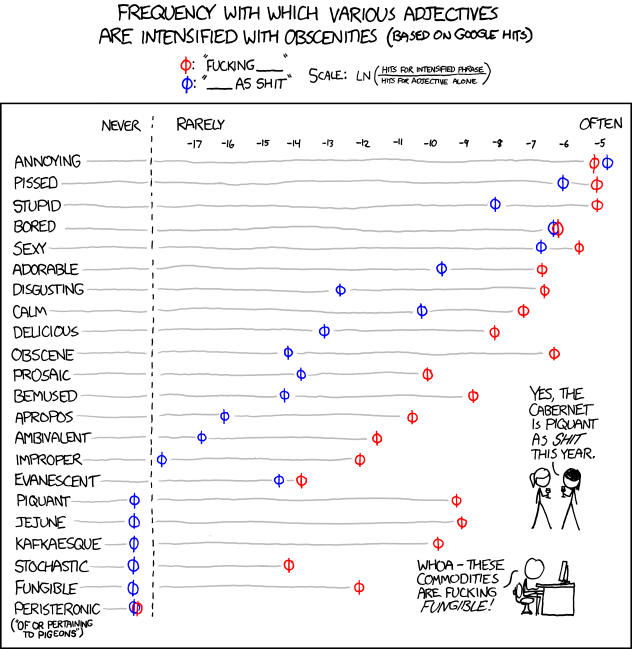
and in the meanwhile here is a data visualization of a frequency analysis of various words bundled together from xkcd.com