Ubuntu one goes musical

Heavenly choirs singing? Not quite, but music streaming on a cloudy platform seems like a pretty cool thing.-

readhttp://voices.canonical.com/ubuntuone/?p=617

:

Ubuntu One Basic – available now
This is the same as the current free 2 GB option but with a new name. Users can continue to sync files, contacts, bookmarks and notes for free as part of our basic service and access the integrated Ubuntu One Music Store. We are also extending our platform support to include a Windows client, which will be available in Beta very soon.

Ubuntu One Mobile – available October 7th
Ubuntu One Mobile is our first example of a service that helps you do more with the content stored in your personal cloud. With Ubuntu One Mobile’s main feature – mobile music streaming – users can listen to any MP3 songs in their personal cloud (any owned MP3s, not just those purchased from the Ubuntu One Music Store) using our custom developed apps for iPhone and Android (coming soon to their respective marketplaces). These will be open source and available from Launchpad. Ubuntu One Mobile will also include the mobile contacts sync feature that was launched in Beta for the 10.04 release.

Ubuntu One Mobile is available for $3.99 (USD) per month or $39.99 (USD) per year. Users interested in this add-on can try the service free for 30 days. Ubuntu One Mobile will be the perfect companion to your morning exercise, daily commute, and weekend at the beach – we’re really excited to bring you this service!

Ubuntu One 20-Packs – available now
A 20-Pack is 20 GB of storage for files, contacts, notes, and bookmarks. Users will be able to add multiple 20-Packs at $2.99 (USD) per month or $29.99 (USD) per year each. If you start with Ubuntu One Basic (2 GB) and add 1 20-Pack (20 GB), you will have 22 GB of storage.

All add-ons are available for purchase in multiple currencies – USD, EUR and, recently added, GBP.

Users currently paying for the old 50 GB plan (including mobile contacts sync) can either keep their existing service or switch to the new plans structure to get more value from Ubuntu One at a lower price.
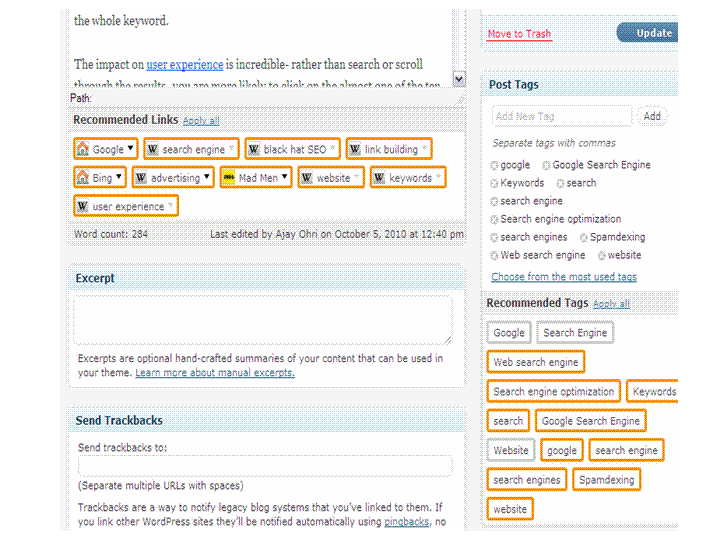
The auto-suggest link/tags for WP.com blogs

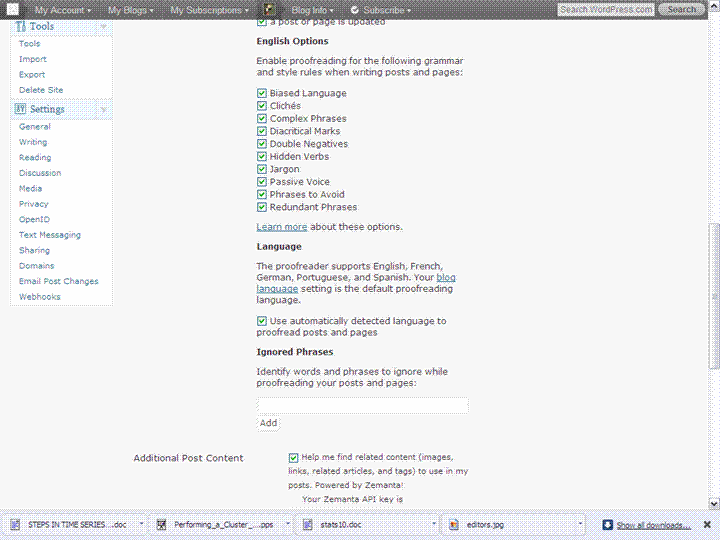
WordPress.com blogs have a great new option for generating tags, and links and thus improving their search engine optimization for posts.

Just go to Users-Personal Settings- and check the options shown. Thats it every time you write a post it suggests links and tags. Links are helpful for your readers (like Wikipedia links to understand dense technical jargon, or associated websites). Tags help to classify your contents so that all visitors to the web site including spiders ,search engines and your readers can search it better.

The bad thing is I need to go back to all 1025 posts on this site and auto generate tags for the archives ! Oh well. Great collaboration between zementa and Automattic for this new feature.

UPDATE Twitter starts using Speedbit (powered by Yahoo-Bing?) for search

UPDATED Twitter is back to usual search results. It may have been a test of new (or newer twitter) which got live before it should be.

EARLIER POST

Unbelievable-!

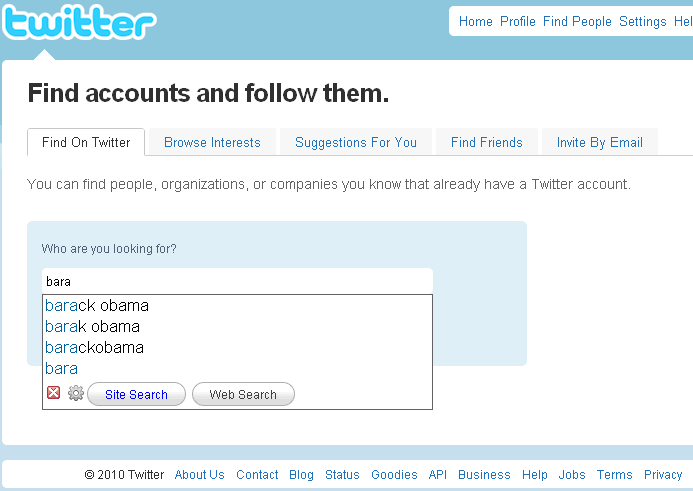
Go to twitter-I did

http://twitter.com/invitations/find_on_twitter

and search for keywords

When you hit search you go to Speedbit, powered by Yahoo!

http://start.speedbit.com/search.aspx?site=suggest&cnl=7645705662&sitesearch=twitter.com&q=bara&bi=255309&si=7124&cc=IN&pop=0


Better Data Visualization in WordPress.com Stats

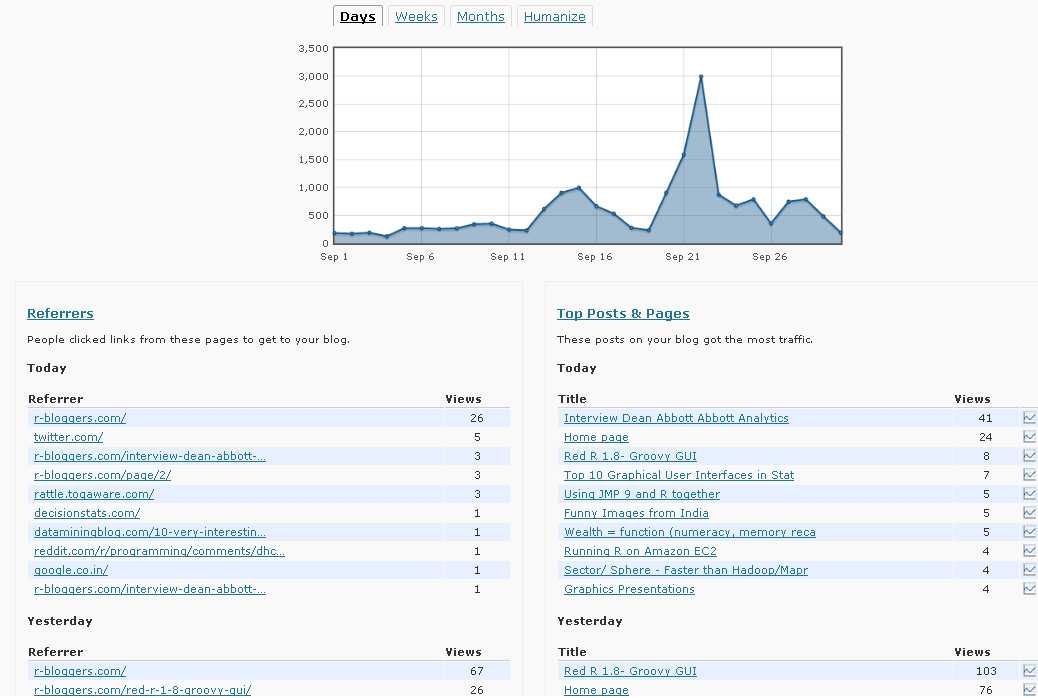
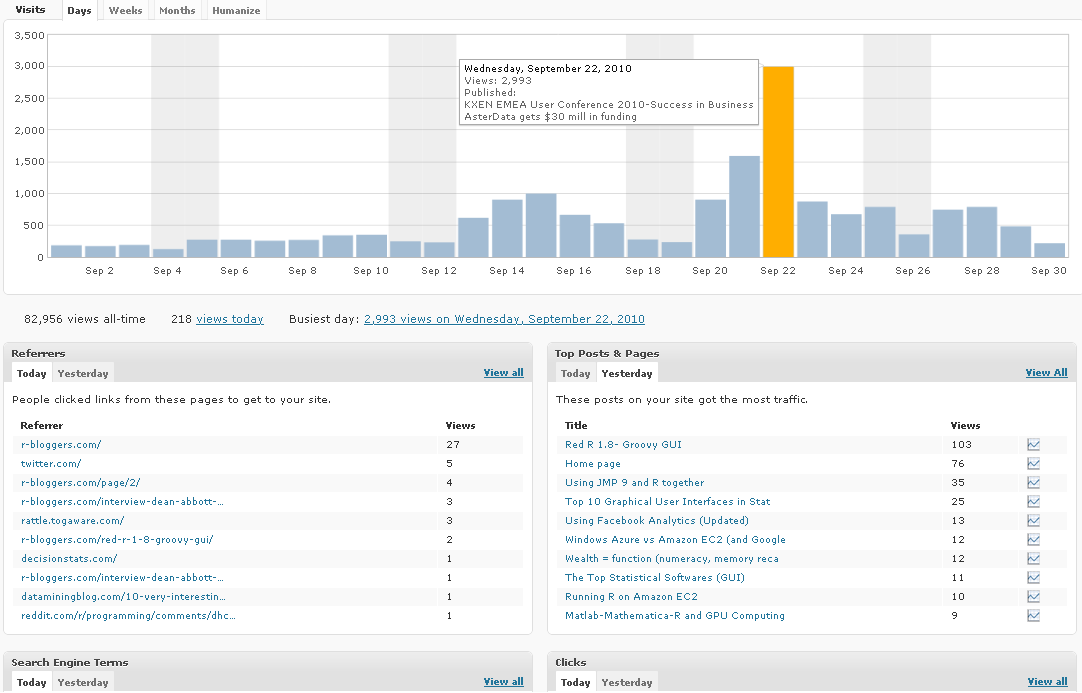
WordPress.com Stats is the analytical software which helps bloggers on WP.com hosted blogs. It recently underwent a revamp in design-

Note a simple change from Line to Histogram charts, and added Tabs can add so much value to data.

However WP.com really needs to addin Geo-Coded Stats (Visitors from where) and Some level of Campaign Tracking (similar to Goals in Google Analytics)

Earlier WP Stats

Now WP Stats

Amcharts- Cool Charts Web Editor

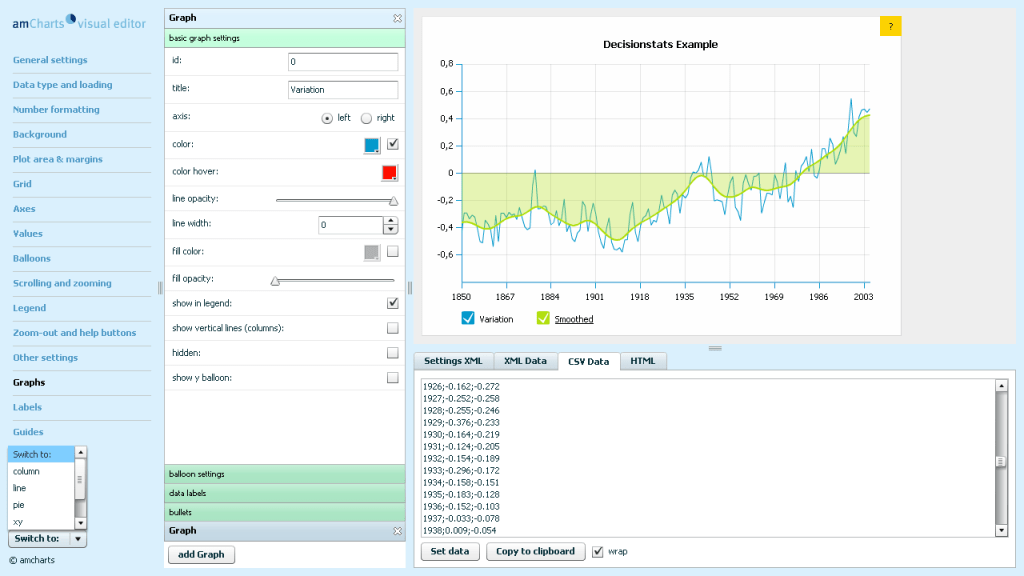
Here is a really good website if you want to create charts for your website. It offers both flash as well as Silverlight charts.

http://extra.amcharts.com/editor/line/

This is an example of a Line Chart. Note since I am on wordpress.com I cant use Javascript so have pasted the screenshot-All you can do is paste the data from csv file, and even the swf file is hosted on their servers.


Using Facebook Analytics (Updated)

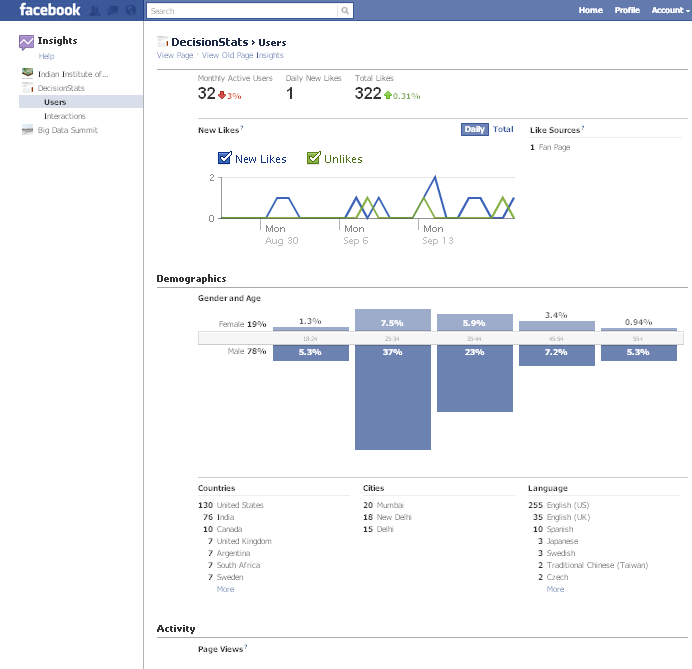
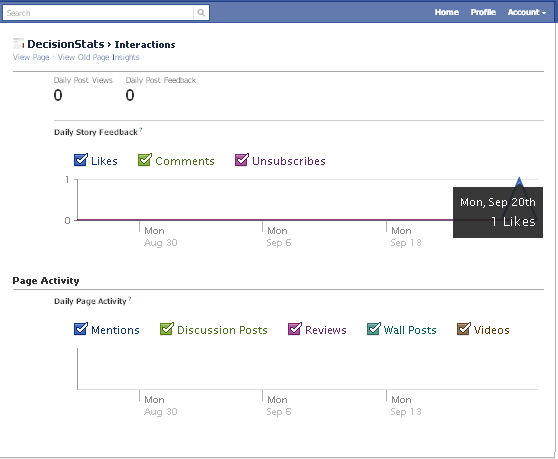
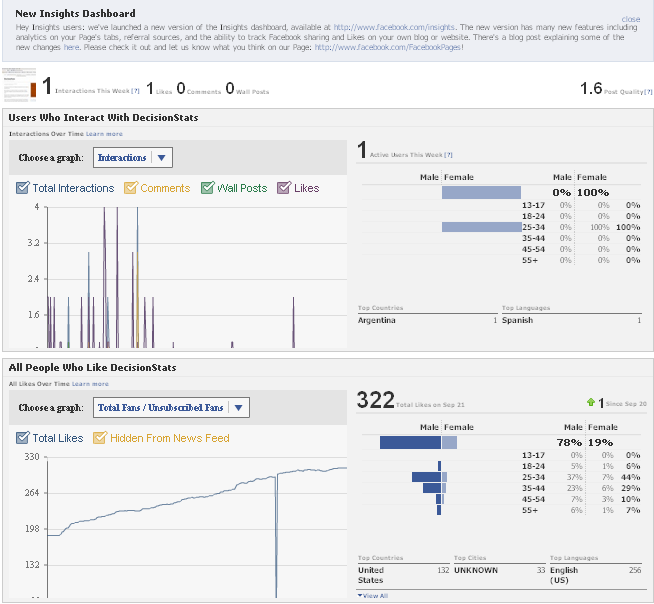
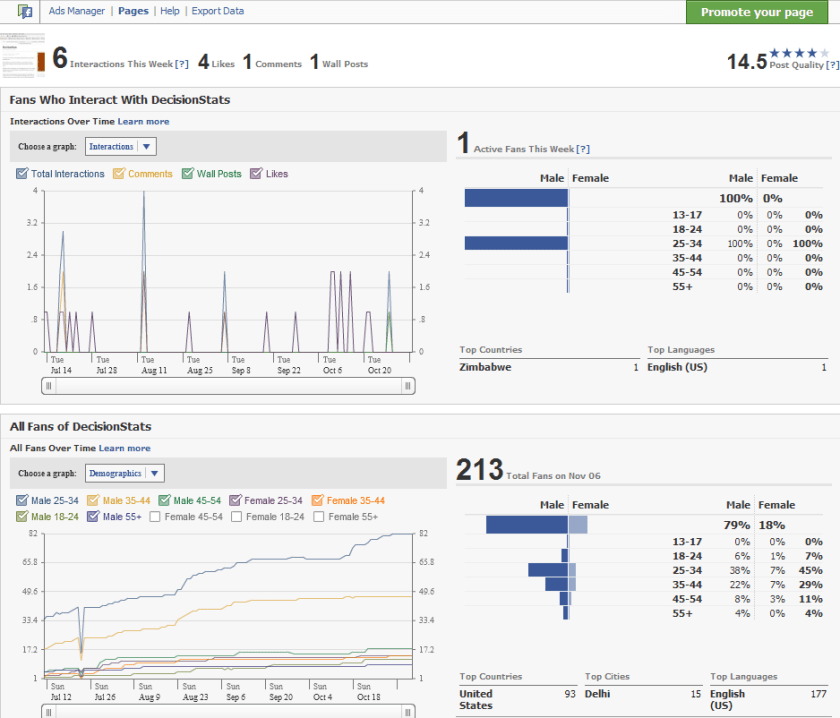
People sceptical of any analytical value of Facebook should see the nice embedded analytics, which is a close rival and even more to Google Analytics for websites. It has recently been updated as well.

It is right there on the button called Insights on left margin of your Facebook Page

Like for the Facebook Page

http://facebook.com/Decisionstats

You can also use Export Data function to run customized analytical and statistical testing on your Corporate Page.

Older View———————————————————————————-

see screenshot of Demographics of 213 Decisionstats fans on Facebook ( FB doesnot allow individual views but only aggregate views for Privacy Reasons)

fb

Graphics Presentations

Here are some Wow Presentations on Design and User Interfaces and  Graphics (including R)- you may have seen some before.

From Dataspora-

A Survey of R Graphics

R Graphics using GGPlot

King of all R graphics-Hadley Wickham

and a rather clever Graphics User Interface presentation

Dark Patterns to Trick People

More on Design Anti Patterns

Back to designing well

Back to Polishing your Graphics with Hadley –