Google Doodle for Diwali Greetings

Hey,

If you like Diwali the festival and want Google to create a doodle for it, just send an email to proposals@google.com


http://en.wikipedia.org/wiki/Diwali

Diwali or Deepavali[note 1], popularly known as the “festival of lights,” is a festival celebrated between mid-October and mid-November for different reasons. For Hindus, Diwali is one of the most important festivals of the year and is celebrated in families by performing traditional activities together in their homes. For Jains, Diwali marks the attainment of moksha or nirvana by Mahavira in 527 BC.[1][2]

Diwali is an official holiday in India,[3] NepalSri LankaMyanmarMauritiusGuyanaTrinidad & TobagoSurinameMalaysiaSingapore,[4] andFiji.

The name “Diwali” is a contraction of “Dipawali” (Sanskrit: दीपावली Dīpāwalī), which translates into “row of lamps”.[5] Diwali involves the lighting of small clay lamps (diyas or dīpas) in Sanskrit: दीप) filled with oil to signify the triumph of good over evil. During Diwali, all the celebrants wear new clothes and share sweets and snacks with family members and friends.

The festival starts with Dhanteras on which most Indian business communities begin their financial year. The second day of the festival, Naraka Chaturdasi, marks the vanquishing of the demon Naraka by Lord Krishna and his wife SatyabhamaAmavasya, the third day of Diwali, marks the worship of Lakshmi, the goddess of wealth in her most benevolent mood, fulfilling the wishes of her devotees. Amavasya also tells the story of Lord Vishnu, who in his dwarf incarnation vanquished the Bali, and banished him to Patala. It is on the fourth day of Diwali, Kartika Shudda Padyami, that Bali went to patala and took the reins of his new kingdom in there. The fifth day is referred to as Yama Dvitiya (also called Bhai Dooj), and on this day sisters invite their brothers to their homes.

While the story behind Diwali and the manner of celebration varies from region to region (festive fireworks, worship, lights, sharing of sweets), the essence is the same – to rejoice in the Inner Light

from-

http://www.google.com/doodle4google/history.html

How can Google users/the public submit ideas for doodles?

The doodle team is open to user ideas; requests for doodles can be sent to proposals@google.com


Data Mining with R GUI -Rattle #Rstats

Why is RATTLE my favorite R package?
because it allows data mining in a very nice interface.
Complicated software need not have complicated interfaces.
Have a look-

(Note- download rattle from http://rattle.togaware.com)

For better visibility please click the full screen button or click the second pps below- automatically advances every 5 secs

Using R with MySQL #rstats

A brief tutorial to working with R and MySQL. MySQL belongs to Oracle is one of the most widely used databases now.

1. Download mySQL from
http://www.mysql.com/downloads/mysql/  or (http://www.mysql.com/downloads/mirror.php?id=403831)
Click Install -use default options, remember to note down the password=XX
2.Download the ODBC connector from http://www.mysql.com/downloads/connector/odbc/5.1.htmlThe Data Sources (ODBC) can be located from the Control Panel in Windows7

Install ODBC Connector by double clicking the .msi file downloaded in Step 2-
Check this screenshot in ODBC Connectors to verify-
Note this is the Drivers tab in ODBC Data Source Administrator
Click the System DSN and Configure MySQL using the add button Use the configuration options shown exactly here. The user is root, the TCP/IP Server is local host, use the same password in Step 1 and the Database is MySQL
Test the connection

Click OK to finish this step.
Click the User DSN tab (and repeating the step  immediately above -Add, and Configure the connection using options The user is root, the TCP/IP Server is local host, use the same password in Step 1 and the Database is MySQL , Test the connection and OK to add the connection
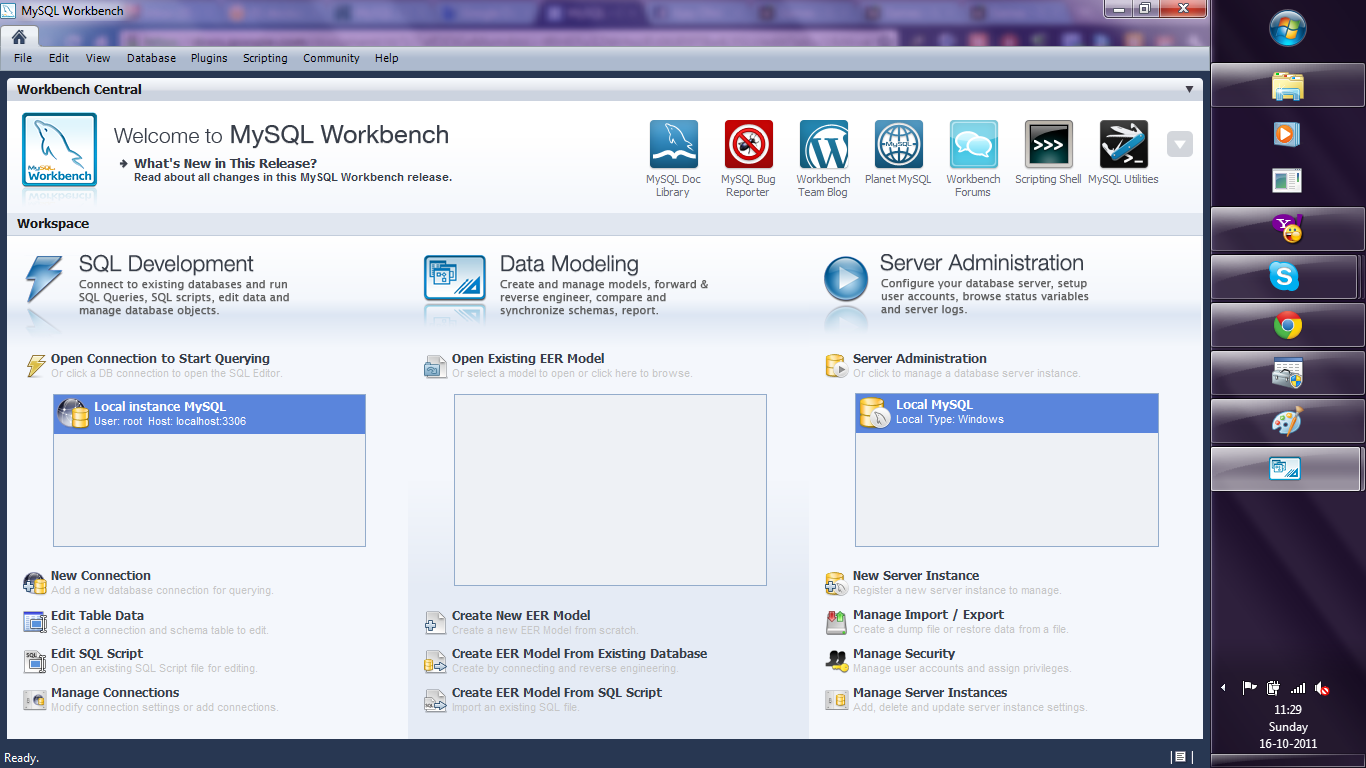
3. Download the MySQL workbench from http://www.mysql.com/downloads/workbench/

This is very helpful to configuring the database
http://www.mysql.com/downloads/mirror.php?id=403983#mirrors

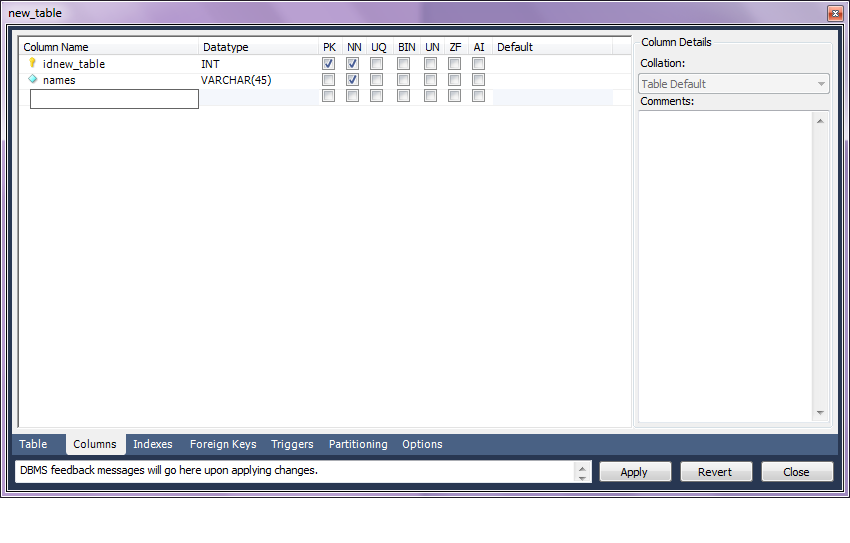
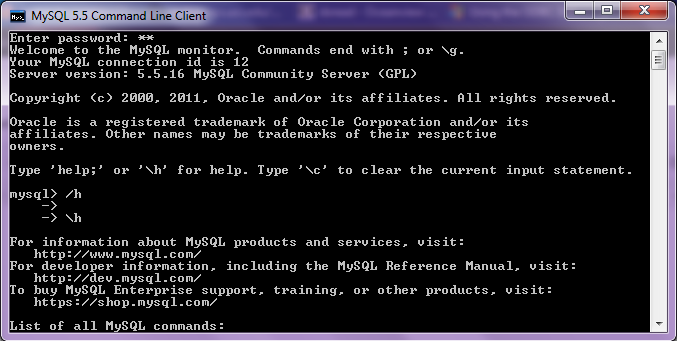
Create a new table using the options in the screenshots below

Open Connection

You can create a new table using the options as below,
Once created you can also add new variables (using the Columns Tab)

MySQL allows you create new columns very easily
The  SQL commands are automatically generated.
Click Apply  to execute the changes to the Database.

Now we start R
Type the commands in the screenshot below to create a connection to the Database in MySQL
> library(RODBC)
> odbcDataSources()
> ajay=odbcConnect(“MySQL”,uid=”root”,pwd=”XX”)
> ajay
> sqlTables(ajay)
>tested=sqlFetch(ajay,”host”)

Note- this is a brief tutorial for beginners without getting into too many complexities of database administration and management, to start using R and MySQL.

Zynga Mafia Wars 2 on Google Plus

The latest game on Google Plus is a clone of one of the most important games in social gaming history- Mafia Wars 2. Early days and a more detailed review to follow- but there has been a design paradigm change in terms of icons, fonts and storyline. Will this capture the gamers attention- time will tell?

Interesting announcement from PiCloud

An interesting announcement from PiCloud who is a cloud computing startup, but focused on python (as the name suggests). They basically have created a cloud library (or in R lingo – a package) that enables you to call cloud power sitting from the desktop interface itself. This announcement is for multiple IP addresses. Real parallel processing or just a quick trick in technical jargon- you decide!

  1. Prepare
  2. Run
  3. Monitor
Prepare

s1 cores are comparable in performance to c1 cores with one extra trick up their sleeve: each job running in parallel will have a different IP.

Why is this important?
Using unique IPs is necessary to minimize the automated throttling most sites will impose when seeing fast, repeated access from a single IP.

How do I use it?
If you’re already using our c1 cores, all you’ll need to do is set the _type keyword.

cloud.call(func, _type=’s1′)

How much?
$0.04/core/hour

Why don’t other cores have individual IPs?
For other core types, such as c2, multiple cores may be running on a single machine that is assigned only a single IP address. When using s1 cores, you’re guaranteed that each core sits on a different machine.


http://www.picloud.com/

Knowledge Discovery in Databases -KDD using PostgreSQL and #Rstats

Here is a small brief primer for beginners on configuring an open source database and using an open source analytics package.

All you need to know – is to read!


1. download PostgreSQL from
http://www.postgresql.org/download/windowsInstall PostgreSQL

Remember to store /memorize the password for the user postgres!

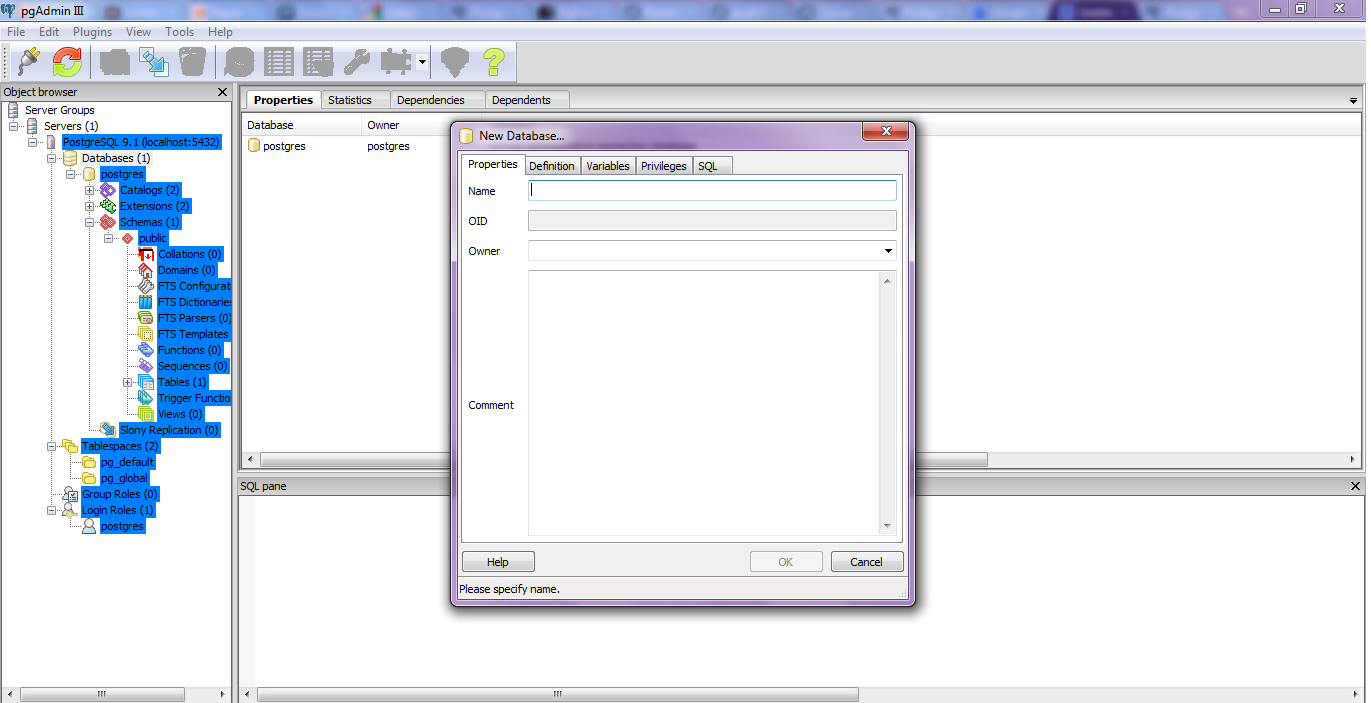
Create a connection using pgAdmin feature in Start Menu

2. download ODBC driver from
http://www.postgresql.org/ftp/odbc/versions/msi/
and the Win 64 edition from
http://wwwmaster.postgresql.org/download/mirrors-ftp/odbc/versions/msi/psqlodbc_09_00_0310-x64.zip

install ODBC driver

3. Go to

Start Menu\Control Panel\All Control Panel Items\Administrative Tools\Data Sources (ODBC)

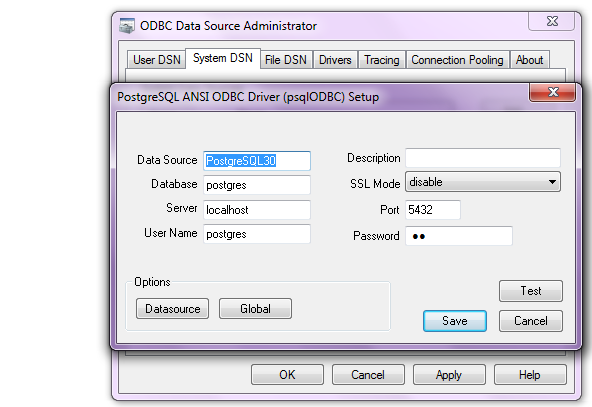
4. Configure the following details in System DSN and  User DSN using the ADD tabs .Test connection to check if connection is working

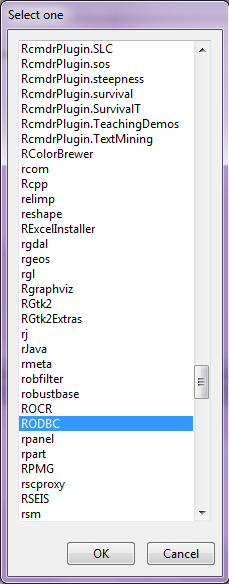
5. Start R and install and load library RODBC

6. Use following initial code for R- if you know SQL you can  do the rest
> library(RODBC)

> odbcDataSources(type = c(“all”, “user”, “system”))
SQLServer              PostgreSQL30             PostgreSQL35W
“SQL Server”    “PostgreSQL ANSI(x64)” “PostgreSQL Unicode(x64)”

> ajay=odbcConnect(“PostgreSQL30”, uid = “postgres”, pwd = “XX”)

> sqlTables(ajay)
TABLE_QUALIFIER TABLE_OWNER TABLE_NAME TABLE_TYPE REMARKS
1        postgres      public      names      TABLE

> crimedat <- sqlFetch(ajay, “names”)

How to make an analytics project?

Some of the process methodologies I have used and been exposed to while making analytics projects are-1) DMAIC/Six Sigma

While Six Sigma was initially a quality control system, it has also been very succesful in managing projects. The various stages of an analytical project can be divided using the DMAIC methodology.

DMAIC stands for

  • Define
  • Measure
  • Analyze
  • Improve
  • Control

Related to this is DMADV, ( “Design For Six Sigma”)

  • Define
  • Measure and identify CTQs
  • Analyze
  • Design
  • Verify

2) CRISP
CRISP-DM stands for Cross Industry Standard Process for Data Mining

CRISP-DM breaks the process of data mining into six major phases- and these can be used for business analytics projects as well.

  • Business Understanding
  • Data Understanding
  • Data Preparation
  • Modeling
  • Evaluation
  • Deployment

3) SEMMA
SEMMA  stands for

  • sample
  • explore
  • modify
  • model
  • assess

4) ISO 9001

ISO 9001 is a certification as well as a philosophy for making a Quality Management System to measure , reduce and eliminate error and customer complaints. Any customer complaint or followup has to be treated as an error, logged, and investigated for control.

5) LEAN
LEAN is a philosophy to eliminate Wastage in a process. Applying LEAN principles to analytics projects helps a lot in eliminating project bottlenecks, technology compatibility issues and data quality resolution. I think LEAN would be great in data quality issues, and IT infrastructure design because that is where the maximum waste is observed in analytics projects.

6) Demings Plan Do Check Act cycle.