Sector/ Sphere – Faster than Hadoop/Mapreduce at Terasort

Here is a preview of a relatively young software Sector and Sphere- which are claimed to be better than Hadoop /MapReduce at TeraSort Benchmark among others.

http://sector.sourceforge.net/tech.html

System Overview

The Sector/Sphere stack consists of the Sector distributed file system and the Sphere parallel data processing framework. The objective is to support highly effective and efficient large data storage and processing over commodity computer clusters.

Sector/Sphere Architecture

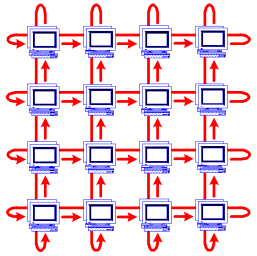
Sector consists of 4 parts, as shown in the above diagram. The Security server maintains the system security configurations such as user accounts, data IO permissions, and IP access control lists. The master servers maintain file system metadata, schedule jobs, and respond users’ requests. Sector supports multiple active masters that can join and leave at run time and they all actively respond users’ requests. The slave nodes are racks of computers that store and process data. The slaves nodes can be located within a single data center to across multiple data centers with high speed network connections. Finally, the client includes tools and programming APIs to access and process Sector data.

Sphere: Parallel Data Processing Framework

Sphere allows developers to write parallel data processing applications with a very simple set of API. It applies user-defined functions (UDF) on all input data segments in parallel. In a Sphere application, both inputs and outputs are Sector files. Multiple Sphere processing can be combined to support more complicated applications, with inputs/outputs exchanged/shared via the Sector file system.

Data segments are processed at their storage locations whenever possible (data locality). Failed data segments may be restarted on other nodes to achieve fault tolerance.

The Sphere framework can be compared to MapReduce as they both enforce data locality and provide simplified programming interfaces. In fact, Sphere can simulate any MapReduce operations, but Sphere is more efficient and flexible. Sphere can provide better data locality for applications that process files or multiple files as minimum input units and for applications that involve with iterative/combinative processing, which requires coordination of multiple UDFs to obtain the final result.

A Sphere application includes two parts: the client program that organizes inputs (including certain parameters), outputs, and UDFs; and the UDFs that process data segments. Data segmentation, load balancing, and fault tolerance are transparent to developers.

Space: Column-based Distbuted Data Table

Space stores data tables in Sector and uses Sphere for parallel query processing. Space is similar to BigTable. Table is stored by columns and is segmented on to multiple slave nodes. Tables are independent and no relationship between tables are supported. A reduced set of SQL operations is supported, including but not limited to table creation and modification, key-value update and lookup, and select operations based on UDF.

Supported by the Sector data placement mechanism and the Sphere parallel processing framework, Space can support efficient key-value lookup and certain SQL queries on very large data tables.

Space is currently still in development.

and just when you thought Hadoop was the only way to be on the cloud.

http://sector.sourceforge.net/benchmark.html

The Terasort Benchmark

The table below lists the performance (total processing time in seconds) of the Terasort benchmark of both Sphere and Hadoop. (Terasort benchmark: suppose there are N nodes in the system, the benchmark generates a 10GB file on each node and sorts the total N*10GB data. Data generation time is excluded.) Note that it is normal to see a longer processing time for more nodes because the total amount of data also increases proportionally.

The performance value listed in this page was achieved using the Open Cloud Testbed. Currently the testbed consists of 4 racks. Each rack has 32 nodes, including 1 NFS server, 1 head node, and 30 compute/slave nodes. The head node is a Dell 1950, dual dual-core Xeon 3.0GHz, 16GB RAM. The compute nodes are Dell 1435s, single dual core AMD Opteron 2.0GHz, 4GB RAM, and 1TB single disk. The 4 racks are located in JHU (Baltimore), StarLight (Chicago), UIC (Chicago), and Calit2(San Diego). The inter-rack bandwidth is 10GE, supported by CiscoWave deployed over National Lambda Rail.

Sphere
Hadoop (3 replicas)
Hadoop (1 replica)
UIC
1265 2889 2252
UIC + StarLight
1361 2896 2617
UIC + StarLight + Calit2
1430 4341 3069
UIC + StarLight + Calit2 + JHU
1526 6675 3702

The benchmark uses the testfs/testdc examples of Sphere and randomwriter/sort examples of Hadoop. Hadoop parameters were tuned to reach good results.

Updated on Sep. 22, 2009: We have benchmarked the most recent versions of Sector/Sphere (1.24a) and Hadoop (0.20.1) on a new set of servers. Each server node costs $2,200 and consits of a single Intel Xeon E5410 2.4GHz CPU, 16GB RAM, 4*1TB RAID0 disk, and 1Gb/s NIC. The 120 nodes are hosted on 4 racks within the same data center and the inter-rack bandwidth is 20Gb/s.

The table below lists the performance of sorting 1TB data using Sector/Sphere version 1.24a and Hadoop 0.20.1. Related Hadoop parameters have been tuned for better performance (e.g., big block size), while Sector/Sphere does not require tuning. In addition, to achieve the highest performance, replication is disabled in both systems (note that replication does not afftect the performance of Sphere but will significantly decrease the performance of Hadoop).

Number of Racks
Sphere
Hadoop
1
28m 25s 85m 49s
2
15m 20s 37m 0s
3
10m 19s 25m 14s
4
7m 56s 17m 45s

Red Hat worth 7.8 Billion now

I was searching for a Linux install of Revolution’s latest enterprise version, but it seems version 4 will be available on Red Hat Enterprise Linux only by Decemebr 2010. Also even though Revolution once opted for co branding with Canonical’s Karmic Koala, they seem to have ignored Ubuntu from the Enterprise version of Revolution R.

http://www.revolutionanalytics.com/why-revolution-r/which-r-is-right-for-me.php

Base R Revolution R Community Revolution R Enterprise
Buy Now
Target Use Open Source Product Evaluation & Simple Prototyping Business, Research & Academics
Software
100% Compatible with R language X X X
Certified for Stability X X
Command-Line Programming X X X
Getting Started Guide X X
Performance & Scalability
Analyze larger data sets with 64-bit RAM X X
Optimized for Multi-processor workstations X X
Multi-threaded Math libraries X X
Parallel Programming (Single Workstation) X X
Out-of-the-Box Cluster-Ready X
“Big Data” Analysis
Terabyte-Class File Structures X
Specialized “Big Data” Algorithms X
Integrated Web Services
Scalable Web Services Platform X*
User Interface
Visual IDE X
Comprehensive Data Analysis GUI X*
Technical Support
Discussion Forums X X X
Online Support Mailing List Forum X
Email Support X
Phone Support X
Support for Base & Recommended R Packages X X X
Authorized Training & Consulting X
Platforms
Single User X X X
Multi-User Server X X
32-bit Windows X X X
64-bit Windows X X
Mac OS X X X
Ubuntu Linux X X
Red Hat Enterprise Linux X
Cloud-Ready X

and though the page on RED HAT’s Partner page for Revolution seems old/not so updated

https://www.redhat.com/wapps/partnerlocator/web/home.html;#productId=188

, I was still curious to see what the buzz about Red Hat is all about.

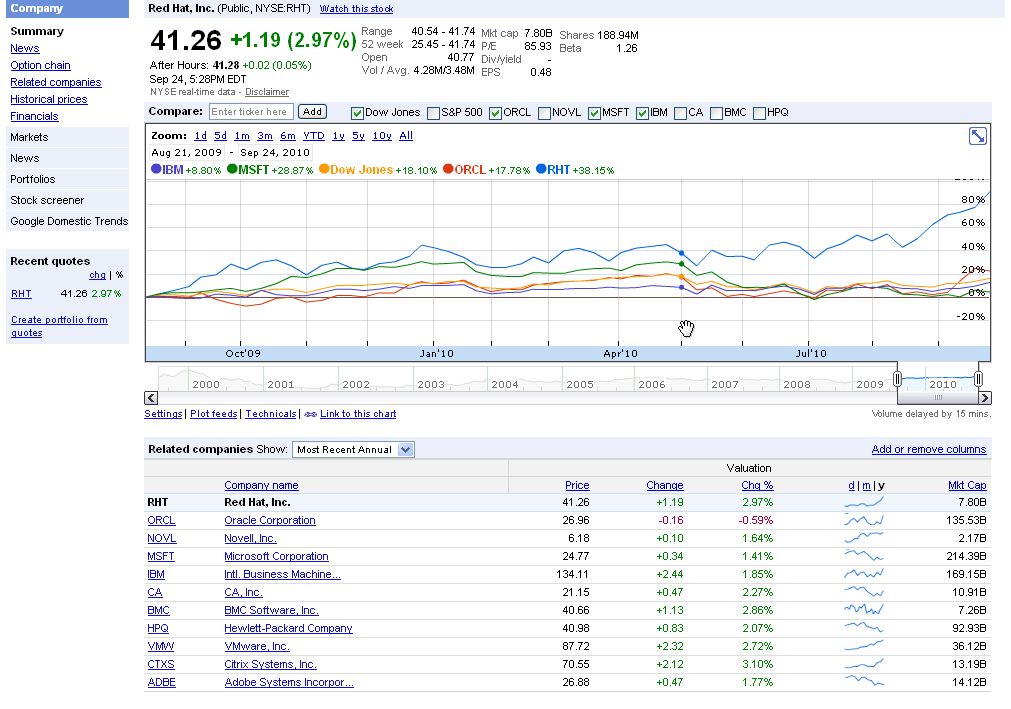
And one of the answers is Red Hat is now a 7.8 Billion Dollar Company.

http://www.redhat.com/about/news/prarchive/2010/Q2_2011.html

Red Hat Reports Second Quarter Results

  • Revenue of $220 million, up 20% from the prior year
  • GAAP operating income up 24%, non-GAAP operating income up 25% from the prior year
  • Deferred revenue of $650 million, up 12% from the prior year

RALEIGH, NC – Sept 22, 2010 – Red Hat, Inc. (NYSE: RHT), the world’s leading provider of open source solutions, today announced financial results for its fiscal year 2011 second quarter ended August 31, 2010.

Total revenue for the quarter was $219.8 million, an increase of 20% from the year ago quarter. Subscription revenue for the quarter was $186.2 million, up 19% year-over-year.

and the stock goes zoom 48 % up for the year

http://www.google.com/finance?chdnp=1&chdd=1&chds=1&chdv=1&chvs=maximized&chdeh=0&chfdeh=0&chdet=1285505944359&chddm=98141&chls=IntervalBasedLine&cmpto=INDEXDJX:.DJI;NASDAQ:ORCL;NASDAQ:MSFT;NYSE:IBM&cmptdms=0;0;0;0&q=NYSE:RHT&ntsp=0

(Note to Google- please put the URL shortener on Google Finance as well)

The software is also reasonably priced starting from 80$ onwards.

https://www.redhat.com/apps/store/desktop/

Basic Subscription

Web support, 2 business day response, unlimited incidents
1 Year
$80
Multi-OS with Basic SubscriptionWeb support, 2 business day response, unlimited incidents
1 Year
$120
Workstation with Basic Subscription
Web support, 2 business day response, unlimited incidents
1 Year
$179
Workstation and Multi-OS with Basic Subscription
Web support, 2 business day response, unlimited incidents
1 Year
$219
Workstation with Standard Subscription
Business Hours phone support, web support, unlimited incidents
1 Year
$299
Workstation and Multi-OS with Standard Subscription
Business Hours phone support, web support, unlimited incidents
1 Year
$339
——————————————————————————————
That should be a good enough case for open source as a business model.


Parallel Programming using R in Windows

Ashamed at my lack of parallel programming, I decided to learn some R Parallel Programming (after all parallel blogging is not really respect worthy in tech-geek-ninja circles).

So I did the usual Google- CRAN- search like a dog thing only to find some obstacles.

Obstacles-

Some Parallel Programming Packages like doMC are not available in Windows

http://cran.r-project.org/web/packages/doMC/index.html

Some Parallel Programming Packages like doSMP depend on Revolution’s Enterprise R (like –

http://blog.revolutionanalytics.com/2009/07/simple-scalable-parallel-computing-in-r.html

and http://www.r-statistics.com/2010/04/parallel-multicore-processing-with-r-on-windows/ (No the latest hack didnt work)

or are in testing like multicore (for Windows) so not available on CRAN

http://cran.r-project.org/web/packages/multicore/index.html

fortunately available on RForge

http://www.rforge.net/multicore/files/

Revolution did make DoSnow AND foreach available on CRAN

see http://blog.revolutionanalytics.com/2009/08/parallel-programming-with-foreach-and-snow.html

but the documentation in SNOW is overwhelming (hint- I use Windows , what does that tell you about my tech acumen)

http://sekhon.berkeley.edu/snow/html/makeCluster.html and

http://www.stat.uiowa.edu/~luke/R/cluster/cluster.html

what is a PVM or MPI? and SOCKS are for wearing or getting lost in washers till I encountered them in SNOW


Finally I did the following-and made the parallel programming work in Windows using R

require(doSNOW)
cl<-makeCluster(2) # I have two cores
registerDoSNOW(cl)
# create a function to run in each itteration of the loop

check <-function(n) {

+ for(i in 1:1000)

+ {

+ sme <- matrix(rnorm(100), 10,10)

+ solve(sme)

+ }

+ }
times <- 100     # times to run the loop
system.time(x <- foreach(j=1:times ) %dopar% check(j))
user  system elapsed
0.16    0.02   19.17
system.time(for(j in 1:times ) x <- check(j))
user  system elapsed</pre>
39.66    0.00   40.46

stopCluster(cl)

And it works!

When China overtook India- using DEDUCER

I was just reading about the new release of World Bank Data at http://www.r-chart.com/2010/09/new-world-bank-data-available.html Now World Bank Data is something I worked with in the past, but the RWDI package is a great package. (see http://www.r-chart.com/2010/09/new-world-bank-data-available.html)

The whole dataset is a 29 mb in zipped CSV though and is available for terrific macroeconomic analysis _ I downloaded it and loaded it instead.

http://data.worldbank.org/sites/default/files/data/wdiandgdf_csv.zip

I took a small subset of the data –


WDI_GDF_Data <- read.table("C:/Documents and Settings/abc/My Documents/Downloads/WDI_GDF_Data.csv",header=T,sep=",",quote="\"")
 WDI_GDF_Data.sub<-subset(WDI_GDF_Data,Country.Code == "CHN" | Country.Code == "IND" | Country.Code == "USA")
WDI_GDF_Data.sub.sub<-subset(WDI_GDF_Data.sub,Series.Code == "NY.GDP.PCAP.KD")
WDI_GDF_Data.sub.sub<-as.data.frame(t(WDI_GDF_Data.sub.sub))
write.csv(WDI_GDF_Data.sub.sub,'C:/Documents and Settings/abc/Desktop/gdp3.csv')

Note- WordPress.com now supports source code in R via http://en.support.wordpress.com/code/posting-source-code/

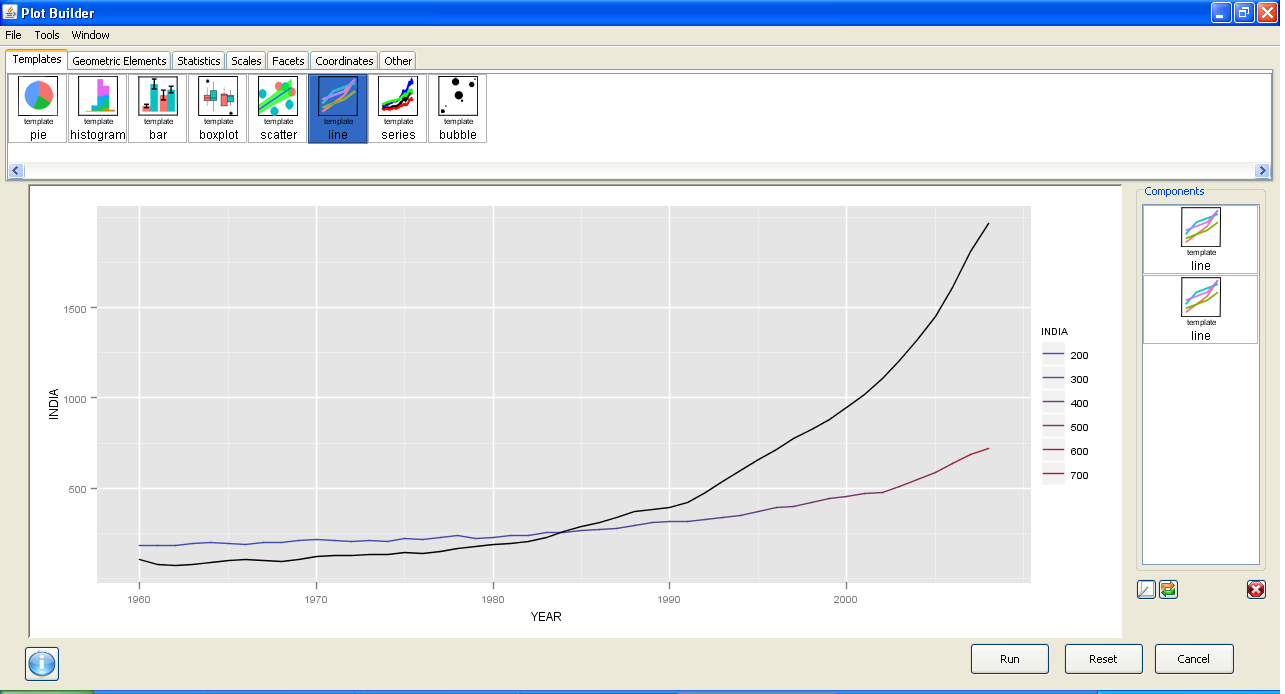
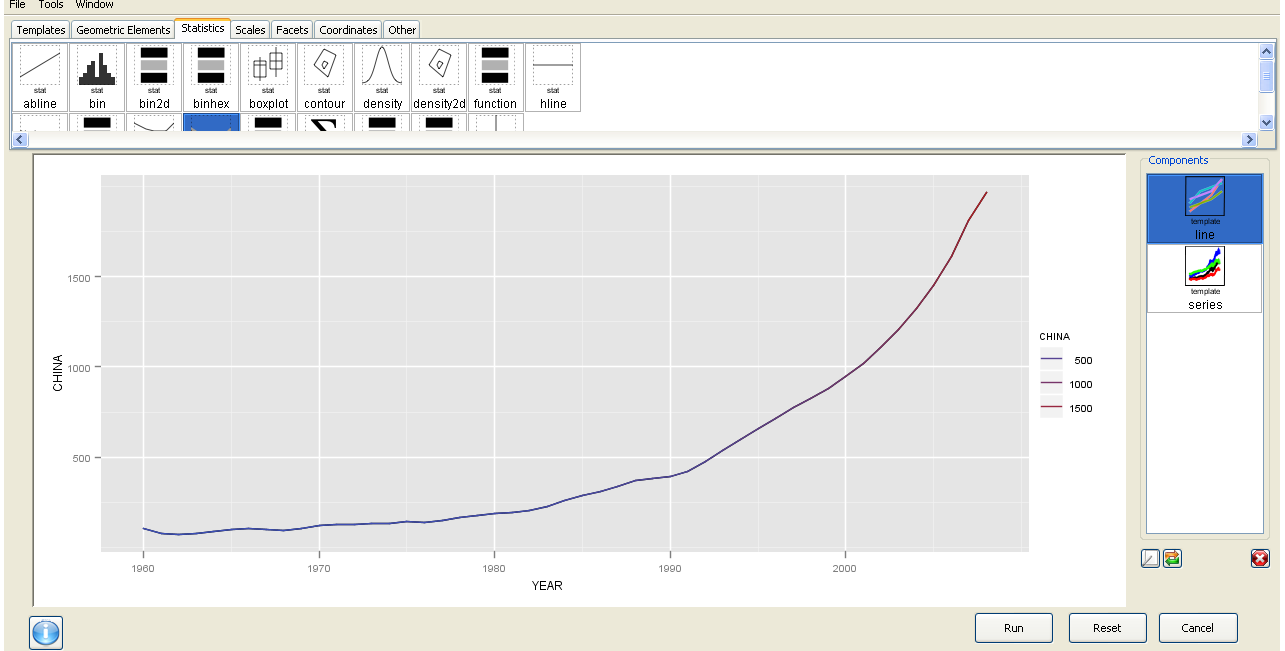
Now this is basic data manipulation- and I used Deducer for it.

The best thing is the ability to use GGPlot using a GUI.
I am now trying to create more complicated plots for example with more than one Y variable but it is still a work in progress. Overall Deducer has made impressive improvements and with the JGR GUI seems very very promising. The look and feel also shows a combination of features (from SPSS ‘s variable and data view)

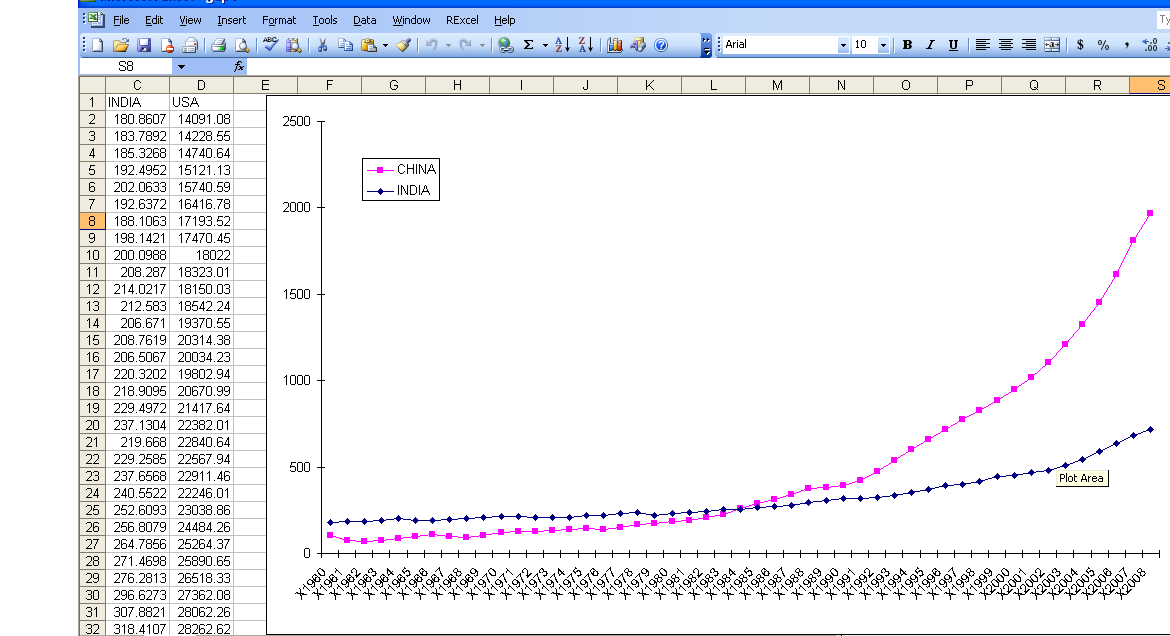
And yes China overtook India in 1985. In GDP per capita. Sigh

GGPLot though overtook Excel graphics as well.


Here is a video which is much better than my screenshots

R on Windows HPC Server

From HPC Wire, the newsletter/site for all HPC news-

Source- Link

PALO ALTO, Calif., Sept. 20 — Revolution Analytics, the leading commercial provider of software and support for the popular open source R statistics language, today announced it will deliver Revolution R Enterprise for Microsoft Windows HPC Server 2008 R2, released today, enabling users to analyze very large data sets in high-performance computing environments.

R is a powerful open source statistics language and the modern system for predictive analytics. Revolution Analytics recently introduced RevoScaleR, new “Big Data” analysis capabilities, to its R distribution, Revolution R Enterprise. RevoScaleR solves the performance and capacity limitations of the R language by with parallelized algorithms that stream data across multiple cores on a laptop, workstation or server. Users can now process, visualize and model terabyte-class data sets at top speeds — without the need for specialized hardware.

“Revolution Analytics is pleased to support Microsoft’s Technical Computing initiative, whose efforts will benefit scientists, engineers and data analysts,” said David Champagne, CTO at Revolution. “We believe the engineering we have done for Revolution R Enterprise, in particular our work on big-data statistics and multicore computing, along with Microsoft’s HPC platform for technical computing, makes an ideal combination for high-performance large scale statistical computing.”

“Processing and analyzing this ‘big data’ is essential to better prediction and decision making,” said Bill Hamilton, director of technical computing at Microsoft Corp. “Revolution R Enterprise for Windows HPC Server 2008 R2 gives customers an extremely powerful tool that handles analysis of very large data and high workloads.”

To learn more about Revolution R Enterprise and its Big Data capabilities, download thewhite paper. Revolution Analytics also has an on-demand webcast, “High-performance analytics with Revolution R and Windows HPC Server,” available online.

AND from Microsoft’s website

http://www.microsoft.com/hpc/en/us/solutions/hpc-for-life-sciences.aspx

REvolution R Enterprise »

REvolution Computing

REvolution R Enterprise is designed for both novice and experienced R users looking for a production-grade R distribution to perform mission critical predictive analytics tasks right from the desktop and scale across multiprocessor environments. Featuring RPE™ REvolution’s R Productivity Environment for Windows.

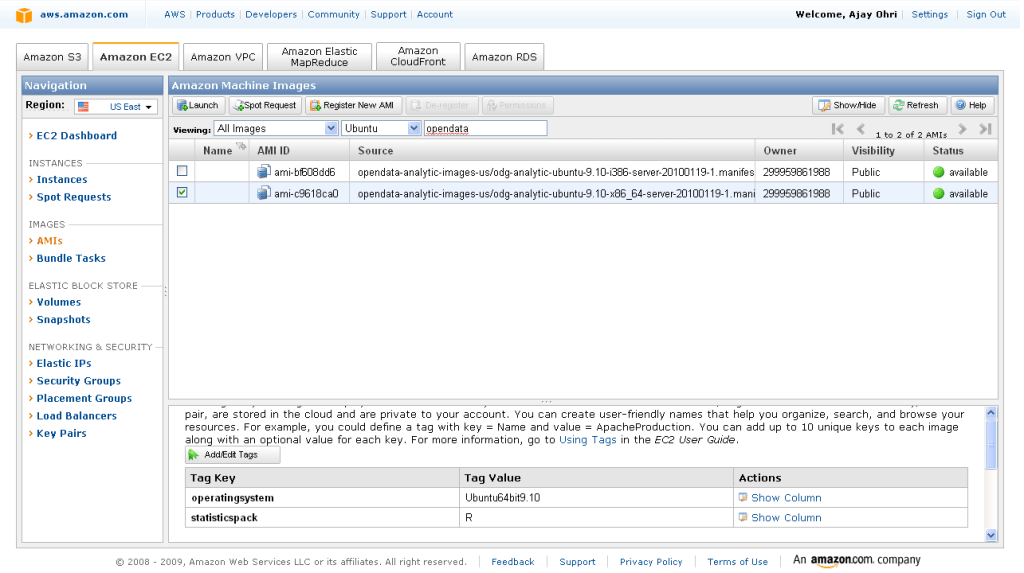
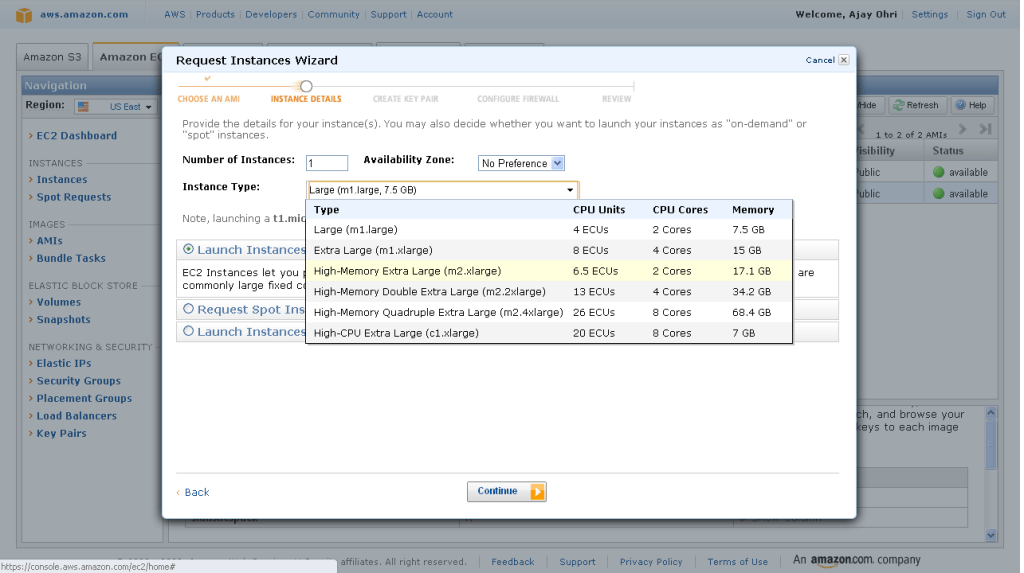
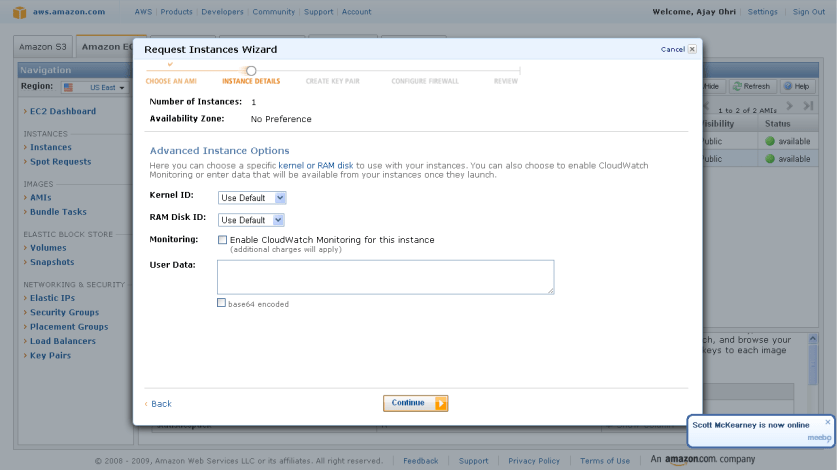
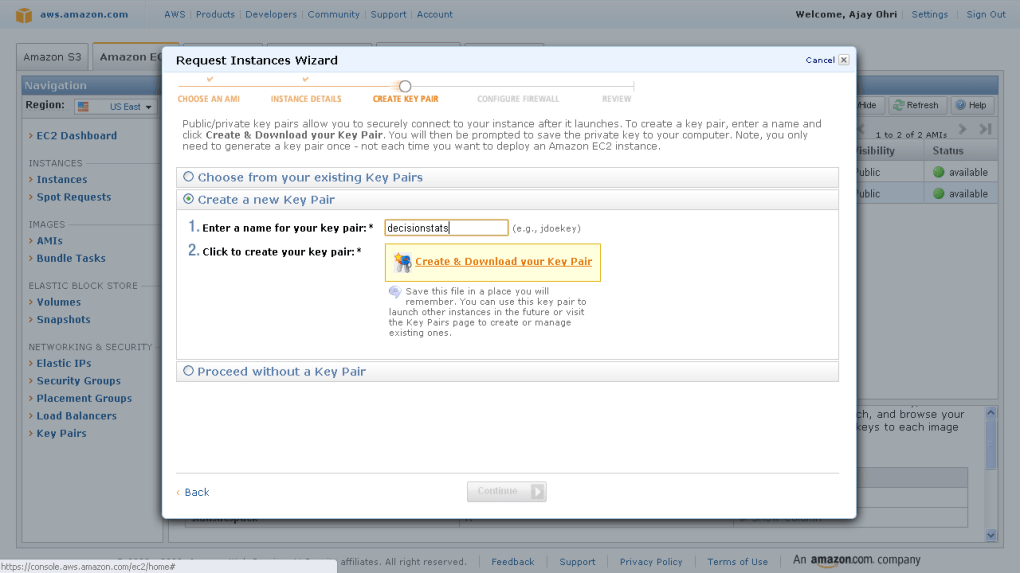
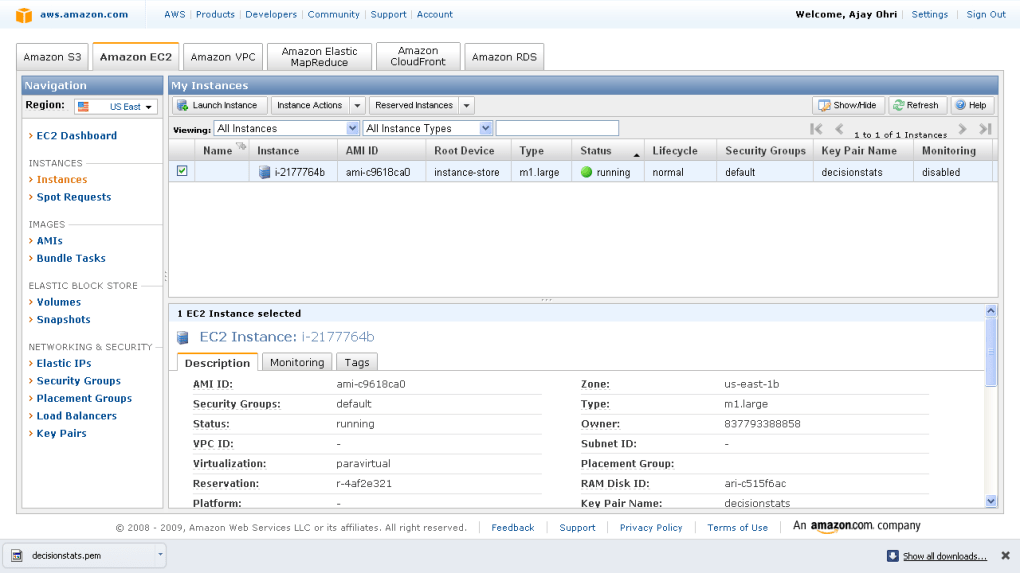
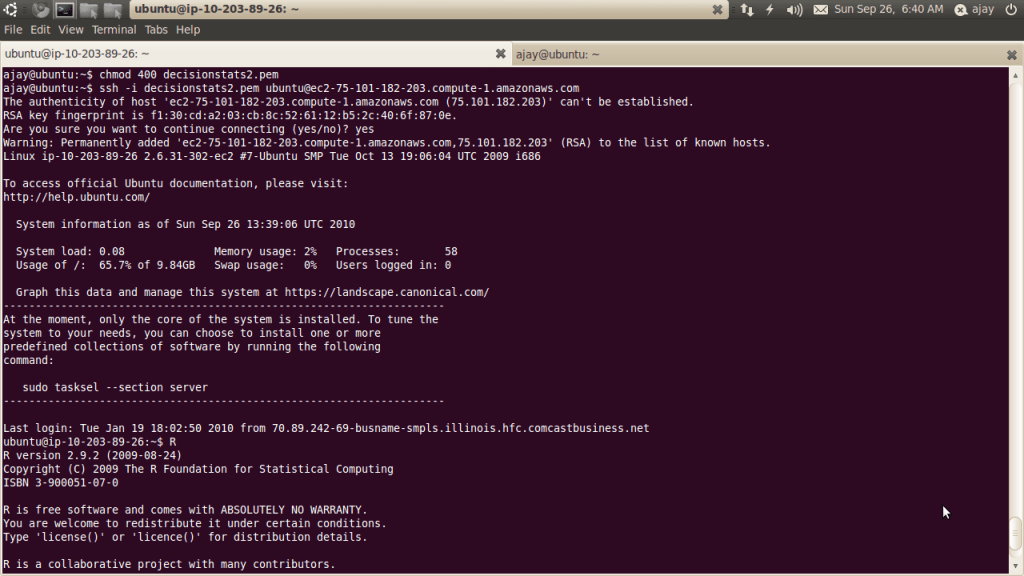
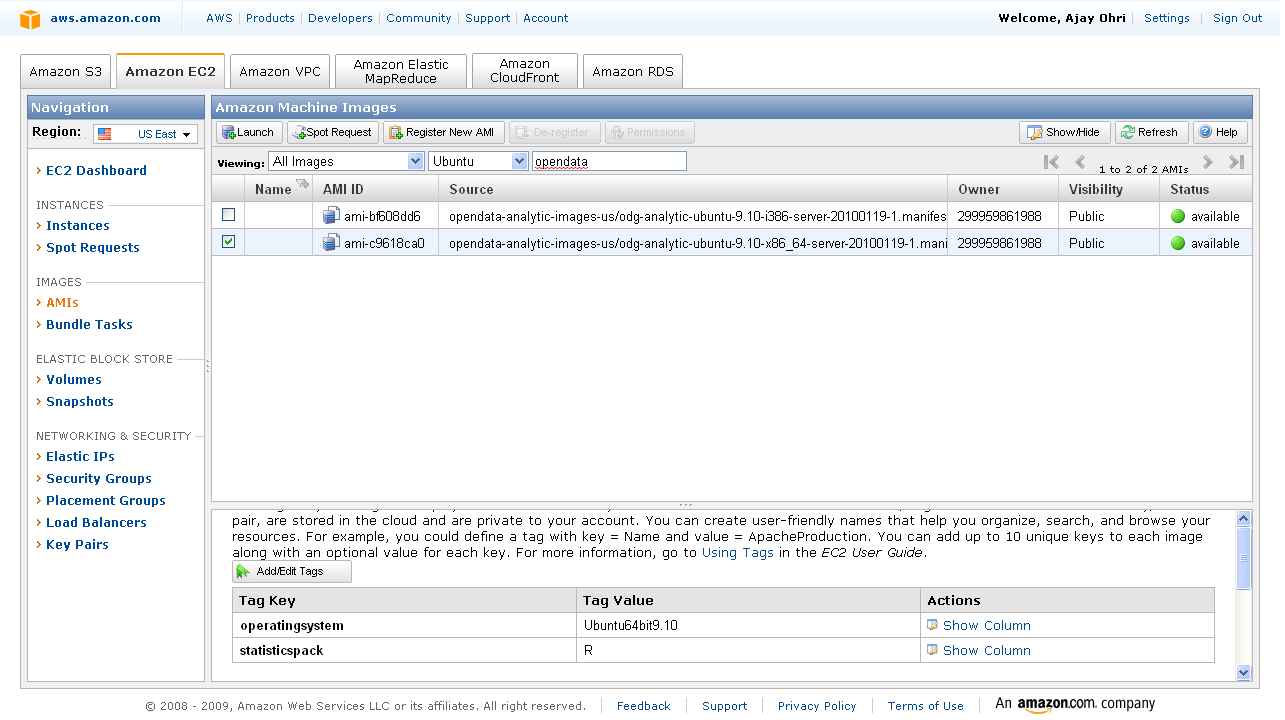
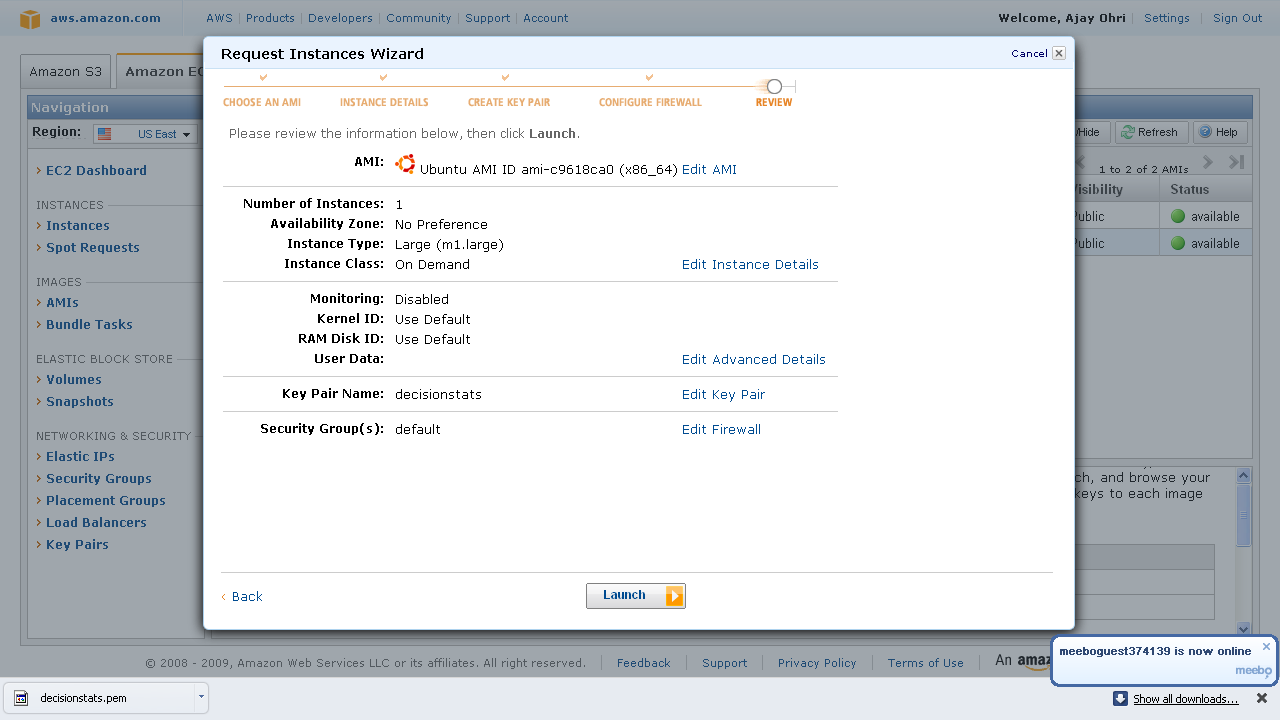
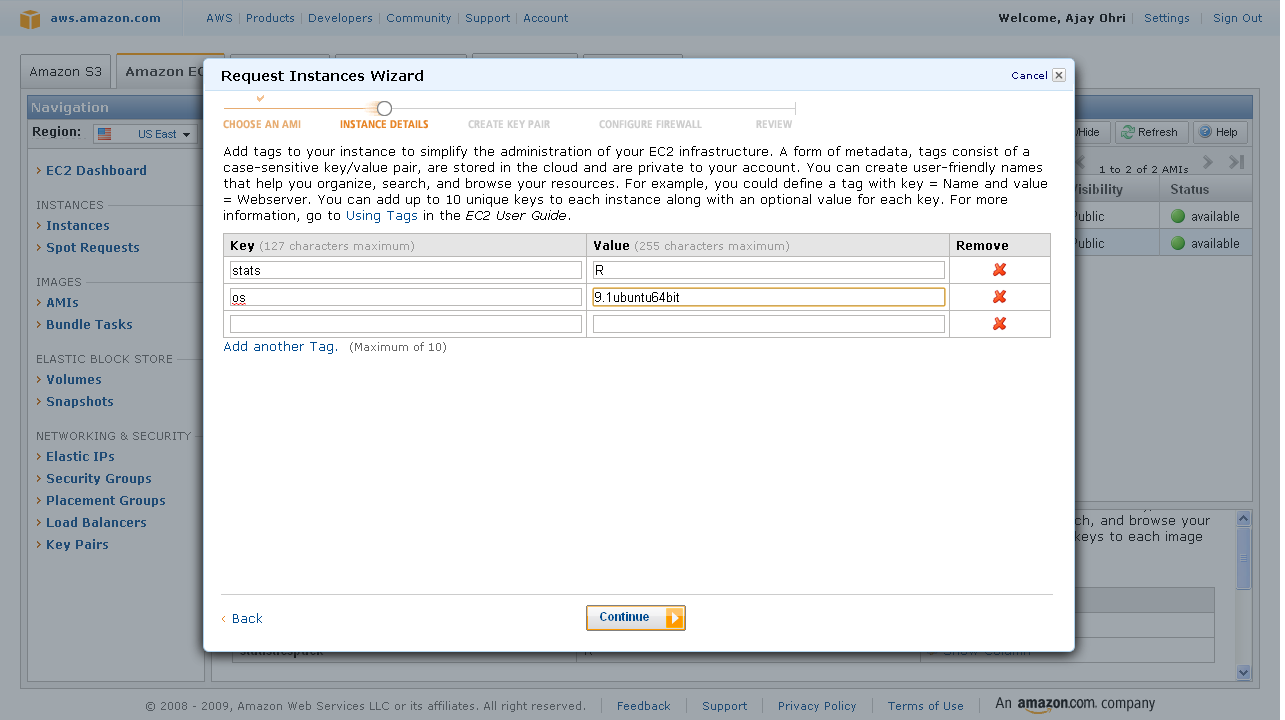
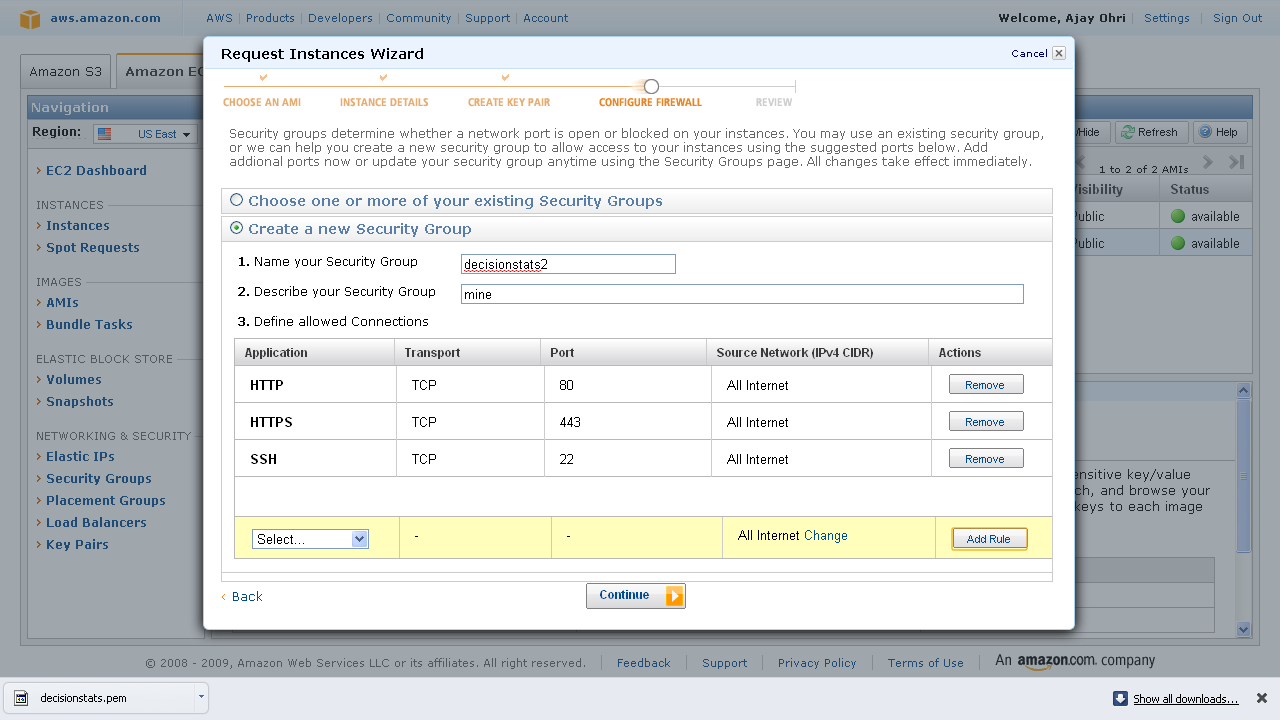
Of course R Enterprise is available on Linux but on Red Hat Enterprise Linux- it would be nice to see Amazom Machine Images as well as Ubuntu versions as well.

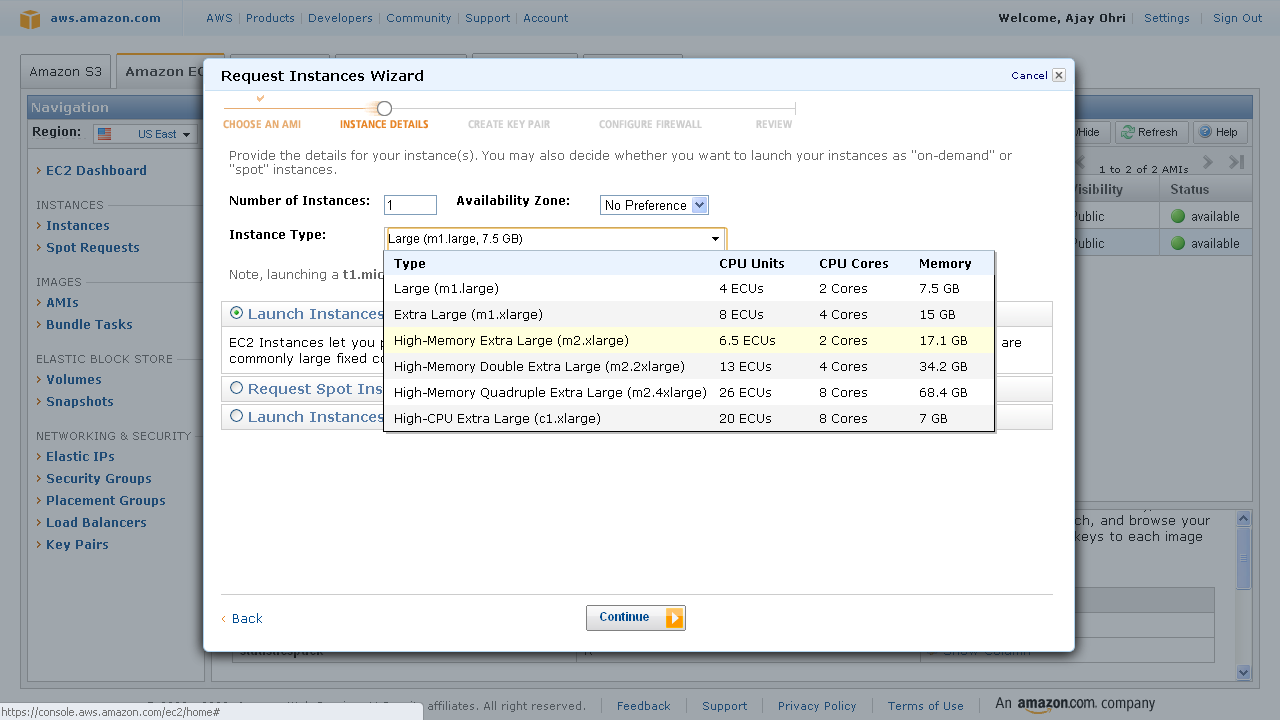
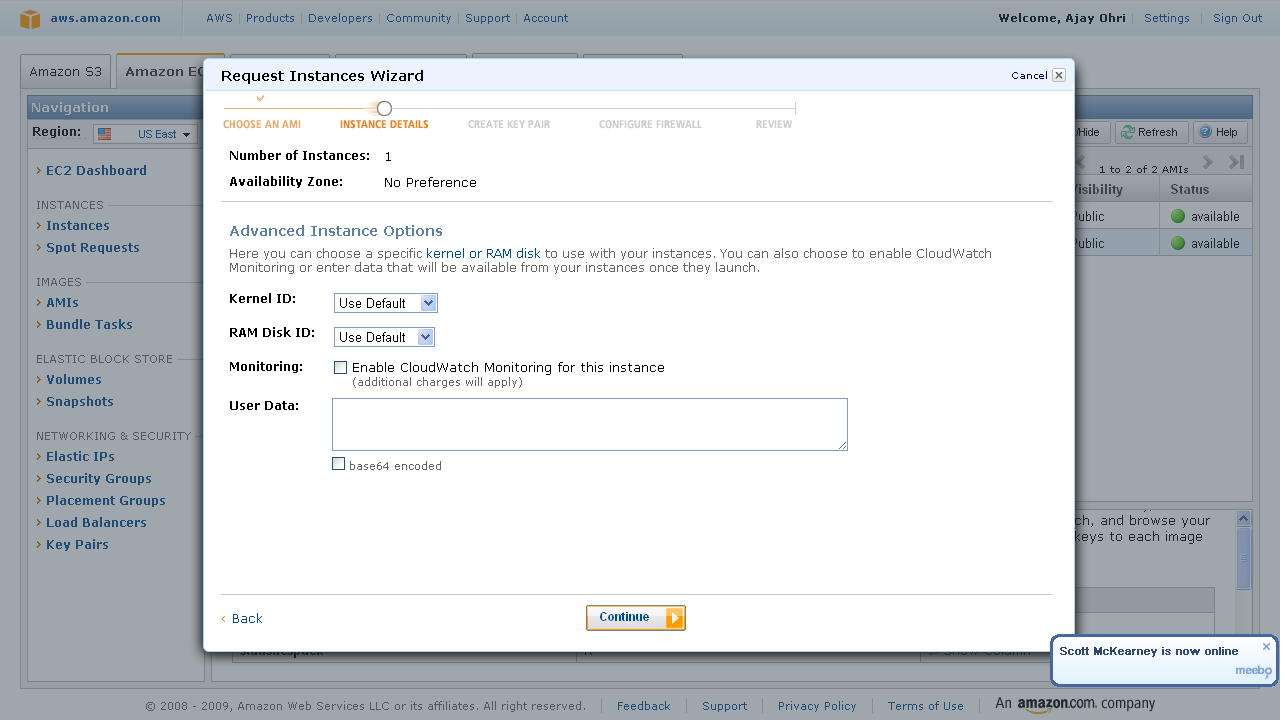
An Amazon Machine Image (AMI) is a special type of virtual appliance which is used to instantiate (create) a virtual machine within the Amazon Elastic Compute Cloud. It serves as the basic unit of deployment for services delivered using EC2.[1]

Like all virtual appliances, the main component of an AMI is a read-only filesystem image which includes an operating system (e.g., Linux, UNIX, or Windows) and any additional software required to deliver a service or a portion of it.[2]

The AMI filesystem is compressed, encrypted, signed, split into a series of 10MB chunks and uploaded into Amazon S3 for storage. An XML manifest file stores information about the AMI, including name, version, architecture, default kernel id, decryption key and digests for all of the filesystem chunks.

An AMI does not include a kernel image, only a pointer to the default kernel id, which can be chosen from an approved list of safe kernels maintained by Amazon and its partners (e.g., RedHat, Canonical, Microsoft). Users may choose kernels other than the default when booting an AMI.[3]

[edit]Types of images

  • Public: an AMI image that can be used by any one.
  • Paid: a for-pay AMI image that is registered with Amazon DevPay and can be used by any one who subscribes for it. DevPay allows developers to mark-up Amazon’s usage fees and optionally add monthly subscription fees.