Here comes PySpread- 85,899,345 rows and 14,316,555 columns

A Bold GNU Head
Image via Wikipedia

Whats new/ One more open source analytics package. Built like a spreadsheet with an ability to import a million cells-

From http://pyspread.sourceforge.net/index.html

about Pyspread is a cross-platform Python spreadsheet application. It is based on and written in the programming language Python.

Instead of spreadsheet formulas, Python expressions are entered into the spreadsheet cells. Each expression returns a Python object that can be accessed from other cells. These objects can represent anything including lists or matrices.

Pyspread screenshot
features In pyspread, cells expect Python expressions and return Python objects. Therefore, complex data types such as lists, trees or matrices can be handled within a single cell. Macros can be used for functions that are too complex for a single expression.

Since Python modules can be easily used without external scripts, arbitrary size rational numbers (via gmpy), fixed point decimal numbers for business calculations, (via the decimal module from the standard library) and advanced statistics including plotting functions (via RPy) can be used in the spreadsheet. Everything is directly available from each cell. Just use the grid

Data can be imported and exported using csv files or the clipboard. Other forms of data exchange is possible using external Python modules.

In  order to simplify sparse matrix editing, pyspread features a three dimensional grid that can be sized up to 85,899,345 rows and 14,316,555 columns (64 bit-systems, depends on row height and column width). Note that importing a million cells requires about 500 MB of memory.

The concept of pyspread allows doing everything from each cell that a Python script can do. This may very well include deleting your hard drive or sending your data via the Internet. Of course this is a non-issue if you sandbox properly or if you only use self developed spreadsheets. Since this is not the case for everyone (see the discussion at lwn.net), a GPG signature based trust model for spreadsheet files has been introduced. It ensures that only your own trusted files are executed on loading. Untrusted files are displayed in safe mode. You can trust a file manually. Inspect carefully.

Pyspread screenshot

requirements Pyspread runs on Linux, Windows and *nix platforms with GTK+ support. There are reports that it works with MacOS X as well. If you would like to contribute by testing on OS X please contact me.

Dependencies

Highly recommended for full functionality

  • PyMe >=0.8.1, Note for Windows™ users: If you want to use signatures without compiling PyMe try out Gpg4win.
  • gmpy >=1.1.0 and
  • rpy >=1.0.3.
maturity Pyspread is in early Beta release. This means that the core functionality is fully implemented but the program needs testing and polish.

and from the wiki

http://sourceforge.net/apps/mediawiki/pyspread/index.php?title=Main_Page

a spreadsheet with more powerful functions and data structures that are accessible inside each cell. Something like Python that empowers you to do things quickly. And yes, it should be free and it should run on Linux as well as on Windows. I looked around and found nothing that suited me. Therefore, I started pyspread.

Concept

  • Each cell accepts any input that works in a Python command line.
  • The inputs are parsed and evaluated by Python’s eval command.
  • The result objects are accessible via a 3D numpy object array.
  • String representations of the result objects are displayed in the cells.

Benefits

  • Each cell returns a Python object. This object can be anything including arrays and third party library objects.
  • Generator expressions can be used efficiently for data manipulation.
  • Efficient numpy slicing is used.
  • numpy methods are accessible for the data.

Installation

  1. Download the pyspread tarball or zip and unzip at a convenient place
  2. In case you do not have it already get and install Python, wxpython and numpy
If you want the examples to work, install gmpy, R and rpy
Really do check the version requirements that are mentioned on http://pyspread.sf.net
  1. Get install privileges (e.g. become root)
  2. Change into the directory and type
python setup.py install
Windows: Replace “python” with your Python interpreter (absolute path)
  1. Become normal user again
  2. Start pyspread by typing
pyspread
  1. Enjoy

Links

Next on Spreadsheet wishlist-

a MSI bundle /Windows Self Installer which has all dependencies bundled in it-linking to PostGresSQL 😉 etc

way to go Mr Martin Manns

mmanns < at > gmx < dot > net

R Apache – The next frontier of R Computing

I am currently playing/ trying out RApache- one more excellent R product from Vanderbilt’s excellent Dept of Biostatistics and it’s prodigious coder Jeff Horner.

The big ninja himself

I really liked the virtual machine idea- you can download a virtual image of Rapache and play with it- .vmx is easy to create and great to share-

http://rapache.net/vm.html

Basically using R Apache (with an EC2 on backend) can help you create customized dashboards, BI apps, etc all using R’s graphical and statistical capabilities.

What’s R Apache?

As  per

http://biostat.mc.vanderbilt.edu/wiki/Main/RapacheWebServicesReport

Rapache embeds the R interpreter inside the Apache 2 web server. By doing this, Rapache realizes the full potential of R and its facilities over the web. R programmers configure appache by mapping Universal Resource Locaters (URL’s) to either R scripts or R functions. The R code relies on CGI variables to read a client request and R’s input/output facilities to write the response.

One advantage to Rapache’s architecture is robust multi-process management by Apache. In contrast to Rserve and RSOAP, Rapache is a pre-fork server utilizing HTTP as the communications protocol. Another advantage is a clear separation, a loose coupling, of R code from client code. With Rserve and RSOAP, the client must send data and R commands to be executed on the server. With Rapache the only client requirements are the ability to communicate via HTTP. Additionally, Rapache gains significant authentication, authorization, and encryption mechanism by virtue of being embedded in Apache.

Existing Demos of Architechture based on R Apache-

  1. http://rweb.stat.ucla.edu/ggplot2/ An interactive web dashboard for plotting graphics based on csv or Google Spreadsheet Data
  2. http://labs.dataspora.com/gameday/ A demo visualization of a web based dashboard system of baseball pitches by pitcher by player 


3. http://data.vanderbilt.edu/rapache/bbplot For baseball results – a demo of a query based web dashboard system- very good BI feel.

Whats coming next in R Apache?

You can  download version 1.1.10 of rApache now. There
are only two significant changes and you don’t have to edit your
apache config or change any code (just recompile rApache and
reinstall):

1) Error reporting should be more informative. both when you
accidentally introduce errors in the Apache config, and when your code
introduces warnings and errors from web requests.

I’ve struggled with this one for awhile, not really knowing what
strategy would be best. Basically, rApache hooks into the R I/O layer
at such a low level that it’s hard to capture all warnings and errors
as they occur and introduce them to the user in a sane manner. In
prior releases, when ROutputErrors was in effect (either the apache
directive or the R function) one would typically see a bunch of grey
boxes with a red outline with a title of RApache Warning/Error!!!.
Unfortunately those grey boxes could contain empty lines, one line of
error, or a few that relate to the lines in previously displayed
boxes. Really a big uninformative mess.

The new approach is to print just one warning box with the title
“”Oops!!! <b>rApache</b> has something to tell you. View source and
read the HTML comments at the end.” and then as the title implies you
can read the HTML comment located at the end of the file… after the
closing html. That way, you’re actually reading how R would present
the warnings and errors to you as if you executed the code at the R
command prompt. And if you don’t use ROutputErrors, the warning/error
messages are printed in the Apache log file, just as they were before,
but nicer 😉

2) Code dispatching has changed so please let me know if I’ve
introduced any strange behavior.

This was necessary to enhance error reporting. Prior to this release,
rApache would use R’s C API exclusively to build up the call to your
code that is then passed to R’s evaluation engine. The advantage to
this approach is that it’s much more efficient as there is no parsing
involved, however all information about parse errors, files which
produced errors, etc. were lost. The new approach uses R’s built-in
parse function to build up the call and then passes it of to R. A
slight overhead, but it should be negligible. So, if you feel that
this approach is too slow OR I’ve introduced bugs or strange behavior,
please let me know.

FUTURE PLANS

I’m gaining more experience building Debian/Ubuntu packages each day,
so hopefully by some time in 2011 you can rely on binary releases for
these distributions and not install rApache from source! Fingers
crossed!

Development on the rApache 1.1 branch will be winding down (save bug
fix releases) as I transition to the 1.2 branch. This will involve
taking out a small chunk of code that defines the rApache development
environment (all the CGI variables and the functions such as
setHeader, setCookie, etc) and placing it in its own R package…
unnamed as of yet. This is to facilitate my development of the ralite
R package, a small single user cross-platform web server.

The goal for ralite is to speed up development of R web applications,
take out a bit of friction in the development process by not having to
run the full rApache server. Plus it would allow users to develop in
the rApache enronment while on windows and later deploy on more
capable server environments. The secondary goal for ralite is it’s use
in other web server environments (nginx and IIS come to mind) as a
persistent per-client process.

And finally, wiki.rapache.net will be the new www.rapache.net once I
translate the manual over… any day now.

From –http://biostat.mc.vanderbilt.edu/wiki/Main/JeffreyHorner


Not convinced ?- try the demos above.

Open Source's worst enemy is itself not Microsoft/SAS/SAP/Oracle

The decision of quality open source makers to offer their software at bargain basement prices even to enterprise customers who are used to pay prices many times more-pricing is the reason open source software is taking a long time to command respect in enterprise software.

I hate to be the messenger who brings the bad news to my open source brethren-

but their worst nightmare is not the actions of their proprietary competitors like Oracle, SAP, SAS, Microsoft ( they hate each other even more than open source )

nor the collective marketing tactics which are textbook like (but referred as Fear Uncertainty Doubt by those outside that golden quartet)- it is their own communities and their own cheap pricing.

It is community action which prevents them from offering their software by ridiculously low bargain basement prices. James Dixon, head geek and founder at Pentaho has a point when he says traditional metrics like revenue need o be adjusted for this impact in his article at http://jamesdixon.wordpress.com/2010/11/02/comparing-open-source-and-proprietary-software-markets/

But James, why offer software to enterprise customers at one tenth the next competitor- one reason is open source companies more often than not compete more with their free community version software than with big proprietary packages.

Communities including academics are used to free- hey how about paying say 1$ for each download.

There are two million R users- if say even 50 % of them  paid 1 $ as a lifetime license fee- you could sponsor enough new packages than twenty years of Google Summer of Code does right now.

Secondly, this pricing can easily be adjusted by shifting the licensing to say free for businesses less than 2 people (even for the enhanced corporate software version not just the plain vanilla community software thus further increasing the spread of the plain vanilla versions)- for businesses from 10 to 20 people offer a six month trial rather than one month trial.

– but adjust the pricing to much more realistic levels compared to competing software. Make enterprise software pay a real value.

That’s the only way to earn respect. as well as a few dollars more.

As for SAS, it is time it started ridiculing Python now that it has accepted R.

Python is even MORE powerful than R in some use cases for stat computing

Dixon’s Pentaho and the Jaspersoft/ Revolution combo are nice _ I tested both Jasper and Pentaho thanks to these remarks this week 🙂  (see slides at http://www.jaspersoft.com/sites/default/files/downloads/events/Analytics%20-Jaspersoft-SEP2010.pdf or http://www.revolutionanalytics.com/news-events/free-webinars/2010/deploying-r/index.php )

Pentaho and Jasper do give good great graphics in BI (Graphical display in BI is not a SAS forte though probably I dont know how much they cross sell JMP to BI customers- probably too much JMP is another division syndrome there)

JMP Genomics 5 released

Animation of the structure of a section of DNA...
Image via Wikipedia

Close to the launch of JMP9 with it’s R integration comes the announcement of JMP Genomics 5 released. The product brief is available here http://jmp.com/software/genomics/pdf/103112_jmpg5_prodbrief.pdf and it has an interesting mix of features. If you want to try out the features you can see http://jmp.com/software/license.shtml

As per me, I snagged some “new”stuff in this release-

  • Perform enrichment analysis using functional information from Ingenuity Pathways Analysis.+
  • New bar chart track allows summarization of reads or intensities.
  • New color map track displays heat plots of information for individual subjects.
  • Use a variety of continuous measures for summarization.
  • Using a common identifier, compare list membership for up tofive groups and display overlaps with Venn diagrams.
  • Filter or shade segments by mean intensity, with an optionto display segment mean intensity and set a reference valuefor shading.
  • Adjust intensities or counts for experimental samples using paired or grouped control samples.
  • Screen paired DNA and RNA intensities for allele-specific expression.
  • Standardize using a shifting factor and perform log2transformation after standardization.
  • Use kernel density information in loess and quantile normalization.
  • Depict partition tree information graphically for standard models with new Tree Viewer
  • Predictive modeling for survival analysis with Harrell’s assessment method and integration with Cross-Validation Model Comparison.

That’s right- that is incorporating the work of our favorite professor from R Project himself- http://biostat.mc.vanderbilt.edu/wiki/Main/FrankHarrell

Apparently Prof Frank E was quite a SAS coder himself (see http://biostat.mc.vanderbilt.edu/wiki/Main/SasMacros)

Back to JMP Genomics 5-

The JMP software platform provides:

• New integration capabilities let R users leverage JMP’s interactivegraphics to display analytic results.

• Tools for R programmers to build and package user interfaces that let them share customized R analytics with a broader audience.•

A new add-in infrastructure that simplifies the integration of external analytics into JMP.


+ For people in life sciences who like new stats software you can also download a trial version of IPA here at http://www.ingenuity.com/products/IPA/Free-Trial-Software.html

Interesting R competition at Reddit

Image representing Reddit as depicted in Crunc...
Image via CrunchBase

Here is an interesting R competition going on at Reddit and it is to help Reddit make a recommendation engine 🙂

http://www.reddit.com/r/redditdev/comments/dtg4j/want_to_help_reddit_build_a_recommender_a_public/

by ketralnis

As promised, here is the big dump of voting information that you guys donated to research. Warning: this contains much geekery that may result in discomfort for the nerd-challenged.

I’m trying to use it to build a recommender, and I’ve got some preliminary source code. I’m looking for feedback on all of these steps, since I’m not experienced at machine learning.

Here’s what I’ve done

  • I dumped all of the raw data that we’ll need to generate the public dumps. The queries are the comments in the two .pig files and it took about 52 minutes to do the dump against production. The result of this raw dump looks like:
    $ wc -l *.dump
     13,830,070 reddit_data_link.dump
    136,650,300 reddit_linkvote.dump
         69,489 reddit_research_ids.dump
     13,831,374 reddit_thing_link.dump
    
  • I filtered the list of votes for the list of users that gave us permission to use their data. For the curious, that’s 67,059 users: 62,763 with “public votes” and 6,726 with “allow my data to be used for research”. I’d really like to see that second category significantly increased, and hopefully this project will be what does it. This filtering is done by srrecs_researchers.pig and took 83m55.335s on my laptop.
  • I converted data-dumps that were in our DB schema format to a more useable format using srrecs.pig(about 13min)
  • From that dump I mapped all of the account_ids, link_ids, and sr_ids to salted hashes (using obscure() insrrecs.py with a random seed, so even I don’t know it). This took about 13min on my laptop. The result of this, votes.dump is the file that is actually public. It is a tab-separated file consisting in:
    account_id,link_id,sr_id,dir
    

    There are 23,091,688 votes from 43,976 users over 3,436,063 links in 11,675 reddits. (Interestingly these ~44k users represent almost 17% of our total votes). The dump is 2.2gb uncompressed, 375mb in bz2.

What to do with it

The recommendations system that I’m trying right now turns those votes into a set of affinities. That is, “67% of user #223’s votes on /r/reddit.com are upvotes and 52% on programming). To make these affinities (55m45.107s on my laptop):

 cat votes.dump | ./srrecs.py "affinities_m()" | sort -S200m | ./srrecs.py "affinities_r()" > affinities.dump

Then I turn the affinities into a sparse matrix representing N-dimensional co-ordinates in the vector space of affinities (scaled to -1..1 instead of 0..1), in the format used by R’s skmeans package (less than a minute on my laptop). Imagine that this matrix looks like

          reddit.com pics       programming horseporn  bacon
          ---------- ---------- ----------- ---------  -----
ketralnis -0.5       (no votes) +0.45       (no votes) +1.0
jedberg   (no votes) -0.25      +0.95       +1.0       -1.0
raldi     +0.75      +0.75      +0.7        (no votes) +1.0
...

We build it like:

# they were already grouped by account_id, so we don't have to
# sort. changes to the previous step will probably require this
# step to have to sort the affinities first
cat affinities.dump | ./srrecs.py "write_matrix('affinities.cm', 'affinities.clabel', 'affinities.rlabel')"

I pass that through an R program srrecs.r (if you don’t have R installed, you’ll need to install that, and the packageskmeans like install.packages('skmeans')). This program plots the users in this vector space finding clusters using a sperical kmeans clustering algorithm (on my laptop, takes about 10 minutes with 15 clusters and 16 minutes with 50 clusters, during which R sits at about 220mb of RAM)

# looks for the files created by write_matrix in the current directory
R -f ./srrecs.r

The output of the program is a generated list of cluster-IDs, corresponding in order to the order of user-IDs inaffinities.clabel. The numbers themselves are meaningless, but people in the same cluster ID have been clustered together.

Here are the files

These are torrents of bzip2-compressed files. If you can’t use the torrents for some reason it’s pretty trivial to figure out from the URL how to get to the files directly on S3, but please try the torrents first since it saves us a few bucks. It’s S3 seeding the torrents anyway, so it’s unlikely that direct-downloading is going to go any faster or be any easier.

  • votes.dump.bz2 — A tab-separated list of:
    account_id, link_id, sr_id, direction
    
  • For your convenience, a tab-separated list of votes already reduced to percent-affinities affinities.dump.bz2, formatted:
    account_id, sr_id, affinity (scaled 0..1)
    
  • For your convenience, affinities-matrix.tar.bz2 contains the R CLUTO format matrix files affinities.cm,affinities.clabelaffinities.rlabel

And the code

  • srrecs.pigsrrecs_researchers.pig — what I used to generate and format the dumps (you probably won’t need this)
  • mr_tools.pysrrecs.py — what I used to salt/hash the user information and generate the R CLUTO-format matrix files (you probably won’t need this unless you want different information in the matrix)
  • srrecs.r — the R-code to generate the clusters

Here’s what you can experiment with

  • The code isn’t nearly useable yet. We need to turn the generated clusters into an actual set of recommendations per cluster, preferably ordered by predicted match. We probably need to do some additional post-processing per user, too. (If they gave us an affinity of 0% to /r/askreddit, we shouldn’t recommend it, even if we predicted that the rest of their cluster would like it.)
  • We need a test suite to gauge the accuracy of the results of different approaches. This could be done by dividing the data-set in and using 80% for training and 20% to see if the predictions made by that 80% match.
  • We need to get the whole process to less than two hours, because that’s how often I want to run the recommender. It’s okay to use two or three machines to accomplish that and a lot of the steps can be done in parallel. That said we might just have to accept running it less often. It needs to run end-to-end with no user-intervention, failing gracefully on error
  • It would be handy to be able to idenfity the cluster of just a single user on-the-fly after generating the clusters in bulk
  • The results need to be hooked into the reddit UI. If you’re willing to dive into the codebase, this one will be important as soon as the rest of the process is working and has a lot of room for creativity
  • We need to find the sweet spot for the number of clusters to use. Put another way, how many different types of redditors do you think there are? This could best be done using the aforementioned test-suite and a good-old-fashioned binary search.

Some notes:

  • I’m not attached to doing this in R (I don’t even know much R, it just has a handy prebaked skmeans implementation). In fact I’m not attached to my methods here at all, I just want a good end-result.
  • This is my weekend fun project, so it’s likely to move very slowly if we don’t pick up enough participation here
  • The final version will run against the whole dataset, not just the public one. So even though I can’t release the whole dataset for privacy reasons, I can run your code and a test-suite against it

——————————————————————————————-


I am thinking of using Rattle and using the arules package, and running it on the EC2 to get the horsepower.

How else do you think you can tackle a recommendation engine problem.


Ajay


LibreOffice News and Google Musings

Tux, the Linux penguin
Image via Wikipedia

Official Bloggers on LibreOffice- http://planet.documentfoundation.org/

Note- for some strange reason I continue to be on top ranked LibreOffice blogs- maybe because I write more on the software itself than on Oracle politics or coffee spillovers.

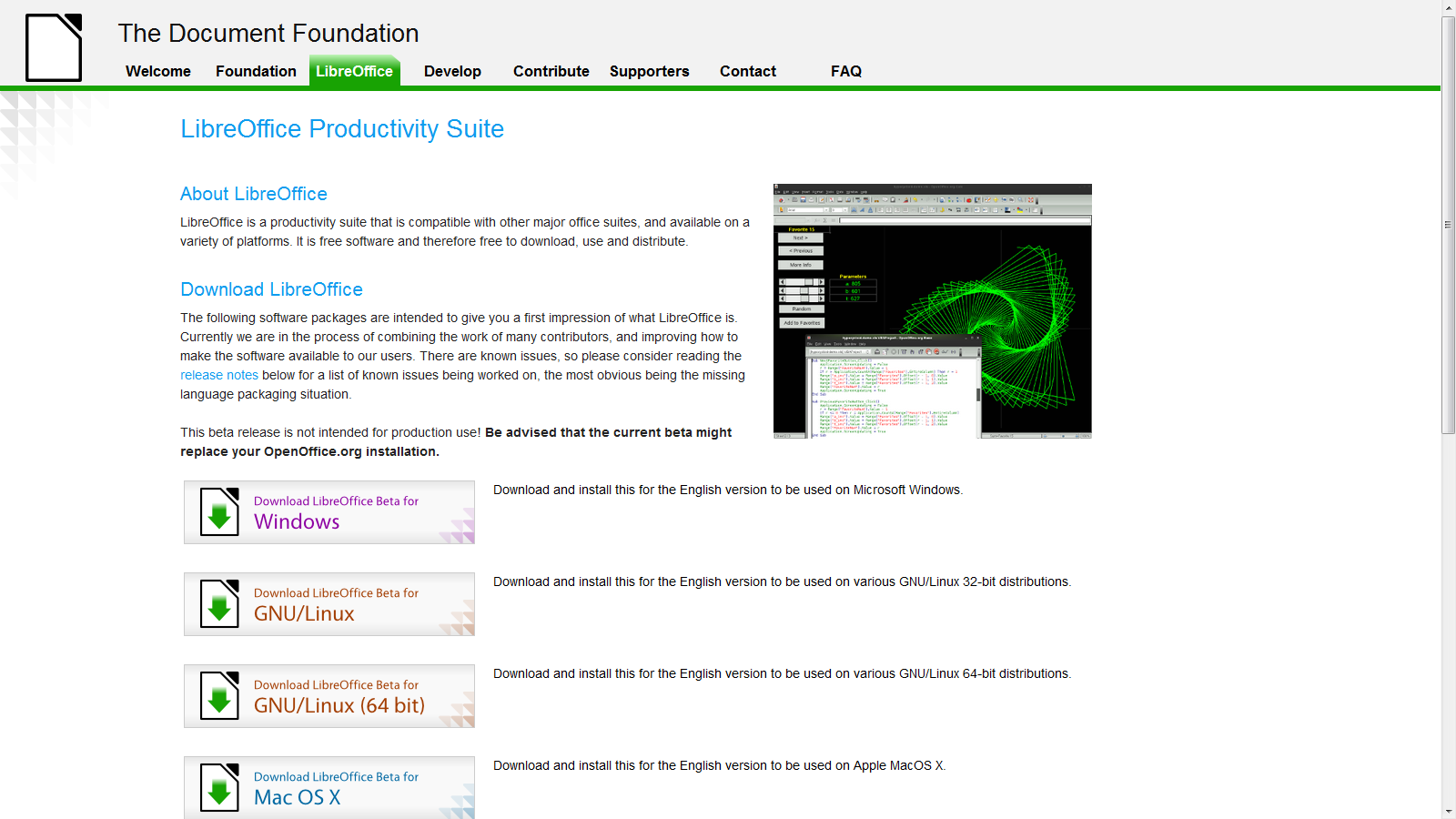
LibreOffice Beta 2  is ready and I just installed it on Windows 7 – works nice- and I somehow think open Office and Google needs an  example to stop being so scary on cautioning—— hey,hey it’s a  beta – (do you see Oracle saying this release is a beta or Windows saying hey this Windows Vista is a beta for Windows 7- No right?)-

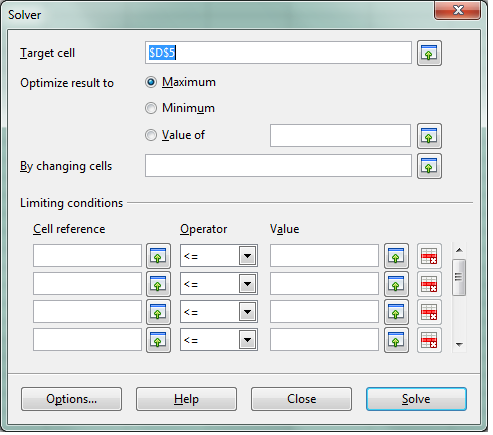
see screenshot of solver in  LibreOffice spreadsheet -works just fine.

We cant wait for Chromium OS and LibreOffice integration (or Google Docs-LibreOffice integration)  so Google starts thinking on those lines (of course

Google also needs to ramp up Google Storage and Google Predict API– but dude are you sure you wanna take on Amazon, Oracle and MS and Yahoo and Apple at the same time. Dear Herr Schmidt- Last German Guy who did that ,  ended up in a bunker in Berlin. (Ever since I had to pay 50 euros as Airline Transit fee -yes Indian passport holders have to do that in Germany- I am kind of non objective on that issue)

Google Management is busy nowadays thinking of trying to beat Facebook -hint -hint-

-buy out the biggest app makers of Facebook apps and create an api for Facebook info download and upload into Orkut –maybe invest like an angel in that startup called Diaspora http://www.joindiaspora.com/) see-

Back to the topic (and there are enough people blogging on Google should or shouldnt do)

-LibreOffice aesthetically rocks! It has a cool feel.

More news- The Wiki is up and awaits you at http://wiki.documentfoundation.org/Documentation

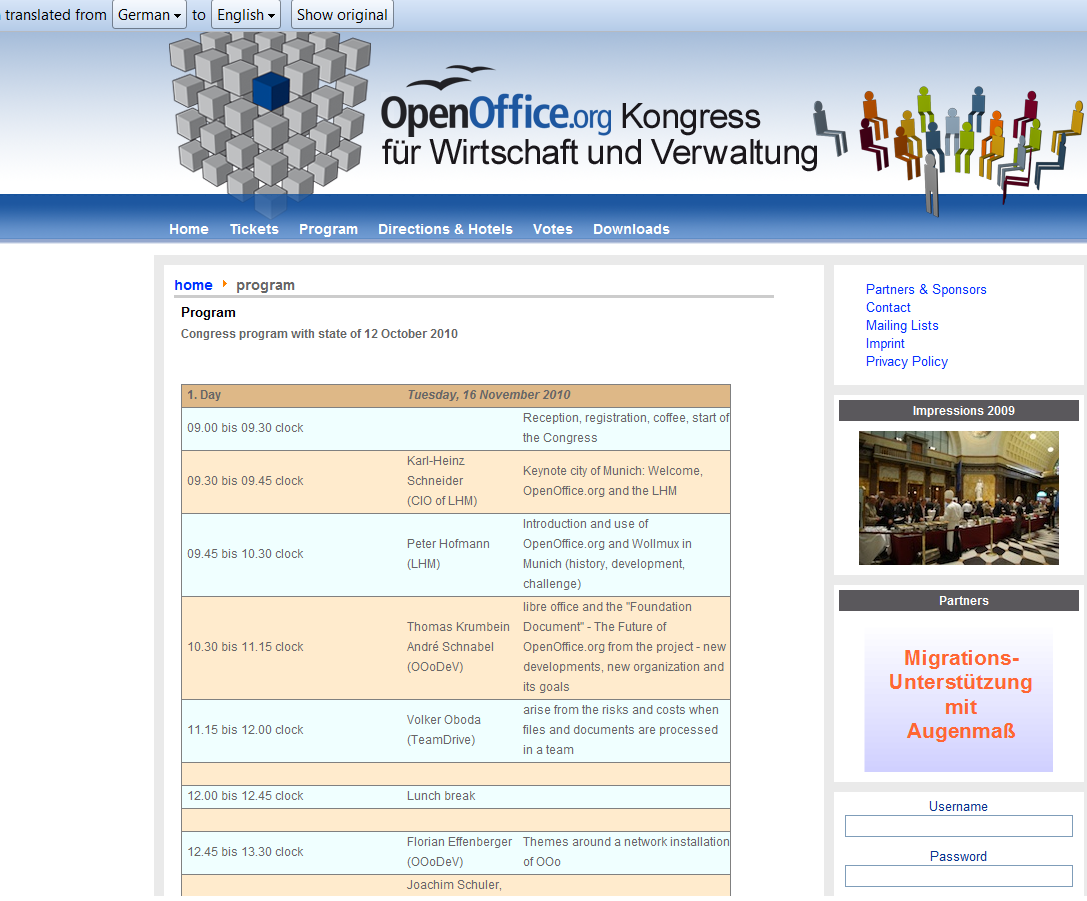
And there is a general pow-wow scheduled at http://www.oookwv.de/ for the Open Office Congress (Kongress)

As you can see I used the Chrome Extension for Google Translate for an instant translation from German into English (though it still needs some work,  Herr Translator)

Back to actually working on LibreOffice- if Word and Powerpoint is all you do- save some money for Christmas and download it today from

Great article on Notepad++ and R in R Journal


Logo for R
Image via Wikipedia


I really liked this article on Notepad++ integration with R,  I am a fan for anything like enhanced code editors and GUIs (and etc) which make R a more easier tool for the common man , and the little tech newbie.

Read it or glance through if you havent looked at the June version of R Journal, the article is on Page 62.