Interview James Dixon Pentaho

Here is an interview with James Dixon the founder of Pentaho, self confessed Chief Geek and CTO. Pentaho has been growing very rapidly and it makes open source Business Intelligence solutions- basically the biggest chunk of enterprise software market currently.

Ajay-  How would you describe Pentaho as a BI product for someone who is completely used to traditional BI vendors (read non open source). Do the Oracle lawsuits over Java bother you from a business perspective?

James-

Pentaho has a full suite of BI software:

* ETL: Pentaho Data Integration

* Reporting: Pentaho Reporting for desktop and web-based reporting

* OLAP: Mondrian ROLAP engine, and Analyzer or Jpivot for web-based OLAP client

* Dashboards: CDF and Dashboard Designer

* Predictive Analytics: Weka

* Server: Pentaho BI Server, handles web-access, security, scheduling, sharing, report bursting etc

We have all of the standard BI functionality.

The Oracle/Java issue does not bother me much. There are a lot of software companies dependent on Java. If Oracle abandons Java a lot resources will suddenly focus on OpenJDK. It would be good for OpenJDK and might be the best thing for Java in the long term.

Ajay-  What parts of Pentaho’s technology do you personally like the best as having an advantage over other similar proprietary packages.

Describe the latest Pentaho for Hadoop offering and Hadoop/HIVE ‘s advantage over say Map Reduce and SQL.

James- The coolest thing is that everything is pluggable:

* ETL: New data transformation steps can be added. New orchestration controls (job entries) can be added. New perspectives can be added to the design UI. New data sources and destinations can be added.

* Reporting: New content types and report objects can be added. New data sources can be added.

* BI Server: Every factory, engine, and layer can be extended or swapped out via configuration. BI components can be added. New visualizations can be added.

This means it is very easy for Pentaho, partners, customers, and community member to extend our software to do new things.

In addition every engine and component can be fully embedded into a desktop or web-based application. I made a youtube video about our philosophy: http://www.youtube.com/watch?v=uMyR-In5nKE

Our Hadoop offerings allow ETL developers to work in a familiar graphical design environment, instead of having to code MapReduce jobs in Java or Python.

90% of the Hadoop use cases we hear about are transformation/reporting/analysis of structured/semi-structured data, so an ETL tool is perfect for these situations.

Using Pentaho Data Integration reduces implementation and maintenance costs significantly. The fact that our ETL engine is Java and is embeddable means that we can deploy the engine to the Hadoop data nodes and transform the data within the nodes.

Ajay-  Do you think the combination of recession, outsourcing,cost cutting, and unemployment are a suitable environment for companies to cut technology costs by going out of their usual vendor lists and try open source for a change /test projects.

Jamie- Absolutely. Pentaho grew (downloads, installations, revenue) throughout the recession. We are on target to do 250% of what we did last year, while the established vendors are flat in terms of new license revenue.

Ajay-  How would you compare the user interface of reports using Pentaho versus other reporting software. Please feel free to be as specific.

James- We have all of the everyday, standard reporting features covered.

Over the years the old tools, like Crystal Reports, have become bloated and complicated.

We don’t aim to have 100% of their features, because we’d end us just as complicated.

The 80:20 rule applies here. 80% of the time people only use 20% of their features.

We aim for 80% feature parity, which should cover 95-99% of typical use cases.

Ajay-  Could you describe the Pentaho integration with R as well as your relationship with Weka. Jaspersoft already has a partnership with Revolution Analytics for RevoDeployR (R on a web server)-

Any  R plans for Pentaho as well?

James- The feature set of R and Weka overlap to a small extent – both of them include basic statistical functions. Weka is focused on predictive models and machine learning, whereas R is focused on a full suite of statistical models. The creator and main Weka developer is a Pentaho employee. We have integrated R into our ETL tool. (makes me happy 🙂 )

(probably not a good time to ask if SAS integration is done as well for a big chunk of legacy base SAS/ WPS users)

About-

As “Chief Geek” (CTO) at Pentaho, James Dixon is responsible for Pentaho’s architecture and technology roadmap. James has over 15 years of professional experience in software architecture, development and systems consulting. Prior to Pentaho, James held key technical roles at AppSource Corporation (acquired by Arbor Software which later merged into Hyperion Solutions) and Keyola (acquired by Lawson Software). Earlier in his career, James was a technology consultant working with large and small firms to deliver the benefits of innovative technology in real-world environments.

Open Source Cartoon

Jim Goodnight, Chief Executive Officer, SAS, U...
Image via Wikipedia

Ok I promised a weekly cartoon on Friday but it’s Saturday.
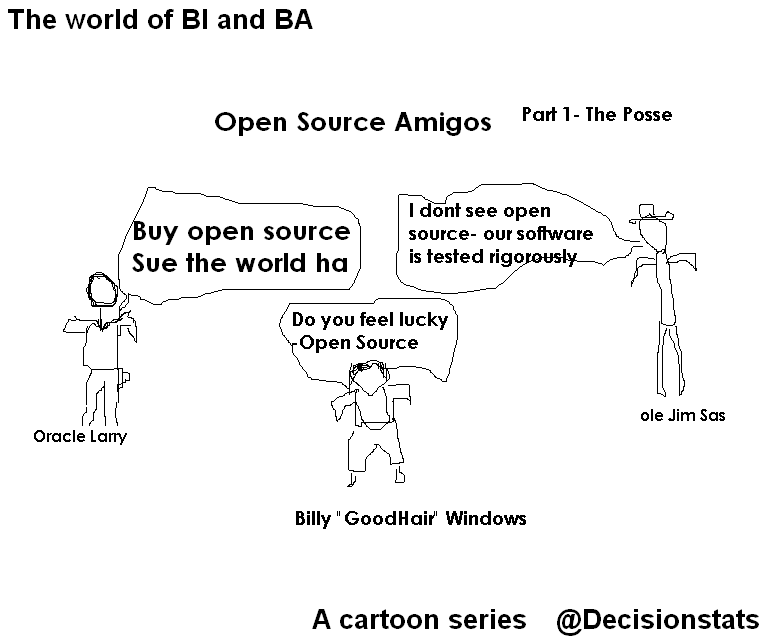
Last week we spoofed Larry Ellison , Jim Goodnight and Bill Gates– people who created billions of taxes for the economy but would be regarded as evil by some open source guys- though they may have created more jobs for more families than the whole Federal Reserve Bank did in 2008-10. Jobs are necessary for families. Period.

You can review it here https://decisionstats.com/wp-content/uploads/2010/11/os1.png

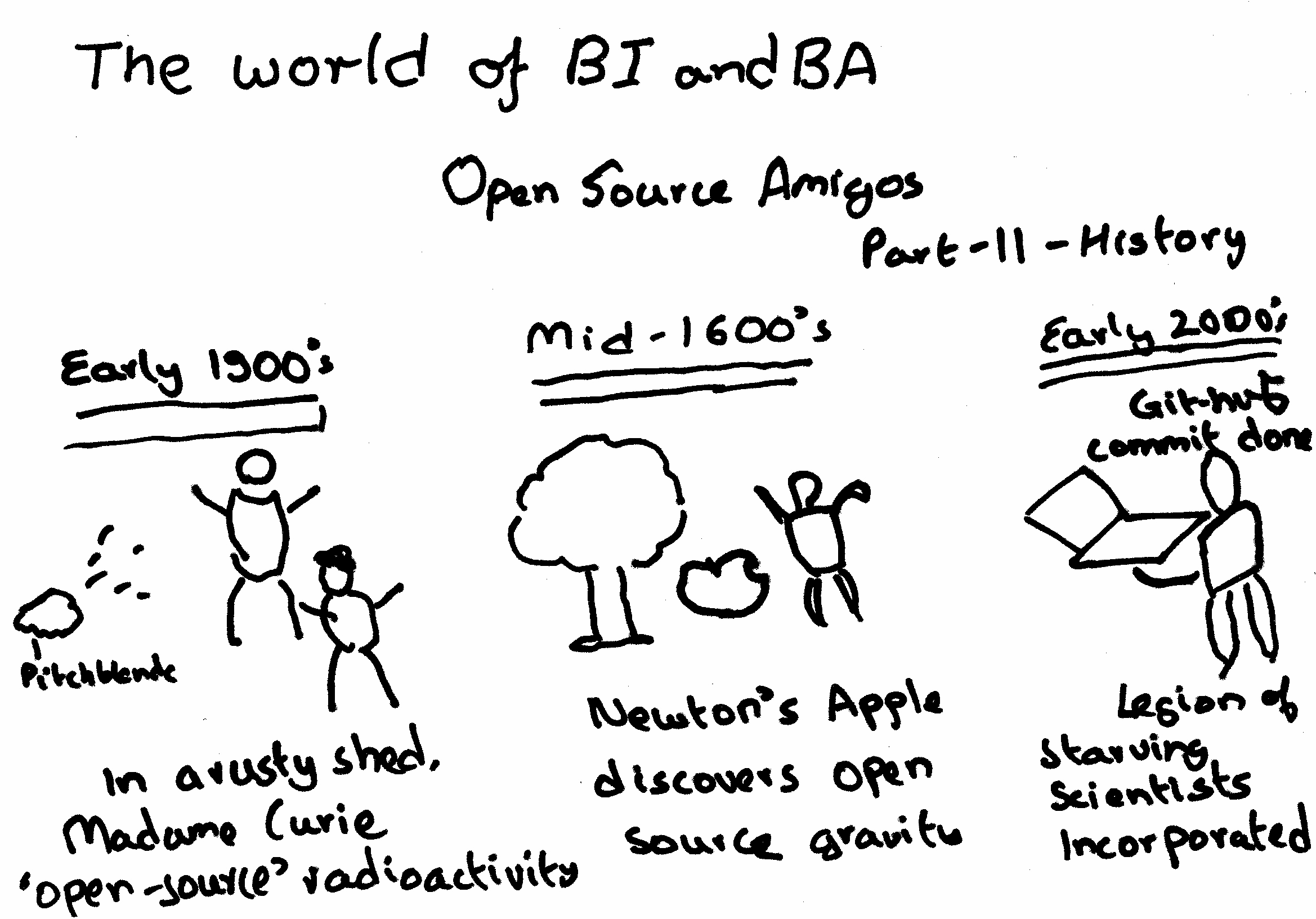
In Part 2- we see Open Source is actually older than Stallman (yes people are older than Stallman) – in fact open source has been around for far more time than even

Jim Goodnight’s current age- which can be revealed by using proc goodnight options=all.

Here comes PySpread- 85,899,345 rows and 14,316,555 columns

A Bold GNU Head
Image via Wikipedia

Whats new/ One more open source analytics package. Built like a spreadsheet with an ability to import a million cells-

From http://pyspread.sourceforge.net/index.html

about Pyspread is a cross-platform Python spreadsheet application. It is based on and written in the programming language Python.

Instead of spreadsheet formulas, Python expressions are entered into the spreadsheet cells. Each expression returns a Python object that can be accessed from other cells. These objects can represent anything including lists or matrices.

Pyspread screenshot
features In pyspread, cells expect Python expressions and return Python objects. Therefore, complex data types such as lists, trees or matrices can be handled within a single cell. Macros can be used for functions that are too complex for a single expression.

Since Python modules can be easily used without external scripts, arbitrary size rational numbers (via gmpy), fixed point decimal numbers for business calculations, (via the decimal module from the standard library) and advanced statistics including plotting functions (via RPy) can be used in the spreadsheet. Everything is directly available from each cell. Just use the grid

Data can be imported and exported using csv files or the clipboard. Other forms of data exchange is possible using external Python modules.

In  order to simplify sparse matrix editing, pyspread features a three dimensional grid that can be sized up to 85,899,345 rows and 14,316,555 columns (64 bit-systems, depends on row height and column width). Note that importing a million cells requires about 500 MB of memory.

The concept of pyspread allows doing everything from each cell that a Python script can do. This may very well include deleting your hard drive or sending your data via the Internet. Of course this is a non-issue if you sandbox properly or if you only use self developed spreadsheets. Since this is not the case for everyone (see the discussion at lwn.net), a GPG signature based trust model for spreadsheet files has been introduced. It ensures that only your own trusted files are executed on loading. Untrusted files are displayed in safe mode. You can trust a file manually. Inspect carefully.

Pyspread screenshot

requirements Pyspread runs on Linux, Windows and *nix platforms with GTK+ support. There are reports that it works with MacOS X as well. If you would like to contribute by testing on OS X please contact me.

Dependencies

Highly recommended for full functionality

  • PyMe >=0.8.1, Note for Windows™ users: If you want to use signatures without compiling PyMe try out Gpg4win.
  • gmpy >=1.1.0 and
  • rpy >=1.0.3.
maturity Pyspread is in early Beta release. This means that the core functionality is fully implemented but the program needs testing and polish.

and from the wiki

http://sourceforge.net/apps/mediawiki/pyspread/index.php?title=Main_Page

a spreadsheet with more powerful functions and data structures that are accessible inside each cell. Something like Python that empowers you to do things quickly. And yes, it should be free and it should run on Linux as well as on Windows. I looked around and found nothing that suited me. Therefore, I started pyspread.

Concept

  • Each cell accepts any input that works in a Python command line.
  • The inputs are parsed and evaluated by Python’s eval command.
  • The result objects are accessible via a 3D numpy object array.
  • String representations of the result objects are displayed in the cells.

Benefits

  • Each cell returns a Python object. This object can be anything including arrays and third party library objects.
  • Generator expressions can be used efficiently for data manipulation.
  • Efficient numpy slicing is used.
  • numpy methods are accessible for the data.

Installation

  1. Download the pyspread tarball or zip and unzip at a convenient place
  2. In case you do not have it already get and install Python, wxpython and numpy
If you want the examples to work, install gmpy, R and rpy
Really do check the version requirements that are mentioned on http://pyspread.sf.net
  1. Get install privileges (e.g. become root)
  2. Change into the directory and type
python setup.py install
Windows: Replace “python” with your Python interpreter (absolute path)
  1. Become normal user again
  2. Start pyspread by typing
pyspread
  1. Enjoy

Links

Next on Spreadsheet wishlist-

a MSI bundle /Windows Self Installer which has all dependencies bundled in it-linking to PostGresSQL 😉 etc

way to go Mr Martin Manns

mmanns < at > gmx < dot > net

Stuff I like to Read to Kush: Kush's Blog

RSS
Image via Wikipedia

I am putting together a list of top 500 Blogs on –


Some additional points-

  • I like YCombinator‘s Hacker News– so the auto parsed links are like that on main page. They lead to original websites.
  • Comments are disabled, feed is jumbled, only 40 word excerpts are shown.
  • Intent is also to show open source blogs and enterprise blogs at same time (regardless of advertising by vendors 😉 )
  • If your blog feed is there, I will keep it there – either dont write or dont use RSS if you dont want to share
  • If your blog feed is not there, it is probably not there for a reason.
  • No ads will be shown NOW or FOREVER on that site.

And after all that noise- you can see Kush’s Blog –http://www.kushohri.com/

For R Writers- Inside R

A composite of the GNU logo and the OSI logo, ...
Image via Wikipedia

Hurray I am on Inside -R

http://www.inside-r.org/blogs/2010/11/04/r-apache-next-frontier-r-computing

Thats blog post number 1 there.

Basically Inside R is a go-to site for tips, tricks, packages, as well as blog posts. It thus enhances R Bloggers – but also adds in other multiple features as well.

It is an excellent place for R beginners and learning R. Also it is moderated ( so you wont get the flashy jhing bhang stuff- just your R.

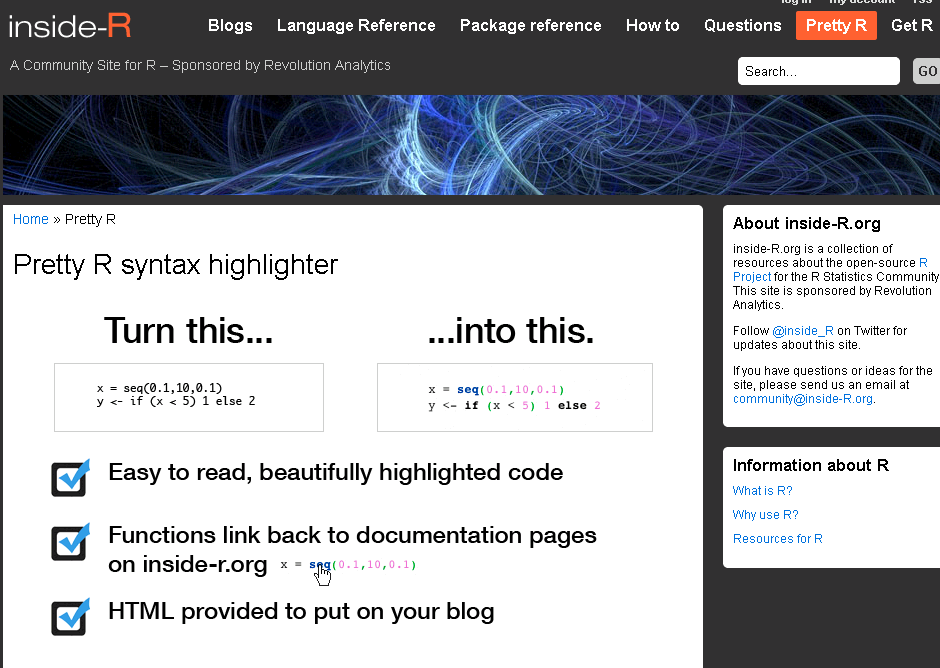
What I really liked is the Pretty R functionality for turning R code -its nifty for color coding R code for use of posting in your blog, journal or article

and when you are there drop them a line for their excellent R support for events (like Pizza, sponsorship) and nifty R packages (doSNOW, foreach, RevoScaler, RevoDeployR) and how much open core makes them look silly?

Come on Revolution- share the open code for RevoScaler package- did you notice any sales dip when you open sourced the other packages? (cue to David Smith to roll his eyes again)

Anyway- all that is part of the R family fun 🙂

Do check http://www.inside-r.org/pretty-r


Is 21 st century cloud computing same as 1960’s time sharing

Diagram showing three main types of cloud comp...
Image via Wikipedia

and yes Prof Goodnight, cloud computing is not time sharing. (Dr J was on a roll there- bashing open source AND cloud computing in the SAME interview at http://www.cbronline.com/news/sas-ceo-says-cep-open-source-and-cloud-bi-have-limited-appeal)

What was time sharing? In the 1960’s when people had longer hair, listened to the Beatles and IBM actually owned ALL computers-

http://en.wikipedia.org/wiki/Time-sharing

or is it?

The Internet has brought the general concept of time-sharing back into popularity. Expensive corporate server farms costing millions can host thousands of customers all sharing the same common resources. As with the early serial terminals, websites operate primarily in bursts of activity followed by periods of idle time. This bursting nature permits the service to be used by many website customers at once, and none of them notice any delays in communications until the servers start to get very busy.

What is 21 st century cloud computing? Well… they are still writing papers to define it BUT http://en.wikipedia.org/wiki/Cloud_computing

Cloud computing is Web-based processing, whereby shared resources, software, and information are provided to computers and other devices (such as smartphones) on demand over the Internet.