Using R for Cricket Analysis #rstats #IPL

#Downloading the Data for batting across all formats of cricket
library(XML)
url="http://stats.espncricinfo.com/ci/engine/stats/index.html?class=11;template=results;type=batting"
tables=readHTMLTable(url,stringsAsFactors = F)
#Note we wrote stringsAsFactors=F in this to avoid getting factor variables, 
#since we will need to convert these variables to numeric variables
table2=tables$"Overall figures"
rm(tables)
#Creating new variables from Span
table2$Debut=as.numeric(substr(table2$Span,1,4))
table2$LastYr=as.numeric(substr(table2$Span,6,10))
table2$YrsPlayed=table2$LastYr-table2$Debut
#Creating New Variables. In cricket a not out score is denoted by * which can cause data quality error. 
#This is treated by grepl for finding and gsub for removing the *. 
#Note the double \ to escape regex charachter
table2$HSNotOut=grepl("\\*",table2$HS)
table2$HS2=gsub("\\*","",table2$HS)
#Creating a FOR Loop (!) to convert variables to numeric variables
for (i in 3:17) {
+     table2[, i] <- as.numeric(table2[, i])
+ }

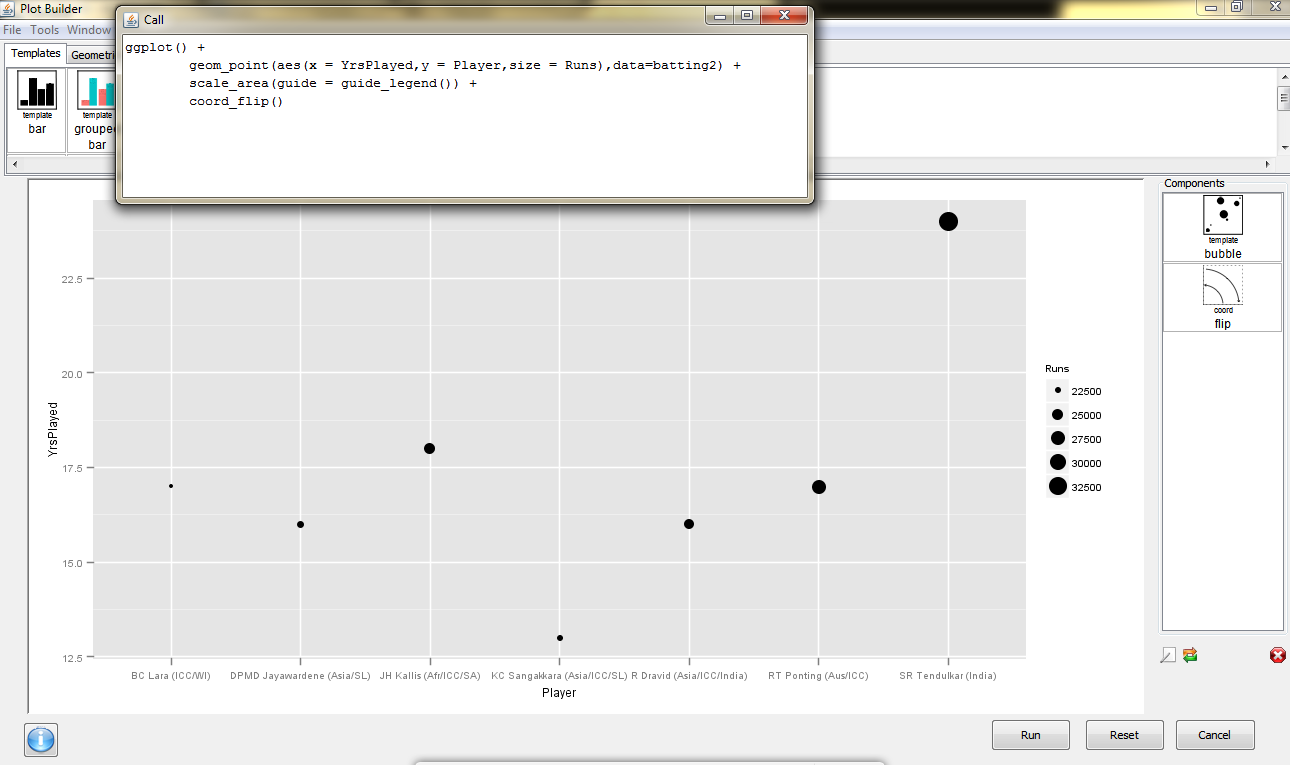
and we see why Sachin Tendulkar is the best (by using ggplot via Deducer)

dmancasestudy5

Also see 

  • Freaknomics Challenge-
    1. Prove match fixing does not and cannot exist in IPL
    2. Create an ideal fantasy team


Understanding the Google Cloud

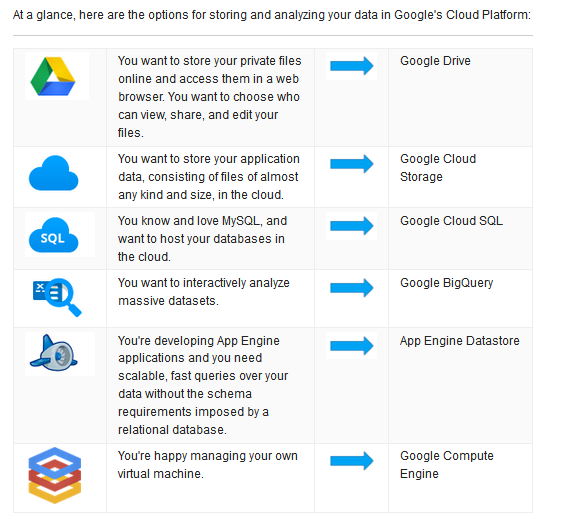
Google has a lot of services, so I really like this simple explanation of them. Though I may want a clickable , one more level of detail to make it interactive (esp Google cloud SQL vs Google Big Query- love in a tech documentation??)

google cloud

Source-

https://cloud.google.com/resources/articles/storage-overview

I wish technical documentation had more examples of lucid , infographic like explanations.


Dashboard Design: Google Activity

I quite like Google’s monthly email on account activity. It is the Google way to offer free services, as well as treat users as special, that continues to command loyalty despite occasional exasperation with corporate thingies.

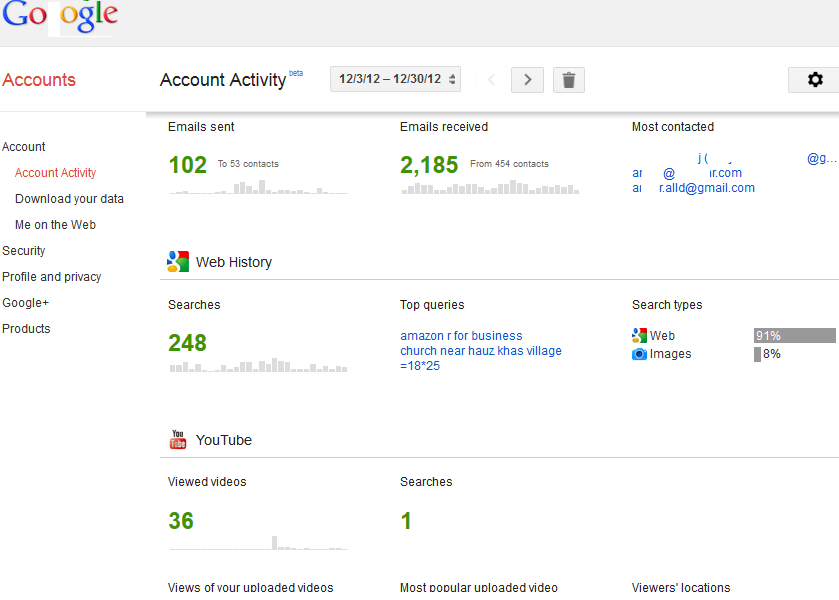
See this dashboard-
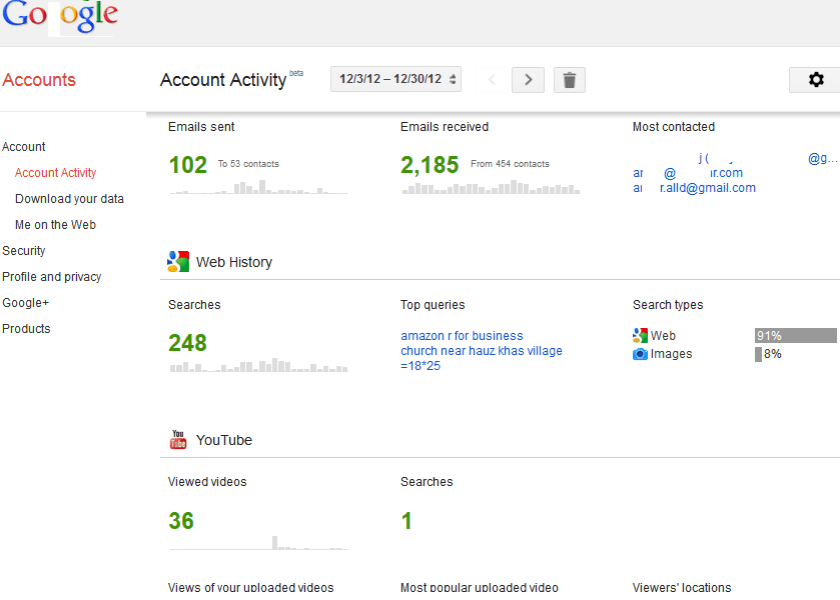
1Notice the use of Bigger Font for overall number of emails as well as smaller bar plots- I would say they are almost spark lines or spark bar plots if you excuse my Tufte.

The medium range font shows persons sent/from statistics, and the color shades are done to empahsize or de-emphasize the metric

Colors used are black/grey, green and blue coincident with the Corporate Logo.

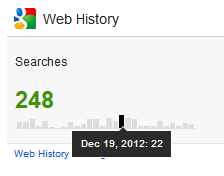
However some of the JS for visualizations need to be tweaked. Clearly the hover script ( an  integral part of Dashboard design ) needs better elucidiation or formatting)
2

I would also venture my neck and suggest that rather than just monthly snapshots, atleast some way of comparing snapshots across periods or even the total time period be enabled- rather than be in seperate views.  This may give the user a bit more analytical value.

Overall, a nice and simple dashboard which may be of some use to the business user who makes or views a lot of reports on online properties. Minimal and effective- and in keeping with Open Data- Data Liberation Principles. I guess Google is secure in the knowledge that users do not view time spent on Google services as a total waste , unlike some of the other more social 😉 websites they spend time on.

Run Programs in Windows 7

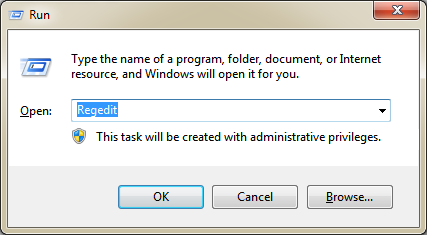
Click Windows Button +R . The Windows Button is the one with the logo.

You will see this.

Now write the name of program you want to edit and go.

Regedit

Using R for Cricket Analysis #rstats

ESPN Crincinfo is the best site for cricket data (you can see an earlier detailed post on the database  here https://decisionstats.com/2012/04/07/cricinfo-statsguru-database-for-statistical-and-graphical-analysis/  ), and using the XML package in R we can easily scrape and manipulate data

Here is the code.

library(XML)
url="http://stats.espncricinfo.com/ci/engine/stats/index.html?class=1;team=6;template=results;type=batting"
#Note I can also break the url string and use paste command to modify this url with parameters
tables=readHTMLTable(url)
tables$"Overall figures"

#Now see this- since I only got 50 results in each page, I look at the url of next page

table1=tables$"Overall figures"
url="http://stats.espncricinfo.com/ci/engine/stats/index.html?class=1;page=2;team=6;template=results;type=batting"
tables=readHTMLTable(url)
table2=tables$"Overall figures"

#Now I need to join these two tables vertically

table3=rbind(table1,table2)

Note-I can also automate the web scraping .
Now the data is within R, we can use something like Deducer to visualize.
Created by Pretty R at inside-R.org

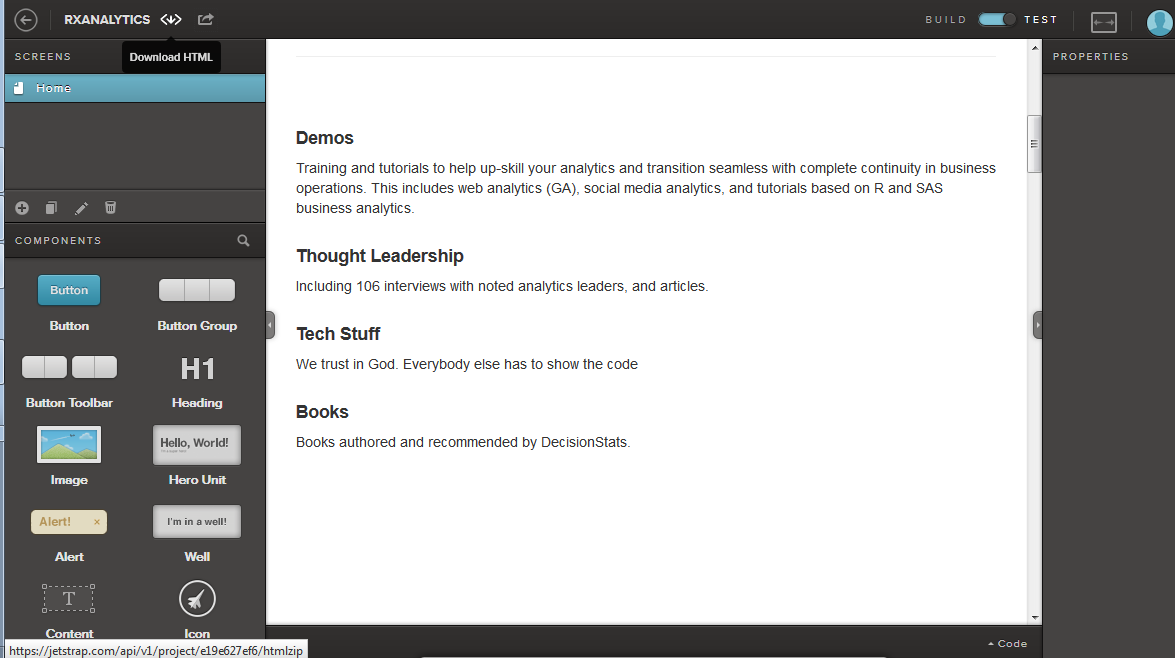
Jetstrap for builiding websites with Twitter Bootstrap

Twitter Bootstrap is a free collection of tools for creating websites and web applications. It contains HTML and CSS-based design templates for typography, forms, buttons, charts, navigation and other interface components, as well as optional JavaScript extensions.

It is the most popular project in GitHub[2] and is used by NASA and MSNBC among others.

———————-

If you like me, hate to get down and dirty in HTML, CSS , JQuery ( not mentioning the excellent Code Academy HTML/CSS tutorials and  JQuery Track ) and want to create a pretty simple website for yourself- Jetstrap helps you build the popular Twitter Bootstrap design (very minimalistic) for websites.

And it’s free! And click and point and paste your content- and awesome CSS, HTML. Allows you to download the HTML to paste in your existing site!

2

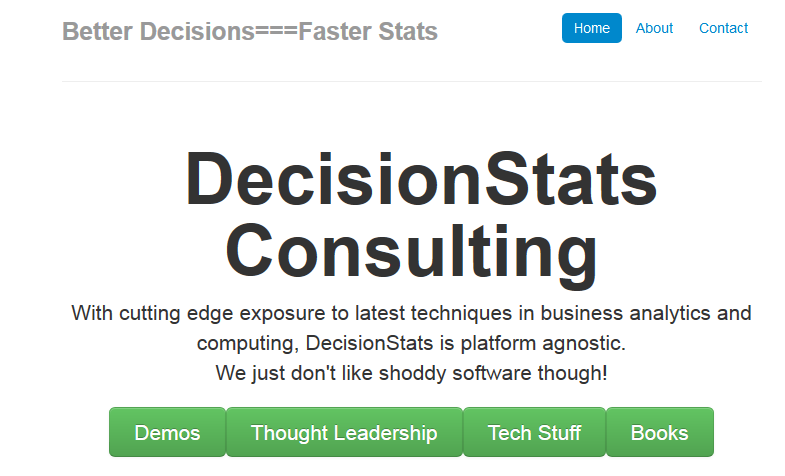
Here is one I created in 5 minutes!

123

So lose your old website! Because not every website needs WordPress!

Try Jetstrap for Bootstrap!

Visual Guides to CRISP-DM ,KDD and SEMMA

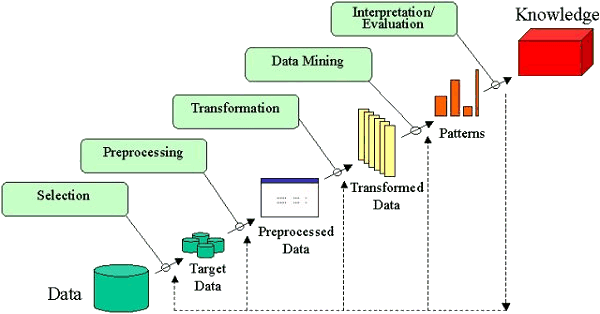
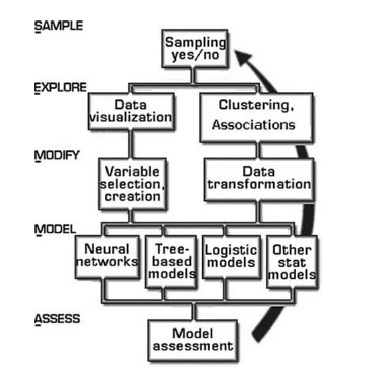
UPDATED- Here are three great examples of a visualization making a process easy to understand. Please click on the images to read them clearly.

1) It visualizes CRISP-DM and is made by Nicole Leaper (http://exde.wordpress.com/2009/03/13/a-visual-guide-to-crisp-dm-methodology/)

12345

2) KDD -Knowledge Discovery in Databases -visualization by Fayyad whom I have interviewed here at http://www.decisionstats.com/interview-dr-usama-fayyad-founder-open-insights-llc/

and work By Gregory Piatetsky Shapiro interviewed by this website here

https://decisionstats.com/2009/08/13/interview-gregory-piatetsky-kdnuggets-com/

kdd

3) I am also attaching a visual representation of SEMMA from http://www.dataprix.net/en/blogs/respinosamilla/theory-data-mining

metodo-semma