Message from RATTLE

Microsoft Windows Vista Wallpaper
Image by Brajeshwar via Flickr

A new release of the R GUI Rattle is making its way to CRAN (currently on the Austrian server).

Latest version 2.5.47 (revision 527) released 13 Nov 2010.

Change Log link for details –

http://cran.r-project.org/web/packages/rattle/index.html

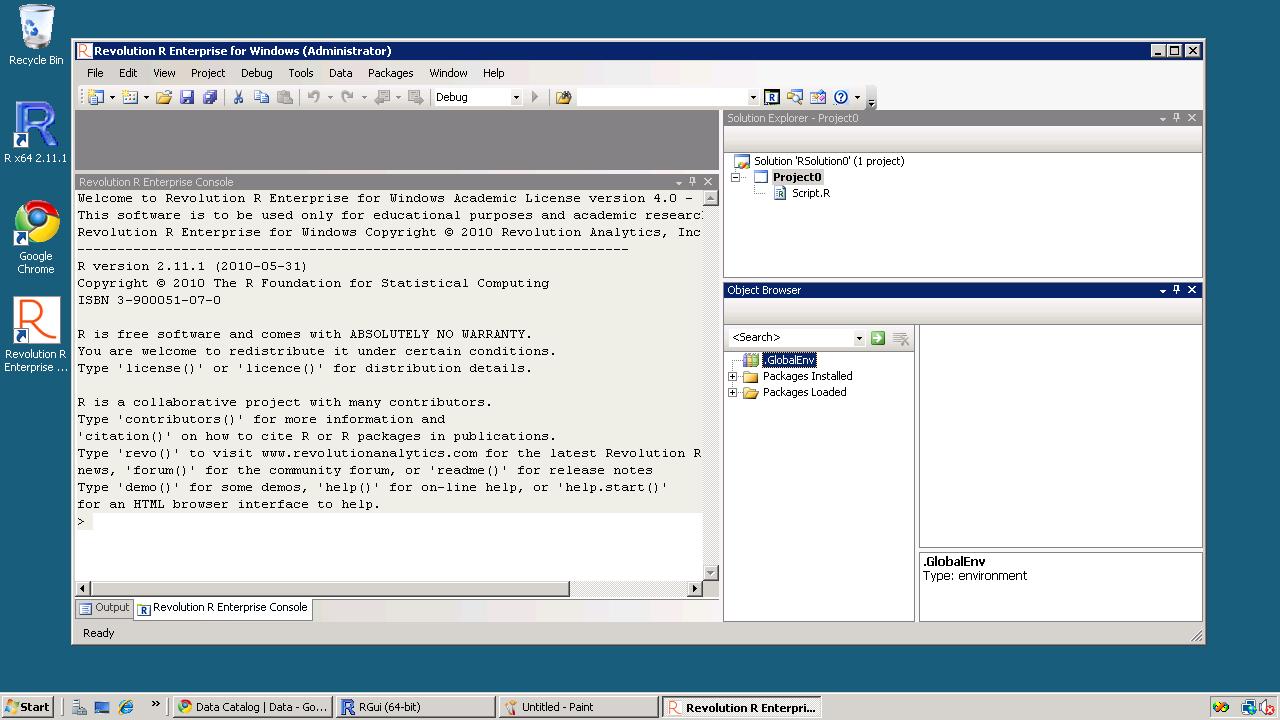
Major changes relate to simplifying the installation of Rattle under the recently released R 2.12.0 on Microsoft Windows 32bit and 64bit.

The major advance for R 2.12.0 is the improved support for 64bit Microsoft Windows and thus support for much larger datasets in memory.

See the new installation steps at http://datamining.togaware.com/survivor/Internet_Connected.html

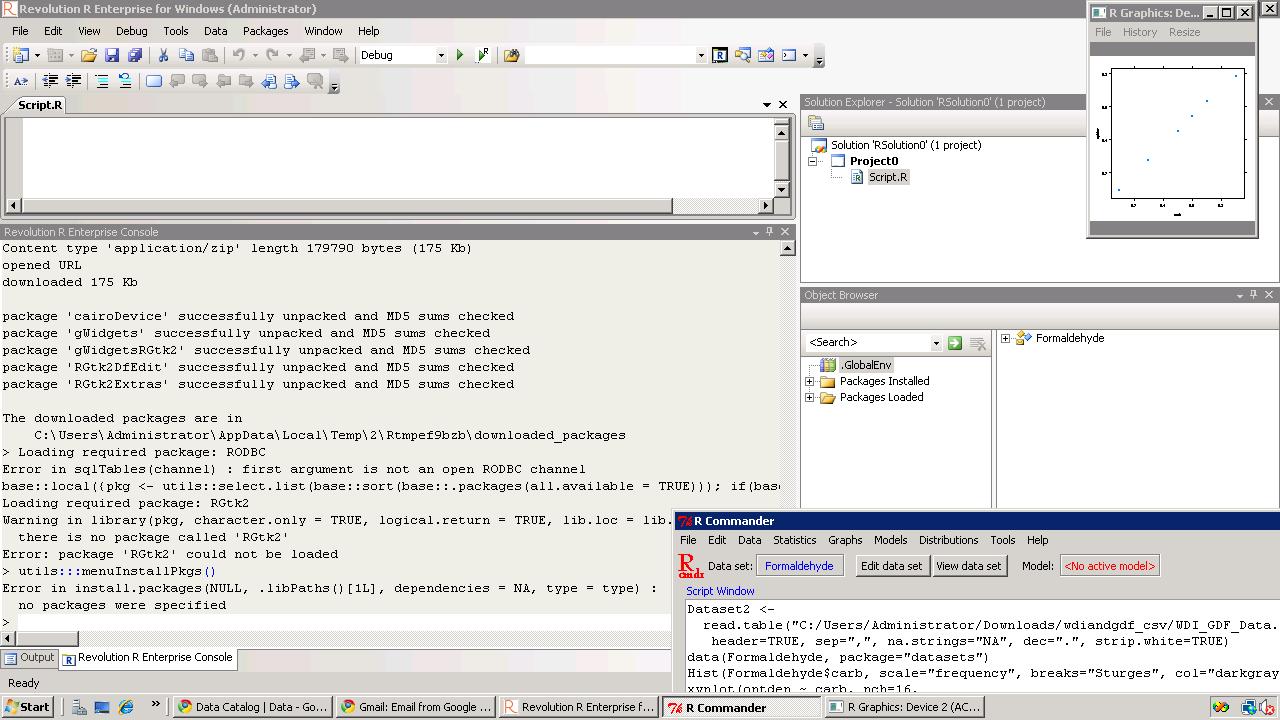
For Microsoft Windows installations, to upgrade your Rattle installation you may need to remove any old installs of the Gtk+ libraries using the Uninstall application from the Microsoft Windows Control Panel). Then install the new Gtk2 library:

http://downloads.sourceforge.net/gtk-win/gtk2-runtime-2.22.0-2010-10-21-ash.exe

You can the update Rattle to version 2.5.47:

> install.packages(“rattle“)

>library(rattle)

rattle.info()

The output from rattle.info() will include an “install.packages” command that will identify Rattle related packages that have updates available. You can cut-and-paste that command to the R prompt to have those packages updated in your installation.

Citation- From rattle-users@googlegroups.com

http://rattle.togaware.com/

Here comes PySpread- 85,899,345 rows and 14,316,555 columns

A Bold GNU Head
Image via Wikipedia

Whats new/ One more open source analytics package. Built like a spreadsheet with an ability to import a million cells-

From http://pyspread.sourceforge.net/index.html

about Pyspread is a cross-platform Python spreadsheet application. It is based on and written in the programming language Python.

Instead of spreadsheet formulas, Python expressions are entered into the spreadsheet cells. Each expression returns a Python object that can be accessed from other cells. These objects can represent anything including lists or matrices.

Pyspread screenshot
features In pyspread, cells expect Python expressions and return Python objects. Therefore, complex data types such as lists, trees or matrices can be handled within a single cell. Macros can be used for functions that are too complex for a single expression.

Since Python modules can be easily used without external scripts, arbitrary size rational numbers (via gmpy), fixed point decimal numbers for business calculations, (via the decimal module from the standard library) and advanced statistics including plotting functions (via RPy) can be used in the spreadsheet. Everything is directly available from each cell. Just use the grid

Data can be imported and exported using csv files or the clipboard. Other forms of data exchange is possible using external Python modules.

In  order to simplify sparse matrix editing, pyspread features a three dimensional grid that can be sized up to 85,899,345 rows and 14,316,555 columns (64 bit-systems, depends on row height and column width). Note that importing a million cells requires about 500 MB of memory.

The concept of pyspread allows doing everything from each cell that a Python script can do. This may very well include deleting your hard drive or sending your data via the Internet. Of course this is a non-issue if you sandbox properly or if you only use self developed spreadsheets. Since this is not the case for everyone (see the discussion at lwn.net), a GPG signature based trust model for spreadsheet files has been introduced. It ensures that only your own trusted files are executed on loading. Untrusted files are displayed in safe mode. You can trust a file manually. Inspect carefully.

Pyspread screenshot

requirements Pyspread runs on Linux, Windows and *nix platforms with GTK+ support. There are reports that it works with MacOS X as well. If you would like to contribute by testing on OS X please contact me.

Dependencies

Highly recommended for full functionality

  • PyMe >=0.8.1, Note for Windows™ users: If you want to use signatures without compiling PyMe try out Gpg4win.
  • gmpy >=1.1.0 and
  • rpy >=1.0.3.
maturity Pyspread is in early Beta release. This means that the core functionality is fully implemented but the program needs testing and polish.

and from the wiki

http://sourceforge.net/apps/mediawiki/pyspread/index.php?title=Main_Page

a spreadsheet with more powerful functions and data structures that are accessible inside each cell. Something like Python that empowers you to do things quickly. And yes, it should be free and it should run on Linux as well as on Windows. I looked around and found nothing that suited me. Therefore, I started pyspread.

Concept

  • Each cell accepts any input that works in a Python command line.
  • The inputs are parsed and evaluated by Python’s eval command.
  • The result objects are accessible via a 3D numpy object array.
  • String representations of the result objects are displayed in the cells.

Benefits

  • Each cell returns a Python object. This object can be anything including arrays and third party library objects.
  • Generator expressions can be used efficiently for data manipulation.
  • Efficient numpy slicing is used.
  • numpy methods are accessible for the data.

Installation

  1. Download the pyspread tarball or zip and unzip at a convenient place
  2. In case you do not have it already get and install Python, wxpython and numpy
If you want the examples to work, install gmpy, R and rpy
Really do check the version requirements that are mentioned on http://pyspread.sf.net
  1. Get install privileges (e.g. become root)
  2. Change into the directory and type
python setup.py install
Windows: Replace “python” with your Python interpreter (absolute path)
  1. Become normal user again
  2. Start pyspread by typing
pyspread
  1. Enjoy

Links

Next on Spreadsheet wishlist-

a MSI bundle /Windows Self Installer which has all dependencies bundled in it-linking to PostGresSQL 😉 etc

way to go Mr Martin Manns

mmanns < at > gmx < dot > net

Great article on Notepad++ and R in R Journal


Logo for R
Image via Wikipedia


I really liked this article on Notepad++ integration with R,  I am a fan for anything like enhanced code editors and GUIs (and etc) which make R a more easier tool for the common man , and the little tech newbie.

Read it or glance through if you havent looked at the June version of R Journal, the article is on Page 62.

Enterprise Linux rises rapidly:New Report

Tux, as originally drawn by Larry Ewing
Image via Wikipedia

A new report from Linux Foundation found significant growth trends for enterprise usage of Linux- which should be welcome to software companies that have enabled Linux versions of software, service providers that provide Linux based consulting (note -lesser competition, lower overheads) and to application creators.

From –

http://www.linuxfoundation.org/news-media/announcements/2010/10/new-linux-foundation-user-survey-shows-enterprise-linux-achieve-sig

Key Findings from the Report
• 79.4 percent of companies are adding more Linux relative to other operating systems in the next five years.

• More people are reporting that their Linux deployments are migrations from Windows than any other platform, including Unix migrations. 66 percent of users surveyed say that their Linux deployments are brand new (“Greenfield”) deployments.

• Among the early adopters who are operating in cloud environments, 70.3 percent use Linux as their primary platform, while only 18.3 percent use Windows.

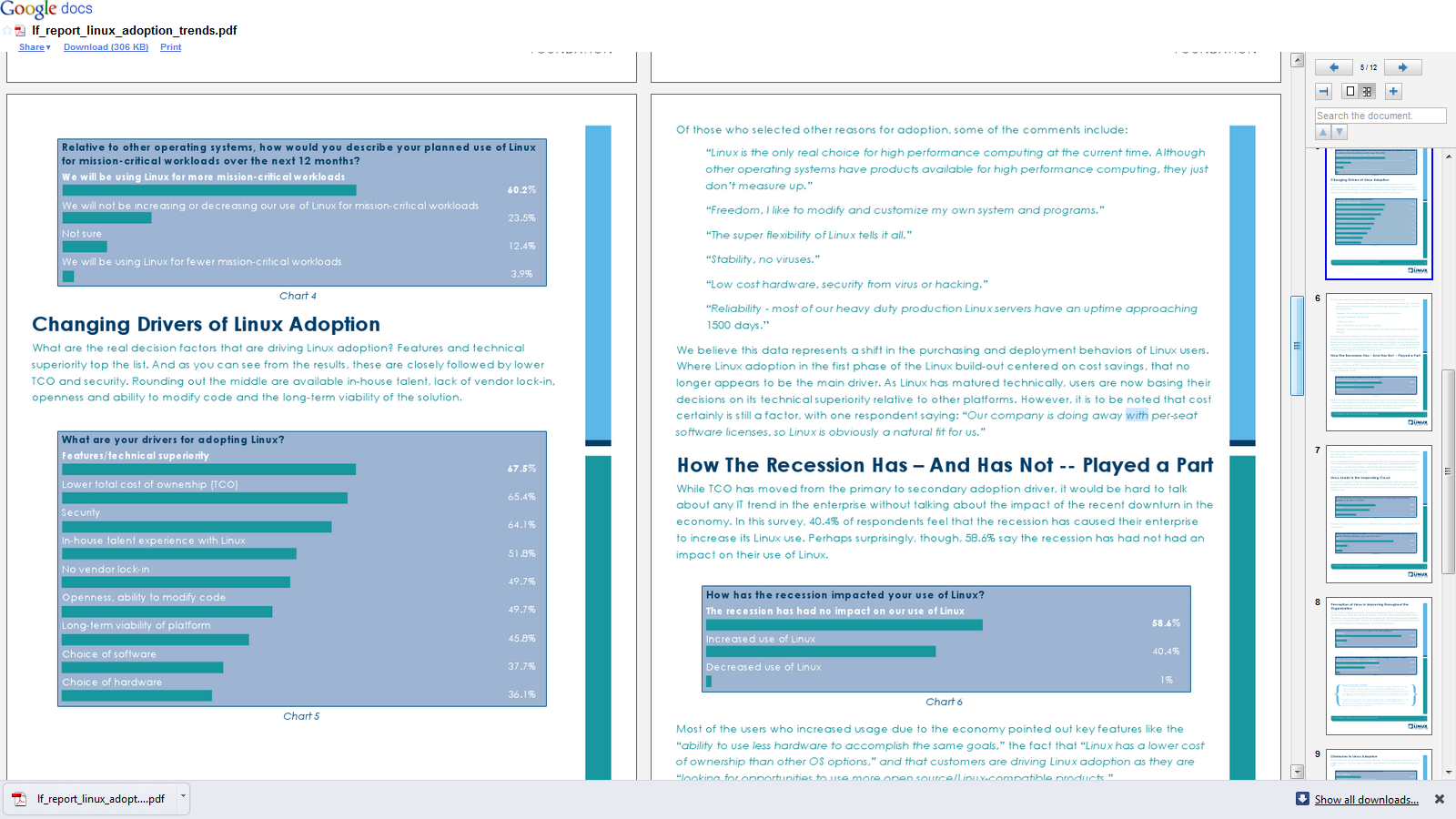
• 60.2 percent of respondents say they will use Linux for more mission-critical workloads over the next 12 months.

• 86.5 percent of respondents report that Linux is improving and 58.4 percent say their CIOs see Linux as more strategic to the organization as compared to three years ago.

• Drivers for Linux adoption extend beyond cost: technical superiority is the primary driver, followed by cost and then security.

• The growth in Linux, as demonstrated by this report, is leading companies to increasingly seek Linux IT professionals, with 38.3 percent of respondents citing a lack of Linux talent as one of their main concerns related to the platform.

• Users participate in Linux development in three primary ways: testing and submitting bugs (37.5 percent), working with vendors (30.7 percent) and participating in The Linux Foundation activities (26.0 percent).

and from the report itself-

download here-

http://www.linuxfoundation.org/lp/page/download-the-free-linux-adoption-trends-report

Ubuntu one goes musical

Heavenly choirs singing? Not quite, but music streaming on a cloudy platform seems like a pretty cool thing.-

readhttp://voices.canonical.com/ubuntuone/?p=617

:

Ubuntu One Basic – available now
This is the same as the current free 2 GB option but with a new name. Users can continue to sync files, contacts, bookmarks and notes for free as part of our basic service and access the integrated Ubuntu One Music Store. We are also extending our platform support to include a Windows client, which will be available in Beta very soon.

Ubuntu One Mobile – available October 7th
Ubuntu One Mobile is our first example of a service that helps you do more with the content stored in your personal cloud. With Ubuntu One Mobile’s main feature – mobile music streaming – users can listen to any MP3 songs in their personal cloud (any owned MP3s, not just those purchased from the Ubuntu One Music Store) using our custom developed apps for iPhone and Android (coming soon to their respective marketplaces). These will be open source and available from Launchpad. Ubuntu One Mobile will also include the mobile contacts sync feature that was launched in Beta for the 10.04 release.

Ubuntu One Mobile is available for $3.99 (USD) per month or $39.99 (USD) per year. Users interested in this add-on can try the service free for 30 days. Ubuntu One Mobile will be the perfect companion to your morning exercise, daily commute, and weekend at the beach – we’re really excited to bring you this service!

Ubuntu One 20-Packs – available now
A 20-Pack is 20 GB of storage for files, contacts, notes, and bookmarks. Users will be able to add multiple 20-Packs at $2.99 (USD) per month or $29.99 (USD) per year each. If you start with Ubuntu One Basic (2 GB) and add 1 20-Pack (20 GB), you will have 22 GB of storage.

All add-ons are available for purchase in multiple currencies – USD, EUR and, recently added, GBP.

Users currently paying for the old 50 GB plan (including mobile contacts sync) can either keep their existing service or switch to the new plans structure to get more value from Ubuntu One at a lower price.

Customizing your R software startup

Customizing your R software startup helps you do the following.
Thus it helps you to boot up R faster.
It automatically loads packages that you use regularly (like a R GUI -Deducer, Rattle or R Commander), set a CRAN mirror that you mostly use or is nearest for downloading new packages, and set some optional parameters.
Everytime you start R Instead of doing this , loading same R packages, setting a CRAN mirror,setting some new functions- the user needs to do this just once by customizing the R Profile SITE file.

This is done by editing the $R_HOME/etc/Renviron file for globally setting a default or the .Renviron file that is created in your home directory for a shared system.

There are two special functions you can customize in these files.
.First( ) will be run at the start of the R session and
.Last( ) will be run when the R session is shutting down.

When R starts up, it loads the .Rprofile file in your home directory and executes the .First() function.

Where is the R Profile file?
It is located in the \etc folder of your R folder- folder you installed R in.
In Windows the folder will be of the format -”C:\Program Files\R\R-x.ab.c\etc”
where x.ab.c will be the R version number (like 2.11.1)
Example
.First <- function(){
library(rattle)
rattle()
cat(“\nHello World”, date(), “\n”)
}

will automatically start the Rattle GUI for data mining and print Hello World with the date in your session.

You can also modify the Rcmd_environ file in the same \etc folder if you are particular on your settings

## Default browser
R_BROWSER=${R_BROWSER-‘C:\Documents and Settings\abc\Local Settings\Application Data\Google\Chrome\Application\chrome.exe} ## Default editor EDITOR=${EDITOR-${notepad++}}

will change the default Web browser to Chrome and the default editor to Notepad++ which is an enhanced Code Editor.