Interviews with R Community

This chart represents several constituent comp...
Image via Wikipedia

Authors

Interview Luis Torgo Author Data Mining with R

https://decisionstats.com/2011/01/12/interview-luis-torgo-author-data-mining-with-r/

John Fox, R Commander

https://decisionstats.com/2009/09/14/interview-professor-john-fox-creator-r-commander/

Interview Dr Graham Williams RATTLE GUI

https://decisionstats.com/2009/01/13/interview-dr-graham-williams/

Hadley Wickham

https://decisionstats.com/2010/01/12/interview-hadley-wickham-r-project-data-visualization-guru/

R for SAS and SPSS Users

https://decisionstats.com/2009/01/21/r-for-sas-and-spss-users-2/

R for Stata Users

https://decisionstats.com/2010/06/29/interview-r-for-stata-users/

R Consulting

Interview David Katz ,Dataspora /David Katz Consulting

https://decisionstats.com/2011/02/11/interview-david-katz-dataspora-david-katz-consulting/

Case Study

(http://www.predictiveanalyticsworld.com/sanfrancisco/2011/agenda.php#day2-16a)

Room: Salon 5 & 6
4:45pm – 5:05pm

Track 2: Social Data and Telecom 
Case Study: Major North American Telecom
Social Networking Data for Churn Analysis

A North American Telecom found that it had a window into social contacts – who has been calling whom on its network. This data proved to be predictive of churn. Using SQL, and GAM in R, we explored how to use this data to improve the identification of likely churners. We will present many dimensions of the lessons learned on this engagement.

Speaker: David Katz, Senior Analyst, Dataspora, and President, David Katz Consulting

Q&A with David Smith, Revolution Analytics

https://decisionstats.com/2010/08/03/q-a-with-david-smith-revolution-analytics/

Inference for R

https://decisionstats.com/2009/06/04/inference-for-r/

David Smith Revolution Computing

https://decisionstats.com/2009/05/29/interview-david-smith-revolution-computing/

Richard Schultz Revolution Computing

https://decisionstats.com/2009/01/31/interviewrichard-schultz-ceo-revolution-computing/

Karime Chine, Elastic R

https://decisionstats.com/2009/06/21/interview-karim-chine-biocep-cloud-computing-with-r/

PSPP – SPSS ‘s Open Source Counterpart

A Bold GNU Head
Image via Wikipedia

New Website for Windows Installers for PSPP– try at your own time if you are dedicated to either SPSS or free statistical computing.

http://pspp.awardspace.com/

This page is intended to give a stable root for downloading the PSPP-for-Windows setup from free mirrors.

Highlights of the current PSPP-for-Windows setup
PSPP info:

Current version: Master version = 0.7.6
Release date: See filenames
Information about PSPP: http://www.gnu.org/software/pspp
PSPP Manual: PDF or HTML
(current version will be installed on your PC by the installer package)
Package info:

Windows version: Windows XP and newer
Package Size: 15 Mb
Size on disk: 34 Mb
Technical: MinGW based
Cross-compiled on openSUSE 11.3

Downloads:
There are issues with the latest build. Some users report crashes on their systems on other systems it works fine.

Version Installer for multi-user installation.
Administrator privileges required.
Recommended version.
Installer for single-user installation.
No administrator privileges required
0.7.6-g38ba1e-blp-build20101116
0.7.5-g805e7e-blp-build20100908
0.7.5-g7803d3-blp-build20100820
0.7.5-g333ac4-blp-build20100727
PSPP-Master-2010-11-16
PSPP-Master-2010-09-08
PSPP-Master-2010-08-20
PSPP-Master-2010-07-27
PSPP-Master-single-user-2010-11-16
PSPP-Master-single-user-2010-09-08
PSPP-Master-single-user-2010-08-20
PSPP-Master-single-user-2010-07-27


Sources can be found here.

Also see http://en.wikipedia.org/wiki/PSPP

At the user’s choice, statistical output and graphics are done in ASCIIPDFPostScript or HTML formats. A limited range of statistical graphs can be produced, such as histogramspie-charts and np-charts.

PSPP can import GnumericOpenDocument and Excel spreadsheetsPostgres databasescomma-separated values– and ASCII-files. It can export files in the SPSS ‘portable’ and ‘system’ file formats and to ASCII files. Some of the libraries used by PSPP can be accessed programmatically; PSPP-Perl provides an interface to the libraries used by PSPP.

and

http://www.gnu.org/software/pspp/

A brief list of some of the features of PSPP follows:

  • Supports over 1 billion cases.
  • Supports over 1 billion variables.
  • Syntax and data files are compatible with SPSS.
  • Choice of terminal or graphical user interface.
  • Choice of text, postscript or html output formats.
  • Inter-operates with GnumericOpenOffice.Org and other free software.
  • Easy data import from spreadsheets, text files and database sources.
  • Fast statistical procedures, even on very large data sets.
  • No license fees.
  • No expiration period.
  • No unethical “end user license agreements”.
  • Fully indexed user manual.
  • Free Software; licensed under GPLv3 or later.
  • Cross platform; Runs on many different computers and many different operating systems.


PSPP – SPSS 's Open Source Counterpart

A Bold GNU Head
Image via Wikipedia

New Website for Windows Installers for PSPP– try at your own time if you are dedicated to either SPSS or free statistical computing.

http://pspp.awardspace.com/

This page is intended to give a stable root for downloading the PSPP-for-Windows setup from free mirrors.

Highlights of the current PSPP-for-Windows setup
PSPP info:

Current version: Master version = 0.7.6
Release date: See filenames
Information about PSPP: http://www.gnu.org/software/pspp
PSPP Manual: PDF or HTML
(current version will be installed on your PC by the installer package)
Package info:

Windows version: Windows XP and newer
Package Size: 15 Mb
Size on disk: 34 Mb
Technical: MinGW based
Cross-compiled on openSUSE 11.3

Downloads:
There are issues with the latest build. Some users report crashes on their systems on other systems it works fine.

Version Installer for multi-user installation.
Administrator privileges required.
Recommended version.
Installer for single-user installation.
No administrator privileges required
0.7.6-g38ba1e-blp-build20101116
0.7.5-g805e7e-blp-build20100908
0.7.5-g7803d3-blp-build20100820
0.7.5-g333ac4-blp-build20100727
PSPP-Master-2010-11-16
PSPP-Master-2010-09-08
PSPP-Master-2010-08-20
PSPP-Master-2010-07-27
PSPP-Master-single-user-2010-11-16
PSPP-Master-single-user-2010-09-08
PSPP-Master-single-user-2010-08-20
PSPP-Master-single-user-2010-07-27


Sources can be found here.

Also see http://en.wikipedia.org/wiki/PSPP

At the user’s choice, statistical output and graphics are done in ASCIIPDFPostScript or HTML formats. A limited range of statistical graphs can be produced, such as histogramspie-charts and np-charts.

PSPP can import GnumericOpenDocument and Excel spreadsheetsPostgres databasescomma-separated values– and ASCII-files. It can export files in the SPSS ‘portable’ and ‘system’ file formats and to ASCII files. Some of the libraries used by PSPP can be accessed programmatically; PSPP-Perl provides an interface to the libraries used by PSPP.

and

http://www.gnu.org/software/pspp/

A brief list of some of the features of PSPP follows:

  • Supports over 1 billion cases.
  • Supports over 1 billion variables.
  • Syntax and data files are compatible with SPSS.
  • Choice of terminal or graphical user interface.
  • Choice of text, postscript or html output formats.
  • Inter-operates with GnumericOpenOffice.Org and other free software.
  • Easy data import from spreadsheets, text files and database sources.
  • Fast statistical procedures, even on very large data sets.
  • No license fees.
  • No expiration period.
  • No unethical “end user license agreements”.
  • Fully indexed user manual.
  • Free Software; licensed under GPLv3 or later.
  • Cross platform; Runs on many different computers and many different operating systems.


Open Source Compiler for SAS language/ GNU -DAP

A Bold GNU Head
Image via Wikipedia

I am still testing this out.

But if you know bit more about make and .compile in Ubuntu check out

http://www.gnu.org/software/dap/

I loved the humorous introduction

Dap is a small statistics and graphics package based on C. Version 3.0 and later of Dap can read SBS programs (based on the utterly famous, industry standard statistics system with similar initials – you know the one I mean)! The user wishing to perform basic statistical analyses is now freed from learning and using C syntax for straightforward tasks, while retaining access to the C-style graphics and statistics features provided by the original implementation. Dap provides core methods of data management, analysis, and graphics that are commonly used in statistical consulting practice (univariate statistics, correlations and regression, ANOVA, categorical data analysis, logistic regression, and nonparametric analyses).

Anyone familiar with the basic syntax of C programs can learn to use the C-style features of Dap quickly and easily from the manual and the examples contained in it; advanced features of C are not necessary, although they are available. (The manual contains a brief introduction to the C syntax needed for Dap.) Because Dap processes files one line at a time, rather than reading entire files into memory, it can be, and has been, used on data sets that have very many lines and/or very many variables.

I wrote Dap to use in my statistical consulting practice because the aforementioned utterly famous, industry standard statistics system is (or at least was) not available on GNU/Linux and costs a bundle every year under a lease arrangement. And now you can run programs written for that system directly on Dap! I was generally happy with that system, except for the graphics, which are all but impossible to use,  but there were a number of clumsy constructs left over from its ancient origins.

http://www.gnu.org/software/dap/#Sample output

  • Unbalanced ANOVA
  • Crossed, nested ANOVA
  • Random model, unbalanced
  • Mixed model, balanced
  • Mixed model, unbalanced
  • Split plot
  • Latin square
  • Missing treatment combinations
  • Linear regression
  • Linear regression, model building
  • Ordinal cross-classification
  • Stratified 2×2 tables
  • Loglinear models
  • Logit  model for linear-by-linear association
  • Logistic regression
  • Copyright © 2001, 2002, 2003, 2004 Free Software Foundation, Inc., 51 Franklin Street, Fifth Floor, Boston, MA 02110-1301, USA

    sounds too good to be true- GNU /DAP joins WPS workbench and Dulles Open’s Carolina as the third SAS language compiler (besides the now defunct BASS software) see http://en.wikipedia.org/wiki/SAS_language#Controversy


    Also see http://en.wikipedia.org/wiki/DAP_(software)

    Dap was written to be a free replacement for SAS, but users are assumed to have a basic familiarity with the C programming language in order to permit greater flexibility. Unlike R it has been designed to be used on large data sets.

    It has been designed so as to cope with very large data sets; even when the size of the data exceeds the size of the computer’s memory

    WPS Version 2.5.1 Released – can still run SAS language/data and R

    However this is what Phil Rack the reseller is quoting on http://www.minequest.com/Pricing.html

    Windows Desktop Price: $884 on 32-bit Windows and $1,149 on 64-bit Windows.

    The Bridge to R is available on the Windows platforms and is available for free to customers who
    license WPS through MineQuest,LLC. Companies and organizations outside of North America
    may purchase a license for the Bridge to R which starts at $199 per desktop or $599 per server

    Windows Server Price: $1,903 per logical CPU for 32-bit and $2,474 for 64-bit.

    Note that Linux server versions are available but do not yet support the Eclipse IDE and are
    command line only

    WPS sure seems going well-but their pricing is no longer fixed and on the home website, you gotta fill a form. Ditt0 for the 30 day free evaluation

    http://www.teamwpc.co.uk/products/wps/modules/core

    Data File Formats

    The table below provides a summary of data formats presently supported by the WPS Core module.

    Data File Format Un-Compressed
    Data
    Compressed
    Data
    Read Write Read Write
    SD2 (SAS version 6 data set)
    SAS7BDAT (SAS version 7 data set)
    SAS7BDAT (SAS version 8 data set)
    SAS7BDAT (SAS version 9 data set)
    SASSEQ (SAS version 8/9 sequential file)
    V8SEQ (SAS version 8 sequential file)
    V9SEQ (SAS version 9 sequential file)
    WPD (WPS native data set)
    WPDSEQ (WPS native sequential file)
    XPORT (transport format)

    Additional access to EXCEL, SPSS and dBASE files is supported by utilising the WPS Engine for DB Filesmodule.

    and they have a new product release on Valentine Day 2011 (oh these Europeans!)

    From the press release at http://www.teamwpc.co.uk/press/wps2_5_1_released

    WPS Version 2.5.1 Released 

    New language support, new data engines, larger datasets, improved scalability

    LONDON, UK – 14 February 2011 – World Programming today released version 2.5.1 of their WPS software for workstations, servers and mainframes.

    WPS is a competitively priced, high performance, highly scalable data processing and analytics software product that allows users to execute programs written in the language of SAS. WPS is supported on a wide variety of hardware and operating system platforms and can connect to and work with many types of data with ease. The WPS user interface (Workbench) is frequently praised for its ease of use and flexibility, with the option to include numerous third-party extensions.

    This latest version of the software has the ability to manipulate even greater volumes of data, removing the previous 2^31 (2 billion) limit on number of observations.

    Complimenting extended data processing capabilities, World Programming has worked hard to boost the performance, scalability and reliability of the WPS software to give users the confidence they need to run heavy workloads whilst delivering maximum value from available computer power.

    WPS version 2.5.1 offers additional flexibility with the release of two new data engines for accessing Greenplum and SAND databases. WPS now comes with eleven data engines and can access a huge range of commonly used and industry-standard file-formats and databases.

    Support in WPS for the language of SAS continues to expand with more statistical procedures, data step functions, graphing controls and many other language items and options.

    WPS version 2.5.1 is available as a free upgrade to all licensed users of WPS.

    Summary of Main New Features:

    • Supporting Even Larger Datasets
      WPS is now able to process very large data sets by lifting completely the previous size limit of 2^31 observations.
    • Performance and Scalability Boosted
      Performance and scalability improvements across the board combine to ensure even the most demanding large and concurrent workloads are processed efficiently and reliably.
    • More Language Support
      WPS 2.5.1 continues the expansion of it’s language support with over 70 new language items, including new Procedures, Data Step functions and many other language items and options.
    • Statistical Analysis
      The procedure support in WPS Statistics has been expanded to include PROC CLUSTER and PROC TREE.
    • Graphical Output
      The graphical output from WPS Graphing has been expanded to accommodate more configurable graphics.
    • Hash Tables
      Support is now provided for hash tables.
    • Greenplum®
      A new WPS Engine for Greenplum provides dedicated support for accessing the Greenplum database.
    • SAND®
      A new WPS Engine for SAND provides dedicated support for accessing the SAND database.
    • Oracle®
      Bulk loading support now available in the WPS Engine for Oracle.
    • SQL Server®
      To enhance existing SQL Server database access, a new SQLSERVR (please note spelling) facility in the ODBC engine.

    More Information:

    Existing Users should visit www.teamwpc.co.uk/support/wps/release where you can download a readme file containing more information about all the new features and fixes in WPS 2.5.1.

    New Users should visit www.teamwpc.co.uk/products/wps where you can explore in more detail all the features available in WPS or request a free evaluation.

    and from http://www.teamwpc.co.uk/products/wps/data it seems they are going on the BIG DATA submarine as well-

    Data Support 

    Extremely Large Data Size Handling

    WPS is now able to handle extremely large data sets now that the previous limit of 2^31 observations has been lifted.

    Access Standard Databases

    Use I/O Features in WPS Core

    • CLIPBOARD (Windows only)
    • DDE (Windows only)
    • EMAIL (via SMTP or MAPI)
    • FTP
    • HTTP
    • PIPE (Windows and UNIX only)
    • SOCKET
    • STDIO
    • URL

    Use Standard Data File Formats

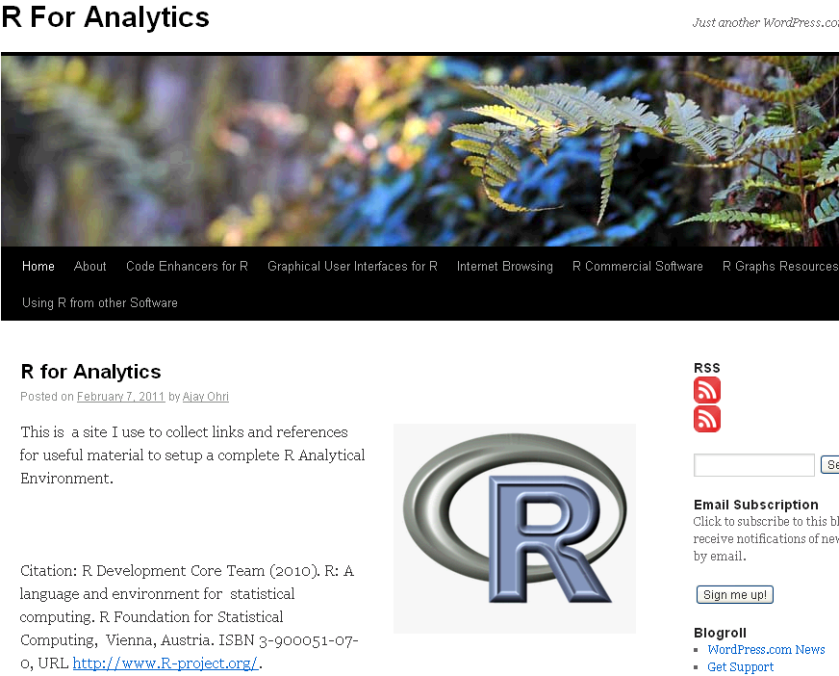
    R for Analytics is now live

    Okay, through the weekend I created a website for a few of my favourite things.

    It’s on at https://rforanalytics.wordpress.com/

    Graphical User Interfaces for R


    Jerry Rubin said: “Don’t trust anyone over thirty

    I dont trust anyone not using atleast one R GUI. Here’s a list of the top 10.


    Code Enhancers for R

    Here is a list of top 5 code enhancers,editors in R

    R Commercial Software

    A list of companies and software making (and) selling R software (and) services. Hint- it is almost 5 (unless I missed someone)

    R Graphs Resources

    R’s famous graphing capabilities and equally famous learning curve can be made a bit more humane- using some of these resources.

    Internet Browsing

    Because that’s what I do (all I do as per my cat) , and I am pretty good at it.

    Using R from other Software

    R can be used successfully from a lot of analytical software including some surprising ones praising the great 3000 packages library.

    (to be continued- as I find more stuff I will keep it there, some ideas- database access from R, prominent R consultants, prominent R packages, famous R interviewees 😉 )

    ps- The quote from Jerry Rubin seems funny for a while. I turn 34 this year.

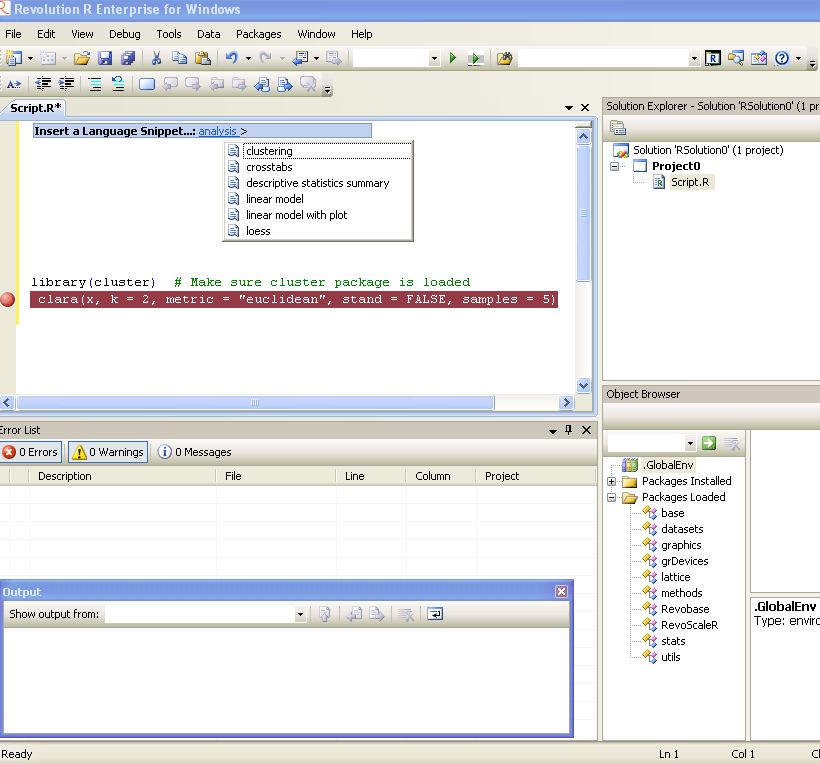
    Revolution R Enterprise 4.2

    Revo R gets more and more yum yum-

    he following new features:

    • Direct import of SAS data sets into the native, efficient XDF file format
    • Direct import of fixed-format text data files into XDF file format
    • New commands to read subsets of rows and variables from XDF files in memory;
    • Many enhancements to the R Productivity Environment (RPE) for Windows
    • Expanded and updated user documentation
    • Added support on Linux for the big-data statistics package RevoScaleR
    • Added support on Windows for Web Services integration of predictive analytics with RevoDeployR.

    Revolution R Enterprise 4.2 is available immediately for 64-bit Red Hat Enterprise Linux systems and both 32-bit and 64-bit Windows systems. Pricing starts at $1,000 per single-user workstation

    And its free for academic licenses- so come on guys it is worth  atleast one download, and test.

    http://www.revolutionanalytics.com/downloads/free-academic.php