Creating 3D Graphs with Data in R

Creating 3D graphs  in a 3d scatterplot is a 2 minute task in R using the woderful R Commander GUI. You can see an example video-

I loaded R,                                                                                                                                               then loaded the GUI,                                                                                                                           inputted data (from an attached package) but you can input data from a csv,           then went to Graphs- 3D ScatterPlot.

Here is the result-

and here is the video.

Not bad for 2 minutes of clicking a GUI.

Here is the auto generated code by R Commander.

> data(iris3, package="datasets")
> iris3 <- as.data.frame(iris3)
> names(iris3) <- make.names(names(iris3))
> library(rgl, pos=4)
> library(mgcv, pos=4)
> scatter3d(iris3$Petal.W..Setosa, iris3$Petal.L..Setosa, +   iris3$Sepal.L..Setosa, fit="linear", residuals=TRUE, bg="black", +   axis.scales=TRUE, grid=TRUE, ellipsoid=FALSE, xlab="Petal.W..Setosa", +   ylab="Petal.L..Setosa", zlab="Sepal.L..Setosa")
> scatter3d(iris3$Petal.L..Versicolor, iris3$Petal.L..Setosa, +   iris3$Petal.L..Virginica, fit="linear", residuals=TRUE, bg="white", +   axis.scales=TRUE, grid=TRUE, ellipsoid=FALSE, xlab="Petal.L..Versicolor", +   ylab="Petal.L..Setosa", zlab="Petal.L..Virginica")
> rgl.snapshot("C:/Documents and Settings/abc/Desktop/RGLGraph.png")
Better Data Visualization in WordPress.com Stats

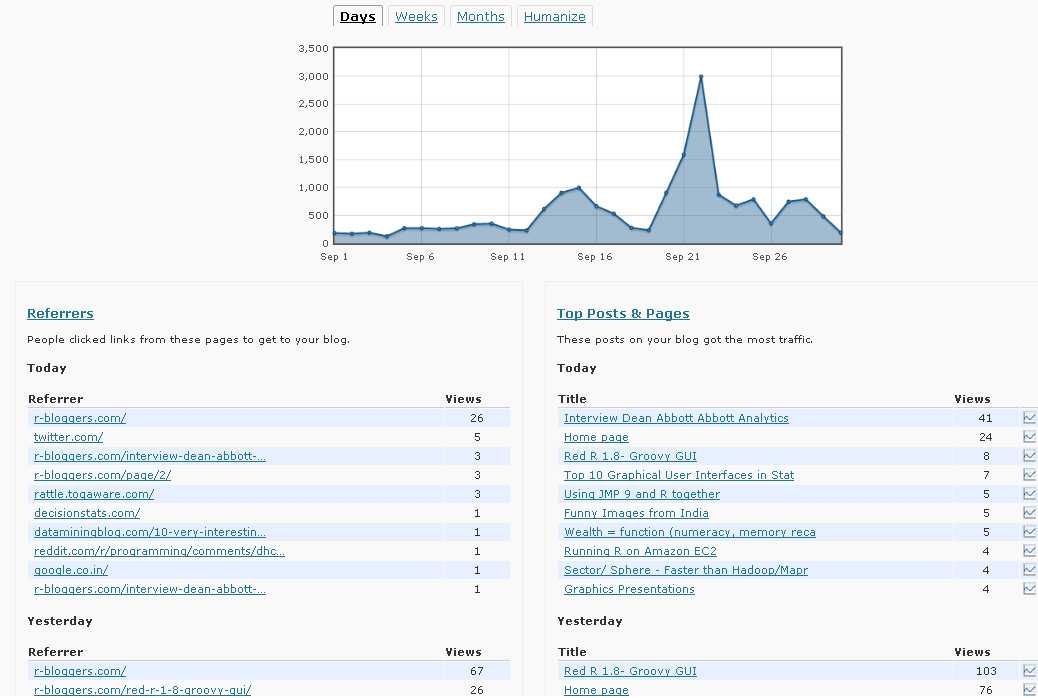
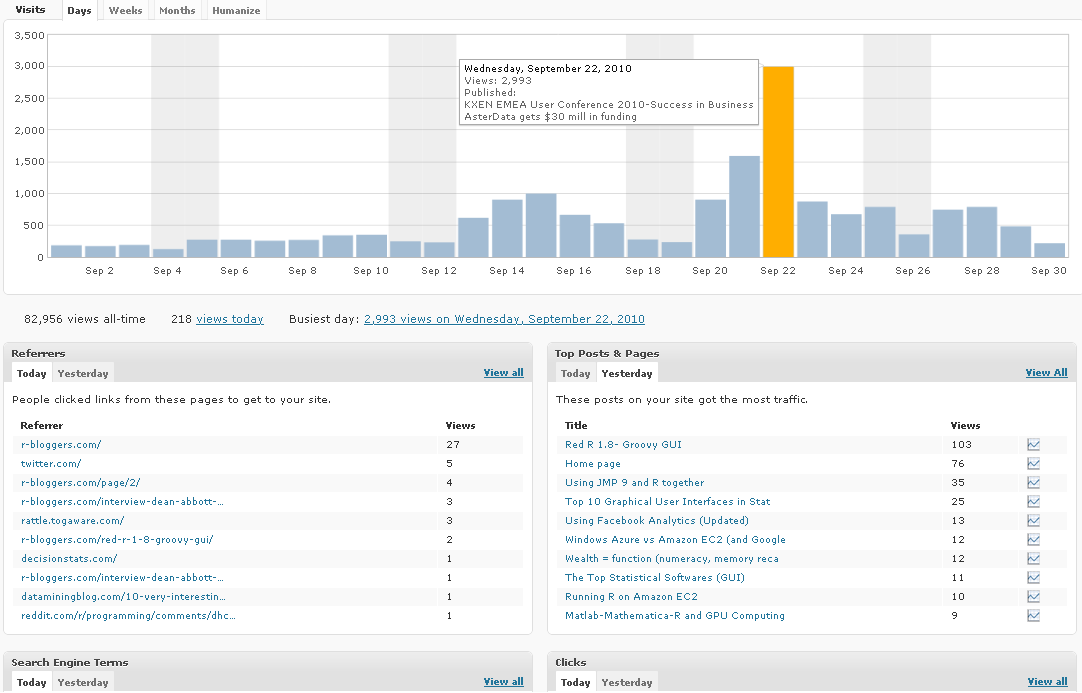
WordPress.com Stats is the analytical software which helps bloggers on WP.com hosted blogs. It recently underwent a revamp in design-

Note a simple change from Line to Histogram charts, and added Tabs can add so much value to data.

However WP.com really needs to addin Geo-Coded Stats (Visitors from where) and Some level of Campaign Tracking (similar to Goals in Google Analytics)

Earlier WP Stats

Now WP Stats

Using JMP 9 and R together

An interesting blog post at http://blogs.sas.com/jmp/index.php?/archives/298-JMP-Into-R!.html on using the new JMP 9 with R, and quite possibly using SAS as well.

Example Code-

Here’s the R integration JSL code used to run the bootstrap

rconn = R Connect();
rconn << Submit(“\[
library(boot)

# Load Boot package
library(boot)

RStatFctn <- function(x,d) {return(mean(x[d]))}

b.basic = matrix(data=NA, nrow=1000, ncol=2)
b.normal = matrix(data=NA, nrow=1000, ncol=2)
b.percent =matrix(data=NA, nrow=1000, ncol=2)
b.bca =matrix(data=NA, nrow=1000, ncol=2)

for(i in 1:1000){
rnormdat = rnorm(30,0,1)
b <- boot(rnormdat, RStatFctn, R = 1000)
b.ci=boot.ci(b, conf =095,type=c(“basic”,”norm”,”perc”,”bca”)) b.basic[i,] = b.ci$basic[,4:5]
b.normal[i,] = b.ci$normal[,2:3]
b.percent[i,] = b.ci$percent[,4:5]
b.bca[i,] = b.ci$bca[,4:5]
}
]\”));
b_basic= rconn << Get(b.basic);
b_normal = rconn << Get(b.normal);
b_percent= rconn << Get(b.percent);
b_bca = rconn << Get(b.bca);
rconn << Disconnect();

Using the R Connect() JSL command and assigning it to the object “rconn”, the code sends messages to the JSL scriptable object “rconn” to submit R code via the Submit() command and to retrieve R matrices containing the bootstrap confidence intervals back via the Get() commands.

and I also found interesting what the write has to say about using JMP (for visual analysis) and SAS (bigger datasets handling) and R (for advanced statistics) together

Other standard JMP tools such as the Data Filter can help to explore these results in ways that cannot easily and quickly be done in R

and

With a little JSL and the statistical and graphics platforms of JMP coupled with the breadth and variety of packages and functions in R, one can build complete easy-to-use applications for statistical analysis.

JMP can also integrate with SAS, which adds the ability to work with large-scale data through the file-based system as well as the depth and advanced capabilities of SAS procedures. With these seamless integrations, JMP can become a hub that enables you to connect with both SAS and R, as well as provide unique statistical features such as the JMP Profiler and interactive graphic features such as Graph Builder

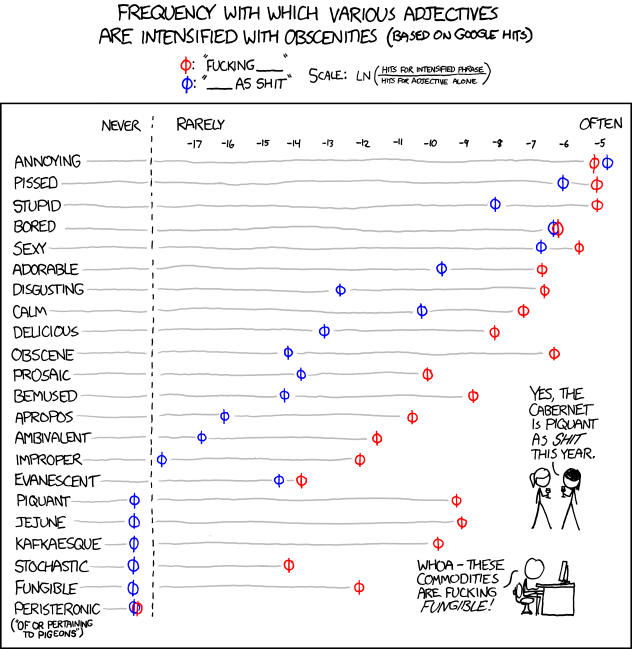
and in the meanwhile here is a data visualization of a frequency analysis of various words bundled together from xkcd.com

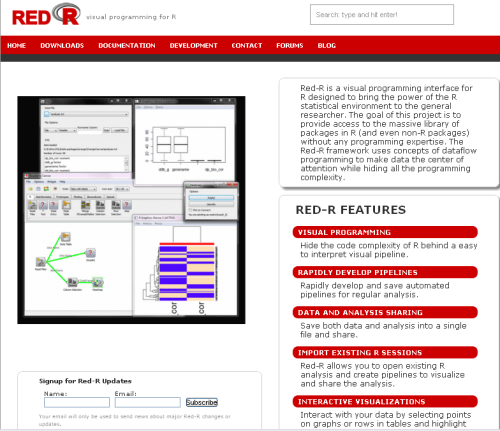
Red R 1.8- Pretty GUI

Red R 1.8 has been compiled and is available for download.

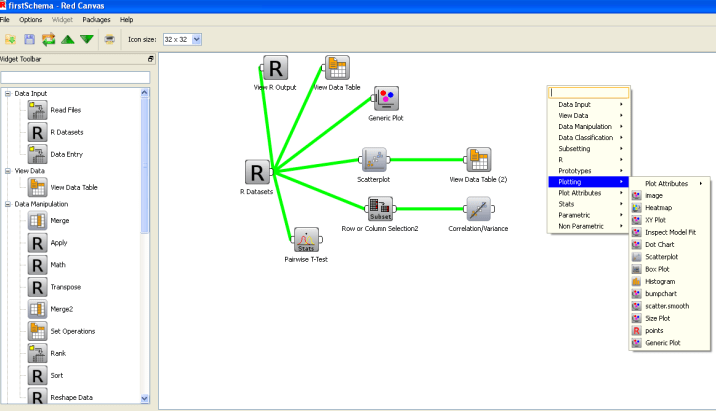
If you have seen Red R, well it resembles software like Enterprise Miner or Rapid Miner in the visual sense as it basically has a work-flow style of showing and setting up data analysis.

I played a bit with it, and this version is a definite improvement over the last ones.- Here is one more really groovy GUI for R- and it’s quite professionally done.

And a Youtube tutorial as well

Take a bow- Kyle and Anup- nice coding indeed.


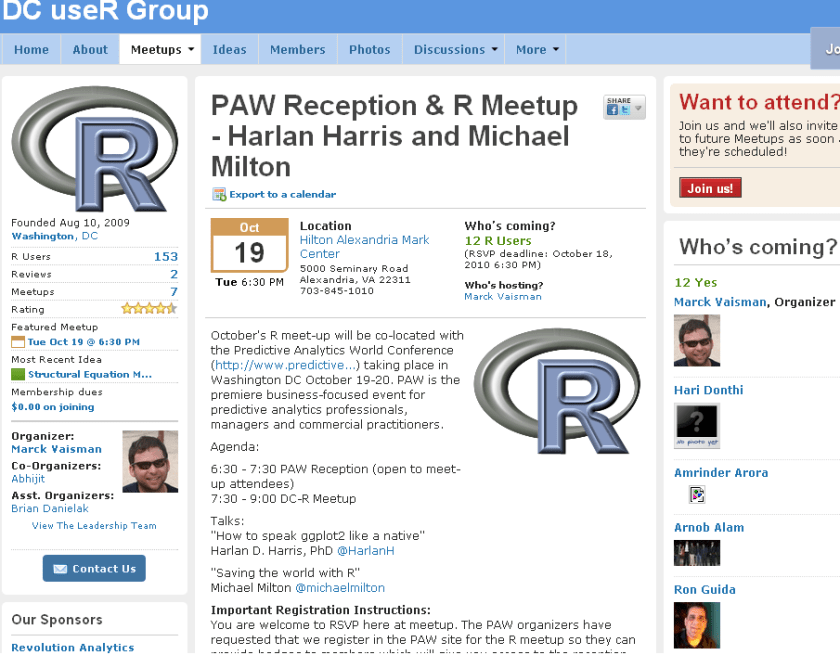
PAW Reception and R Meetup

New DC meetup for R Users-

source- http://www.meetup.com/R-users-DC/calendar/14236478/

October’s R meet-up will be co-located with the Predictive Analytics World Conference (http://www.predictive…) taking place in Washington DC October 19-20. PAW is the premiere business-focused event for predictive analytics professionals, managers and commercial practitioners.

Agenda:

6:30 – 7:30 PAW Reception (open to meet-up attendees)
7:30 – 9:00 DC-R Meetup

Talks:
“How to speak ggplot2 like a native”
Harlan D. Harris, PhD @HarlanH

“Saving the world with R”
Michael Milton @michaelmilton

Important Registration Instructions:
You are welcome to RSVP here at meetup. The PAW organizers have requested that we register in the PAW site for the R meetup so they can provide badges to members which will give you access to the reception. There is no charge to register using the PAW site. Please click here to register.


Speaker Bios

Harlan D. Harris, PhD, is a statistical data scientist working for Kaplan Test Prep and Admissions in New York City. He has degrees from the University of Wisconsin-Madison and the University of Illinois at Urbana-Champaign. Prior to turning to the private sector, he worked as a researcher and lecturer in various areas of Artificial Intelligence and Cognitive Science at the University of Illinois, Columbia University, the University of Connecticut, and New York University.

Harlan’s talk is titled “How to speak ggplot2 like a native.”. One of the most innovative ideas in data visualization in recent years is that graphical images can be described using a grammar. Just as a fluent speaker of a language can talk more precisely and clearly than someone using a tourist phrasebook, graphics based on a grammar can yield more insights than graphics based on a limited set of templates (bar chart, pie graph, etc.). There are at least two implementations of the Grammar of Graphics idea in R, of which the most popular is the ggplot2 package written by Prof. Hadley Wickham. Just as with natural languages, ggplot2 has a surface structure made up of R vocabulary elements, as well as a deep structure that mediates the link between the vocabulary and the “semantic” representation of the data shown on a computer screen. In this introductory presentation, the links among these levels of representation are demonstrated, so that new ggplot2 users can build the mental models necessary for fluent and creative visualization of their data.

Michael Milton is a Client Manager at Blue State Digital. When he’s not saving the world by designing interactive marketing strategies that connect passionate users with causes and organizations, he writes about data and analytics. For O’Reilly Media, he wrote Head First Data Analysis and Head First Excel and has created the videos Great R: Level 1 and Getting the Most Out of Google Apps for Business.

Michael’s talk is called “How to Save the World Using R.” In this wide-ranging discussion, Michael will highlight individuals and organizations who are using R to help others as well as ways in which R can be used to promote good statistical thinking.

E-Webinar by PAW

Here is a webinar by Predictive Analytics World conference, sponsored by Netezza.

Introducing the first PAW Hosted eWebinar

The New Age of Analytical Marketing
– October 13 2010 at 2pm (EST)

The volume and variety of online customer data is growing exponentially as consumers continue to shift shopping, communication, social interaction, media consumption and more onto the web. This new customer information, coupled with new marketing channels such as social media and mobile, present marketers with a tremendous opportunity to create richer, more personalized experiences for customers while also increased sales and ROI.

  • Translate new online customer data and marketing channels into improved business results.
  • Make better use of customer analytics.
  • Explore the opportunities and challenges associated with today’s customer analytics best practices.
Moderator Special Guest Speakers:

Eric Siegel, Ph.D.
Founder
Predictive Analytics World

Vineet Singh
Director Innovation, Analytics and Engineering
Intuit

Krishnan Parasuraman
CTI/ Chief Architect
Netezza

http://risingmedia.omnovia.com/registration/96651285353324