2011: Brussels, FOSDEM.(2011-02-05 – 2011-02-06).. Your first chance ever to give a talk for LibreOffice at this great open source event… obviously you don’t want to miss this!
Do you want to share your experience in starting to hack the code, or tell about the tweaks in your build environment, talk about the code changes you have done or those that you prepare, or do you want to share insight on your QA work? Simply submit your proposal at this page.
We really like you to share in the way that fits you best, be it 5, 10 or up to 30 minutes 🙂
It might well be that we’ll have to choose between the various proposals, after all FOSDEM is only two days 😉 So please give a clear description of your talk, goals and target audience. For details, see the outline that is provided at the wiki.
FOSDEM is a free conference to attend, and we will try to seek sponsorship. But funding is limited, so please only request it if you cannot attend otherwise, and we will try our best to support you.
Here is an interview with James Dixon the founder of Pentaho, self confessed Chief Geek and CTO. Pentaho has been growing very rapidly and it makes open source Business Intelligence solutions- basically the biggest chunk of enterprise software market currently.
Ajay- How would you describe Pentaho as a BI product for someone who is completely used to traditional BI vendors (read non open source). Do the Oracle lawsuits over Java bother you from a business perspective?
The Oracle/Java issue does not bother me much. There are a lot of software companies dependent on Java. If Oracle abandons Java a lot resources will suddenly focus on OpenJDK. It would be good for OpenJDK and might be the best thing for Java in the long term.
Ajay- What parts of Pentaho’s technology do you personally like the best as having an advantage over other similar proprietary packages.
Describe the latest Pentaho for Hadoop offering and Hadoop/HIVE ‘s advantage over say Map Reduce and SQL.
James- The coolest thing is that everything is pluggable:
* ETL: New data transformation steps can be added. New orchestration controls (job entries) can be added. New perspectives can be added to the design UI. New data sources and destinations can be added.
* Reporting: New content types and report objects can be added. New data sources can be added.
* BI Server: Every factory, engine, and layer can be extended or swapped out via configuration. BI components can be added. New visualizations can be added.
This means it is very easy for Pentaho, partners, customers, and community member to extend our software to do new things.
In addition every engine and component can be fully embedded into a desktop or web-based application. I made a youtube video about our philosophy: http://www.youtube.com/watch?v=uMyR-In5nKE
Our Hadoop offerings allow ETL developers to work in a familiar graphical design environment, instead of having to code MapReduce jobs in Java or Python.
90% of the Hadoop use cases we hear about are transformation/reporting/analysis of structured/semi-structured data, so an ETL tool is perfect for these situations.
Using Pentaho Data Integration reduces implementation and maintenance costs significantly. The fact that our ETL engine is Java and is embeddable means that we can deploy the engine to the Hadoop data nodes and transform the data within the nodes.
Ajay- Do you think the combination of recession, outsourcing,cost cutting, and unemployment are a suitable environment for companies to cut technology costs by going out of their usual vendor lists and try open source for a change /test projects.
Jamie- Absolutely. Pentaho grew (downloads, installations, revenue) throughout the recession. We are on target to do 250% of what we did last year, while the established vendors are flat in terms of new license revenue.
Ajay- How would you compare the user interface of reports using Pentaho versus other reporting software. Please feel free to be as specific.
James- We have all of the everyday, standard reporting features covered.
Over the years the old tools, like Crystal Reports, have become bloated and complicated.
We don’t aim to have 100% of their features, because we’d end us just as complicated.
The 80:20 rule applies here. 80% of the time people only use 20% of their features.
We aim for 80% feature parity, which should cover 95-99% of typical use cases.
Ajay- Could you describe the Pentaho integration with R as well as your relationship with Weka. Jaspersoft already has a partnership with Revolution Analytics for RevoDeployR (R on a web server)-
Any R plans for Pentaho as well?
James- The feature set of R and Weka overlap to a small extent – both of them include basic statistical functions. Weka is focused on predictive models and machine learning, whereas R is focused on a full suite of statistical models. The creator and main Weka developer is a Pentaho employee. We have integrated R into our ETL tool. (makes me happy 🙂 )
(probably not a good time to ask if SAS integration is done as well for a big chunk of legacy base SAS/ WPS users)
About-
As “Chief Geek” (CTO) at Pentaho, James Dixon is responsible for Pentaho’s architecture and technology roadmap. James has over 15 years of professional experience in software architecture, development and systems consulting. Prior to Pentaho, James held key technical roles at AppSource Corporation (acquired by Arbor Software which later merged into Hyperion Solutions) and Keyola (acquired by Lawson Software). Earlier in his career, James was a technology consultant working with large and small firms to deliver the benefits of innovative technology in real-world environments.
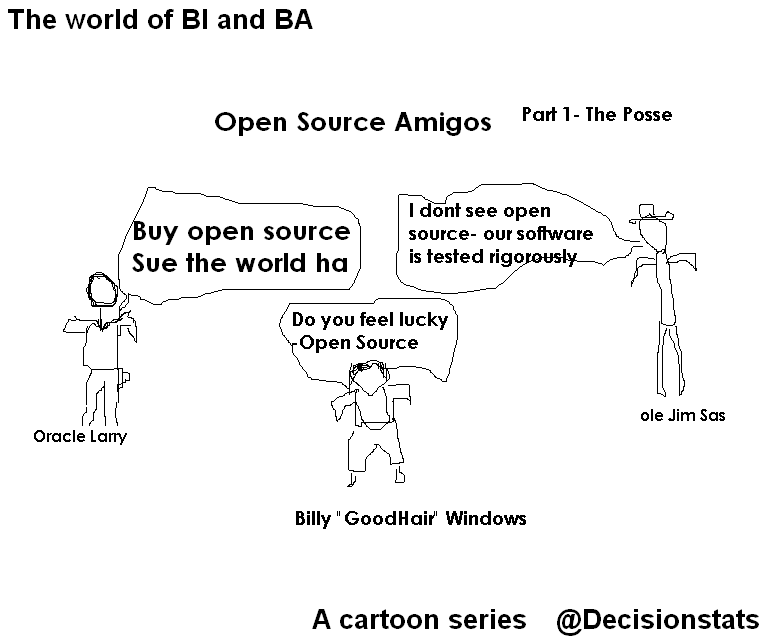
Ok I promised a weekly cartoon on Friday but it’s Saturday. Last week we spoofed Larry Ellison , Jim Goodnight and Bill Gates– people who created billions of taxes for the economy but would be regarded as evil by some open source guys- though they may have created more jobs for more families than the whole Federal Reserve Bank did in 2008-10. Jobs are necessary for families. Period.
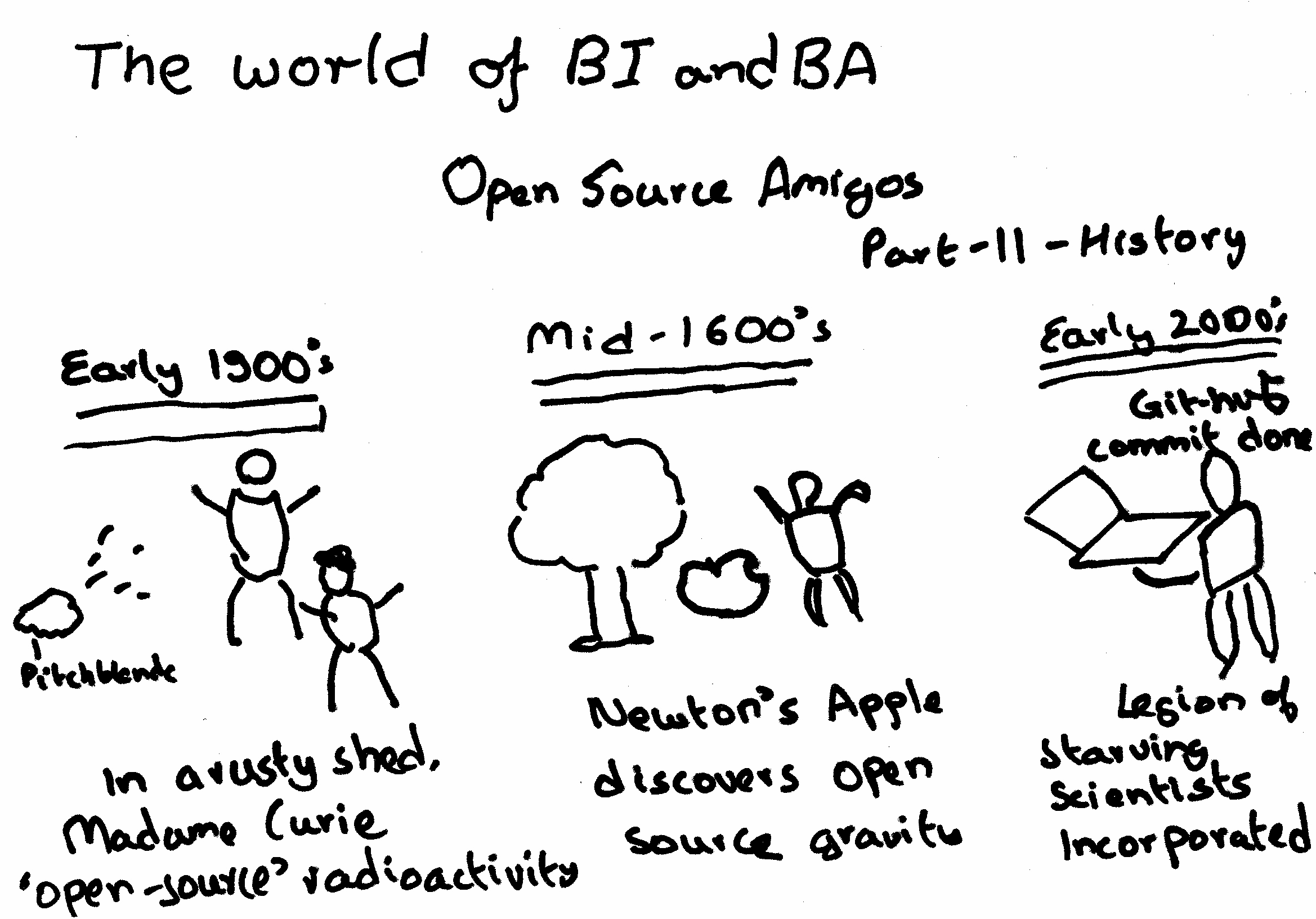
In Part 2- we see Open Source is actually older than Stallman (yes people are older than Stallman) – in fact open source has been around for far more time than even
Jim Goodnight’s current age- which can be revealed by using proc goodnight options=all.
Pyspread is a cross-platform Python spreadsheet application. It is based on and written in the programming language Python.
Instead of spreadsheet formulas, Python expressions are entered into the spreadsheet cells. Each expression returns a Python object that can be accessed from other cells. These objects can represent anything including lists or matrices.
features
In pyspread, cells expect Python expressions and return Python objects. Therefore, complex data types such as lists, trees or matrices can be handled within a single cell. Macros can be used for functions that are too complex for a single expression.
Since Python modules can be easily used without external scripts, arbitrary size rational numbers (via gmpy), fixed point decimal numbers for business calculations, (via the decimal module from the standard library) and advanced statistics including plotting functions (via RPy) can be used in the spreadsheet. Everything is directly available from each cell. Just use the grid
Data can be imported and exported using csv files or the clipboard. Other forms of data exchange is possible using external Python modules.
In order to simplify sparse matrix editing, pyspread features a three dimensional grid that can be sized up to 85,899,345 rows and 14,316,555 columns (64 bit-systems, depends on row height and column width). Note that importing a million cells requires about 500 MB of memory.
The concept of pyspread allows doing everything from each cell that a Python script can do. This may very well include deleting your hard drive or sending your data via the Internet. Of course this is a non-issue if you sandbox properly or if you only use self developed spreadsheets. Since this is not the case for everyone (see the discussion at lwn.net), a GPG signature based trust model for spreadsheet files has been introduced. It ensures that only your own trusted files are executed on loading. Untrusted files are displayed in safe mode. You can trust a file manually. Inspect carefully.
requirements
Pyspread runs on Linux, Windows and *nix platforms with GTK+ support. There are reports that it works with MacOS X as well. If you would like to contribute by testing on OS X please contact me.
a spreadsheet with more powerful functions and data structures that are accessible inside each cell. Something like Python that empowers you to do things quickly. And yes, it should be free and it should run on Linux as well as on Windows. I looked around and found nothing that suited me. Therefore, I started pyspread.
Concept
Each cell accepts any input that works in a Python command line.
The inputs are parsed and evaluated by Python’s eval command.
The result objects are accessible via a 3D numpy object array.
String representations of the result objects are displayed in the cells.
Benefits
Each cell returns a Python object. This object can be anything including arrays and third party library objects.
Generator expressions can be used efficiently for data manipulation.
Efficient numpy slicing is used.
numpy methods are accessible for the data.
Installation
Download the pyspread tarball or zip and unzip at a convenient place
In case you do not have it already get and install Python, wxpython and numpy
If you want the examples to work, install gmpy, R and rpy
I am currently playing/ trying out RApache- one more excellent R product from Vanderbilt’s excellent Dept of Biostatistics and it’s prodigious coder Jeff Horner.
I really liked the virtual machine idea- you can download a virtual image of Rapache and play with it- .vmx is easy to create and great to share-
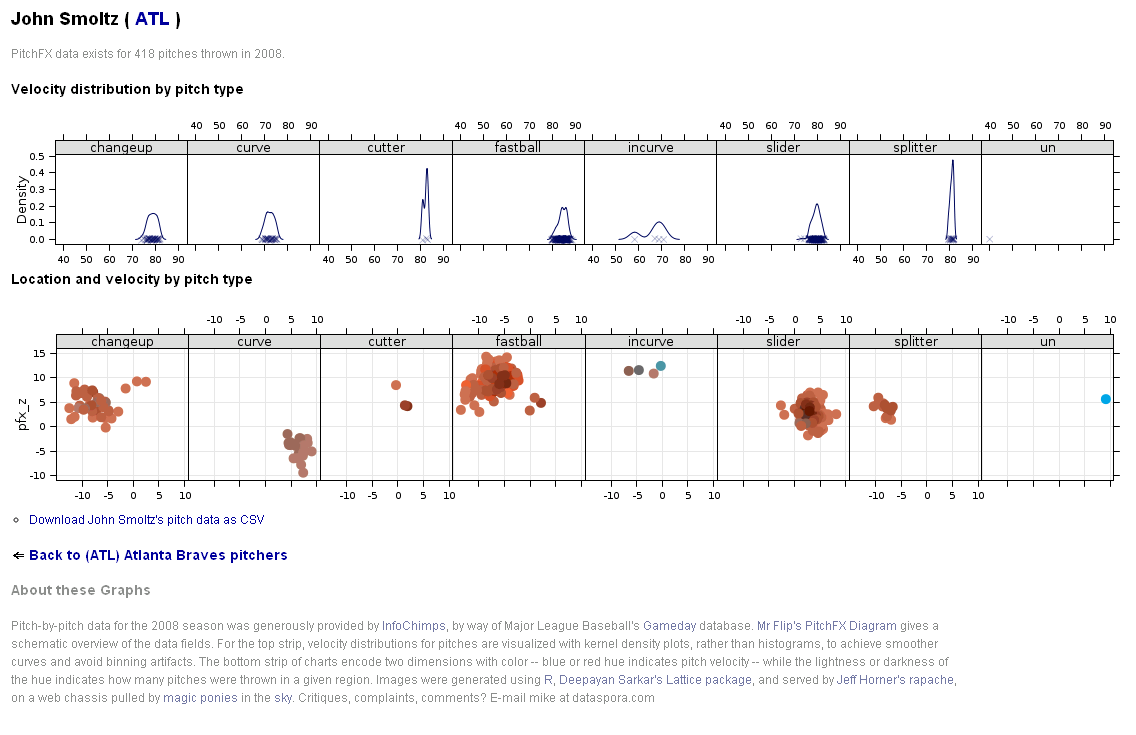
Basically using R Apache (with an EC2 on backend) can help you create customized dashboards, BI apps, etc all using R’s graphical and statistical capabilities.
Rapache embeds the R interpreter inside the Apache 2 web server. By doing this, Rapache realizes the full potential of R and its facilities over the web. R programmers configure appache by mapping Universal Resource Locaters (URL’s) to either R scripts or R functions. The R code relies on CGI variables to read a client request and R’s input/output facilities to write the response.
One advantage to Rapache’s architecture is robust multi-process management by Apache. In contrast to Rserve and RSOAP, Rapache is a pre-fork server utilizing HTTP as the communications protocol. Another advantage is a clear separation, a loose coupling, of R code from client code. With Rserve and RSOAP, the client must send data and R commands to be executed on the server. With Rapache the only client requirements are the ability to communicate via HTTP. Additionally, Rapache gains significant authentication, authorization, and encryption mechanism by virtue of being embedded in Apache.
Existing Demos of Architechture based on R Apache-
You can download version 1.1.10 of rApache now. There
are only two significant changes and you don’t have to edit your
apache config or change any code (just recompile rApache and
reinstall):
1) Error reporting should be more informative. both when you
accidentally introduce errors in the Apache config, and when your code
introduces warnings and errors from web requests.
I’ve struggled with this one for awhile, not really knowing what
strategy would be best. Basically, rApache hooks into the R I/O layer
at such a low level that it’s hard to capture all warnings and errors
as they occur and introduce them to the user in a sane manner. In
prior releases, when ROutputErrors was in effect (either the apache
directive or the R function) one would typically see a bunch of grey
boxes with a red outline with a title of RApache Warning/Error!!!.
Unfortunately those grey boxes could contain empty lines, one line of
error, or a few that relate to the lines in previously displayed
boxes. Really a big uninformative mess.
The new approach is to print just one warning box with the title
“”Oops!!! <b>rApache</b> has something to tell you. View source and
read the HTML comments at the end.” and then as the title implies you
can read the HTML comment located at the end of the file… after the
closing html. That way, you’re actually reading how R would present
the warnings and errors to you as if you executed the code at the R
command prompt. And if you don’t use ROutputErrors, the warning/error
messages are printed in the Apache log file, just as they were before,
but nicer 😉
2) Code dispatching has changed so please let me know if I’ve
introduced any strange behavior.
This was necessary to enhance error reporting. Prior to this release,
rApache would use R’s C API exclusively to build up the call to your
code that is then passed to R’s evaluation engine. The advantage to
this approach is that it’s much more efficient as there is no parsing
involved, however all information about parse errors, files which
produced errors, etc. were lost. The new approach uses R’s built-in
parse function to build up the call and then passes it of to R. A
slight overhead, but it should be negligible. So, if you feel that
this approach is too slow OR I’ve introduced bugs or strange behavior,
please let me know.
FUTURE PLANS
I’m gaining more experience building Debian/Ubuntu packages each day,
so hopefully by some time in 2011 you can rely on binary releases for
these distributions and not install rApache from source! Fingers
crossed!
Development on the rApache 1.1 branch will be winding down (save bug
fix releases) as I transition to the 1.2 branch. This will involve
taking out a small chunk of code that defines the rApache development
environment (all the CGI variables and the functions such as
setHeader, setCookie, etc) and placing it in its own R package…
unnamed as of yet. This is to facilitate my development of the ralite
R package, a small single user cross-platform web server.
The goal for ralite is to speed up development of R web applications,
take out a bit of friction in the development process by not having to
run the full rApache server. Plus it would allow users to develop in
the rApache enronment while on windows and later deploy on more
capable server environments. The secondary goal for ralite is it’s use
in other web server environments (nginx and IIS come to mind) as a
persistent per-client process.
And finally, wiki.rapache.net will be the new www.rapache.net once I
translate the manual over… any day now.







 DECISION STATS
