Cisco SocialMiner

A highly simplified version of the RSS feed ic...
Image via Wikipedia

A new product from Cisco to mine social media for analytics on sentiment-

http://www.cisco.com/en/US/products/ps11349/index.html

Cisco SocialMiner is a social media customer care solution that can help you proactively respond to customers and prospects communicating through public social media networks like Twitter, Facebook, or other public forums or blogging sites. By providing social media monitoring, queuing, and workflow to organize customer posts on social media networks and deliver them to your social media customer care team, your company can respond to customers in real time using the same social network they are using.

Cisco SocialMiner provides:

  • The ability to configure multiple campaigns to search for customer postings on the public social web about your company’s products, services, or area of expertise
  • Filtering of social contacts based on preconfigured campaign filters to focus campaign searches
  • Routing of social contacts to skilled customer care representatives in the contact center or to experts in the enterprise–multiple people can work together to handle responses to customer postings through shared work queues
  • Detailed metrics for social media customer care activities, campaign reports, and team reports

With Cisco SocialMiner, your company can listen and respond to customer conversations originating in the social web. Being proactive can help your company enhance its service, improve customer loyalty, garner new customers, and protect your brand.

Table 1. Features and Benefits of Cisco SocialMiner 8.5

Feature Benefits
Product Baseline Features
Social media feeds

• Feeds are configurable sources to capture public social contacts that contain specific words, terms, or phrases.

• Feeds enable you to search for information on the public social web about your company’s products, services, or area of expertise.

• Cisco SocialMiner supports the following types of feeds:

• Facebook

• Twitter
Campaign management

• Groups feeds into campaigns to organize all posting activity related to a product category or business objective

• Produces metrics on campaign activity

• Provides the ability to configure multiple campaigns to search for customer postings on specific products or services

• Groups social contacts for handling by the social media customer care team

• Enables filtering of social contacts based on preconfigured campaign filters to focus campaign searches
Route and queue social contacts

• Enables routing of social contacts to skilled customer care representatives in the contact center

• Draws on expertise in the enterprise by allowing multiple people in the enterprise to work together to handle responses to customer postings through shared work queues

• Enables automated distribution of work to improve efficiency and effectiveness of social media engagement
Tagging

• Allows work to be routed to the appropriate team by grouping each post or social contact into different categories; for example, a post can be marked with the “customer_support” tag; this post will then appear on a customer support agent’s queue for processing
Social media customer care metrics

• Provides detailed metrics on social media customer care activities, campaign reports, and team reports

• Measures work and results

• Manages to service-level goals

• Supports brand management

• Optimizes staffing

• Includes dashboarding of social media posting activity when Cisco Unified Intelligence Center is used
Reporting for social contacts

• Provides a reporting database that can be accessed using any reporting tool, including Cisco Unified Intelligence Center

• Enables customer care management to accurately report on and track social media interactions by the contact center
OpenSocial-compliant gadgets

Representational State Transfer (REST) application programming interfaces (APIs)

• Provides flexible user interface options

• Enables extensive opportunities for customization
Optional integration with full suite of Cisco Collaboration tools

• Allows you to take advantage of the full suite of Cisco Collaboration tools, including Cisco Quad, Cisco Show and Share, and Cisco Pulse technology, to help your social media customer care team quickly find answers to help customers efficiently and effectively

• Easy to maintain with existing IT personnel
Operating Environment
Cisco Unified Computing System(UCS) C-Series or B-Series Servers

• Requires a Cisco UCS C-Series or B-Series Server.

• Server consolidation means lower cost per server with Cisco UCS Servers.
Architecture
Scalability

• One server supports up to 30 simultaneous social media customer care users and 10,000 social contacts per hour.
Management
Cisco Unified Real-Time Monitoring Tool (RTMT)

• Operational management is enhanced through integration with the Cisco Unified RTMT, providing consistent application monitoring across Cisco Unified Communications Solutions.
Simple Network Management Protocol (SNMP)

• SNMP with an associated MIB is supported through the Cisco Voice Operating System (VOS).
Reporting
Cisco Unified Intelligence Center

• Create customizable reports of social media customer care events using Cisco Unified Intelligence Center (purchased separately).


Thursday is for fun reading

Thats the world’s most widely read marketing textbook in slideshare format slides. You think you are a marketing guru expert at selling or promoting software- well spend 10 minutes flipping for a fun reading

and a presentation trying to be the worlds best presentation by putting social causes, geeky languages, hot looks in the same slides – Hi It is BO (not Barack Obama)

and if you are like me and suck at presentations , but unlike me would like to get better at presentations

if you are still reading this you probably have too much time on a Friday, so here is one YouTube poetry video I created while in a graphics design course in Vol State- it’s a mashuo of 12 poems, some Prezi, some music by  that big proft making Google machine called You Tub

Amazon goes free for users next month

Amazon Web Services logo
Image via Wikipedia

Amazon EC2 and company announced a free year long tier for new users-you cant beat free 🙂

http://aws.amazon.com/free/

AWS Free Usage Tier

To help new AWS customers get started in the cloud, AWS is introducing a new free usage tier. Beginning November 1, new AWScustomers will be able to run a free Amazon EC2 Micro Instance for a year, while also leveraging a new free usage tier for Amazon S3, Amazon Elastic Block Store, Amazon Elastic Load Balancing, and AWSdata transfer. AWS’s free usage tier can be used for anything you want to run in the cloud: launch new applications, test existing applications in the cloud, or simply gain hands-on experience with AWS.

Below are the highlights of AWS’s new free usage tiers. All are available for one year (except Amazon SimpleDB, SQS, and SNS which are free indefinitely):

Sign Up Now

AWS’s free usage tier startsNovember 1, 2010. A valid creditcard is required to sign up.
See offer terms.

AWS Free Usage Tier (Per Month):

In addition to these services, the AWS Management Console is available at no charge to help you build and manage your application on AWS.

* These free tiers are only available to new AWS customers and are available for 12 months following your AWSsign-up date. When your free usage expires or if your application use exceeds the free usage tiers, you simply pay standard, pay-as-you-go service rates (see each service page for full pricing details). Restrictions apply; see offer terms for more details.

** These free tiers do not expire after 12 months and are available to both existing and new AWS customers indefinitely.

The new AWS free usage tier applies to participating services across all AWS regions: US – N. Virginia, US – N. California, EU – Ireland, and APAC – Singapore. Your free usage is calculated each month across all regions and automatically applied to your bill – free usage does not accumulate.


Getting Inside R

Forums and Minerals, the new Internet tools
Image via Wikipedia

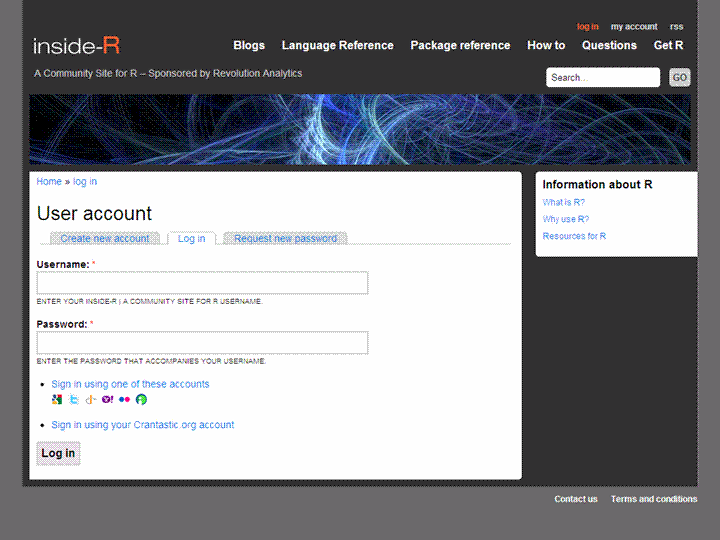
I loved the new upgraded design of Inside-R, Revo’s new(?) community.

And promptly shot up a blog application.

What makes Inside- R- slightly better than SDC, Analyticbridge,PlanetR and R _bloggers (with due respects)

  1. Open Id logins (I think thats a new and good step)
  2. Options for automated feed parsing for blogs
  3. More than just a blog aggregator- includes sections on other stuff- thus more like a community than a big feed
  4. Abbreviated feeds- just gives you two-three lines of summary per post  than the whole big schmakaround -thats a time saver for me —(D Smith is the only -lonely blogger atm there)
  5. The more the merrier- One more place to read and write R.


btw is the name insider (as in guy who knows inside stuff) or Inside- R (as in get inside the R box)- just kidding. With PlyR, ManipulatR, ApplyR and now Inside R- the pun gets MerrieR

If my blog app gets rejected- these views may change ,grr


Downloading your Facebook Photos


This UML diagram describes the domain of Faceb...
Image via Wikipedia


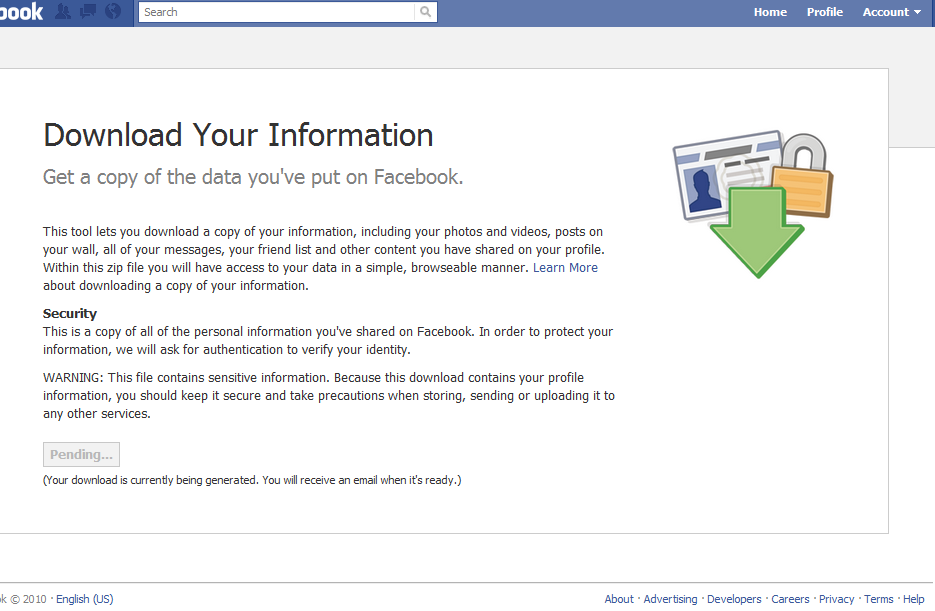
Here is a three step process for Downloading your entire Facebook Info-

1) Go to top right hand corner- Account.

2) Under Account- click on Account Settings

3)Under Account Settings -Click on Download Information

Facebook creates a ZIP file for downloading your information- and sends you an email when the info is ready.

Why should you download your Facebook Info-

1) As a local backup of your profile

2) To move to Orkut – or better to share Photos on Picassa or Flickr to your non Facebook friends. Note FB does have a unique URL under each Photo that you can copy and paste and share, but its not really convenient besides being huge and not a small URL at all.

3) In case you want to delete your Facebook account but dont want to lose your memories and friends.

Nice step from FB- they are taking user privacy and empowerment more seriously and at 500 Million users can afford to be a bit more generous.

Blogging Motivations

Doctor Girlfriend
Image via Wikipedia

My blogging motivations

1. Sum up your blogging motivation, philosophy and experience in exactly 10 words:

I am addicted to writing prose and poetry ergo blog.

2. Pass it on to 10 others.

3. If you read this and are blogging and have not yet done this, consider yourself tagged.

From: Dr. Girlfriend


Search, Sports,Social Media,SlideShares, Scribd

An image of a house fly eye surface by using S...
Image via Wikipedia

Some slideshare.net presentations I really liked.

A tutorial on SEO and SEM-

Carole Ann Matignon deals with optimization and scheduling, rules in the…….NFL!


Carole, We are waiting for the sequel on  analytics on football and the beer game.

Social Media Screw-Ups

Social Media doesnt matter at all- Social Media matters a lot- Still undecided? Take a look

Slideshare is a great VISUAL interface on sharing content. I liked Google Docs embedding as well, but Matt Mullenberg and Matt Cutts seemed to have stopped talking. Mullenberg is going like Zuckenberg, not willing to align with Sergey Mikhaylovich Brin. or maybe they are afraid of Big Brother Brin. Google loves Java and Javascript (even when they are getting sued for it)- while Matt M  hates it- bad for RIA I guess.

Scribd also is a great way to share content- and probably is small enough for. WordPress.com to allow embedding

Thats the reason why I sometimes prefer Scribd for sharing my poetry to Slideshare and Google Docs. Also I like the enhanced analytics and the much easier and evolved interface for reading. Slideshare is much more successful than Scribd because it is open to sharing with everyone- scribd tries to get you to register …;)

(* Also see MIT’s beer game at http://beergame.mit.edu/ which is ahem different from Duke’s beer games).