Wubi only adds an extra option to boot into Ubuntu. Wubi does not require you to modify the partitions of your PC, or to use a different bootloader, and does not install special drivers.
Wine lets you run Windows software on other operating systems. With Wine, you can install and run these applications just like you would in Windows. Read more at http://wiki.winehq.org/Debunking_Wine_Myths
Cygwin is a Linux-like environment for Windows. It consists of two parts:
A DLL (cygwin1.dll) which acts as a Linux API emulation layer providing substantial Linux API functionality.
A collection of tools which provide Linux look and feel
What Isn’t Cygwin?
Cygwin is not a way to run native linux apps on Windows. You have to rebuild your application from source if you want it to run on Windows.
Cygwin is not a way to magically make native Windows apps aware of UNIX ® functionality, like signals, ptys, etc. Again, you need to build your apps from source if you want to take advantage of Cygwin functionality.
VMware Player is the easiest way to run multiple operating systems at the same time on your PC. With its user-friendly interface, VMware Player makes it effortless for anyone to try out Windows 7, Chrome OS or the latest Linux releases, or create isolated virtual machines to safely test new software and surf the Web
The temple is near the town of Katra, in the Reasi district in the state of Jammu and Kashmir. It is one of the most revered places of worship in Northern India. The shrine is at an altitude of 5200 feet and a distance of approximately 14 kilometres (8.4 miles) from Katra.[1] Approximately 8 million pilgrims (yatris) visit the temple every year[2]
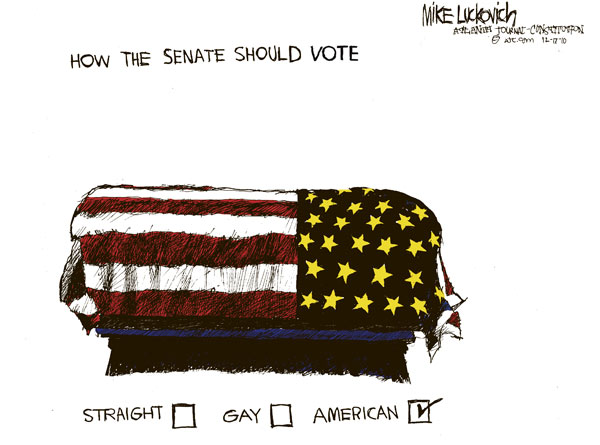
I love his political satire-sometimes not his politics- though he is a liberal (surprisingly most people from creative arts tend to be liberal- guess because they support and need welfare more, 🙂 ) Since I am in India- I call myself a conservative (when filing taxes) or liberal (when drinking er tea)
2) Hugh Mcleod- of Gaping Void is very different from Mike above, in the way an abstract painter would be from a classical
artist. I like his satire on internet, technology and personal favorite – social media consultants. Hugh casts a critical eye on the world of tech and is an immensely successful artist- probably the Andy Warhol of this genre in a generation.
3) Doug Savage of Savage Chickens http://www.savagechickens.com/ has a great series of funny cartoons based on chickens drawn on Post it notes. While his drawing is less abstract than Hugh’s above, he sometimes touches an irreverent note more like Hugh than anyone else.
5) Scott Adams of Dilbert http://www.dilbert.com/ is probably the first “non kid stuff” cartoonist I started reading-in fact I once wrote to him asking for advice on my poetry to his credit- he replied with a single ” Best of Luck email”
They named our email server in Lucknow, UP, India for him (in my business school at http://iiml.ac.in ) Probably the best of corporate toon humor. Maybe they should make the Dilbert movie yet.
I really enjoyed the Light Cycle race in Tron- so instead of naming this the Tron Legacy Review- I call this Light cycle review.
The movie is a geek must check it out- and the mix of music, models,cars, and lights can be heady at first. The younger Jeff Bridges looks like a BeoWolf, and his son is ok. But Olivia Wilde is nice- and the cars and bikes are superb. If you like playing video games then check out the free game at http://armagetronad.net/downloads.php Its called Armagedtron.
And boy the 80s was a great time for pop music and video games.
The only issue is Rattle can be quite difficult to install due to dependencies on GTK+
After fiddling for a couple of years- this is what I did
1) Created dual boot OS- Basically downloaded the netbook remix from http://ubuntu.com I created a dual boot OS so you can choose at the beginning whether to use Windows or Ubuntu Linux in that session. Alternatively you can download VM Player www.vmware.com/products/player/ if you want to do both
2) Download R packages using Ubuntu packages and Install GTK+ dependencies before that.
GTK + Requires
Libglade
Glib
Cairo
Pango
ATK
If you are a Linux newbie like me who doesnt get the sudo apt get, tar, cd, make , install rigmarole – scoot over to synaptic software packages or just the main ubuntu software centre and download these packages one by one.
For R Dependencies, you need
PMML
XML
RGTK2
Again use r-cran as the prefix to these package names and simply install (almost the same way Windows does it easily -double click)
Save theses to your hard disk (e.g., to your Desktop) but don’t extract them. Then, on GNU/Linux run the install command shown below. This command is entered into a terminal window:
R CMD INSTALL rattle_2.6.0.tar.gz
After installation-
5) Type library(rattle) and rattle.info to get messages on what R packages to update for a proper functioning
</code>

> library(rattle)
Rattle: Graphical interface for data mining using R.
Version 2.6.0 Copyright (c) 2006-2010 Togaware Pty Ltd.
Type 'rattle()' to shake, rattle, and roll your data.
> rattle.info()
Rattle: version 2.6.0
R: version 2.11.1 (2010-05-31) (Revision 52157)

Sysname: Linux
Release: 2.6.35-23-generic
Version: #41-Ubuntu SMP Wed Nov 24 10:18:49 UTC 2010
Nodename: k1-M725R
Machine: i686
Login: k1ng
User: k1ng

Installed Dependencies
RGtk2: version 2.20.3
pmml: version 1.2.26
colorspace: version 1.0-1
cairoDevice: version 2.14
doBy: version 4.1.2
e1071: version 1.5-24
ellipse: version 0.3-5
foreign: version 0.8-41
gdata: version 2.8.1
gtools: version 2.6.2
gplots: version 2.8.0
gWidgetsRGtk2: version 0.0-69
Hmisc: version 3.8-3
kernlab: version 0.9-12
latticist: version 0.9-43
Matrix: version 0.999375-46
mice: version 2.4
network: version 1.5-1
nnet: version 7.3-1
party: version 0.9-99991
playwith: version 0.9-53
randomForest: version 4.5-36 upgrade available 4.6-2
rggobi: version 2.1.16
survival: version 2.36-2
XML: version 3.2-0
bitops: version 1.0-4.1

Upgrade the packages with:

 > install.packages(c("randomForest"))

<code>
Now upgrade whatever package rattle.info tells to upgrade.
This is much simpler and less frustrating than some of the other ways to install Rattle.
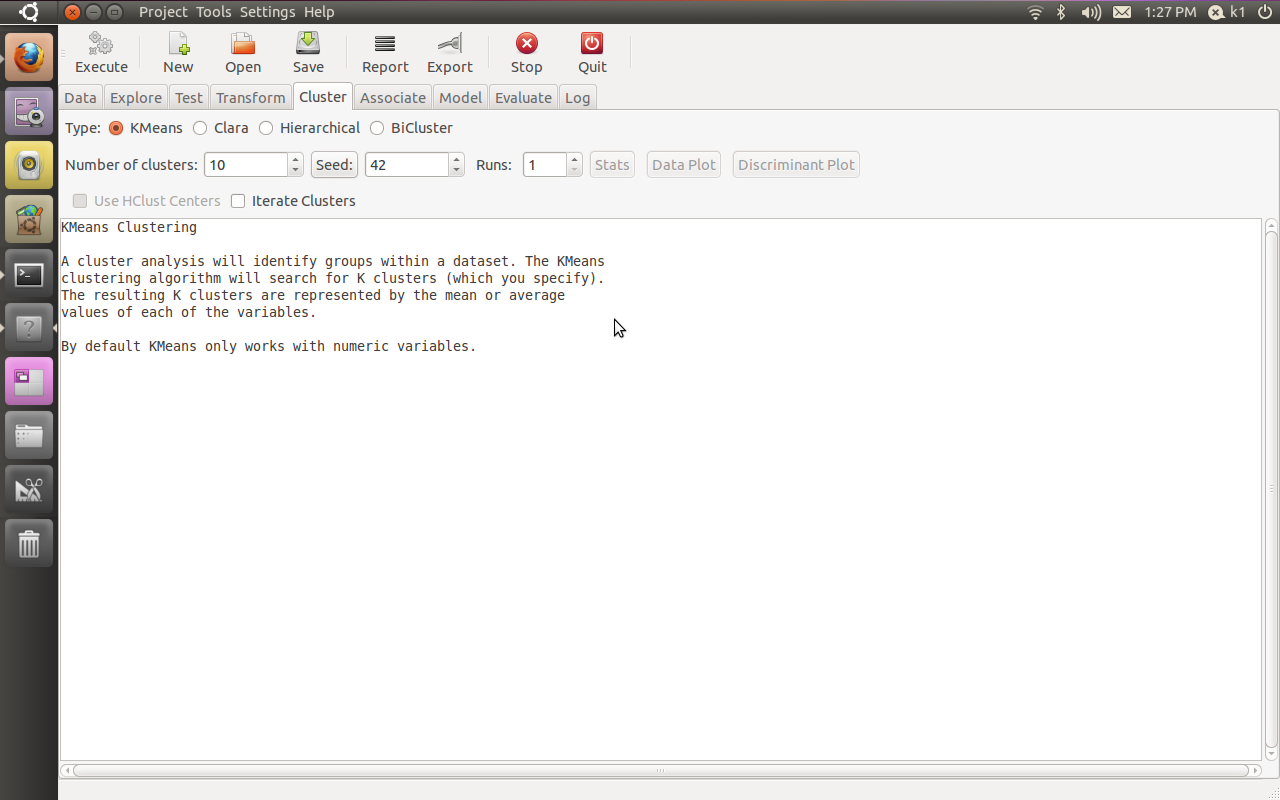
If all goes well, you will see this familiar screen popup when you type









 DECISION STATS