IPSUR – A Free R Textbook

Here is a free R textbook called IPSUR-

http://ipsur.r-forge.r-project.org/book/index.php

IPSUR stands for Introduction to Probability and Statistics Using R, ISBN: 978-0-557-24979-4, which is a textbook written for an undergraduate course in probability and statistics. The approximate prerequisites are two or three semesters of calculus and some linear algebra in a few places. Attendees of the class include mathematics, engineering, and computer science majors.

IPSUR is FREE, in the GNU sense of the word. Hard copies are available for purchase here from Lulu and will be available (coming soon) from the other standard online retailers worldwide. The price of the book is exactly the manufacturing cost plus the retailers’ markup. You may be able to get it even cheaper by downloading an electronic copy and printing it yourself, but if you elect this route then be sure to get the publisher-quality PDF from theDownloads page. And double check the price. It was cheaper for my students to buy a perfect-bound paperback from Lulu and have it shipped to their door than it was to upload the PDF to Fed-Ex Kinkos and Xerox a coil-bound copy (and on top of that go pick it up at the store).

If you are going to buy from anywhere other than Lulu then be sure to check the time-stamp on the copyright page. There is a 6 to 8 week delay from Lulu to Amazon and you may not be getting the absolute latest version available.

Refer to the Installation page for instructions to install an electronic copy of IPSUR on your personal computer. See the Feedback page for guidance about questions or comments you may have about IPSUR.

Also see http://ipsur.r-forge.r-project.org/rcmdrplugin/index.php for the R Cmdr Plugin

This plugin for the R Commander accompanies the text Introduction to Probability and Statistics Using R by G. Jay Kerns. The plugin contributes functions unique to the book as well as specific configuration and functionality to R Commander, the pioneering work by John Fox of McMaster University.

RcmdrPlugin.IPSUR’s primary goal is to provide a user-friendly graphical user interface (GUI) to the open-source and freely available R statistical computing environment. RcmdrPlugin.IPSUR is equipped to handle many of the statistical analyses and graphical displays usually encountered by upper division undergraduate mathematics, statistics, and engineering majors. Available features are comparable to many expensive commercial packages such as Minitab, SPSS, and JMP-IN.

Since the audience of RcmdrPlugin.IPSUR is slightly different than Rcmdr’s, certain functionality has been added and selected error-checks have been disabled to permit the student to explore alternative regions of the statistical landscape. The resulting benefit of increased flexibility is balanced by somewhat increased vulnerability to syntax errors and misuse; the instructor should keep this and the academic audience in mind when usingRcmdrPlugin.IPSUR in the classroom

The Top Statistical Softwares (GUI)

The list of top Statistical Softwares (GUI) is continued below. You can see the earlier post here

6. R Commander– While initially aimed at being a basic statistics GUI, the tremendous popularity of R Commander and the extensions in the form of plugins has helped make this one of the most widely used GUI. In short if you dont know ANY R, and still want to do basic descriptive stats and modeling this will come in handy- with an added script window for custom code for advanced users and extensions like that for DoE (design of experiments) and QCC (Quality Control) packages the e-plugins are a great way to extend this. I suspect the only thing holding it back is Dr Fox and the rest of R Core’s reluctance to fully embrace GUI as a software medium. You can read his earlier interview here-https://decisionstats.wordpress.com/2009/09/14/interview-professor-john-fox-creator-r-commander/

Technically it is possible to convert just about any package to a GUI menu in R Commander using the e-plugins.

7. SAS GUIs

Enterprise (Guide)

SAS Enterprise Guide was the higher end (and higher priced solution) to enhanced editor’s lack of menu driven commands. It works but many people I know prefer the text editor just as well.


The Enterprise Miner is a separate software and works more like Red R or SPSS Modeler does. Again EM is one of the major DM softwares out there, but the similarity in names is a bit confusing.

Even the Base SAS Enhanced Editor does have some menus for importing data, or querying etc, but it is rarely confused for being a GUI.

8. Oracle Data Miner and Knime

I like both the ODM and Knime but I find the lack of advertising or promotional support puzzling. Both these softwares can do well to combine technical excellence with some marketing. And since they are both free you can check them out yourself here

Oracle Data Mining

You can download it here-(note- the Oracle Web Site itself is a bit aging 🙂 )

http://www.oracle.com/technology/products/bi/odm/odminer.html

Knime is the open source GUI which can be found here-

http://www.knime.org/introduction/features

9. RAwkard

Another R GUI- it stands out on the comprehensive ways you can customize your code in menus rather than writing all or learning by rote the syntax.

From http://sourceforge.net/apps/mediawiki/rkward/index.php?title=Main_Page

you can see it below. I recommend this GUI over other GUIs especially if you are new to R and do more data visualization which needs custom graphics.

10. Red R and R JGR/ Deducer

Red R and RJGR/Deducer are both up and coming GUIs for R. While REd R is R version for Enterprise Miner, Deducer is coming up with a new GUI for ggplot the powerful graphics package in R.

Some GUIs excluded from this list are – Statistica, MatLab, EViews(?) because I dont really work with them, and thought it best to turn them over to someone who knows them better.

Hope this list of GUIs helps you- note most of the softwares can be learnt within a quick hour and two if you know basic software skills/data manipulation so going through the GUI list is a faster way of adding value to your resume/knowledge base as well.


Top 10 Graphical User Interfaces in Statistical Software

Here is a list of top 10 GUIs in Statistical Software. The overall criterion is based on-

  • User Friendly Nature for a New User to begin click and point and learn.
  • Cleanliness of Automated Code or Log generated.
  • Practical application in consulting and corporate world.
  • Cost and Ease of Ownership (including purchase,install,training,maintainability,renewal)
  • Aesthetics (or just plain pretty)

However this list is not in order of ranking- ( as beauty (of GUI) lies in eyes of the beholder). For a list of top 10 GUI in R language only please see –

https://rforanalytics.wordpress.com/graphical-user-interfaces-for-r/

This is only a GUI based list so it excludes notable command line or text editor submit commands based softwares which are also very powerful and user friendly.

  1. JMP –

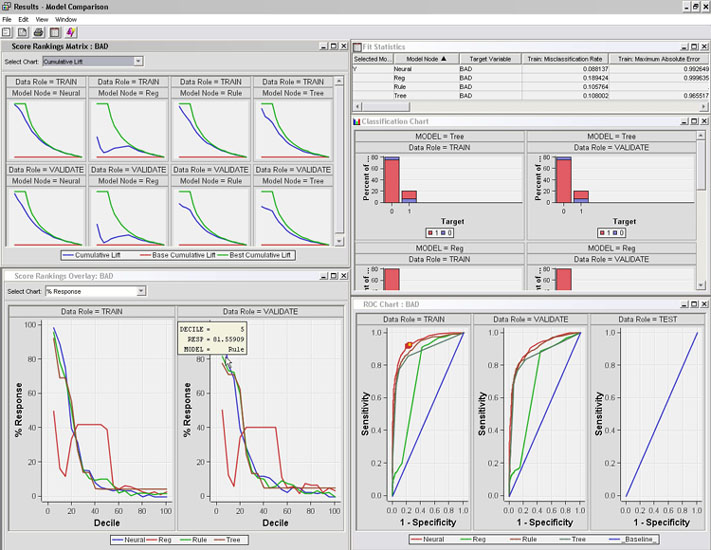
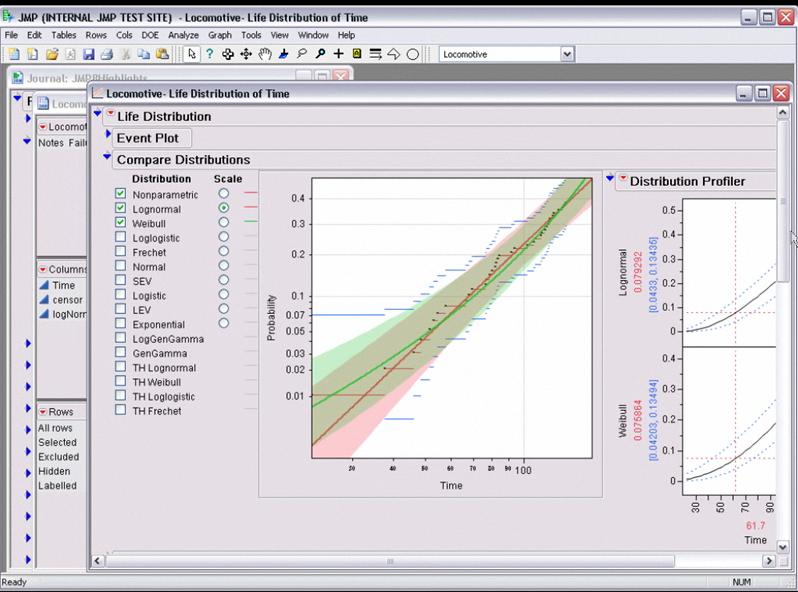
While critics of SAS Institute often complain on the premium pricing of the basic model (especially AFTER the entry of another SAS language software WPS from http://www.teamwpc.co.uk/products/wps – they should try out JMP from http://jmp.com – it has a 1 month free evaluation, is much less expensive and the GUI makes it very very easy to do basic statistical analysis and testing. The learning curve is surprisingly fast to pick it up (as it should be for well designed interfaces) and it allows for very good quality output graphics as well.

2.SPSS

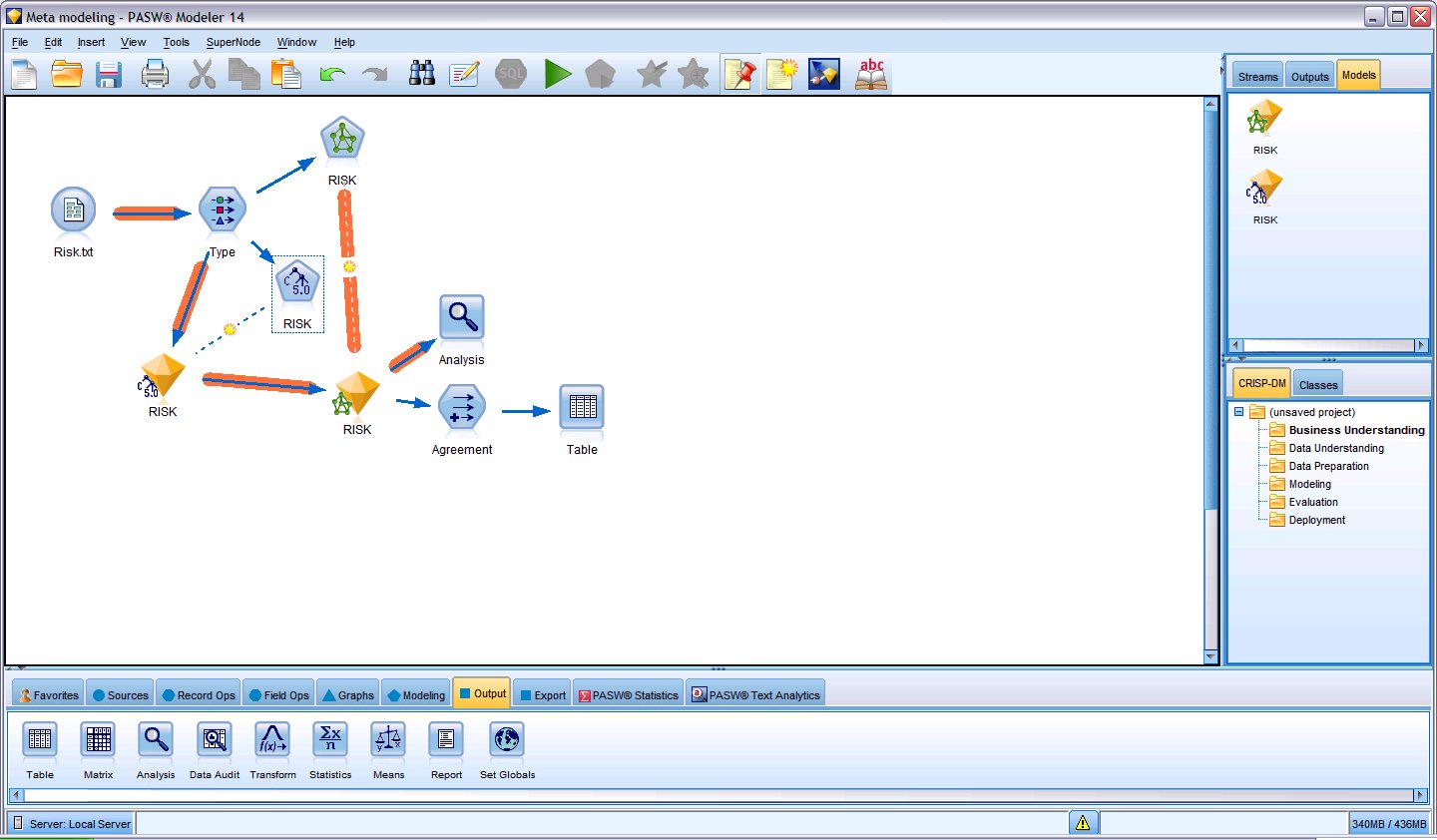
The original GUI in this class of softwares- it has now expanded to a big portfolio of products. However SPSS 18 is nice with the increasing focus on Python and an early adoptee of R compatible interfaces, SPSS does offer a much affordable solution as well with a free evaluation. See especially http://www.spss.com/statistics/ and http://www.spss.com/software/modeling/modeler-pro/

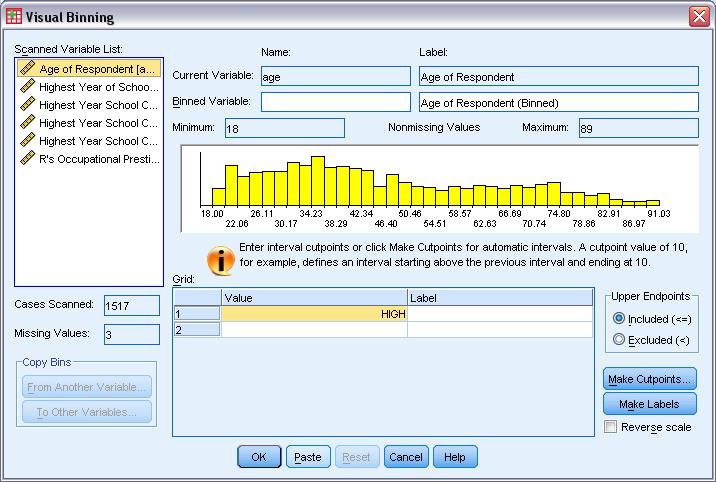
the screenshot here is of SPSS Modeler

3. WPS

While it offers an alternative to Base SAS and SAS /Access software , I really like the affordability (1 Month Free Evaluation and overall lower cost especially for multiple CPU servers ), speed (on the desktop but not on the IBM OS version ) and the intuitive design as well as extensibility of the Workbench. It may look like an integrated development environment and not a proper GUI, but with all the menu features it does qualify as a GUI in my opinion. Continue reading “Top 10 Graphical User Interfaces in Statistical Software”

Using Red R- R with a Visual Interface

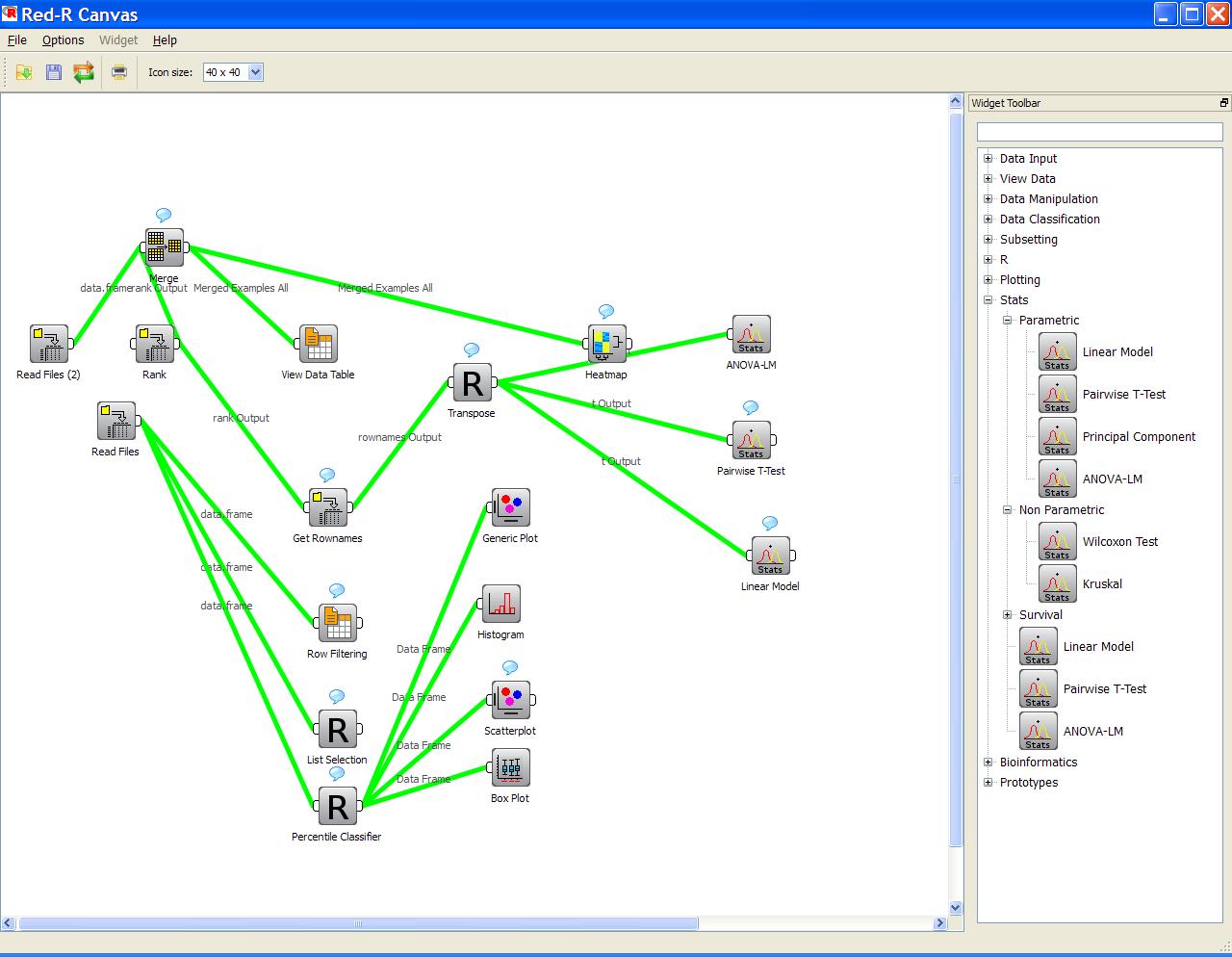
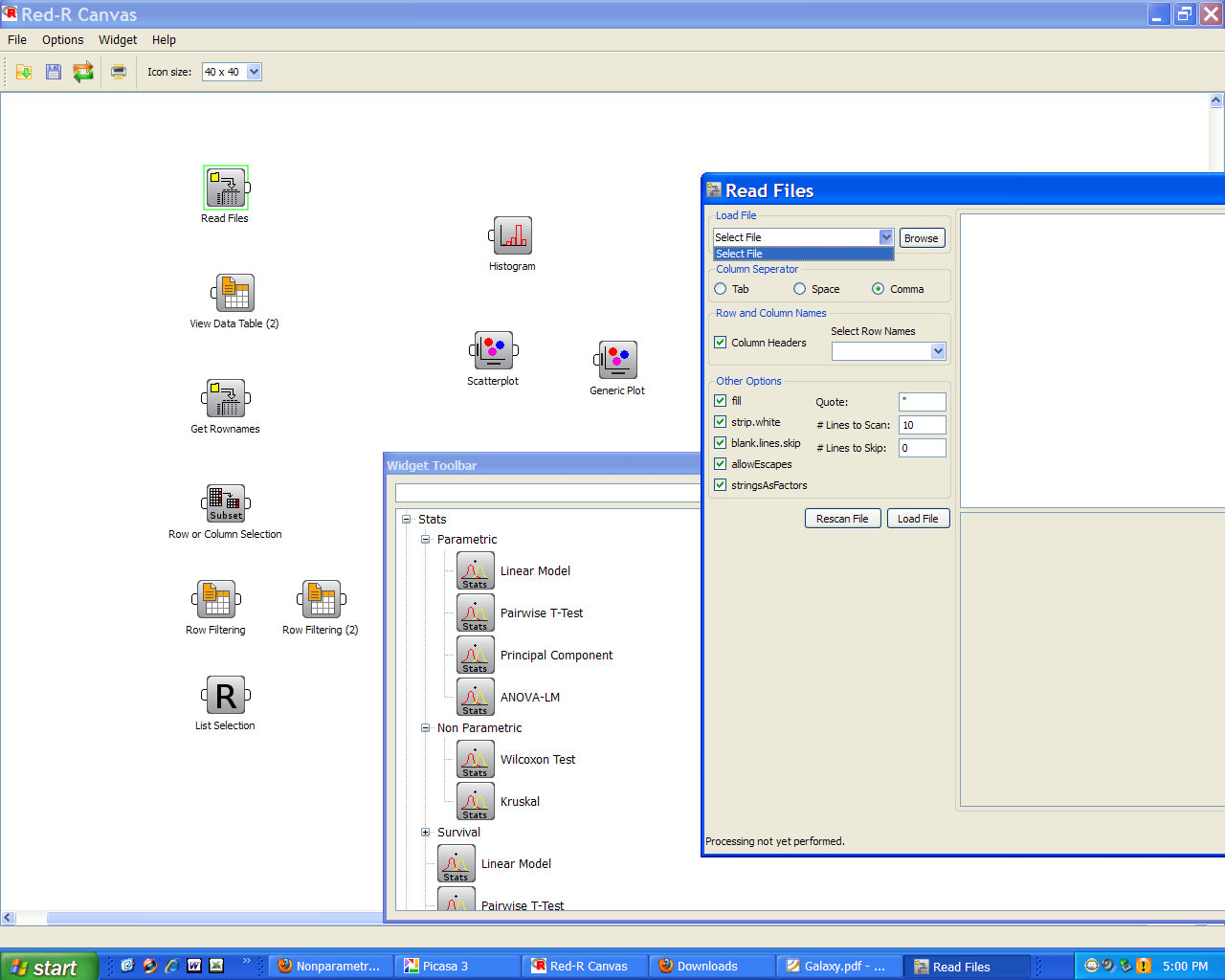
For people complaining about the GUI on R, here is the ah Enterprise Version of R called Red R.

It is available at the website at http://www.red-r.org/


You can read more there or just go through the short video created by them at

Basically it is a click and point method of using R with the ability to store schemas and thus very good for repeatable operations as well.


Not bad for epic software, huh?

Interview Professor John Fox Creator R Commander

Here is an interview with Prof John Fox, creator of the very popular R language based GUI, RCmdr.

Ajay- Describe your career in science from your high school days to the science books you have written. What do you think can be done to increase interest in science in young people.

John Fox- I’m a sociologist and social statistician, so I don’t have a career in science, as that term is generally understood. I was interested in science as a child, however: I attended a science high school in New York City (Brooklyn Tech), and when I began university in 1964 at New York’s City College, I started in engineering. I moved subsequently through majors in philosophy and psychology, before finishing in sociology — had I not graduated in 1968 I probably would have moved on to something else. I took a statistics course during my last year as an undergraduate and found it fascinating. I enrolled in the sociology graduate program at the University of Michigan, where I specialized in social psychology and demography, and finished with a PhD in 1972 when I was 24 years old. I became interested in computers during my first year in graduate school, where I initially learned to program in Fortran. I also took quite a few courses in statistics and math.

I haven’t written any science books, but I have written and edited a number of books on social statistics, including, most recently, Applied Regression Analysis and Generalized Linear Models, Second Edition (Sage, 2008).

I’m afraid that I don’t know how to interest young people in science. Science seemed intrinsically interesting to me when I was young, and still does.

Ajay- What prompted you to R Commander. How would you describe R Commander as a tool, say for a user of other languages and who want to learn R, but get afraid of the syntax.

John- I originally programmed the R Commander so that I could use R to teach introductory statistics courses to sociology undergraduates. I previously taught this course with Minitab or SPSS, which were programs that I never used for my own work. I waited for someone to come up with a simple, portable, easily installed point-and-click interface to R, but nothing appeared on the horizon, and so I decided to give it a try myself.

I suppose that the R Commander can ease users into writing commands, inasmuch as the commands are displayed, but I suspect that most users don’t look at them. I think that serious prospective users of R should be encouraged to use the command-line interface along with a script editor of some sort. I wouldn’t exaggerate the difficulty of learning R: I came to R — actually S then — after having programmed in perhaps a dozen other languages, most recently at that point Lisp, and found the S language particularly easy to pick up.

Ajay- I particularly like the R Cmdr plugins. Is it possible for anyone to increase R Commander with a customized package- plugin.

John- That’s the basic idea, though the plug-in author has to be able to program in R and must learn a little Tcl/Tk.

Ajay- Have you thought of using the R Commander GUI on an Amazon EC2 and thus making R high performance computing say available on demand ( similar to Zementis model deployment using Amazon Ec2). What are you views on the future of statistical computing

John- I’m not sure whether or how an interface like the Rcmdr, which is Tcl/Tk-based, can be adapted to cloud computing. I also don’t feel qualified to predict the future of statistical computing.

I think that R is where the action is for the near future.

Ajay-What are the best ways for using R Commander as a teaching tool ( I noticed the help is a bit outdated).

John- Is the help a bit outdated? My intention is that the R Commander should be largely self-explanatory. Most people know how to use point-and-click interfaces. In the basic courses for which it is principally designed, my goals are to teach the essential ideas of statistical reasoning and some skills in data analysis. In this kind of course, statistical software should facilitate the basic goals of the course.

As I said, for serious data analysis, I believe that it’s a good idea to encourage use of the command-line interface.

Ajay- What are your views on R being recognized by SAS Institute for it’s IML product. Do you think there can be a middle way for open source and proprietary software to exist.

John- I imagine that R is a challenge for producers of proprietary software like SAS, partly because R development moves more quickly, but also because R is giving away something that SAS and other vendors of proprietary statistical software are selling. For example, I once used SAS quite a bit but don’t anymore. I also have the sense that for some time SAS has directed its energies more toward business uses of its software than toward purely statistical applications.

Ajay- Do people in R Core team recognize the importance of GUI? What does the rest of R community feel? What has the feedback of users ben to you. Any plans to corporate sponsors for R Commander ( Rattle , an R language data mining GUI has a version called Rstat at http://www.informationbuilders.com/products/webfocus/predictivemodeling.html while the free version and code is at rattle.togaware.com)

John- I feel that the R Commander GUI has been generally positively received, both by members of R Core who have said something about it to me and by others in the R community. Of course, a nice feature of the R package system is that people can simply ignore packages in which they have no interest. I noticed recently that a Journal of Statistical Software paper that I wrote several years ago on the Rcmdr package has been downloaded nearly 35,000 times.

Because I wouldn’t expect many students using the Rcmdr package in a course to read that paper, I expect that the package is being used fairly widely.

Ajay- What does John Fox do for fun or as a hobby?

John- I’m tempted to say that much of my work is fun — particularly doing research, writing programs, and writing papers and books. I used to be quite a serious photographer, but I haven’t done that in years, and the technology of photography has changed a great deal. I run and swim for exercise, but that’s not really fun. I like to read and to travel, but who doesn’t?

Biography-

Prof John Fox is a giant in his chosen fields and has edited/authored 13 books and written chapters for 12 more books. He has also written and been published in almost 49 Journal articles. He is also editor in chief for R News newsletter. You can read more about Dr Fox at http://socserv.mcmaster.ca/jfox/

On R Cmdr-

R Cmdr has substantially decreased the hygiene factor for people wanting to learn R- they begin with the GUI and then later transition to customization using command line. It is so simple in its design that even under graduates have started basic data analysis with R Cmdr after just a class.You can read more on it here at http://socserv.mcmaster.ca/jfox/Misc/Rcmdr/Getting-Started-with-the-Rcmdr.pdf

Interview David Smith REvolution Computing

Here is an Interview with REvolution Computing’s Director of Community David Smith.

Our development team spent more than six months making R work on 64-bit Windows (and optimizing it for speed), which we released as REvolution R Enterprise bundled with ParallelR.” David Smith

Ajay -Tell us about your journey in science. In particular tell us what attracted you to R and the open source movement.

David- I got my start in science in 1990 working with CSIRO (the government science organization in Australia) after I completed my degree in mathematics and computer science. Seeing the diversity of projects the statisticians there worked on really opened my eyes to statistics as the way of objectively answering questions about science.

That’s also when I was first introduced to the S language, the forerunner of R. I was hooked immediately; it was just so natural for doing the work I had to do. I also had the benefit of a wonderful mentor, Professor Bill Venables, who at the time was teaching S to CSIRO scientists at remote stations around Australia. He brought me along on his travels as an assistant. I learned a lot about the practice of statistical computing helping those scientists solve their problems (and got to visit some great parts of Australia, too).

Ajay- How do you think we should help bring more students to the fields of mathematics and science-

David- For me, statistics is the practical application of mathematics to the real world of messy data, complex problems and difficult conclusions. And in recent years, lots of statistical problems have broken out of geeky science applications to become truly mainstream, even sexy. In our new information society, graduating statisticians have a bright future ahead of them which I think will inevitably draw more students to the field.

Ajay- Your blog at REVolution Computing is one of the best technical corporate blogs. In particular the monthly round up of new packages, R events and product launches all written in a lucid style. Are there any plans for a REvolution computing community or network as well instead of just the blog.

David- Yes, definitely. We recently hired Danese Cooper as our Open Source Diva to help us in this area. Danese has a wealth of experience building open-source communities, such as for Java at Sun. We’ll be announcing some new community initiatives this summer. In the meantime, of course, we’ll continue with the Revolutions blog, which has proven to be a great vehicle for getting the word out about R to a community that hasn’t heard about it before. Thanks for the kind words about the blog, by the way — it’s been a lot of fun to write. It will be a continuing part of our community strategy, and I even plan to expand the roster of authors in the future, too. (If you’re an aspiring R blogger, please get in touch!)

Ajay- I kind of get confused between what exactly is 32 bit or 64 bit computing in terms of hardware and software. What is the deal there. How do Enterprise solutions from REvolution take care of the 64 bit computing. How exactly does Parallel computing and optimized math libraries in REvolution R help as compared to other flavors of R.

David– Fundamentally, 64-bit systems allow you to process larger data sets with R — as long as you have a version of R compiled to take advantage of the increased memory available. (I wrote about some of the technical details behind this recently on the blog.)  One of the really exciting trends I’ve noticed over the past 6 months is that R is being applied to larger and more complex problems in areas like predictive analytics and social networking data, so being able to process the largest data sets is key.

One common mis perception is that 64-bit systems are inherently faster than their 32-bit equivalents, but this isn’t generally the case. To speed up large problems, the best approach is to break the problem down into smaller components and run them in parallel on multiple machines. We created the ParallelR suite of packages to make it easy to break down such problems in R and run them on a multiprocessor workstation, a local cluster or grid, or even cloud computing systems like Amazon’s EC2 .

” While the core R team produces versions of R for 64-bit Linux systems, they don’t make one for Windows. Our development team spent more than six months making R work on 64-bit Windows (and optimizing it for speed), which we released as REvolution R Enterprise bundled with ParallelR. We’re excited by the scale of the applications our subscribers are already tackling with a combination of 64-bit and parallel computing”

Ajay-  Command line is oh so commanding. Please describe any plans to support or help any R GUI like rattle or R Commander. Do you think Revolution R can get more users if it does help a GUI.

David- Right now we’re focusing on making R easier to use for programmers by creating a new GUI for programming and debugging R code. We heard feedback from some clients who were concerned about training their programmers in R without a modern development environment available. So we’re addressing that by improving R to make the “standard” features programmers expect (like step debugging and variable inspection) work in R and integrating it with the standard environment for programmers on Windows, Visual Studio.

In my opinion R’s strength lies in its combination of high-quality of statistical algorithms with a language ideal for applying them, so “hiding” the language behind a general-purpose GUI negates that strength a bit, I think. On the other hand it would be nice to have an open-source “user-friendly” tool for desktop statistical analysis, so I’m glad others are working to extend R in that area.

Ajay- Companies like SAS are investing in SaaS and cloud computing. Zementis offers scored models on the cloud through PMML. Any views on just building the model or analytics on the cloud itself.

David- To me, cloud computing is a cost-effective way of dynamically scaling hardware to the problem at hand. Not everyone has access to a 20-machine cluster for high-performing computing — and even those that do can’t instantly convert it to a cluster of 100 or 1000 machines to satisfy a sudden spike in demand. REvolution R Enterprise with ParallelR is unique in that it provides a platform for creating sophisticated data analysis applications distributed in the cloud, quickly and easily.

Using clouds for building models is a no-brainer for parallel-computing problems: I recently wrote about how parallel backtesting for financial trading can easily be deployed on Amazon EC2, for example. PMML is a great way of deploying static models, but one of the big advantages of cloud computing is that it makes it possible to update your model much more frequently, to keep your predictions in tune with the latest source data.

Ajay- What are the major alliances that REvolution has in the industry.

David- We have a number of industry partners. Microsoft and Intel, in particular, provide financial and technical support allowing us to really strengthen and optimize R on Windows, a platform that has been somewhat underserved by the open-source community. With Sybase, we’ve been working on combing REvolution R and Sybase Rap to produce some exciting advances in financial risk analytics. Similarly, we’ve been doing work with Vhayu’s Velocity database to provide high-performance data extraction. On the life sciences front, Pfizer is not only a valued client but in many ways a partner who has helped us “road-test” commercial grade R deployment with great success.

Ajay- What are the major R packages that REvolution supports and optimizes and how exactly do they work/help?

David- REvolution R works with all the R packages: in fact, we provide a mirror of CRAN so our subscribers have access to the truly amazing breadth and depth of analytic and graphical methods available in third-party R packages. Those packages that perform intensive mathematical calculations automatically benefit from the optimized math libraries that we incorporate in REvolution R Enterprise. In the future, we plan to work with authors of some key packages provide further improvements — in particular, to make packages work with ParallelR to reduce computation times in multiprocessor or cloud computing environments.

Ajay- Are you planning to lay off people during the recession. does REvolution Computing offer internships to college graduates. What do people at REvolution Computing do to have fun?

David- On the contrary, we’ve been hiring recently. We don’t have an intern program in place just yet, though. For me, it’s been a really fun place to work. Working for an open-source company has a different vibe than the commercial software companies I’ve worked for before. The most fun for me has been meeting with R users around the country and sharing stories about how R is really making a difference in so many different venues — over a few beers of course!


David Smith
Director of Community

David has a long history with the statistical community.  After graduating with a degree in Statistics from the University of Adelaide, South Australia, David spent four years researching statistical methodology at Lancaster University (United Kingdom), where he also developed a number of packages for the S-PLUS statistical modeling environment. David continued his association with S-PLUS at Insightful (now TIBCO Spotfire) where for more than eight years he oversaw the product management of S-PLUS and other statistical and data mining products. David is the co-author (with Bill Venables) of the tutorial manual, An Introduction to R , and one of the originating developers of ESS: Emacs Speaks Statistics. Prior to joining REvolution, David was Vice President, Product Management at Zynchros, Inc.

AjayTo know more about David Smith and REvolution Computing do visit http://www.revolution-computing.com and

http://www.blog.revolution-computing.com
Also see interview with Richard Schultz ,­CEO REvolution Computing here.

http://www.decisionstats.com/2009/01/31/interviewrichard-schultz-ceo-revolution-computing/

Top ten RRReasons R is bad for you ?


This is the original symbol of the Perl progra...
Image via Wikipedia


R stands for programming language based out of www.r-project.org

R is bad for you because –

1) It is slower with bigger datasets than SPSS language and SAS language .If you use bigger datasets, then you should either consider more hardware , or try and wait for some of the ODBC connect packages.

2) It needs more time to learn than SAS language .Much more time to learn how to do much more.

3) R programmers are lesser paid than SAS programmers.They prefer it that way.It equates the satisfaction of creating a package in development with a world wide community with the satisfaction of using a package and earning much more money per hour.

4) It forces you to learn the exact details of what you are doing due to its object oriented structure. Thus you either get no answer or get an exact answer. Your customer pays you by the hour not by the correct answers.

5) You can not push a couple of buttons or refer to a list of top ten most commonly used commands to finish the project.

6) It is free. And open for all. It is socialism expressed in code. Some of the packages are built by university professors. It is free.Free is bad. Who pays for the mortgage of the software programmers if all softwares were free ? Who pays for the Friday picnics. Who pays for the Good Night cruises?

7) It is free. Your organization will not commend you for saving them money- they will question why you did not recommend this before. And why did you approve all those packages that expire in 2011.R is fReeeeee. Customers feel good while spending money.The more software budgets you approve the more your salary is. R thReatens all that.

8) It is impossible to install a package you do not need or want. There is no one calling you on the phone to consider one more package or solution. R can make you lonely.

9) R uses mostly Command line. Command line is from the Seventies. Or the Eighties. The GUI’s RCmdr and Rattle are there but still…..

10) R forces you to learn new stuff by the month. You prefer to only earn by the month. Till the day your job got offshored…

Written by a R user in English language

( which fortunately was not copyrighted otherwise we would be paying Britain for each word)

the above post was reprinted by request.