After writing code for the whole world, Indian DoD (Department of Defense) has decided to start making it’s own Operating System citing cyber security. Presumably they know all about embedded code in chips, sneak kill code routines in dependent packages in operating system, and would not be using Linus Trovald’s original kernel (maybe the website was hacked to insert a small call k function 😉
as the ancient Chinese said- May you live in interesting times. Still cyber wars are better than real wars- and StuxNet virus is but a case study why countries can kill enemy plans without indulging in last century tactics.
BANGALORE: India would develop its own futuristic computer operating system to thwart attempts of cyber attacks and data theft and things of that nature, a top defence scientist said.
Dr V K Saraswat, Scientific Adviser to the Defence Minister, said the DRDO has just set up a software development centre each here and in Delhi, with the mandate develop such a system. This “national effort” would be spearheaded by the Defence Research and Development Organisation (DRDO) in partnership with software companies in and around Bangalore, Hyderabad and Delhi as also academic institutions like Indian Institute of Science Bangalore and IIT Chennai, among others.
“There are many gaps in our software areas; particularly we don’t have our own operating system,” said Saraswat, also Director General of DRDO and Secretary, Defence R & D. India currently uses operating systems developed by western countries.
New software just released from the guys in California (@RevolutionR) so if you are a Linux user and have academic credentials you can download it for free (@Cmastication doesnt), you can test it to see what the big fuss is all about (also see http://www.revolutionanalytics.com/why-revolution-r/benchmarks.php) –
Revolution Analytics has just released Revolution R Enterprise 4.0.1 for Red Hat Enterprise Linux, a significant step forward in enterprise data analytics. Revolution R Enterprise 4.0.1 is built on R 2.11.1, the latest release of the open-source environment for data analysis and graphics. Also available is the initial release of our deployment server solution, RevoDeployR 1.0, designed to help you deliver R analytics via the Web. And coming soon to Linux: RevoScaleR, a new package for fast and efficient multi-core processing of large data sets.
As a registered user of the Academic version of Revolution R Enterprise for Linux, you can take advantage of these improvements by downloading and installing Revolution R Enterprise 4.0.1 today. You can install Revolution R Enterprise 4.0.1 side-by-side with your existing Revolution R Enterprise installations; there is no need to uninstall previous versions.
Download Information
The following information is all you will need to download and install the Academic Edition.
Supported Platforms:
Revolution R Enterprise Academic edition and RevoDeployR are supported on Red Hat® Enterprise Linux® 5.4 or greater (64-bit processors).
Approximately 300MB free disk space is required for a full install of Revolution R Enterprise. We recommend at least 1GB of RAM to use Revolution R Enterprise.
For the full list of system requirements for RevoDeployR, refer to the RevoDeployR™ Installation Guide for Red Hat® Enterprise Linux®.
Download Links:
You will first need to download the Revolution R Enterprise installer.
Installation Instructions for Revolution R Enterprise Academic Edition
After downloading the installer, do the following to install the software:
Log in as root if you have not already.
Change directory to the directory containing the downloaded installer.
Unpack the installer using the following command:
tar -xzf Revo-Ent-4.0.1-RHEL5-desktop.tar.gz
Change directory to the RevolutionR_4.0.1 directory created.
Run the installer by typing ./install.py and following the on-screen prompts.
Getting Started with the Revolution R Enterprise
After you have installed the software, launch Revolution R Enterprise by typing Revo64 at the shell prompt.
Documentation is available in the form of PDF documents installed as part of the Revolution R Enterprise distribution. Type Revo.home(“doc”) at the R prompt to locate the directory containing the manuals Getting Started with Revolution R (RevoMan.pdf) and the ParallelR User’s Guide(parRman.pdf).
Installation Instructions for RevoDeployR (and RServe)
After downloading the RevoDeployR distribution, use the following steps to install the software:
Note: These instructions are for an automatic install. For more details or for manual install instructions, refer to RevoDeployR_Installation_Instructions_for_RedHat.pdf.
Log into the operating system as root.
su –
Change directory to the directory containing the downloaded distribution for RevoDeployR and RServe.
Unzip the contents of the RevoDeployR tar file. At prompt, type:
tar -xzf deployrRedHat.tar.gz
Change directories. At the prompt, type:
cd installFiles
Launch the automated installation script and follow the on-screen prompts. At the prompt, type:
./installRedHat.sh Note:Red Hat installs MySQL without a password.
Getting Started with RevoDeployR
After installing RevoDeployR, you will be directed to the RevoDeployR landing page. The landing page has links to documentation, the RevoDeployR management console, the API Explorer development tool, and sample code.
The simple R-benchmark-25.R test script is a quick-running survey of general R performance. The Community-developed test consists of three sets of small benchmarks, referred to in the script as Matrix Calculation, Matrix Functions, and Program Control.
Revolution Analytics has created its own tests to simulate common real-world computations. Their descriptions are explained below.
Linear Algebra Computation
Base R 2.9.2
Revolution R (1-core)
Revolution R (4-core)
Speedup (4 core)
Matrix Multiply
243 sec
22 sec
5.9 sec
41x
Cholesky Factorization
23 sec
3.8 sec
1.1 sec
21x
Singular Value Decomposition
62 sec
13 sec
4.9 sec
12.6x
Principal Components Analysis
237 sec
41 sec
15.6 sec
15.2x
Linear Discriminant Analysis
142 sec
49 sec
32.0 sec
4.4x
Speedup = Slower time / Faster Time – 1
Matrix Multiply
This routine creates a random uniform 10,000 x 5,000 matrix A, and then times the computation of the matrix product transpose(A) * A.
set.seed (1)
m <- 10000
n <- 5000
A <- matrix (runif (m*n),m,n)
system.time (B <- crossprod(A))
The system will respond with a message in this format:
User system elapsed
37.22 0.40 9.68
The “elapsed” times indicate total wall-clock time to run the timed code.
The table above reflects the elapsed time for this and the other benchmark tests. The test system was an INTEL® Xeon® 8-core CPU (model X55600) at 2.5 GHz with 18 GB system RAM running Windows Server 2008 operating system. For the Revolution R benchmarks, the computations were limited to 1 core and 4 cores by calling setMKLthreads(1) and setMKLthreads(4) respectively. Note that Revolution R performs very well even in single-threaded tests: this is a result of the optimized algorithms in the Intel MKL library linked to Revolution R. The slight greater than linear speedup may be due to the greater total cache available to all CPU cores, or simply better OS CPU scheduling–no attempt was made to pin execution threads to physical cores. Consult Revolution R’s documentation to learn how to run benchmarks that use less cores than your hardware offers.
Cholesky Factorization
The Cholesky matrix factorization may be used to compute the solution of linear systems of equations with a symmetric positive definite coefficient matrix, to compute correlated sets of pseudo-random numbers, and other tasks. We re-use the matrix B computed in the example above:
system.time (C <- chol(B))
Singular Value Decomposition with Applications
The Singular Value Decomposition (SVD) is a numerically-stable and very useful matrix decompisition. The SVD is often used to compute Principal Components and Linear Discriminant Analysis.
# Singular Value Deomposition
m <- 10000
n <- 2000
A <- matrix (runif (m*n),m,n)
system.time (S <- svd (A,nu=0,nv=0))
# Principal Components Analysis
m <- 10000
n <- 2000
A <- matrix (runif (m*n),m,n)
system.time (P <- prcomp(A))
# Linear Discriminant Analysis require (‘MASS’)
g <- 5
k <- round (m/2)
A <- data.frame (A, fac=sample (LETTERS[1:g],m,replace=TRUE))
train <- sample(1:m, k)
system.time (L <- lda(fac ~., data=A, prior=rep(1,g)/g, subset=train))
Caffeine expands on BigTable to create a kind of database programming model that lets the company make changes to its web index without rebuilding the entire index from scratch. “[Caffeine] is a database-driven, Big Table–variety indexing system,” Lipkovitz tells The Reg, saying that Google will soon publish a paper discussing the system. The paper, he says, will be delivered next month at the USENIX Symposium on Operating Systems Design and Implementation (OSDI).
and interestingly
MapReduce, he says, isn’t suited to calculations that need to occur in near real-time.
MapReduce is a sequence of batch operations, and generally, Lipkovits explains, you can’t start your next phase of operations until you finish the first. It suffers from “stragglers,” he says. If you want to build a system that’s based on series of map-reduces, there’s a certain probability that something will go wrong, and this gets larger as you increase the number of operations. “You can’t do anything that takes a relatively short amount of time,” Lipkovitz says, “so we got rid of it.”
With Caffeine, Google can update its index by making direct changes to the web map already stored in BigTable. This includes a kind of framework that sits atop BigTable, and Lipkovitz compares it to old-school database programming and the use of “database triggers.”
but most importantly
In 2004, Google published research papers on GFS and MapReduce that became the basis for the open source Hadoop platform now used by Yahoo!, Facebook, and — yes — Microsoft. But as Google moves beyond GFS and MapReduce, Lipokovitz stresses that he is “not claiming that the rest of the world is behind us.”
But oh no!
“We’re in business of making searches useful,” he says. “We’re not in the business of selling infrastructure
But I say why not- Search is good and advertising is okay
There is more (not evil) money in infrastructure (of big data) as there is in advertising. But the advertising guys disagree
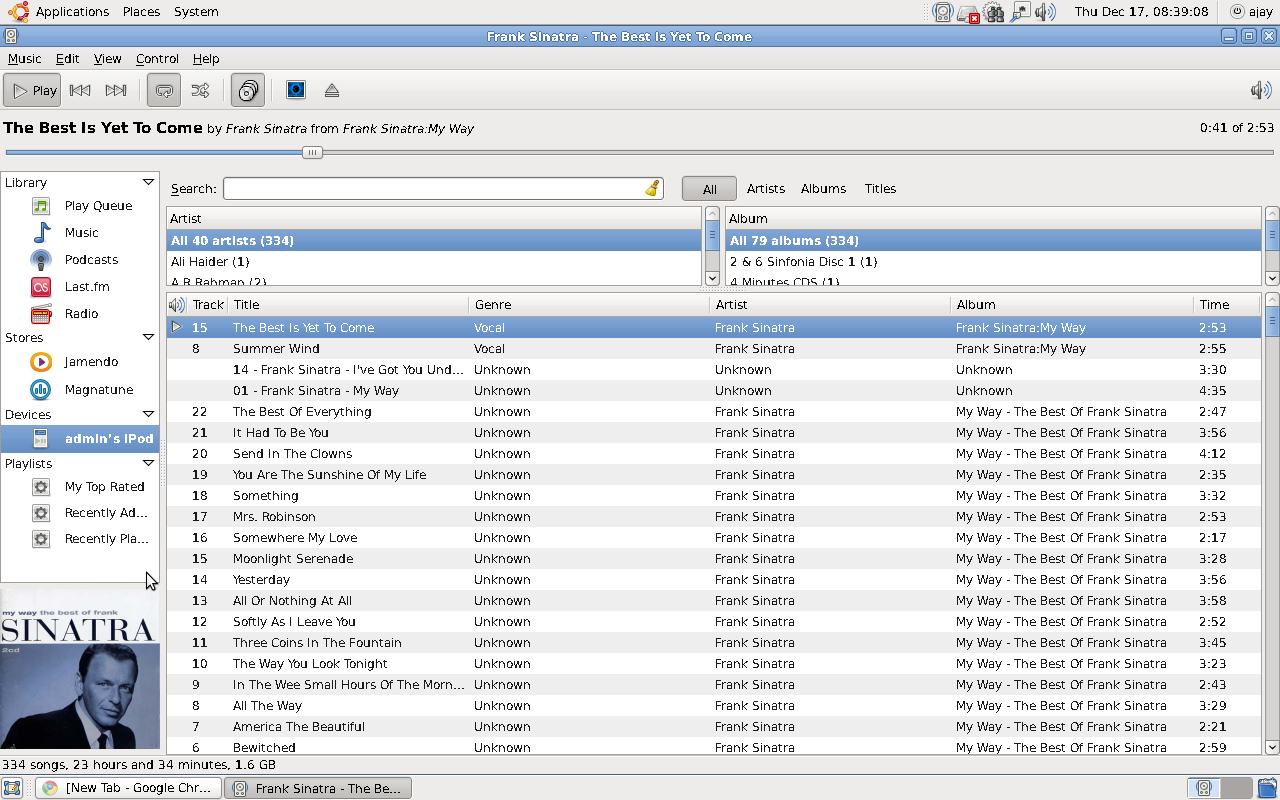
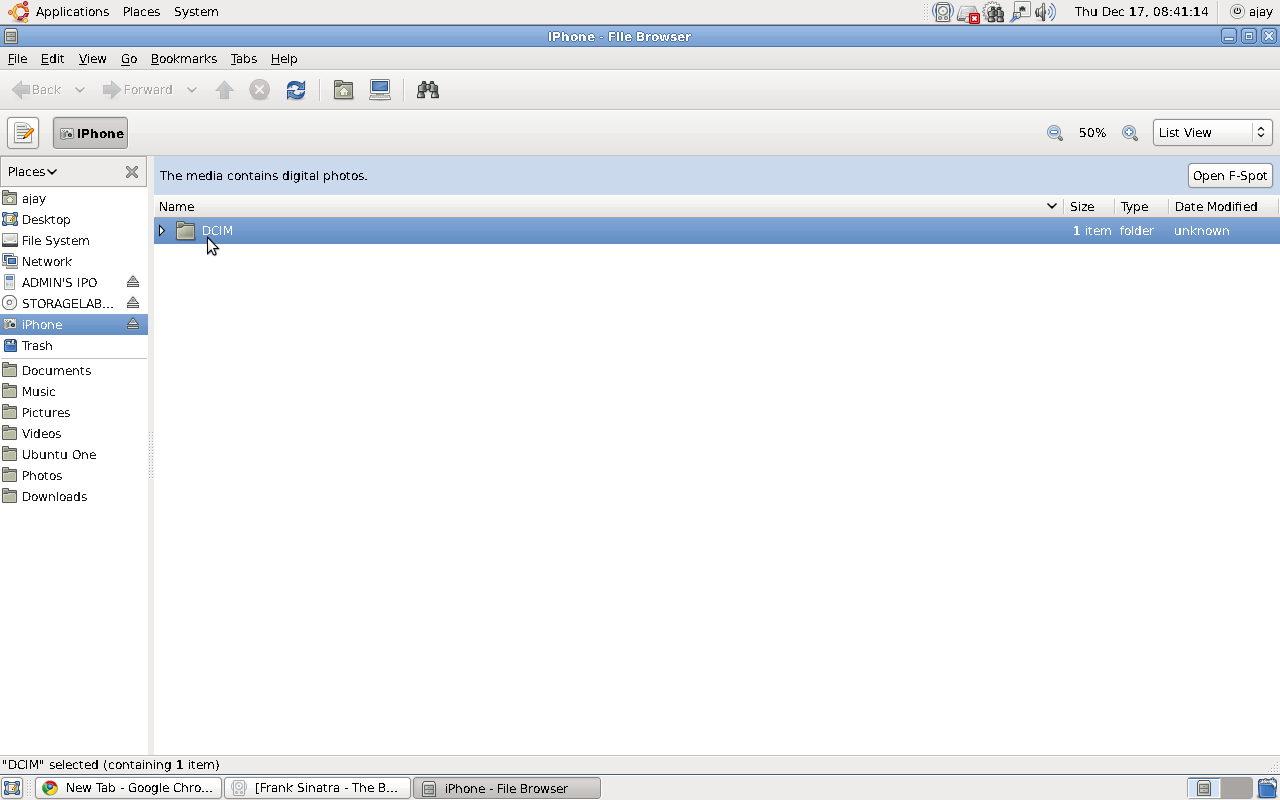
If you love your Apple iPhone / iPod, the latest release of Ubuntu from Canonical called Karmic Koala ( the counter part to Microsoft’s Windows 7) is totally compatible for USB connection
If you love your Apple iPhone / iPod, the latest release of Ubuntu from Canonical called Karmic Koala ( the counter part to Microsoft’s Windows 7) is totally compatible for USB connection.
Ubuntu uses Rhythmbox for playing songs and uses FSpot and Gimp for images. The audio quality is excellent ( even if you are using very old hardware like I do) and Gimp is the best image manipulation software -comparable to ones from Adobe- intuitive and easy.




 DECISION STATS