Rockmelt: A chromium based browser with a social layer

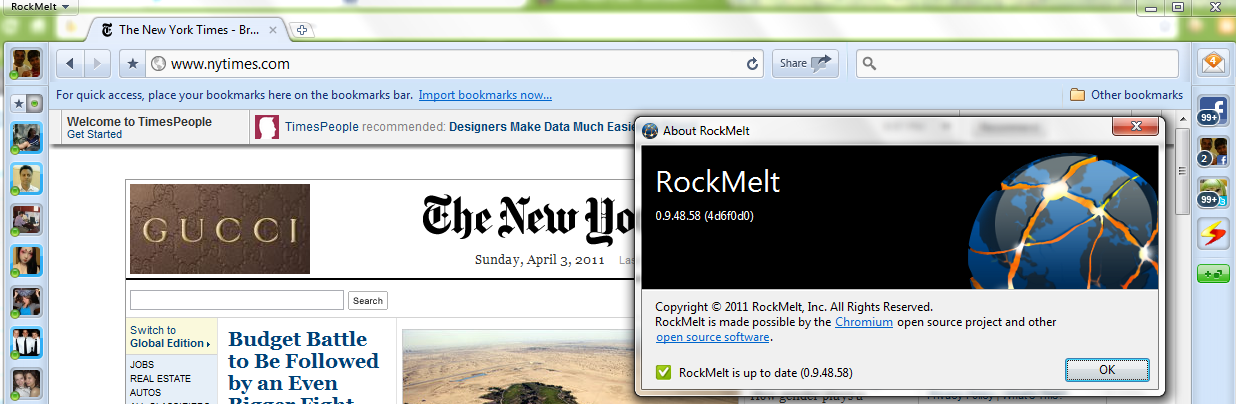
I kind of liked the latest browser on the block: Rockmelt.

It is based on Chromium open source project, that is primarily lead by Google. In case Facebook wants to buy a browser it can use Rockmelt–provided the mutual powers and angels agree.

I really liked the idea of a social layer- though I am not sure how the analytics embedded within a browser/report should be used.

Basically it re-designs the interface to put your social networks to the margin, thus quite a boon in you have active social media presence on multiple sites or a power reader/surfer. Timely alerts ping you to status/new messages without cluttering your screen and internet experience. Worth atleast a try or first look for the innovator kind of internet customer.

I still prefer the speed of Chrome– because Rockwell interface is still not easy to transition to – it almost adds in 3 dimensions in terms of where your eyeball should be while surfing (to left/right/margin).


and thats despite the funny fine print in Chrome’s user agreement of “continuing innovation”

type about:terms in your chrome bar to see-

4.3 As part of this continuing innovation, you acknowledge and agree that Google may stop (permanently or temporarily) providing the Services (or any features within the Services) to you or to users generally at Google’s sole discretion, without prior notice to you. You may stop using the Services at any time. You do not need to specifically inform Google when you stop using the Services.

Google Science Fair : Last three days left

Google is looking for the brightest, best young scientists from around the world to submit interesting, creative projects that are relevant to the world today

http://www.google.com/events/sciencefair/


Also read

Google Science Fair Blog


http://www.google.com/events/sciencefair/blog.html

Curiosity driven science
Wed, 30 Mar 2011 11:42:00 -0700
Editor’s note: We’ve invited guest blogger Rolf Heuer, Director General of CERN, the European Centre for Particle Physics – and one of the Google Science Fair finalist judges – to talk about how his passion for Science developed. To learn more about CERN’s big experiments check out our interview with physicist Tara Shears.

+ 1 your website -updated

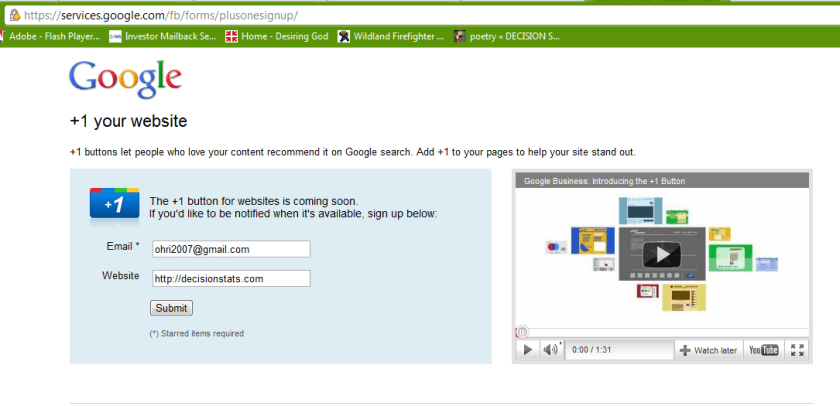
how to add the all new plus one button to your own website

just go here.

submit form

wait

https://services.google.com/fb/forms/plusonesignup/

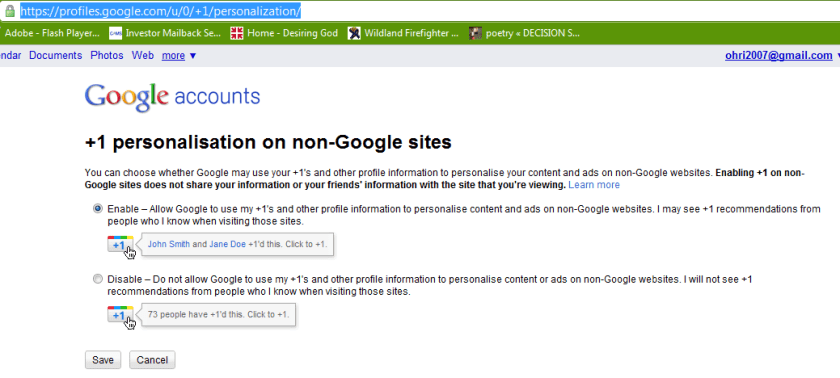
also see https://profiles.google.com/u/0/+1/personalization/

or read the hack here

http://www.yvoschaap.com/weblog/the_google_1_button_discovered

The buttons does exists because there is personalisation option available refering to non-Google sites.

Google claims the button is “coming soon” but I couldn’t wait, so I looked around the code, and looked some more, untill I found the button endpoint hiding from me, obfuscated, in a stray piece of javascript.

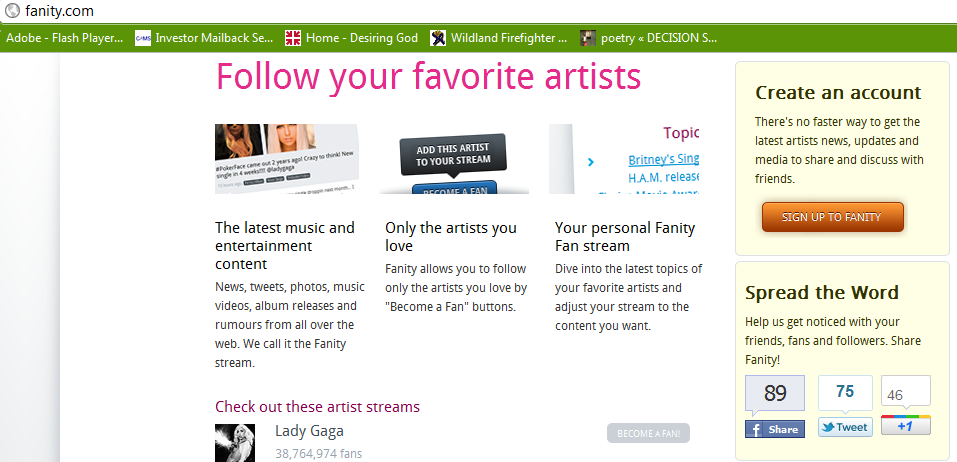
Check out these live Google +1 buttons:

at

http://fanity.com/


Libre Office turns six

On September 28th, 2010, The Document Foundation was announced. The last six months, it feels, have just passed within a short glimpse of time. Not only did we release three LibreOffice versions within three months, have created the LibreOffice-Box DVD image, and brought LibreOffice Portable on its way. We also have announced the LibreOffice Conference for October 2011 and have taken part in lots of events worldwide, with FOSDEM and CeBIT being the most prominent ones.

People follow us at Twitter, Identi.ca, XING, LinkedIn and a Facebook group and fan page, they discuss on our mailing lists with more than 6.000 subscriptions, collaborate in our wiki, get insight on our daily work in our blog, and post and blog themselves. From the very first day, openness, transparency and meritocracy have been shaping the framework we want to work in. Our discussions and decisions take place on a public mailing list, and regularly, we hold phone conferences for the Steering Committee and for the marketing teams, where everyone is invited to join. Our ideas and visions have made their way into our Next Decade Manifesto.

We have joined the Open Invention Network as well as the OpenDoc Society, and just last week have become an SPI-associated project, and we see a wide range of support from all over the world. Not only do Novell and Red Hat support our efforts with developers, but just recently, Canonical, creators of Ubuntu, joined as well. All major Linux distributions deliver LibreOffice with their operating systems, and more follow every day.

One of the most stunning contributions, that still leaves us speechless, is the support that we receive from the community. When we asked for 50,000 € capital stock for a German-based foundation, the community showed their support, appreciation and their power, and not only donated it in just eight days, but up to now has supported us with close to 100,000 €! Another one is that driven by our open, vendor neutral approach, combined with our easy hacks, we have included code contributions from over 150 entirely new developers to the project, alongside localisations from over 50 localizers. The community has developed itself better than we could ever dream of, and first meetings like the project’s weekend or the QA meeting of the Germanophone group are already being organized.

What we have seen now is just the beginning of something very big. The Document Foundation has a vision, and the creation of the foundation in Germany is about to happen soon. LibreOffice has been downloaded over 350,000 times within the first week, and we just counted more than 1,3 million downloads just from our download system — not counting packages directly delivered by Linux distributors, other download sites or DVDs included in magazines and newspapers — supported by 65 mirrors from all over the world, and millions already use and contribute to it worldwide. With our participation in the Google Summer of Code, we will engage more students and young developers to be part of our community. Our improved release schedule will ensure that new features and improvements will make their way to end-users soon, and for testers, we even provide daily builds.

We are so excited by what has been achieved over the last six months, and we are immensely grateful to all those who have supported the project in whatever ways they can. It is an honour to be working with you, to be part of one united community! The future as we are shaping it has just begun, and it will be bright and excellent.


from-

List archive: http://listarchives.documentfoundation.org/www/announce/

Google Experimental search

Image representing Google as depicted in Crunc...
Image via CrunchBase

Google just rolled out three new experiements. You can join only one of these at http://www.google.com/experimental/index.html

———————————————————————————————————————————–

Google is always experimenting with new features aimed at improving the search experience. Take one for a spin and let us know what you think.

Your selected experiment: You have joined the +1 button experiment. Note that you can only join ONE experiment at a time.

+1 button This is your selected experiment.
Use +1 to give something your public stamp of approval, so friends, contacts, and others can find the best stuff when they search. Get recommendations for the things that interest you, right when you want them, in your search results. 

To participate in this experiment:

  1. Make sure you’re signed into your Google Account (required)
  2. Click ‘Join this experiment’
  3. Search for something you love on Google.com
  4. Click the new +1 button, and make your mark on the web

Your +1’s are public. They can appear in Google search results, on ads, and sites across the web. You’ll always be able to see your own +1’s in a new tab on your Google Profile, and if you want, you can share this tab with the world.

Please note, it may take a while before you see the button in search results, and it may occasionally disappear as we make improvements. Your feedback will help us make it better!

Learn more about +1

Keyboard shortcuts
Navigate search results quickly and easily, minimizing use of your mouse. Current keyboard shortcuts include: 

Key Action
J Selects the next result.
K Selects the previous result.
O Opens the selected result.
<Enter> Opens the selected result.
/ Puts the cursor in the search box.
<Esc> Removes the cursor from the search box.
Try out this queryrattlesnake

Accessible View
Navigate search results quickly and easily, with just your keyboard. As you navigate, items are magnified for easier viewing. If you use a screen reader or talking browser, the relevant information is spoken automatically as you navigate. 

Current keyboard shortcuts include:

Key Action
j or DOWN Selects the next item.
k or UP Selects the previous item.
l or RIGHT Moves to the next category (results, sponsored links, refinements).
h or LEFT Moves to the previous category (results, sponsored links, refinements).
<Enter> Opens the selected result.
/ Puts the cursor in the search box.
n Moves to the next result, and fetches more results if necessary.
p Moves to the previous result, reloading earlier results if necessary.
= Magnifies current item
Shrinks current item
A Switches to Accessible Search Results
W Switches to regular Web Search Results

For now, you need to use the Firefox 3 web browser with this experiment. This note will be updated as other browsers are added. Magnification already works with Google Chrome andApple’s Safari.

Try out this queryenhancing web 2.0 accessibility

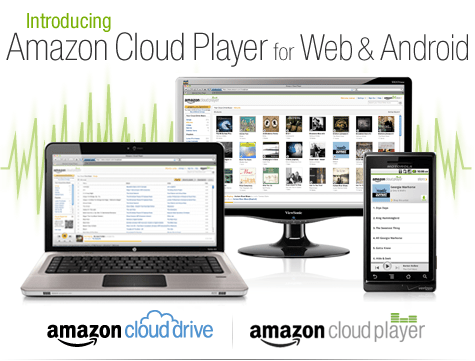
iTunes finally gets some competition ?- Amazon Cloud Player


An interesting development is Amazon’s Cloud Player (though Cannonical may be credited for thinking of the idea first for Ubuntu One). Since Ubuntu One is dependent on the OS (and not the browser) this makes Amazon \s version more of a  mobile Cloud Player (as it seems to be an Android app and not an app that is independent of any platform, os or browser.

Since Android and Ubuntu are both Linux flavors, I am not sure if Cannonical has an exiting mobile app for Ubuntu One. Apple’s cloud plans also seems kind of ambiguous compared to Microsoft (Azure et al)

I guess we will have to wait for a true Cloud player.


http://www.amazon.com/b/ref=tsm_1_tw_s_dm_liujd5?node=2658409011&tag=cloudplayer-20

How to Get Started with Cloud Drive and Cloud Player


Step 1. Add music to Cloud Drive

Purchase a song or album from the Amazon MP3 Store and click the Save to Amazon Cloud Drive button when your purchase is complete. Your purchase will be saved for free.


Step 2. Play your music in Cloud Player for Web

Click the Launch Amazon Cloud Player button to start listening to your purchase. Add more music from your library by clicking theUpload to Cloud Drive button from the Cloud Player screen. Start with 5 GB of free Cloud Drive storage. Upgrade to 20 GB with an MP3 album purchase (see details). Use Cloud Player to browse and search your library, create playlists, and download to your computer.


Step 3. Enjoy your music on the go with Cloud Player for Android

Install the Amazon MP3 for Android app to use Cloud Player on your Android device. Shop the full Amazon MP3 store, save your purchases to Cloud Drive, stream your Cloud Player library, and download to your device right from your Android phone or tablet.

compare this with

https://one.ubuntu.com/music/

A cloud-enabled music store

The Ubuntu One Music Store is integrated with the Ubuntu One service making it a cloud-enabled digital music store. All purchases are transferred to your Ubuntu One personal cloud for safe storage and then conveniently downloaded to your synchronizing computers. And don’t worry aboutgoing over your storage quota with music purchases. You won’t need to pay more for personal cloud storage of music purchased from the Ubuntu One Music Store.

An Ubuntu One subscription is required to purchase music from the Ubuntu One Music Store. Choose from either the free 2 GB option or the 50 GB plan for $10 (USD) per month to synchronize more of your digital life.

5 regional stores and more in the works

  • The Ubuntu One Music requires Ubuntu 10.04 LTS and offers digital music through five regional stores.
  • The US, UK, and Germany stores offer music from all major and independent labels.
  • The EU store serves most of the EU member countries (2) and offers music from fewer major label artists.
  • The World store offers only independent label music and serves the countries not covered by the other regional stores.


It's a code code summer

East-German pupils ("Junge Pioniere"...
Image via Wikipedia

and soc is back!

also expecting some #Rstats entries (open source!)

from https://code.google.com/soc/

Google Summer of Code 2011

Visit the Google Summer of Code 2011 site for more details about the program this year.

For a detailed timeline and further information about the program, review our Frequently Asked Questions.

About Google Summer of Code

Google Summer of Code is a global program that offers student developers stipends to write code for various open source software projects. We have worked with several open source, free software, and technology-related groups to identify and fund several projects over a three month period. Since its inception in 2005, the program has brought together over 4500 successful student participants and over 3000 mentors from over 100 countries worldwide, all for the love of code. Through Google Summer of Code, accepted student applicants are paired with a mentor or mentors from the participating projects, thus gaining exposure to real-world software development scenarios and the opportunity for employment in areas related to their academic pursuits. In turn, the participating projects are able to more easily identify and bring in new developers. Best of all, more source code is created and released for the use and benefit of all.

To learn more about the program, peruse our 2011 Frequently Asked Questions page. You can also subscribe to the Google Open Source Blog or the Google Summer of Code Discussion Group to keep abreast of the latest announcements.

Participating in Google Summer of Code

For those of you who would like to participate in the program, there are many resources available for you to learn more. Check out the information pages from the 20052006200720082009, and 2010 instances of the program to get a better sense of which projects have participated as mentoring organizations in Google Summer of Code each year. If you are interested in a particular mentoring organization, just click on its name and you’ll find more information about the project, a summary of their students’ work and actual source code produced by student participants. You may also find the program Frequently Asked Questions (FAQs) pages for each year to be useful. Finally, check out all the great content and advice on participation produced by the community, for the community, on our program wiki.

If you don’t find what you need in the documentation, you can always ask questions on our program discussion list or the program IRC channel, #gsoc on Freenode.