
Maybe they should get design tips from Snooki!
New game on Google Plus- Triple Town by Spry Fox
The latest game on Google Plus is Triple Town, by Spry Fox http://www.spryfox.com/, makers of Steambirds survival.
Spry Fox is made by two ex Microsofties Daniel Cook and Dave E. , and they already have hit games on their hands but true to their name, they use all platforms including Flash.
Triple Town has a slightly classic smoothed font/icon look for a build build game with cute animals. Detailed review as follows soon!

The game is a play on Tic Tac To, and uses a combination of tricks to keep you hooked, from smoooth iconery,cute bears, ninja bears,coins that buy you goodies. Basically 3 consecutive grass make a bush, 3 consecutive Bush make a Tree, 3 trees make a house, 3 houses make a church, trap bears and they turn into gravestones and 3 gravestones turn into– you get the idea. Use bots to clear space, crystals to make wild cards, and store and retrieve things from storehouse. Ninja bear teleports!

On the internet there are two kinds of people
On the internet, there are two kinds of people.
one in United States- and eligible for Hulu, Music Betas, Spotify etc
and the other is Rest of the World.

Mafia Wars 2 -The review of the new game on G+
Mafia Wars2 tries to be Steve Jobs working on a PC. It substitutes storyline for fancier graphics, smoother icons and design, and the numeric fun of piling up scores is almost gone. Did you mention social gaming- there are hardly any incentives for “social” part of the game. It looks like a gaudy Vegas twist to a beloved franchise.
Leave sequels to the boys in Hollywood, Pincuss/Zynga- You will need to be much more original to create the next blockbuster. Of course given the size of Zynga’s captive addict-base, the game will be a hit. But it will be a hit more like Transformers 3 , than likes of Blade Hunter or Terminator 2.
May we suggest another NEW game , than rebooting the squeezed lemon juice of a beloved and now departed friend-chise.

ps The song is irritating too. and the skimpy clad players are insulting.
Data Mining with R GUI -Rattle #Rstats
Why is RATTLE my favorite R package?
because it allows data mining in a very nice interface.
Complicated software need not have complicated interfaces.
Have a look-
(Note- download rattle from http://rattle.togaware.com)
For better visibility please click the full screen button or click the second pps below- automatically advances every 5 secs
Using R with MySQL #rstats
A brief tutorial to working with R and MySQL. MySQL belongs to Oracle is one of the most widely used databases now.
1. Download mySQL from
http://www.mysql.com/downloads/mysql/ or (http://www.mysql.com/downloads/mirror.php?id=403831)
Click Install -use default options, remember to note down the password=XX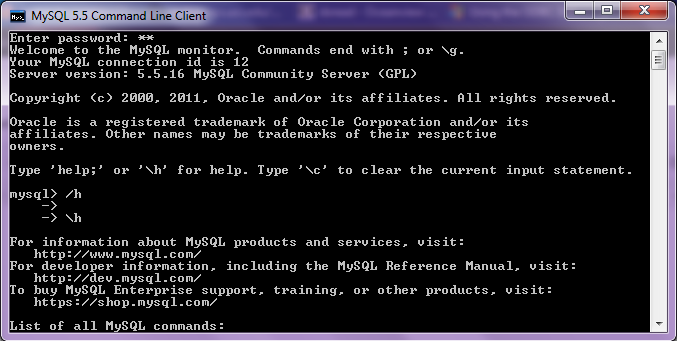
2.Download the ODBC connector from http://www.mysql.com/downloads/connector/odbc/5.1.htmlThe Data Sources (ODBC) can be located from the Control Panel in Windows7

Install ODBC Connector by double clicking the .msi file downloaded in Step 2-
Check this screenshot in ODBC Connectors to verify-
Note this is the Drivers tab in ODBC Data Source Administrator
Click the System DSN and Configure MySQL using the add button Use the configuration options shown exactly here. The user is root, the TCP/IP Server is local host, use the same password in Step 1 and the Database is MySQL
Test the connection
http://www.mysql.com/downloads/mysql/ or (http://www.mysql.com/downloads/mirror.php?id=403831)
Click Install -use default options, remember to note down the password=XX
2.Download the ODBC connector from http://www.mysql.com/downloads/connector/odbc/5.1.htmlThe Data Sources (ODBC) can be located from the Control Panel in Windows7
Install ODBC Connector by double clicking the .msi file downloaded in Step 2-
Check this screenshot in ODBC Connectors to verify-
Note this is the Drivers tab in ODBC Data Source Administrator
Click the System DSN and Configure MySQL using the add button
Use the configuration options shown exactly here. The user is root, the TCP/IP Server is local host, use the same password in Step 1 and the Database is MySQLTest the connection
Click OK to finish this step.
Click the User DSN tab (and repeating the step immediately above -Add, and Configure the connection using options The user is root, the TCP/IP Server is local host, use the same password in Step 1 and the Database is MySQL , Test the connection and OK to add the connection

3. Download the MySQL workbench from http://www.mysql.com/downloads/workbench/
This is very helpful to configuring the database
http://www.mysql.com/downloads/mirror.php?id=403983#mirrors
Create a new table using the options in the screenshots below
Open Connection
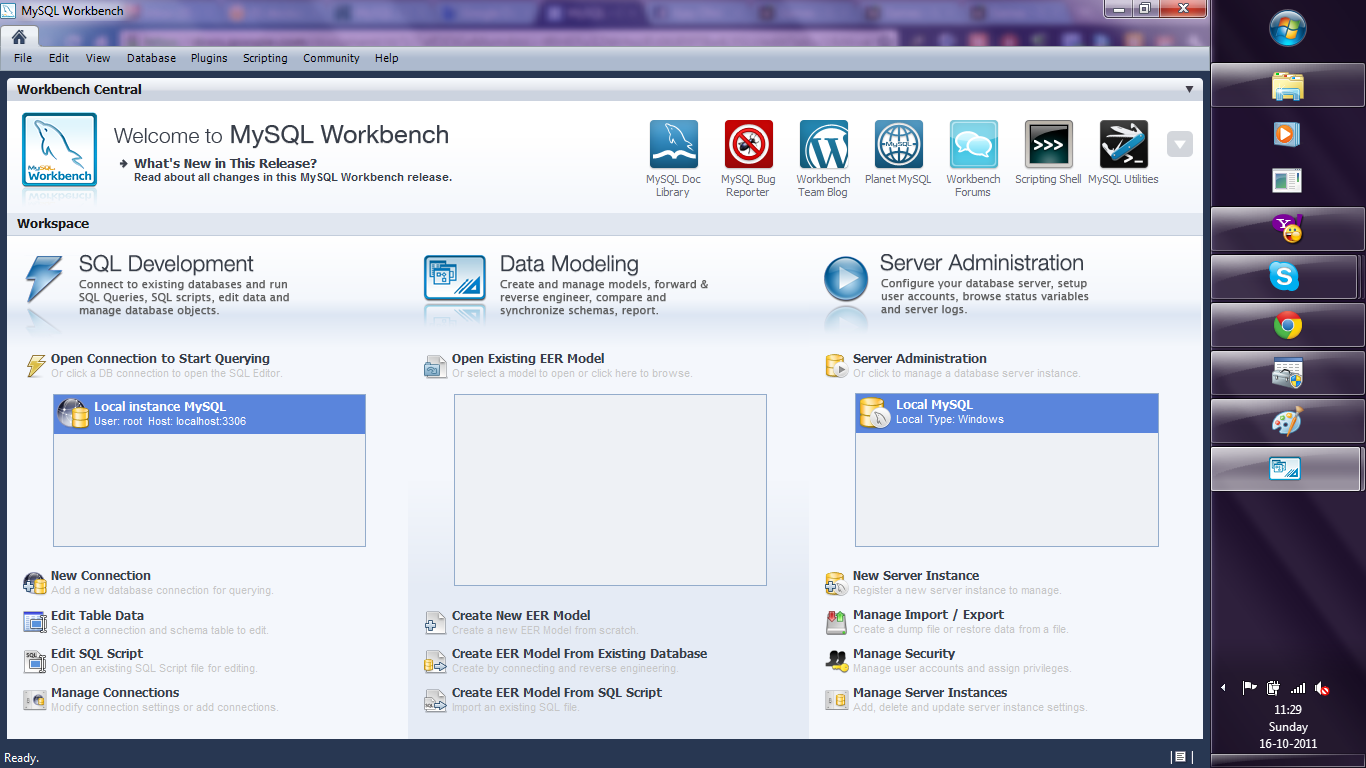

You can create a new table using the options as below,
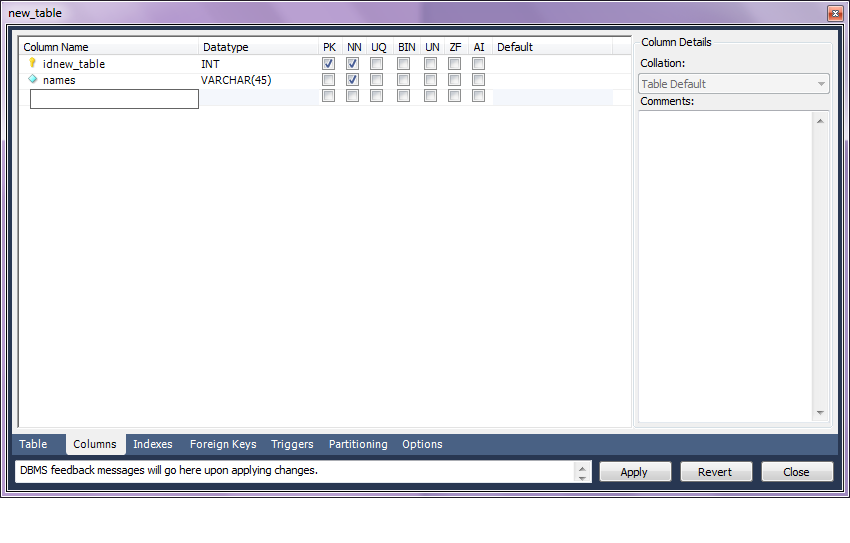
Once created you can also add new variables (using the Columns Tab)


MySQL allows you create new columns very easily
The SQL commands are automatically generated.
Click Apply to execute the changes to the Database.

Now we start R
Type the commands in the screenshot below to create a connection to the Database in MySQL
> library(RODBC)
> odbcDataSources()
> ajay=odbcConnect(“MySQL”,uid=”root”,pwd=”XX”)
> ajay
> sqlTables(ajay)
>tested=sqlFetch(ajay,”host”)

Note- this is a brief tutorial for beginners without getting into too many complexities of database administration and management, to start using R and MySQL.
Zynga Mafia Wars 2 on Google Plus
The latest game on Google Plus is a clone of one of the most important games in social gaming history- Mafia Wars 2. Early days and a more detailed review to follow- but there has been a design paradigm change in terms of icons, fonts and storyline. Will this capture the gamers attention- time will tell?


