Rockmelt: A chromium based browser with a social layer

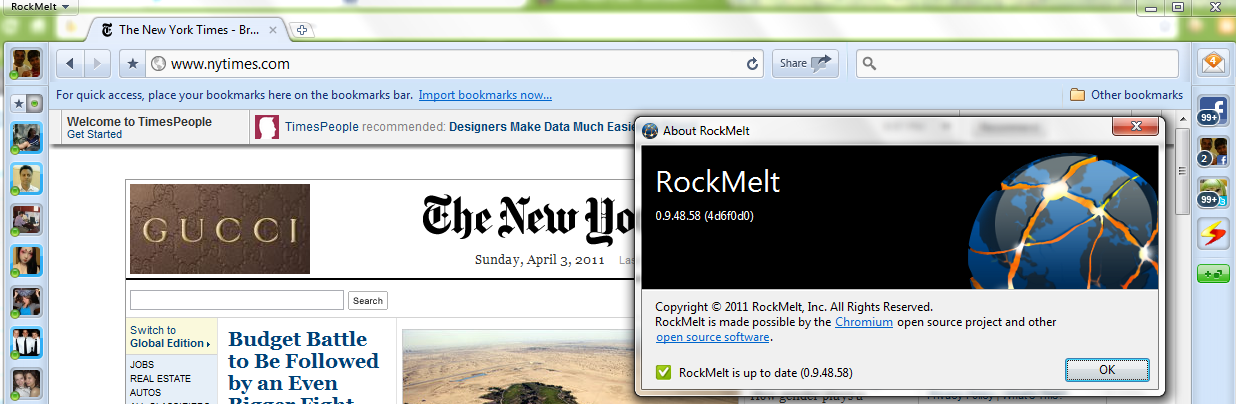
I kind of liked the latest browser on the block: Rockmelt.

It is based on Chromium open source project, that is primarily lead by Google. In case Facebook wants to buy a browser it can use Rockmelt–provided the mutual powers and angels agree.

I really liked the idea of a social layer- though I am not sure how the analytics embedded within a browser/report should be used.

Basically it re-designs the interface to put your social networks to the margin, thus quite a boon in you have active social media presence on multiple sites or a power reader/surfer. Timely alerts ping you to status/new messages without cluttering your screen and internet experience. Worth atleast a try or first look for the innovator kind of internet customer.

I still prefer the speed of Chrome– because Rockwell interface is still not easy to transition to – it almost adds in 3 dimensions in terms of where your eyeball should be while surfing (to left/right/margin).


and thats despite the funny fine print in Chrome’s user agreement of “continuing innovation”

type about:terms in your chrome bar to see-

4.3 As part of this continuing innovation, you acknowledge and agree that Google may stop (permanently or temporarily) providing the Services (or any features within the Services) to you or to users generally at Google’s sole discretion, without prior notice to you. You may stop using the Services at any time. You do not need to specifically inform Google when you stop using the Services.

Preparing for the Game

Cold war europe military map sv
Image via Wikipedia

My eyes are dry But my palms are wet

Dampened now By the cold cold sweat

My temples throb Lips start to twitch

Just stay cool I chant the cliche


Fear takes hold  My ears ring with buzzing sound

Legs start to shake But I manage to hold my ground

For as I enter This colossal game

I reflect after this Nothing will remain the same


On the day of reckoning Men shine apart from the boys

And from the manifold sorrows Seize their respective joys


Where I will end up I pause to think While my eyes stare empty Forgotten to blink
I may win I may lose a few important still is to enjoy it too
the playing of the game between me and you


Google Science Fair : Last three days left

Google is looking for the brightest, best young scientists from around the world to submit interesting, creative projects that are relevant to the world today

http://www.google.com/events/sciencefair/


Also read

Google Science Fair Blog


http://www.google.com/events/sciencefair/blog.html

Curiosity driven science
Wed, 30 Mar 2011 11:42:00 -0700
Editor’s note: We’ve invited guest blogger Rolf Heuer, Director General of CERN, the European Centre for Particle Physics – and one of the Google Science Fair finalist judges – to talk about how his passion for Science developed. To learn more about CERN’s big experiments check out our interview with physicist Tara Shears.

Norway Supreme Court orders SAS to pay damages in data espionage case

Check out the details from

Norway Supreme Court orders SAS to pay damages in data espionage case

SAS said the Supreme Court of Norway ordered it Thursday to pay NOK160 million ($27.4 million) to Norwegian Air Shuttle, likely bringing to a conclusion the corporate espionage case in which SAS Norge was found to have improperly accessed and used data in Norwegian’s reservation system. Earlier this year…

http://atwonline.com/international-aviation-regulation/news/norway-supreme-court-orders-sas-pay-damages-data-espionage-ca

Unbelievable stuff!

Also check out Jim Goodnight‘s remarks

http://www.businessleader.com/raleighdurham/Index.aspx?page=impact&PID=387&impactTitle=Business+Leader+of+the+Year

Midway Airlines

When Goodnight spots a problem, he fixes it, in the most direct way possible. So when he heard that Midway Airlines was in trouble, he didn’t hesitate. Especially when he learned that an investment group was interested in buying the airline and moving the hub to another location. He led the investment group that bailed it out for $22 million.

“I just felt it would be a blow to our area to lose its major airline,” Goodnight says. “I looked back to when American had its hub here and we could get anywhere pretty easily. I really wanted that to continue. So we stepped up to the plate.”

They brought in a new CEO, Robert Ferguson, who was responsible, says Goodnight, for bringing Continental Airlines out of bankruptcy. They then took the airline to Wall Street, where public investors kicked in $75 million, $42 million of it to Midway, through an initial public offering.

As of mid-November, Midway Airlines and its commuter partner will operate 218 daily departures between Raleigh-Durham and 25 destinations in 14 states and the District of Columbia. The fleet includes 15 new CRJ aircraft and eight Fokker F100s, and averages less than three years of age ranking it among the youngest in the industry. In addition, Midway recently announced firm orders for 17 Boeing 737-700 aircraft. The first delivery will take place in December 1999.

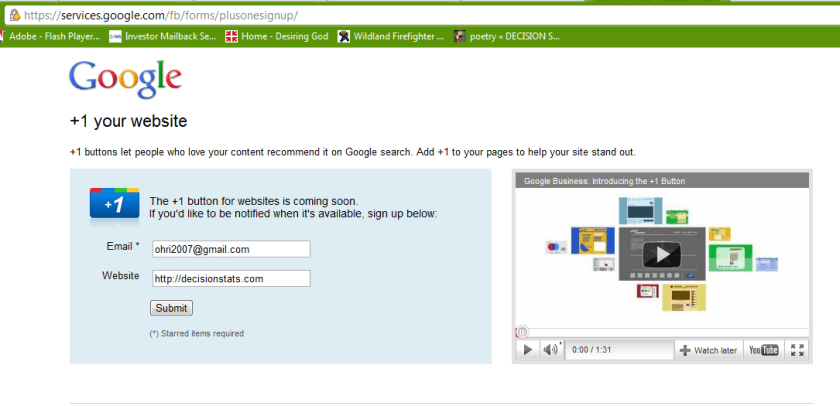
+ 1 your website -updated

how to add the all new plus one button to your own website

just go here.

submit form

wait

https://services.google.com/fb/forms/plusonesignup/

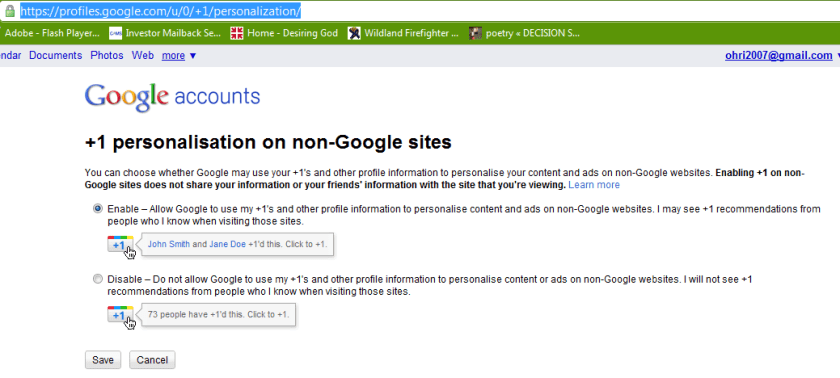
also see https://profiles.google.com/u/0/+1/personalization/

or read the hack here

http://www.yvoschaap.com/weblog/the_google_1_button_discovered

The buttons does exists because there is personalisation option available refering to non-Google sites.

Google claims the button is “coming soon” but I couldn’t wait, so I looked around the code, and looked some more, untill I found the button endpoint hiding from me, obfuscated, in a stray piece of javascript.

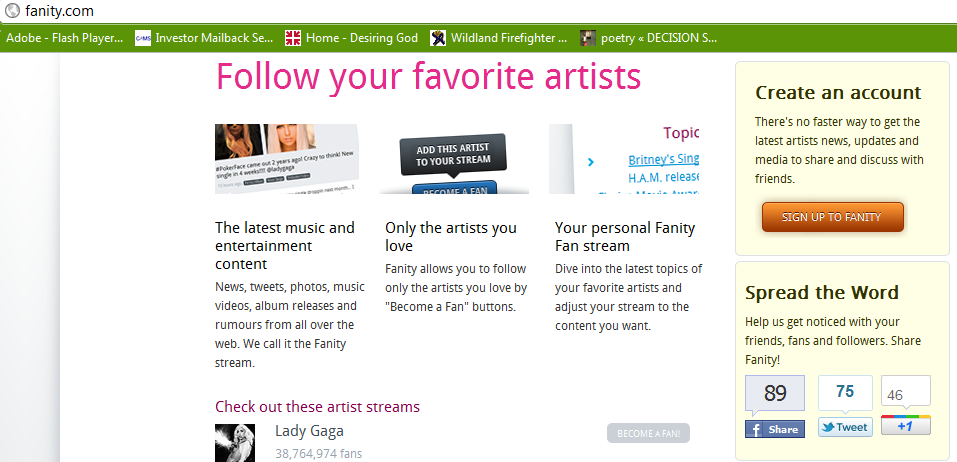
Check out these live Google +1 buttons:

at

http://fanity.com/


Google Experimental search

Image representing Google as depicted in Crunc...
Image via CrunchBase

Google just rolled out three new experiements. You can join only one of these at http://www.google.com/experimental/index.html

———————————————————————————————————————————–

Google is always experimenting with new features aimed at improving the search experience. Take one for a spin and let us know what you think.

Your selected experiment: You have joined the +1 button experiment. Note that you can only join ONE experiment at a time.

+1 button This is your selected experiment.
Use +1 to give something your public stamp of approval, so friends, contacts, and others can find the best stuff when they search. Get recommendations for the things that interest you, right when you want them, in your search results. 

To participate in this experiment:

  1. Make sure you’re signed into your Google Account (required)
  2. Click ‘Join this experiment’
  3. Search for something you love on Google.com
  4. Click the new +1 button, and make your mark on the web

Your +1’s are public. They can appear in Google search results, on ads, and sites across the web. You’ll always be able to see your own +1’s in a new tab on your Google Profile, and if you want, you can share this tab with the world.

Please note, it may take a while before you see the button in search results, and it may occasionally disappear as we make improvements. Your feedback will help us make it better!

Learn more about +1

Keyboard shortcuts
Navigate search results quickly and easily, minimizing use of your mouse. Current keyboard shortcuts include: 

Key Action
J Selects the next result.
K Selects the previous result.
O Opens the selected result.
<Enter> Opens the selected result.
/ Puts the cursor in the search box.
<Esc> Removes the cursor from the search box.
Try out this queryrattlesnake

Accessible View
Navigate search results quickly and easily, with just your keyboard. As you navigate, items are magnified for easier viewing. If you use a screen reader or talking browser, the relevant information is spoken automatically as you navigate. 

Current keyboard shortcuts include:

Key Action
j or DOWN Selects the next item.
k or UP Selects the previous item.
l or RIGHT Moves to the next category (results, sponsored links, refinements).
h or LEFT Moves to the previous category (results, sponsored links, refinements).
<Enter> Opens the selected result.
/ Puts the cursor in the search box.
n Moves to the next result, and fetches more results if necessary.
p Moves to the previous result, reloading earlier results if necessary.
= Magnifies current item
Shrinks current item
A Switches to Accessible Search Results
W Switches to regular Web Search Results

For now, you need to use the Firefox 3 web browser with this experiment. This note will be updated as other browsers are added. Magnification already works with Google Chrome andApple’s Safari.

Try out this queryenhancing web 2.0 accessibility