
Running R on an Amazon EC2 has following benefits-
1) Elastic Memory and Number of Processors for heavy computation
2) Affordable micro instances for smaller datasets (2 cents per hour for Unix to 3 cents per hour).
3) An easy to use interface console for managing datasets as well as processes
Running R on an Amazon EC2 on Windows Instance has following additional benefits-
1) Remote Desktop makes operation of R very easy
2) 64 Bit R can be used
3) You can also use your evaluation of Revolution R Enterprise (which is free to academics) and quite inexpensive for enterprise software for corporates.
You can thus combine R GUIs (like Rattle , R Cmdr or Deducer based upon your need for statistical analysis, data mining or graphical analysis) , with 64 Bit OS, and Revolution’s REvoScaler Package to manage huge huge datasets at a very easy to use analytics solution.
Pricing-for Computation on EC2
| Standard On-Demand Instances | Linux/UNIX Usage | Windows Usage |
|---|---|---|
| Small (Default) | $0.085 per hour | $0.12 per hour |
| Large | $0.34 per hour | $0.48 per hour |
| Extra Large | $0.68 per hour | $0.96 per hour |
| Micro On-Demand Instances | Linux/UNIX Usage | Windows Usage |
| Micro | $0.02 per hour | $0.03 per hour |
| High-Memory On-Demand Instances | ||
| Extra Large | $0.50 per hour | $0.62 per hour |
| Double Extra Large | $1.00 per hour | $1.24 per hour |
| Quadruple Extra Large | $2.00 per hour | $2.48 per hour |
| High-CPU On-Demand Instances | ||
| Medium | $0.17 per hour | $0.29 per hour |
| Extra Large | $0.68 per hour | $1.16 per hour |
| Cluster Compute Instances | ||
| Quadruple Extra Large | $1.60 per hour | N/A* |
* Windows is not currently available for Cluster Compute Instances. |
||
Internet Data Transfer
The pricing below is based on data transferred “in” and “out” of Amazon EC2.
| Data Transfer In | US & EU Regions | APAC Region |
|---|---|---|
| All Data Transfer | Free until Nov 1, 2010 * |
Free until Nov 1, 2010 * |
Data Transfer Out ** |
US & EU Regions | APAC Region |
|---|---|---|
| First 1 GB per Month | $0.00 per GB | $0.00 per GB |
| Up to 10 TB per Month | $0.15 per GB | $0.19 per GB |
|
Amazon EBS Volumes- To store data
Amazon EBS Snapshots to Amazon S3 (priced the same as Amazon S3)
|
http://aws.amazon.com/ec2/#pricing Other costs are optional to your needs
Based on the above- I set out to try and create a how-to DIY for running R (and RevolutionR on 64bit Windows on EC2)
1) Logon to https://console.aws.amazon.com/ec2/home
2) Launch Windows Instance
Left Margin-AMI-
Top Windows – Select Windows 64 AMI
(note if you select SQL Server it will cost you extra)
Then go through the following steps and launch instance
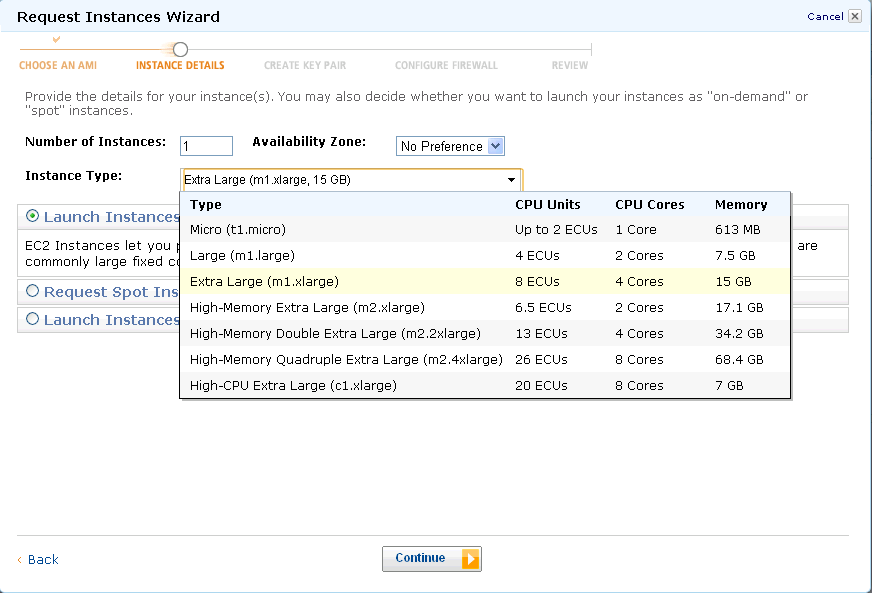
For tags, etc just click on and pass (or read and create some tags to help you remember, and organize multiple instances)
In configure firewall, remember to Enable Access to RDP (Remote Desktop) and HTTP. You can choose to enable whole internet or your own ip address/es for logging in
Review and launch instance
Go to instance (leftmost margin)
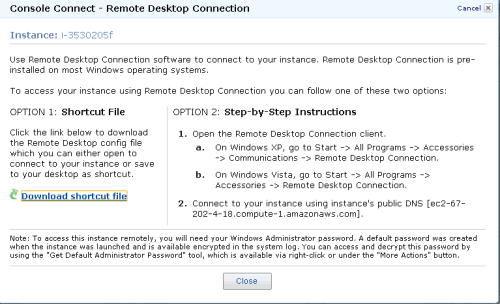
Click on Instance Actions-Connect on Top Bar to see following
Download the .RDP shortcut file and
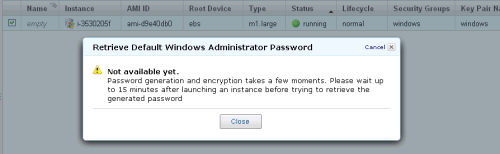
Click on Instance Actions-Request Admin Password
Have coffee (or tea is you are health minded)
Click Again on Instance Actions-Request Admin Password
 Open the key pair file (or .pem file created earlier) using
notepad, and copy and paste the Private Key (looks like gibberish)- and click Decrypt.
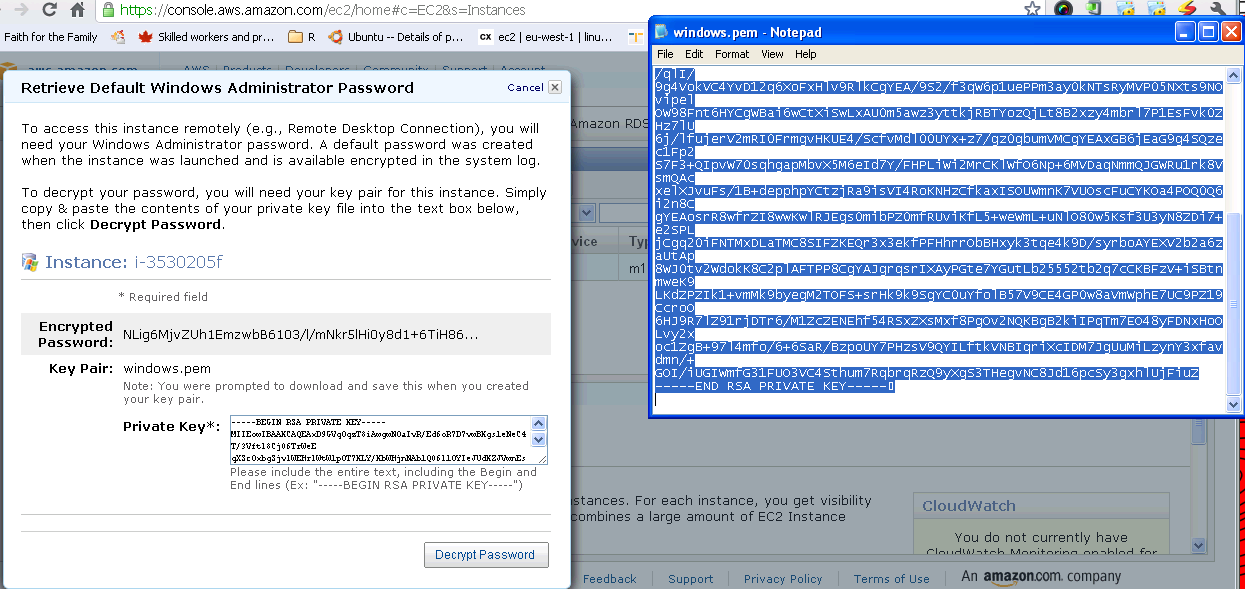
Note the new password generated- this is your Remote Desktop Password.
Click on the .rdp file (or Shortcut file created earlier)- It will connect to your Windows instance. 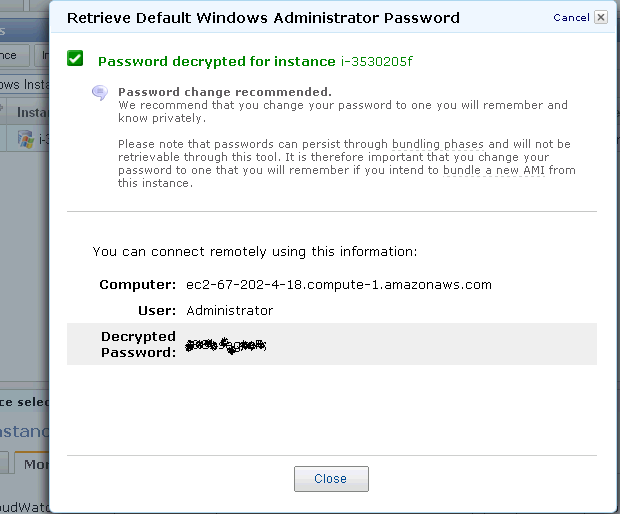
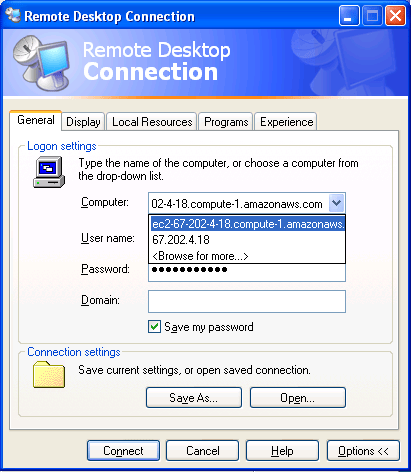
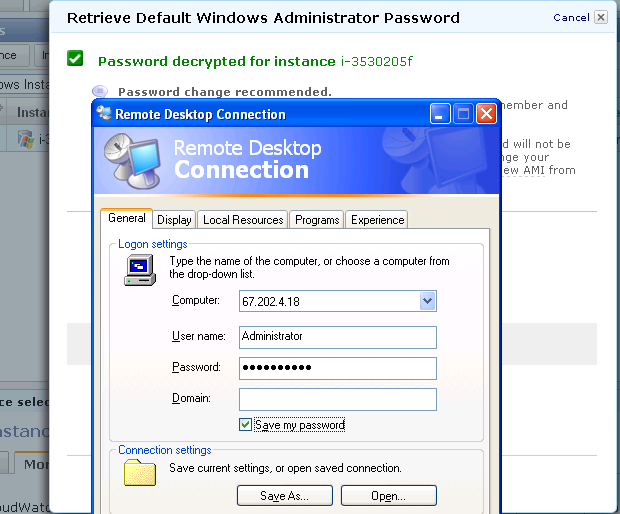 Enter the new generated password in Remote Desktop
- Login
This looks like a new clean machine with just Windows OS installed on it.
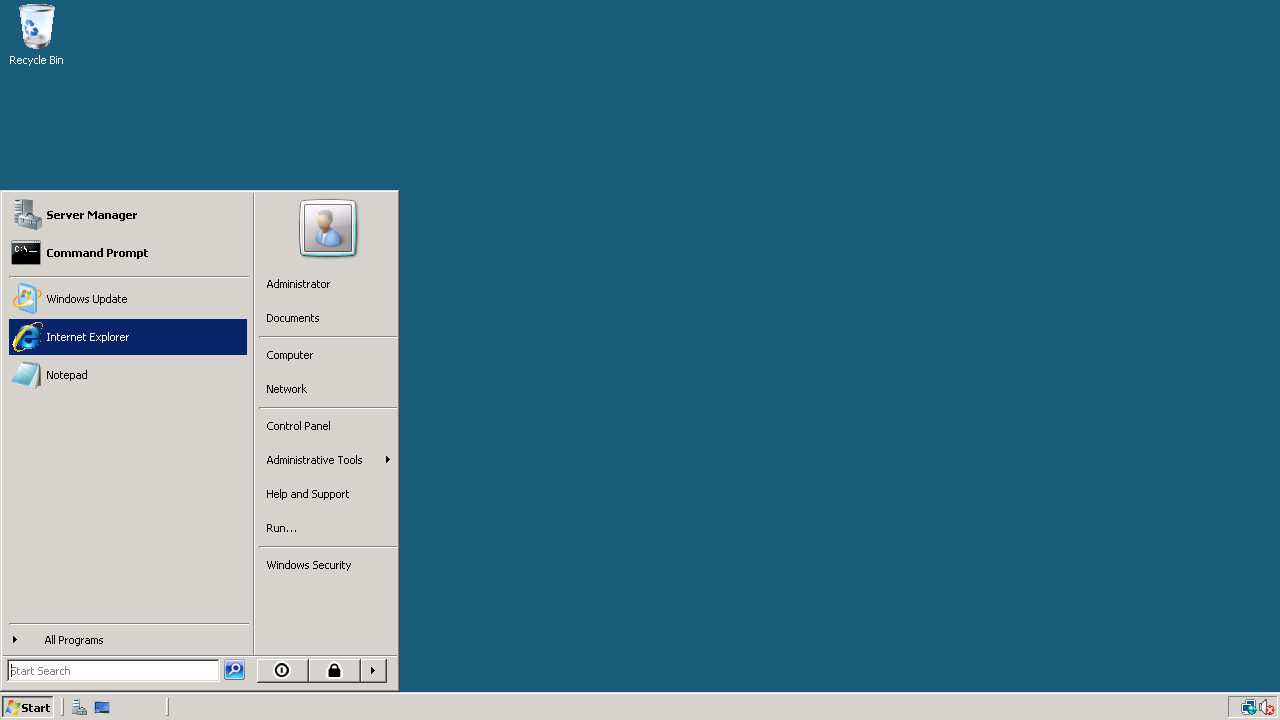
Install Chrome (or any other browser) if you do not use Internet Explorer
Install Acrobat Reader (for documentation), Revolution R Enterprise~ 490 mb (it will automatically ask to install the .NET framework-4 files) and /or R

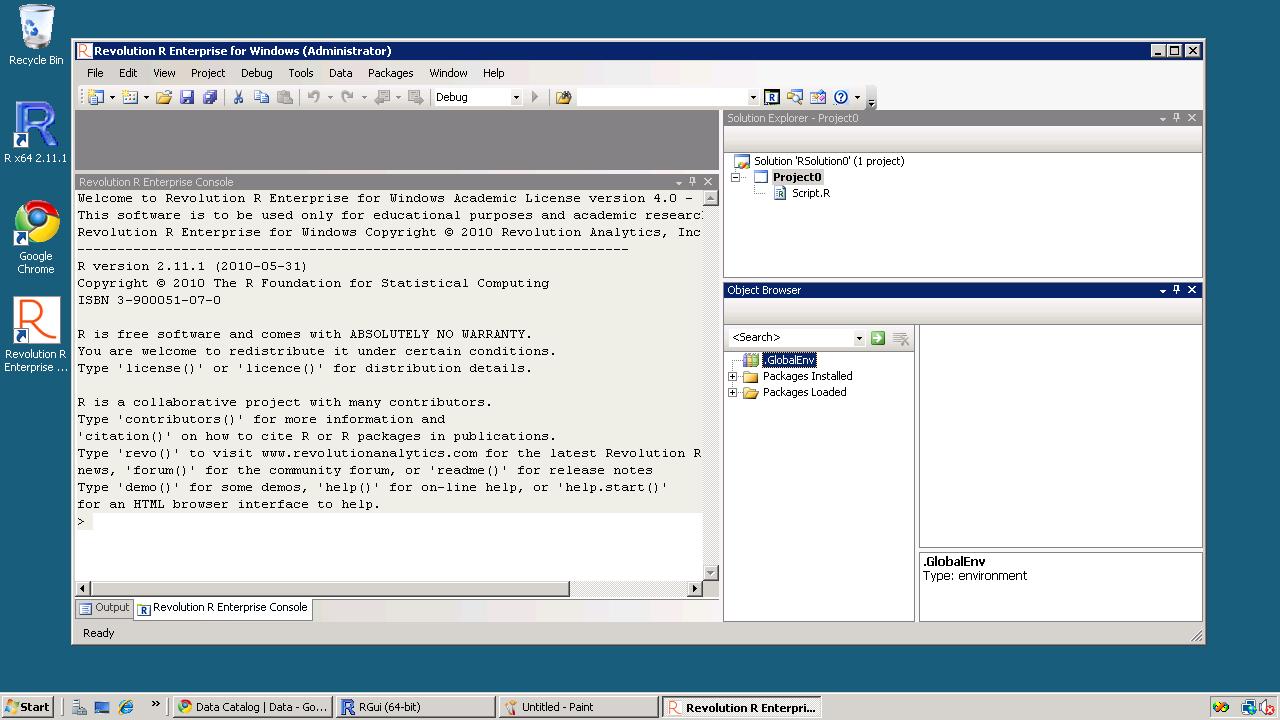 Install packages (I recommend installing R Commander, Rattle and Deducer). Apart from the fact that these GUIs are quite complimentary- they also will install almost all main packages that you need for analysis (as their dependencies) Revolution R installs parallel programming packages by default.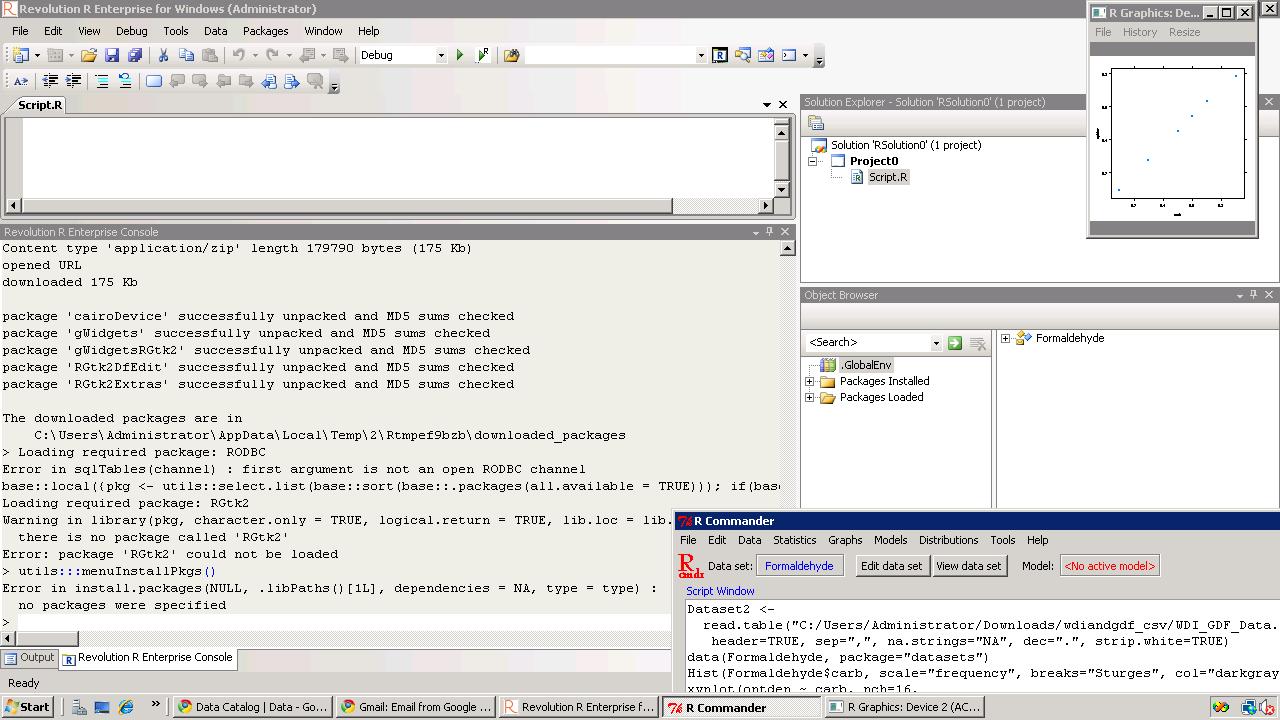
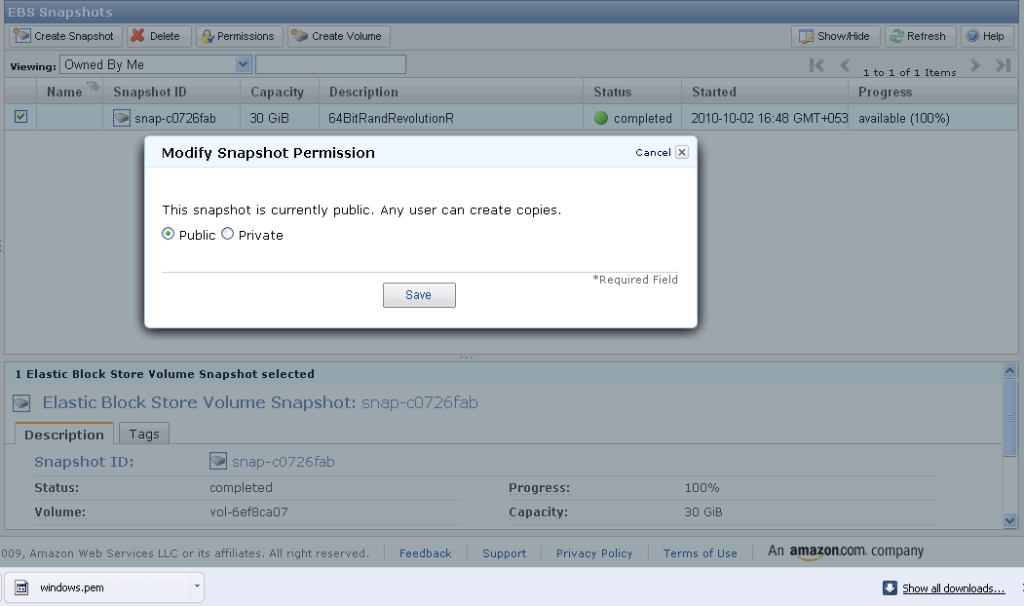
If you want to save your files for working later, you can make a snapshot (go to amazon console-ec2- left margin- ABS -Snapshot- you will see an attached memory (green light)- click on create snapshot to save your files for working later
If you want to use my Windows snapshot you can work on it , just when you start your Amazon Ec2 you can click on snapshots and enter details (see snapshot name below) for making a copy or working on it for exploring either 64 bit R, or multi core cloud computing or just trying out Revolution R’s new packages for academic purposes.
 DECISION STATS