
Author: Ajay Ohri
http://about.me/ajayohri
Random Sample of RDD in Spark
2) To get a random sample of your RDD (named data) say with 100000 rows and to get 20% values
data.sample(False,0.02,None).collect()
where data.sample takes the parameters
?data.sample
Signature: data.sample(withReplacement, fraction, seed=None)
and .collect helps in getting data
2) takeSample when I specify by size of sample (say 100)
data.takeSample(False,100)
data.takeSample(withReplacement, num, seed=None)
Docstring:
Return a fixed-size sampled subset of this RDD.
Simple isnt it
Random Sample with Hive and Download results
Random Selection
select * from data_base.table_name
where rand() <=0.01
distribute by rand()
sort by rand()
limit 100000;
Download Manually
Run the Hive Query.
When it is finished, scroll down to where results are and use the download icon (fourth from top)

Download from Hive Programmatically
Use MOBAXTERM to connect to server
Use VI/VIM to put query in a .hql file. Use i to insert and :wq to save and exit
Use nohup to run and direct the .hql results to a file
[ajayuser@server~]$ mkdir ajay
[ajayuser@server~]$ cd ajay
[ajayuser@serverajay]$ ls
[ajayuser@serverajay]$ vi agesex.hql
[ajayuser@serverajay]$ mv agesex.hql customer_demo.hql
[ajayuser@serverajay]$ ls
customer_demo.hql
[ajayuser@serverajay]$ nohup hive -f customer_demo.hql >> log_cust.${date}.log;
[ajayuser@serverajay]$ nohup: ignoring input and redirecting stderr to stdout
To check progress
[ajayuser@serverajay]$ tail -f log_cust.${date}.log
How to easily diagnose your computer’s hardware
Simply go to crucial.com , download the scanner (agree to terms) and then scan. It then gives you info on what hardware can be upgraded.


The transformation trend of data science
- Data science (Python , R ) is incomplete without Big Data (Hadoop , Spark) software
- SAS continues to be the most profitable stack in data science because of much better customer support ( than say the customer support available for configuring Big Data Analytics for other stacks)
- Cloud Computing is increasingly an option for companies that are scaling up but it is not an option for sensitive data (Telecom, Banking) and there is enough juice in Moore’s law and server systems
- Data scientists (stats + coding in R/Py/SAS +business) and Data engineers (Linux+ Hadoop +Spark) are increasingly expected to have cross domain skills from each other
- Enterprises are at a massive inflection point for digital transformation (apps, websites to get data), cloud to process data, Hadoop/Spark/Kafka to store data, and Py/ R/ SAS to analyze data in a parallel processing environment
- BI and Data Visualization will continue to be relevant just because of huge data and limited human cognition. So will be traditional statisticians for designing test and control experiments
- Data science will move from tools to insights requiring much
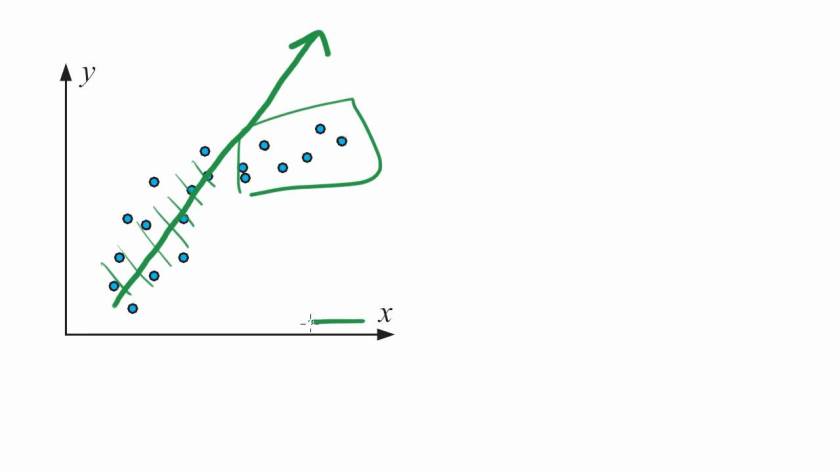 shorter cycle times from data ingestion to data analysis to business action
These are my personal views only
Finding out Environmental Variables in Windows
Use cmd to get the terminal
Then type SET to get the environmental variables
C:\Users\AJAY>SET
test and control split prior to modeling in SAS language #sasstats
https://github.com/decisionstats/sas-for-data-science/blob/master/split%20test%20and%20control.sas
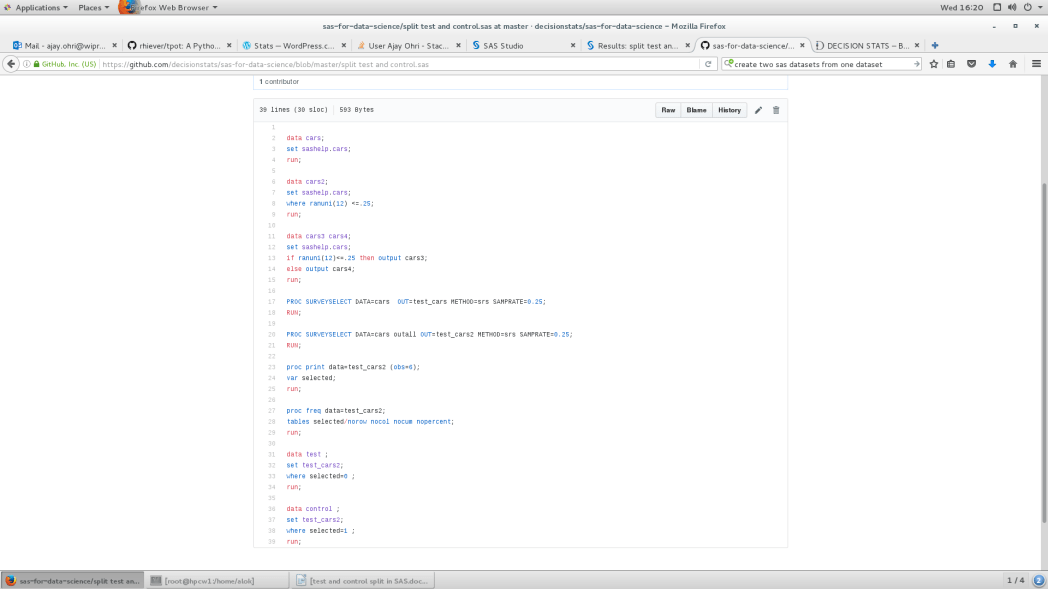
| data cars; |
| set sashelp.cars; |
| run; |
| data cars2; |
| set sashelp.cars; |
| where ranuni(12) <=.25; |
| run; |
|
data cars2;
set sashelp.cars;
where ranuni(12) <=.25;
run;
NOTE: There were 114 observations read from the data set SASHELP.CARS.
WHERE RANUNI(12)<=0.25;
NOTE: The data set WORK.CARS2 has 114 observations and 15 variables.
|
| data cars3 cars4; |
| set sashelp.cars; |
| if ranuni(12)<=.25 then output cars3; |
| else output cars4; |
| run; |
|
data cars3 cars4;
set sashelp.cars;
if ranuni(12)<=.25 then output cars3;
else output cars4;
run;
NOTE: There were 428 observations read from the data set SASHELP.CARS.
NOTE: The data set WORK.CARS3 has 114 observations and 15 variables.
NOTE: The data set WORK.CARS4 has 314 observations and 15 variables.
|
| PROC SURVEYSELECT DATA=cars OUT=test_cars METHOD=srs SAMPRATE=0.25; |
| RUN; |
| PROC SURVEYSELECT DATA=cars outall OUT=test_cars2 METHOD=srs SAMPRATE=0.25; |
| RUN; |
|
PROC SURVEYSELECT DATA=cars OUT=test_cars METHOD=srs SAMPRATE=0.25;
RUN;
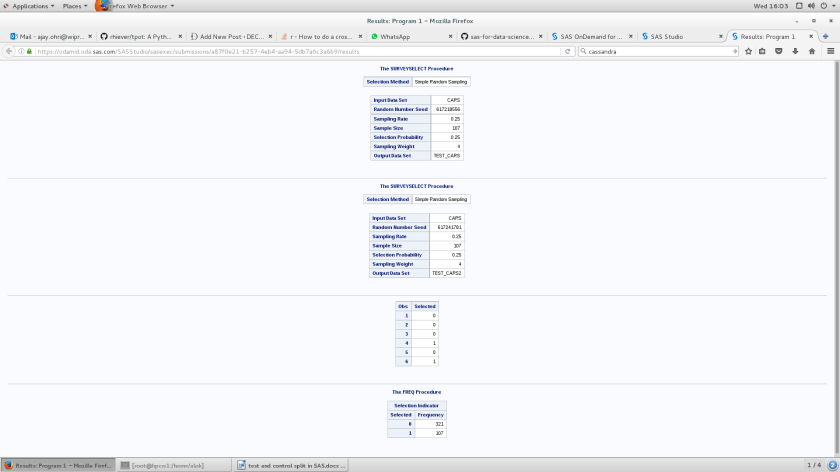
NOTE: The data set WORK.TEST_CARS has 107 observations and 15 variables.
NOTE: PROCEDURE SURVEYSELECT used (Total process time):
PROC SURVEYSELECT DATA=cars outall OUT=test_cars2 METHOD=srs SAMPRATE=0.25;
RUN;
NOTE: The data set WORK.TEST_CARS2 has 428 observations and 16 variables.
NOTE: PROCEDURE SURVEYSELECT used (Total process time):
|
| proc print data=test_cars2 (obs=6); |
| var selected; |
| run; |
| proc freq data=test_cars2; |
| tables selected/norow nocol nocum nopercent; |
| run; |
| data test ; |
| set test_cars2; |
| where selected=0 ; |
| run; |
| data control ; |
| set test_cars2; |
| where selected=1 ; |
| run; |
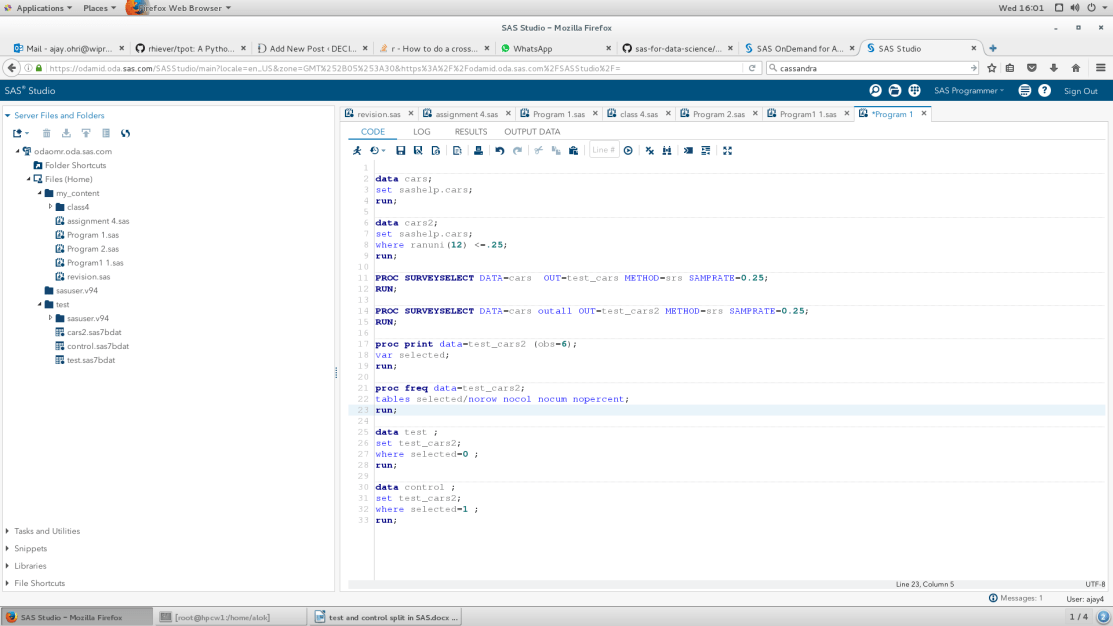
Output
 DECISION STATS