Using Twitter Data with R #rstats updated for API changes

Step 1

Install Package twitteR

install.packages("twitteR")
> install.packages("twitteR")
Installing package(s) into ‘/home/R/library’
(as ‘lib’ is unspecified)
also installing the dependencies ‘ROAuth’, ‘rjson’

trying URL 'http://cran.rstudio.com/src/contrib/ROAuth_0.9.3.tar.gz'
Content type 'application/x-gzip' length 6202 bytes
opened URL
==================================================
downloaded 6202 bytes

trying URL 'http://cran.rstudio.com/src/contrib/rjson_0.2.13.tar.gz'
Content type 'application/x-gzip' length 98132 bytes (95 Kb)
opened URL
==================================================
downloaded 95 Kb

trying URL 'http://cran.rstudio.com/src/contrib/twitteR_1.1.7.tar.gz'
Content type 'application/x-gzip' length 121696 bytes (118 Kb)
opened URL
==================================================
downloaded 118 Kb

* installing *source* package ‘ROAuth’ ...
** package ‘ROAuth’ successfully unpacked and MD5 sums checked
** R
** preparing package for lazy loading
** help
*** installing help indices
** building package indices
** testing if installed package can be loaded

* DONE (ROAuth)
* installing *source* package ‘rjson’ ...
** package ‘rjson’ successfully unpacked and MD5 sums checked
** libs
g++ -I/usr/share/R/include -DNDEBUG      -fpic  -O3 -pipe  -g  -c dump.cpp -o dump.o
gcc -std=gnu99 -I/usr/share/R/include -DNDEBUG      -fpic  -O3 -pipe  -g  -c parser.c -o parser.o
g++ -shared -o rjson.so dump.o parser.o -L/usr/lib/R/lib -lR
installing to /home/R/library/rjson/libs
** R
** inst
** preparing package for lazy loading
** help
*** installing help indices
** building package indices
** installing vignettes
   ‘json_rpc_server.Rnw’ 
** testing if installed package can be loaded

* DONE (rjson)
* installing *source* package ‘twitteR’ ...
** package ‘twitteR’ successfully unpacked and MD5 sums checked
** R
** inst
** preparing package for lazy loading
Creating a generic function for ‘as.data.frame’ from package ‘base’ in package ‘twitteR’
** help
*** installing help indices
** building package indices
** testing if installed package can be loaded

* DONE (twitteR)

The downloaded source packages are in
	‘/tmp/RtmpvY7yMN/downloaded_packages’

Step 2

Load Package twitteR

library(twitteR)
> library(twitteR)
Loading required package: ROAuth
Loading required package: RCurl
Loading required package: bitops
Loading required package: digest
Loading required package: rjson

Step 3

Using your Twitter Login ID and Password Login to https://dev.twitter.com/apps/  

In case you forget the twitter.com username and password, click on Forgot Password to reset Password

Screenshot from 2013-09-11 13:40:51

Step 4

Create a new app for yourself by navigating to My Applications

Screenshot from 2013-09-11 13:41:56

Step 5

Your Apps are here

https://dev.twitter.com/apps

Click on New Application (button on top right)

Screenshot from 2013-09-11 13:44:16

Step 6

Fill the options here- leave the callback  url blank

Name should be Unique

Description should be atleast 10 Charachters

Website can be a placeholder as of now (or your blog address) Screenshot from 2013-09-11 13:46:03

Agree to Terms and Conditions

Type the Spam Check Number and Letters Screenshot from 2013-09-11 13:46:18

Step 7

Note these  details from your new APP

Consumer Key

Consumer Secret

On the Bottom –

Click on Create your OAuth Token

Finally your APP page should look like this (dont worry i will be deleting this app so you cant hack my twitter yet)

Screenshot from 2013-09-11 13:52:10

Step 8

Go to R

Type the following code  after you changed the two consumer keys (IMPORTANT- You will need to change your Consumer Key and Consumer Secret to the one specific to YOUR app)

NOTE- WordPress makes some changes when you copy and paste code to your blog

(like  adding &8221 to lines 2-4 below- Ignore this please)

THE final formatted code is at very end of the post

library(twitteR)
reqURL <- “https://api.twitter.com/oauth/request_token&#8221;
accessURL <- “https://api.twitter.com/oauth/access_token&#8221;
authURL <- “https://api.twitter.com/oauth/authorize&#8221;
consumerKey <- “2uQlGBBMMXdDffcK2IkAsg
consumerSecret <- “xrGr71kTfdT3ypWFURGxyJOC4Oqf46Rwu4qxyxoEfM”
twitCred <- OAuthFactory$new(consumerKey=consumerKey,
consumerSecret=consumerSecret,
requestURL=reqURL,
accessURL=accessURL,
authURL=authURL)

Screenshot from 2013-09-11 13:41:56Step 9

Do the Twitter Handshake by pasting this

command in R Console

twitCred$handshake()

You will see a message like this from R

> twitCred$handshake()
To enable the connection, please direct your web browser to: http://api.twitter.com/oauth/authorize?oauth_token=pJqojAg2gxmqip3SprJAyOckdcD1nB3MvlbP2dWUDGQ When complete, record the PIN given to you and provide it here:

Step 10

Go to the link above given by R

You will get this message

Screenshot from 2013-09-11 14:01:42Click on blue button

Authorize app

Step 11 Entering the Pin

Now you see a pin here

like this

Screenshot from 2013-09-11 14:02:48-You cant copy and paste it. Write it down and then type in your R console

Step 12

Now register the credentials using

registerTwitterOAuth(twitCred)

you will see this

if done correctly

> registerTwitterOAuth(twitCred) [1] TRUE

123Step 13

Search Twitter using commands like here. Note it returns only 499 tweets

> a=searchTwitter(“#rstats”, n=2000)

Warning message: In doRppAPICall(“search/tweets”, n, params = params, retryOnRateLimit = retryOnRateLimit, : 2000 tweets were requested but the API can only return 499

Step 14 Now you can start analyzing the data

Convert the data into a data frame tweets_df = twListToDF(a)

Install Packages tm (for textmining and wordcloud)

> install.packages(c(“tm”, “wordcloud”))

Load the Packages

library(tm)

library(wordcloud)

Basic Word Cloud can be created using code below

b=Corpus(VectorSource(tweets_df$text), readerControl = list(language = “eng”))

b<- tm_map(b, tolower) #Changes case to lower case

b<- tm_map(b, stripWhitespace) #Strips White Space

b <- tm_map(b, removePunctuation) #Removes Punctuation

inspect(b)

tdm <- TermDocumentMatrix(b)

m1 <- as.matrix(tdm)

v1<- sort(rowSums(m1),decreasing=TRUE)

d1<- data.frame(word = names(v1),freq=v1)

wordcloud(d1$word,d1$freq)
For more detailed analysis on what you can do with Twitter and R, read this http://cran.r-project.org/web/packages/twitteR/twitteR.pdf or this https://sites.google.com/site/miningtwitter/

Step 15 Keep your OAuth keys safely, and do your homework with out bothering your instructor too much.

If you try and copy the paste the code from a website, be sure to change the quotation marks “” manually in your R console

Also see on text mining https://decisionstats.com/2012/03/19/text-mining-barack-obama/

FINAL CODE

install.packages("twitteR")
library(twitteR)
reqURL <- "https://api.twitter.com/oauth/request_token"
accessURL <- "https://api.twitter.com/oauth/access_token"
authURL <- "https://api.twitter.com/oauth/authorize"
consumerKey <- "rR16FxDLkTYmuVhqH4s4EQ"
consumerSecret <- "xrGr71kTfdT3ypWFURGxyJOC4Oqf46Rwu4qxyxoEfM"
twitCred <- OAuthFactory$new(consumerKey=consumerKey,
                             consumerSecret=consumerSecret,
                             requestURL=reqURL,
                             accessURL=accessURL,
                             authURL=authURL)
twitCred$handshake() #Pause here for the Handshake Pin Code
registerTwitterOAuth(twitCred) #Wait till you see True


a=searchTwitter("#rstats", n=2000) #Get the Tweets
 tweets_df = twListToDF(a) #Convert to Data Frame
 install.packages(c("tm", "wordcloud"))
 library(tm) 
library(wordcloud)   
  b=Corpus(VectorSource(tweets_df$text), readerControl = list(language = "eng"))
 b<- tm_map(b, tolower) #Changes case to lower case 
b<- tm_map(b, stripWhitespace) #Strips White Space 
b <- tm_map(b, removePunctuation) #Removes Punctuation
 inspect(b) 
tdm <- TermDocumentMatrix(b) 
m1 <- as.matrix(tdm) 
v1<- sort(rowSums(m1),decreasing=TRUE) 
d1<- data.frame(word = names(v1),freq=v1) 
wordcloud(d1$word,d1$freq)
 

The new RStudio Shiny Server – A bright Spark for hosted Stats Visualization #rstats

So I googled http://spark.rstudio.com/ and I got a cool list of Shiny Apps on the R Studio Shiny Server ( experimental!)

I suppose the next stage is to have some pre built themes to further enable or facillitate Business Intelligence kind of visualization so people do not have to build the UI.R from scratch

Also a  gallery for the best of Shiny is here http://www.rstudio.com/shiny/showcase/

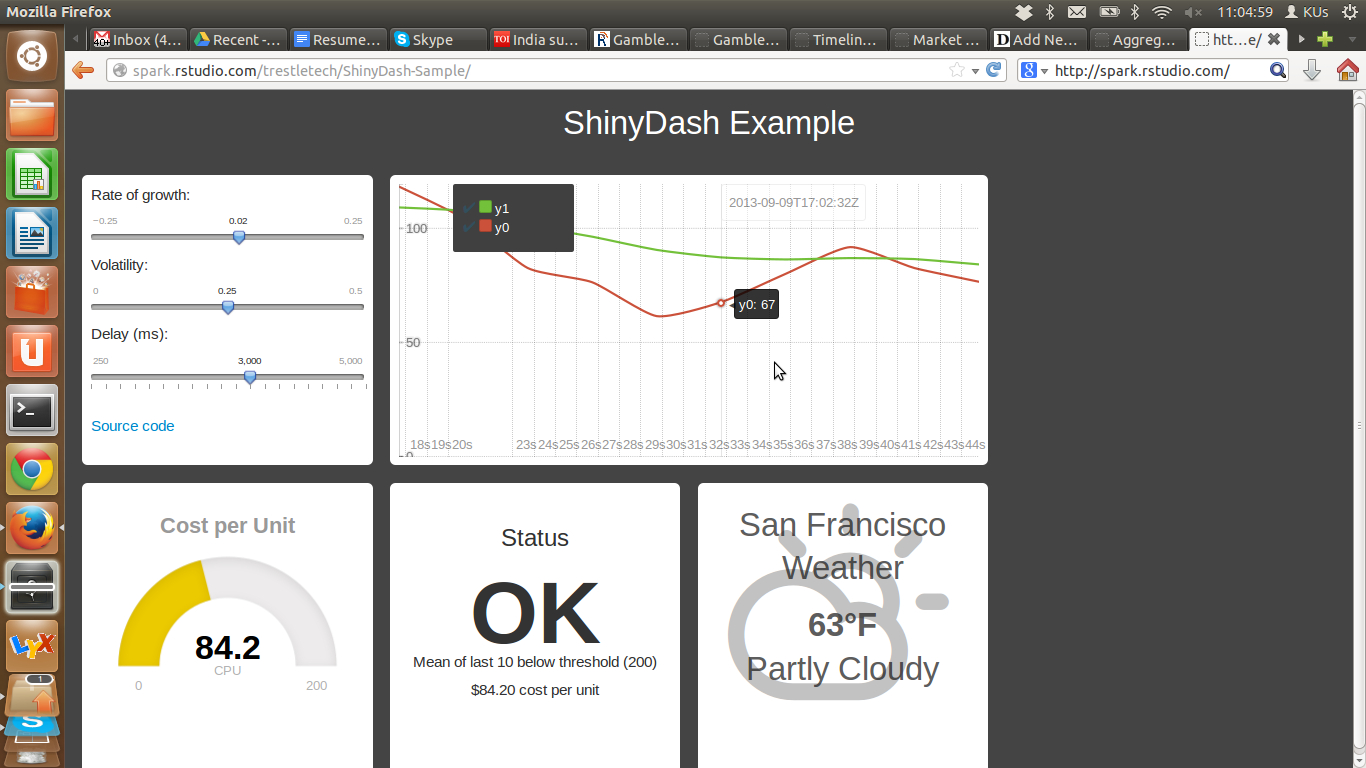
http://spark.rstudio.com/trestletech/ShinyDash-Sample/

Screenshot from 2013-09-09 11:05:00

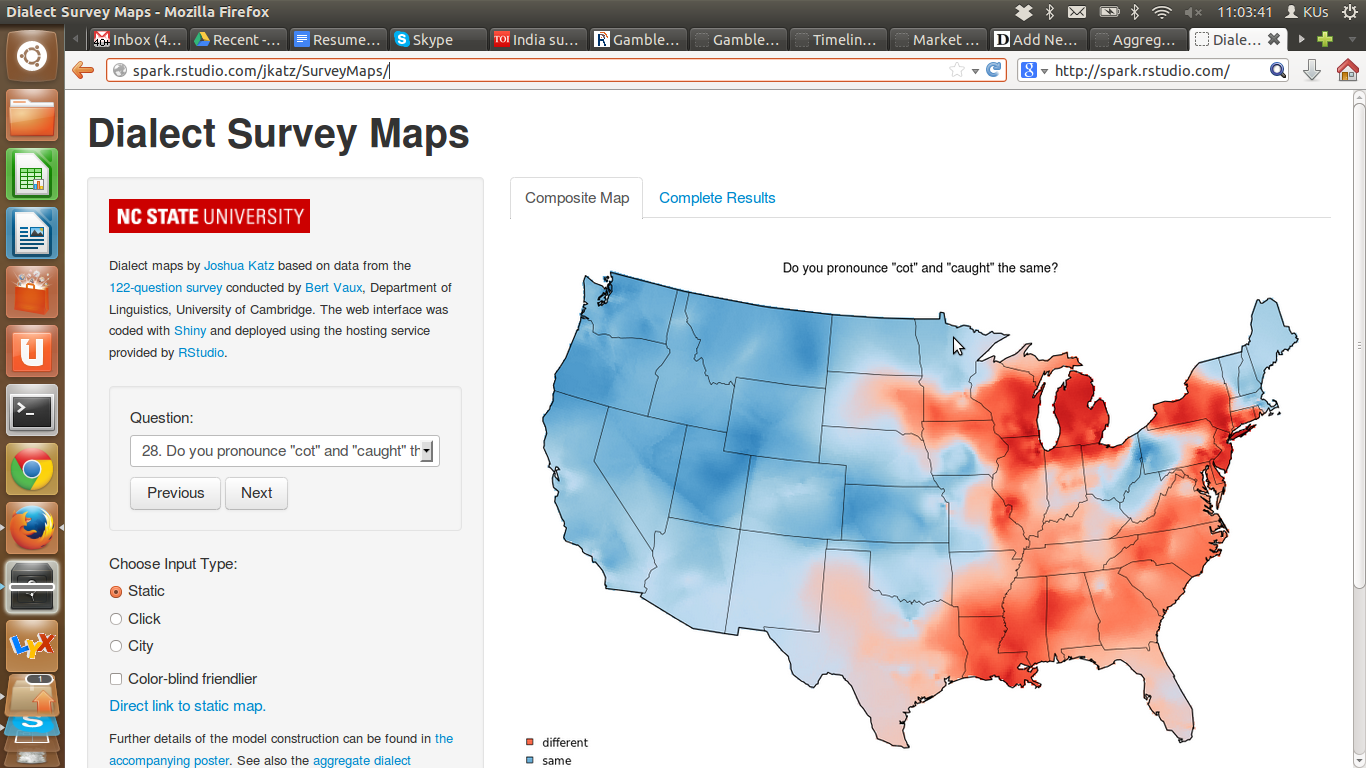
http://spark.rstudio.com/jkatz/SurveyMaps/

Screenshot from 2013-09-09 11:03:41

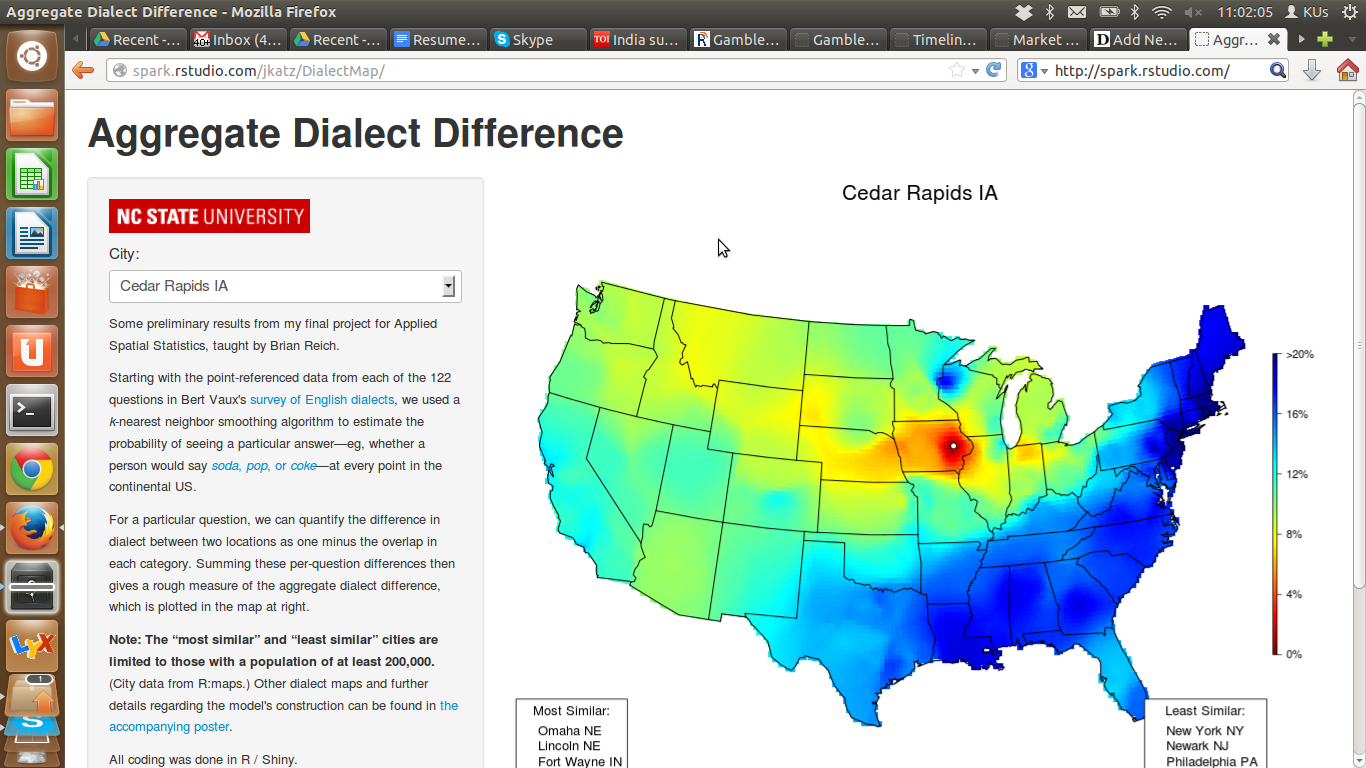
http://spark.rstudio.com/jkatz/DialectMap/

Screenshot from 2013-09-09 11:02:06

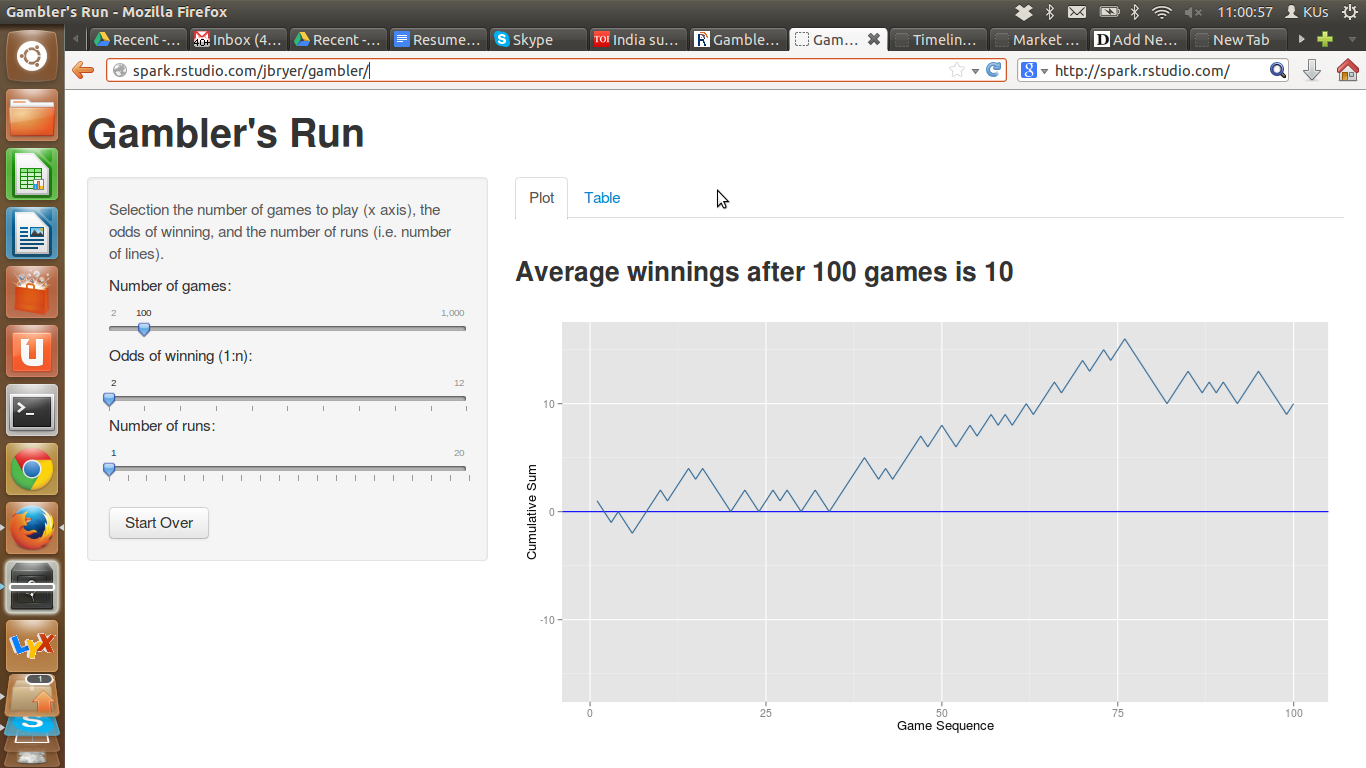
http://spark.rstudio.com/jbryer/gambler/

Screenshot from 2013-09-09 11:00:58

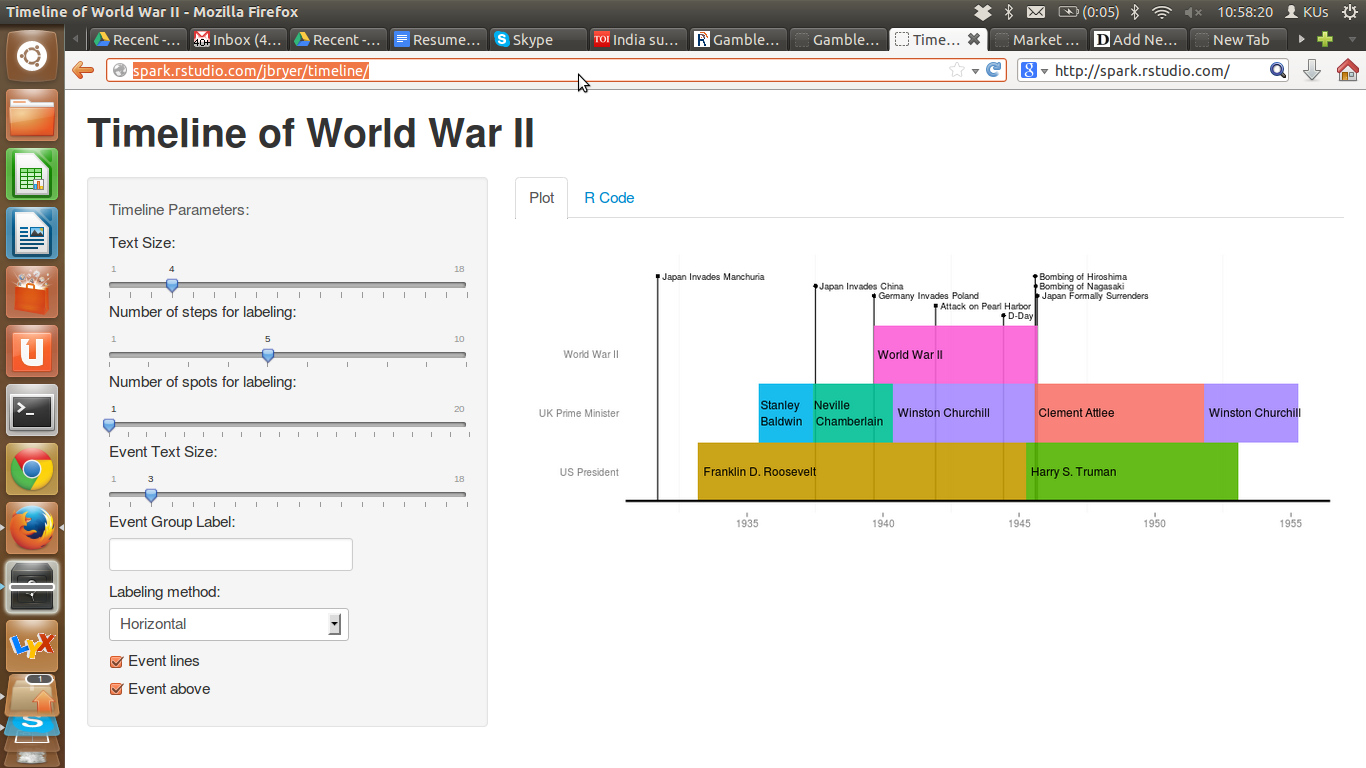
http://spark.rstudio.com/jbryer/timeline/

Screenshot from 2013-09-09 10:58:21

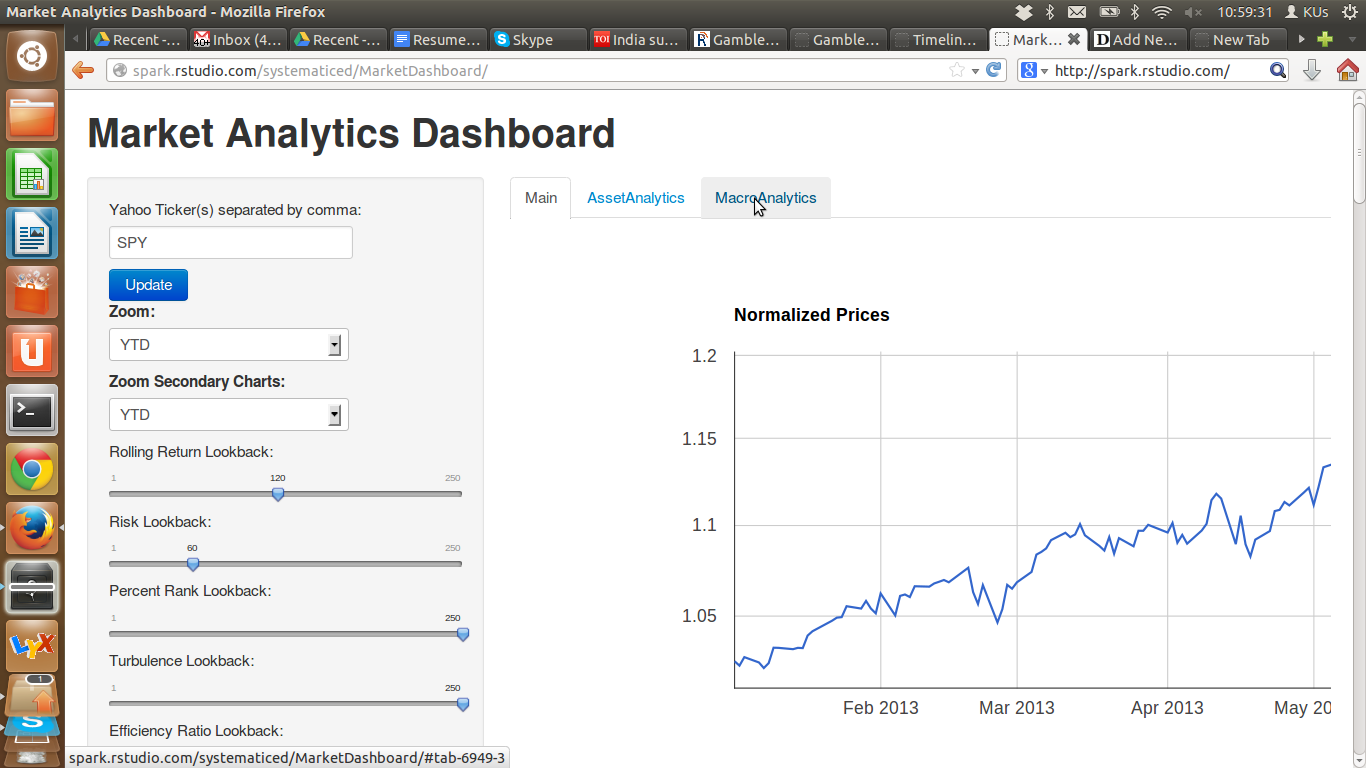
http://spark.rstudio.com/systematiced/MarketDashboard/

Screenshot from 2013-09-09 10:59:32

and others too

http://spark.rstudio.com/ram/shinySketch/

http://spark.rstudio.com/dgrapov/PCA/

http://spark.rstudio.com/dgrapov/1Dplots/

Using Quandl for Datasets and Research #rstats

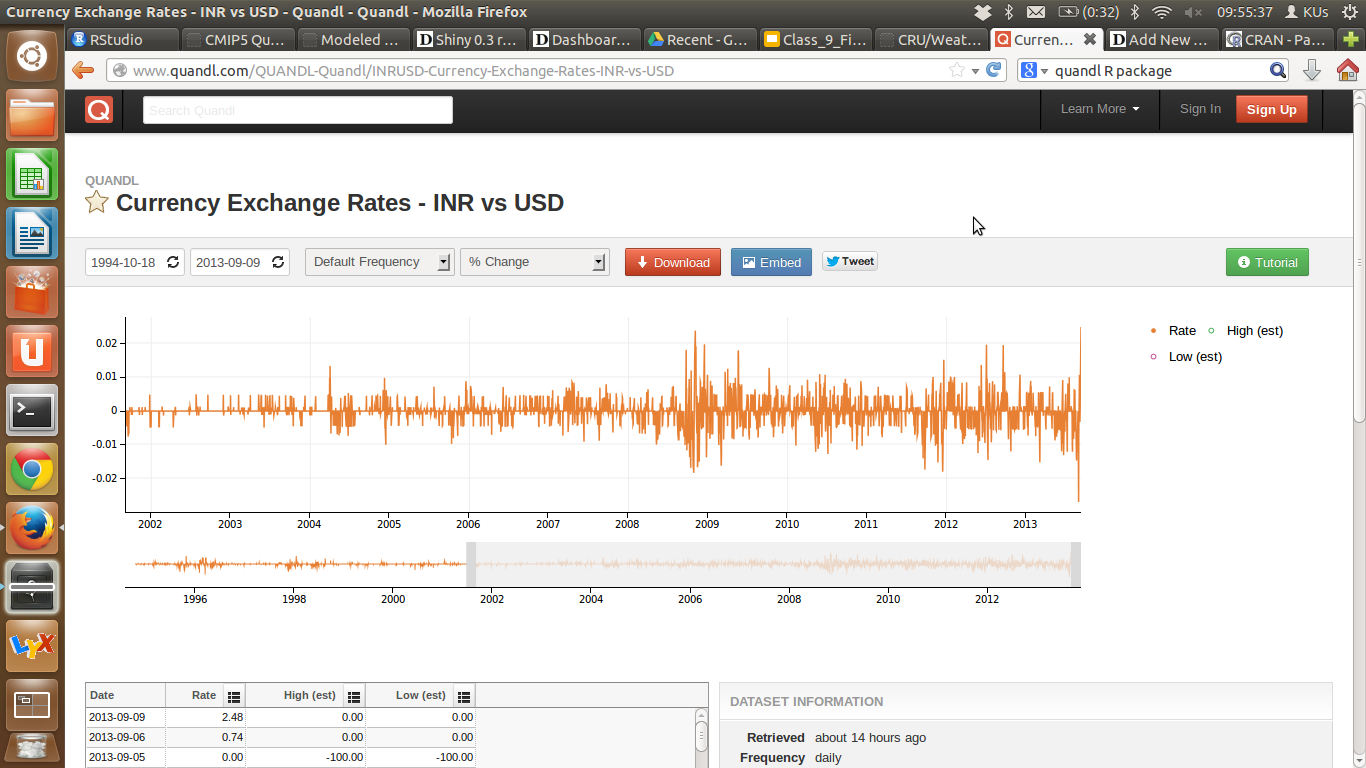
Graph of Currency Exchange Rates - INR vs USD

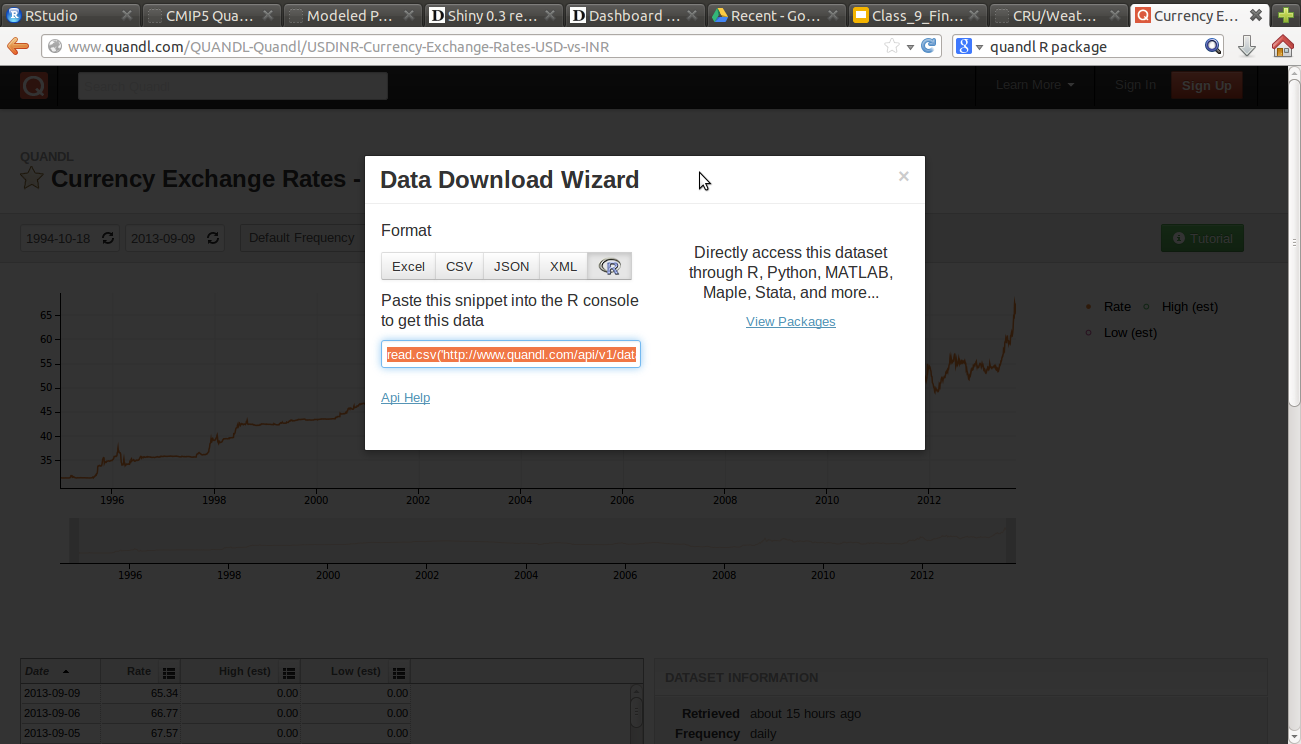
I love the above graph from Quandl, it is as easy as using a search engine for numerical datasets, and it gives me graphs, and download and embed options. Nice Work Quandl!

I hope the R Package Quandl at http://cran.r-project.org/web/packages/Quandl/ is used more often for searching for datasets. Rather than import dataset using URL as in R Studio Server, maybe we can have some import Quandl dataset features too. URL’s are so 90’ish. or maybe the Shiny Server /Quandl mashup can bring some new ideas. After all Dashboard Design is still relevant today! Something like a ggplot based dashboard them for analysis , for Shiny server based visualizations. I believe Shiny can have more pre-built theme (to be continued)

Quandl though must be applauded for the options they give including the R code

Screenshot from 2013-09-09 10:04:23

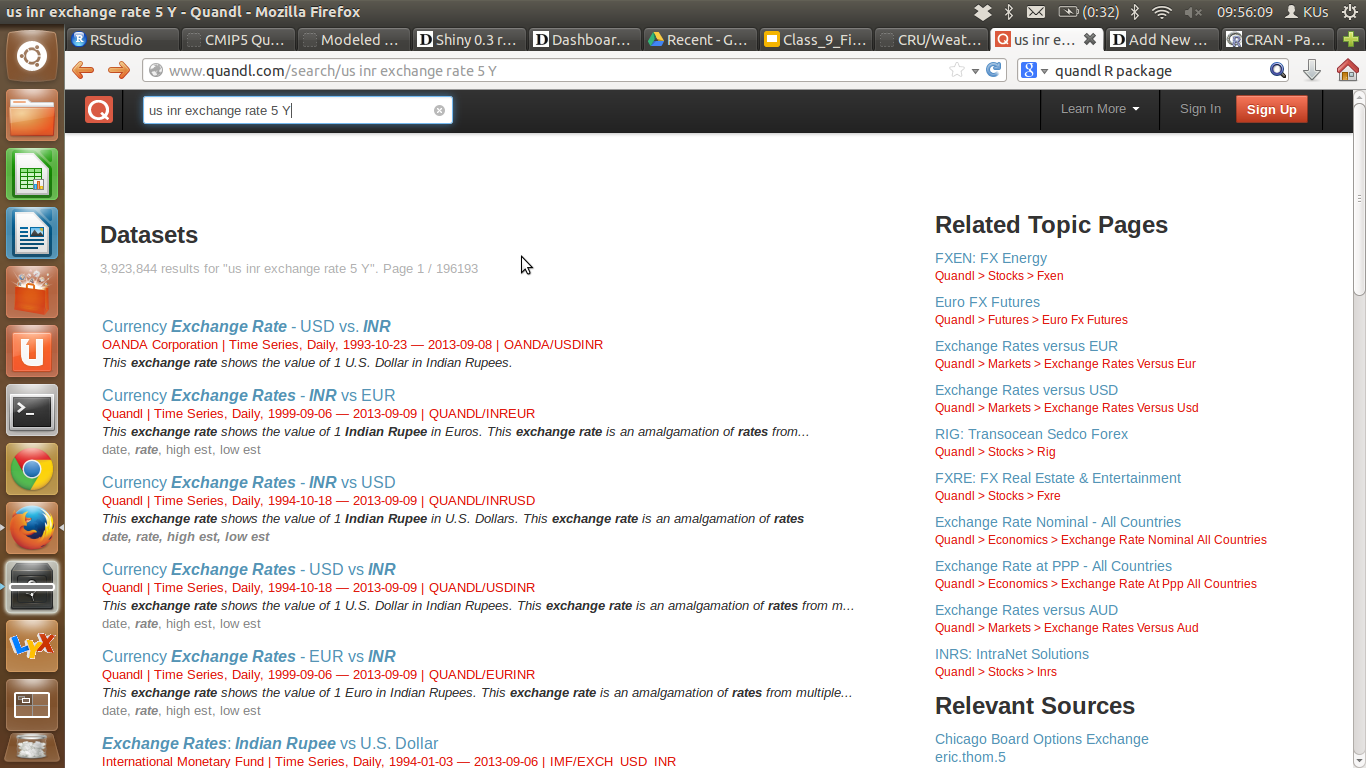
1) EASY SEARCH Screenshot from 2013-09-09 09:56:10

2) MANY DATASETS (and they respect No Indexing requests) Screenshot from 2013-09-09 09:55:59

3) Final Search Results are embeddable ,downloadable and linkable.

Screenshot from 2013-09-09 09:55:38

Fearsome Engines, Part 1

richierocks's avatar4D Pie Charts

Back in June I discovered pqR, Radford Neal’s fork of R designed to improve performance. Then in July, I heard about Tibco’s TERR, a C++ rewrite of the R engine suitable for the enterprise. At this point it dawned on me that R might end up like SQL, with many different implementations of a common language suitable for different purposes.

As it turned out, the future is nearer than I thought. As well as pqR and TERR, there are four other projects: Renjin, a Java-based rewrite that makes it easy to integrate with Java software and has some performance benefits; fastR, another Java-based engine focused on performance; Riposte, a C++ rewrite that also focuses on performance; and CXXR, a set of C++ modifications to GNU R that focus on maintainability and extensibility.

I think that having a choice of R engine is a good thing. The development model of…

View original post 910 more words

Broken Ubuntu Fix libnautilus-extension1a

I kept getting this error-

The package libnautilus-extension1a needs to be reinstalled, but I can’t find an archive for it.

This prevented my Ubuntu 12 from installing anything new

This was the final solution-

$ sudo gedit /var/lib/dpkg/status (you can use vi or nano instead of gedit)

Locate the corrupt package, and remove the whole block of information about it and save the file.

In my case the package libnautilus-extension1a was corrupted so I removed all info about it, and voila now the reinstall is working

Hat tip-

http://askubuntu.com/questions/146150/unable-to-fix-broken-packages-with-sudo-apt-get-install-f


R on a JVM – Renjin is now FOAS #rstats #jvm #cloud

Renjin is now FOAS!

What is Renjin

From- http://www.renjin.org/

Renjin is a JVM-based interpreter for the R language for statistical computing. This project is an initiative of BeDataDriven, a company providing consulting in analytics and decision support systems.

R on the JVM

Over the past two decades, the R language for statistical computing has emerged as the de facto standard for analysts, statisticians, and scientists. Today, a wide range of enterprises –from pharmaceuticals to insurance– depend on R for key business uses. Renjin is a new implementation of the R language and environment for the Java Virtual Machine (JVM), whose goal is to enable transparent analysis of big data sets and seamless integration with other enterprise systems such as databases and application servers.

Renjin is still under development, with a target of a version “1.0” in late 2013, but in the meantime it is being used in production for a number of our client projects, and supports most CRAN packages, including some with C/Fortran dependencies.

Why Renjin?

We built Renjin, a new interpreter for the JVM because we wanted the beauty, the flexibility, and power of R with the performance of the Java Virtual Machine.

Bigger data

R has been traditionally limited by the need to fit data sets into memory, and working with even modest sets of data can quickly exhaust memory due to historical limitations in GNU R interpreter’s implementation.

Renjin will allow R scripts to transparently interact with data wherever it’s stored, whether that’s on disk, in a remote database, or in the cloud.

While there have been attempts to bring big data to the original interpreter, these have generally provided a parallel set of data structures and algorithms, threatening a fragmentation of the language and platform. Renjin, in contrast, will allow existing R code to run on larger datasets with no modification, using R’s familiar and standard data structures and algorithms.

Better performance

Renjin offers performance improvements in executing R code on several fronts:

  • Vector operations: Renjin’s deferred computation engine automatically parallelizes and optimizes vector operation to run an order of magnitude faster, without the memory demands of computing intermediate structures
  • Matrix operations: Renjin allows the user to plugin best-of-class implementations of BLAS, LAPACK, and FFT.
  • Scalar operations: Renjin will compile frequently used portions of R code to JVM byte code on the fly, dramatically increasing performance of R’s notorious performance on for loops and other predominantly scalar code [2013Q3]

These improvements make it possible to perform real-time analyses using complex models.

Cloud-ready

Renjin enables R developers to deploy their code to Platform-as-a-Service providers like Google Appengine, Amazon Beanstalk or Heroku without worrying about scale or infrastructure. Renjin is pure Java – it can run anywhere.


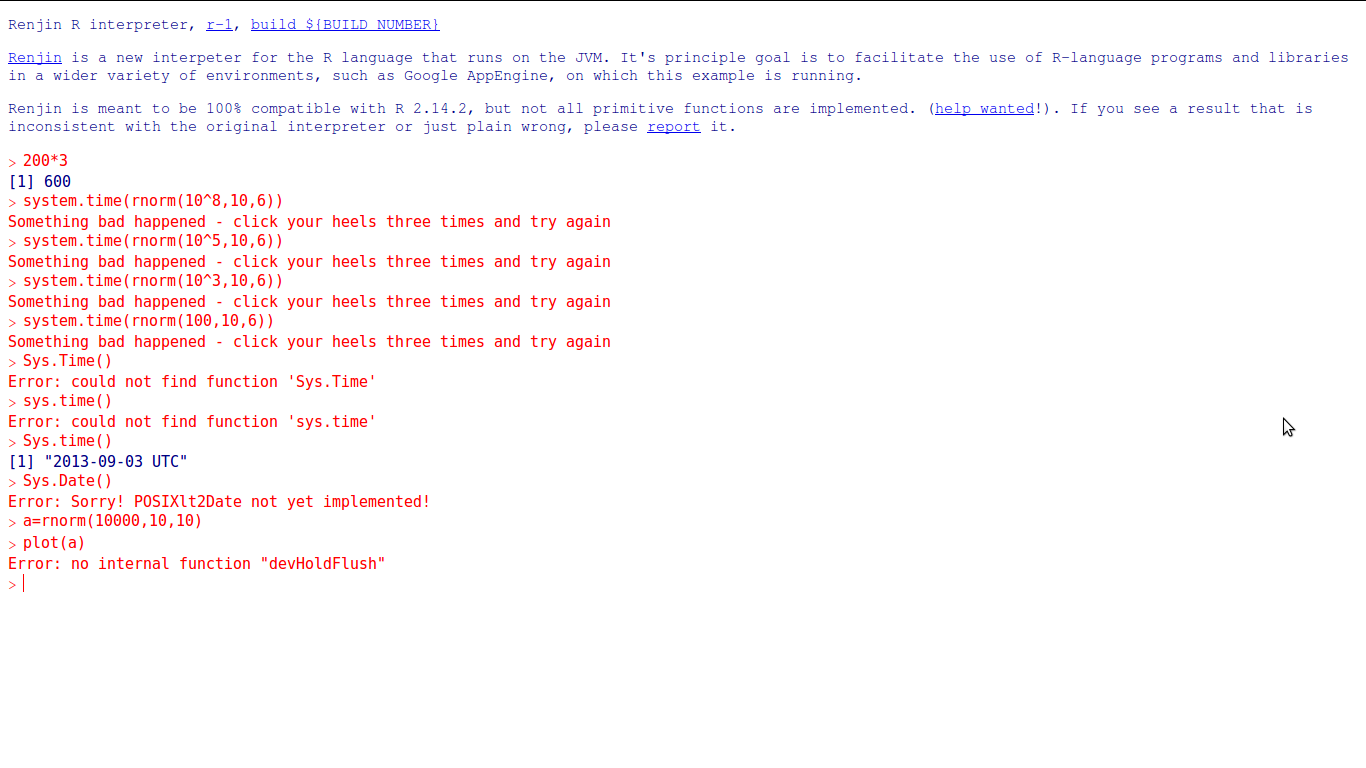
However, I did test it and I think the R and Clojure community and even the professional R product companies can do a bit more to support R on JVM

I would also be careful on the licenses of the Java flavor used 😉

Nopes,   Brian Ripley is still benevolent dictator of life at R. He wont be losing any sleep on this new fork of R!

But seriously 😉 !

Screenshot from 2013-09-03 07:11:13

Jeroen Ooms’s latest APP #rstats #appiness

Jeroen Ooms, famed inventor of Open CPU and advanced Web Apps, just released a new app.

Source-

https://public.opencpu.org/posts/knitr-markdown-opencpu-app/

A new   OpenCPU app allows you to knit and markdown in the browser. It has a unique  code editor which automatically updates the output after 3 seconds of inactivity. It uses the Ace web editor with mode-r.js (thanks to RStudio ).

the source package lives in the opencpu app repo on github. You can try it out on the public cloud server

#install the package
library(devtools)
install_github("markdownapp", "opencpu")

#open it in opencpu
library(opencpu)
opencpu$browse("/library/markdownapp/www")

The app uses the knitr R package and a few lines of javascript to call