(Updated with comments from Dr Graham in the comments section )
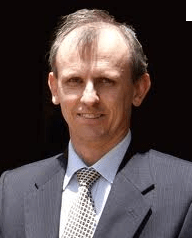
I have often talked about how the Graphical User Interface ,Rattle for R language makes learning R and building models quite simple. Rattle‘s latest version has been released and got extensive publicity including in KD Nuggets .I wrote to it’s creator Dr Graham, and he agreed for an extensive interview explaining data mining, its evolution and the philosophy and logic behind open source languages like R as well as Rattle.
Dr Graham Williams is the author of the Rattle data mining software and Adjunct Professor, University of Canberra and Australian National University. Rattle is available from rattle.togaware.com.
Ajay – Could you describe your career journey . What made you enter this field and what experiences helped shape your perspectives . What would your advice be to young professionals entering this field today.
Graham – With a PhD in Artificial Intelligence (topic: combining multiple decision trees to build ensembles) and a strong interest in practical applications, I started out in the late 1980’s developing expert systems for business and government, including bank loan assessment systems and bush fire prediction.
When data mining emerged as a discipline in the early 1990’s I was involved in setting up the first data mining team in Australia with the government research organization (CSIRO). In 2004 I joined the Australian Taxation Office and provide the technical lead for the deployment of its Analytics team, overseeing the development of a data
mining capability. I have been teaching data mining at the Australian National University (and elsewhere) since 1995 and continue to do so.
The business needs for Data Mining and Analytics continues to grow, although courses in Data Mining are still not so common. A data miner combines good backgrounds in Computer Science and Statistics. The Computer Science is too little emphasized, but is crucial for skills in developing repeatable procedures and good software engineering
practices, which I believe to be important in Data Mining.
Data Mining is more than just using a point and click graphical user interface (GUI). It is an experimental endeavor where we really need to be able to follow our nose as we explore through our data, and then capture the whole process in an automatically repeatable manner that can be readily communicated to others. A programming language offers this sophisticated level of communications.
Too often, I see analysts, when given a new dataset that updates last years data, essentially start from scratch with the data pre-processing, cleaning, and then mining, rather than beginning with last year’s captured processes and tuning to this year’s data. The GUI generation of software often does not encourage repeatability.
Ajay -What made you get involved with R . What is the advantage of using Rattle
versus normal R.
Graham- I have used Clementine and SAS Enterprise miner over many years (and IBM’s original Intelligent Miner and Thinking Machines’ Darwin, and many other tools that emerged early on with Data Mining). Commercial vendors come and go (even large one’s like IBM, in terms of the products they support).
Lock-in is one problem with commercial tools. Another is that many vendors, understandably, won’t put resources into new algorithms until they are well accepted.
Because it is open source, R is robust, reliable, and provides access to the most advanced statistics. Many research Statisticians publish their new algorithms in R. But what is most important is that the source code is always going to be available. Not everyone has the skill to delve into that source code, but at least we have a chance to
do so. We also know that there is a team of highly qualified developers whose work is openly peer reviewed. I can monitor their coding changes, if I so wanted. This helps ensure quality and integrity.
Rolling out R to a community of data analysts, though, does present challenges. Being primarily a language for statistics, we need to learn to speak that language. That is, we need to communicate with language rather than pictures (or GUI). It is, of course, easier to draw pictures, but pictures can be limiting. I believe a written language allows us to express and communicate ideas better and more formally. But it needs to be with the philosophy that we are communicating those ideas to our fellow humans, not just writing code to be executed by the computer.
Nonetheless, GUIs are great as memory aides, for doing simple tasks, and for learning how to perform particular tasks. Rattle aims to do the standard data mining steps, but to also expose everything that is done as R commands in the log. In fact, the log is designed to be able to be run as an R script, and to teach the user the R commands.
Ajay- What are the advantages of using Rattle instead of SAS or SPSS. What are the disadvantages of using Rattle instead of SAS or SPSS.
Graham- Because it is free and open source, Rattle (and R) can be readily used in teaching data mining. In business it is, initially, useful for people who want to experiment with data mining without the sometimes quite significant up front costs of the commercial offerings. For serious data mining, Rattle and R offers all of the data mining algorithms offered by the commercial vendors, but also many more. Rattle provides a simple, tab-based, user interface which is not as graphically sophisticated as Clementine in SPSS and SAS Enterprise Miner.
But with just 4 button clicks you will have built your first data mining model.
The usual disadvantage quoted for R (and so Rattle) is in the handling of large datasets – SAS and SPSS can handle datasets out of memory although they do slow down when doing so. R is memory based, so going to a 64bit platform is often necessary for the larger datasets. A very rough rule of thumb has been that the 2-3GB limit of the common 32bit processors can handle a dataset of up to about 50,000 rows with 100 columns (or 100,000 rows and 10 columns, etc), depending on the algorithms you deploy. I generally recommend, as quite a powerful yet inexpensive data mining machine, one running on an AMD64 processor, running the Debian GNU/Linux operating system, with as much memory as you can afford (e.g., 4GB to 32GB, although some machines today can go up to 128 GB, but memory gets expensive at that end of the scale).
Ajay – Rattle is free to download and use- yet it must have taken you some time
to build it.What are your revenue streams to support your time and efforts?
Graham –Yes, Rattle is free software: free for anyone to use, free to review the code, free to extend the code, free to use it for whatever purpose. I have been developing Rattle for a few years now, with a number of
contributions from other users. Rattle, of course, gets its full power from R. The R community works together to help each other,
and others, for the benefit of all. Rattle and R can be the basic toolkit for knowledge workers providing analyses. I know of a number of data mining consultants around the world who are using Rattle to support their day-to-day consultancy work.
As a company, Togaware provides user support, installations of R and Rattle, runs training in using Rattle and in doing data mining. It also delivers data mining projects to clients. Togaware also provides support for incorporating Rattle (and R) into other products (e.g., as RStat for Information Builders).
Ajay – What is your vision of analytics for the future. How do you think the recession of 2008 and slowdown in 2009 will affect choice of softwares.
Graham- Watching the growth of data mining and analytics over the past 18 years it does seem that there has been and continues to be a monotonically increasing interest and demand for Analytics. Analytics continues to demonstrate benefit.
The global financial crisis, as others have suggested, should lead organizations to consider alternatives to expensive software. Good quality free and open source software has been available for a while now, but the typical CTO is still more comfortable purchasing expensive software. A purchase gives some sense of (false?) security but formally provides no warranty. My philosophy has been that we
should invest in our people, within an organization, and treat software as a commodity, that we openly contribute back into.
Imagine a world where we only use free open source software. The savings made by all will be substantial (consider OpenOffice versus MS/Office license fees paid by governments world wide, or Rattle versus SAS Enterprise Miner annual license fees). A small part of that saving might be expended on ensuring we have staff who are capable of understanding and extending that software to suit our needs, rather than vice versa (i.e., changing our needs to suit the software). We feed our extensions back into the grid of open source software, whilst also benefiting from contributions others are making. Some commercial vendors like to call this “communism” as part of their attempt to discredit open source, but we had better learn to share, for the good of the planet, before we lose it.
( Note from Ajay – If you are curious to try R , and have just 15 minutes to try it in, download Rattle from rattle.togaware.com. It has a click and point interface and auto generates R code in it’s log. Trust me, it would time well spent.)
28.635308
77.224960





 DECISION STATS
