This is why code written by scientists gets ugly

brilliant piece of why scientists write bad code

nsaunders's avatarWhat You're Doing Is Rather Desperate

There’s a lot of discussion around why code written by self-taught “scientist programmers” rarely follows what a trained computer scientist would consider “best practice”. Here’s a recent post on the topic.

One answer: we begin with exploratory data analysis and never get around to cleaning it up.

An example. For some reason, a researcher (let’s call him “Bob”) becomes interested in a particular dataset in the GEO database. So Bob opens the R console and use the GEOquery package to grab the data:

Bob is interested in the covariates and metadata associated with the experiment, which he can access using pData().

Bob discovers that pd$characteristics_ch1.2 is “age at examination”, but it’s stored as a factor. He’d like to use it as a numeric variable. So he sets about figuring out how to do the conversion.

Three levels of nested methods. Ugly. However, it works, so Bob moves to…

View original post 34 more words

Dining in San Francisco – Let R Guide You

Stevie P's avatarRolling Your Rs

I’m frequently asked by newcomers to R to provide an easy to follow generic set of instructions on how to download data, transform it, aggregate it, make graphs, and write it all up for publication in a high impact journal – all by the end of the day ! While such a request is somewhat understandable coming from a student it’s somewhat awkward when coming from a seasoned research investigator, (i.e. someone who should know better). Obviously, no such set of instructions exists given the astonishing variety of available data stored in differing formats with varying degrees of adherence to a standard(s). Simply put, “real world” data wrangling and analysis can be a complex process independent of the language you choose to employ. Nonetheless, what I’ll attempt to do here is provide a “tour” involving some data I picked at random. I’ll be sticking to the problems of downloading, filtering…

View original post 1,413 more words

Analyzing Facebook Networks using #rstats

Analyzing Facebook Networks using #rstats is given below. Note this can be replicated by anyone- and you can theoretically be able to create adjacency matrix (friend of friends) of all people who have given permission into your app- thus maybe a network analysis of people to some group (like R Facebook group https://www.facebook.com/groups/rusers/?fref=ts or even FOASStat https://www.facebook.com/groups/foastat/?fref=ts is possible

While traditional marketing and targeting focusses on variables like demographics and psychographics, social network analysis lets you tap into influential people within communities with the right offer and then let the free retweet, reshare as proxy free ads. The hypothesis being that people in similar network clusters have similar consumer behaviours (not just in similar demographic or psychographics). Also this should ideally be able to capture changing consumer behaviour faster for better targeting.

Sources-

1) Go to

2) Create a new app
https://developers.facebook.com/apps/241634542707615

Screenshot 2014-05-10 21.30.53

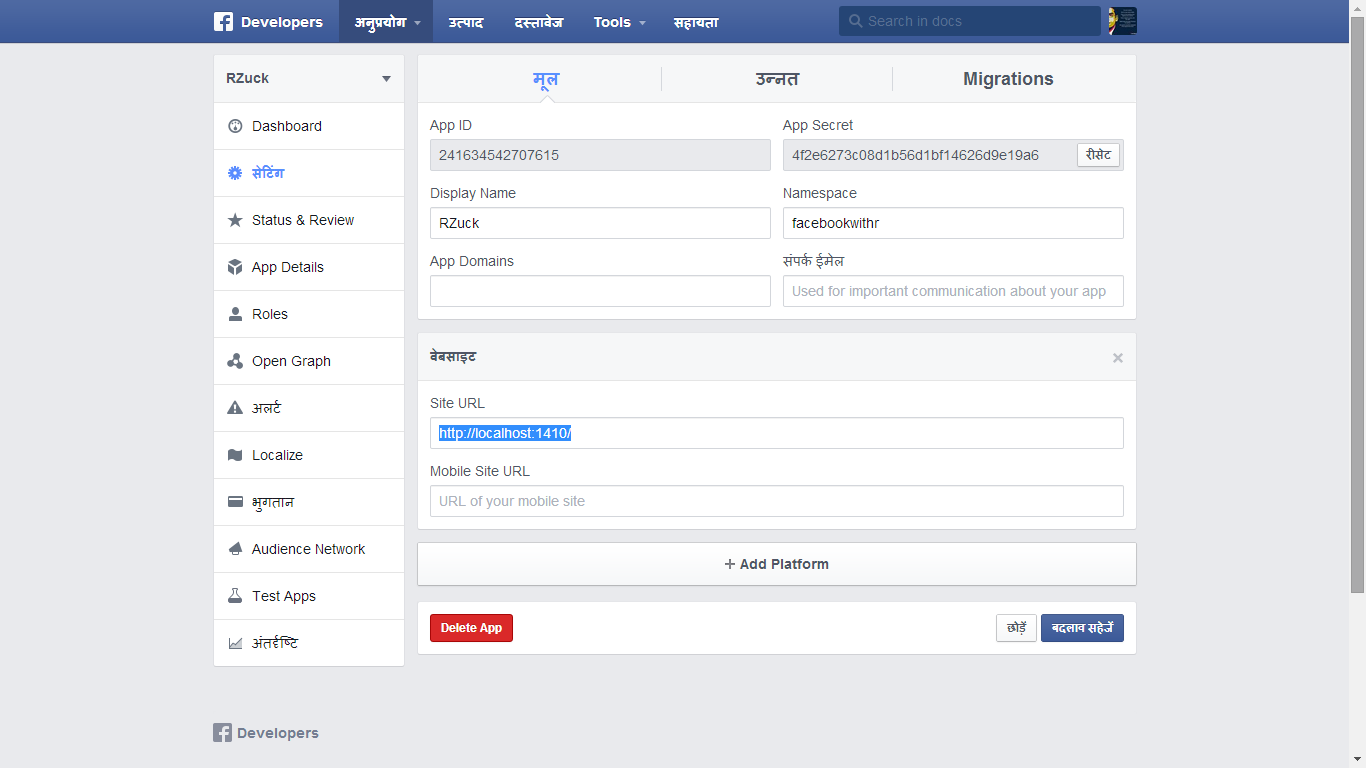
3) Change url in settings ( to http://localhost:1410 ). I wish we could do this in twitteR package and oAuth for TWitter but I have no clue . that. Also coming up post on Google Plus and LinkedIn (if I can)

https://developers.facebook.com/apps/241634542707615/settings/

Screenshot 2014-05-10 21.32.01

3) Copy the secret thingies from the dashboard. DO click the screenshots to enlarge (i.e to understand what I am trying to do here)

https://developers.facebook.com/apps/241634542707615/dashboard/

Screenshot 2014-05-10 21.25.00

4) Modify code below with the secret thingies above

install.packages("Rfacebook")
install.packages("httpuv")
library(Rfacebook)
library(httpuv)
#fbOAuth(app_id, app_secret, extended_permissions = TRUE)
fb_oauth=fbOAuth("241634542707615", "4f2e6273c08d1b56d1bf14626d9e19a6", extended_permissions = TRUE)
#fb_oauth <- fbOAuth(app_id="123456789", app_secret="1A2B3C4D")
save(fb_oauth, file="fb_oauth")
getwd()
dir()

Created by Pretty R at inside-R.org

5) Hey now we have a fb ouath object we can just load it up. we the following code can then be modified at will to get your analysis

library(Rfacebook)
library(httpuv)
library(RColorBrewer)
 
load("fb_oauth")
me <- getUsers("me", token=fb_oauth)
#getFQL(query, token)
my_friends <- getFriends(token=fb_oauth, simplify=F)
str(my_friends)
table(my_friends$relationship_status)
 
pie(table(my_friends$relationship_status),col=brewer.pal(5, "Set1"))
 
table(my_friends$location)
pie(table(my_friends$location),col=brewer.pal(20, "Greens"))
pie(table(my_friends$locale),col=brewer.pal(4, "Blues"))
pie(table(my_friends$gender),col=brewer.pal(3, "Oranges"))
 
load("fb_oauth")
 
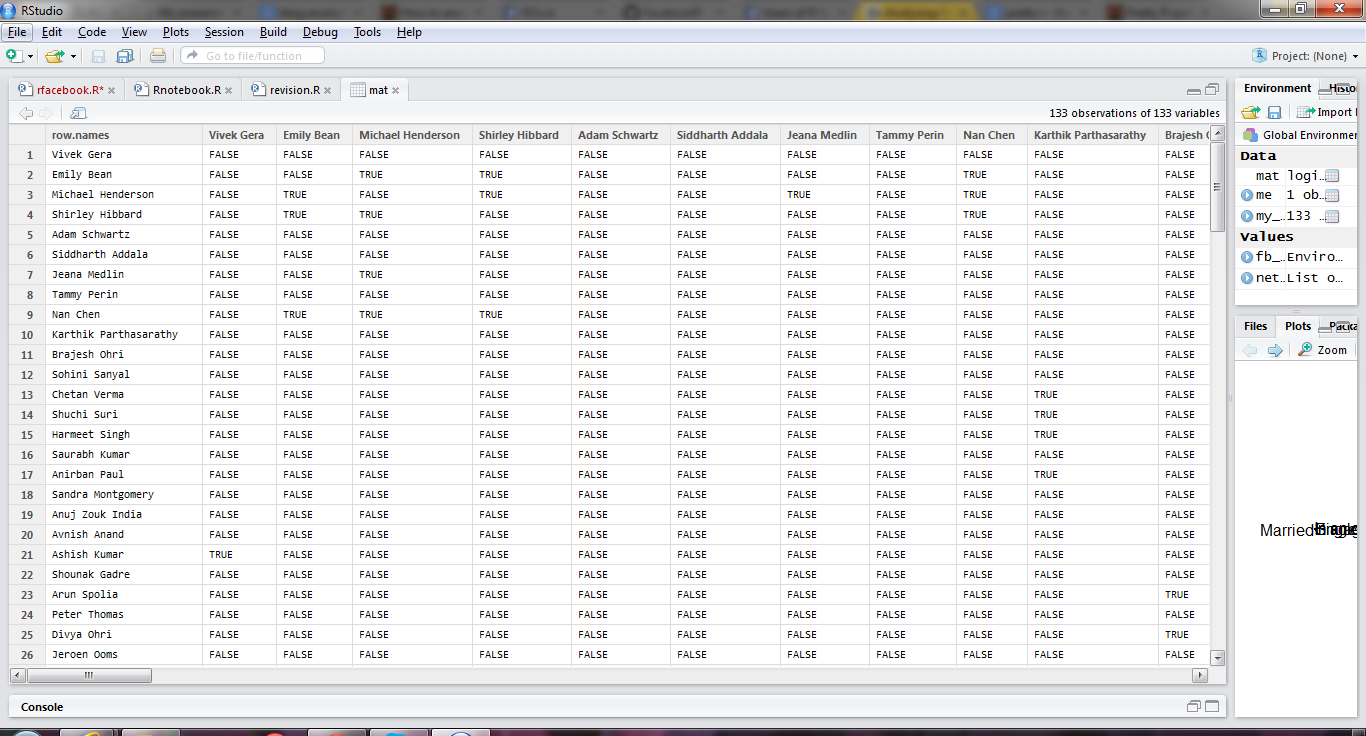
mat <- getNetwork(token=fb_oauth, format="adj.matrix")
 
library(igraph)
 
network <- graph.adjacency(mat, mode="undirected")
getwd()
setwd("C:/Users/dell/Desktop")
 
pdf("network_plot.pdf")
 
plot(network ,vertex.size=5, 
     vertex.label=NA, 
     vertex.label.cex=0.45,
     edge.arrow.size=1,
     edge.curved=TRUE,)
 
dev.off()

Created by Pretty R at inside-R.org

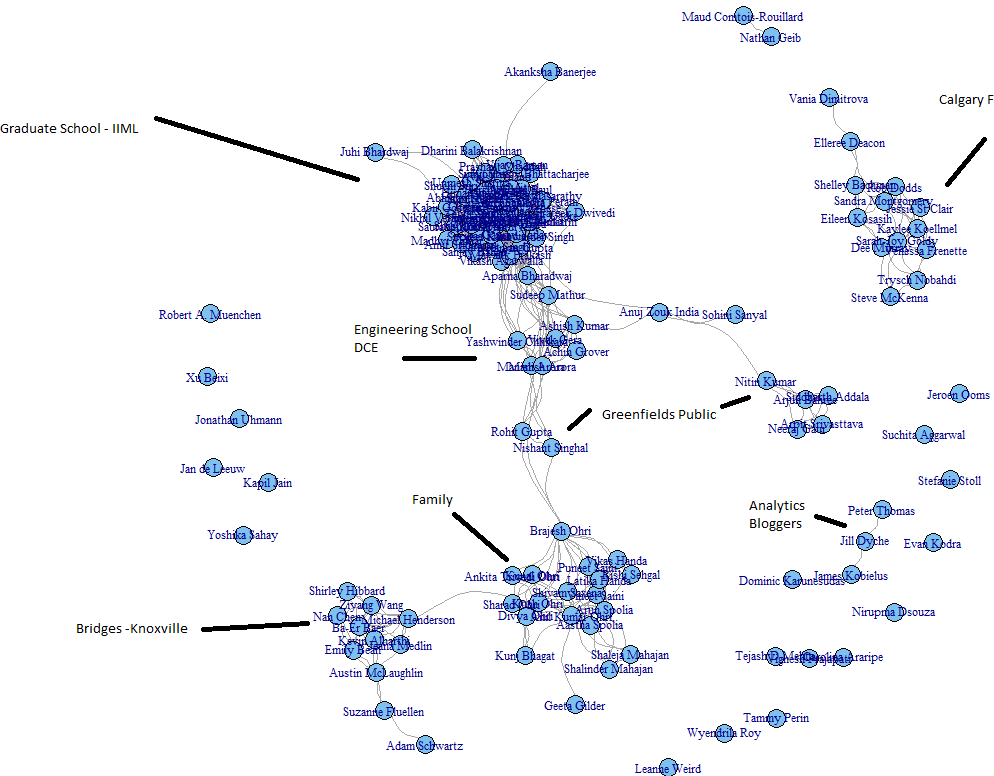
6) Voila my FB graph

Rplot04

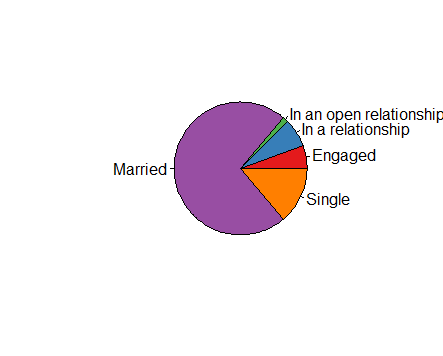
and analyzed for how are my homies

Rplot07

Europeans into open relationships more

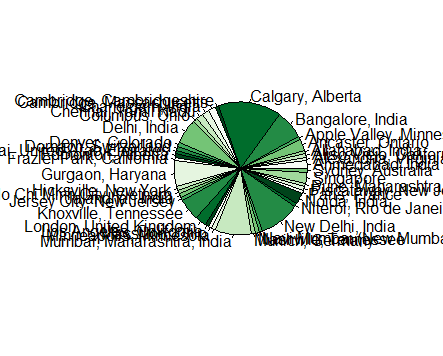
Rplot05

Places my friends are

Rplot04

Languages they speak

and all with R

Note- this is what an adjancency matrix is- just a fancy word for turning your Fb friends into a 1-0 matrix based on their relationships. The more friends you have the more interesting this analysis

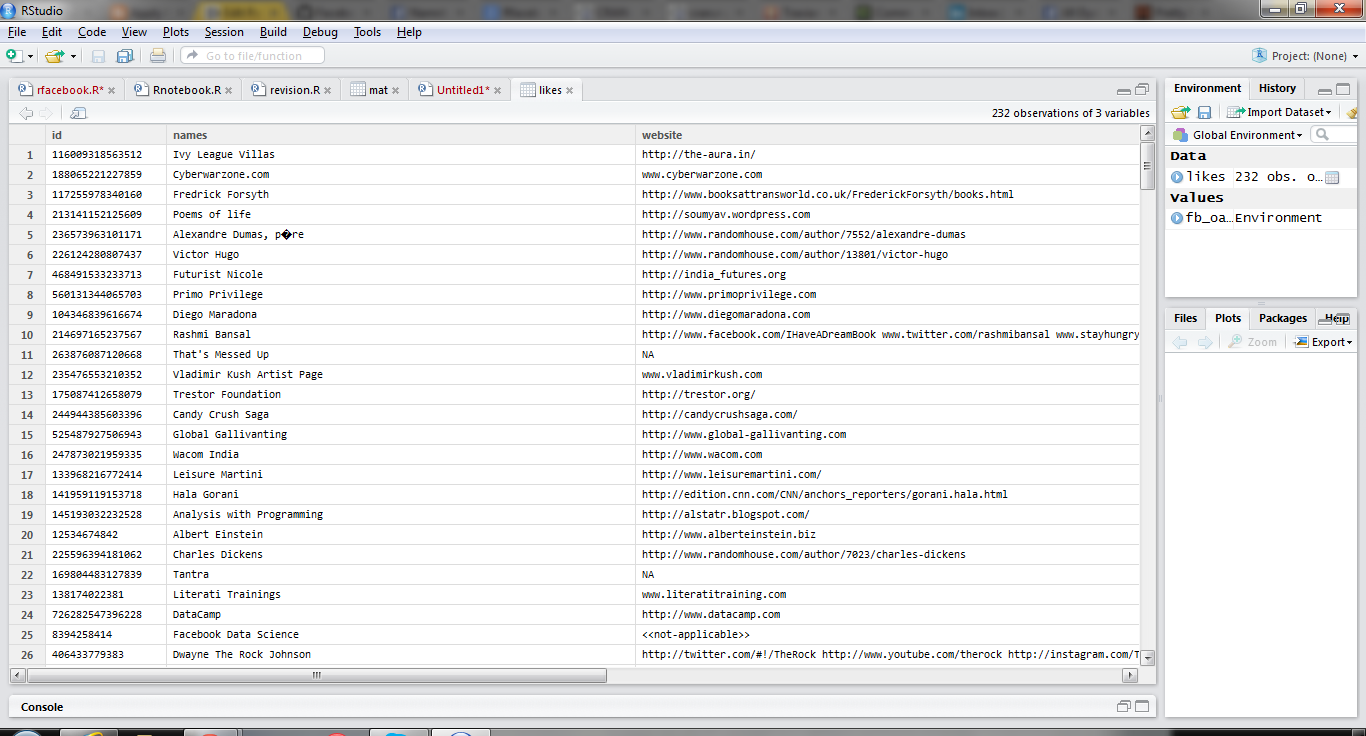
Now lets do likes analysis

I use this code and my own username (since I am the only one who has allowed the app permissions!)

likes=getLikes(user="byebyebyer",n=500,token=fb_oauth)

Boy I like a lot of websites huh- I wonder if I can cluster/ data reduce/association analysis  them (but that’s coming up  or is it?)


Screenshot 2014-05-23 01.31.42


Screenshot 2014-05-10 21.48.56

Hat tips-


Analyze Facebook with R

http://blog.revolutionanalytics.com/2013/11/how-to-analyze-you-facebook-friends-network-with-r.html

123

Decision Making in the era of Big Data, Cloud Computing, Data Science and R

a talk I gave at IIT Delhi at Department of Management Studies to doctoral students is uploaded here

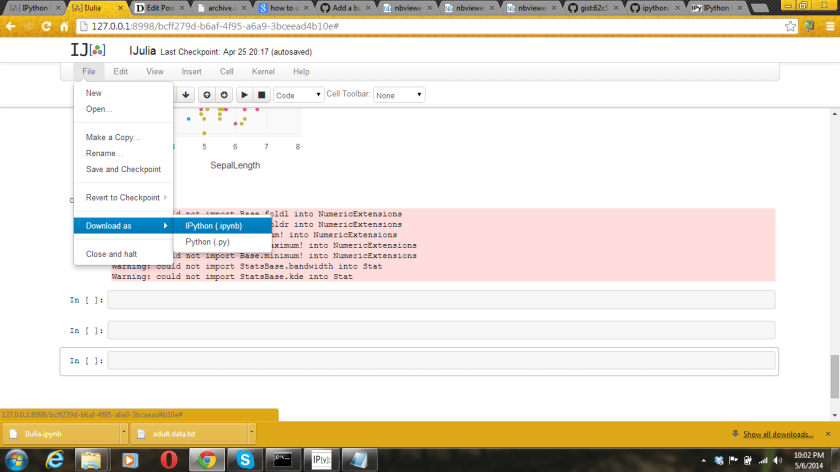
How to share your iPython (or iJulia code)

Basically


1) Download as Ipython file from the File Option

Screenshot 2014-05-06 22.02.54


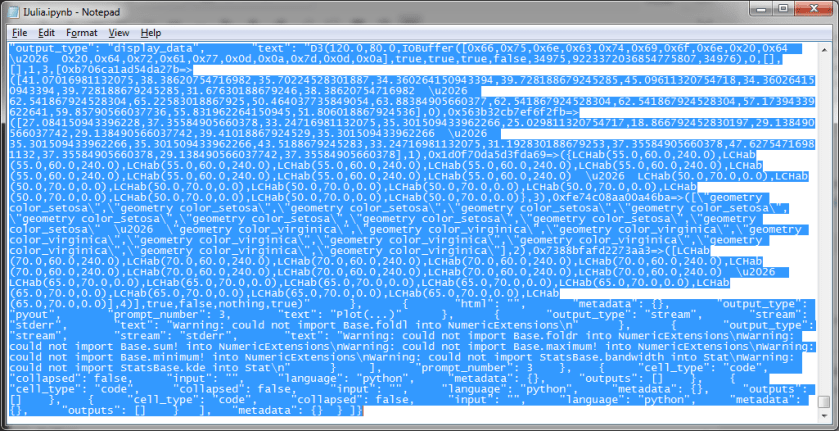
2) Use notepad to open the file downloaded. Copy the text contents

Screenshot 2014-05-06 22.06.03

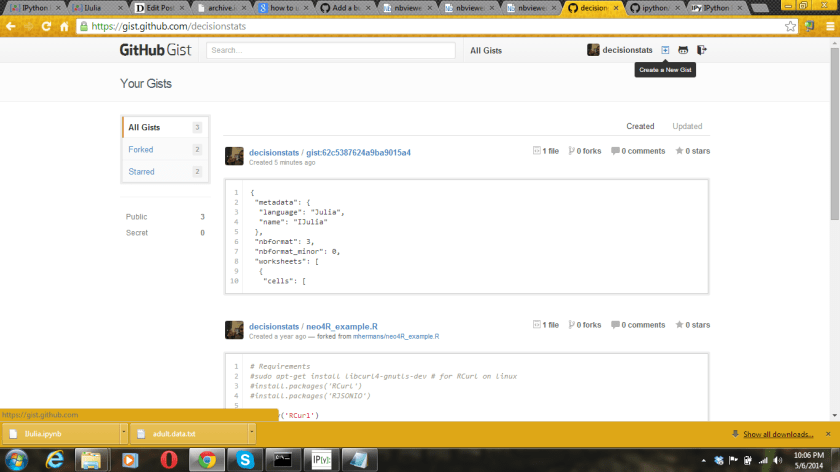
3) Create a new gist at by pasting the text from step 2 here

https://gist.github.com/ (assumes you have a github account)

Screenshot 2014-05-06 22.06.43


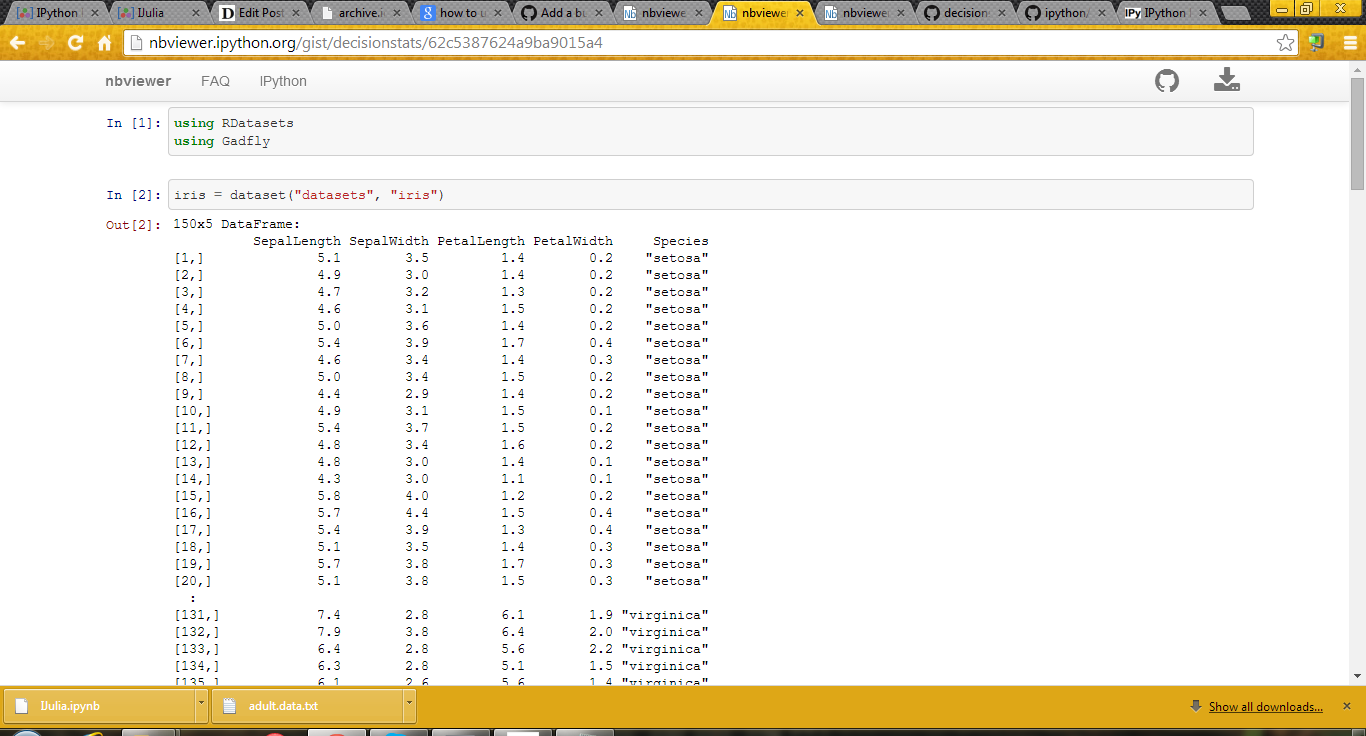
4) Paste the url of the Gist into http://nbviewer.ipython.org/ to get your iNotebook url for sharing

5) To update your notebook, simply copy and paste the new IPython code by editing the gist again


6)

(example here- http://nbviewer.ipython.org/gist/decisionstats/62c5387624a9ba9015a4)


Screenshot 2014-05-06 22.08.22

Beginner’s Notes in JULIA Language

  • Packages
  1. Pkg.add(“RDatasets ”)  installs package RDatasets
  2. using  RDatasets –loads package RDatasets
  3. Pkg.update() Updates all packages


some packages to install IJulia, RDatasets, PyCall,PyPlot,Gadfly,Rif

  • Data Input -pwd() – Gets you the current working directory
  1. cd(“C:/Path”) -Sets the working directory to the new path , here C:/Path
  2. readdir() – Lists all the files present in the current working directory
  3. using DataFrames

a=readtable(“1.csv”)

or df=readtable(“adult.data.txt”,header=false)

or

df= collect(readdlm(“adult.csv”))

or from package

Using RDatasets

iris=dataset(“datasets”,”iris”)

  • Object Inspection
  1. summary(a) Gives the structure of object named  including class, dimensions,
  2. colnames(a) Gives the names of variables of the object
  3. typeof(a) Gives the class of a object like data.frame, list,matrix, vector etc

size(a) Givesthe dimension of object (rows column)

Plots

using Gadfly

plot(df,x=”x1″ ,color=”x15″,Geom.histogram)

plot(iris,x=”SepalLength”,y=”SepalWidth”,color=”Species”)

using PyPlot

boxplot(df[:x15])

Note- we can use df[:x15] notation to refer to x15 variable in Data Frame df

For missing values we use Data Arrays and @data to convert object to Data Array

Then use removeNA ( or dropna in Julia 0.3) to remove missing values so as to run functions like mean etc

The describe function gives the numerical summary

describe(df[:x1])
Min      17.0
1st Qu.  28.0
Median   37.0
Mean     38.58164675532078
3rd Qu.  48.0
Max      90.0
NAs      0
NA%      0.0%


NOTES-

1) Doesnt work very well on Win 32

2) Two interfaces – command line or IJulia Notebook

3) If you type an object name , gives you the first twenty and last twenty rows- which is quite intuitive designed.

4) PyCall is an interface to Python and Rif is an interface to R- but I had issues trying to work with Rif

5) Basically even simple things( functions!) are renamed in Julia- the effort seems to keep it distinct with R

6) PyPlot for basic plots and Gadfly for ggplot2 plots


Note- some of it was shown here-Updated

http://nbviewer.ipython.org/gist/decisionstats/62c5387624a9ba9015a4